claude-code-memory-cache
Health Warn
- License — License: MIT
- Description — Repository has a description
- Active repo — Last push 0 days ago
- Low visibility — Only 6 GitHub stars
Code Pass
- Code scan — Scanned 12 files during light audit, no dangerous patterns found
Permissions Pass
- Permissions — No dangerous permissions requested
No AI report is available for this listing yet.
Persistent, token-efficient memory for Claude Code — 5 memory layers (vector store, file facts, Obsidian vault, code graphs, brain files) kept fresh by hooks, plus an optional live 3D memory graph
Claude Code Memory Cache



Claude Code forgets everything the moment a session ends. This gives it a memory that survives — so it remembers what you told it last week, and looks things up cheaply instead of re-reading your whole codebase to answer "where is X used?" Everything runs locally on your machine: no API key, no cloud.
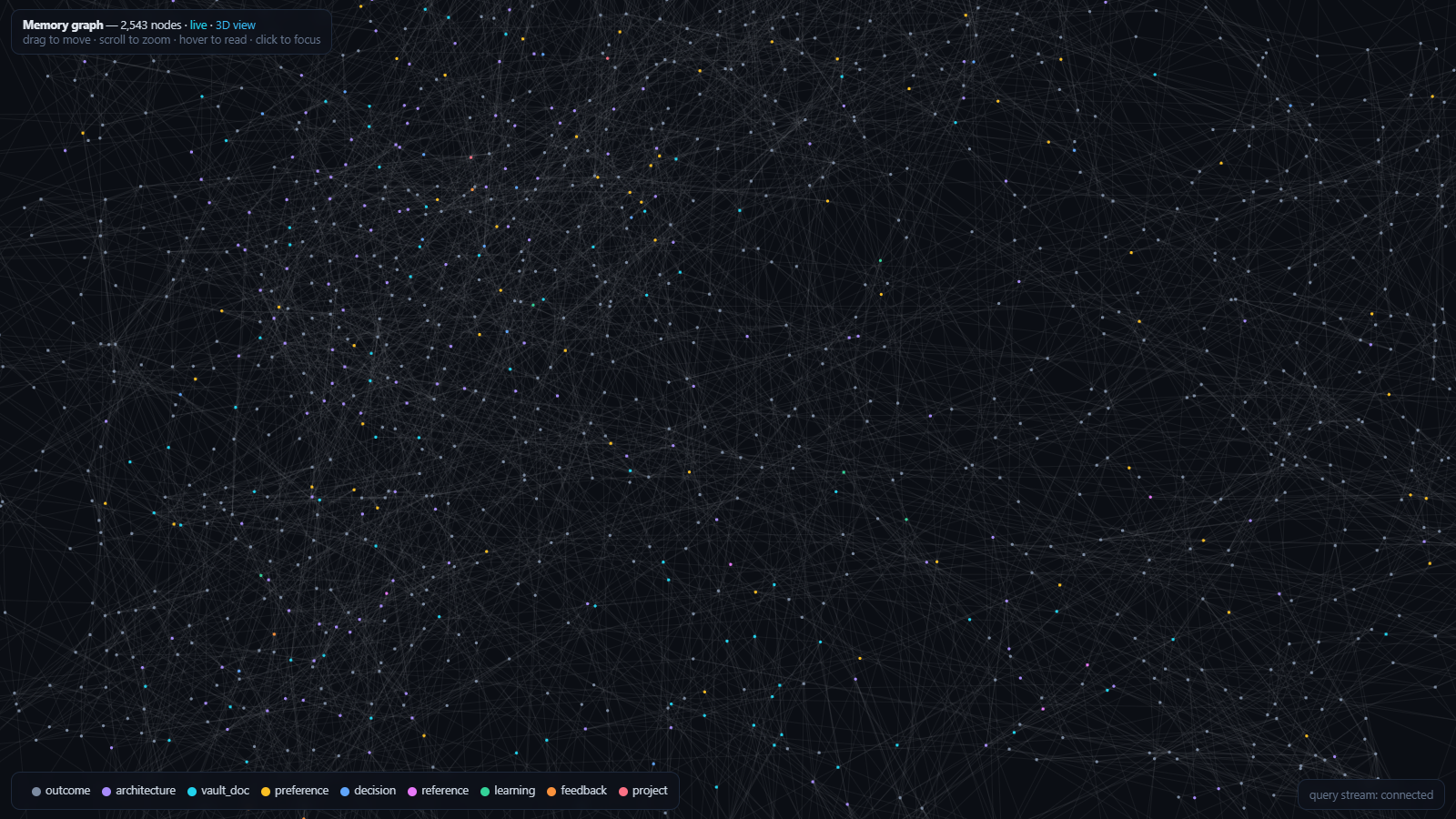
The optional live memory graph (2D view shown; a full 3D mode with hologram effects is one click away), from one real installation after ~3 months of use. Every node is one of your memories — the graph starts empty and grows as your sessions save them, clustered by meaning and pulsing as sessions think. Measured results from the same installation: docs/STATS.md.
⚠️ Unofficial. Not affiliated with Anthropic. "Claude" is a trademark of Anthropic; this is an independent community project.
How it works
Claude Code talks to one small Memory Server on your machine using just two actions — save a memory and search past memories. The server keeps five kinds of memory, each good at a different question, and a set of hooks keeps them all fresh automatically.
flowchart TD
    You(["You"]) -->|"ask / do work"| CC["Claude Code<br/>(the agent)"]
    CC <-->|"save · search"| MS["Memory Server<br/>local · no cloud · no API key"]

    subgraph M["Five kinds of memory — one per question"]
      direction LR
      L1["1 · Vector memory<br/>have we discussed this before?"]
      L2["2 · Fact files<br/>the exact facts, cheap"]
      L3["3 · Obsidian vault<br/>the story + logs, for humans"]
      L4["4 · Code graphs<br/>where is X used? what breaks?"]
      L5["5 · Brain files<br/>one-page summary per repo"]
    end

    MS --> L1 & L2 & L3 & L4 & L5
    H["Hooks keep it all fresh<br/>session start · every edit · save · session stop"] -.-> MS
The five kinds of memory
| # | Kind | The question it answers | What it actually is |
|---|---|---|---|
| 1 | Vector memory | "Have we discussed something like this before?" | A local search over past sessions by meaning — a paraphrase still finds the right note, and exact tokens like error strings match too. Uses a local database with built-in embeddings, no API key needed. |
| 2 | Fact files | "What exactly did you tell me?" | Plain-text notes, one fact per file, with a tiny always-loaded index (MEMORY.md). The full facts are read only when they're needed, so they cost nothing until then. |
| 3 | Obsidian vault | "Show me the story." | Human-readable session logs, per-project notes, and a running lessons-learned file — browsable by you, not just the agent. |
| 4 | Code graphs | "Where is this used? What breaks if I change it?" | A map of your codebase's structure, so Claude checks the map instead of re-reading every file. |
| 5 | Brain files | "Give me the one-pager on this repo." | A single PROJECT_BRAIN.md per project — stack, conventions, priorities — refreshed automatically as you work. |
The payoff: continuity across sessions, and far fewer tokens spent — see docs/TOKEN_EFFICIENCY.md for the techniques and docs/STATS.md for real numbers. New terms (MCP, embedding, hook) are defined in docs/ARCHITECTURE.md.
Optional: watch your memory
A live graph of your memory — semantic clusters, a hologram mode, and nodes that pulse in real time as your sessions search and save. One command:
python visualizer/graph_server.py --open
Quickstart
git clone https://github.com/jushayden/claude-code-memory-cache
cd claude-code-memory-cache
pip install -r requirements.txt
python install.py            # guided: deps check, config, snippets to merge, vault seeding
Or let your agent do it — paste docs/AGENTIC_SETUP.md into Claude Code.
What's in here
memory_server/   the Memory Server (layers 1–3): server.py, storage.py, hybrid.py, obsidian.py
scripts/         hook helpers (fingerprint_gate.py — skips graph rebuilds on non-structural edits)
config/          CLAUDE.md + settings.json (hooks) templates to merge into your setup
visualizer/      OPTIONAL live memory graph (docs/VISUALIZER.md)
docs/            architecture, setup, token efficiency, security, stats, visualizer
install.py       guided installer
Docs
- Architecture — the diagram, the five layers in plain English, the hooks, and a glossary
- Setup — manual install, step by step
- Agentic setup — let your Claude install it
- Real numbers — measured costs, savings, and an honest list of what turned out useless
- Token efficiency — the techniques that cut token use
- Visualizer — the optional live memory graph
- Security — scrub checklist before you publish your own setup
Requirements
Python 3.10+, Node 20+, Claude Code, and (optional but recommended) Obsidian.
License
MIT — see LICENSE.
Reviews (0)
Sign in to leave a review.
Leave a reviewNo results found