undine-eda
Health Warn
- License — License: Apache-2.0
- Description — Repository has a description
- Active repo — Last push 0 days ago
- Low visibility — Only 6 GitHub stars
Code Pass
- Code scan — Scanned 12 files during light audit, no dangerous patterns found
Permissions Pass
- Permissions — No dangerous permissions requested
No AI report is available for this listing yet.
Undine: an AI-native, web-based EDA environment for custom IC design

An AI-native, web-based EDA environment for custom IC design.
From schematic to tapeout in the browser, with one API that people, scripts and AI agents share.




Documentation · 日本語 · Getting started · Tutorial · Connect an AI agent · Roadmap · Contributing
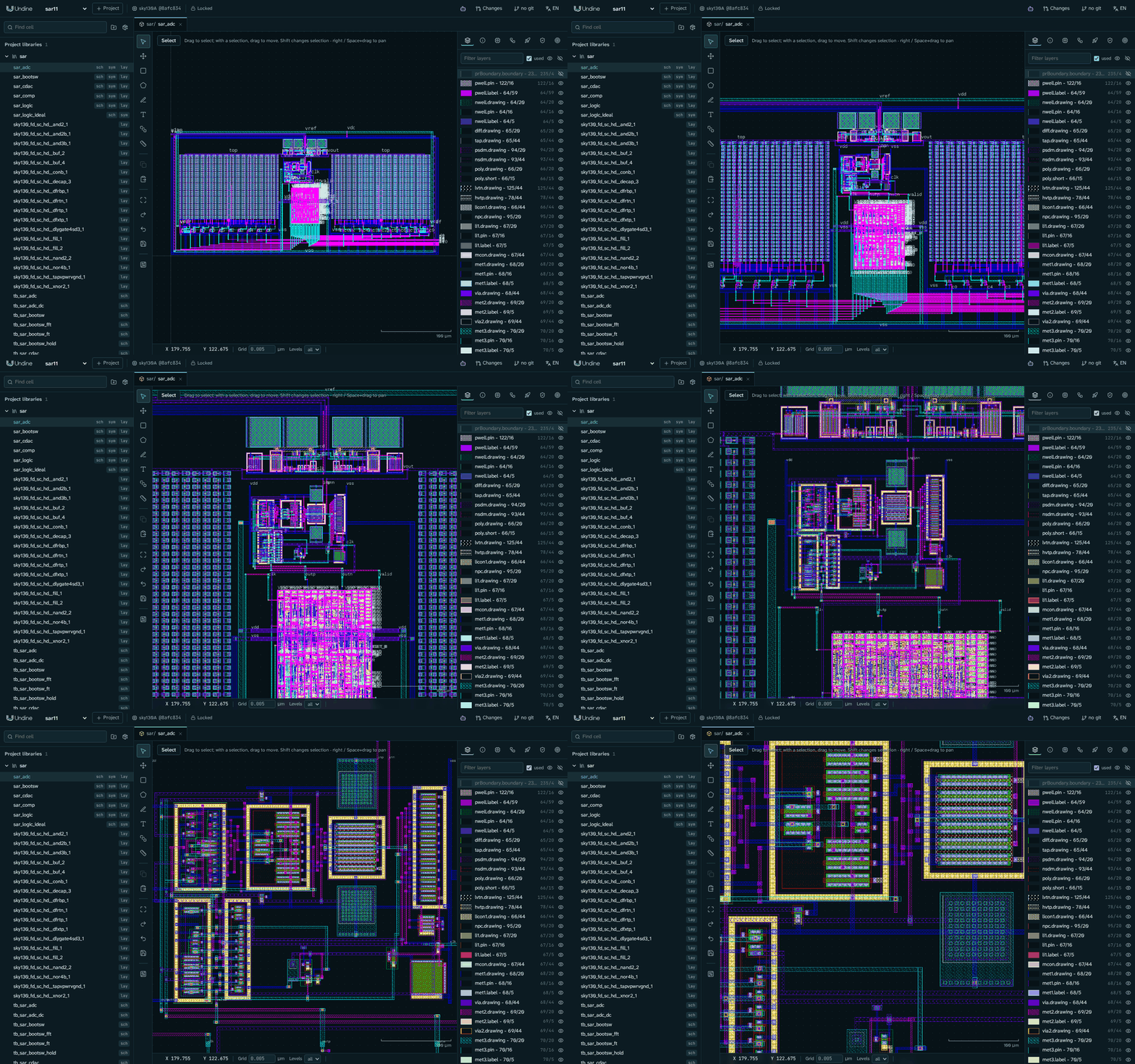
An 11-bit SAR ADC designed in Undine with an AI agent: 0.067 mm² on SKY130, DRC and LVS clean. On each block's extracted layout at the tt corner it simulates at SNDR 67.09 dB, SFDR 81.62 dB and 245 µW (case study, with its limits).
Undine (pronounced uhn-deen) is built for analog and mixed-signal design. The design database, the PDK, DRC / LVS and simulation run on a
server; the browser only draws. Everything the editor does is an HTTP call, so an AI agent can do it too, and its edits
arrive as a proposal that you review, check and adopt or discard.
[!IMPORTANT]
Undine is alpha software, and its server has no sign-in yet. Run it on your own machine or on a network you trust.
Features
- Design in the browser. Xschem-compatible schematics; layout drawn from the PDK's layers and PCells, or generated
from the schematic; Verilog and SystemVerilog per cell. - Verify on the server. ngspice with specs measured at corners and temperatures; KLayout and Magic / Netgen DRC
and LVS; parasitic extraction and simulation of the extracted layout. - Agents propose, people decide. An MCP server for Claude Code and Claude Desktop, the
undinecommand and a
Python client. Each proposal is a changeset on its own git branch, with checks before and after. - Design intent. Each cell carries its goals, constraints and specs, and checks and agents work from them.
- Reproducible projects. The PDK is pinned by commit and tree hash, libraries are packages pinned by content, and
every edit is in an operation log and in git. - Three open PDKs and three shuttles. SKY130, GF180MCU and IHP SG13G2 through
ciel; checks and submission bundles for Tiny Tapeout, wafer.space and
ChipFoundry.
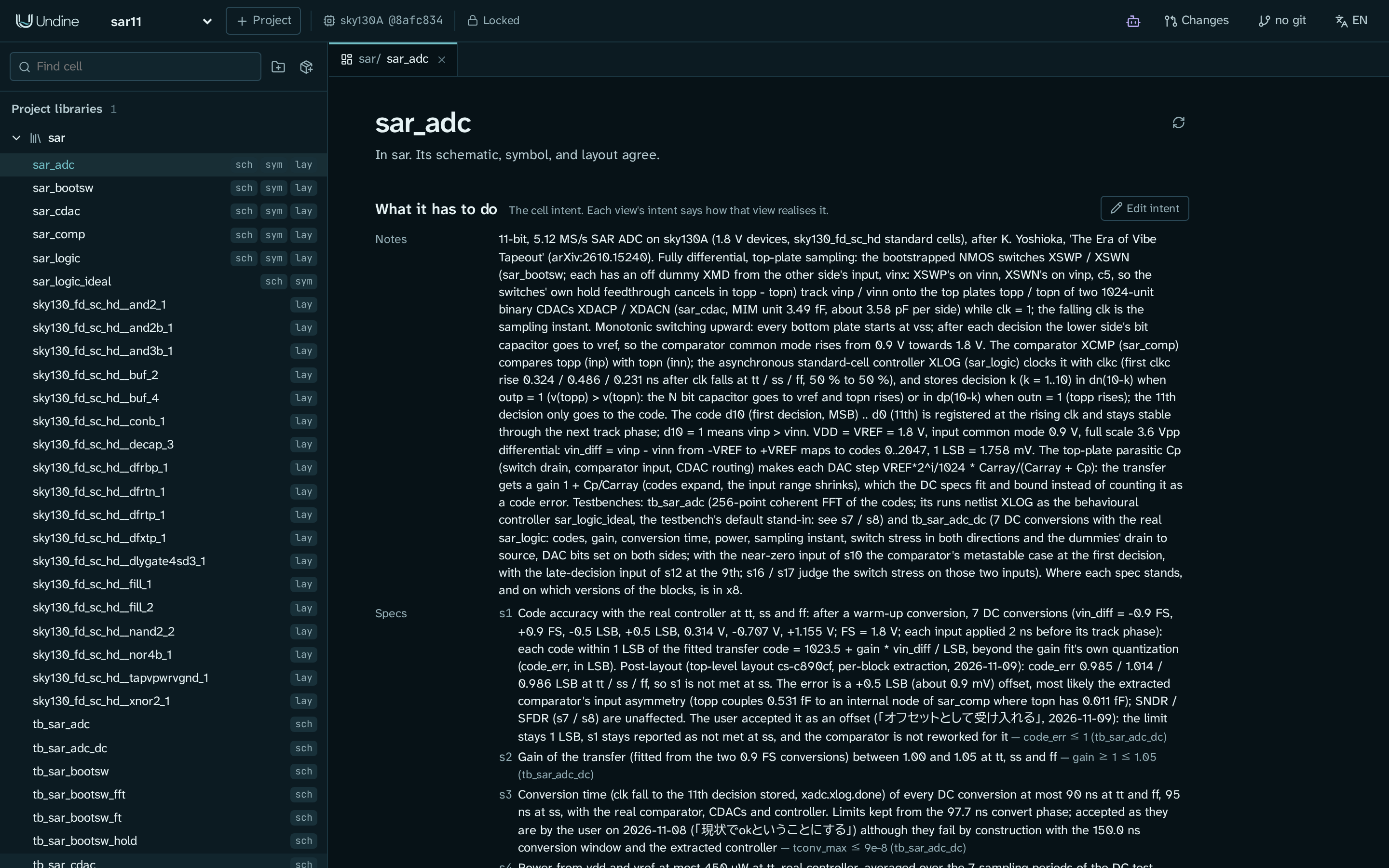 Cells and intent: a cell's goals, constraints and specs |
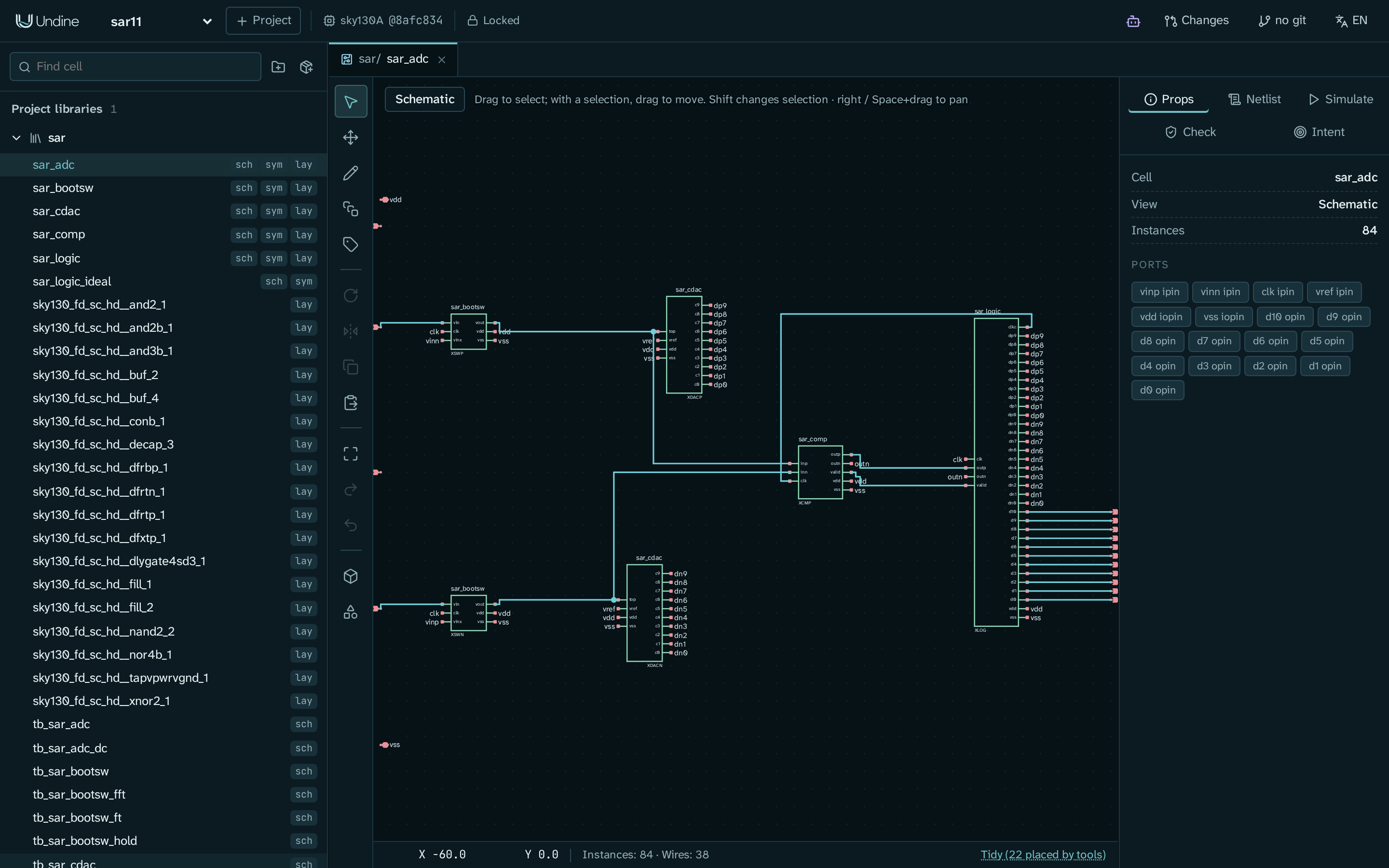 Schematic: Xschem-compatible editing |
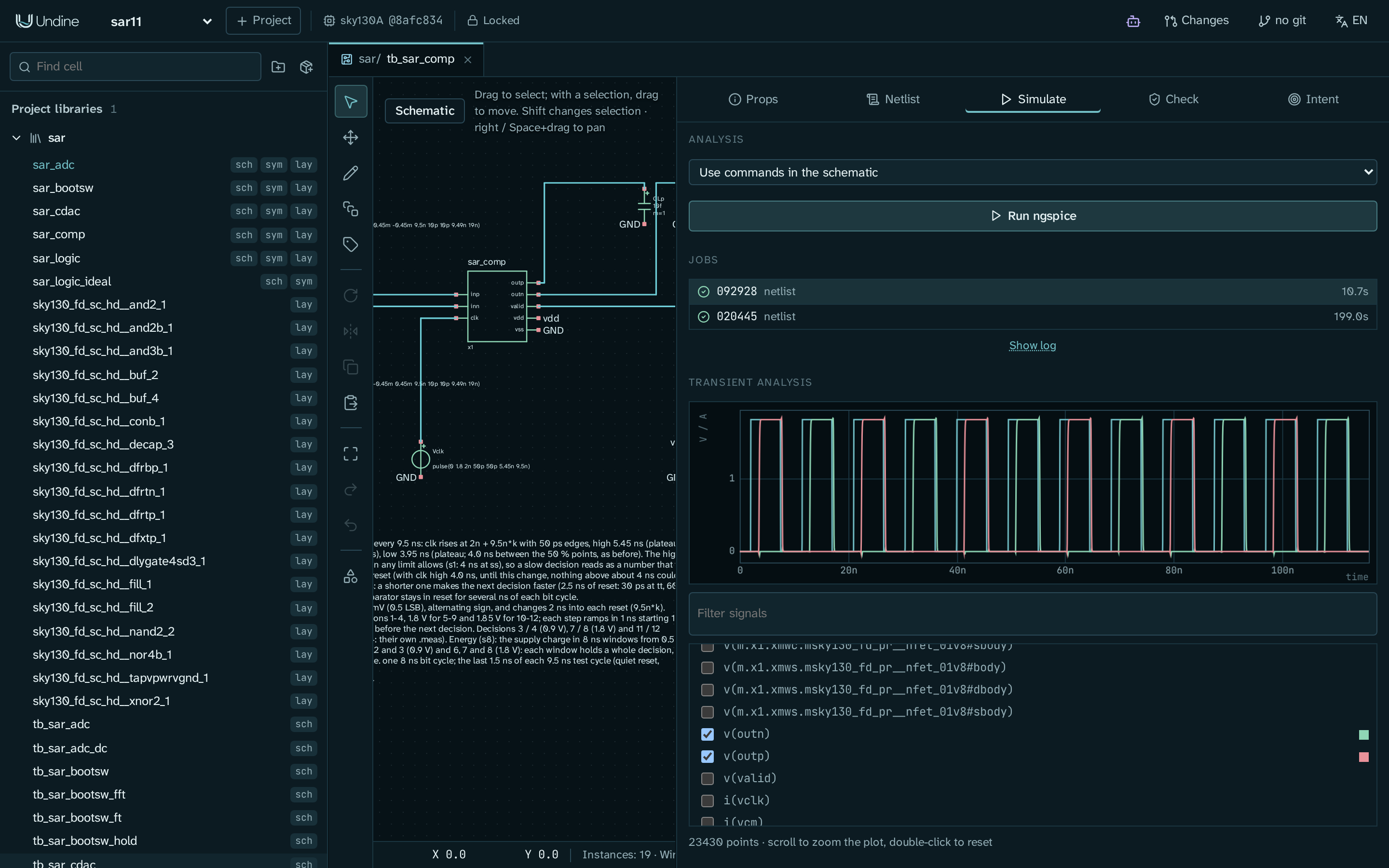 Simulation: ngspice on the server, waveforms in the browser |
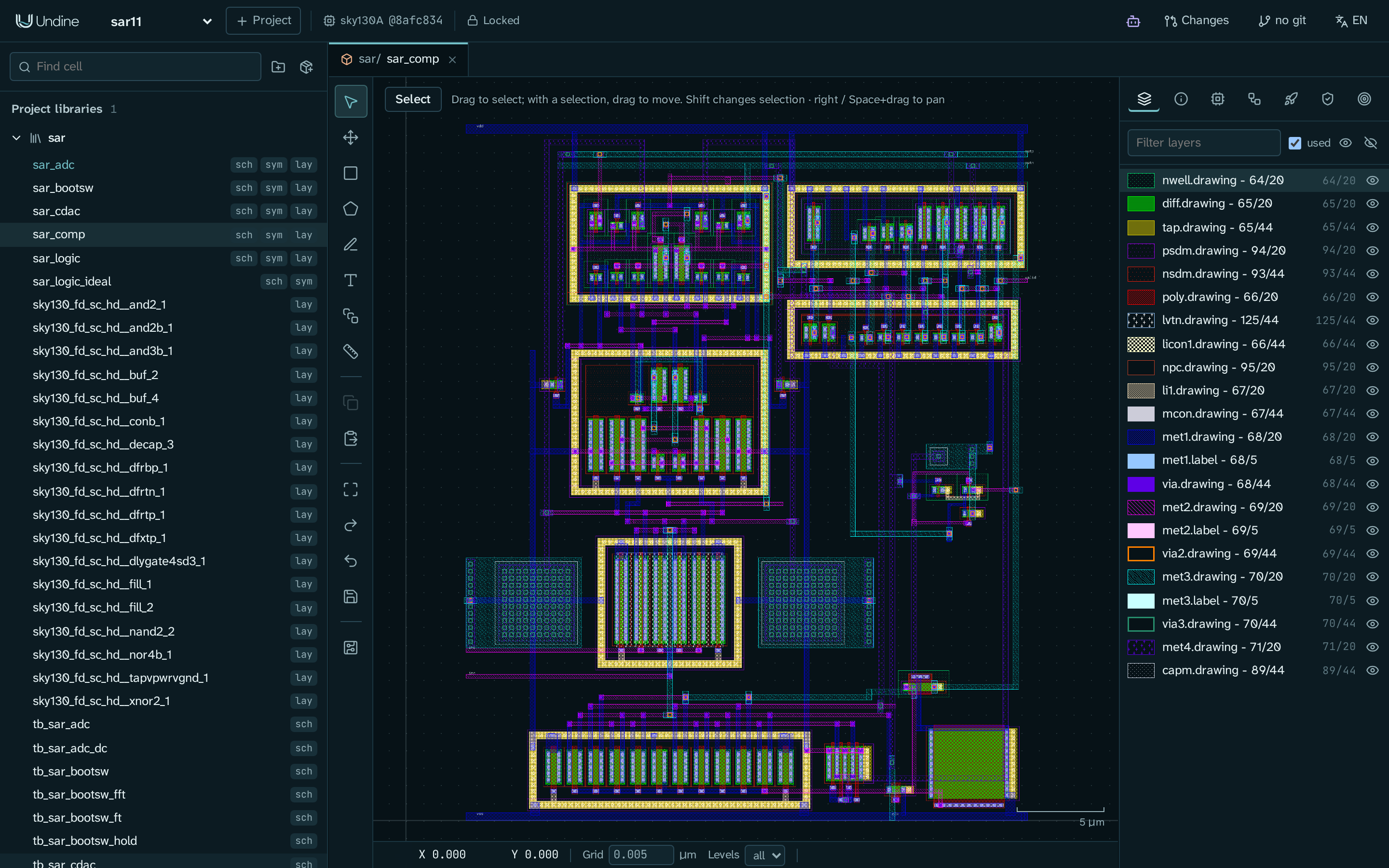 Layout: server-rendered tiles in the PDK's layers |
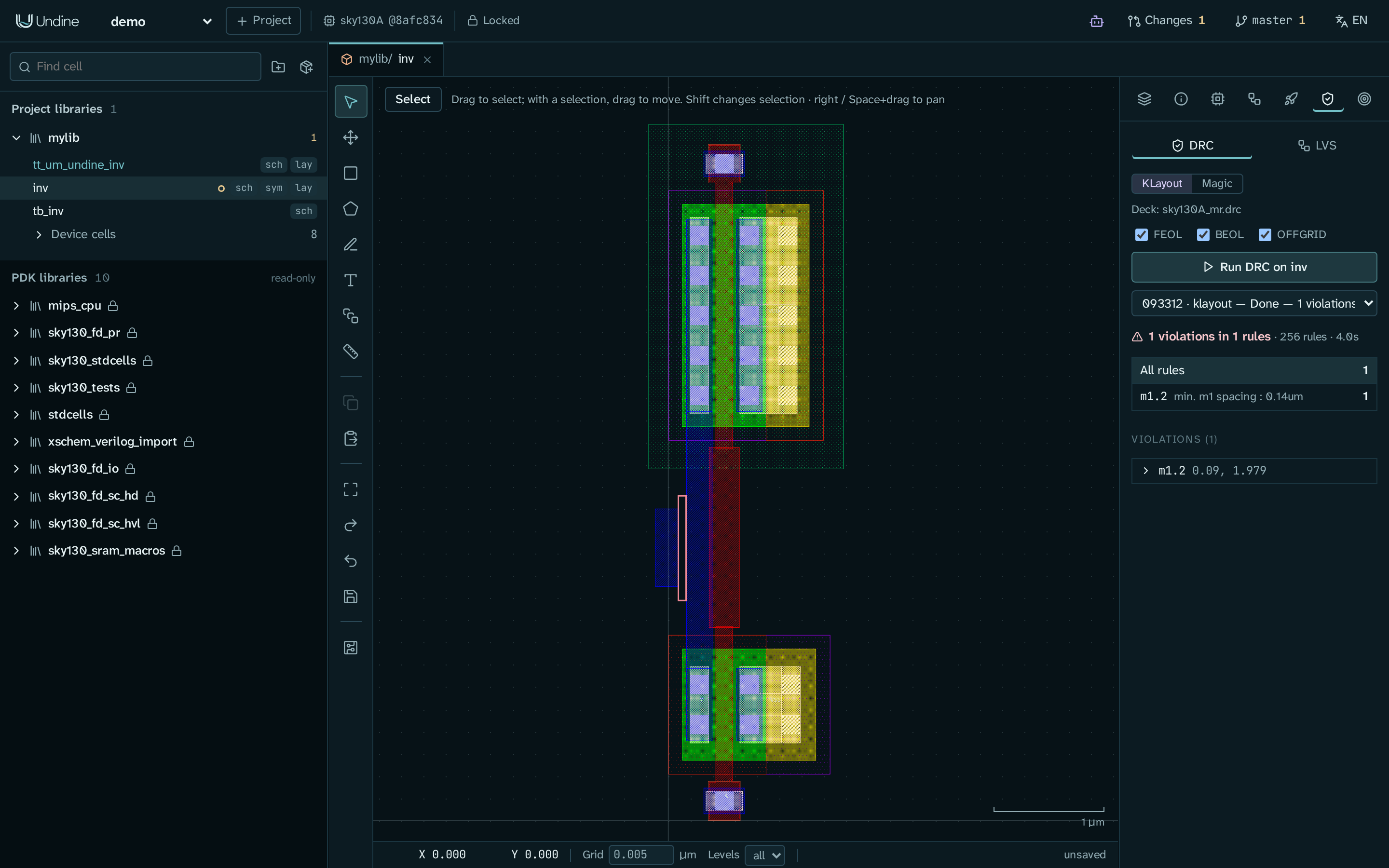 DRC / LVS: KLayout or Magic decks, markers in the layout |
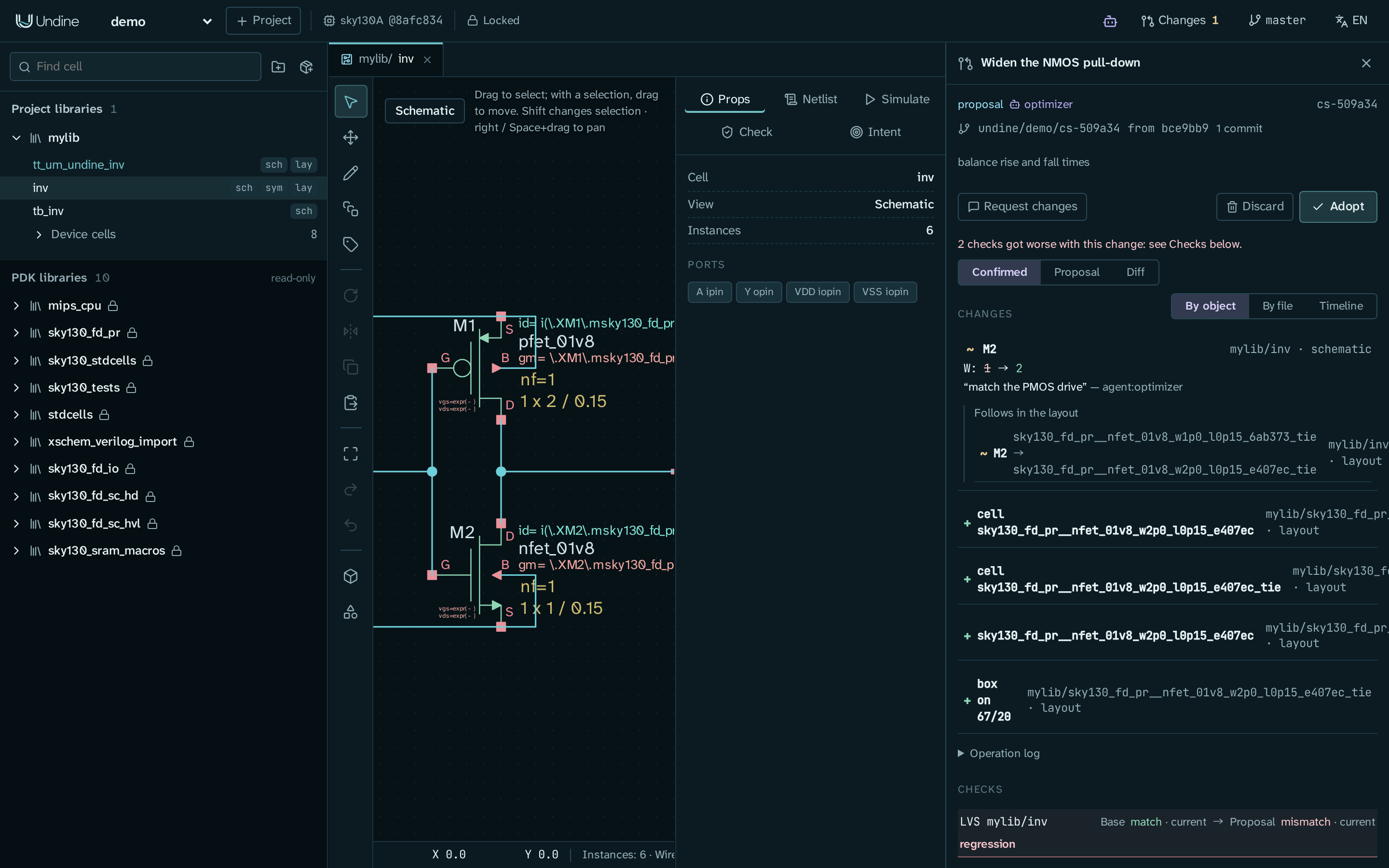 Changesets: an agent's proposal waiting for a person |
Getting started
Prerequisites
- Linux x86-64, or Windows with WSL2
- pixi;
./setup.shuses it to install Python, Node, ngspice, Xschem, Magic, Netgen and Verilator - The KLayout application 0.30 or later
(per distribution)
Install and run
git clone https://github.com/kadomoto-lab/undine-eda.git
cd undine-eda
./setup.sh                                          # environments, UI build, the sky130 PDK through ciel, a check
pixi run python -m undine new demo --pdk sky130A    # a project in ~/undine-projects
pixi run serve                                      # then open http://127.0.0.1:8700
[!TIP]
./setup.sh check(orpixi run doctor) says what is missing and the command that fixes it.
Then follow Your first cell: an inverter: draw a schematic, simulate it and lay it out.
Connect an AI agent
With Claude Code, register Undine once from the repository's directory:
claude mcp add --scope user undine -- "$PWD/.pixi/envs/default/bin/python" -m undine mcp-stdio
Then ask Claude for a change to a design, for example to size a cell for a delay spec, and review its proposal in
Undine. Connect an AI agent covers Claude Desktop, other MCP clients and the
in-app agent; Design with an AI agent walks through a whole session.
Documentation
The documentation is at kadomoto-lab.github.io/undine-eda, in English
and Japanese. Its source is in docs/; pixi run -e docs docs-serve serves it locally.
- Start: Install · First project ·
Overview - Tutorials: An inverter · With an AI agent ·
Tiny Tapeout · Case study: an 11-bit SAR ADC - Guides: Cells and intent · Schematic ·
Layout · Simulation and RTL · Verification ·
Changesets · PDKs · Libraries ·
Tapeout - Reference: Command line · Data on disk ·
HTTP API - Help: Troubleshooting and FAQ · Issues
日本語のドキュメントは ホーム から。すべてのページに日本語版があります。
Built on
KLayout, Xschem, ngspice,
Magic, Netgen,
Verilator, LibreLane,
OpenVAF, open_pdks,
ciel and the open PDKs from SkyWater, GlobalFoundries and IHP. Their
licenses are listed in Licenses.
Reviews (0)
Sign in to leave a review.
Leave a reviewNo results found