kubeterm
Health Pass
- License — License: MIT
- Description — Repository has a description
- Active repo — Last push 0 days ago
- Community trust — 217 GitHub stars
Code Pass
- Code scan — Scanned 3 files during light audit, no dangerous patterns found
Permissions Pass
- Permissions — No dangerous permissions requested
No AI report is available for this listing yet.
Graphical management tool for Kubernetes on desktop and mobile.
Kubeterm
English | 简体中文



Kubeterm is a graphical management tool for Kubernetes clusters.
It provides clear visibility into your clusters, enables users to manage cluster resources and applications easily, as well as perform troubleshooting actions.
As a locally running application, Kubeterm doesn't require anything installed into the cluster.
It supports multiple platforms, including desktop and mobile devices.
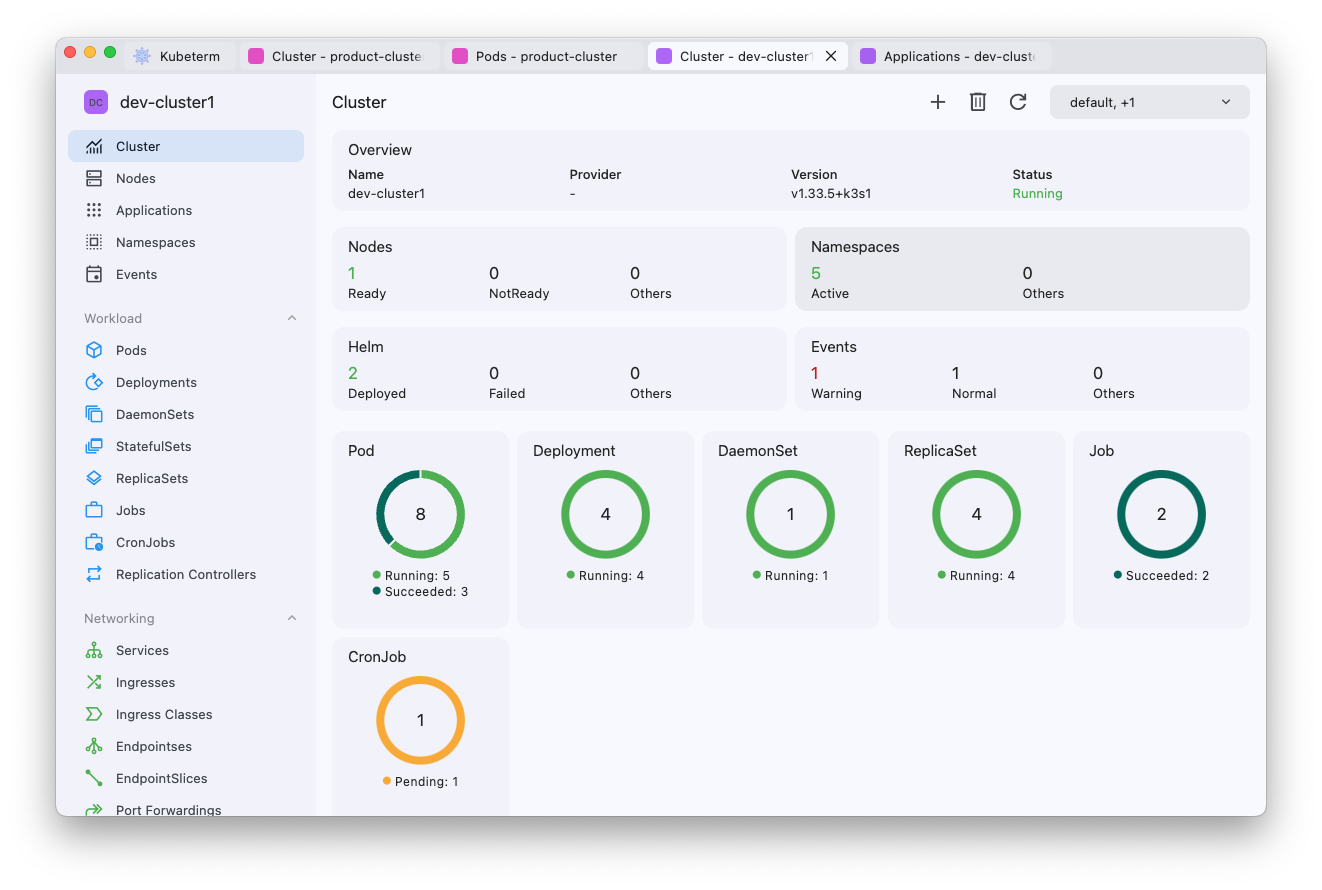
Features
- Cluster Access & Authentication:
- Automatically loads the default kubeconfig with zero configuration.
- Integrates with cloud provider accounts (GCP and Azure) to import clusters by simply logging in.
- Supports cloud provider credentials, including AWS secret access keys, GCP service accounts, and Azure service principals.
- Provides built-in OIDC authentication by reading the
auth-providerfield from theusersection of the kubeconfig. Example
- AI Agent:
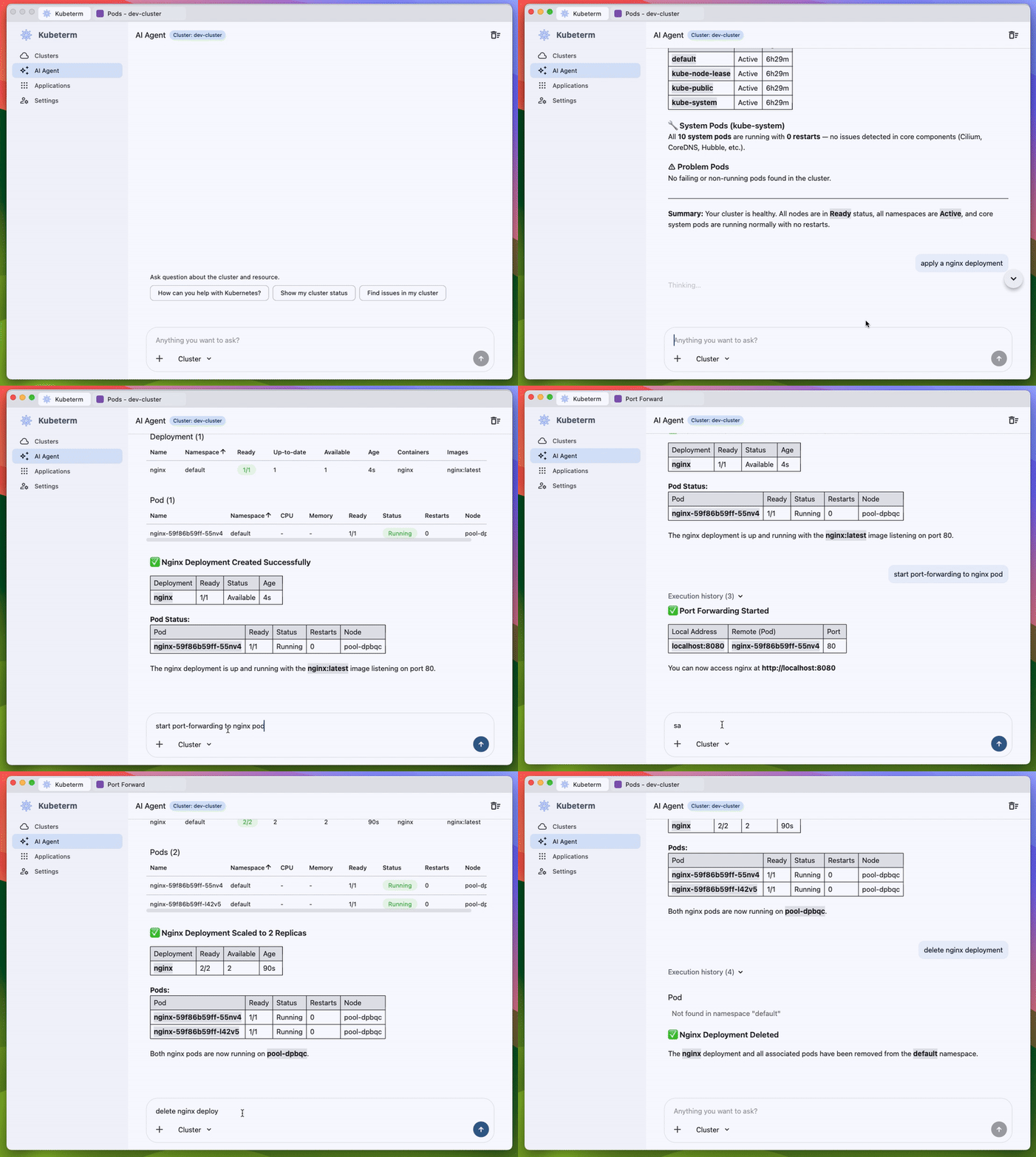
- Built-in AI assistant for Kubernetes troubleshooting and operations.
- Works with cluster-aware context, including the selected cluster, resource details, YAML and log snippets.
- Requires explicit approval before mutating cluster actions are executed.
- Cluster dashboard: View cluster status and live resource metrics (requires Kubernetes Metrics Server).
- Prometheus integration: Connect Prometheus for historical pod and node metrics charts. Auto-detects in-cluster instances and can reach them through the API server proxy, with no Ingress or port-forward required. Setup
- Resource Viewer: List and describe details of Kubernetes resources, including custom resources.
- Resource operations: Create, edit and delete resources, as well as advanced operations such as scaling, restart, node cordon/uncordon/drain.
- Debugging:
- Debug Node or Pod by running an ephemeral container.
- Run commands directly inside containers.
- Inspect container's logs with searching, highlighting, tailing or downloading to local.
- File transfer: Copy files from/to Pod.
- Port forwarding: Forward local requests to Pod/Service.
- Pod file browser: Open file browser on pod directly in the app.
- Helm management: Install, uninstall, upgrade and rollback Helm charts/releases.
- Cross-platform support: Available on both mobile and desktop.
- Data sync: Sync kubeconfig across multiple clients via iCloud (iOS/macOS).
Get started
Mobile version
Download on your mobile devices:


Desktop version (macOS, Windows and Linux)
Download from GitHub Releases:
Install macOS version by Homebrew:
brew install --cask kubetermDownload macOS version from App Store:
ℹ️ Note: This build runs inside Apple's App Sandbox and therefore cannot execute credential plugins (
execblocks) referenced in your kubeconfig.
If you rely on these, use one of the two options above instead — the build from GitHub Releases or Homebrew is not sandboxed.
AI Agent
Kubeterm includes a built-in AI Agent for Kubernetes operations and troubleshooting.
The agent runs inside Kubeterm, can work with the currently selected cluster or resource context, and helps investigate issues directly from the UI.
Security & Privacy
Kubeterm handles cluster credentials, so it's worth being explicit about where your data goes.
- Your cluster data stays on your machine. Kubeconfigs and cloud provider credentials are read and stored locally, and Kubeterm talks directly to your clusters' API servers — and, if you configure it, to your own Prometheus. There is no Kubeterm server in the path.
- No telemetry. Kubeterm collects no usage data, analytics, or crash reports.
- The AI Agent is the only outbound exception. When you use it, the context for your request goes directly from your machine to the AI provider you configured — Anthropic, OpenAI, Gemini, DeepSeek, or Ollama — authenticated with your own API key.
- Mutating actions require approval. The AI Agent must ask before it runs anything that changes cluster state.
- Optional iCloud sync. If you enable kubeconfig sync on iOS/macOS, it goes through your own iCloud account. It is off unless you turn it on.
- macOS builds are signed and notarized by Apple.
FAQ
Common questions — FAQ.
Contact us
About this repository
This repository hosts Kubeterm's issue tracker, release downloads, and documentation.
The Kubeterm application is not open source.
Copyright & License
Copyright (c) 2025 kubeterm — the content of this repository is released under the MIT license.
Reviews (0)
Sign in to leave a review.
Leave a reviewNo results found