pcba-design-skills
Health Warn
- License — License: MIT
- Description — Repository has a description
- Active repo — Last push 0 days ago
- Low visibility — Only 6 GitHub stars
Code Pass
- Code scan — Scanned 12 files during light audit, no dangerous patterns found
Permissions Pass
- Permissions — No dangerous permissions requested
No AI report is available for this listing yet.
Modular Codex and Claude Code skills for electronic product planning, circuit review, schematic humanization, PCB layout, PCBA release, and JLCPCB ordering. EN/JA.
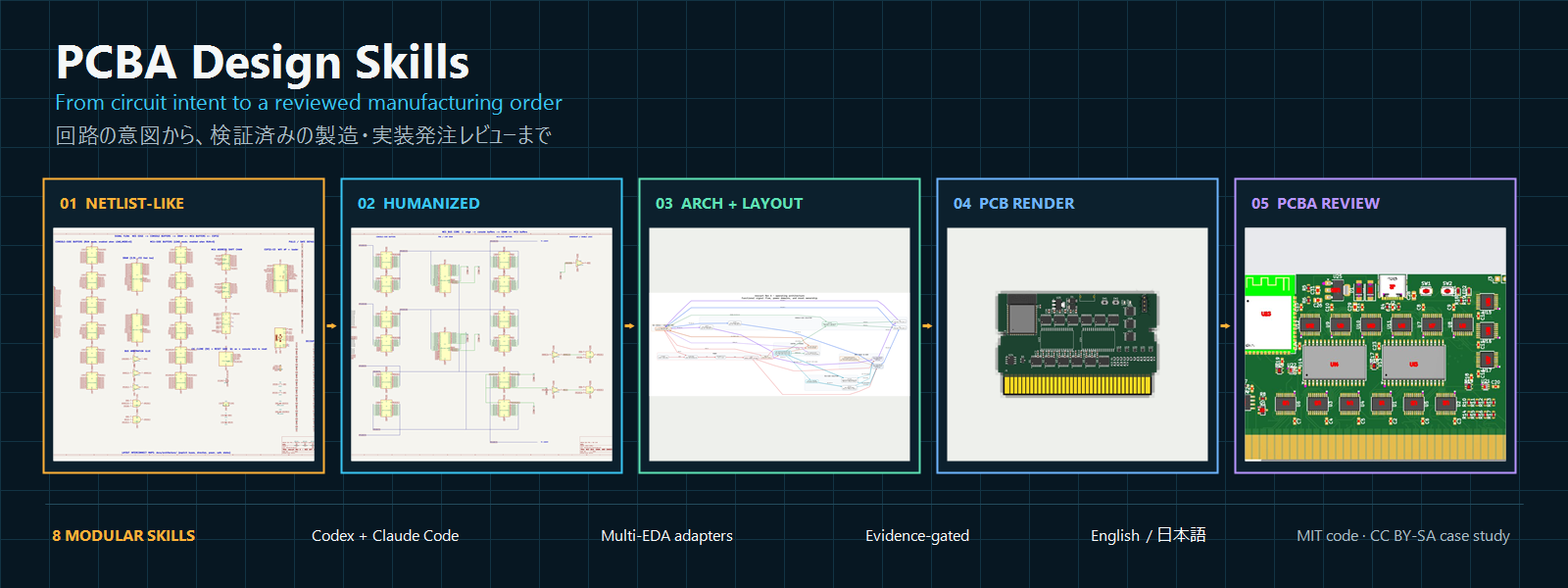
PCBA Design Skills
A modular, evidence-gated electronics design team for Codex and Claude Code.







日本語 · Choose a skill · Install · Prompts · nescart case study
PCBA Design Skills turns an idea, circuit description, native schematic,
netlist-like drawing, PCB, BOM, or fabrication package into a sequence of
reviewable engineering artifacts. Use one specialist for a focused job or the
manager for the complete design-to-order workflow.
The suite does not confuse a clean drawing with a correct circuit, zero opens
with a releasable PCB, or a successful upload with correct assembly placement.
Every stage has explicit evidence and invalidation rules.
Choose one skill or the whole team
| Skill | Use it for | Main artifact |
|---|---|---|
manage-pcba-program |
End-to-end coordination and gate tracking | program-state.json |
plan-electronic-product |
Turning behavior and constraints into engineering inputs | product-brief.yaml, architecture.md |
qualify-pcba-sourcing |
Exact MPN, package, stock, cost, CAD, and substitution review | sourcing-lock.csv |
design-and-review-circuit |
Circuit correctness, power, timing, states, protection, and constraints | circuit-review.md |
schematic-humanizer |
Visible wiring, buses, functional sheets, overlap removal, and visual QA | readable source, PDF/PNG, connectivity comparison |
pcb-layout-review |
Placement, derivative variants, routing, references, planes, DRC, mechanics, and DFM | layout-review.json, experiment ledger |
release-pcba-fabrication |
Revision-consistent Gerber, drill, BOM, CPL, and release evidence | release-manifest.json |
operate-jlcpcb-order |
JLCPCB quote, matching, CPL preview, cost, cart, and approval gates | placement/quote/order records |
The selection guide includes input-based examples and
shows which skills can be used without the manager.
Workflow
flowchart LR
    A["Idea / description"] --> B["Product brief"]
    N["Schematic / netlist"] --> H["Humanized schematic"]
    B --> S["Sourcing lock"]
    H --> C["Circuit review"]
    S --> C
    C --> L["PCB layout"]
    L --> R["Fabrication release"]
    R --> J["JLCPCB review"]
    J --> G{"User approvals"}
All interoperable artifacts default to .pcba-workflow/ and use PASS,BLOCKED, or USER_REVIEW. A changed netlist, MPN/package, footprint,
placement, routing, BOM, CPL, or browser placement invalidates its downstream
gates; see artifact contracts.
Quick install
Ask Codex to install one skill:
Use $skill-installer to install schematic-humanizer from
Keitark/pcba-design-skills at
.agents/skills/schematic-humanizer, pinned to v1.0.0.
Or install the complete team using the commands in the
installation guide. The guide covers personal and
project-local installation for both Codex and Claude Code, PowerShell and
macOS/Linux, updates, removal, and verification.
Start a workflow
Codex:
Use $manage-pcba-program to inspect the available circuit description,
schematic/netlist, PCB, and BOM. Create the project state, run only the required
specialists, and stop at every unresolved engineering or user-approval gate.
Claude Code:
/manage-pcba-program inspect this project and coordinate the required stages
through an order-ready manufacturing release.
For focused requests and Japanese examples, use the
copy-paste prompt guide.
Safety and evidence
- Edit the authoritative source or generator, not only its output.
- Preserve and compare
schematic-connectivity-v1when exact connectivity is
available; label PDF/image-only conclusions visually guided. - Render and inspect every schematic sheet, dense region, PCB side, and critical
placement. ERC/DRC cannot replace visual review. - Treat every unexplained signal or power disconnect as real. Zero pad opens is
not a release gate by itself. - Use current primary sources for datasheets, manufacturer guidance, stock,
pricing, and fabrication capabilities. - Correct CPL rotation/origin errors in the source mapping, regenerate hashes,
and re-upload. Browser-only fixes are never manufacturing evidence. - Keep design-critical substitution, assembly placement, final price, and
payment approvals separate.
Real project evidence
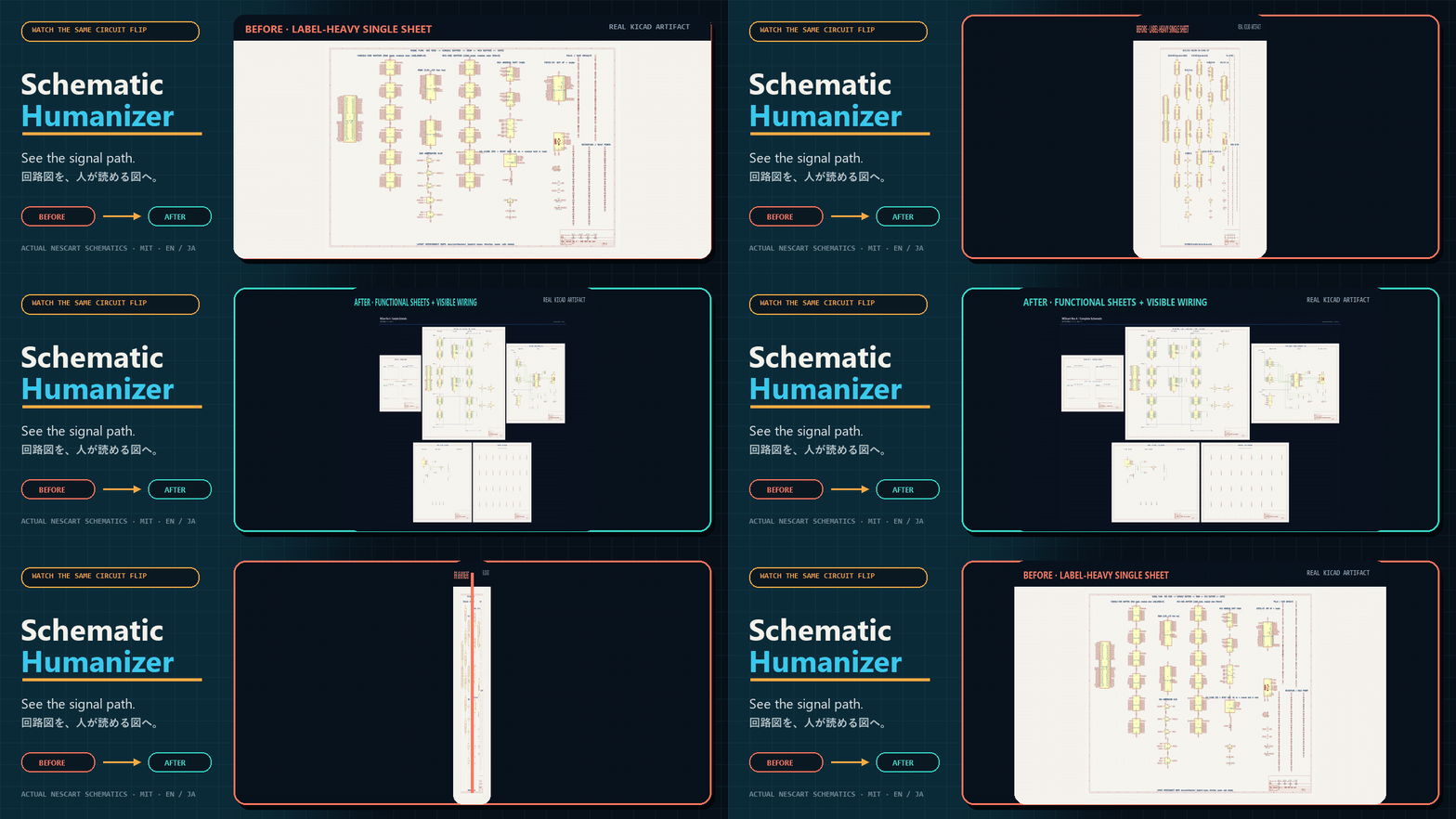
The nescart case study records the workflow that
formed these skills: netlist-shaped KiCad pages became visibly wired functional
schematics; architecture informed placement; layer/plane choices and routing
experiments were measured; zero opens was checked against real DRC and power
connectivity; fabrication cost feedback changed via strategy; and every CPL
offset/rotation was corrected and visually rechecked.
Contributing, support, and license
Read CONTRIBUTING.md before opening an issue or pull request.
Usage and evidence requirements are in SUPPORT.md.
Code and original documentation are MIT. Real nescart-derived
case-study and banner assets are CC BY-SA 4.0 with attribution.
Reviews (0)
Sign in to leave a review.
Leave a reviewNo results found