ogame-bot
Health Warn
- No license — Repository has no license file
- Description — Repository has a description
- Active repo — Last push 0 days ago
- Low visibility — Only 5 GitHub stars
Code Warn
- Code scan incomplete — No supported source files were scanned during light audit
Permissions Pass
- Permissions — No dangerous permissions requested
No AI report is available for this listing yet.
Kepler, an OGame bot built by long-time players: auto build, research, expeditions, raiding, fleet save and defence, plus .ank scripting. Windows, Linux, macOS or hosted. 7-day free trial.
Kepler, the OGame bot
Your OGame account, played for you by a bot built by long-time players.
Website · Download · Pricing · Features · Scripting docs · FAQ
English · Français
Kepler takes over the repetitive side of OGame: mines and research, expeditions, raids, repatriation, and keeping your fleet out of reach when someone comes for it. It runs on Windows, Linux and macOS, or on a server we host for you. You can try it free for 7 days, no card needed.
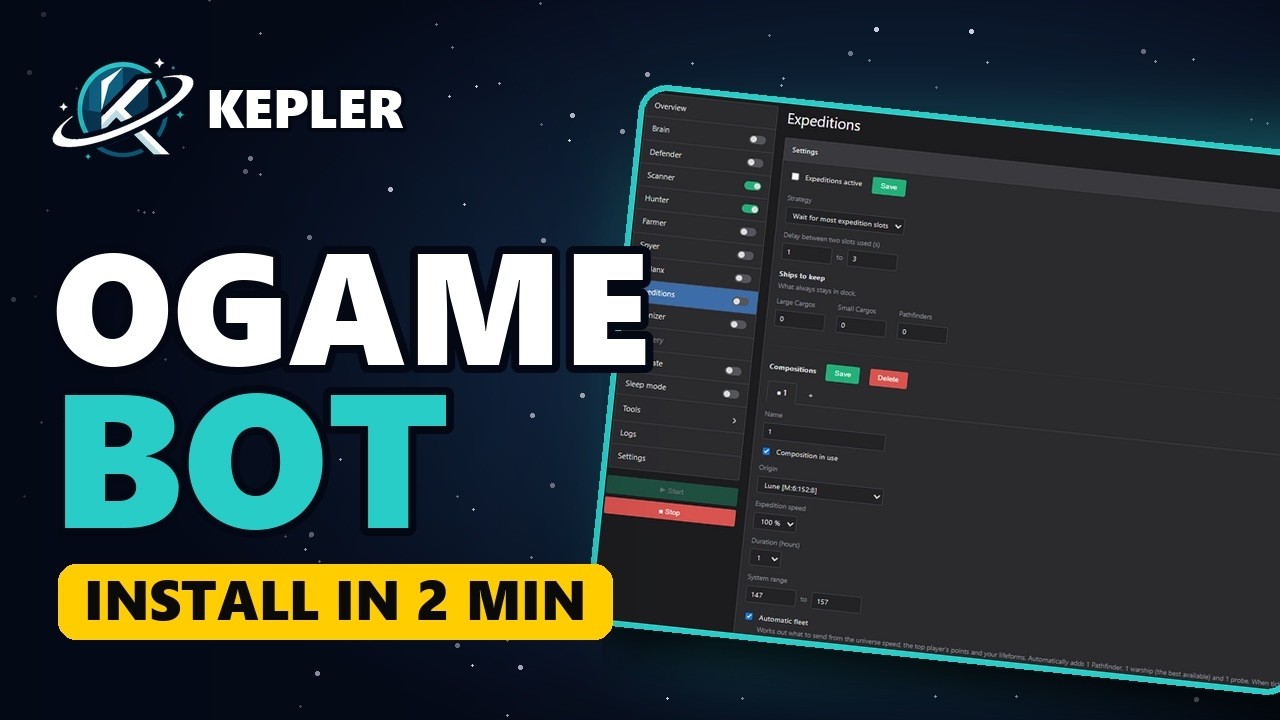
See it in two minutes
From creating your account to your first bot running: download, activation key, OGame account.
What Kepler does
Defence
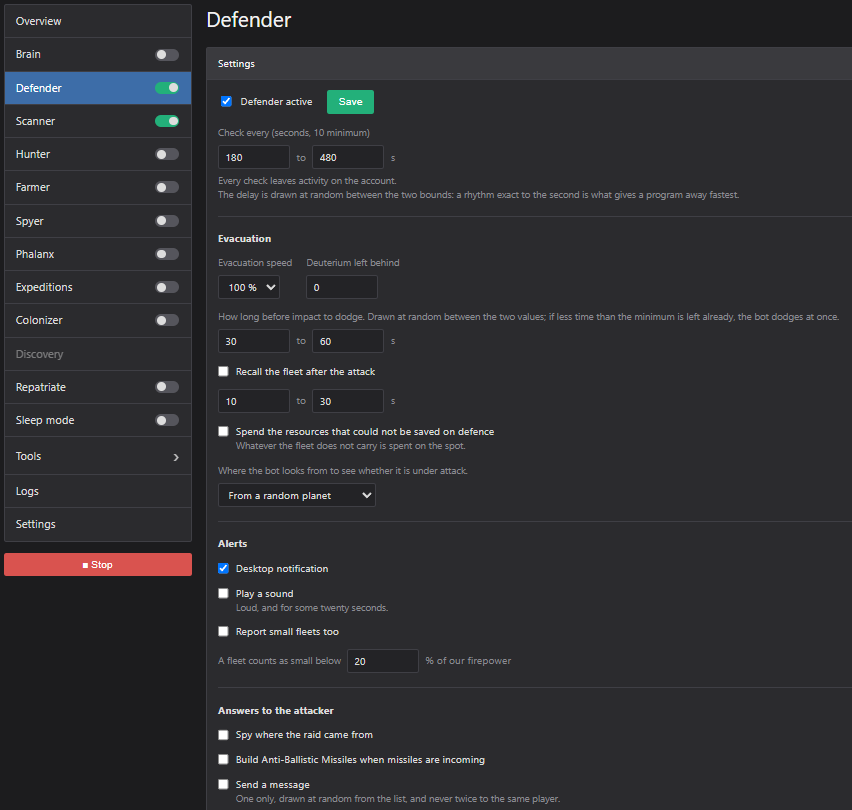
Kepler watches every fleet heading your way. Before an attack lands, it moves your fleet out of reach, tucks the resources it cannot carry into a build it can cancel later, and pings you on Telegram or Discord with the impact time. The waves of a grouped attack are added up before it decides, and a moon destruction is always taken seriously.
Expeditions
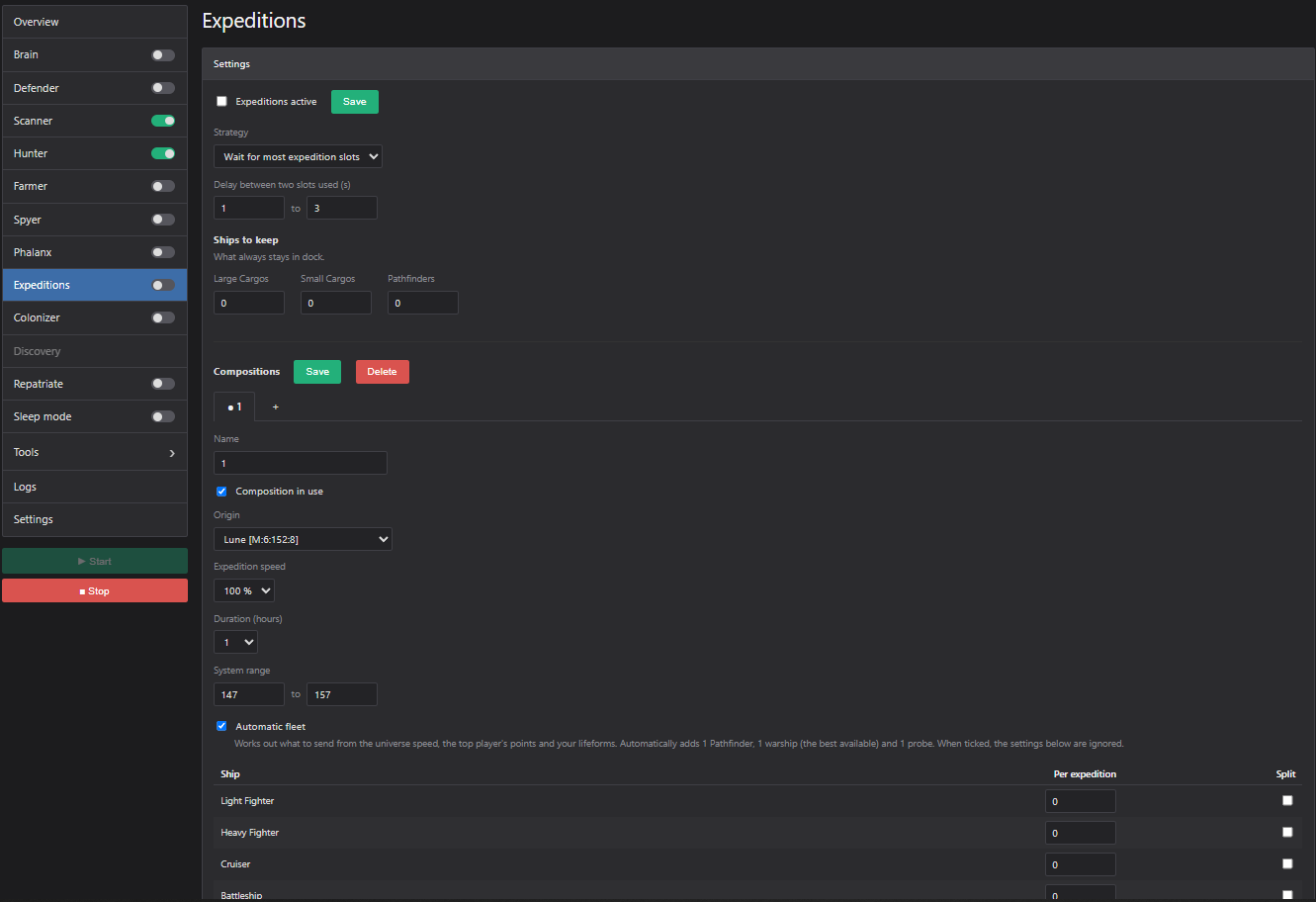
Expeditions go out on their own with the setup you pick. Early in a universe, Kepler splits your ships evenly across your free slots. Later it assembles the fleet itself: enough large cargos for how far the server has come, plus a Pathfinder, your best combat ship and a probe. It can send from several planets at once.
Building
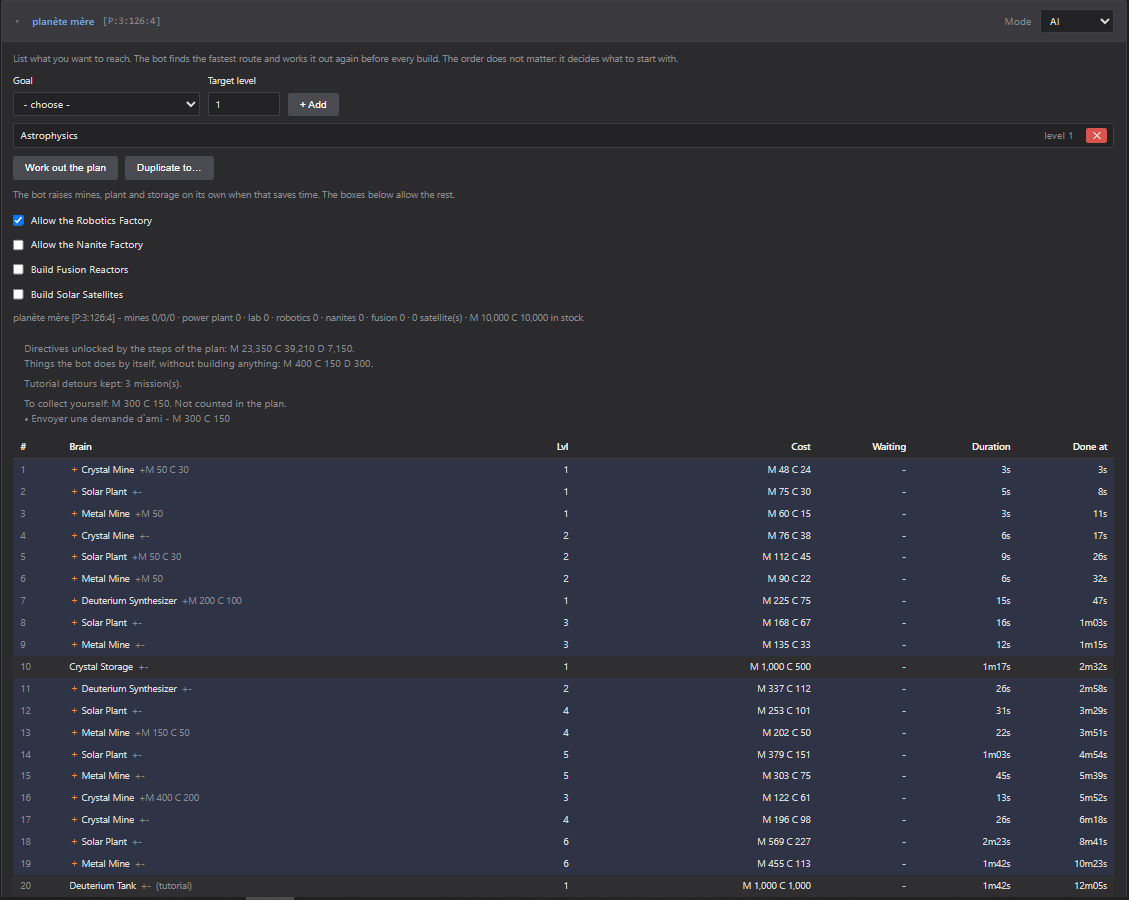
Name a goal, say Astrophysics 1 on a fresh account, and Kepler works out the fastest way there, prerequisites included, and clears the tutorial missions along the way. Would rather stay in control? Queue exactly what you want: it builds as soon as the resources are there, earlier levels included. Lifeforms and their technologies are part of the plan.
Repatriation
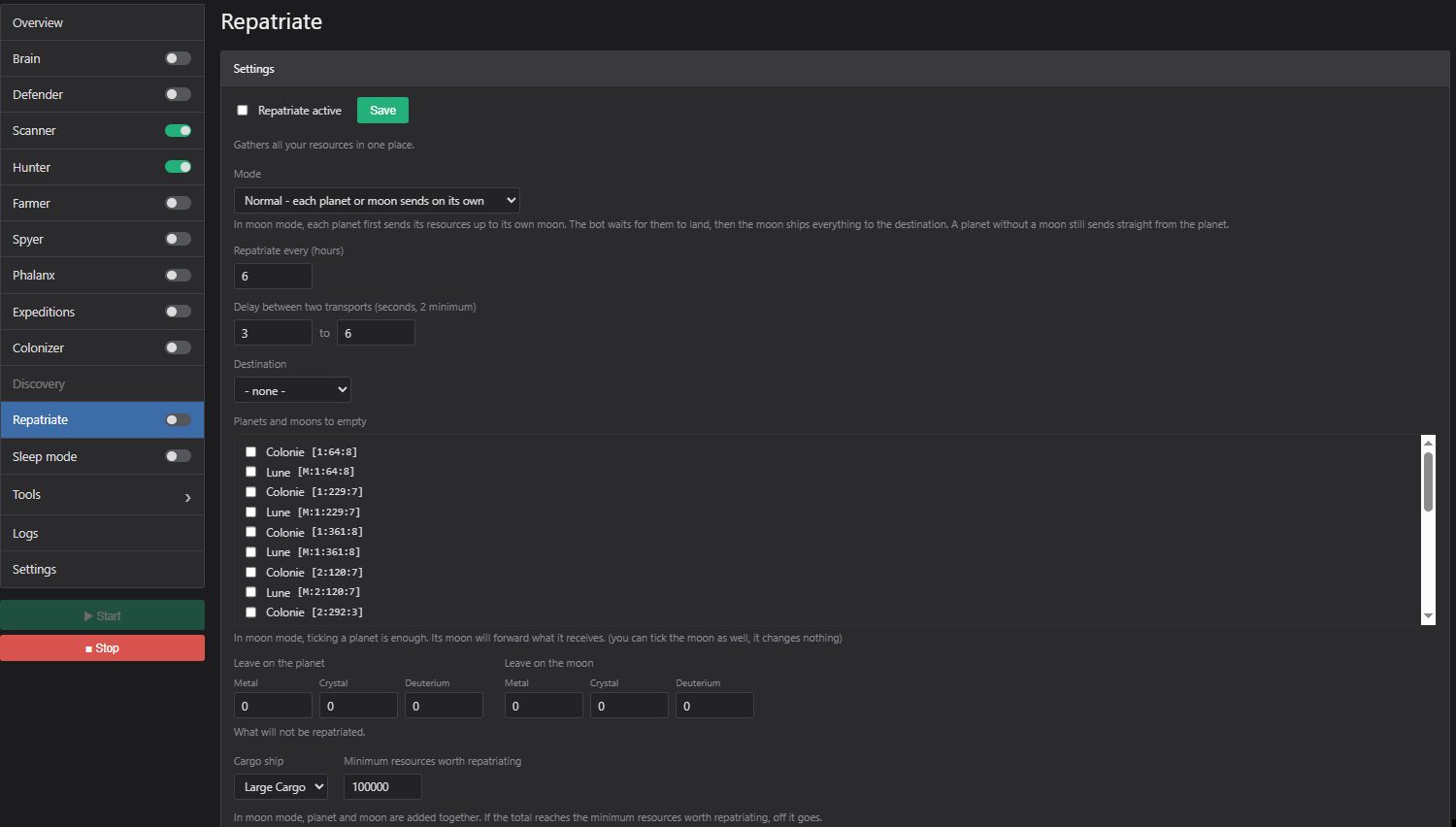
Colony resources come home once they pass a threshold you set for each colony. In moon mode, planets first lift their resources to their own moon and the transports leave from there: half the fleet slots, and nothing for a phalanx to see.
Tools that warn you
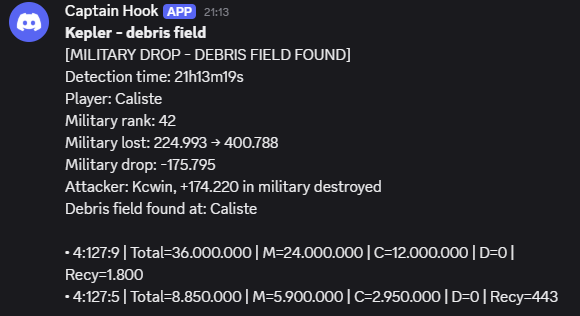
Debris field detection. Whenever a battle happens in your universe, you learn who hit whom and where the debris field is, in time to steal it or to catch the enemy recyclers on their way back.
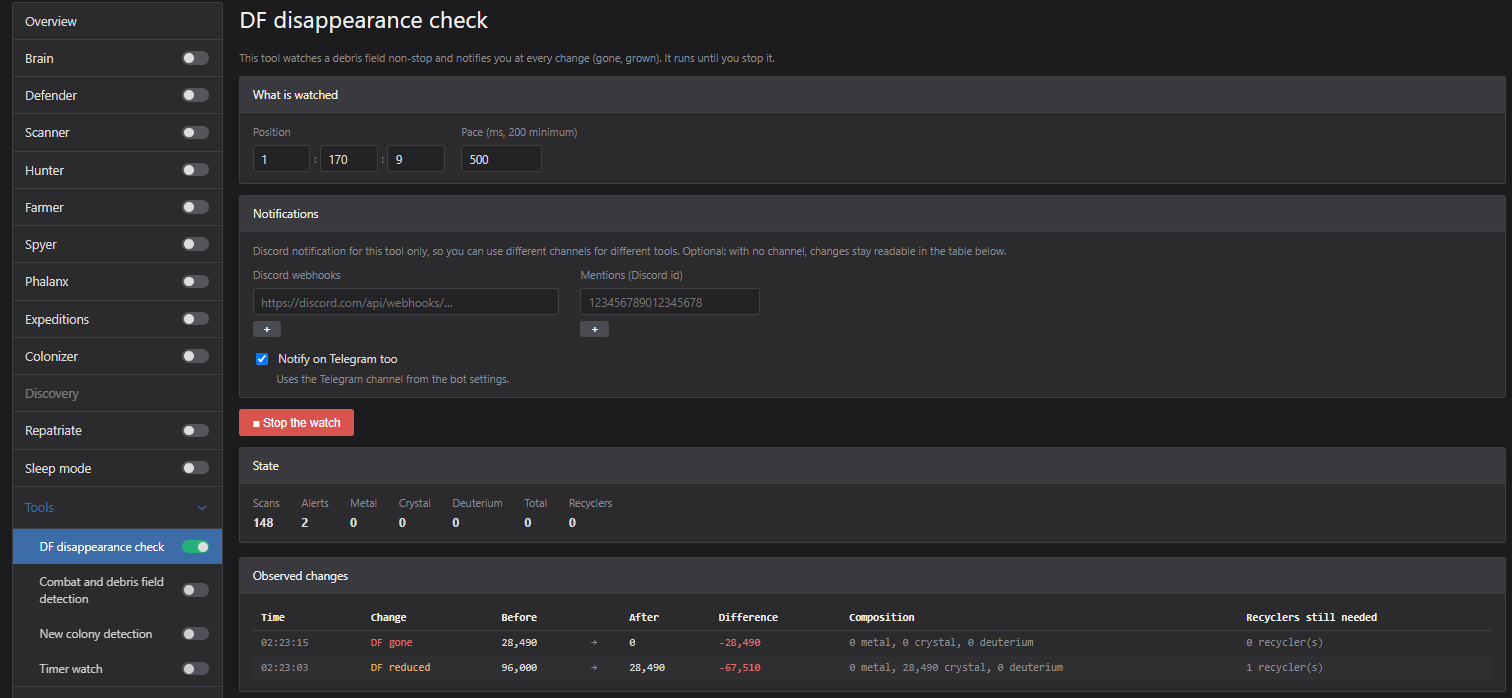
Debris field check. Keep an eye on one field and get pinged the moment anything about it changes.
Timer watch. Give Kepler the names of your spy targets, and it tells you the moment one of them goes inactive.
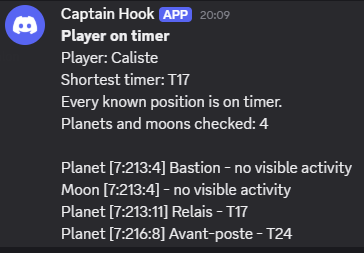
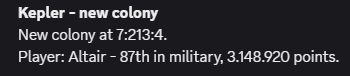
New colony detection. Know at once when someone settles in your system, or watch the colonisations around you to see a rush coming.
And the rest
- Espionage: spy zones you set up once and relaunch with one click each day.
- Phalanx: the exact second a fleet came back, even on a cluttered phalanx after a moonbreak.
- Flight planning: pick the target, the mission, the fleet and the arrival time, and the flight lands right on it.
- Galaxy scanner: every system swept on a schedule, so Kepler always knows where everyone is.
- Player watch: an activity table per player, to spot the gaps that repeat.
- Raiding: saved campaigns against inactives, relaunched in one click.
- Colonisation: colonises until it gets the position, size or temperature you asked for. A planet with even one field in use is never deleted.
- Alerts: you choose what reaches you on Telegram or Discord.
- Sleep mode: pauses by hand or on a schedule. Whatever was running starts again on waking.
- Several accounts: as many bots as your licence allows, each with its own settings and its own browser fingerprint.
Each one has its own screen and settings. The full tour is on the features page.
At night
Your fleet leaves for the night and comes back in the window you set, by hand or tied to sleep mode. Meanwhile Kepler keeps playing: expeditions come and go, mines go up, research moves on. A real attack reaches you on Discord or Telegram; a small fleet that threatens nothing does not wake you, and you decide where that line is.
Keeping the account safe
- A human pace. Requests are spaced out, working hours follow yours, and wake-ups do not fall on round numbers.
- Its own browser. Each bot has its own fingerprint: browser, screen, time zone, languages, graphics card. You can edit it.
- Its own address. On the hosted plan, every bot gets a dedicated IP in the country you choose, and two accounts never share one.
- A pause when you want one. One click, or sleep windows during which it touches nothing.
At home, or hosted by us
At home, it is a single file: nothing to install, and the interface opens in your browser. Your OGame credentials stay encrypted on your own machine.
Hosted, we set up the server and its dedicated address. It runs day and night, you leave nothing open, you control it from anywhere, and updates happen without you.
Starting at home and moving later is an export and an import away: your bots arrive with their settings.
Free trial
Seven days, no card. Create an account, download, add your bot. When the trial ends the bots stop and the interface tells you why, and nothing is deleted: subscribe, and everything is still there.
Download Kepler · See the prices
Scripting
When the built-in automations are not enough, write your own: Kepler runs .ank scripts, small programs that drive your account step by step. Recall your fleet when a given player comes online, post to Discord when a debris field passes a million, sweep three galaxies and note what you find.
The scripting reference is checked against the engine itself: every function with its exact signature, the number of values it returns, its cost in game requests and an example that runs.
- Fleets, flights and combat
- Celestials and resources
- Driving the workers
- Account, galaxy, players and messages
- Scheduling
- Every function, in one list
Using an AI assistant (Claude, ChatGPT, Cursor, Copilot)? Plug it into the Kepler MCP server and it reads that same reference, always current.
Ten complete scripts to start from are in the scripts folder.
FAQ
Can my account get banned?
It can. Automating an account is against the OGame rules, and no tool can rule out a sanction. What Kepler does is avoid behaving like a script: requests spaced out, working hours that follow yours, delays that vary, a browser fingerprint of its own for each bot and, on the hosted plan, a dedicated IP address per account. The default settings are the safe ones: keep them human-paced.
Do my OGame credentials reach your servers?
Not with the version you run yourself. The bot logs in to Gameforge straight from your machine, and your password is stored encrypted (AES-256-GCM) in its data folder. It is never displayed and never written to a log. All Kepler receives from your bot is your licence key, a machine identifier, the bot version and your plan. On the hosted plan, your credentials sit on our servers, encrypted the same way. The security page has the details.
What if your website goes down?
Your bots keep running. The licence is checked on your own machine, and the bot only contacts us to renew it, with several days of margin.
Do I have to leave my computer on?
For the version you run yourself, yes: the bot runs as long as the computer does. The hosted plan runs on our servers, day and night.
Can I run several accounts or universes?
Yes: one bot per OGame account, as many as your licence covers, each with its own settings and its own fingerprint.
How do I stop it?
Close its console or terminal window. Nothing is installed, nothing starts with your system, and no background service stays behind.
More questions on the FAQ page.
About this repository
The official website is keplerbot.net. For what an OGame bot does and how to choose one, read the guide on the site.
This repository presents Kepler and holds example scripts. It contains no source code of the bot. Downloads are on the official download page, with a checksum for every file.
Kepler is an independent tool, with no connection to Gameforge nor any endorsement from it. Automating your account may be against the OGame terms of use, and the risk is yours. OGame and Gameforge are trademarks of their respective owners.
Reviews (0)
Sign in to leave a review.
Leave a reviewNo results found