teebe
Health Pass
- License — License: GPL-3.0
- Description — Repository has a description
- Active repo — Last push 0 days ago
- Community trust — 10 GitHub stars
Code Fail
- rm -rf — Recursive force deletion command in install.sh
Permissions Pass
- Permissions — No dangerous permissions requested
No AI report is available for this listing yet.
teebe — native macOS git worktree GUI. Watch files change live across worktrees while your AI coding agents (Claude Code, Codex) work in parallel.

teebe
A native macOS git worktree GUI: browse every worktree of every repo and
watch files change live, without touching the terminal.
Gave up on your IDE and you're just vibecoding from the terminal? That's exactly
who teebe is for. Your agents and your shell stay front and center; teebe is the
window beside them that shows what they're touching, file by file, as it happens.
When you run several AI coding agents (Claude Code, Codex, Cursor CLI, etc.) in
parallel — one git worktree per agent session — teebe is the calm control
room that shows you, across all your repos and worktrees, what files exist and
what's changing. It does not replace your editor: it's the navigator that
launches files into whatever native app you already use.
Free and open source · macOS 14+ · Apple Silicon & Intel · auto-updates via
Sparkle · teebe.io
What it is
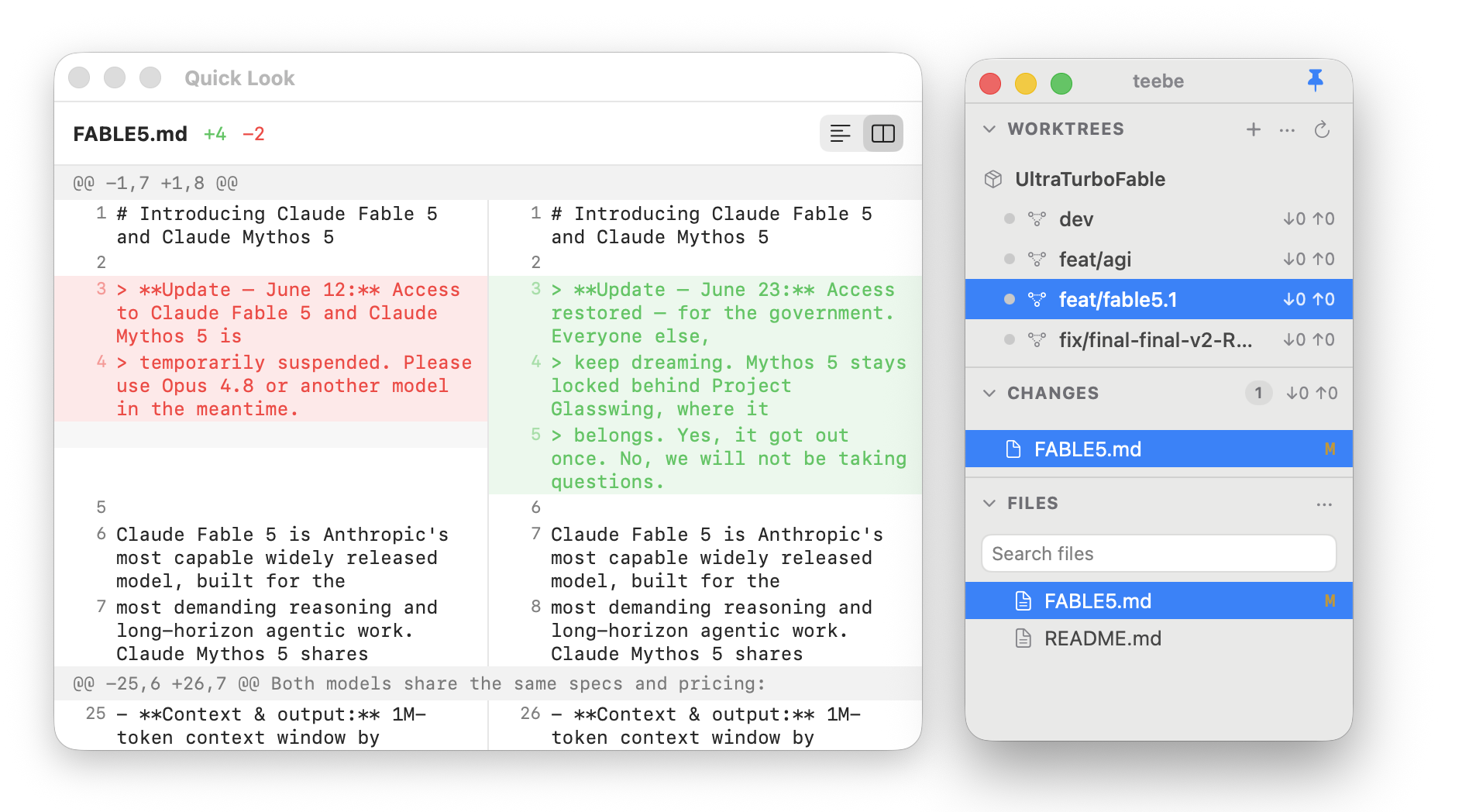
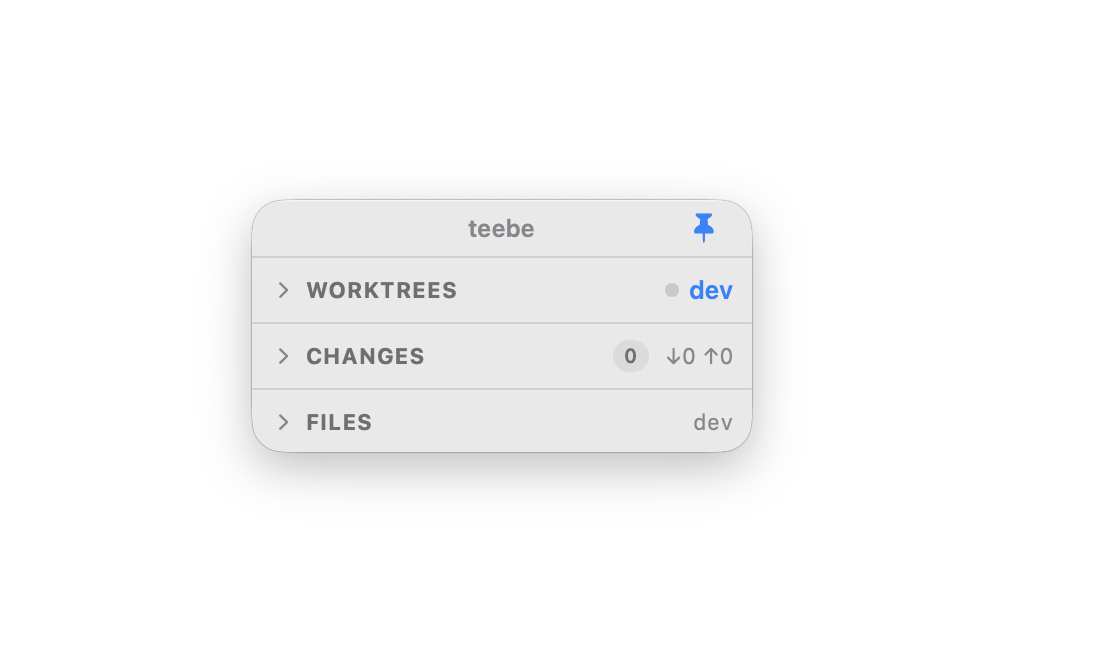
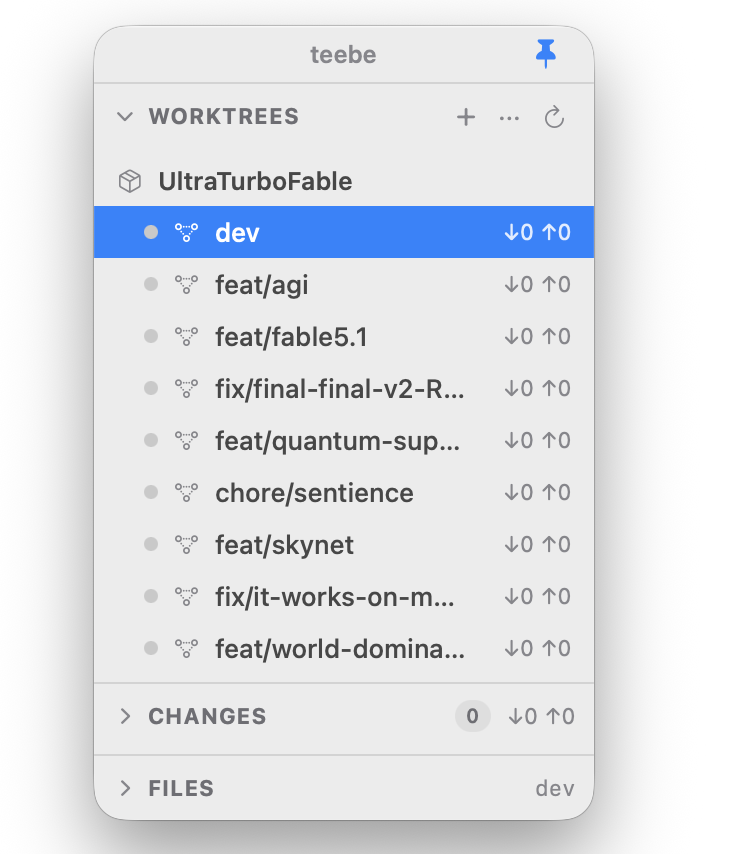
- Worktree-aware browsing: pick any worktree of any repo and explore its
full file tree; switch between trees instantly. - Live as your agents work: files badge and the tree updates the moment
something changes on disk, so you watch edits land in real time. - Sneak-peek diffs: select a changed file to peek its diff inline, in the
window, without opening it or switching apps. - One Changes view: everything modified in the current worktree gathered in
a single list, with ahead/behind counts for the branch. - Every repo at once: add multiple repos and see all their worktrees
together in one overview. - Opens into your tools: click a file and it launches in the native app you
already use. teebe is the navigator; your editor stays the editor.
What it is not
- Not a code editor: content editing happens in your native apps, not here.
- Not a full git client: no rebase, cherry-pick, or merge-conflict resolution.
- Not cross-platform: macOS only.
- Not an agent orchestrator: mapping agents to worktrees is a later integration.
Install
curl -fsSL https://teebe.io/install.sh | bash
Or download the latest teebe.app from the
Releases page, unzip it, and drag
it into /Applications. On first launch, right-click the app and choose Open
to get past Gatekeeper. The app keeps itself up to date via Sparkle.
Uninstall
teebe is a self-contained .app with no installer, so removing it is just:
# 1. Quit teebe, then delete the app
rm -rf /Applications/teebe.app

# 2. Remove its saved state (added repos/worktrees, window layout)
rm -rf ~/Library/Application\ Support/teebe

# 3. Remove Sparkle's auto-update preferences and cache (optional)
defaults delete dev.teebe.app 2>/dev/null
rm -rf ~/Library/Caches/dev.teebe.app
teebe never touches your repositories themselves, so uninstalling only removes
the app and its own state.
Build & test
swift build           # builds TeebeCore + the Teebe app
swift test            # runs the Swift Testing suite (unit + git integration)
swift run Teebe  # launches the app
Requires macOS 14+ and a Swift 6 toolchain (built in Swift 5 language mode). Git
integration tests shell out to the system git against throwaway temp repos.
Choosing a repository
teebe is multi-repo. There's no hardcoded path; it simply reopens whatever you
had selected last (state lives in~/Library/Application Support/teebe/state.json).
- Add a repo: in the WORKTREES header, click +, or open the ···
menu → Add Repository…, then pick the repo folder. - Switch repos: open the ··· menu and choose any repo you've added.
- Remove the current repo: ··· menu → Remove name.
If it keeps reopening the same repo, that's just the restored last selection;
add or switch to another and it'll remember that one next launch.
Project layout
Sources/TeebeCore/is the pure, UI-independent core: models,GitClient
(+ProcessGitClient), porcelain/diff/worktree/branch parsers, services,FileTreeBuilder,FSEventsWatcher, file ops,RepoGitQueue.Sources/Teebe/is the SwiftUI app:@Observableview models and thin views.Tests/holds the Swift Testing suites (TeebeCoreTests,TeebeTests),
protocol fakes, and aGitFixturereal-git harness.
Why
There's no open-source, Finder-like, worktree-aware file browser.
Existing tools are either git clients centered on a single repo (Fork, Sublime
Merge), terminal TUIs (lazygit), or agent-session managers (Crystal, Conductor).
None give you a live, cross-worktree "mission control" of what your agents are
touching right now.
License
Teebe is dual-licensed:
- GPL-3.0-or-later for open-source use; see
LICENSE. You may use,
modify, and redistribute it freely, but any distributed derivative must also be
GPL with full source. You cannot build a closed-source product on top of it. - Commercial license for embedding Teebe in a proprietary product without the
GPL's obligations, available from the author.
See LICENSING.md for details and contact. Contributions are
accepted under the Contributor License Agreement.
Reviews (0)
Sign in to leave a review.
Leave a reviewNo results found