voxelflow-studio
Health Warn
- License — License: MIT
- Description — Repository has a description
- Active repo — Last push 0 days ago
- Low visibility — Only 5 GitHub stars
Code Pass
- Code scan — Scanned 12 files during light audit, no dangerous patterns found
Permissions Pass
- Permissions — No dangerous permissions requested
No AI report is available for this listing yet.
Prompt-to-Minecraft modeling for Blockbench, packaged as a local ChatGPT/Codex desktop plugin. Editable props, textures, animation presets, and Bedrock exports.
VoxelFlow Studio
Turn prompts into editable Minecraft-style models.



Describe a leather bag, a crystal staff, or your own cube-based object in a connected ChatGPT/Codex desktop chat. VoxelFlow brings the design into Blockbench with editable parts, a pixel texture, and export checks. Keep creating with prompts or finish the details by hand.
Website · Interactive setup guide · Install the beta · Examples · Contribute · Roadmap
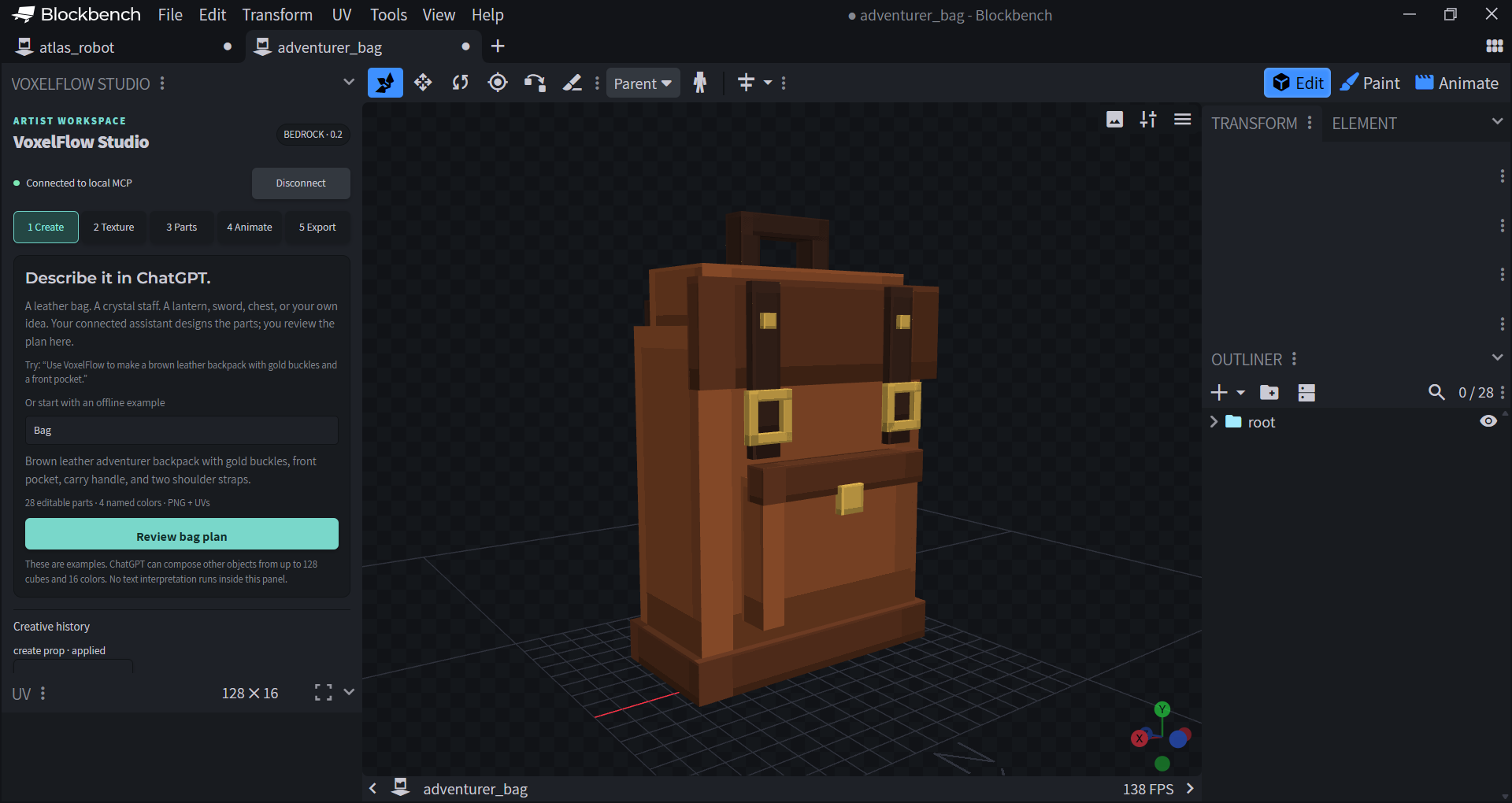
From an idea to a model
Try it without an AI account: load the Blockbench plugin and choose the Bag, Staff, or Robot example in the Create panel. For chat-driven creation, use a supported local desktop host. Prompt gallery · Installation help · Starter contributions
Create a brown leather backpack with gold buckles, shoulder straps, and a front pocket.
- Describe it in chat. The assistant designs the parts and materials through VoxelFlow's MCP tools.
- Review it in Blockbench. Approve the proposed change, inspect the model, and adjust it with native editing and Undo.
- Export the result. Save the editable
.bbmodeland checked Bedrock resource assets.
The prompt belongs in your AI chat; Blockbench is the model workspace. Bag, Staff, and Robot examples also work locally without an AI account.
What works today
| Capability | Desktop beta 0.3.3 |
|---|---|
| General props | Up to 128 cubes, 16 named materials, and 32 groups, with rotations and pivots |
| Texturing | PNG atlas, per-face UVs, native painting, and named recoloring that preserves painted pixels |
| Characters | Configurable Atlas robot, mapping of suitable existing humanoid rigs, editable idle/walk/attack clips |
| Artist control | Native approval dialogs, Undo, stale-proposal checks, and retry deduplication |
| Export | Editable Blockbench source and Bedrock geometry, textures, and applicable animation resources |
| Desktop integration | Bundled MCP server, 14 tools, 2 prompts, setup/modeling skills, and a Windows companion launcher |
This is an early desktop beta. Structural changes through MCP currently create a new model tab. Custom animated creatures, inventory items, wearable attachments, and gameplay behavior are future work. Resource exports still need Minecraft integration and in-game testing. See supported scope and Bedrock integration.
Install
Requires Node.js 22+, Blockbench desktop 5.2+, and a desktop ChatGPT/Codex host supporting local plugins. Windows is tested; macOS/Linux are not yet verified.
Download the desktop beta ZIP · Release notes · Full installation guide
- Extract the ZIP. Load its
plugins/voxelflow-studio/blockbench/voxelflow_studio.jsin Blockbench using File → Plugins → Load Plugin from File. - Double-click
plugins/voxelflow-studio/Start VoxelFlow.cmdand keep the companion running. - In Blockbench, open Tools → VoxelFlow Studio → Connect and confirm the automatically filled local connection.
- Open the extracted folder as a local project in your supported desktop host and install VoxelFlow Studio from the VoxelFlow desktop beta source. Start a fresh local chat.
There is no npm install or build step for the desktop download. Codex CLI users can instead register the source directly:
codex plugin marketplace add KumarManuSaraswat/voxelflow-studio
codex plugin add voxelflow-studio@voxelflow-desktop-beta
The Blockbench plugin and local companion are still required. See the install guide for those steps, other operating systems, pairing, and uninstalling.
GitHub availability does not mean public ChatGPT directory availability. This release is installed locally. Public directory submission and account-level ChatGPT testing remain outstanding; the desktop-only submission route currently requires approved-partner eligibility. See distribution status.
Examples and verification
Open the editable adventurer bag, arcane staff, or Atlas robot in Blockbench. Specifications, textures, and validation reports are included alongside them.
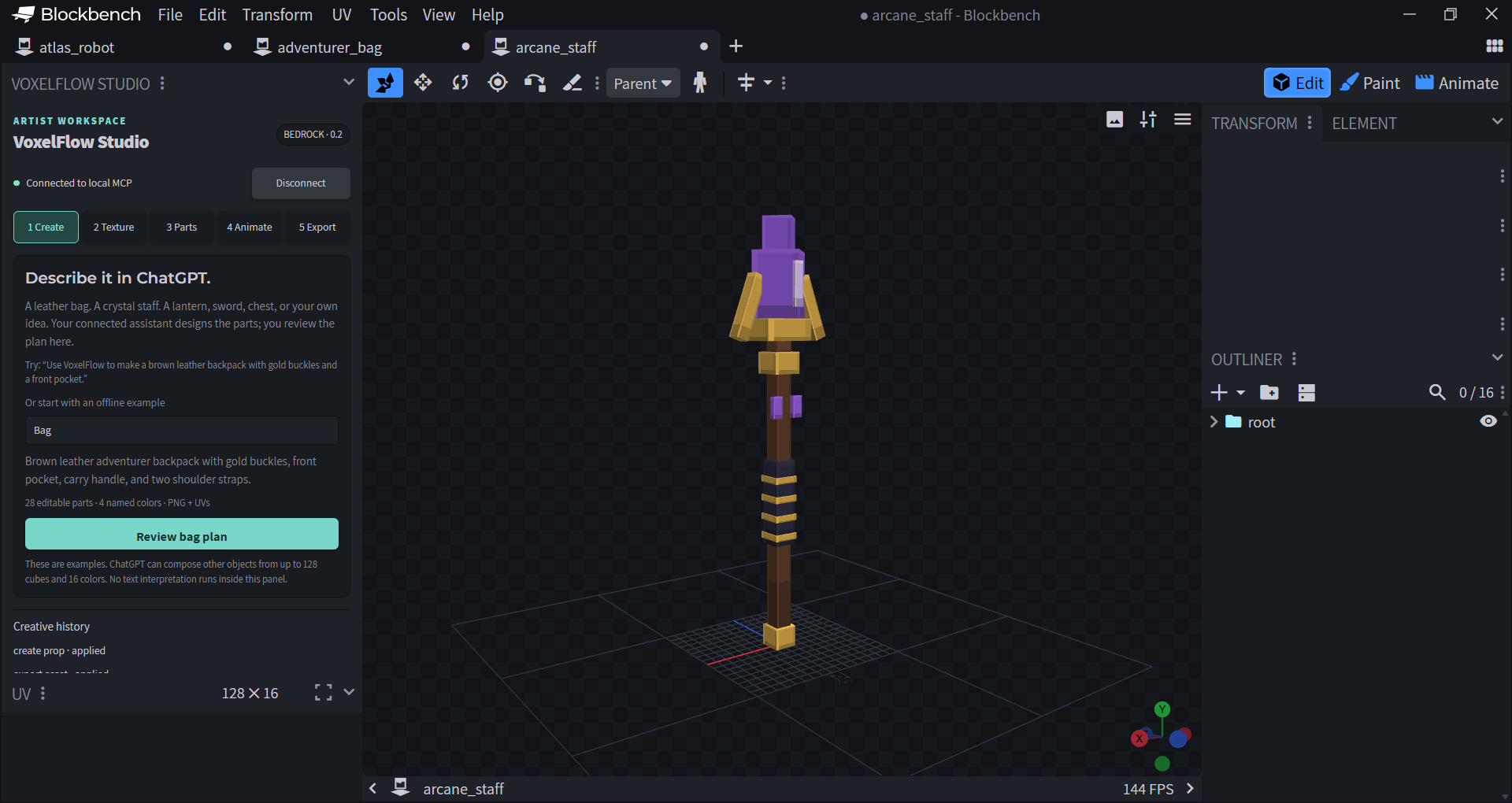
The beta was checked on Windows, Blockbench 5.2.2, and Node 24.11.1, with 84 automated tests. A real Codex CLI prompt designed a 20-cube lantern, created after native approval and exported successfully. A fresh desktop extraction works without node_modules. Minecraft runtime behavior and ChatGPT account onboarding remain unverified. Read the evidence.
Develop
git clone https://github.com/KumarManuSaraswat/voxelflow-studio.git
cd voxelflow-studio
npm ci
npm run check
Load dist/voxelflow_studio.js in Blockbench. Run npm run bridge, then connect from the VoxelFlow panel using the port and session token in that terminal. Keep connection credentials private.
| Command | Purpose |
|---|---|
npm run check |
Type checking, tests, build, and reproducible examples |
npm run demo -- --prop bag |
Exercise the real MCP/editor path; requires native approvals |
npm run package:desktop |
Build both standalone desktop ZIPs |
npm run verify:desktop |
Check a fresh extraction and bundled MCP startup |
npm run doctor |
Read-only local package, MCP discovery, and editor preflight |
npm run package |
Package the source, builds, examples, and community docs |
Architecture · MCP setup · Prompt workflow · Manual checks · Support
Build with us
VoxelFlow is an MIT-licensed community project, initially maintained by @KumarManuSaraswat. Artists, developers, documentation writers, and testers are welcome. Useful starting points include prompt/model examples, platform testing, clearer onboarding, and the next modeling tools on the roadmap.
Read Contributing before a pull request. Our governance describes how contributors can become maintainers and how the project can move into a dedicated organization as it grows. Community participation follows the Code of Conduct; vulnerability reports follow the security policy.
Support development
Sponsor VoxelFlow's maintainer on GitHub to help fund maintenance, clearer installation, compatibility testing, better model editing, Minecraft export improvements, and contributor documentation.
VoxelFlow remains MIT licensed. Sponsorship supports the maintainer's work; it does not purchase a feature, deadline, or support guarantee. Proposed priorities are tracked in the roadmap, with progress in issues and releases.
License and acknowledgments
Original project code is MIT licensed. Bundled dependencies retain their license notices; development dependency information is in THIRD_PARTY_NOTICES.txt.
Built on Blockbench and the Model Context Protocol. VoxelFlow Studio is an independent project and is not affiliated with or endorsed by Mojang, Microsoft, OpenAI, or Blockbench's maintainers.
Reviews (0)
Sign in to leave a review.
Leave a reviewNo results found