elecdex
Health Warn
- License — License: GPL-3.0
- Description — Repository has a description
- Active repo — Last push 0 days ago
- Low visibility — Only 5 GitHub stars
Code Fail
- exec() — Shell command execution in examples/plugins/keystream/arrange.ts
Permissions Pass
- Permissions — No dangerous permissions requested
No AI report is available for this listing yet.
Sci-fi terminal emulator and system monitor for Windows, macOS and Linux: shells, system and network monitors, weather, markets, Git, Docker and AI chat as panes on one screen. An alternative to eDEX-UI, rewritten on Electron, Svelte and TypeScript.


elecdex
A sci-fi terminal emulator and system monitor for Windows, macOS and Linux that also lays out
weather, markets, earthquakes, Git, Docker, AI chat and more as panes on one screen, beside your
shells. An alternative to eDEX-UI (archived in 2021), rewritten from the ground up on a
current, secure stack.
▶ Watch the 3-minute tour · Shorts (vertical)
v0.1.6 — pre-release. Everything below works today; builds are unsigned. What is marked
unreleased is onmainand arrives with the next release.Developed and used on Windows. macOS and Linux are built for every release, but they have
only been run by the automated end-to-end tests on GitHub Actions - nobody has used them by hand
for any length of time, so macOS and Linux are not sufficiently verified. Expect rough edges
there, and please report what you find.Design notes: docs/architecture.md; every decision with its reason:
docs/decisions.md.
What it is
elecdex is a desktop application that arranges 43 built-in panes in splits and tabs on one
screen, in the look of a science-fiction terminal: the shells and system monitors eDEX-UI is known
for, and beside them network diagnostics, the world outside, development tools, AI, desk tools,
media and two machines of its own. It began as a ground-up rewrite of eDEX-UI (archived in 2021),
is built on Electron 45, Svelte 5 and TypeScript 7, and is released under the GPL-3.0.
- Shells: PowerShell, bash, zsh and fish in tabs and splits through node-pty, with shell
integration (OSC 7 / OSC 9;9) that follows each shell's folder - on Windows too. - Panes: 43 built-in panes plus web panes (Browser, YouTube, X), arranged in a persisted tree of
splits and tabs; eleven layout presets, saved layouts, an action palette. - System and network: CPU, memory, GPU, disks, processes, every TCP socket by program, Wi-Fi
and Ethernet diagnostics - read without a process per reading on Windows. - The world: weather (JMA, NWS, MET Norway), markets, RSS, earthquakes and tsunamis, satellites
computed locally (SGP4), a globe of connections placed with a bundled GeoIP database. - Work and AI: Git (read, FETCH/PULL/PUSH), Docker, Log Watch, Claude Code sessions, an AWS
account and GitHub read through their own CLIs, AI chat over
any OpenAI-compatible or Anthropic endpoint with keys kept encrypted by the OS; translation with
PLaMo 3 Translate run on this computer. - Desk and media: notes, tasks, a timer, the clipboard, a calendar and a calculator; a sound
spectrum, a mixer and Now Playing. - Machines of its own: a CHIP-8 emulator and ELEC-16, an original 16-bit pocket computer with
BASIC, a game model and a scientific calculator. - Security model: the page is sandboxed with no Node and no network (
connect-src 'self');
every request is made by the main process, only while a pane needs it; no telemetry. Plugins run
in a sandboxed worker with only the permissions granted.
Layout presets
Eleven presets switch the whole screen at a key (Ctrl+Shift+F1 to F11); all but cockpit and
blank keep the system column on the left. Each picture is that preset in a different theme;
details are in Layout presets.
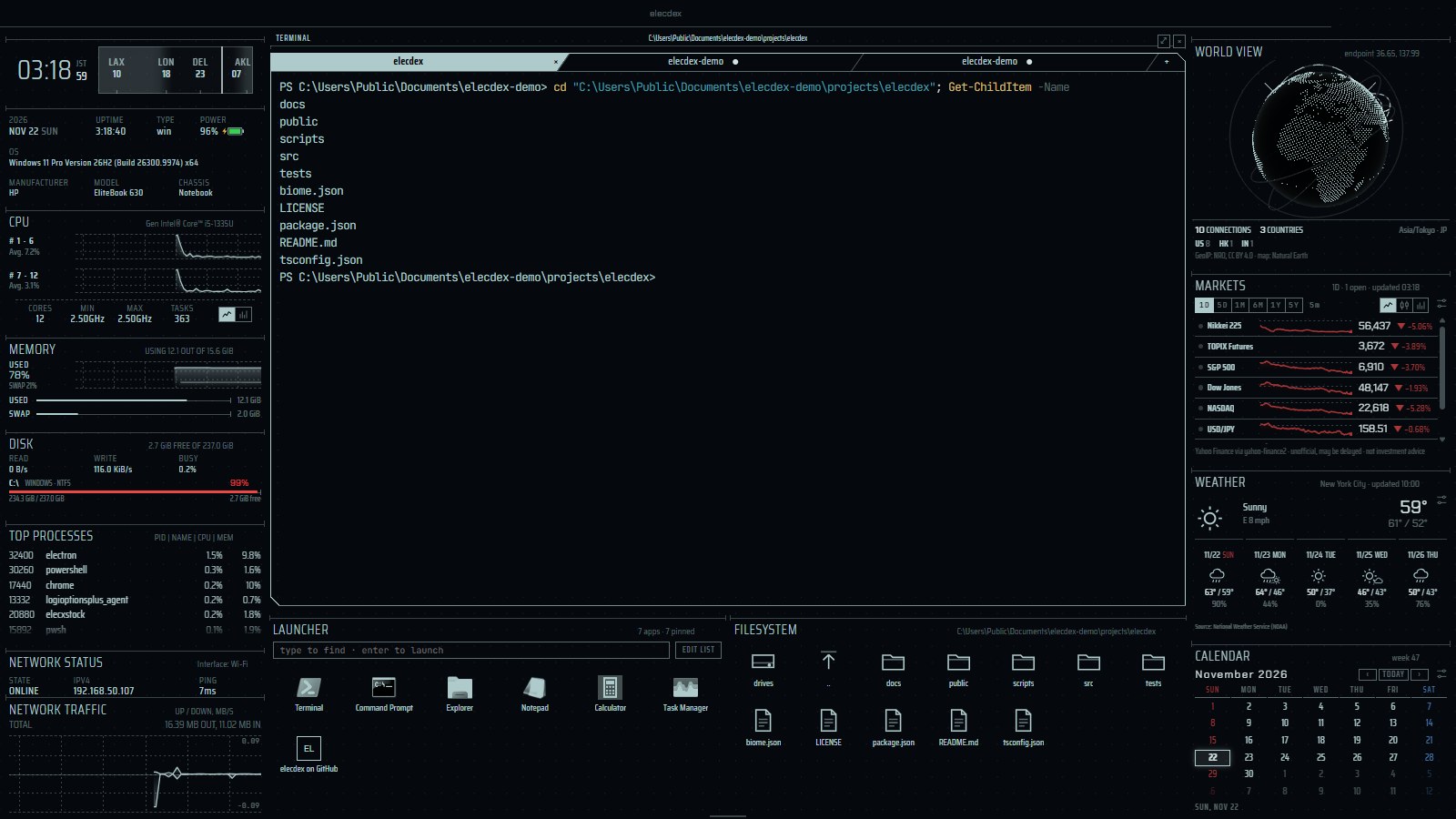 standard · Ctrl+Shift+F1 · the shells, this machine and the world outside |
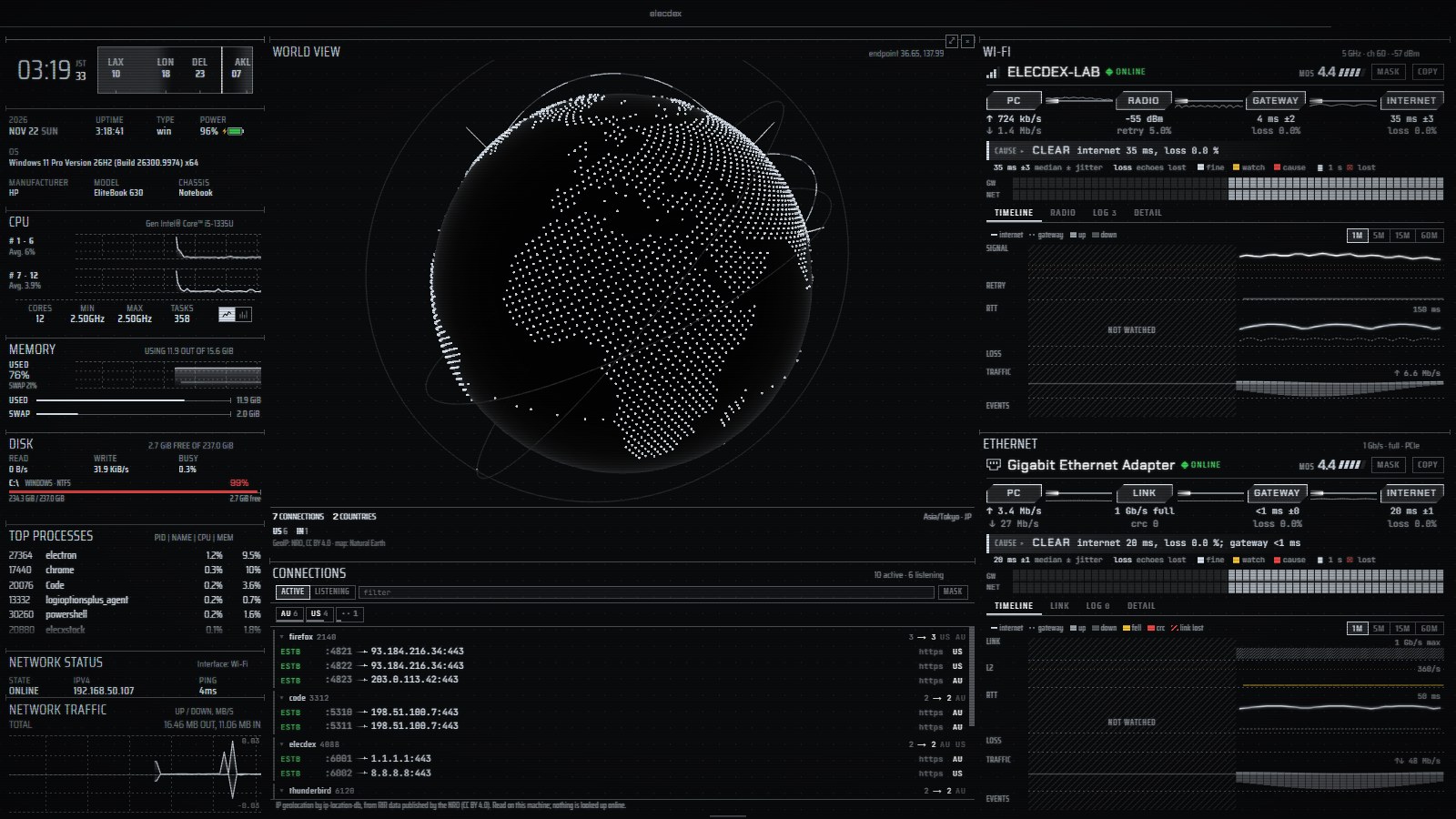 network · Ctrl+Shift+F2 · sockets by program, Wi-Fi, Ethernet, the world view |
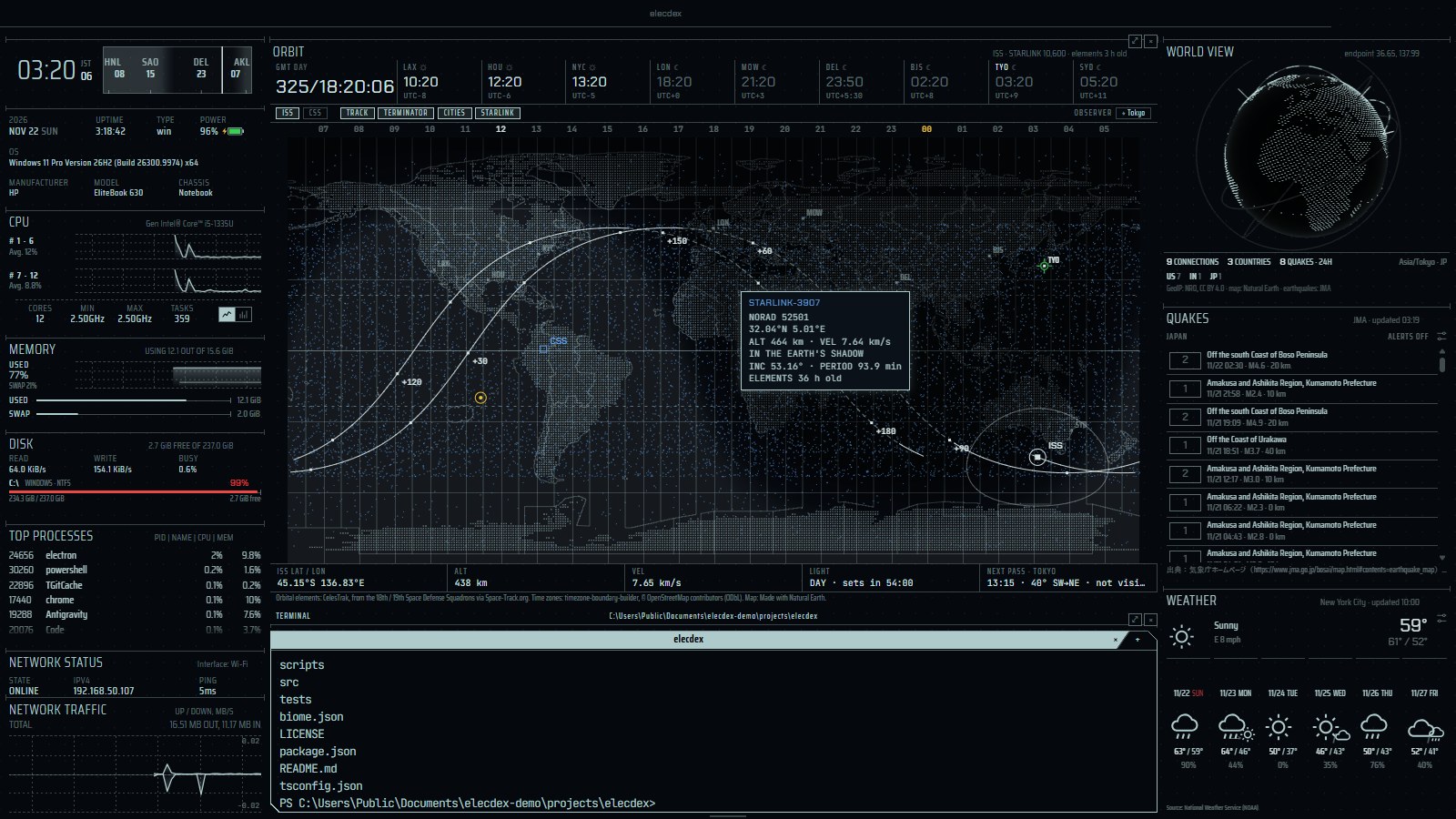 earth · Ctrl+Shift+F3 · satellites overhead, earthquakes underfoot, weather |
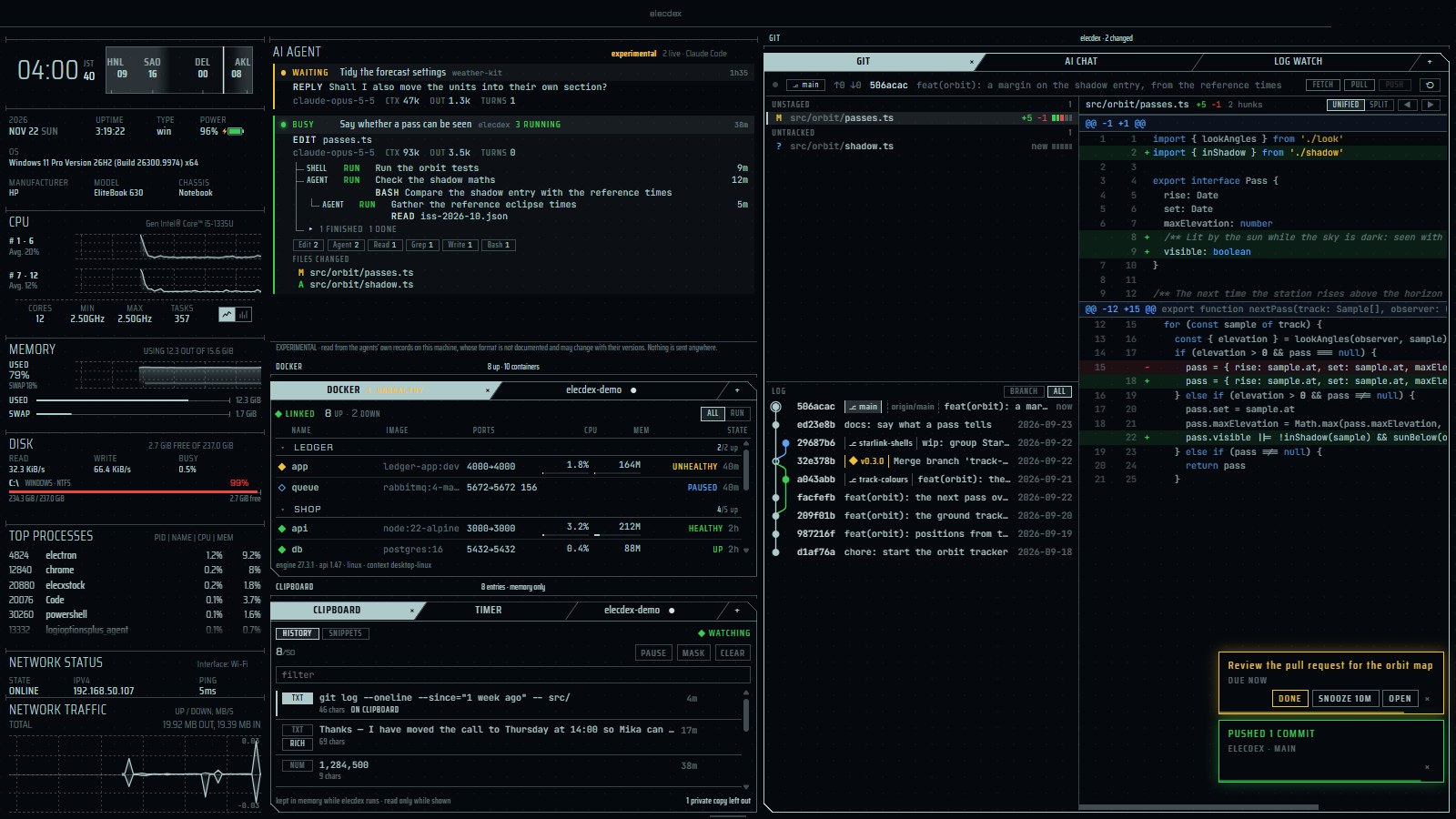
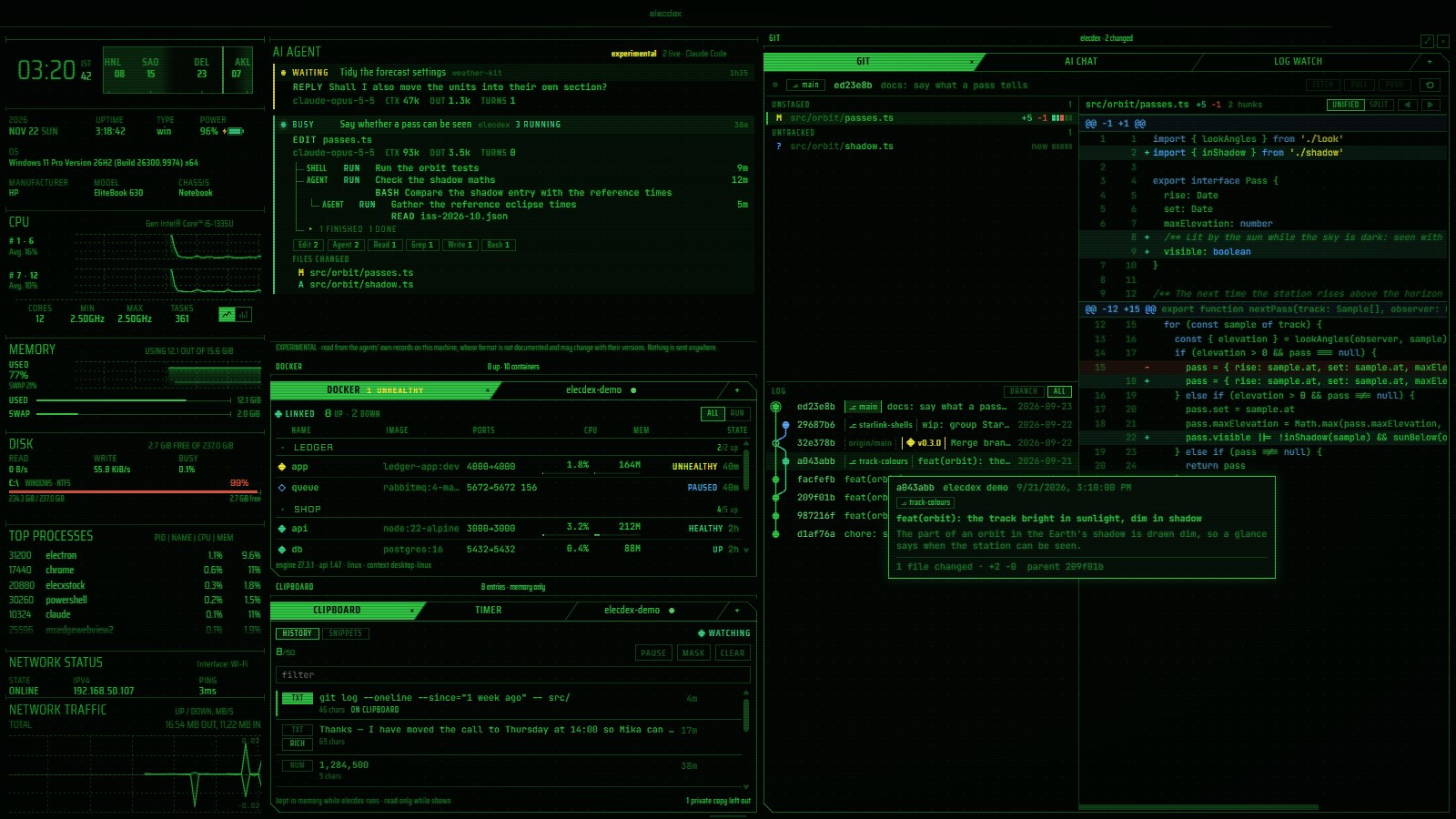 dev · Ctrl+Shift+F4 · AI agents at work, Docker, Git, Log Watch |
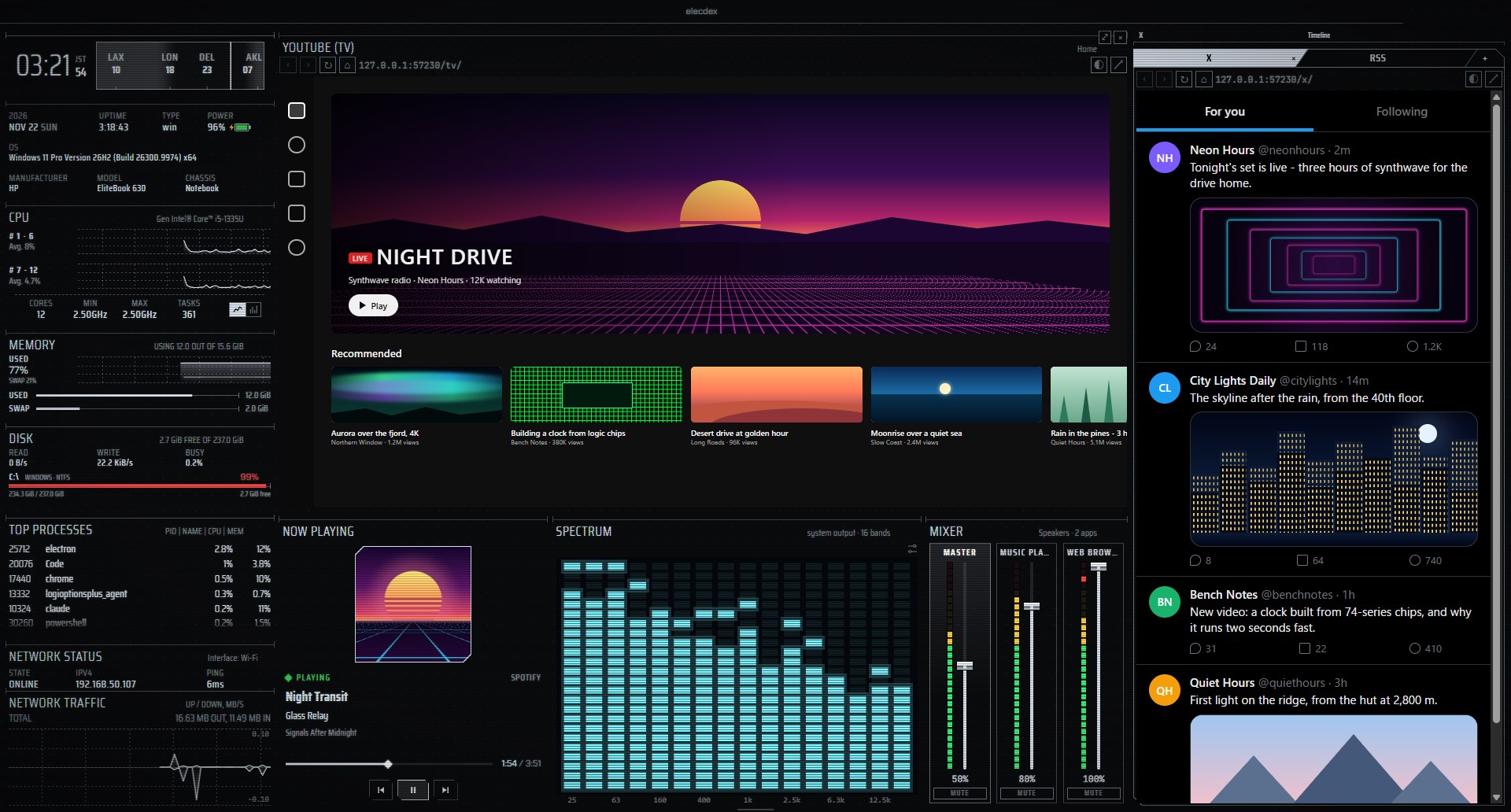 media · Ctrl+Shift+F5 · web panes, the sound spectrum, mixer, now playing |
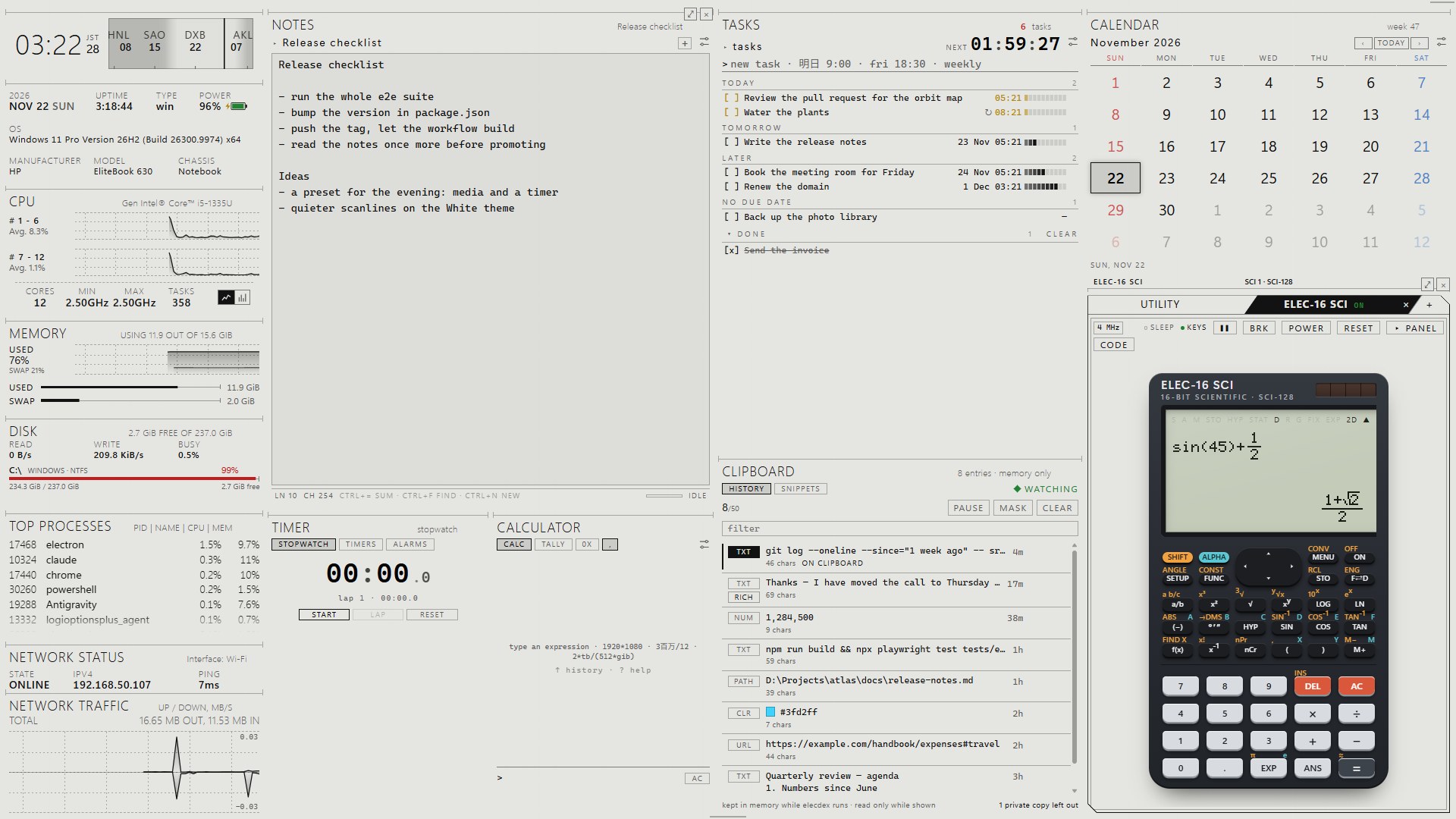 desk · Ctrl+Shift+F6 · notes, tasks, timer, clipboard, calendar, utility |
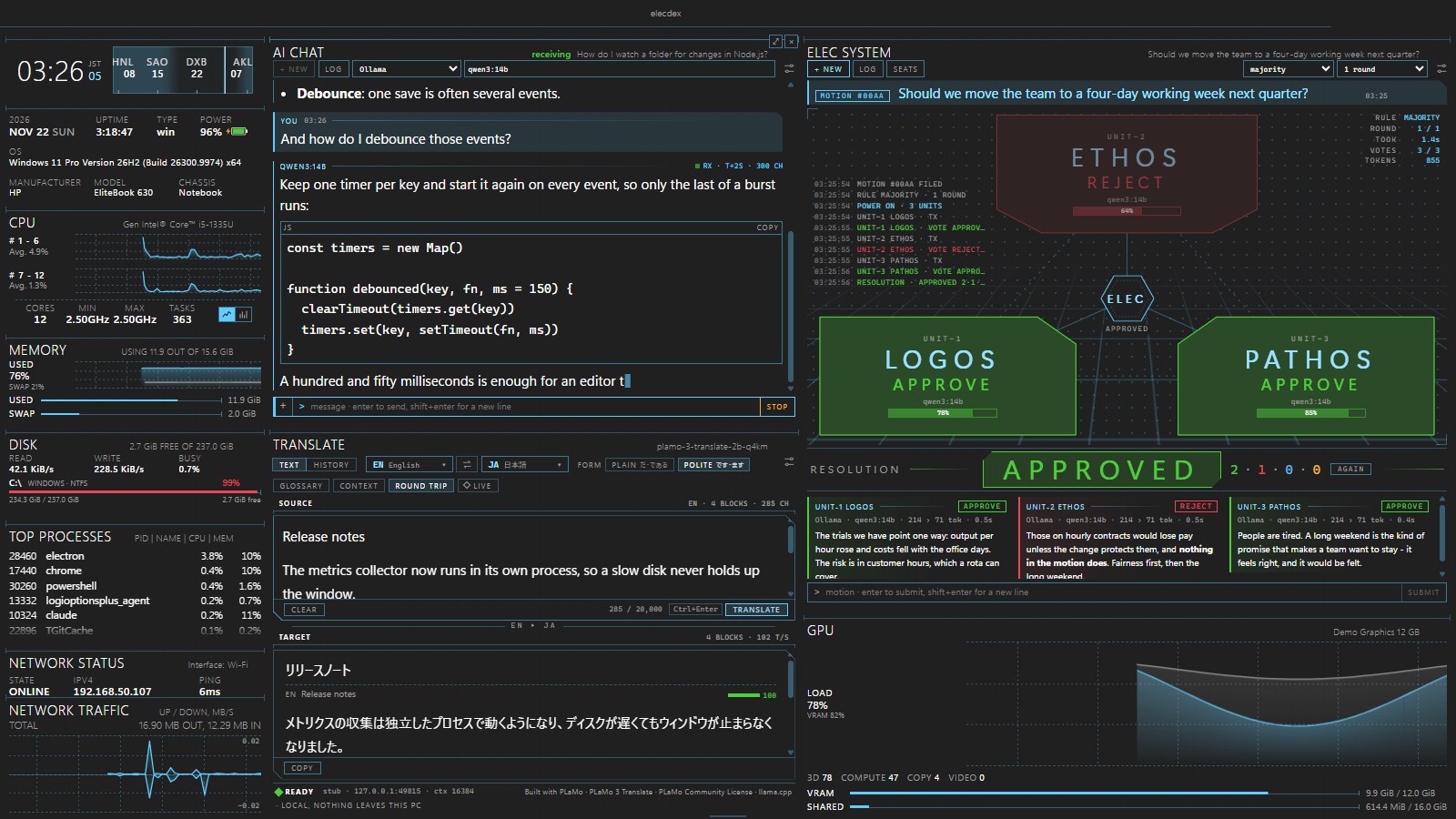 ai · Ctrl+Shift+F7 · an AI chat over TRANSLATE, the ELEC council, the GPU |
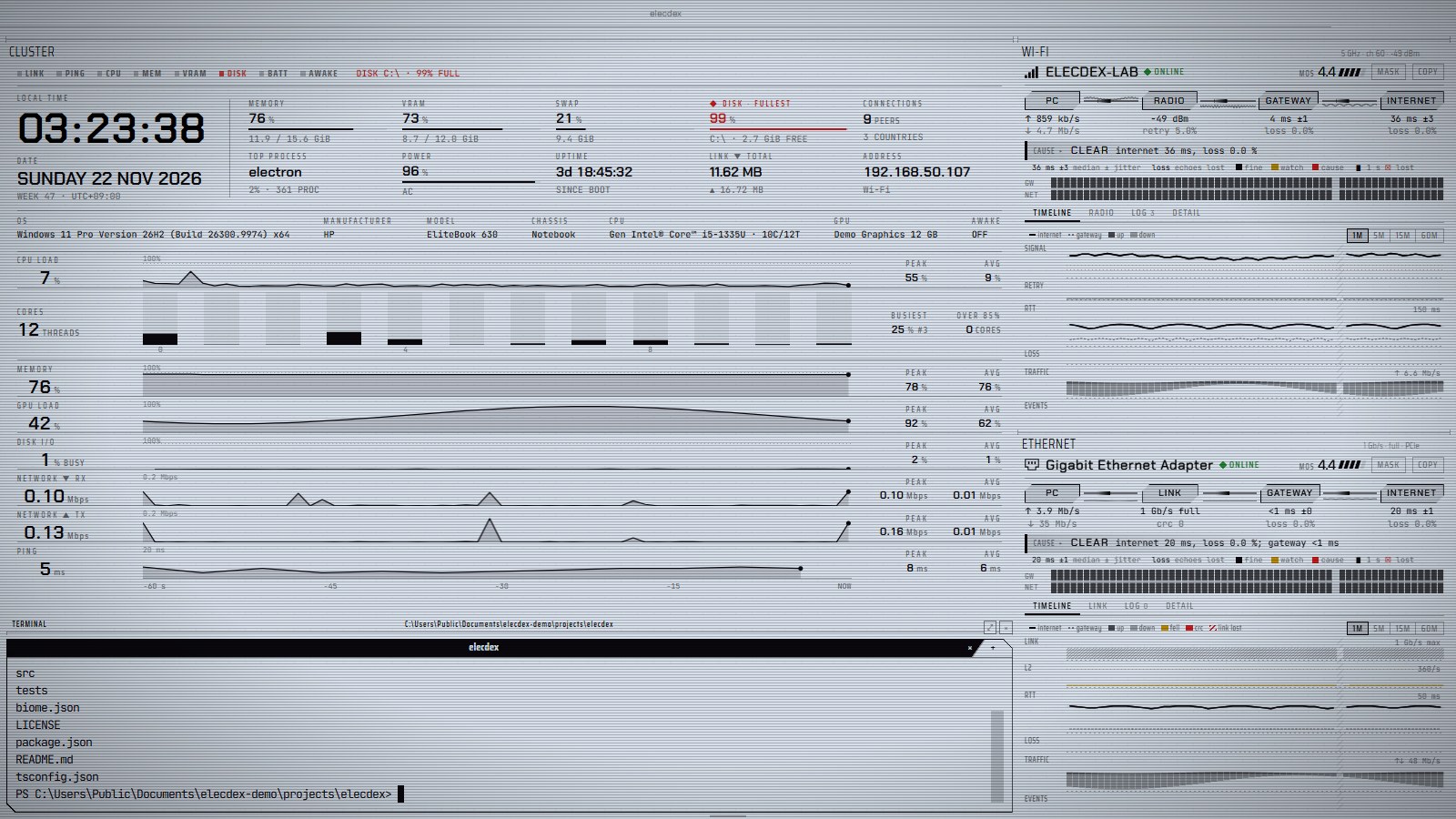 cockpit · Ctrl+Shift+F8 · the whole machine on one CLUSTER pane |
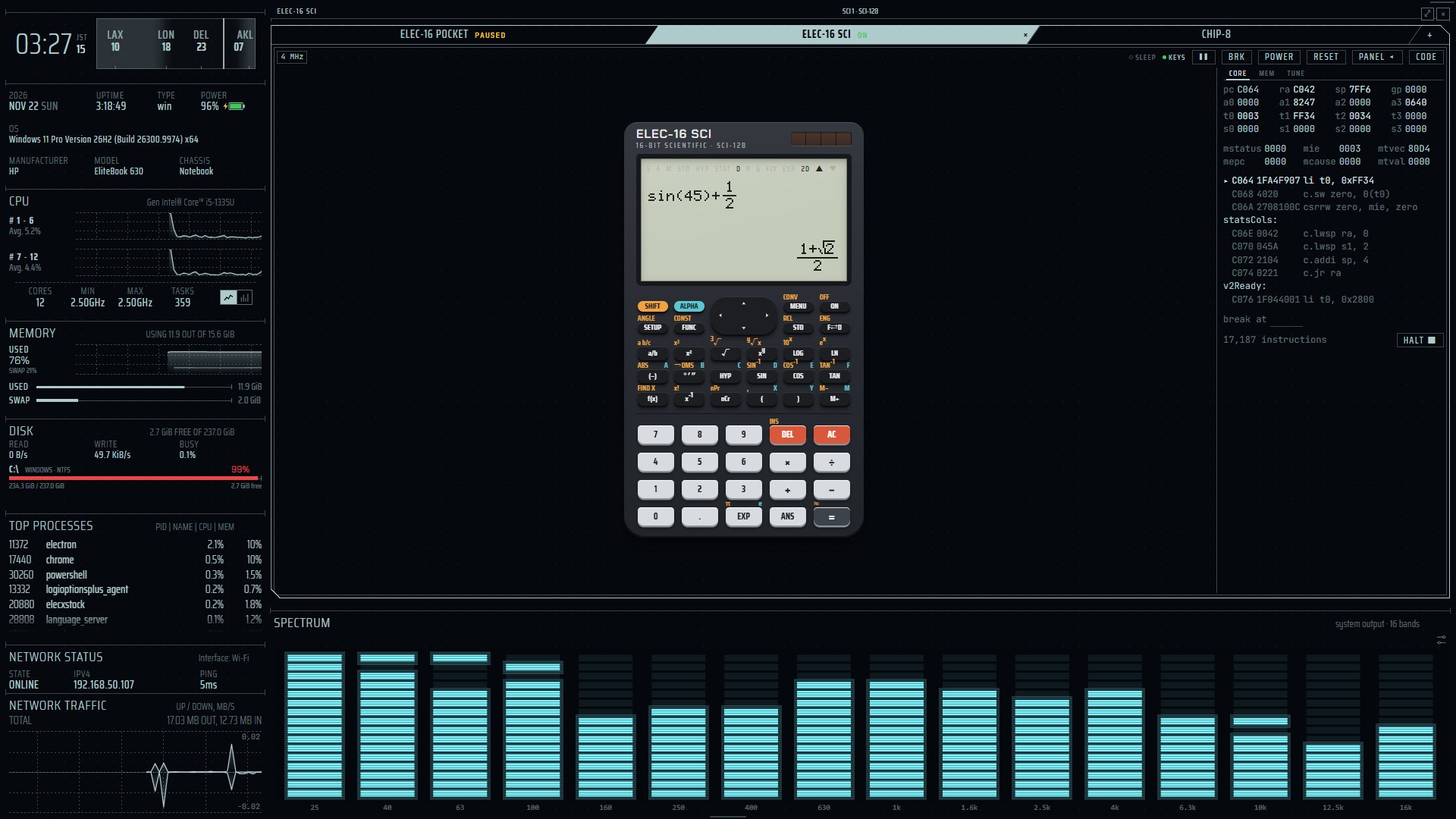 retro · Ctrl+Shift+F9 · CHIP-8, the ELEC-16 machines and the SCI-128 calculator |
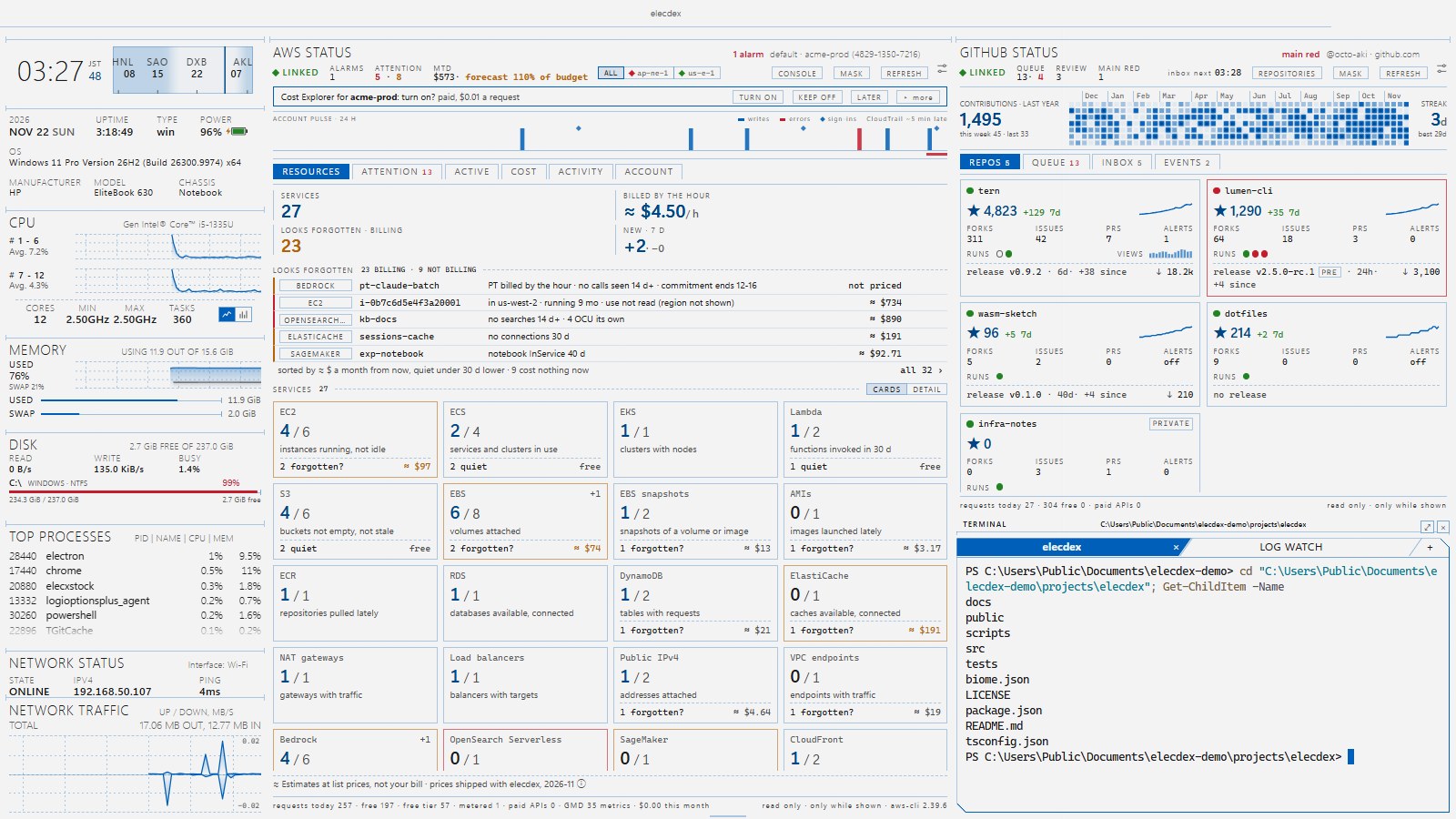 cloud · Ctrl+Shift+F10 · AWS STATUS, GITHUB STATUS, a shell and LOG WATCH |
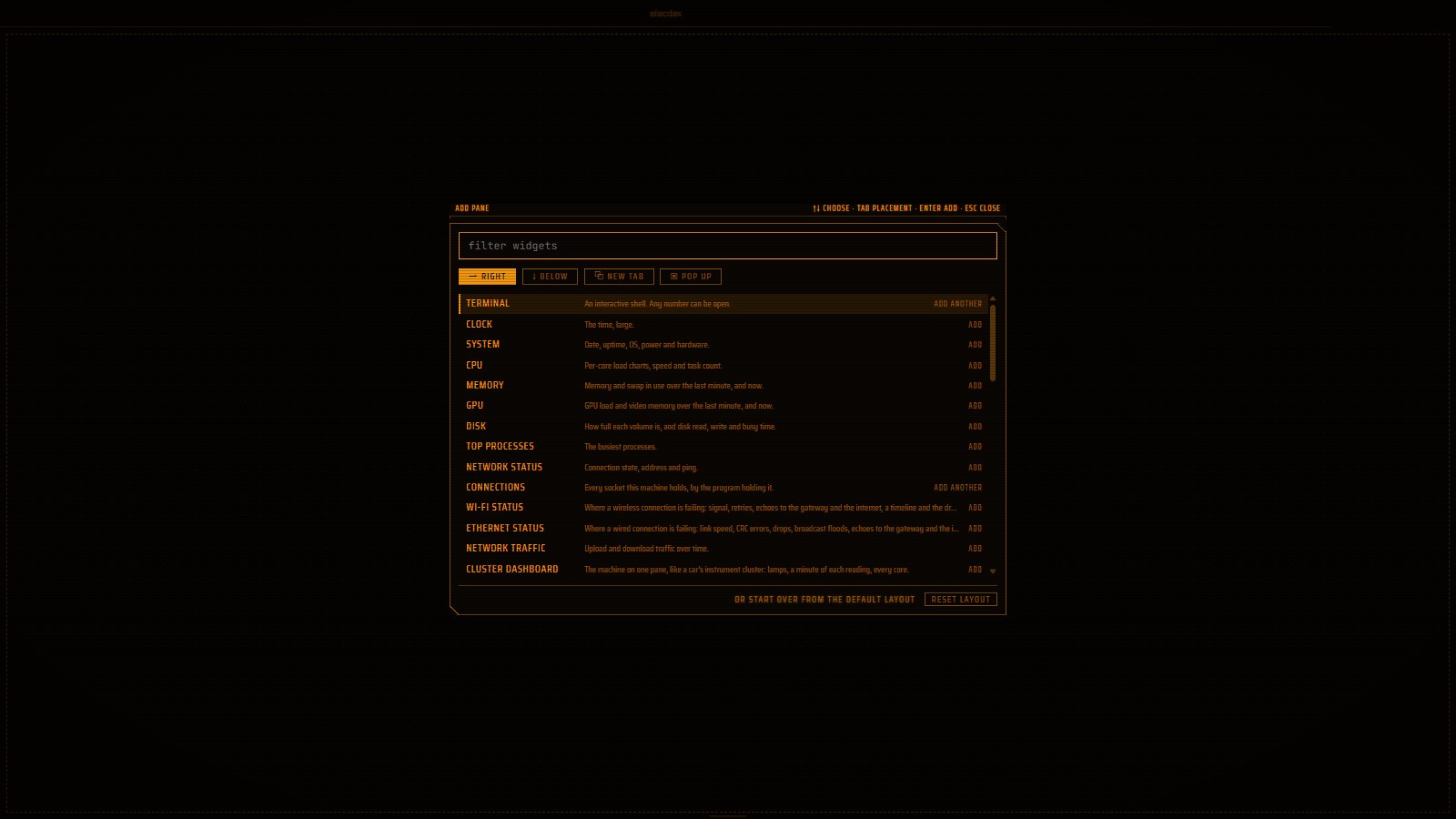 blank · Ctrl+Shift+F11 · no pane yet: build a layout of your own |
Panes
| Group | Panes | Guide |
|---|---|---|
| System | Terminal, Clock, System, CPU, Memory, GPU, Disk, Top processes, Cluster, Launcher, Filesystem | System panes |
| Network | Network status, Network traffic, World view, Connections, Wi-Fi, Ethernet | Network panes |
| Development | AI Agent, Git, Docker, Log Watch | Development panes |
| Cloud | AWS STATUS, GITHUB STATUS | Cloud panes |
| World | Orbit, Markets, Weather, RSS, Quakes, earthquake and tsunami alerts | World panes |
| AI | AI chat, ELEC system, TRANSLATE | AI panes |
| Desk | Calculator, Notes, Tasks, Timer, Clipboard, Calendar, Utility | Desk panes |
| Media | Spectrum, Browser, YouTube, X, Mixer, Now playing | Media panes |
| Retro | CHIP-8, ELEC-16 (POCKET, HANDHELD, PLAY-320, SCI-128) | Retro panes |
Install
Download the installer for your platform from
Releases:
| Platform | File |
|---|---|
| Windows x64 / arm64 | elecdex-win-x64-<version>.exe / elecdex-win-arm64-<version>.exe |
| macOS Apple silicon / Intel | elecdex-mac-arm64-<version>.dmg / elecdex-mac-x64-<version>.dmg |
| Linux x64 | elecdex-linux-x86_64-<version>.AppImage or elecdex-linux-amd64-<version>.deb |
| Linux arm64 | elecdex-linux-arm64-<version>.AppImage or elecdex-linux-arm64-<version>.deb |
The Windows builds are the ones the author runs. The macOS and Linux builds come out of the same
release workflow and pass the end-to-end tests on GitHub's runners, but have had no hands-on
testing: treat them as not sufficiently verified.
If a warning appears
The installers are not code-signed: a certificate costs more than a personal project can carry. So
Windows and macOS warn before the first run. The warnings mean the publisher is unknown to them, not that
anything was found in the file. If you want to check a download first, the release page lists every
file's SHA-256 checksum. Each installer is built from the tagged source by the
release workflow on GitHub's runners. These steps are needed once
per install.
Windows
- The browser may hold the download back ("isn't commonly downloaded"). In Edge, open the download's
⋯ menu → Keep → Show more → Keep anyway. In Chrome, choose Keep. - Run the
.exe. SmartScreen shows "Windows protected your PC": click More info, then
Run anyway. - The installer installs for your user only, so it asks for no administrator rights.
If Windows says the file was blocked and offers no Run anyway, right-click the .exe →
Properties → tick Unblock → OK, and run it again.
macOS (15 Sequoia and later; older versions in the last step)
- Open the
.dmgand drag elecdex into Applications. - Open elecdex from Applications. macOS says it "could not verify 'elecdex' is free of
malware": click Done (not Move to Trash). - Open System Settings → Privacy & Security, scroll to Security, and click Open Anyway
beside the line about elecdex. Confirm with your password or Touch ID, then Open Anyway again. - On macOS 14 or earlier, right-click the app → Open → Open does the same.
If macOS instead says "elecdex is damaged and can't be opened", the file is not damaged. The
quarantine mark from the download is what stops it. Remove the mark and open the app again:
xattr -dr com.apple.quarantine /Applications/elecdex.app
Linux (no warning, but two things to know)
- deb (Debian, Ubuntu):
sudo apt install ./elecdex-linux-amd64-<version>.deb. It also installs
the AppArmor profile that Ubuntu 24.04 and later need before Electron's sandbox can start. - AppImage:
chmod +x elecdex-linux-*.AppImageand run it. It needs FUSE 2 (libfuse2, orlibfuse2t64on Ubuntu 24.04). On Ubuntu 24.04 and later it may stop with a message about the
SUID sandbox helper, because AppArmor blocks the sandbox there. Use the deb in that case. Do not
start it with--no-sandbox: the sandbox is what keeps the renderer away from your files.
elecdex starts fullscreen. F11 leaves fullscreen and Ctrl+Shift+Q quits after a yes; --windowed
starts in a window and --no-intro skips the boot sequence.
Build from source
git clone https://github.com/kurouna/elecdex.git
cd elecdex
npm ci
npm run dev -- -- --windowed --no-intro
npm ci downloads Electron and, on macOS, fixes node-pty; on Linux, approve node-pty's install
script so it can compile. Tests, builds and the other commands are in the
Develop guide.
First steps
| Key | Action |
|---|---|
| Ctrl+Shift+A | Add a pane (the picker) |
| Ctrl+Shift+F1 … F11 | Go to a layout preset |
| Ctrl+Shift+G | Saved layouts |
| Ctrl+Shift+P | Find any action, layout, theme or setting (the action palette) |
| Ctrl+Shift+Z | Show the focused pane enlarged over the others; again to put it back |
| Ctrl+Shift+. | Settings |
| F11 / Ctrl+Shift+Q | Leave fullscreen / quit |
Every shortcut can be rebound in Settings → Keyboard; the full list is in
Keyboard shortcuts.
Documentation
| Page | What it covers |
|---|---|
| User guide | The index of the pages below |
| Layout presets | The eleven presets, pane by pane |
| Workspace | Panes, splits, tabs, saved layouts, the palette, themes and motion, running in the background |
| Keyboard shortcuts | Every default chord, rebinding, global shortcuts |
| Themes and settings | The eight themes, settings.json |
| Plugins | Installing plugins and what they may do (API) |
| Network access and data sources | Every service elecdex contacts, how often, and its terms |
| Develop | Building, testing, releasing, and why a rewrite |
| ELEC-16 manuals and guides | BASIC, the E16 machine, e16c, the SOFT CARD, PLAY-320, SCI-128, and HTML quick guides with screenshots for the pocket computer and the calculator |
| Architecture · Decisions | The design and every decision with its reason (in Japanese) |
Third-party assets
| Asset | Source | License |
|---|---|---|
| Display font | Chakra Petch | SIL OFL 1.1 |
| UI font | Saira Condensed | SIL OFL 1.1 |
| Monospace font | JetBrains Mono | SIL OFL 1.1 |
| ELEC-16 keytop fonts | Barlow Condensed, IBM Plex Sans Condensed, Inter Tight, M PLUS Rounded 1c, Albert Sans; for the カナ key, its two letters from BIZ UDPGothic, IBM Plex Sans JP, Noto Sans JP and M PLUS Rounded 1c (via Fontsource) | SIL OFL 1.1 |
| IP geolocation | @ip-location-db/geo-whois-asn-country-mmdb, data by the NRO |
CC BY 4.0 (the npm package is labelled CC0-1.0; its bundled NRO_LICENSE requires attribution to nro.net) |
| Globe land and country shapes | Natural Earth via world-atlas | Public domain / ISC (build time only) |
| Country codes and time zones | i18n-iso-countries, countries-and-timezones | MIT (build time only) |
| README banner font | Source Sans 3 | SIL OFL 1.1 (outlined into the SVG at build time) |
| Market data client | yahoo-finance2 | MIT (bundled into the main process) |
| Time zone boundaries (ORBIT) | timezone-boundary-builder 2026d, from OpenStreetMap data | ODbL 1.0, © OpenStreetMap contributors. The derived lines in src/renderer/widgets/orbit/tz-lines.json (made by npm run gen:orbit-map) are under the ODbL too; credited in the pane. |
| Land for the ORBIT map | Natural Earth 50m land via world-atlas | Public domain ("Made with Natural Earth", credited in the pane) |
| Orbit propagation (SGP4) | satellite.js | MIT |
| Syntax colours in the git pane's diffs | highlight.js | BSD-3-Clause |
| Calculator's expression evaluator | elecxzy src/utils/calc, copied unmodified into src/shared/calc/vendor |
MIT |
| CHIP-8 fonts | Octo js/emulator.js, copied into src/shared/chip8/fonts.ts |
MIT |
| CHIP-8 programs | chip8Archive, by their authors, in resources/chip8/archive |
CC0 1.0; credited in the pane |
| TRANSLATE's engine and model | llama.cpp b12110, and PLaMo 3 Translate by Preferred Networks: not bundled, fetched in the pane's setup | llama.cpp: MIT; its licences, and those of the code built into llama-server, come with elecdex and are written beside the engine. The model: PLaMo Community License, read and agreed to in the setup. Built with PLaMo |
| AWS unit prices (AWS STATUS's estimates) | AWS's public pricing pages, as of 2026-11, in src/shared/aws/list-prices.ts |
Facts, not a licensed work; approximate, checked with each release |
| CHIP-8 test programs (DIAG) | chip8-test-suite by Timendus, in resources/chip8/test-suite with their Octo sources |
GPL-3.0 |
The geolocation database is bundled, so there is no account, no API key and no first-run
download, and IP lookups never leave the machine.
Every package the app is built from, and the data above, are listed with their licence texts inTHIRD_PARTY_NOTICES.txt, beside the executable in each release (written by npm run build).
License / ライセンス
This software is released under the GNU General Public License v3.0, the same license
as eDEX-UI.
本ソフトウェアは、eDEX-UI と同じ GNU General Public License v3.0 のもとで公開されています。
Acknowledgements / 謝辞
This application is deeply inspired by the design and philosophy of the following pioneering
project. We express our utmost respect and gratitude to its creator and contributors:
本アプリケーションは、以下の先駆的なプロジェクトの設計と哲学に深くインスパイアされています。
この優れたソフトウェアを生み出した開発者およびコミュニティの皆様に、最大限の敬意と謝意を表します。
- eDEX-UI
- Copyright (c) 2017-2021 Gabriel "Squared" Saillard
- Created by Gabriel "Squared" Saillard (gaby.dev)
- Licensed under the GNU General Public License v3.0
Copyright © 2026 elecxzy project
Reviews (0)
Sign in to leave a review.
Leave a reviewNo results found