notion-bloom
Health Warn
- License — License: MIT
- Description — Repository has a description
- Active repo — Last push 0 days ago
- Low visibility — Only 7 GitHub stars
Code Warn
- fs module — File system access in bin/alias-hook.cjs
- process.env — Environment variable access in bin/notion-bloom.js
Permissions Pass
- Permissions — No dangerous permissions requested
No AI report is available for this listing yet.
Agent-facing MCP: PPT/PDF → lecture write-up → Notion layout. Tools + prompts, no model API. npx notion-bloom install
Notion Bloom
PPT → lecture write-up → Notion layout. An agent-facing MCP: tools and prompts, no model API.
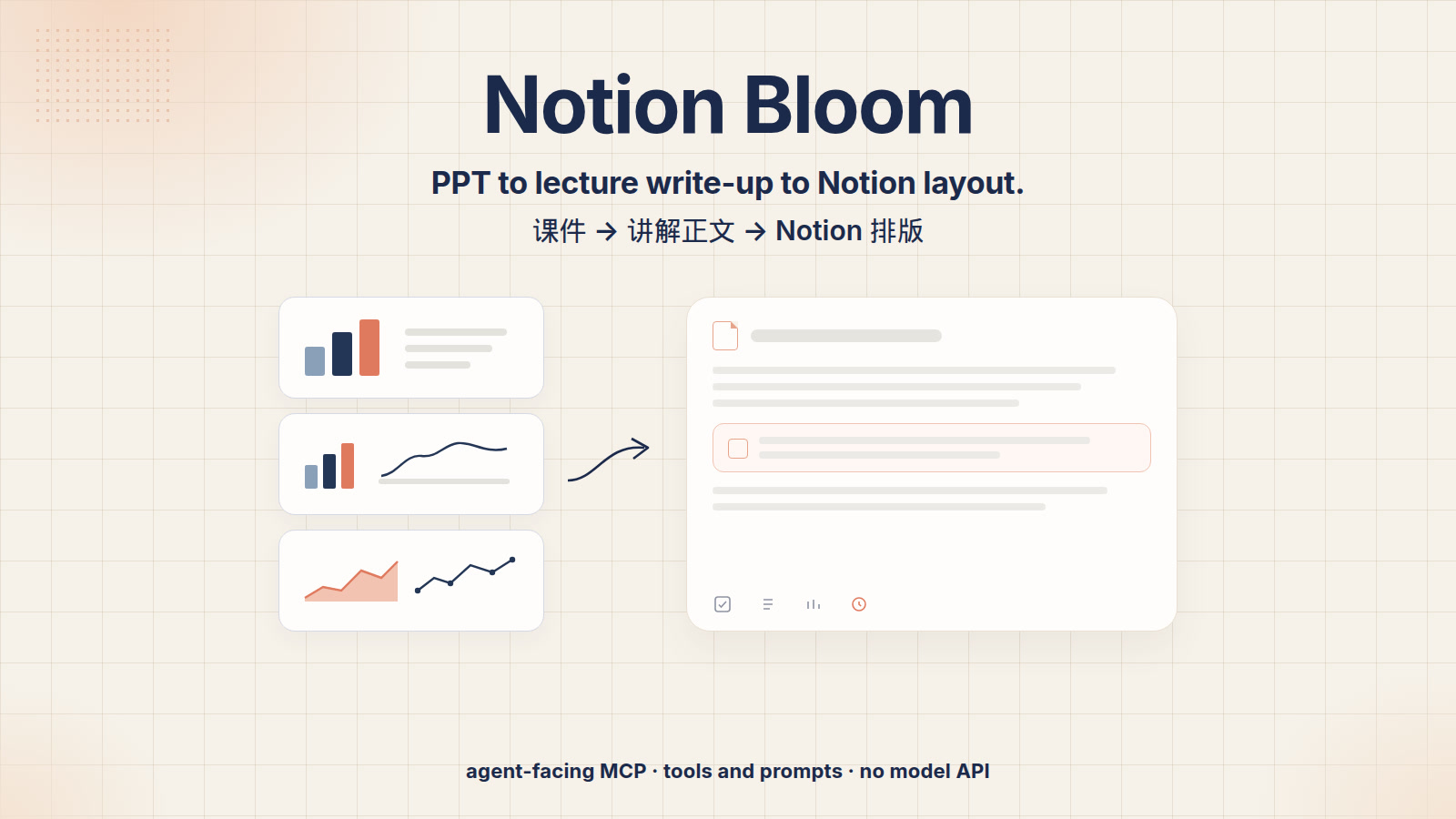



Turn a PDF or PPTX into a Notion lecture you can read, with the layout already set.
Your coding agent writes the lecture. Bloom is the Model Context Protocol (MCP) server next to it: tools that extract text and the figures the lecture needs, a content check, a write into Notion, and a layout pass for headings, callouts, cover, and color. Prompts tell the agent how to call those tools. The model call stays in your agent. Bloom does not call a model API, and it is not a website.
It installs into the agent you already use: Cursor, Claude Code, Codex, or DeepSeek Harness. The published package is notion-bloom on npm.
English PPT → bilingual lecture for exams
This workflow turns an English PPT into a Chinese–English bilingual lecture for exam prep(汉英双语讲解,以应对考试).
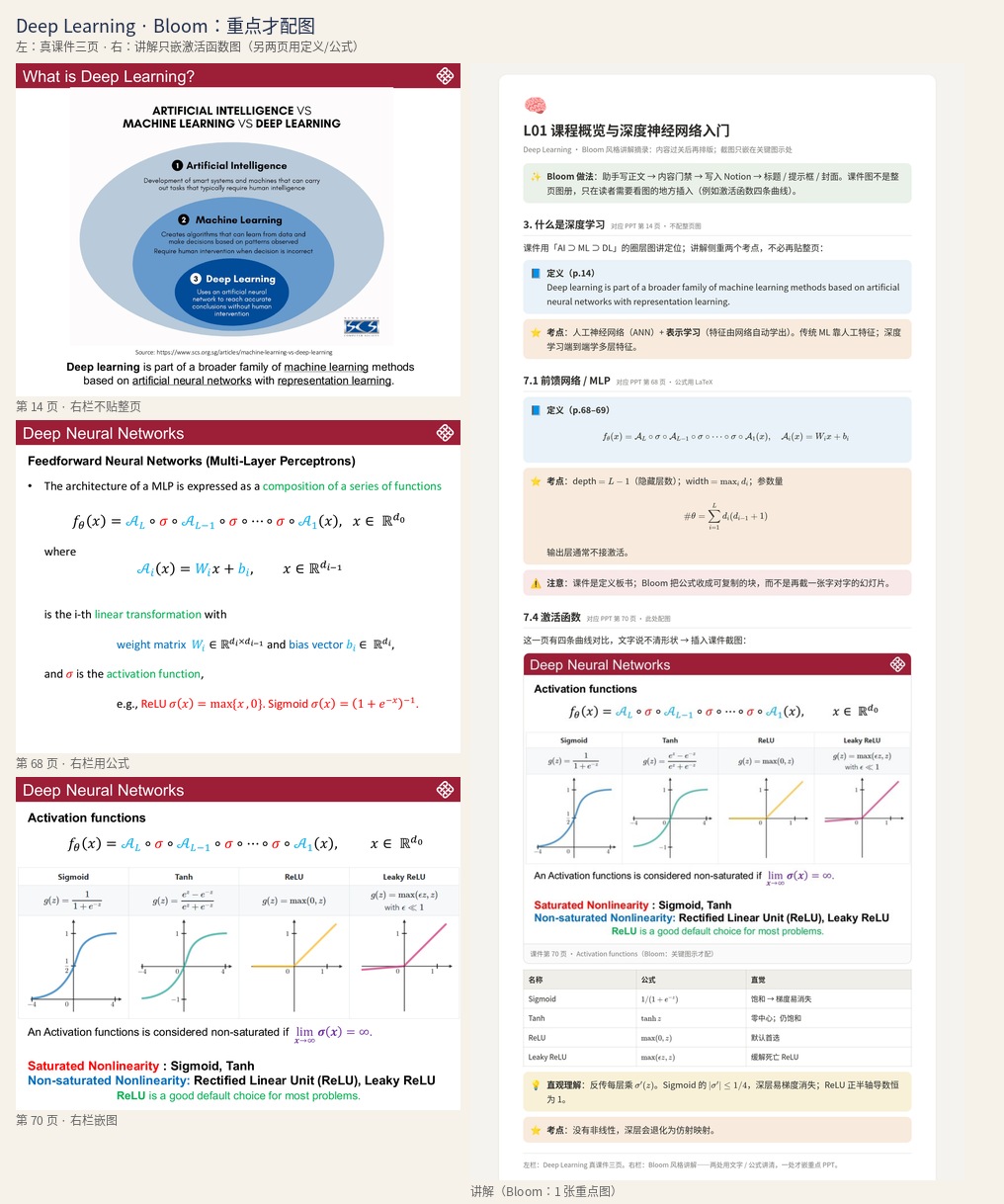
Below is a real deck: Deep Learning, Lecture 1. The left column is three English slides (pages 14, 68, and 70). The right column is the Bloom-style write-up: definitions and exam points in both languages, formulas in LaTeX.
Bloom inserts a slide screenshot only at a key figure, not as a gallery of every slide. In this sample, pages 14 and 68 are explained with definitions and LaTeX. Only page 70 (activation functions) embeds the PPT figure.
Shortest path
Sample deck: examples/fixtures/short.pptx (three slides). A real lecture deck is examples/bayes-lecture.pptx. What each file is for: examples/README.md.
In the project your agent is working in:
npx notion-bloom install
Or tell the agent: “Install Notion Bloom MCP from npm (notion-bloom).”
Reopen the agent, then say:
Write this lecture in English from examples/fixtures/short.pptx, and put it on my Notion page.
Paste your own integration token when the agent asks, and on that page choose Share → Add connections. The agent writes the lecture. Bloom reads the slides, checks that a reader can follow the draft, writes a Notion page, then sets headings, callouts, cover, and color. Numbers and formulas stay as they are on the slides. A formula the deck does not yield is marked 【公式缺】. Layout waits until the content check passes. Pasting an outline, in Chinese or English, fails that check (讲解过浅). A page-number note, a self-test, exam points, a comparison table, or a step-by-step derivation may stay short. Telling the agent the page can be beautified does not pass; only a passing content check does. The lecture language follows the request and is not, by itself, a failure. A failed check is not written unless you ask to save it for review, and that page is not beautified.
Common pitfalls: FAQ.
Install
Node.js 18 or newer. In the project your agent is working in:
npx notion-bloom install
That installs notion-bloom from npm and registers the skill and the MCP entry for Cursor, Claude Code, Codex, and DeepSeek Harness. Reopen the agent when it finishes.
Ask your agent
You do not have to run the command yourself. In that same project, tell the agent:
Install Notion Bloom MCP from npm (
notion-bloom). Runnpx notion-bloom install, or wire the MCP the way the package documents.
The agent installs the package and writes the skill and MCP entry.
- Codex loads the project config after you mark the project trusted.
- DeepSeek Harness picks up the new config the next time you open it.
Alternatives
GitHub:
npx github:KuTo-lgq/notion-bloom install
Clone:
git clone https://github.com/KuTo-lgq/notion-bloom.git
cd notion-bloom
npm install
npx notion-bloom install
Notion token
Bloom uses an integration token you give the agent. A Notion login inside Cursor does not connect it.
- Open Notion integrations and create an integration.
- Copy the Internal Integration Secret. It starts with
ntn_orsecret_. - Paste it when the agent asks. The agent stores it as
NOTION_TOKENin that client's MCP config. It is your secret: keep it out of git and out of public places. - On the page you want to fill, choose Share → Add connections and add that integration. Until you do, Bloom cannot open the page.
Usage
After Notion Bloom is installed, give the agent a PDF or PPTX, the language, and the Notion page. For example:
- “Write this lecture in English from this deck, and put it on my Notion page.”
- 「用这份 pdf,用中文写一篇讲解,放到我这个 Notion 页面下。」
- 「这一页内容已经对了,只排版,不要改句子和公式。」
| Step | Who |
|---|---|
| Extract text, and the screenshots the lecture needs | Bloom |
| Write the lecture | Your agent |
| Check that a reader can follow it step by step | Bloom |
| Write the page to Notion | Bloom |
| Set headings, callouts, cover, and color | Bloom |
Numbers and formulas stay as they appear on the slides. A formula the deck does not yield is marked 【公式缺】. An outline is not a deep enough explanation, so layout starts only after the content check passes. Saying it can be beautified does not pass that check.
License
Developing this repo? See CONTRIBUTING.md.
Reviews (0)
Sign in to leave a review.
Leave a reviewNo results found