termote
Health Pass
- License — License: MIT
- Description — Repository has a description
- Active repo — Last push 0 days ago
- Community trust — 57 GitHub stars
Code Pass
- Code scan — Scanned 12 files during light audit, no dangerous patterns found
Permissions Pass
- Permissions — No dangerous permissions requested
No AI report is available for this listing yet.
Self-hosted PWA to control Claude Code, GitHub Copilot or any terminal from your phone or desktop. Single Go binary streaming tmux/psmux/Herdr sessions to xterm.js, native or in a container.









Remote control CLI tools (Claude Code, GitHub Copilot, any terminal) from mobile/desktop via PWA.
[!NOTE]
Termote 1.0 does not upgrade a 0.x install. Uninstall 0.x as described in the
archived 0.x docs, then install 1.0 with the
Quick Start commands.
Termote = Terminal + Remote
🇻🇳 Tiếng Việt | 🇨🇳 简体中文 | 🇯🇵 日本語 | 🇰🇷 한국어 | 🇪🇸 Español | 🇧🇷 Português (BR) | 🇫🇷 Français | 🇩🇪 Deutsch | 🇷🇺 Русский | 🇮🇩 Bahasa Indonesia
Features
- Session switching: Multiple tmux sessions with create/edit/delete
- Session tabs: Horizontal tab bar for quick window switching
- Herdr backend (native only): drive Herdr workspaces instead of tmux, with per-pane coding-agent status badges — see Native Installation
- Mobile-friendly: Virtual keyboard toolbar (Tab/Ctrl/Shift/arrows, expandable)
- Gesture support: Swipe for Ctrl+C, Tab, history navigation
- Command history: Recall previously sent commands with search
- Quick actions: Floating menu for common operations (clear, cancel, exit)
- Connection indicator: Real-time server status with auto-detect disconnect
- Update checker: Automatic new version notification from GitHub releases
- PWA: Installable to homescreen, offline-capable
- Persistent sessions: tmux keeps sessions alive
- Collapsible sidebar: Desktop UI with toggleable session sidebar
- Fullscreen mode: Immersive terminal experience
- Runs as a service:
termote startregisters a user service (systemd, launchd, Scheduled Task) that starts at login - Config persistence:
termote startsaves its options, with the password stored encrypted
Screenshots
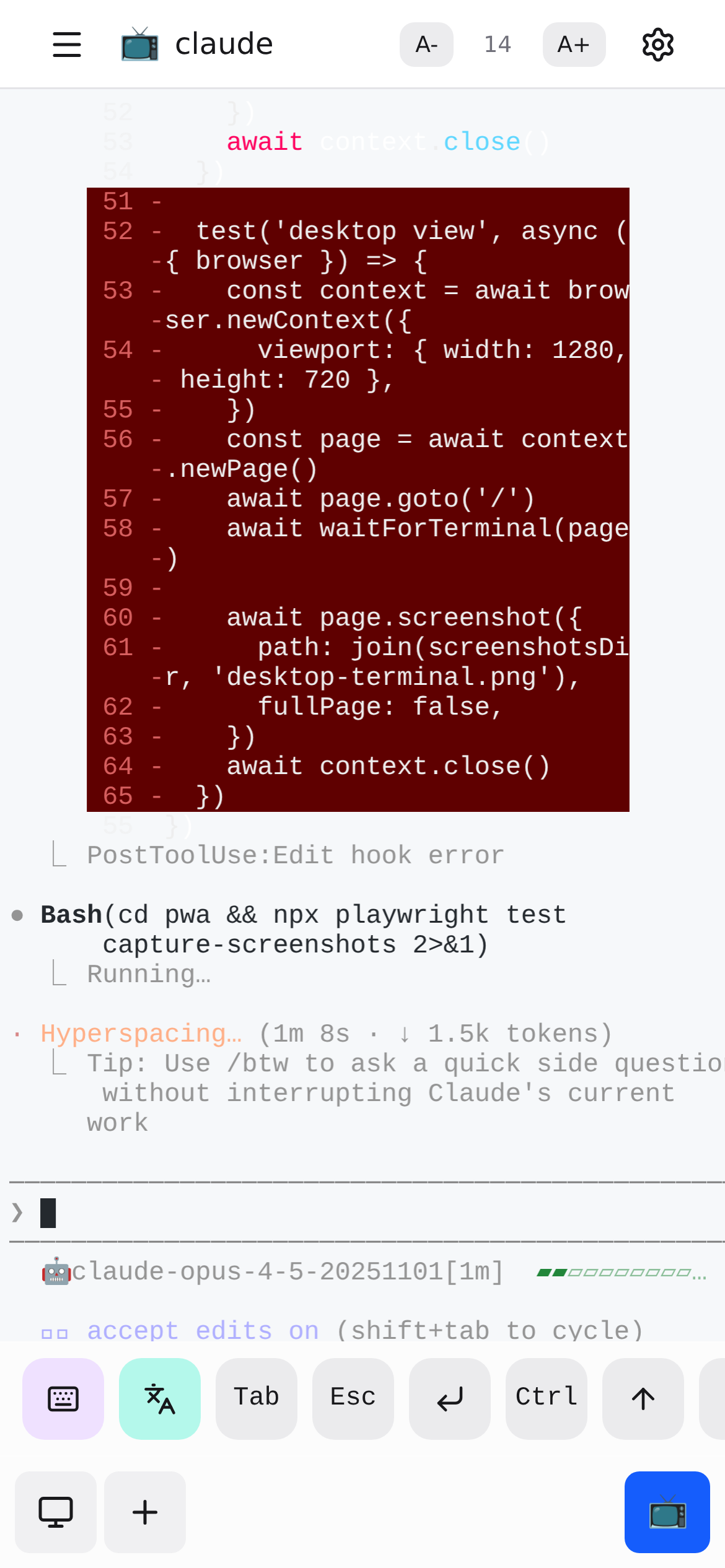
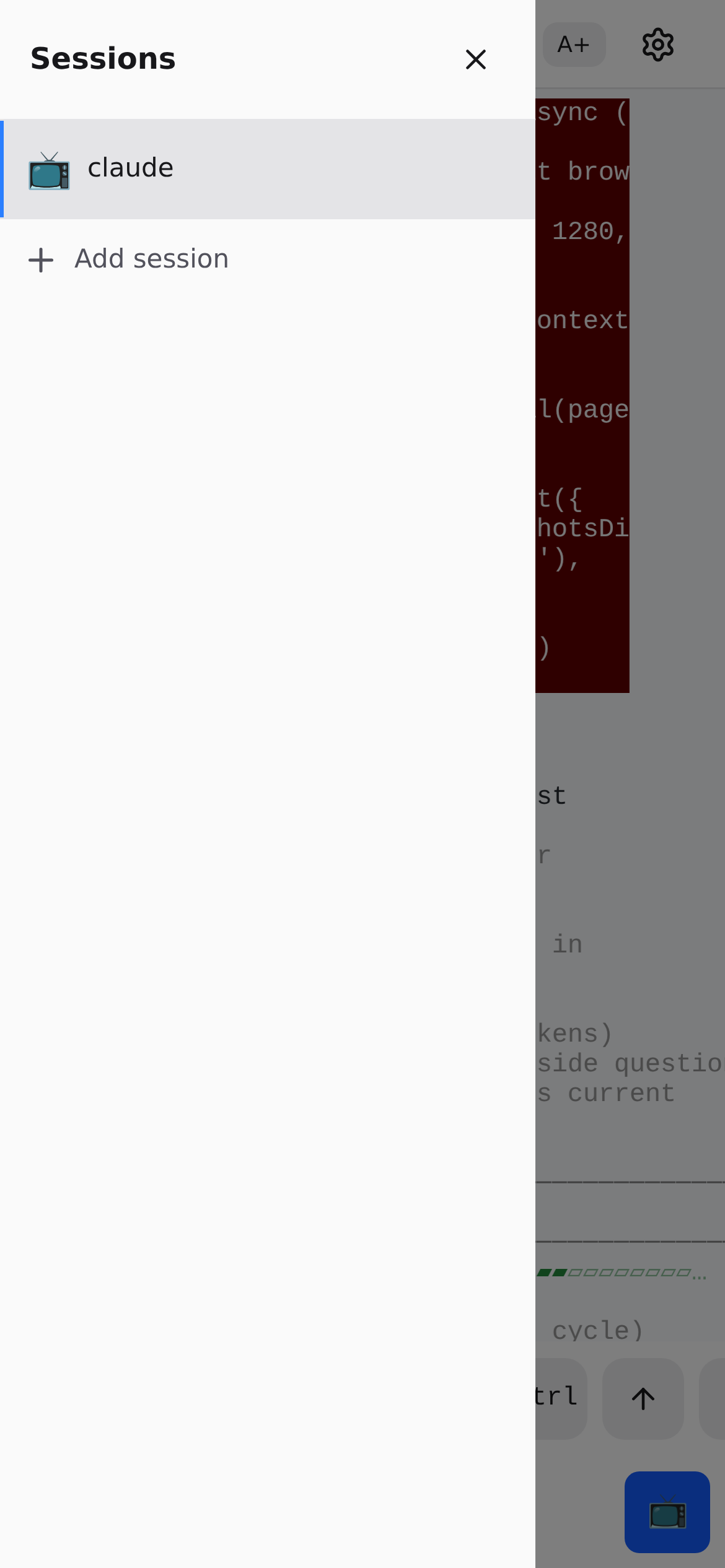
Architecture
flowchart TB
    subgraph Client["Client (Mobile/Desktop)"]
        PWA["PWA - React + xterm.js"]
        Gestures["Gesture Controls"]
        Keyboard["Virtual Keyboard"]
    end

    subgraph Server["termote Server :7680"]
        Static["Static Files"]
        Stream["Terminal WebSocket /api/mux/stream"]
        API["REST API /api/mux/*"]
        Guard["Host allowlist + Origin/CSRF guard"]
        Auth["Basic Auth"]
    end

    subgraph Backend["Mux Backend (tmux/psmux or Herdr)"]
        Mux["Mux interface"]
        tmux["tmux/psmux (PTY)"]
        herdr["Herdr (native only)"]
        Shell["Shell"]
        Tools["CLI Tools"]
    end

    Gestures --> PWA
    Keyboard --> PWA
    PWA --> Static
    PWA <--> Stream
    PWA --> API
    Guard -.-> Static & Stream & API
    Auth -.-> Static & Stream & API
    Stream --> Mux
    API --> Mux
    Mux --> tmux & herdr
    tmux --> Shell --> Tools
termote streams the terminal itself (PTY on Unix, ConPTY on Windows) into xterm.js in the PWA; there is no separate terminal process to proxy to. See docs/system-architecture.md for the full request-guard model.
Quick Start
📖 New to Termote? Check out the Getting Started Guide for a complete walkthrough with examples.
Linux / macOS:
curl -fsSL https://termote.ohnice.app/install.sh | sh
termote start
Windows (PowerShell):
irm https://termote.ohnice.app/install.ps1 | iex
termote start
The installer needs only curl, tar and sha256sum/shasum (PowerShell on Windows), no sudo or admin rights. It verifies the checksum of the archive, installs the termote command, and starts nothing. termote start saves the options, creates a password the first time (printed once; termote show-password shows it again), registers the service and starts it. Open http://localhost:7680 (Windows: http://localhost:7690).
A terminal backend must be installed first: tmux (sudo apt install tmux, brew install tmux), psmux on Windows (winget install psmux), or Herdr. The first start detects which one to use.
Common options
termote start --lan                  # Listen on the LAN, not only this machine
termote start --tailscale myhost.ts.net  # Publish over Tailscale HTTPS
termote start --mux herdr            # Drive Herdr workspaces instead of tmux
termote start --no-auth              # Disable basic auth (local use only)
Options are saved: a flag not given keeps its saved value, and a boolean is turned off with =false (termote start --lan=false). The flags are the same on every OS, PowerShell included.
Everyday commands
termote status                       # What the running server reports
termote stop                         # Stop (it starts again at the next login)
termote restart                      # Restart with the saved options
termote logs follow                  # Tail the logs
termote show-password                # Print the saved admin password
termote update                       # Update to the latest release
termote uninstall                    # Remove the service, the command and the install
update switches to the new version, restarts the service and switches back if the new version does not come up. uninstall keeps the configuration (~/.config/termote) and the logs (~/.local/state/termote) and prints both paths.
Installation
Pin a version
curl -fsSL https://termote.ohnice.app/install.sh | TERMOTE_VERSION=1.0.0 sh
termote update --version 1.0.0
$env:TERMOTE_VERSION='1.0.0'; irm https://termote.ohnice.app/install.ps1 | iex
Without TERMOTE_VERSION the installer takes the newest stable 1.x release and leaves an existing install alone. With it, that version is installed beside the current one and becomes the active version, which also repairs a broken install.
Container mode
termote container up                          # Run the published image (podman or docker)
termote container up --workspace ~/projects   # Mount a directory at /workspace
termote container status
termote container logs -f
termote container down
container up runs ghcr.io/lamngockhuong/termote at the version of the installed termote, with podman (preferred) or docker, on port 7680 with ~/termote-workspace mounted at /workspace. It accepts --port, --lan, --tailscale, --no-auth, --allow-host and --fresh, saved apart from the options of start; the password is shared with the native server. Docker restarts the container after a reboot; rootless Podman has no daemon to do that, so run it as a Quadlet unit.
Security note: Avoid mounting
$HOMEdirectly — sensitive directories like.ssh,.gnupgwill be accessible in container. Mount specific project directories instead.
Docker without the CLI
# Generates a password, printed in: docker logs termote
docker run -d --name termote -p 7680:7680 \
  -v ~/projects:/workspace \
  ghcr.io/lamngockhuong/termote:latest

# With your own credentials
docker run -d --name termote -p 7680:7680 \
  -e TERMOTE_USER=admin -e TERMOTE_PASS=secret \
  ghcr.io/lamngockhuong/termote:latest
| Environment Variable | Description |
|---|---|
TERMOTE_USER |
Basic auth username (default: admin) |
TERMOTE_PASS |
Basic auth password (default: auto-generated) |
NO_AUTH |
Set to true to disable authentication |
Build from source
git clone https://github.com/lamngockhuong/termote.git
cd termote
make build
./scripts/termote.sh start
make build builds the PWA and embeds it in server/termote; it needs Go, Node.js and pnpm. scripts/termote.sh (Windows: scripts\termote.ps1) only runs a checkout: it rebuilds the development binary when a source is newer, then runs it with the same arguments. termote update refuses to run in a checkout; use git pull && make build.
Upgrading from 0.x
There is no upgrade from 0.x: 1.0 installs in a new place and does not read the 0.x configuration. Uninstall 0.x as described in the archived 0.x docs, then install 1.0 with the commands above.
Deployment Modes
flowchart LR
    subgraph Container["Container Mode"]
        direction TB
        C1["Docker/Podman"] --> C2["termote :7680 (streams terminal itself)"] --> C3["tmux"]
    end

    subgraph Native["Native Mode"]
        direction TB
        N1["Host System"] --> N2["termote :7680 (streams terminal itself)"] --> N3["tmux/psmux or Herdr + Host Tools"]
    end

    User["User"] --> Container & Native
| Mode | Command | Use Case | Platform |
|---|---|---|---|
| Native | termote start |
Host tool access (claude, gh); required for the Herdr backend | macOS, Linux, Windows |
| Container | termote container up |
Isolated environment | macOS, Linux, Windows |
The native server runs as a user service: a systemd user unit on Linux (a detached process where there is no user systemd, such as WSL2 without systemd), a launchd agent on macOS, a Scheduled Task at logon on Windows.
Options of start
| Flag | Description |
|---|---|
--port <port> |
Port (default: 7680, Windows: 7690) |
--lan[=false] |
Listen on every interface (default: localhost only) |
--tailscale <host[:port]> |
Publish over Tailscale HTTPS (default port 443) |
--no-tailscale |
Stop publishing over Tailscale |
--no-auth[=false] |
Disable basic authentication |
--mux <tmux|herdr> |
Terminal backend (default: herdr when it runs, else tmux) |
--allow-host <name> |
Allow an extra Host header value (repeatable; no wildcard, see security notes) |
--remove-host <name> |
Remove an allowed Host name (repeatable) |
--allow-herdr-no-auth |
Required together with --mux herdr --no-auth |
--fresh |
Set a new password |
With Tailscale HTTPS
Uses tailscale serve for automatic HTTPS (no manual cert management):
termote start --tailscale myhost.ts.net                # Default port 443
termote start --tailscale myhost.ts.net:8765           # Custom port
termote container up --tailscale myhost.ts.net         # Container mode
sudo tailscale set --operator=$USER                    # Linux, once: let termote run tailscale serve
The mapping is applied each time the server starts. stop, start --no-tailscale and uninstall remove only Termote's own mapping.
Platform Support
| Platform | Container | Native | Installer |
|---|---|---|---|
| Linux | ✓ | ✓ | install.sh |
| macOS | ✓ | ✓ | install.sh |
| Windows | ✓ | ✓ | install.ps1 |
Windows Support: Container mode requires Docker Desktop or Podman Desktop; native mode requires psmux (tmux-compatible terminal multiplexer for Windows), installed with
winget install psmux. The Windows service has not yet been verified on a real machine; report any issues on GitHub.
Mobile Usage
| Action | Gesture |
|---|---|
| Cancel/interrupt | Swipe left (Ctrl+C) |
| Tab completion | Swipe right |
| History up | Swipe up |
| History down | Swipe down |
| Paste | Long press |
| Font size | Pinch in/out |
Virtual toolbar provides: Tab, Esc, Ctrl, Shift, Arrow keys, and common key combos. Supports Ctrl+Shift combinations (paste, copy). Toggle between minimal and expanded mode for additional keys (Home, End, Delete, etc.).
Project Structure
termote/
├── Makefile                # Build/test/run commands
├── Dockerfile              # Container image (termote + tmux)
├── docker-compose.yml      # Development from a checkout only
├── entrypoint.sh           # Container entrypoint
├── docs/                   # Documentation
│   └── images/screenshots/ # App screenshots
├── pwa/                    # React PWA
│   └── src/
│       ├── components/
│       ├── contexts/
│       ├── hooks/
│       ├── types/
│       └── utils/
├── server/                 # Go server + CLI (single binary)
│   ├── main.go             # Entry point (no args = menu, `serve` = server, else CLI)
│   ├── serve.go            # Server (PWA, auth, guards)
│   ├── mux.go              # Mux interface + /api/mux/* routes
│   ├── mux_tmux.go         # tmux/psmux backend
│   ├── mux_herdr.go        # Herdr backend (native only)
│   ├── stream.go           # Terminal WebSocket (xterm.js stream)
│   ├── cli*.go             # start/stop/update/container/logs/menu subcommands
│   └── webui/              # PWA embedded in the binary (filled by make build)
├── scripts/
│   ├── install.sh          # Unix online installer (curl | sh)
│   ├── install.ps1         # Windows online installer (irm | iex)
│   ├── termote.sh          # Unix shim: builds and runs a checkout
│   └── termote.ps1         # Windows PowerShell shim: builds and runs a checkout
├── tests/                  # Test suite
│   ├── test-termote.sh     # Unix shim tests
│   ├── test-termote.ps1    # Windows shim tests
│   ├── test-install.sh     # Unix installer tests
│   ├── test-install.ps1    # Windows installer tests
│   └── test-entrypoints.sh # Container entrypoint tests
└── website/                # Astro Starlight docs site
    └── src/content/docs/   # MDX documentation
Development
make build          # Build the PWA and embed it in server/termote
make test           # Run all tests
make health         # Check service health
make clean          # Stop containers

# E2E tests (requires running server)
./scripts/termote.sh start           # Start server first
pnpm --filter termote test:e2e       # Run Playwright tests
pnpm --filter termote test:e2e:ui    # Run with UI debugger
Manual Testing: See Self-Test Checklist
Troubleshooting
Session not persisting
- Check tmux:
tmux ls - termote attaches with
tmux new-session -A(attach-or-create)
WebSocket errors
- Check termote logs:
termote container logs(container) ortermote logs server(native) - The terminal WebSocket is
/api/mux/stream, served by termote itself — there is no separate terminal process to check
Mobile keyboard issues
- Ensure viewport meta tag is present
- Test on real device, not emulator
Native mode: server not starting
termote status             # What the running server reports
termote logs server        # Or: termote logs follow
lsof -i :7680              # Check what holds the port
termote start --fresh      # If the saved password can no longer be read
Security Notes
- Default: localhost only - not exposed to LAN unless
--lanflag used - Basic auth enabled by default - use
--no-authto disable for local dev; the password is created by the firsttermote startand saved encrypted - Host allowlist: requests with an unrecognised
Hostheader are rejected (DNS-rebinding protection); add trusted names with--allow-host, there is no wildcard to turn the check off - Origin/CSRF guards: state-changing
/api/mux/*requests and the/api/mux/streamWebSocket reject cross-siteSec-Fetch-Site/Originand require a same-origin, single-use stream token - Built-in brute-force protection - rate limiting (5 attempts/min per IP)
- Herdr backend: exposes every Herdr workspace on the host, so
--mux herdr --no-authis refused unless--allow-herdr-no-authis also given - Service files hold no secrets: the systemd unit, launchd agent and Scheduled Task never contain the password
- Use HTTPS (Tailscale) for production
- Restrict to trusted networks/VPN
Other Projects
| Project | Description |
|---|---|
| GitHub Flex | A cross-browser extension (Chrome & Firefox) that enhances GitHub's interface with productivity features |
| TabRest | Chrome extension that automatically unloads inactive tabs to free memory |
| Specpin | Pin living, Git-versioned business specs onto the elements of your running web UI (browser extension + Go sidecar) |
License
MIT
Reviews (0)
Sign in to leave a review.
Leave a reviewNo results found