locket
Health Warn
- No license — Repository has no license file
- Description — Repository has a description
- Active repo — Last push 0 days ago
- Community trust — 78 GitHub stars
Code Pass
- Code scan — Scanned 12 files during light audit, no dangerous patterns found
Permissions Pass
- Permissions — No dangerous permissions requested
This is a demo application showcasing Laravel's MCP server capabilities. It combines a read-later app with a social link-sharing feed, allowing users to save and share links via a web interface, a REST API, and MCP tools.
Security Assessment
Overall Risk: Low. The automated code scan reviewed 12 files and found no dangerous patterns, hardcoded secrets, or requests for risky permissions. Authentication is properly handled via Laravel Passport (OAuth and API tokens). The application does handle sensitive user data (API tokens, user accounts, and saved links) and makes network requests as part of its core functionality. However, it is explicitly designed to run locally over HTTP (rather than HTTPS) to accommodate AI agents, which means you should ensure it is hosted in a secure, isolated environment to prevent data interception.
Quality Assessment
Quality is good. The project is currently active, with its most recent code push happening today. It has a solid foundation of community trust, backed by 78 GitHub stars. The repository includes a helpful description and a detailed README with setup guides and file breakdowns. The only notable missing element is a license file, which means strict intellectual property rights apply by default. This lack of a license makes it suitable for personal testing and learning, but legally ambiguous for direct commercial redistribution.
Verdict
Safe to use as an educational reference or local testing environment for Laravel MCP implementation.
MCP Demo App
Locket
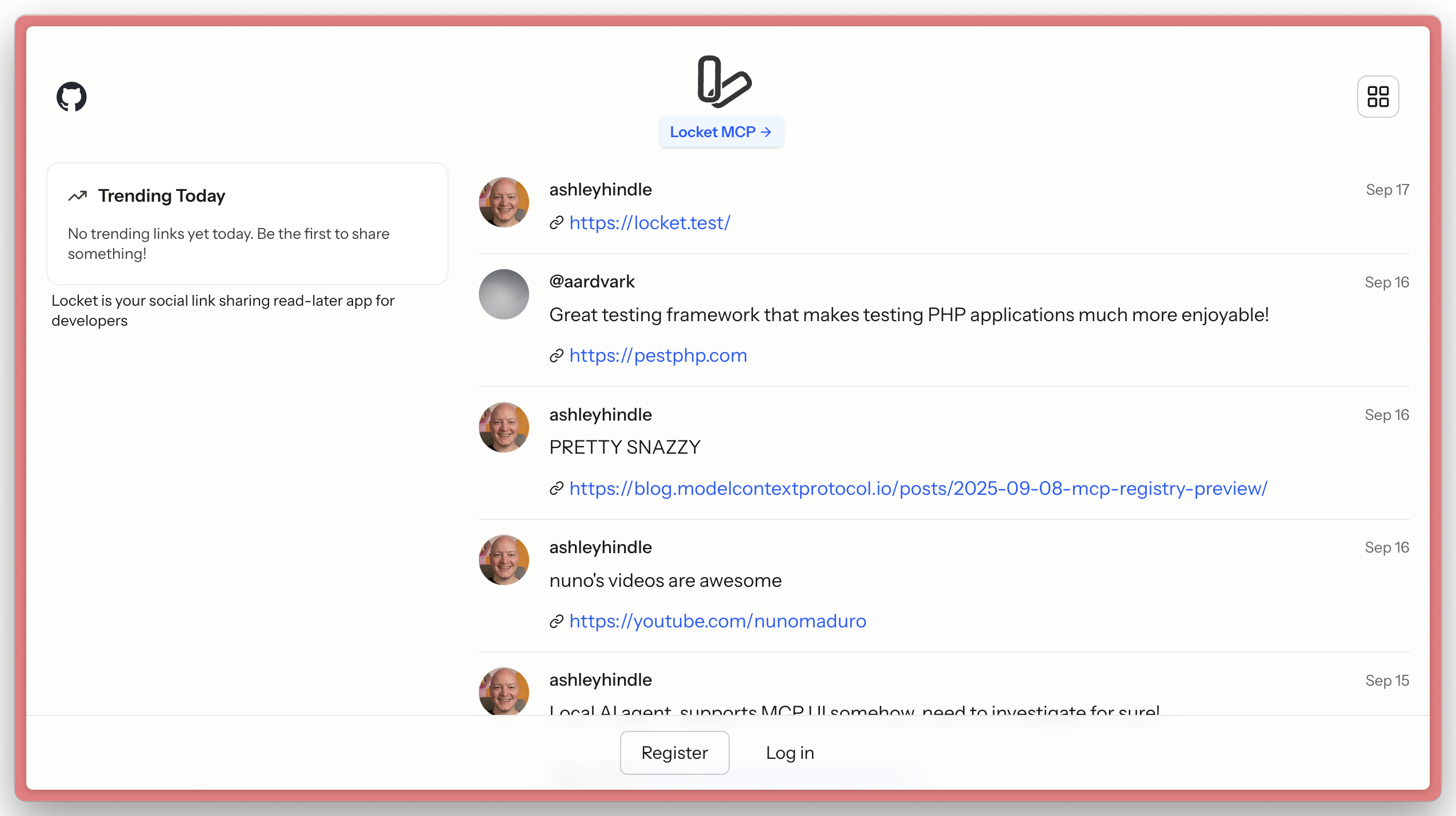
Locket is a demo application to show Laravel MCP capabilities.
It combines a read-later app with a link sharing social feed.
Locket allows users to share interesting links, manage their 'to read' list of links, and bookmark links shared by others. Locket allows users to do this through the web, API, and MCP.
Important Files
To learn the most from Locket and Laravel MCP, take a look at these directories & files:
routes/ai.phpapp/Mcp/Servers/Locket.phpapp/Mcp/Tools/app/Mcp/Actions/routes/api.php
API
Locket provides a REST API for programmatic access. See the API Documentation for detailed endpoint information and usage examples.
Getting an API Token
- Log in to your Locket account
- Go to Settings → Profile (
/settings/profile) - Create a new personal access token in the API Tokens section
- Use the token in the
Authorization: Bearer YOUR_TOKENheader for API requests
Auth
This app uses Laravel Passport for both MCP OAuth authentication and API token authentication.
Users can manage their API tokens in the user profile settings area (/settings/profile).
MCP
Locket comes with an MCP server located at http://locket.test/mcp, with tools, a resource, and a prompt.
Setup
composer install
cp .env.example .env
php artisan passport:keys

npm install
npm run build
HTTP Notes
Many AI agents use Node which comes with its own certificate store, meaning they'll fail to connect to an MCP server on https://. We recommend leaving Locket on http:// locally for testing with AI agents, and using https:// on production.
Reviews (0)
Sign in to leave a review.
Leave a reviewNo results found