metroidvania-studio
Health Warn
- License — License: MIT
- Description — Repository has a description
- Active repo — Last push 0 days ago
- Low visibility — Only 5 GitHub stars
Code Warn
- process.env — Environment variable access in bin/metroidvania-studio.mjs
Permissions Pass
- Permissions — No dangerous permissions requested
No AI report is available for this listing yet.
a free, open-source 2D map editor for metroidvania games. Create connected rooms, paint tilemaps, and design minimaps. Export JSON for multiple engines, or automate with Lua, CLI, and MCP.
 Metroidvania Studio
 is a free, open-source 2D level editor for metroidvania games. Build connected rooms, paint autotiled maps, and design minimaps with JSON export for multiple game engines. The room-based map editor runs locally in your browser or the Windows program.
Get started · Website · Documentation · Release notes
This checkout builds 1.3.3, with the minimap chip editor and the minimap.place command for CLI, MCP and Lua. Build the editor or install the CLI from source. The current public release is 1.3.2 on GitHub Releases and npm.
Automate your workflow: Lua scripts, a headless CLI, and a local MCP server for AI agents.
Design Your Minimap
Click once per room in Edit minimap to join corridors, shafts and chambers. Watch 102 rooms take shape across six colored regions, then switch to Map editor to see the same world as empty room outlines. Minimap editing guide
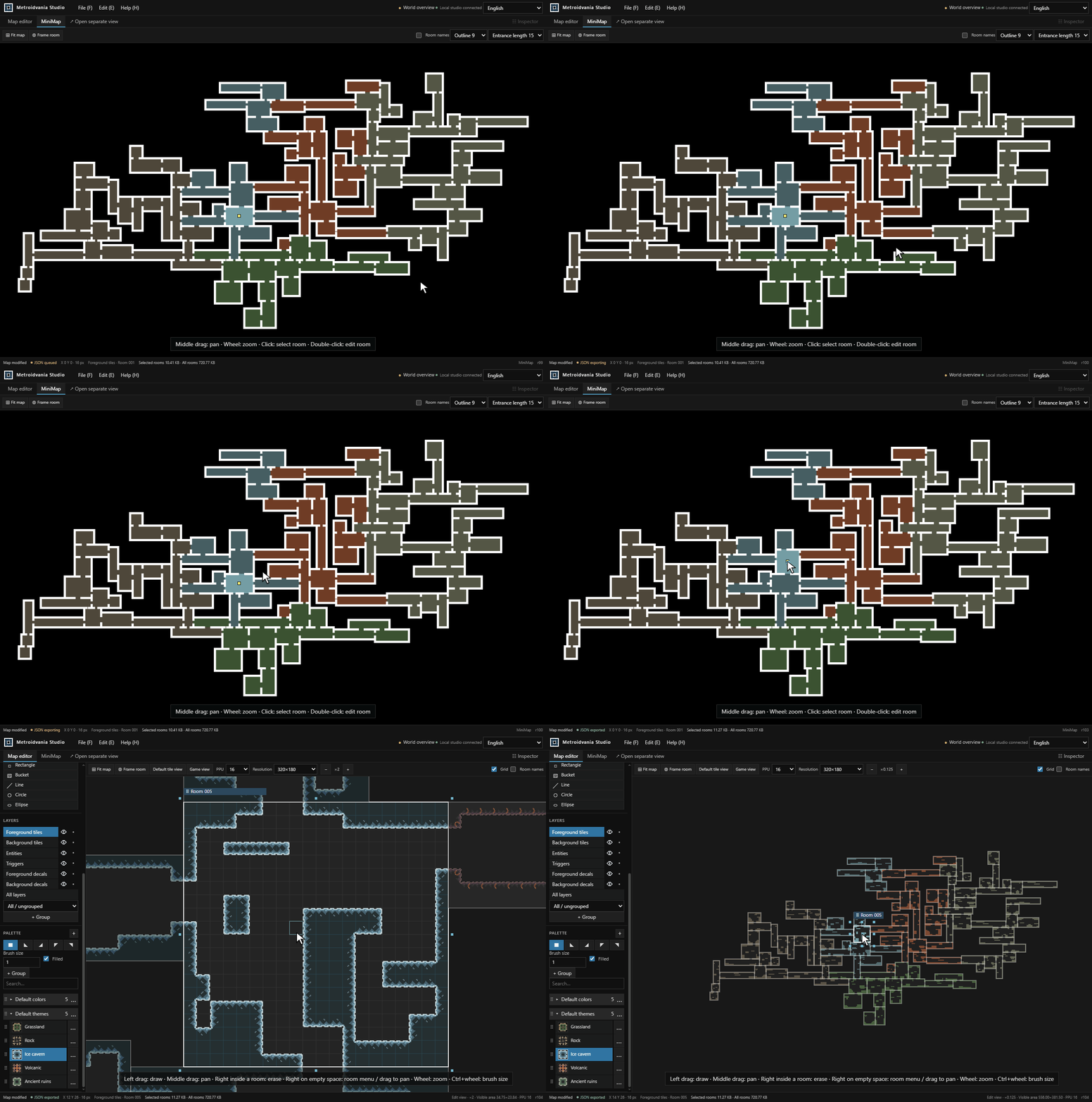
Recreate the layout with the headless CLI or MCP by applying the 102-room minimap batch. Run the example
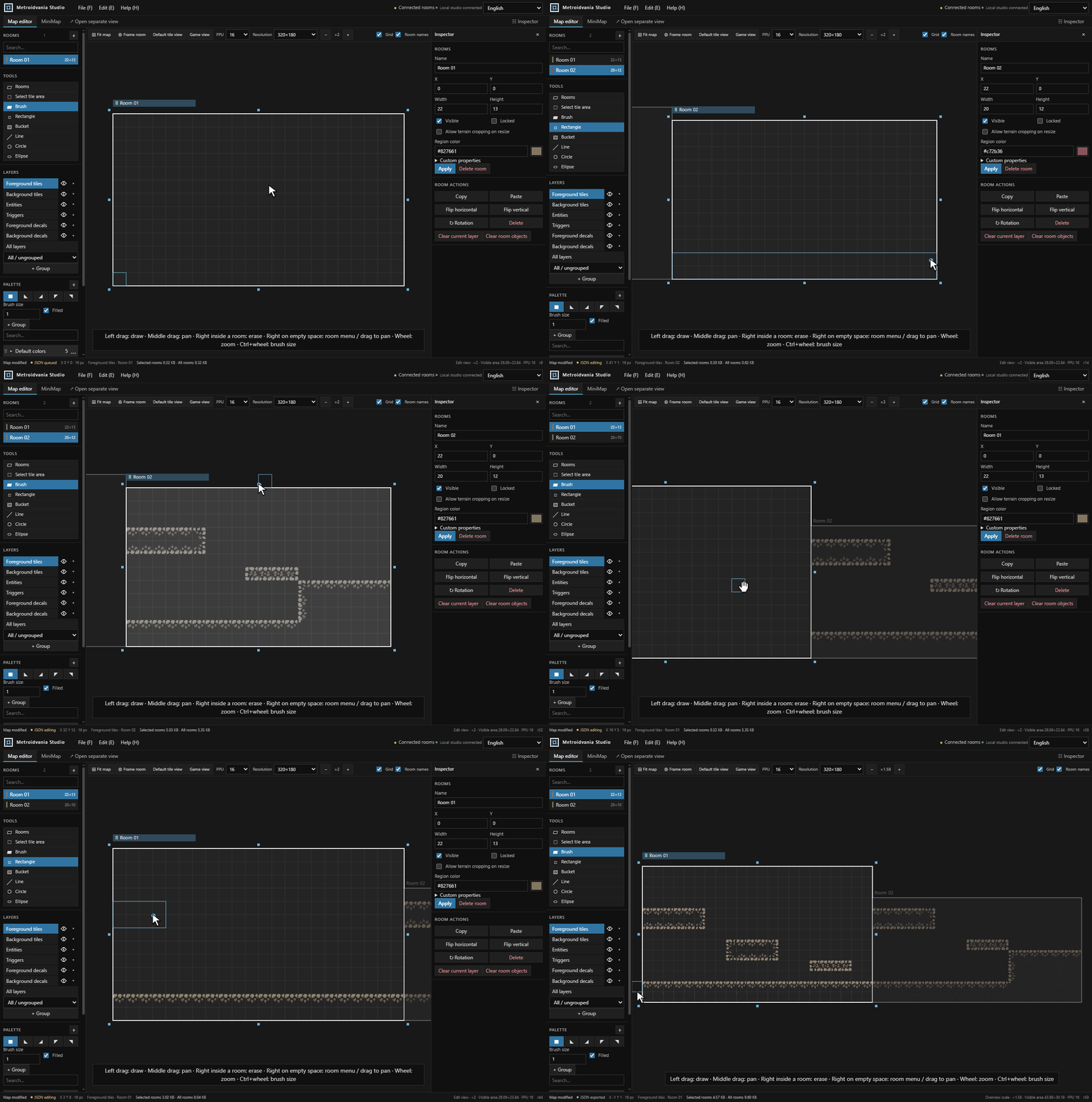
Add Rooms & Paint Tiles
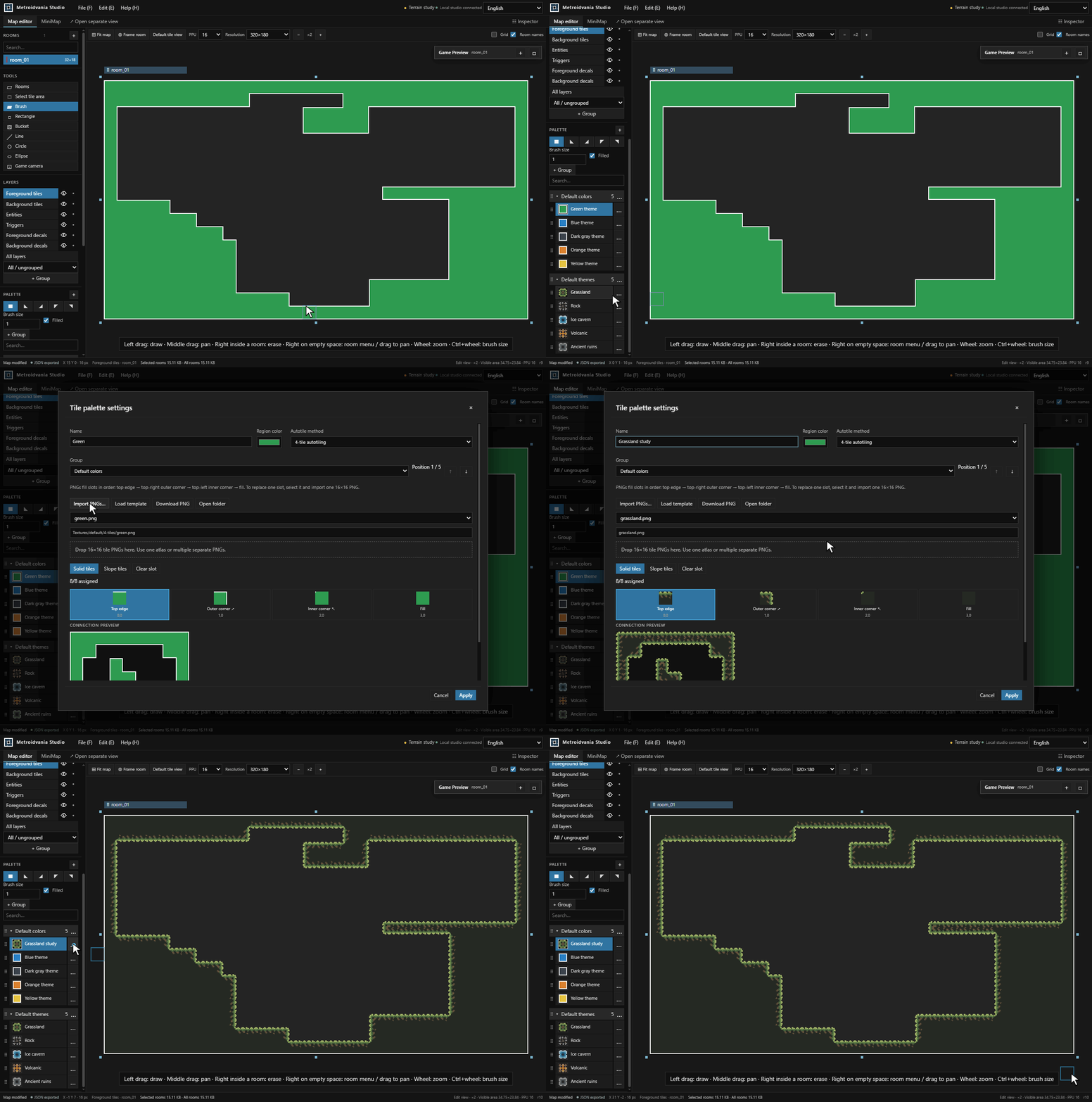
Configure Tile Palettes
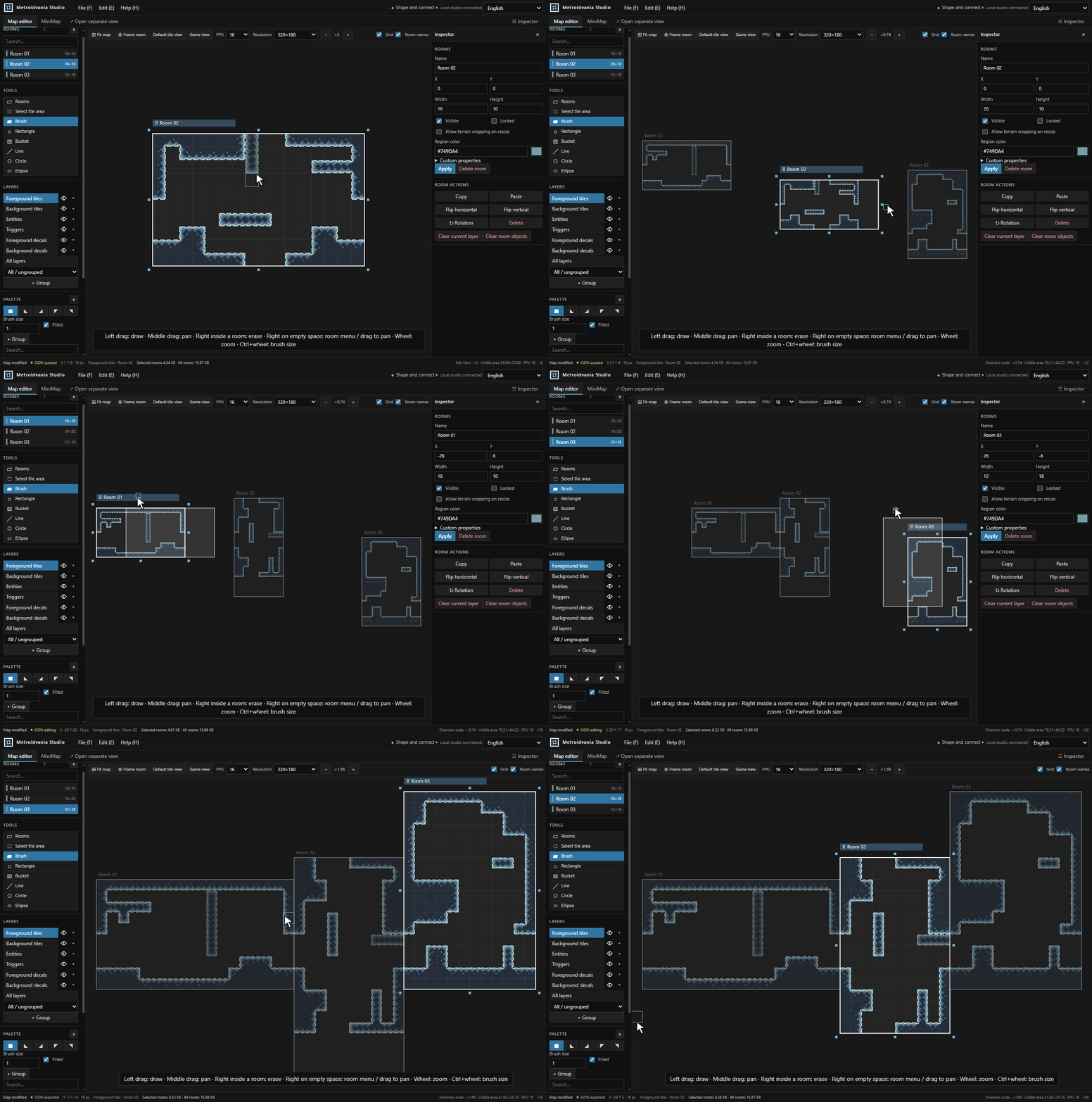
Resize, Rotate & Connect Rooms
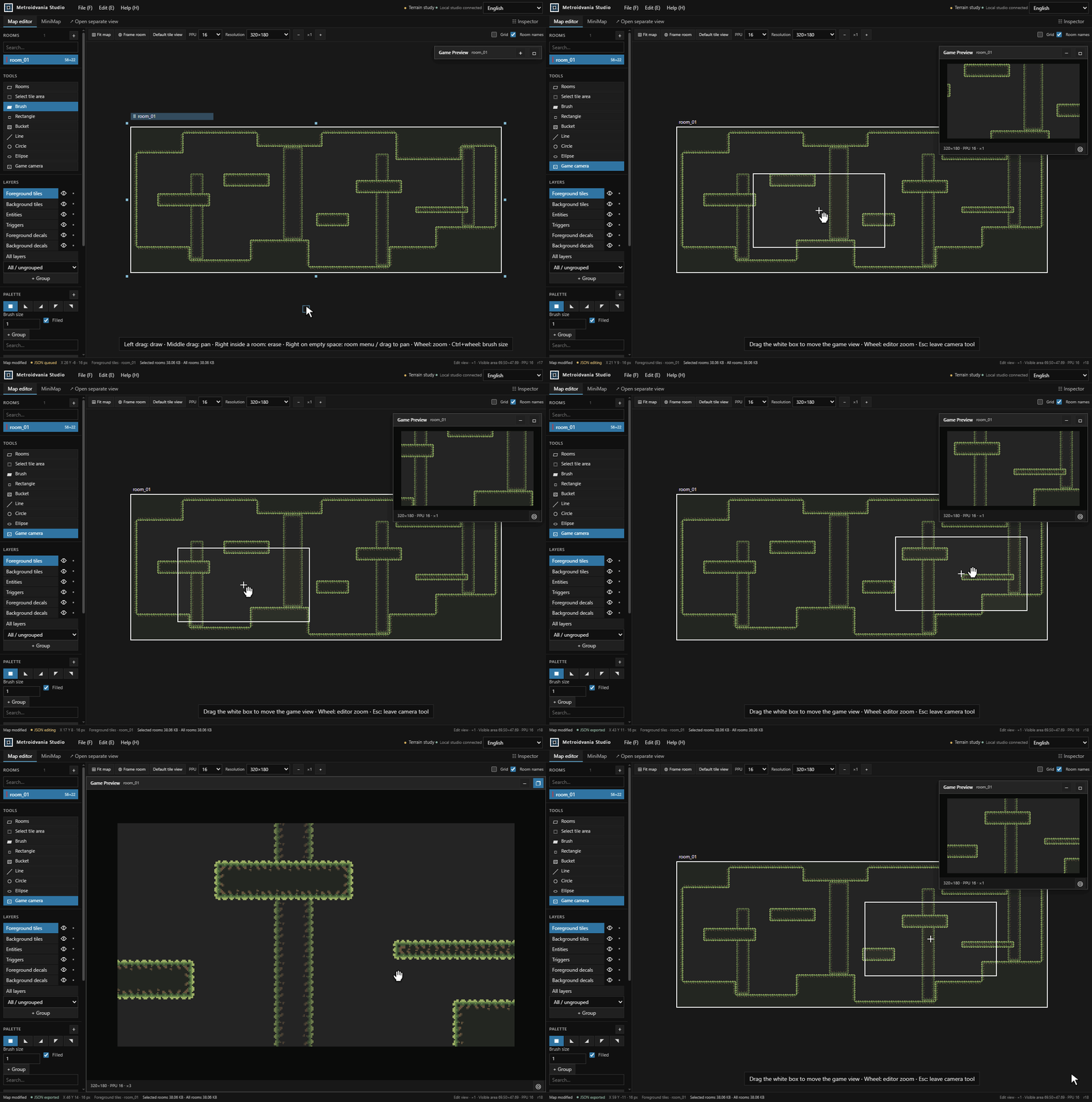
Explore with Game Preview
Get Started
Run a release download
Choose a ZIP from GitHub Releases, extract the entire archive to a writable folder and keep app/ beside the launcher. The editor runs independently of your game engine.
| Download | Open from the extracted folder | Requirements |
|---|---|---|
metroidvania-studio-win.zip · Windows x64 |
metroidvania-studio.exe |
Microsoft Edge WebView2 Runtime. .NET is included. |
metroidvania-studio-mac.zip · Apple silicon or Intel x64 |
metroidvania-studio.command |
A browser. .NET is included. |
metroidvania-studio-linux.zip · ARM64 or x64 |
bash ./metroidvania-studio.sh |
A browser. .NET is included. |
metroidvania-studio-web.zip · Windows, macOS or Linux |
Windows metroidvania-studio.bat, macOS metroidvania-studio.command, Linux bash ./metroidvania-studio.sh |
A browser and ASP.NET Core Runtime 10. |
The browser launchers open http://127.0.0.1:18765/ by default. Run the same browser launcher with --stop to save and stop the local server. On Windows, closing the desktop EXE stops the server it started.
Build from source
Use a Git checkout of the version you want to build and install these tools. The first build downloads dependencies when the local cache is empty.
| Requirement | Used for |
|---|---|
| Node.js 24+ | Builds the web UI. Check with node --version. |
| .NET SDK 10 | Builds the server and CLI. Check for a 10.0.x SDK with dotnet --list-sdks. |
| Git | Validates source files in the checkout. Check with git --version. |
Run the scripts for your platform from the repository root.
| Platform | Build | Run | Stop |
|---|---|---|---|
| Windows | platform/win/web/build.bat |
platform/win/web/run.bat |
platform/win/web/stop.bat |
| macOS | platform/mac/build.command |
platform/mac/run.command |
platform/mac/stop.command |
| Linux | bash platform/linux/build.sh |
bash platform/linux/run.sh |
bash platform/linux/stop.sh |
Run builds automatically when the checkout changes, then opens the editor in your browser. On Windows, double-click platform/win/web/rebuild_run.bat to stop the session, force a full build and relaunch. If the launcher cannot find an installed tool, set METROIDVANIA_STUDIO_NODE or METROIDVANIA_STUDIO_DOTNET to its executable path. Build guide · Build the Windows desktop EXE
Keep or share your work
By default, your workspace lives beside the release launcher or at the root of the source checkout. Keep Maps/, Textures/, .studio/ and any saved Lua scripts in Scripts/ when updating. Find the active paths under File → Storage folders. Individual room exports update in Maps/AutoExport/ and the palette catalog lives in .studio/catalog.json.
To share the current world with its palettes and textures, choose File → Export project bundle… → Download ZIP. Open an extracted bundle by passing its folder to the launcher with --project. Project bundle guide
Try the Sample World
A new workspace opens a six-room world with a looping route, a vertical shaft, a side chamber, slopes, background tiles, and object markers. You can also open it through Help → Open sample world.
Paint a room, Ctrl-click two rooms to move them together, or extend the upper route in Edit minimap. Double-click a room to inspect its bounds in Map editor. See the five-minute walkthrough or sample JSON.
Editing Basics
- Paint: left-drag inside the active room. The first click on another room selects it.
- Erase: right-drag inside the active room.
- Pan and zoom: middle-drag to pan, mouse wheel to zoom, Ctrl + wheel to change brush size. Right-drag on empty space also pans.
- Arrange rooms: right-click empty space to add a room, drag a room's title strip to move it, or drag its outer handles to resize. Rotation is available in the inspector.
- Hold Ctrl or Cmd to select multiple rooms and merge them from Edit. The selection tool can also split a rectangle into a new room. Merge and split rooms
- Place spawn points, portals, invisible walls and numbered trigger regions on the object and trigger layers. Objects and triggers
- Save and exchange maps: use File for saving and JSON import/export. Use Edit for Undo/Redo. Set PPU and resolution in the top toolbar (defaults: 16 and 320×180).
- Preview: choose Game camera and drag its white frame. Game Preview follows immediately; expand, maximize, or collapse it as needed.
See Help → Shortcuts for the full control list. The interface follows your browser language and can be changed from the language picker.
Open Help → Documentation for searchable guides and the API reference, including offline access.
Engine Packages
| Engine | Integration target | Package | Installation |
|---|---|---|---|
| Unity | Unity 6 | .unitypackage | Guide |
| Godot | Godot 4, tested on 4.7.2 | Addon ZIP | Guide |
| Unreal Engine 4 | 4.27 and its C++ toolchain, tested on 4.27.2 | Plugin ZIP | Guide |
| Unreal Engine 5 | UE5 and its C++ toolchain, tested on 5.8.2 | Plugin ZIP | Guide |
| SDL3 | SDL 3.4+, CMake 3.24+ and a C++17 compiler | C++ source ZIP | Guide |
Each engine folder includes translated installation guides. Maps use JSON format v2 with 16-pixel tiles. Engine packages import and render the rooms, while gameplay stays in your game project. Map format · Engine validation targets
Scripts & Automation
Use File → Scripts to generate rooms or repeat editing tasks. Run the same operations headlessly through the CLI, or connect an AI agent through the local MCP server. Dry runs, atomic updates, and revision checks keep scripted edits reviewable.
The npm CLI and MCP server require Node.js 24+ and the .NET 10 runtime. To install the published version, run npm install --global metroidvania-studio.
To use minimap.place with 1.3.3, run these commands from the root of this checkout with npm and the .NET 10 SDK.
npm run pack:local
npm install --global ./builds/npm/metroidvania-studio-1.3.3.tgz
metroidvania-studio version
metroidvania-studio capabilities
Program downloads include a CLI launcher. From the extracted folder, run .\metroidvania-studio-cli.cmd help in Windows PowerShell or bash ./metroidvania-studio-cli.sh help on macOS/Linux. Headless from a download
version reports the program version, automation API version (1) and map format version (2). capabilities lists the operations available in that build. Connect MCP with mcp --workspace <folder> for saved files or mcp --url http://127.0.0.1:18765 for the running editor and target @active. API reference · Lua examples · MCP setup
License
Project-owned code and assets use the MIT License.
See Third-party notices for external components and their terms.
Reviews (0)
Sign in to leave a review.
Leave a reviewNo results found