ai-pace
Health Warn
- License — License: MIT
- Description — Repository has a description
- Active repo — Last push 0 days ago
- Low visibility — Only 5 GitHub stars
Code Fail
- rm -rf — Recursive force deletion command in scripts/build-dmg.sh
Permissions Pass
- Permissions — No dangerous permissions requested
A lightweight macOS menu bar application that monitors your Claude and Codex API usage limits by reading your existing local CLI login credentials.
Security Assessment
The tool accesses sensitive data: it reads your Claude OAuth credentials directly from disk (`~/.claude/.credentials.json`) and the macOS Keychain. It makes network requests directly to Anthropic's API to fetch usage data and refresh tokens. It also executes the `codex app-server` shell command.
However, the README explicitly states there are no hardcoded secrets, no telemetry, no backend proxy, and credentials never leave the machine. The overall risk is rated as Medium. While it handles highly sensitive authentication secrets, its network behavior is transparent and strictly local.
Quality Assessment
The project is licensed under the permissive MIT license and was actively updated today. Because it is a niche utility with only 5 GitHub stars, community visibility is very low, meaning the codebase has not been broadly vetted by a large audience. There is a flagged failure in the repository for a recursive force deletion command (`rm -rf`) inside a build script, which is a common build cleanup step but should be monitored.
Verdict
Use with caution: the app is highly functional and transparent about its secure local-only design, but its low community visibility and direct access to your API credentials warrant a quick manual code review before use.
A lightweight menubar app that tells you how much Codex and Claude usage you have left

AIPace
A macOS menu bar app that shows your AI usage.
AIPace is a lightweight menu bar app that shows your current 5h and weekly usage for Claude and Codex on your Mac. It uses your existing CLI login, so there is nothing extra to sign in to.
This project is unofficial and is not affiliated with, endorsed by, or maintained by Anthropic or OpenAI.
Features
- 🧪 Menu bar app built with SwiftUI
- 📊 Claude and Codex
5handweeklyusage in one place - 🔐 Uses your existing local CLI login
- 🔔 Optional notifications when a usage window refreshes
- ⏱️ Refreshes every 5 minutes by default
- 🎨 Custom Claude and Codex colors
- 🧠 Pacing insights for the current usage window
Screenshots
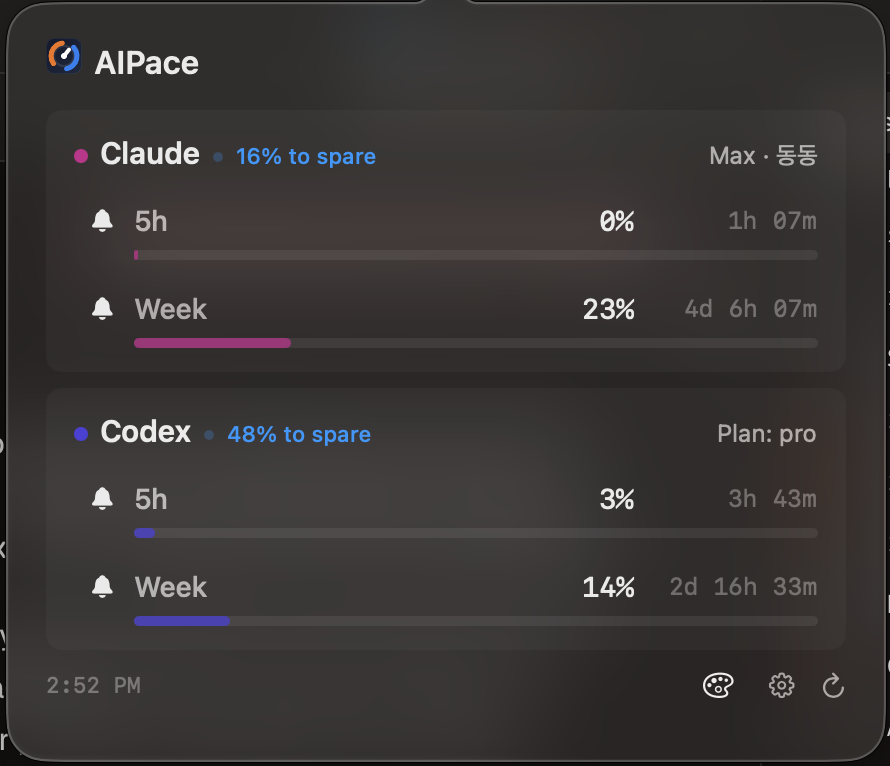
Main popover with Claude and Codex usage, pacing, and refresh controls.
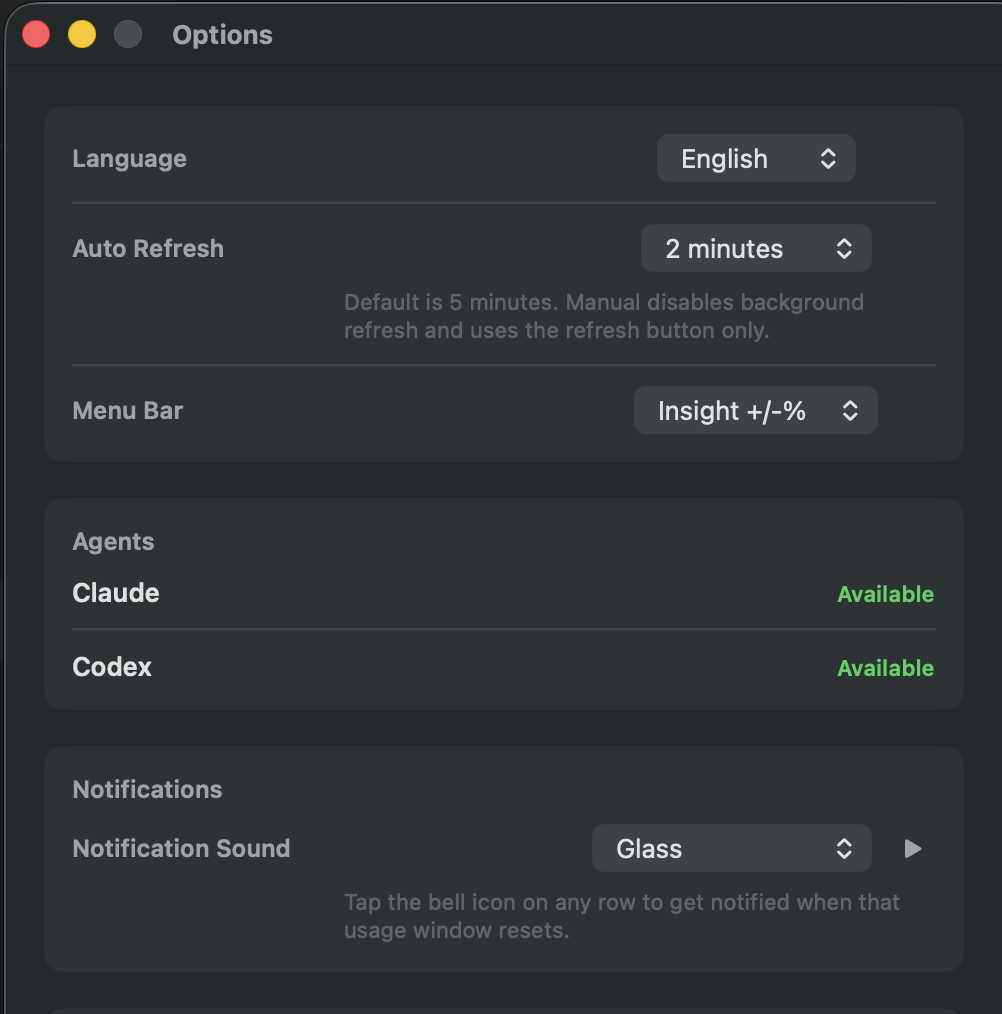
Options window for language, refresh timing, notifications, and menu bar display.
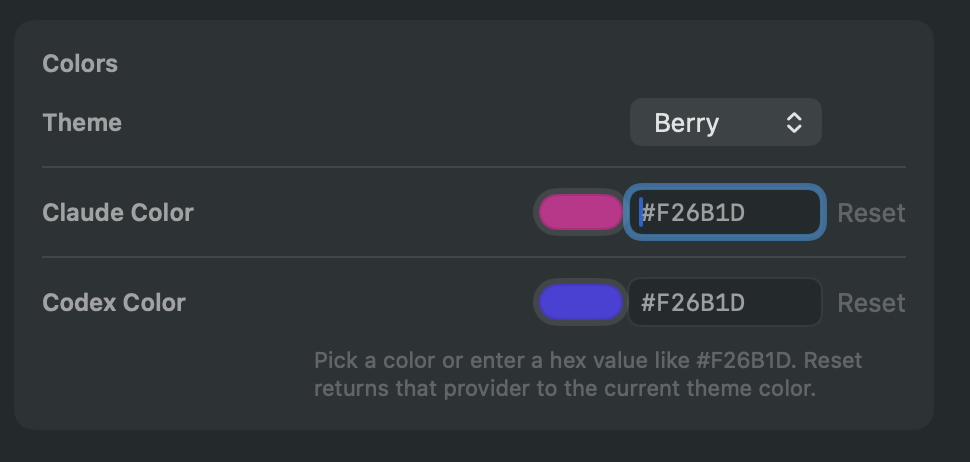
Custom color settings for Claude and Codex, with theme-based defaults.


Menu bar display modes: usage percentages and pacing insight.
What You'll Need
- macOS 14 or later
- Xcode with Swift 6.2 support, or a Swift 6.2 toolchain
claudeinstalled and logged in (for Claude usage)codexinstalled and logged in (for Codex usage)
How It Works
Claude
AIPace finds your Claude credentials by checking these locations in order:
~/.claude/.credentials.json- macOS Keychain service
Claude Code-credentials CLAUDE_CODE_OAUTH_TOKENenvironment variable
Then it calls:
- Usage endpoint:
https://api.anthropic.com/api/oauth/usage - Refresh endpoint:
https://platform.claude.com/v1/oauth/token
It also reads ~/.claude.json -> oauthAccount for display info only.
Note: If macOS asks for Keychain access, that is expected. The app is reading your Claude credentials from Keychain.
Codex
AIPace uses codex app-server with your existing Codex login. It launches from your home directory so you do not get workspace trust prompts.
Privacy & Security
- No telemetry: nothing is tracked
- No backend: there is no proxy or app server
- Local only: credentials come from your existing CLI auth state
- Direct connections: requests go from your Mac to provider endpoints
- No syncing: tokens stay on your machine
This app depends on local auth state and provider APIs that can change. If you use it in a security-sensitive environment, review the code first.
Getting Started
Option 1: Build A DMG Locally
If you want a DMG, build it yourself from this repo:
cd /path/to/ai-pace
./scripts/build-dmg.sh
This creates a DMG in the dist/ folder using the current app version from Info.plist. Open that DMG and install the app the same way you would other Mac apps: drag AIPace into Applications.
If you need to override the stamped version for a specific build, pass --version explicitly:
./scripts/build-dmg.sh --version 1.0.1
Option 2: Run From Terminal
cd app && swift run
After launch, look for the Claude and Codex stats in your menu bar.
Troubleshooting
| Problem | What to try |
|---|---|
| Claude unavailable | Make sure claude is installed and logged in, or set CLAUDE_CODE_OAUTH_TOKEN |
| Claude Keychain prompt | Expected if your credentials are stored in Keychain — just approve it |
| Codex unavailable | Check that the codex CLI is installed, on your PATH, and logged in |
| Codex works in Terminal but not from Xcode | Xcode-launched apps often inherit a different PATH; AIPace now augments PATH with your login shell and common macOS install directories |
| Usage stuck on loading | Try the refresh button, then relaunch the app so it picks up your current shell environment |
| Local build fails | Make sure your Xcode version supports swift-tools-version: 6.2, or use a Swift 6.2 toolchain |
Contributing
Want to help? See CONTRIBUTING.md.
Security
To report a security issue, see SECURITY.md.
Changelog
See CHANGELOG.md for release history.
License
MIT — see LICENSE for details.
Reviews (0)
Sign in to leave a review.
Leave a reviewNo results found