MuseUI
Health Pass
- License — License: MIT
- Description — Repository has a description
- Active repo — Last push 0 days ago
- Community trust — 23 GitHub stars
Code Warn
- fs module — File system access in scripts/fetch-designs.cjs
- network request — Outbound network request in src/components/ApiKeyConfig.tsx
Permissions Pass
- Permissions — No dangerous permissions requested
No AI report is available for this listing yet.
MuseUI is a browser-only AI interface and image design generator. It helps you create UI mockups, social images, covers, infographics, stickers, logos, and other visual drafts from prompts and reference images.
MuseUI
MuseUI is a browser-only AI interface and image design generator. It helps you create UI mockups, social images, covers, infographics, stickers, logos, and other visual drafts from prompts and reference images.
The app is a static Vite + React SPA. It has no backend, no authentication, and no server database. Users provide their own AI API keys in the browser settings, and those keys are stored locally in the browser.
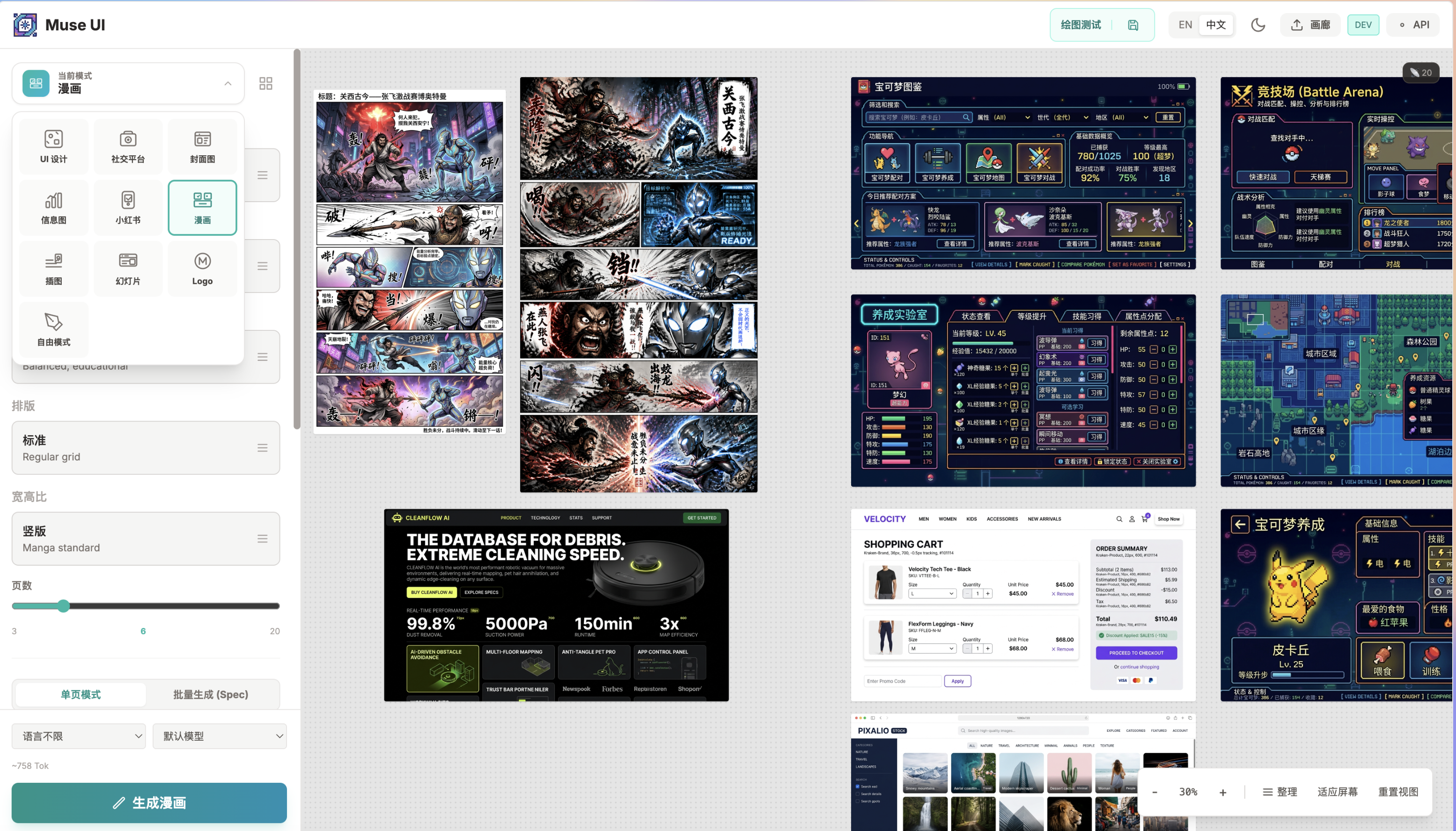
Features
- Text-to-image UI mockup generation
- Multi-provider API configuration for Gemini and OpenAI-compatible endpoints
- Canvas workspace with generated artboards
- Reference image, color, and layout inputs
- Skill modes for covers, infographics, comics, slide decks, logos, stickers, and more
- Local IndexedDB project and history storage
- Bilingual UI: English and Chinese
Non-goals
- MuseUI does not provide hosted AI APIs, bundled API keys, or a backend proxy.
- MuseUI does not upload projects, generated images, or API settings to a MuseUI server.
- MuseUI is not affiliated with, endorsed by, or sponsored by any AI provider or brand referenced in design templates.
Privacy Model
- API keys are stored in browser localStorage.
- Projects and generated history are stored locally in IndexedDB.
- The app does not ship with any backend service.
- No API key is required at build time.
Getting Started
Prerequisites
- Node.js 20+
- npm
Install
npm install
Run Locally
npm run dev
The development server runs on http://localhost:3003 by default.
Configure AI APIs
Open the app and use the API settings button in the top-right corner.
Recommended official endpoints:
- Gemini: leave Base URL empty for the official API, or use
https://generativelanguage.googleapis.com - OpenAI text:
https://api.openai.com/v1/chat/completions - OpenAI image:
https://api.openai.com/v1/images/generations
The app is designed to be configured through the browser UI. .env.example is intentionally only a local notes file; no API key is required at build time.
Brand and Template Notice
Some design templates mention third-party brand names or visual systems as style references. These references are descriptive only. MuseUI is not affiliated with those brands, and users are responsible for ensuring that generated outputs comply with applicable trademark, copyright, platform, and usage rules.
See NOTICE.md for additional third-party reference notes.
Scripts
npm run dev
npm run build
npm run preview
npx vitest run
Security
Do not commit real API keys, database URLs, webhook URLs, or other credentials. See SECURITY.md for reporting guidance.
Contributing
Contributions are welcome. See CONTRIBUTING.md.
License
MIT. See LICENSE.
Reviews (0)
Sign in to leave a review.
Leave a reviewNo results found