liaison
Health Pass
- License — License: AGPL-3.0
- Description — Repository has a description
- Active repo — Last push 0 days ago
- Community trust — 75 GitHub stars
Code Fail
- rm -rf — Recursive force deletion command in deploy-liaison.sh
- rm -rf — Recursive force deletion command in deploy/docker/package-docker.sh
Permissions Pass
- Permissions — No dangerous permissions requested
No AI report is available for this listing yet.
AI Native zero-trust access for web applications, databases, caches, storage, remote desktops, SSH/SFTP, LLM services and TCP services. Self-hosted browser workspaces with context-aware AI Agents.
 Liaison
AI-powered zero-trust access for private applications.
Reach private services over SSH/SFTP, database, cache, S3 object storage, desktop, Web, and LLM protocols. Work with an AI Agent in your SSH and database sessions, or ask the home Agent about the connectors, devices, and applications you can access. Self-hosted, with outbound connectors and permission-controlled tools.



English | 简体中文 | 日本語 | 한국어 | Español | Français | Deutsch
Website · Docs · Features · Install · Access protocols · Agent models · Product tour
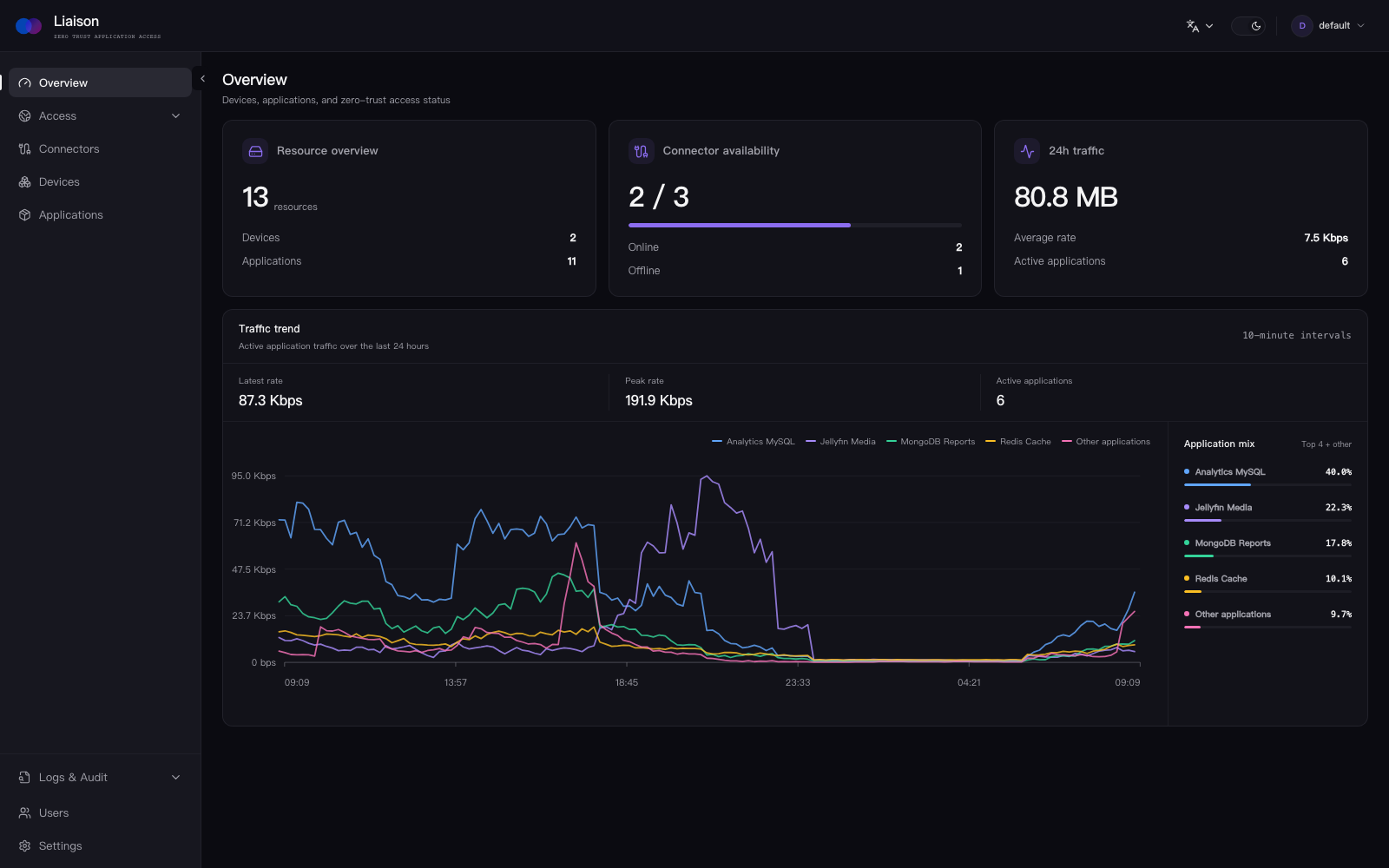
Features
- ✨ AI in your workflow — Inspect terminal output, draft commands, and query databases with an Agent tied to your connection. Tool access follows user permissions; operations requiring approval wait for your confirmation.
- 💬 Ask about your resources — Find and inspect your connectors, devices, and applications from the home Agent. Resource visibility stays scoped to the signed-in user.
- 🔌 Outbound-only connectors — connect private networks without opening inbound ports on them.
- 🔐 Application access — publish TCP, HTTP, HTTPS, WebSocket, and SSH services with per-access controls.
- 🖥️ Browser workspaces — WebSSH, WebSFTP, WebRDP, WebVNC, MySQL, MariaDB, PostgreSQL, SQL Server, Oracle, ClickHouse, MongoDB, Elasticsearch, OpenSearch, Redis, and Memcached.
- 📁 Files and objects — Manage remote files with WebSFTP. Browse buckets, prefixes, and object metadata from S3-compatible services with WebS3 (currently read-only).
- 🤖 Private model access — OpenAI-compatible, Anthropic Messages, and Ollama upstreams with scoped API keys, model mappings, usage records, and per-key Token quotas.
- 🔎 Application discovery — scan connector devices and register discovered services from the console.
- 👥 Identity and access management — organize users and resources, with Casbin-backed authorization.
- 🛡️ Firewall policies — restrict TCP and HTTP access by source IP and CIDR.
- 📋 Logs and audit — record management actions and supported application sessions in one place.
- 📦 Self-hosted deployment — run the complete control plane on your own Linux server.
Install
Download the self-contained Docker bundle, extract it, and run the installer (Docker 20.10+ with Compose is required):
wget https://github.com/liaisonio/liaison/releases/download/v1.13.0/liaison-1.13.0-linux-amd64.tar.gz
tar -xzf liaison-1.13.0-linux-amd64.tar.gz
cd liaison-1.13.0-linux-amd64
./install.sh
Open https://<server-address> after installation. The installer prints the initial sign-in credentials.
Supported access protocols
Access your existing private services through Liaison.
| SSH / SFTP |   |
|---|---|
| Desktop |   |
| SQL databases |       |
| Data & search |    |
| Cache |   |
| Storage |  |
| LLM upstream protocols |    |
| Web / TCP |   |
LLM upstreams support OpenAI-compatible, Anthropic Messages, and Ollama. Clients use OpenAI-compatible endpoints; Anthropic upstreams also expose native Messages endpoints. Logos identify existing services you can access, not products bundled or deployed by Liaison. Database and desktop logos refer to browser workspaces, not native database/RDP/VNC server listeners.
Agent model providers
Configure the model behind Liaison’s built-in Agent, independently of service access.
| Models |       |
|---|
Eight provider presets, plus custom OpenAI-compatible services.
Product tour
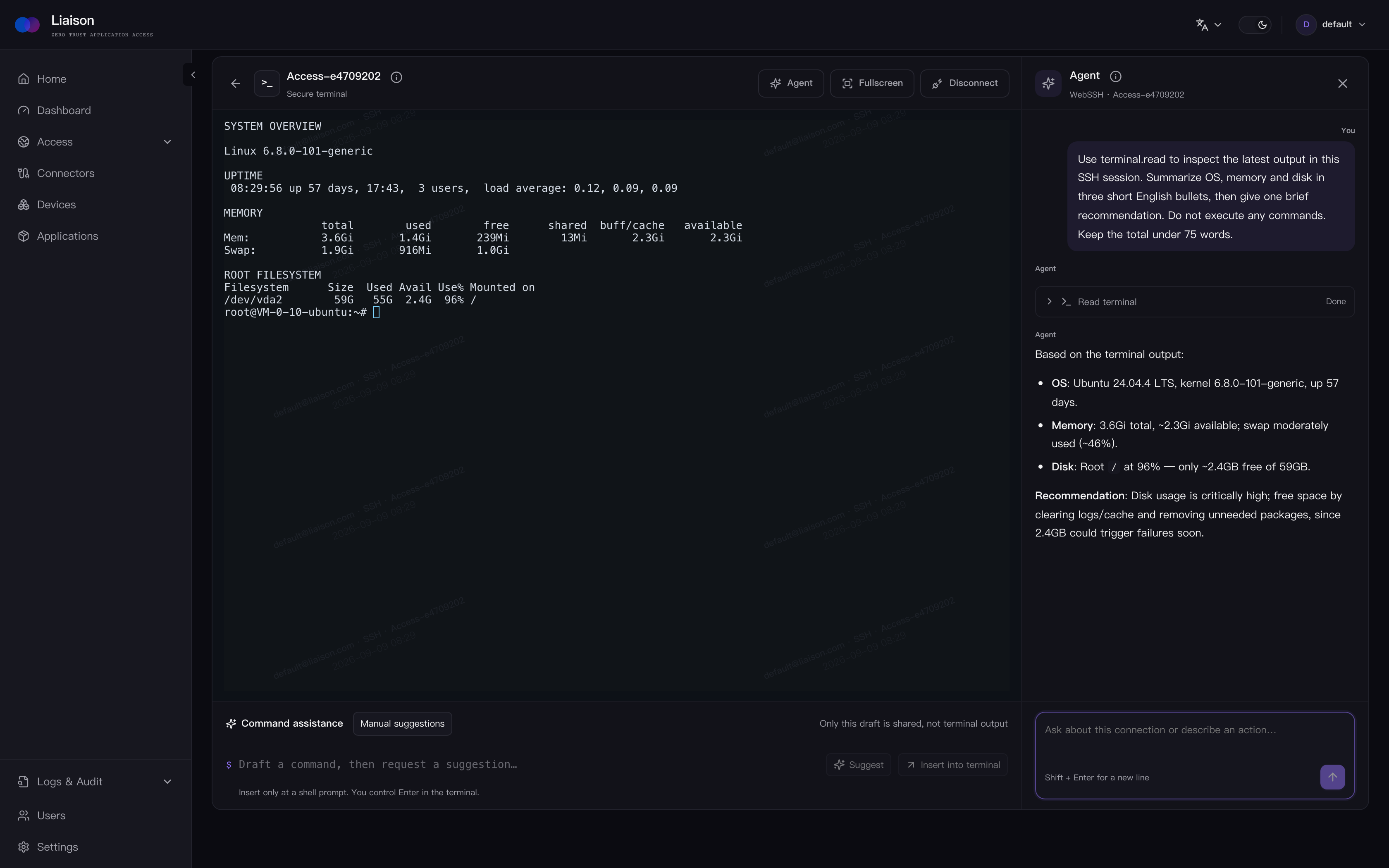
Web SSH
Work in an audited browser terminal with an Agent that can inspect session output and help draft commands.
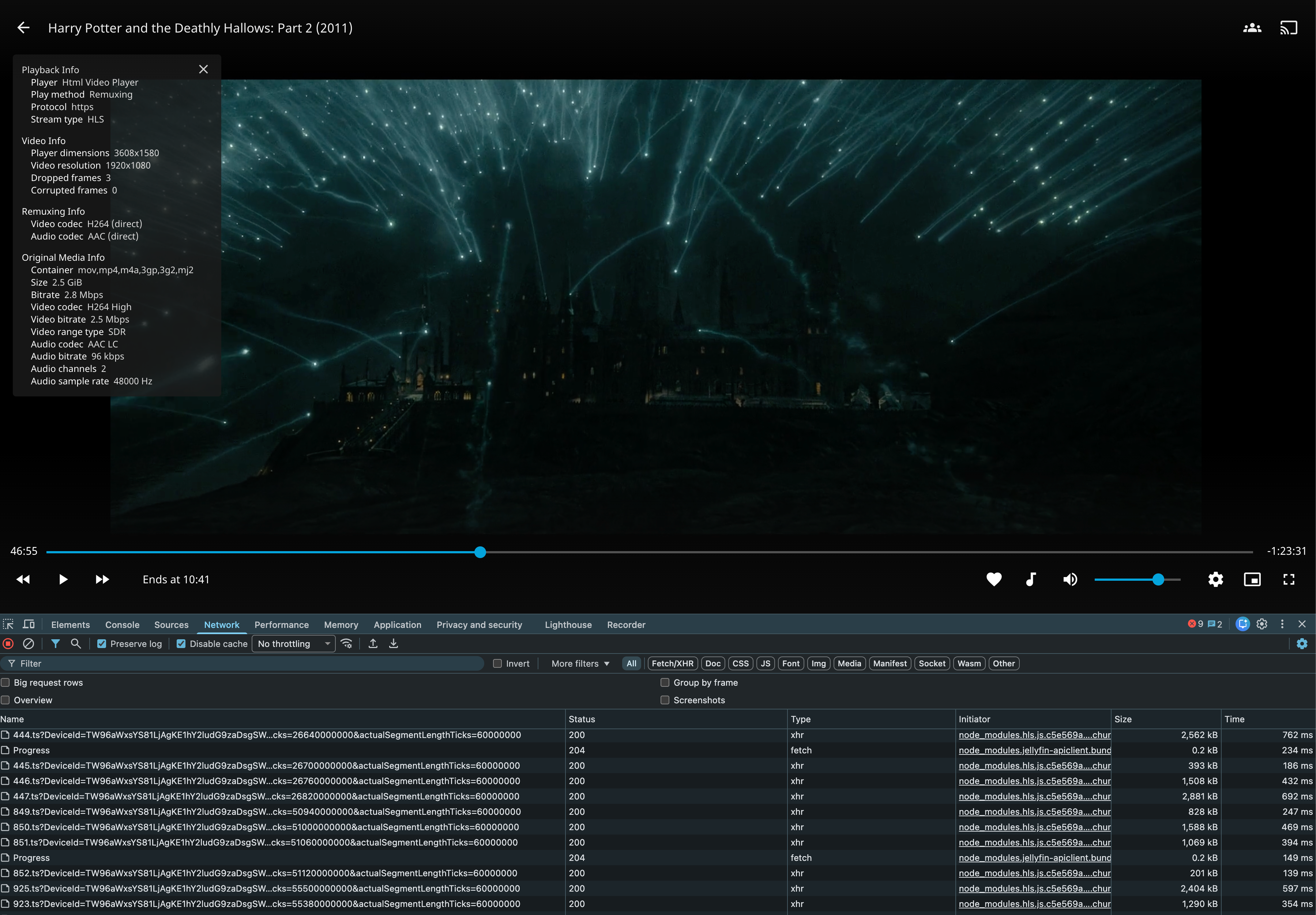
Private web applications
Access media servers and other internal web applications through Liaison.
Private AI assistants
Keep internal AI tools reachable without exposing the private network.
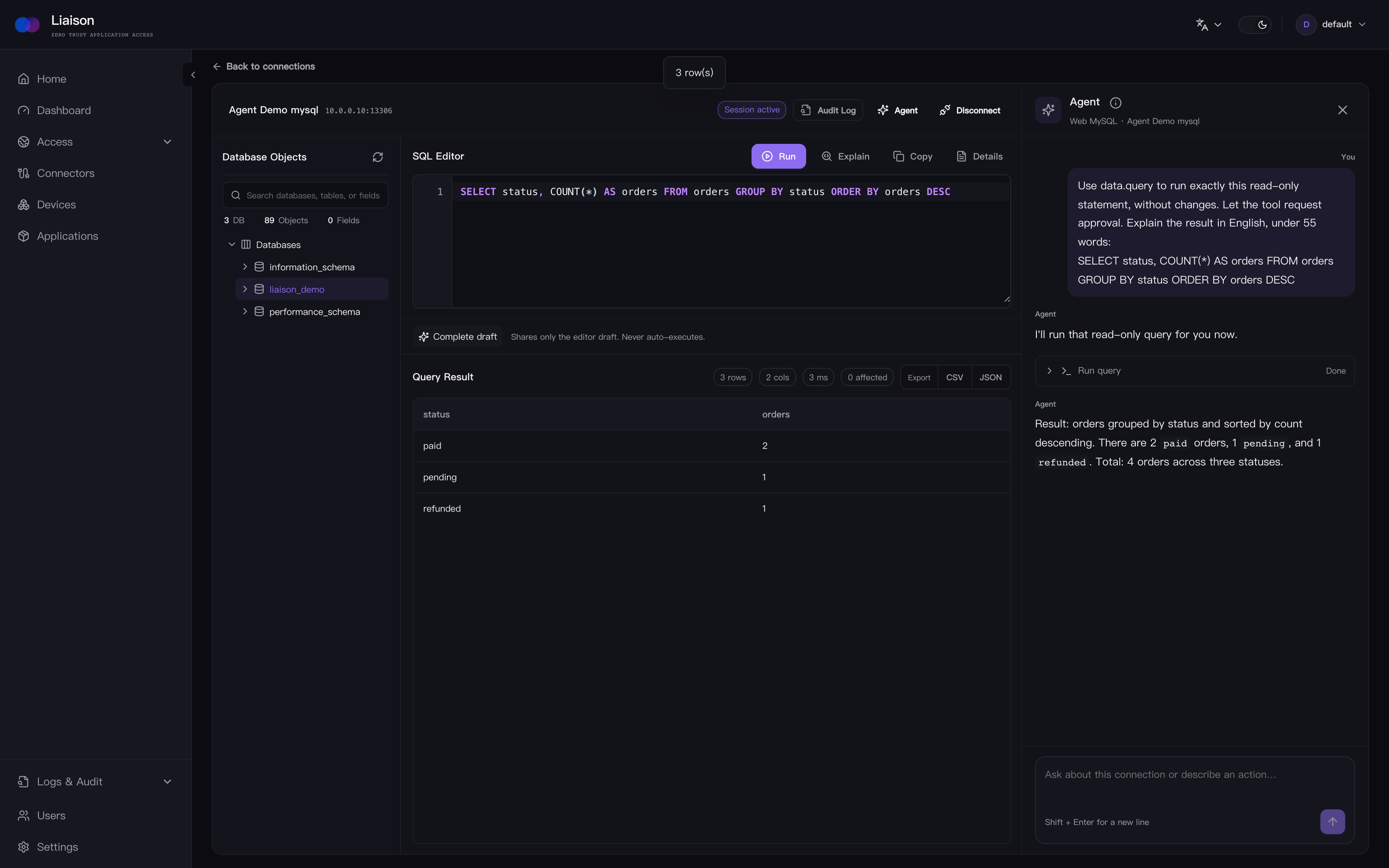
Web MySQL
Browse schemas, run SQL, and ask the session Agent to query and explain results, with approval where required.
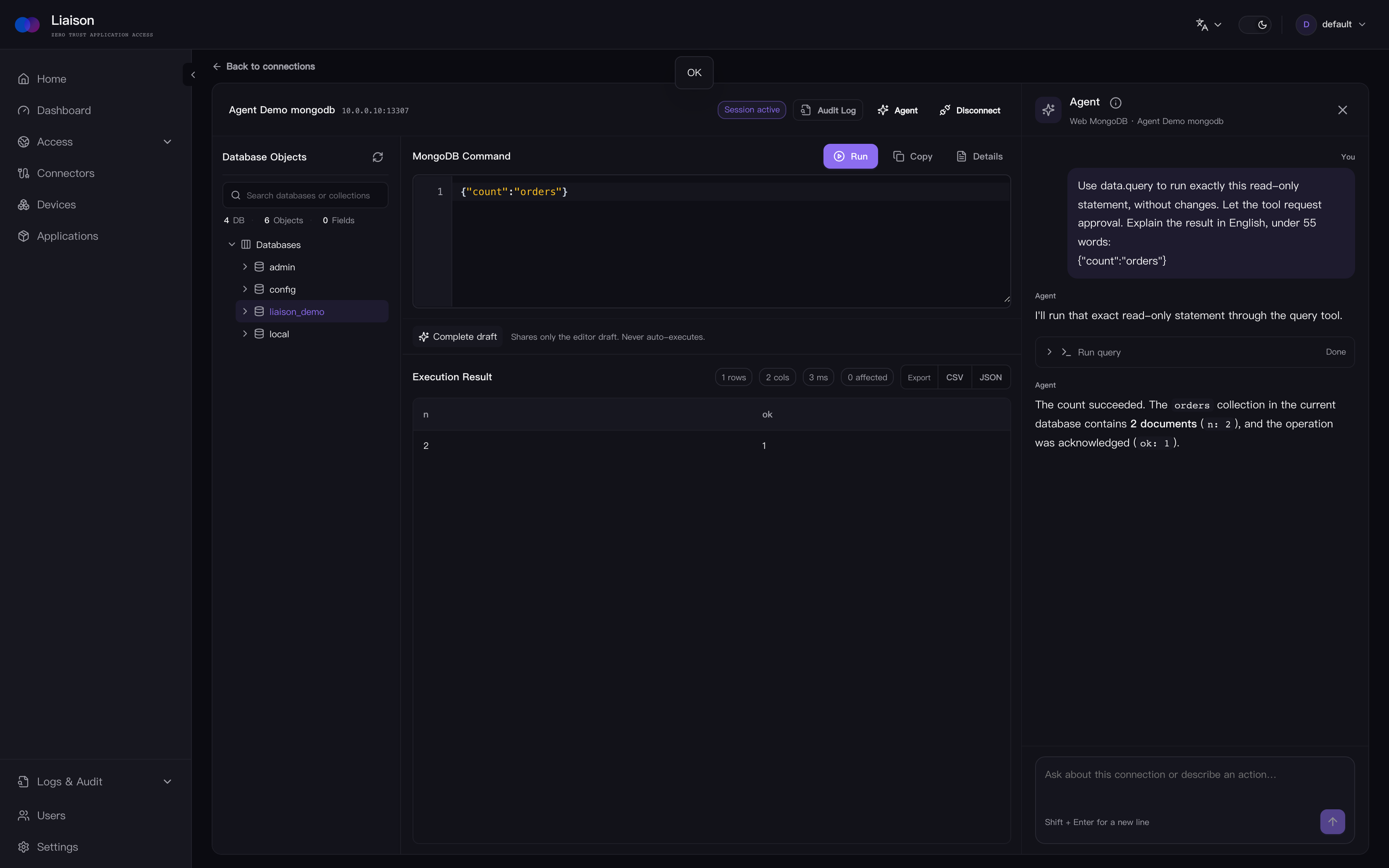
Web MongoDB
Explore collections and ask the session Agent to run approved queries and explain documents, without a local client.
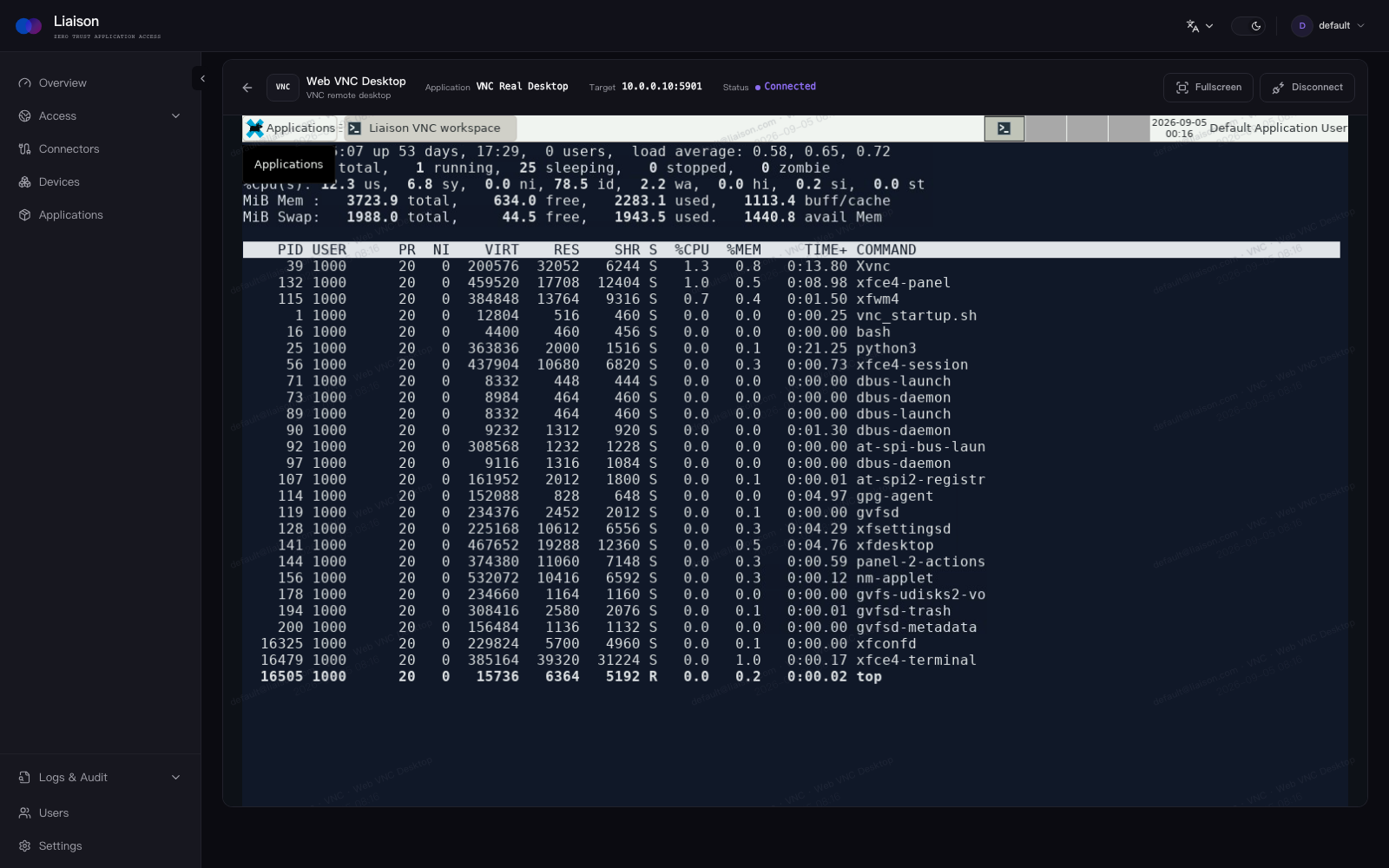
Web VNC
Open a private VNC desktop in a managed browser session.
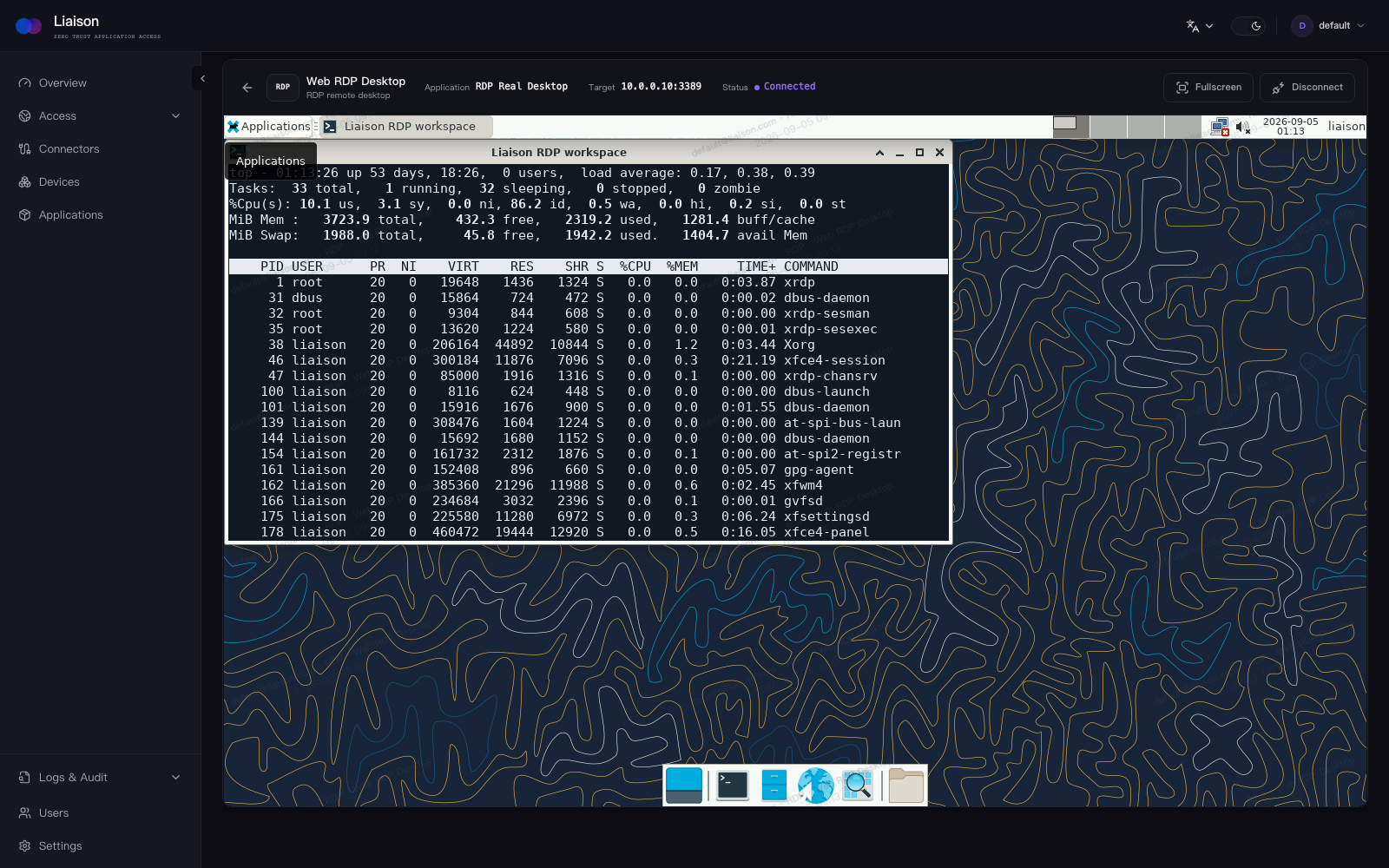
Web RDP
Connect to an RDP desktop from the same access workflow.
Documentation
Contributing
Bug reports, feature proposals, documentation improvements, and pull requests are welcome. Start with Issues or open a Pull Request.
License
Liaison is licensed under the GNU Affero General Public License v3.0.
Reviews (0)
Sign in to leave a review.
Leave a reviewNo results found