nlp-agent
Health Warn
- License — License: MIT
- Description — Repository has a description
- Active repo — Last push 0 days ago
- Low visibility — Only 9 GitHub stars
Code Pass
- Code scan — Scanned 12 files during light audit, no dangerous patterns found
Permissions Pass
- Permissions — No dangerous permissions requested
No AI report is available for this listing yet.
AI-powered NLP learning and teaching platform for dialogue, practice, knowledge content, and service observability.
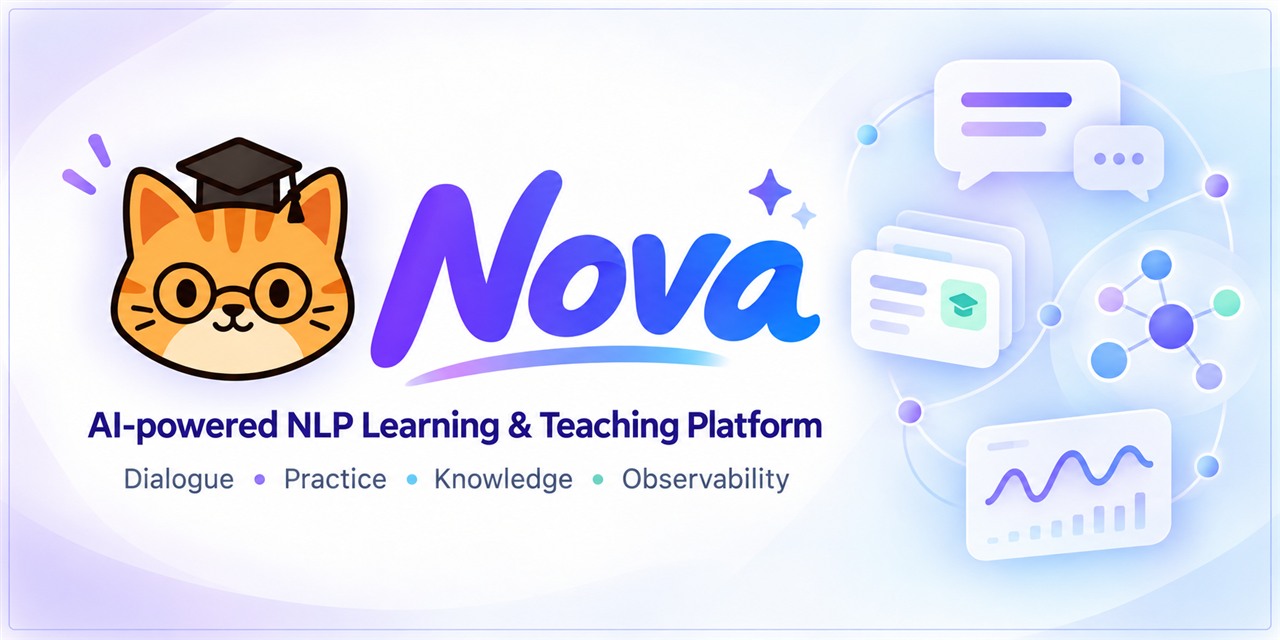





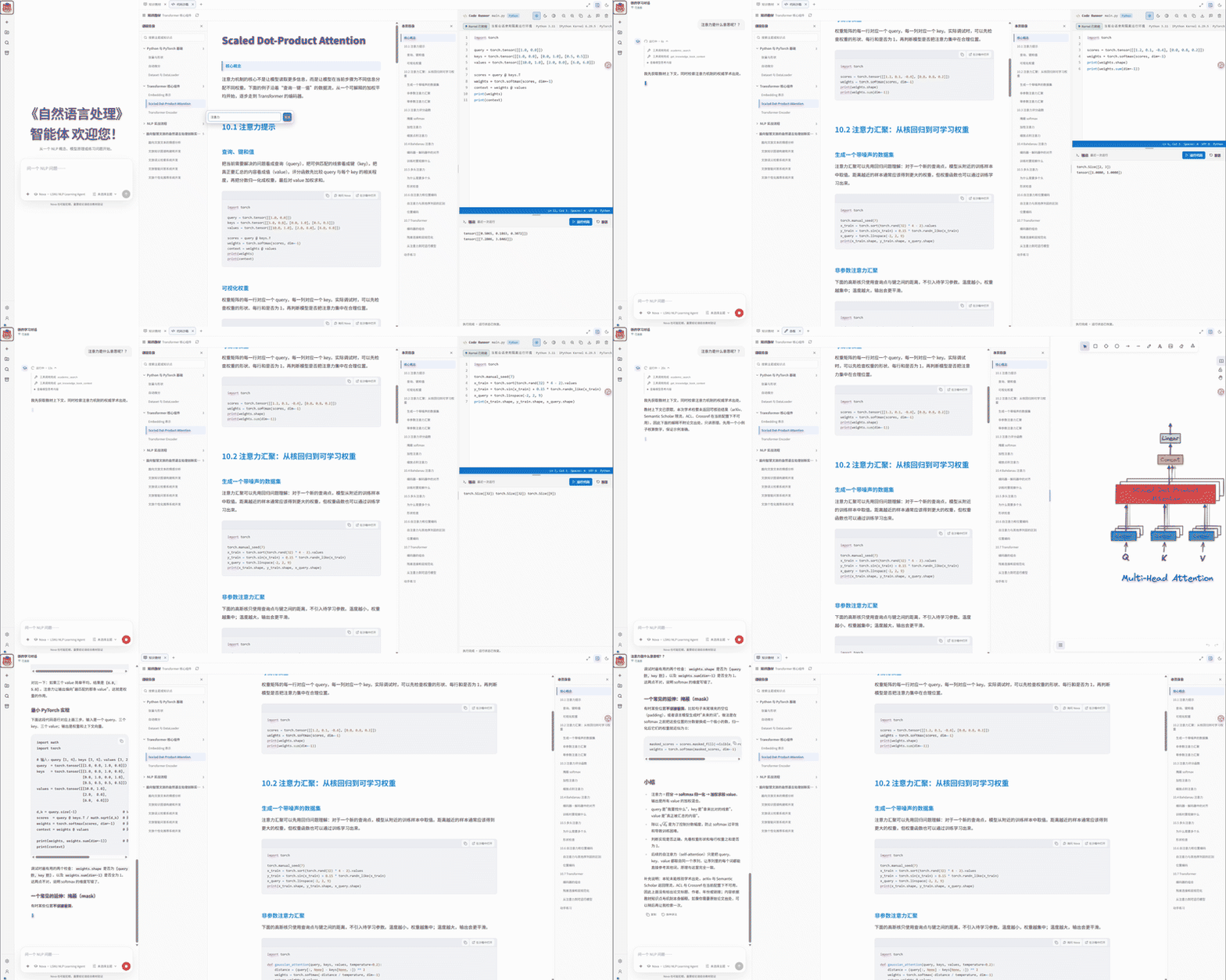
Nova is a teaching and learning assistant for NLP courses. A single deployment serves four roles — Learner, Teacher, Developer and Monitor — so one instance covers a whole class.
Teachers author topics, Markdown knowledge points and exercise blueprints. Students ask questions in plain language and get step-by-step explanations, auto-graded practice, and a review of each answer against the rubric their teacher defined. The Developer configures models and infrastructure, and the Monitor watches every turn across the pipeline.
Start here
| You want to... | Go to |
|---|---|
| Run it locally in minutes | Quick Start |
| See what it looks like | Four dedicated views |
| Understand the feature set | Features |
| Configure models & database | .env-example |
| Contribute or extend it | CONTRIBUTING.md |
Four dedicated views
Nova runs four role-based views over a single deployment, so a whole classroom works on one instance:
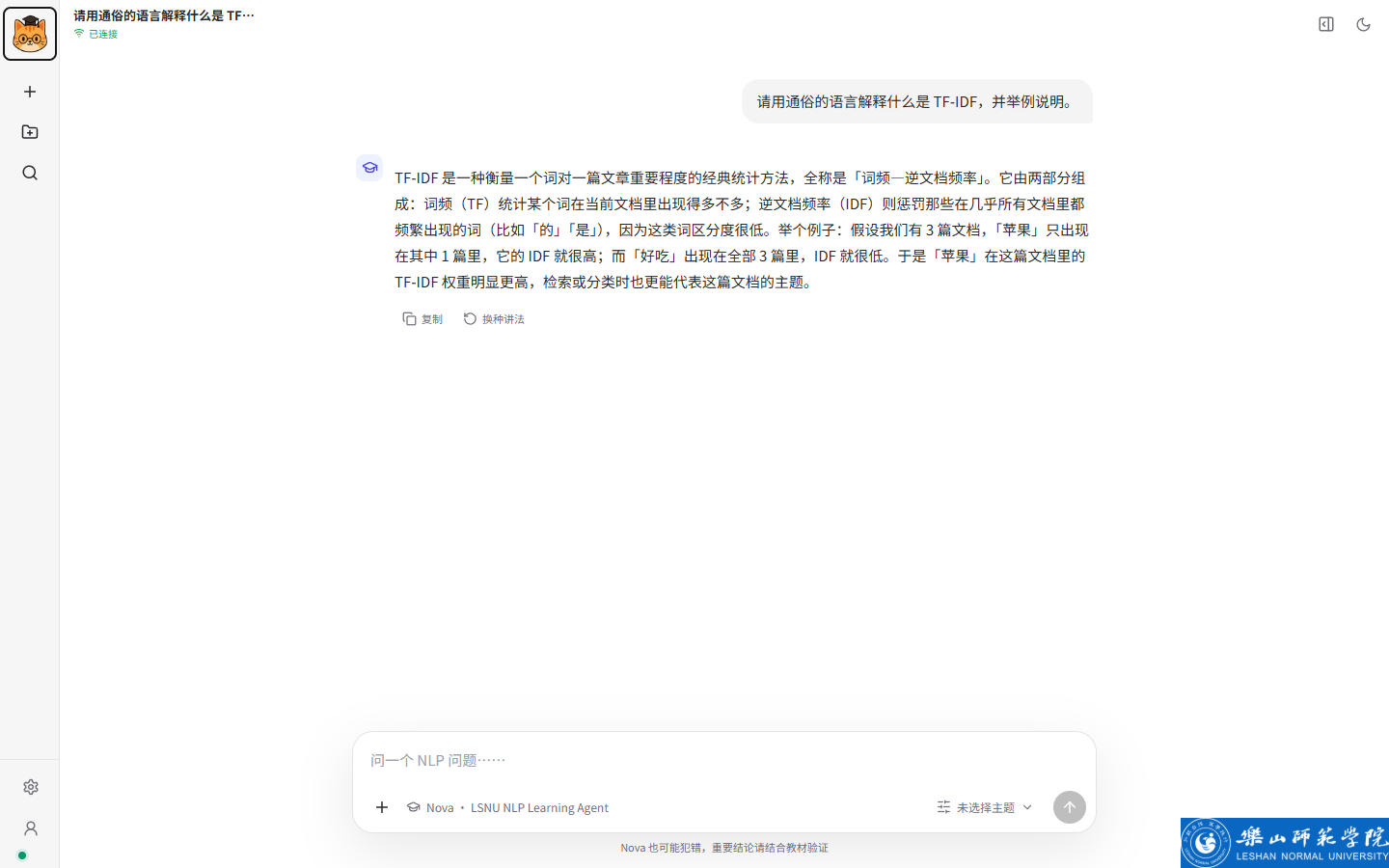
Learner
The Learner view is where students do their coursework.
- Ask questions in plain language and follow step-by-step explanations.
- Practise with auto-generated exercises that come from your teacher's blueprints.
- Review every answer against the weighted rubric your teacher defined.
Teacher
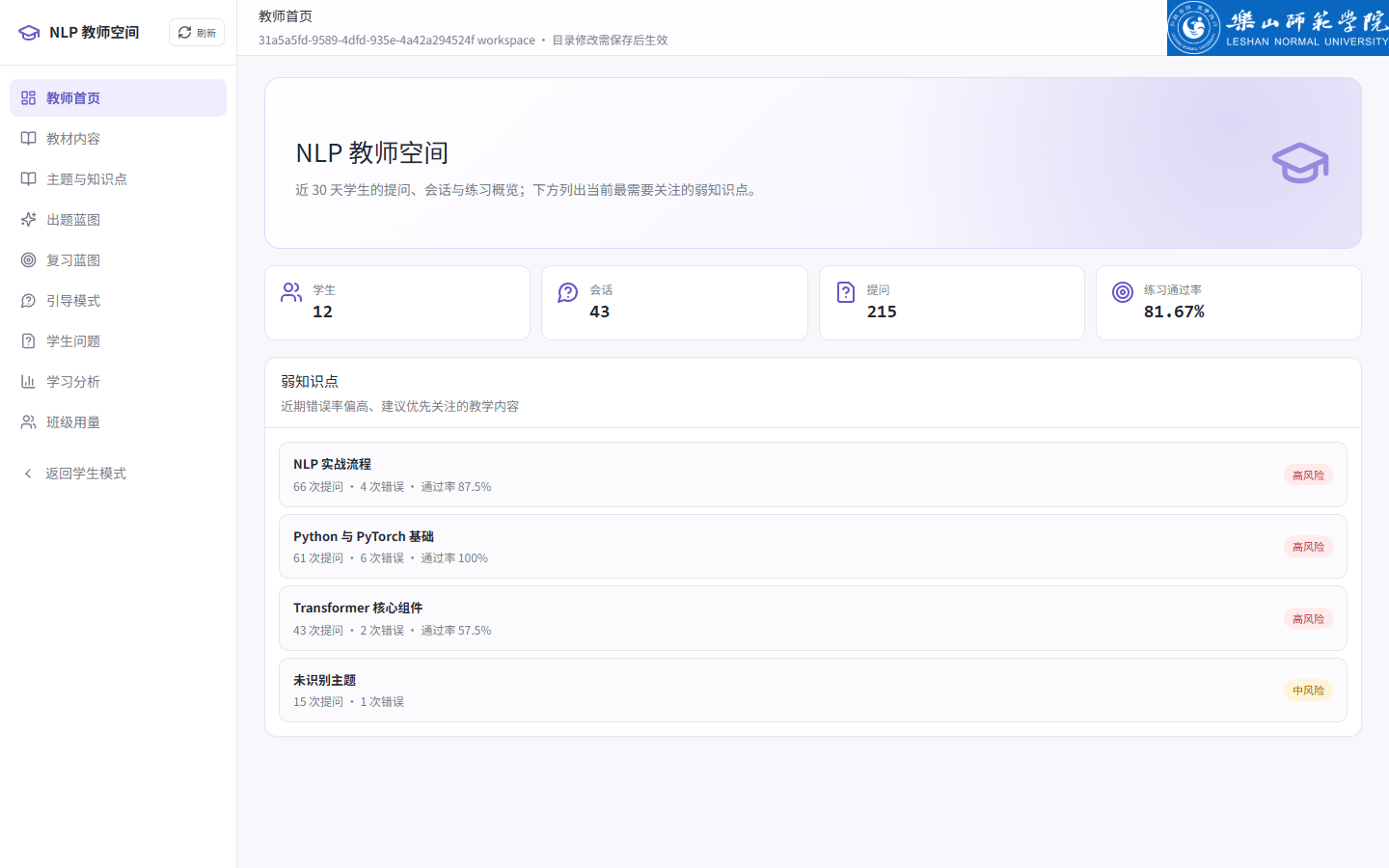
The Teacher view is where instructors author the course.
- Write topics and Markdown knowledge points; each question is injected with exactly the scope it needs.
- Design exercise blueprints that generate questions and grade answers against weighted rubrics.
- Keep grading consistent across the class with one shared rubric.
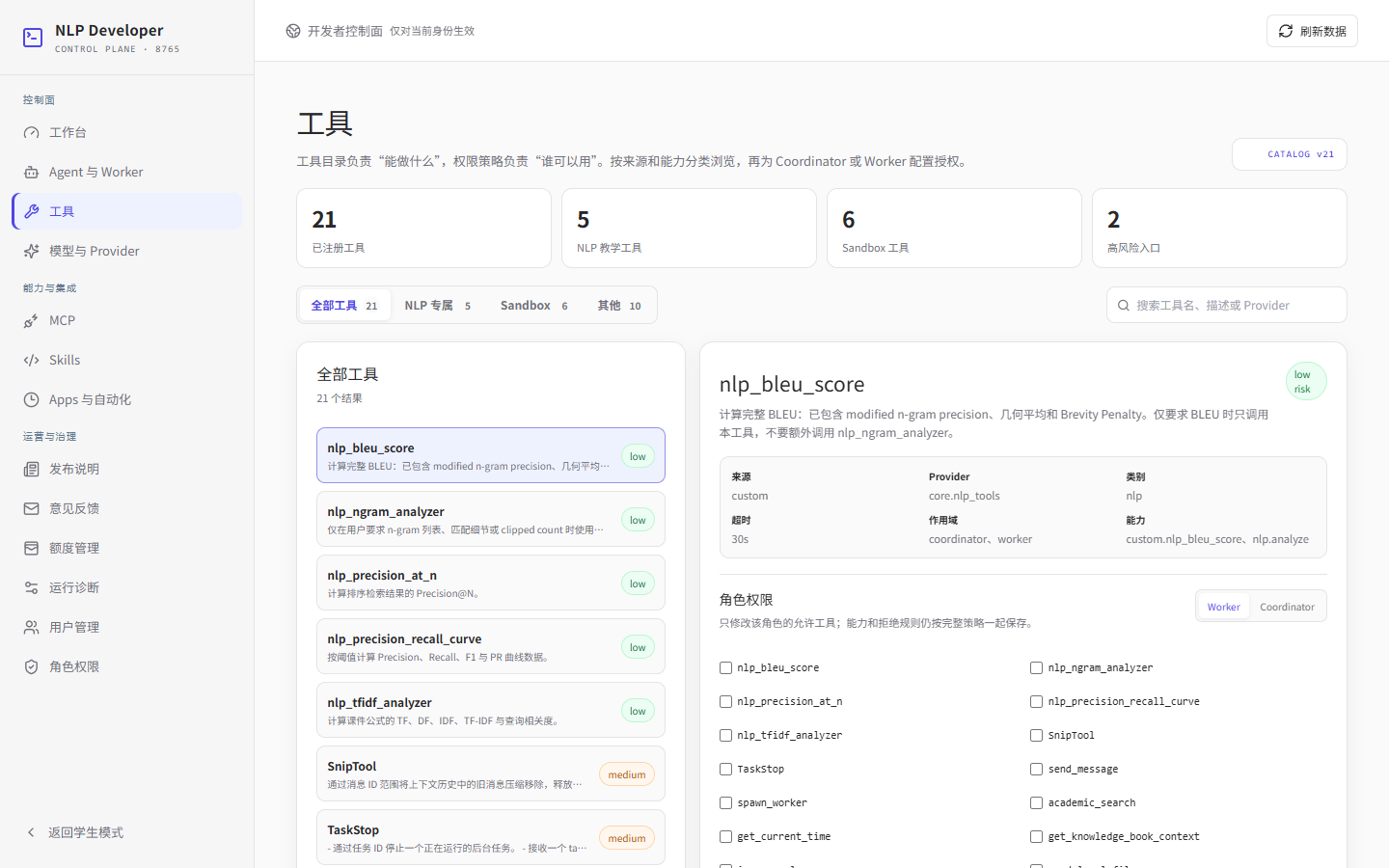
Developer
The Developer view manages model and runtime configuration.
- Add and rotate model providers and their API keys in one place.
- Tune runtime settings for the web, worker and sandbox services.
- Manage the sandbox that runs generated code, isolated from the host.
Monitor
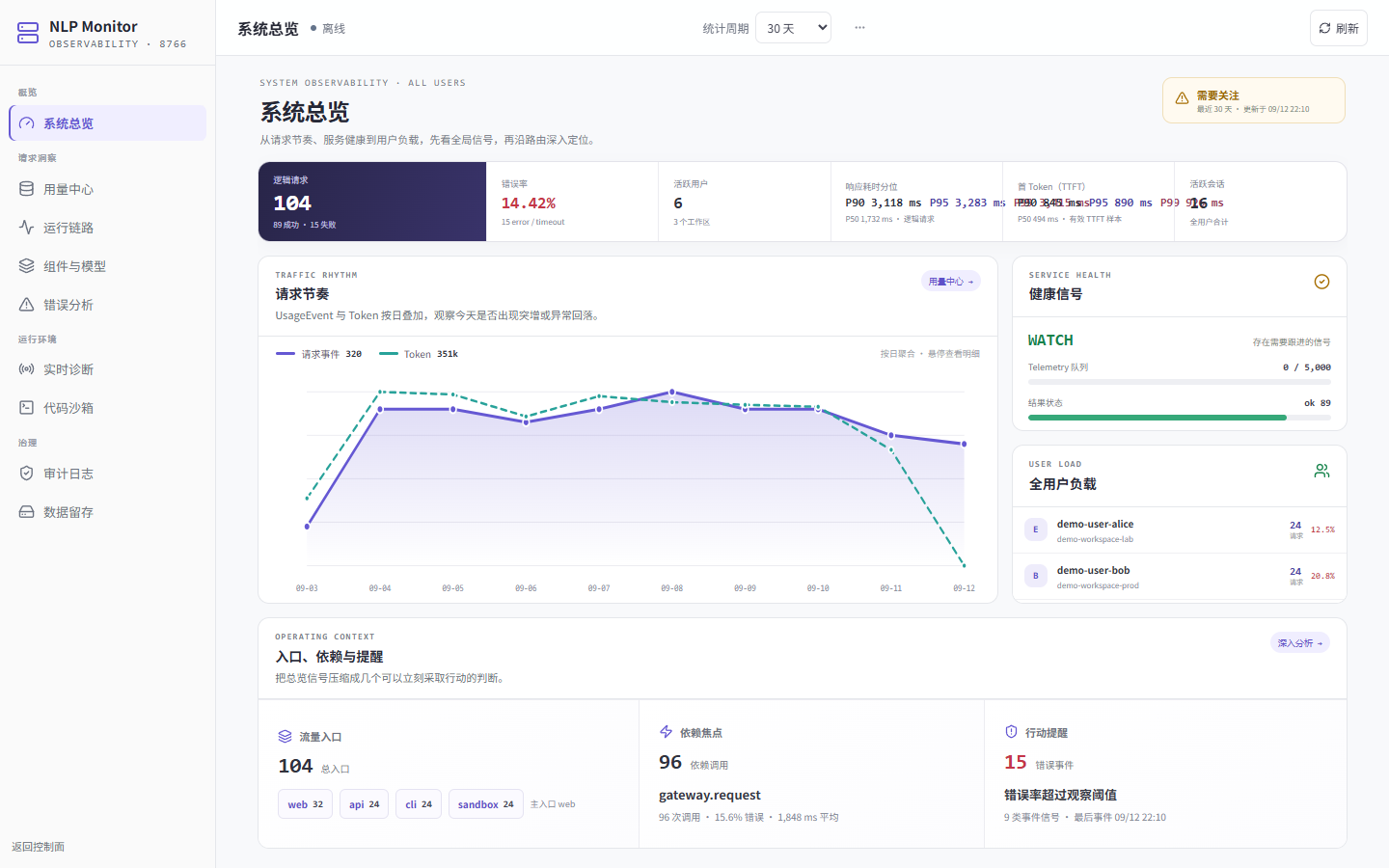
The Monitor view is the observability dashboard.
- Watch live turns, traces and metrics across web, worker and sandbox.
- Inspect task activity along the whole pipeline.
- Trace a single question from the client all the way to the answer.
Features
- Four role-based views: Learner, Teacher, Developer and Monitor, separated by access control so each role sees only what it should.
- Guided learning: question-and-answer sessions that resolve a problem step by step instead of dumping a single answer.
- Auto-graded exercises: teachers define blueprints that generate questions and grade each answer against weighted rubrics.
- Knowledge-point catalogue: teachers write topics and Markdown knowledge points; each question is answered with exactly the scope it needs, nothing more.
- Observability: a built-in monitor shows turns, traces and metrics across web, worker and sandbox.
- Modular runtime: a coordinator/worker engine on LangGraph, with tools, memory and sandboxed code execution.
- Web and CLI: chat from the browser or the terminal, so students and teachers aren't tied to one interface.
Quick Start
Prerequisites
- Python 3.11 or newer, and uv.
- A MySQL database, configured in
.env.
[!NOTE]
Copy.env-exampleto.envand fill in the model service key and database connection before starting.
[!TIP]
For the full distributed stack (nginx, MySQL, Redis, web, worker, sandbox manager), use the providedcompose.yaml.
Install and run
uv sync                                   # install dependencies
Copy-Item .env-example .env               # prepare config: model key & database
uv run python main.py bootstrap-db        # initialize the database
uv run python main.py bootstrap-developer # create the first account
uv run python main.py serve               # start the server
Once it starts, open http://127.0.0.1:8765.
Log in and explore
Log in with the account created by bootstrap-developer:
- Learner — http://127.0.0.1:8765/
- Teacher — http://127.0.0.1:8765/teacher
- Developer — http://127.0.0.1:8765/developer
Or chat from the terminal:
uv run python main.py chat
For the observability monitor, run uv run python main.py monitor first, then open http://127.0.0.1:8766/.
Documentation
This repository is licensed under the MIT license.
Reviews (0)
Sign in to leave a review.
Leave a reviewNo results found