cardputer-claude-mcp
Health Warn
- License — License: MIT
- Description — Repository has a description
- Active repo — Last push 0 days ago
- Low visibility — Only 5 GitHub stars
Code Fail
- exec() — Shell command execution in mac/adv_confirm_hook.py
- rm -rf — Recursive force deletion command in mac/adv_confirm_hook.py
Permissions Pass
- Permissions — No dangerous permissions requested
No AI report is available for this listing yet.
Turn an M5Stack Cardputer-Adv into a physical approval + usage surface for an AI coding agent (BLE + MCP).
cardputer-claude-mcp
English | 中文
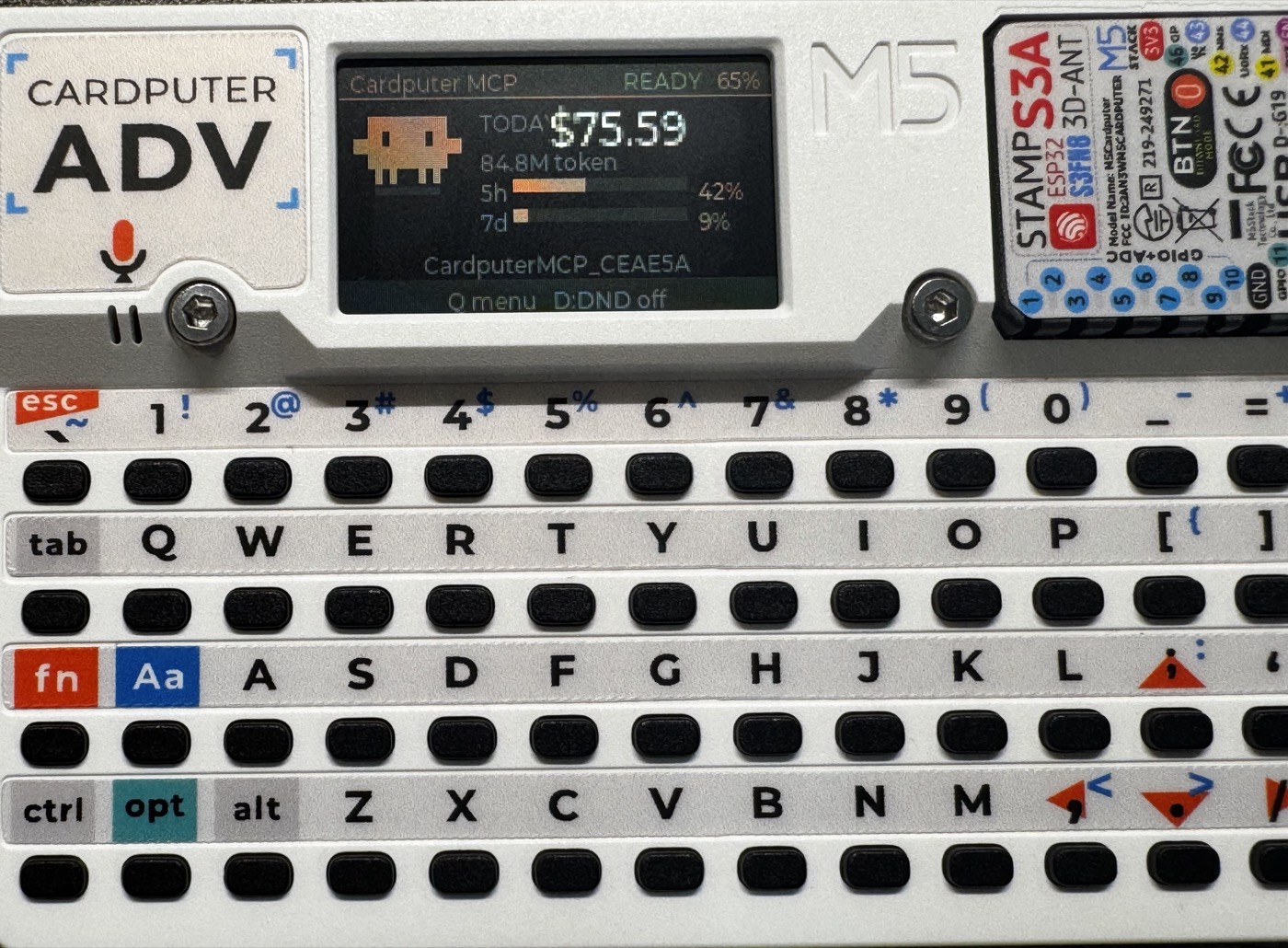
Turn an M5Stack Cardputer-Adv
into a physical control surface for an AI coding agent.
A small MicroPython app on the handheld talks over BLE to a Mac-side MCP
bridge, so an agent (Claude Code, etc.) can:
- notify / ask / confirm — push banners, multiple-choice questions, and
physically-confirmed approvals to the device, - usage — show a live, always-on dashboard (today's spend + 5h/7d
subscription utilization + battery) with a resident pixel-crab mascot, - gate the shell — a Claude Code hook routes Bash commands and file
edits to the device for approval before they run.
The headline trick is the approval gate: routine commands pass through a
whitelist, ordinary ones take a single Enter on the device, and
destructive ones (rm -rf, git push, sudo, edits to secrets) take a
single Y press — a different key from the ordinary prompt's Enter, and a
physical keypress that prompt-injection can't synthesize. If the device is
away, it falls back to the normal terminal prompt — the Cardputer is an
optional gate, never a dependency.
| Ordinary action — press Enter | Destructive action — press Y |
|---|---|
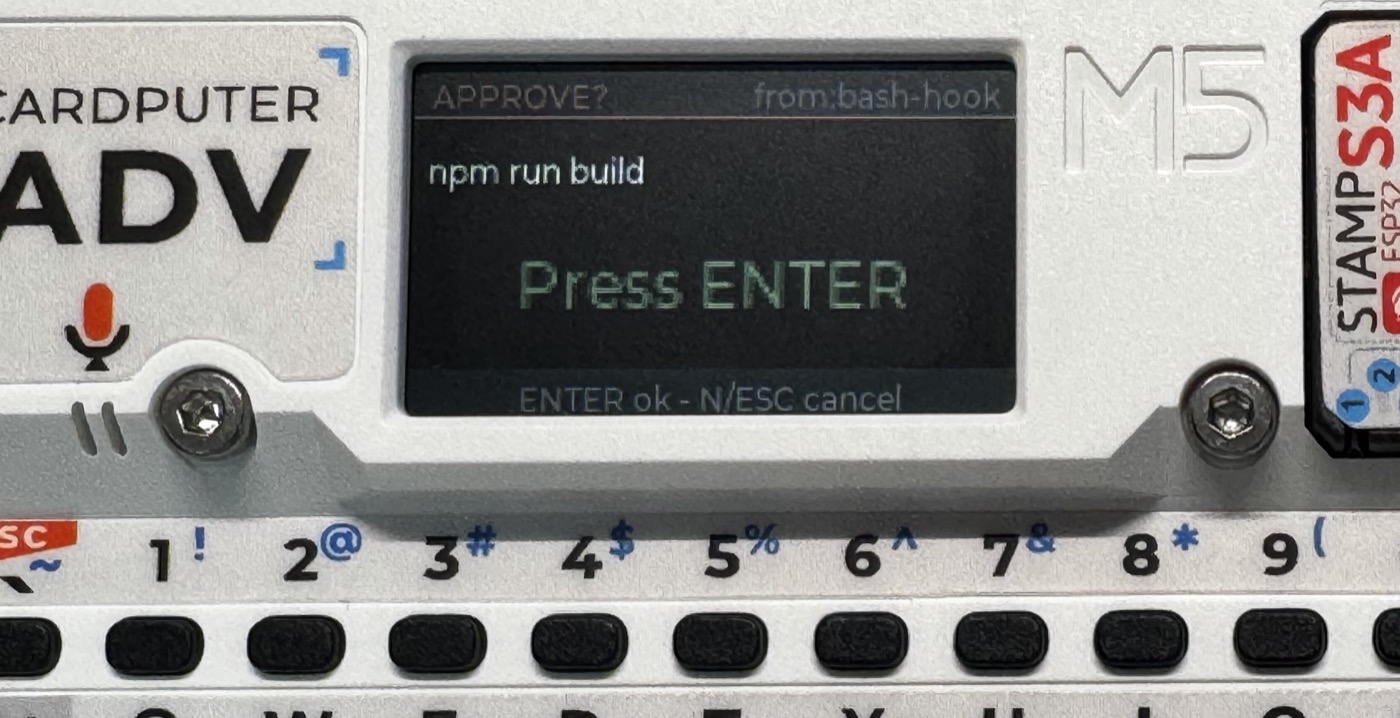 |
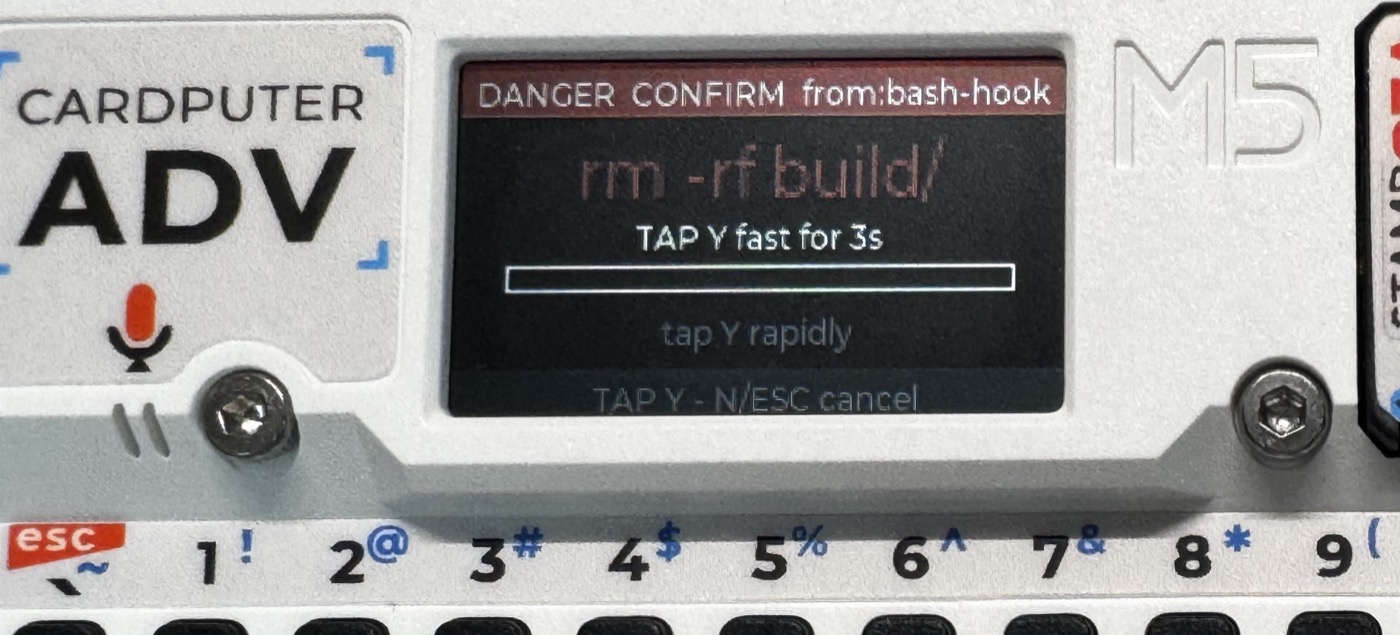 |
Layout
device/cardputer_mcp.py   MicroPython app: BLE GATT service, idle dashboard,
                          mascot animation, notify/ask/confirm/usage screens
mcp/server.py             Mac bridge: BLE owner + MCP tools + usage monitor +
                          the /hook/confirm route for the approval gate
mcp/auth.py               bearer-token auth for the HTTP transport
mac/                      launchd bridge daemon + the PreToolUse approval hook
mac/README.md             how to install & tune the Mac side  ← start here
Quick start
- Bridge:
cd mcp && python3 -m venv .venv && .venv/bin/pip install -r requirements.txt,
then runmac/install_cardputer_bridge.sh(seemac/README.md). - Device:
device/cardputer_mcp.pyis not standalone — it deploys
into the cardputer-claude-os
UIFlow launcher bundle, which provides the app menu, NimBLE bring-up, and
the matrix-keyboard driver that this app'srun()relies on. Compile it to.mpy(matchingmpy-cross), drop it into that bundle's/flash/apps/,
and delete the.py(importing the source form OOM-crashes the launcher).
This repo intentionally ships only the app, not that launcher framework. - Approval gate: register
mac/adv_confirm_hook.pyas aPreToolUse
hook in~/.claude/settings.json(snippet inmac/README.md).
Hardware notes (Cardputer-Adv)
- Audio is an ES8311 codec + NS4150B amp.
M5.Speaker.tone()only sounds
if the app's main loop callsM5.update()every iteration — without it
the chirps are silent. The speaker amp is also muted while the 3.5 mm jack
is engaged. - The device app must be deployed as compiled
.mpy, not source.
Security
The bridge gates every HTTP request behind a bearer token; tokens live only
in ~/.config/cardputer-bridge/env (never committed). A physical Y press on
the device is the trust anchor for irreversible operations.
Acknowledgements
- Built on cardputer-claude-os — the Cardputer ↔ Claude BLE bundle this extends.
- Usage dashboard inspired by cardputer-claude-usage.
- Spend / token figures come from ccusage.
License
MIT © 2026 neu
Reviews (0)
Sign in to leave a review.
Leave a reviewNo results found