plasma-ai-usage-monitor
Health Pass
- License — License: GPL-3.0
- Description — Repository has a description
- Active repo — Last push 0 days ago
- Community trust — 10 GitHub stars
Code Pass
- Code scan — Scanned 12 files during light audit, no dangerous patterns found
Permissions Pass
- Permissions — No dangerous permissions requested
No AI report is available for this listing yet.
KDE Plasma 6 widget for local AI provider usage, spend, limits, and coding-tool activity
AI Usage Monitor for KDE Plasma 6

AI Usage Monitor is a KDE Plasma 6 panel widget for AI API usage, costs,
subscription quotas, and local Codex and Claude Code session history. See what
needs attention without opening every provider dashboard. API keys stay in
KWallet and history stays on your computer.
Install ·
First setup ·
User guide ·
KDE Store ·
Latest release ·
Report a problem
The 25.0.1 release (Searchable Session History) includes V25's searchable
local project and model filters, daily and custom date views, consistent session
summaries, and manual JSON/CSV exports. This patch fixes a missing RPM build-test
dependency found during COPR publication; session behavior and data formats are
unchanged. Session import remains optional for each tool. Read the
session guide,
release notes, or
GitHub Releases.
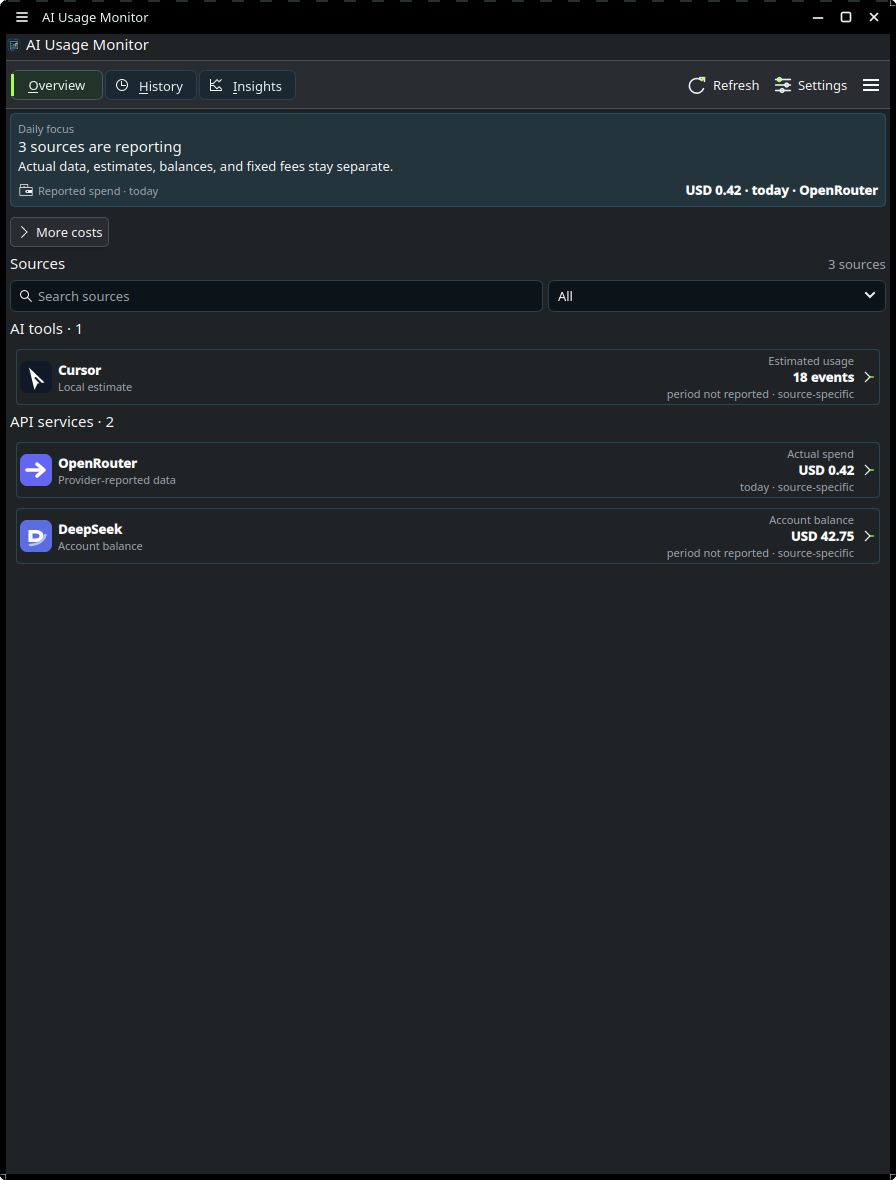
Screenshots use deterministic synthetic data.
Install on Fedora
Use the Fedora COPR repository.
Its package includes both required parts: the Plasma widget and the matching
compiled Qt plugin. You do not need a separate KDE Store download on Fedora.
Fedora 44 is the release baseline; check the COPR project's available builds
for your Fedora version before installing.
sudo dnf copr enable loofitheboss/plasma-ai-usage-monitor
sudo dnf install plasma-ai-usage-monitor
Log out and back in after the first install. Then:
- Right-click the panel or desktop and choose Add Widgets.
- Search for AI Usage Monitor.
- Add it to the panel or desktop.
- Open the widget and complete Guided first success for one source.
To update later:
sudo dnf upgrade --refresh plasma-ai-usage-monitor
Log out and back in after updating, then check matching frontend and plugin
versions in Settings → Diagnostics.
For other Plasma 6 distributions, use the source installation guide.
The KDE Store .plasmoid contains the frontend only and requires the matching
native plugin. Plasma 5 and the old Flatpak scaffold are not supported.
Choose your first source
| What you want to see | Start with | What the numbers mean |
|---|---|---|
| Local Codex or Claude Code sessions | Settings → History → enable that tool's session data → Apply | Reported local session tokens, searchable by project, model, and date |
| Tool quota and reset time | Guided first success → choose your installed tool | Live quota when the source supports it; local activity otherwise remains a labelled estimate |
| API usage or spend | Guided first success → choose your provider | Only values exposed by that provider; OpenAI account usage requires an Admin API key |
A local-tool setup does not require adding an API provider. A successful
connection check alone does not prove token usage or spend. Start with one
source and review its result before adding budgets or integrations.
Start here
- Install or update the widget
- Complete the first setup
- Understand actual, estimated, and unavailable values
- Configure all sources
- Track AI tools and Browser Sync Labs
- Review local Codex and Claude Code sessions
- Use Budget Control and deterministic runway guardrails
- Use history, exports, Prometheus, and webhooks
- Fix common problems
- Review privacy and security behavior
The GitHub wiki provides the same task-based entry points for people who prefer GitHub's wiki navigation.
docs/user-guide/ is the only editable source for end-user documentation. The
versioned docs/wiki/ mirror is generated; update it withpython3 scripts/generate_wiki_docs.py and never edit it by hand.
What it monitors
OpenAI can report account usage and spend with an Admin API key. OpenRouter can report key usage, LiteLLM can report gateway spend, and DeepSeek can report a balance. Many other providers expose only model discovery or account connectivity. AI Usage Monitor labels those results as connection checks and does not turn them into invented usage data. A tool-only setup is a complete daily monitor when the tool reports a live quota or a clearly labeled local estimate.
Hosted-provider support includes:
- OpenAI, Anthropic, Google Gemini, DeepSeek, OpenRouter, and Google Veo
- Mistral AI, Groq, xAI, Ollama Cloud, Together AI, and Cohere
- Azure OpenAI, AWS Bedrock, LiteLLM Proxy, Cerebras, Fireworks AI, and Perplexity
The generated provider capability matrix lists the scheduled endpoint and monitoring level for every provider.
The widget also tracks Google Antigravity, Claude Code, Codex CLI, GitHub Copilot, Cursor, Windsurf, and JetBrains AI. Antigravity 2.x can report the signed-in plan, live per-model quota, and shared five-hour and weekly windows from its read-only localhost daemon; local activity and configured plan limits for other tools remain estimates unless a supported authenticated source provides a live quota window. Codex and Claude Code can separately opt in to local session-token history; these reported tokens are not subscription percentages or billed cost.
Main features
- Guided first success for one provider or detected local tool
- Source-focused Settings with search, monitoring-level filters, and one detail pane
- Action-first Overview for attention, lowest live quota, next reset, spend categories, and source quality
- Provider usage, spend, balances, limits, and connection state where the provider exposes them
- Retained local history for enabled, disabled, and history-only sources, with explicit chart gaps
- Optional Codex and Claude Code session history with searchable projects, model filters, and manual redacted JSON/CSV export
- Analyst snapshots with documented sample requirements, coverage, spend trends, activity, anomalies, and compatible drivers
- Typed Budget Control policies for day, ISO week, month, anchored month and reviewed provider reset periods
- Deterministic safe-today, remaining allowance, period projection and previous-period comparison
- Deterministic quota runway with explicit evidence and unavailable reasons
- Provider-reported model, project, workspace, service-tier, and line-item detail without aggregate double counting
- Compact panel modes for attention, lowest live quota, next reset, actual spend, and active sources
- Scoped OpenAI and Anthropic budget policies plus compatible aggregate LiteLLM/OpenRouter policies
- Persist-before-delivery warning, critical, exceeded, recovery and reset notifications with snooze
- Scheduled JSON or CSV exports
- An opt-in Prometheus endpoint that defaults to loopback; unauthenticated all-IPv4 listening requires explicit configuration
- Configuration schema-v3 backup for settings and policies; keys, tokens, cookies and webhook URLs remain excluded
- Native Diagnostics for the loaded plugin, install layers, database, source readiness, KWallet, catalogs, and browser profiles
- No telemetry or hosted backend
Data boundaries
Scheduled provider refreshes do not run inference requests. Explicit inference tests are labeled in the widget and may consume provider quota or money.
Secrets stay in KWallet. Usage history stays in a local SQLite database. Browser Sync Labs and Antigravity monitoring are off by default and depend on version-sensitive local or service contracts. The Antigravity CSRF value stays in memory, is sent only to the validated loopback daemon, and is never included in logs, diagnostics, history, or exports.
Read Understanding the data before
creating policies or treating a provider card as a billing record. Explicit
configuration backups can contain local policy scope identities and should be
handled as sensitive files.
Screenshots
| View | Screenshot |
|---|---|
| Narrow Overview | |
| Attention | 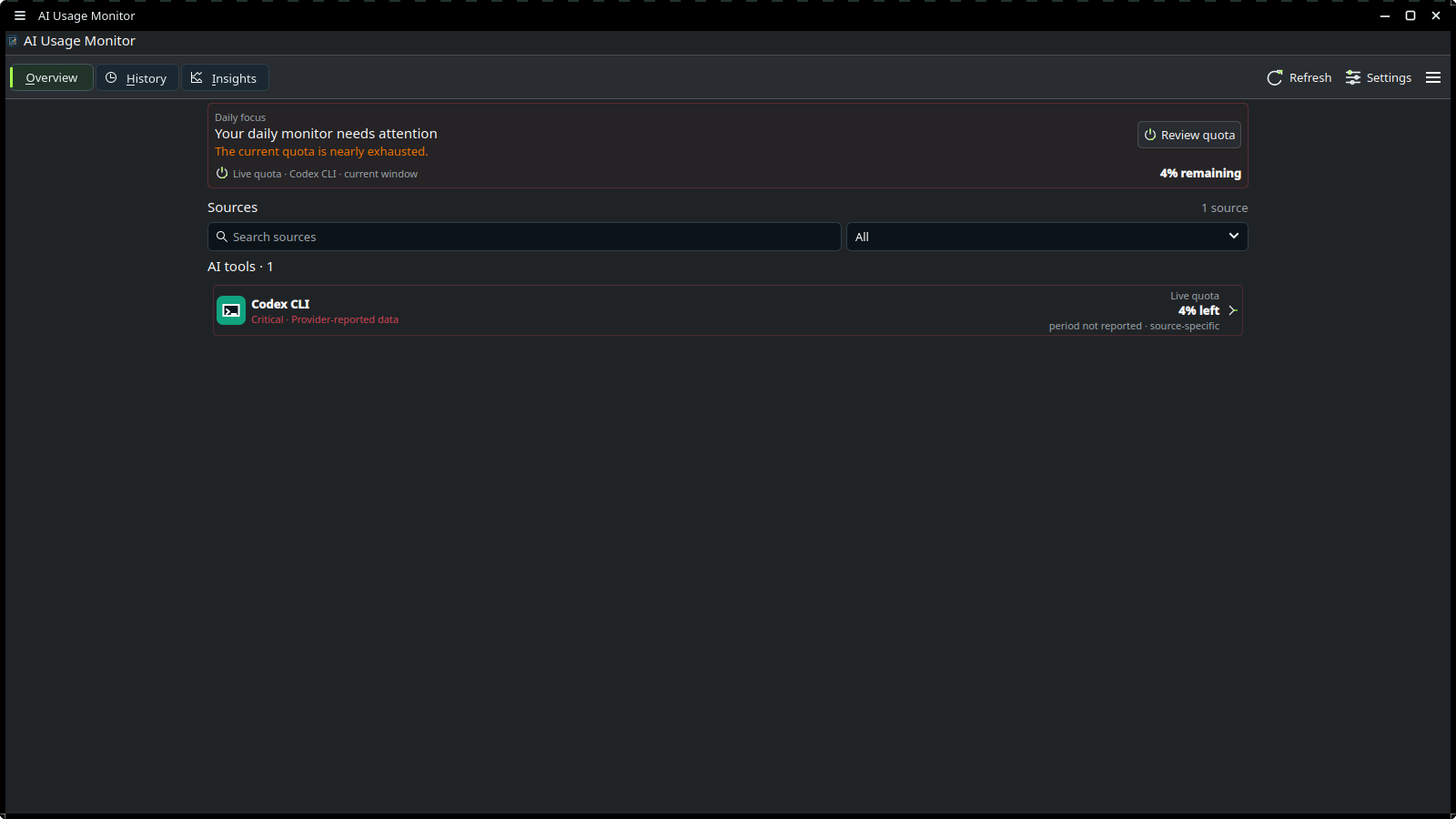 |
| Source Detail | 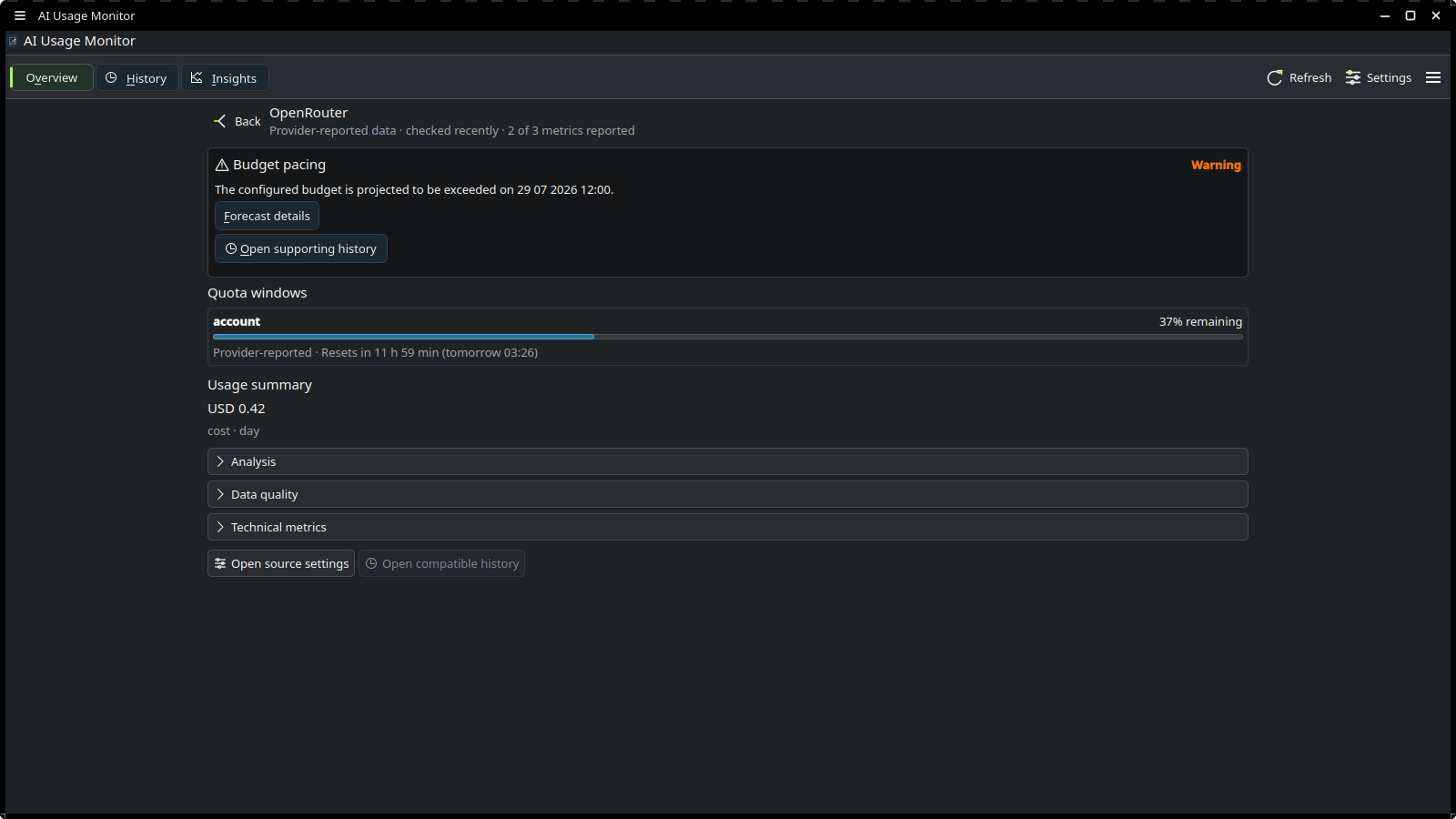 |
| Coding sessions in Source Detail | 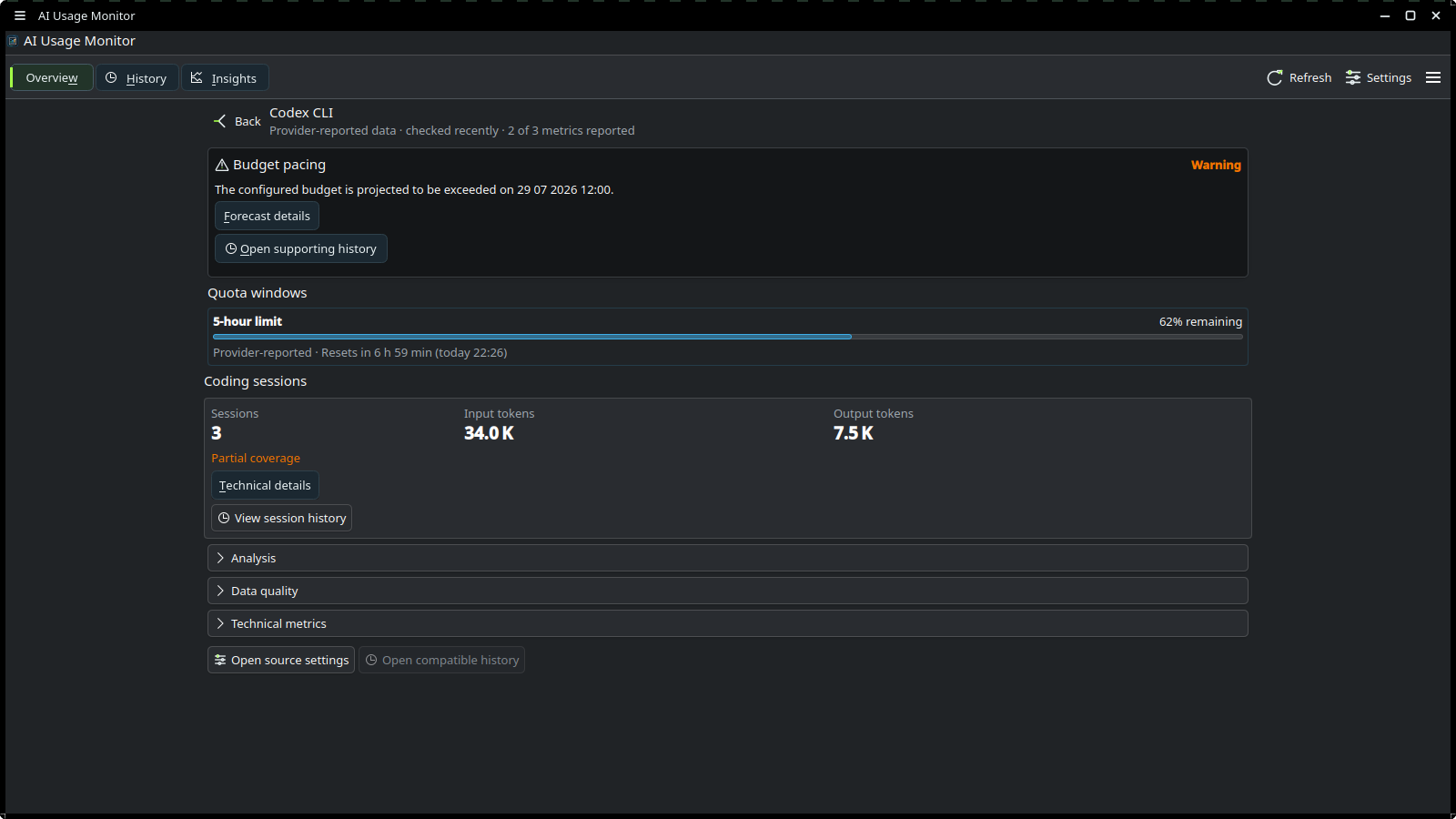 |
| Real history gap | 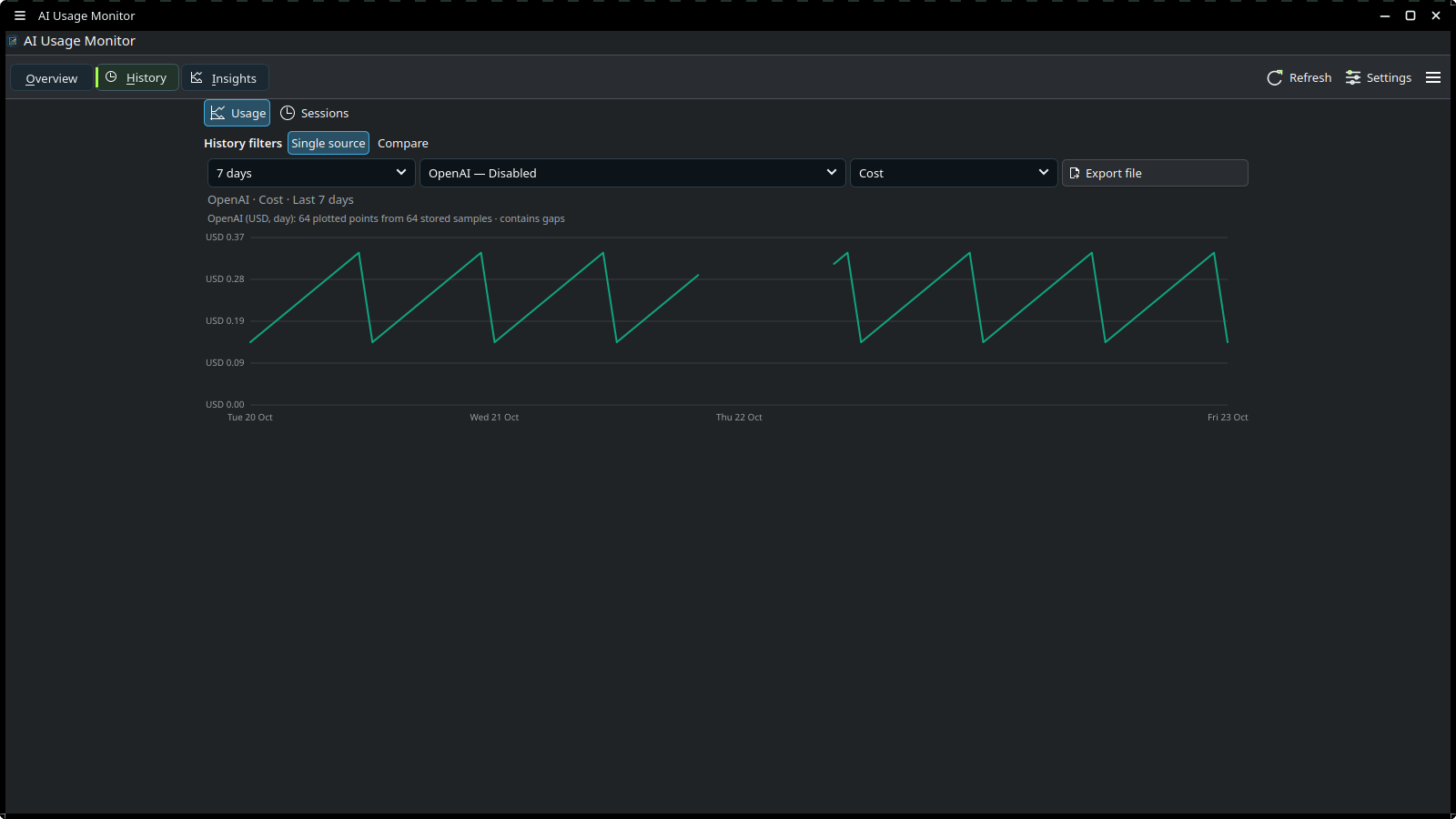 |
| Coding sessions in History | 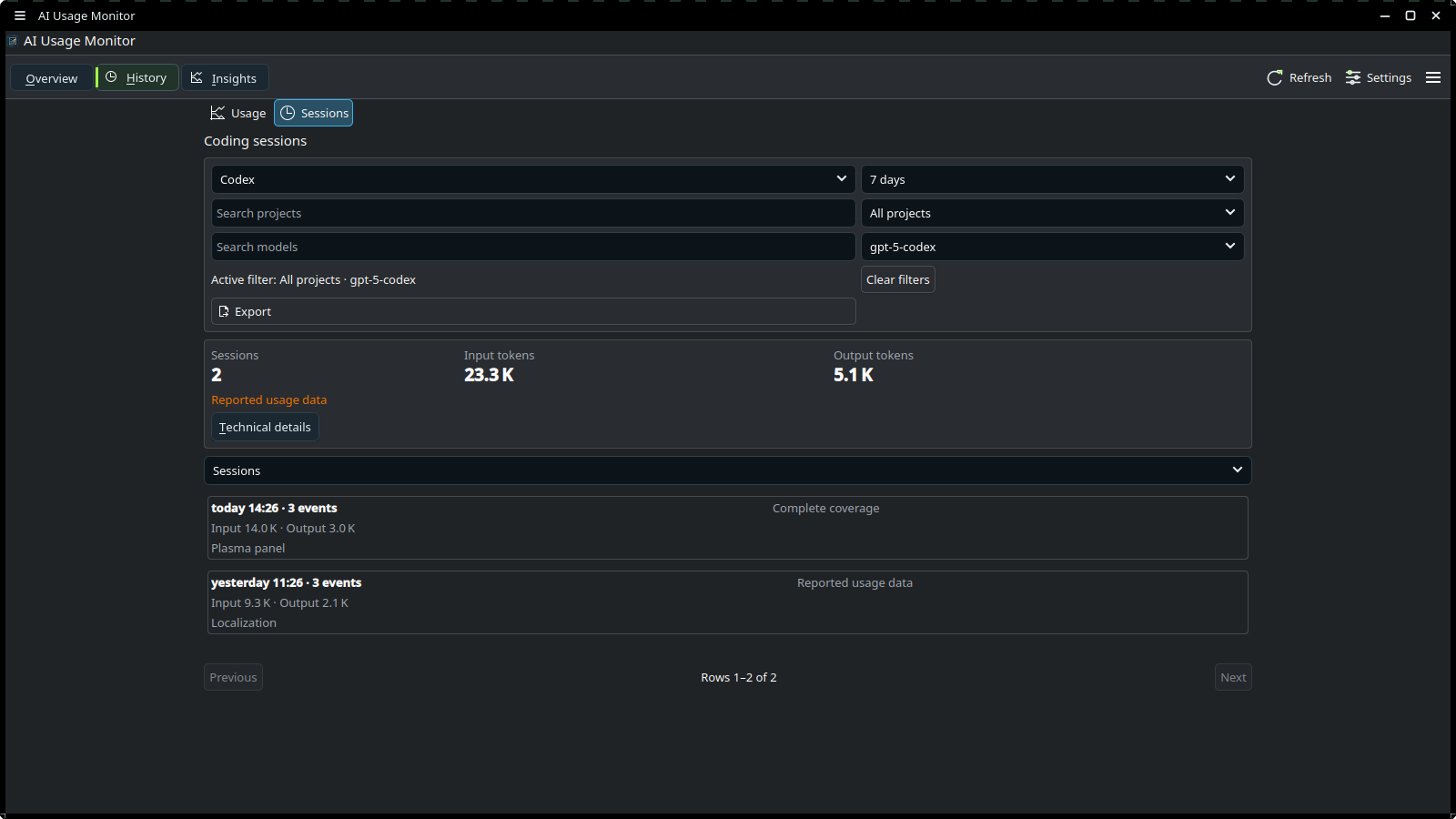 |
| Analyst with sufficient data | 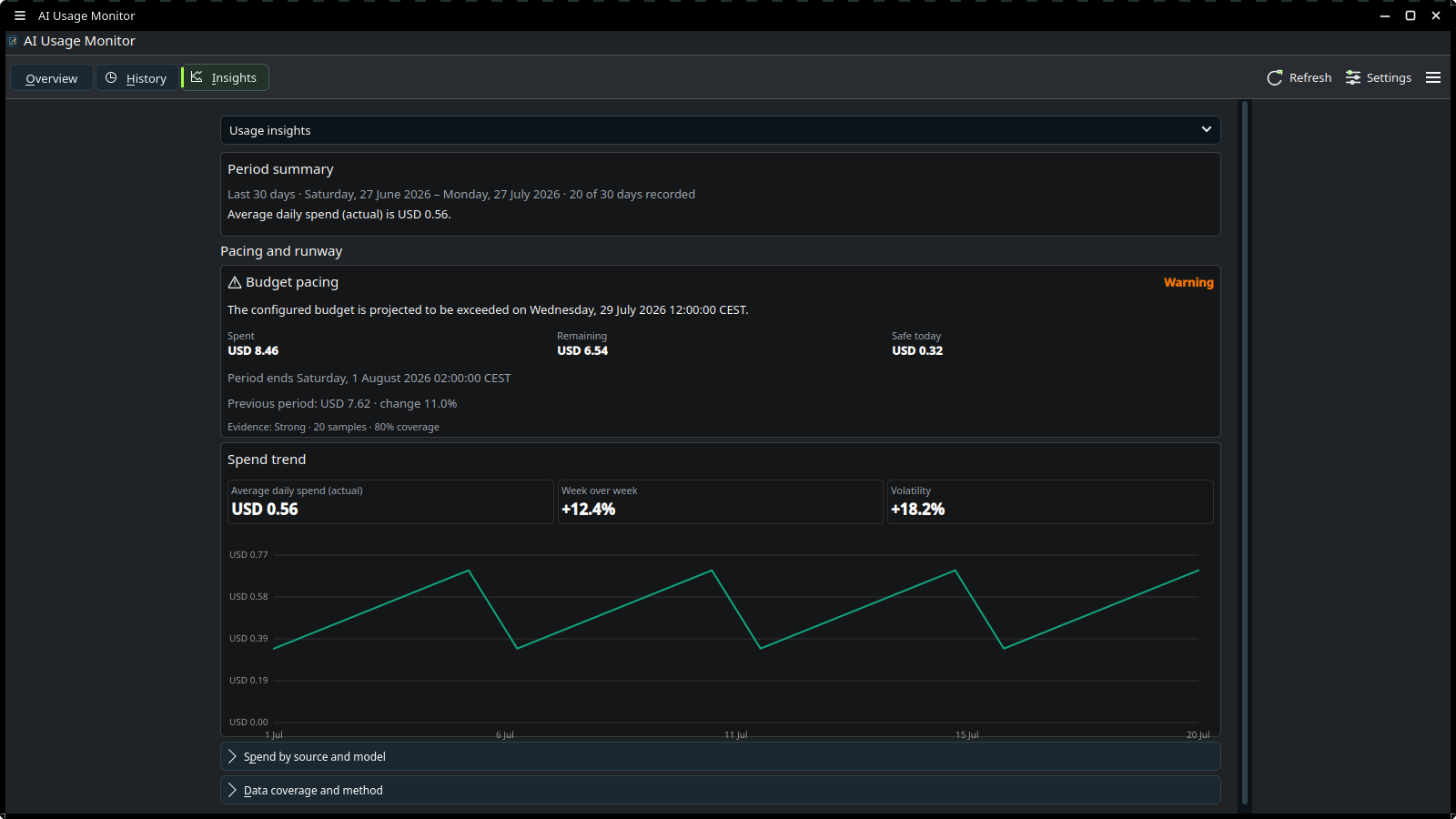 |
| Analyst with insufficient data | 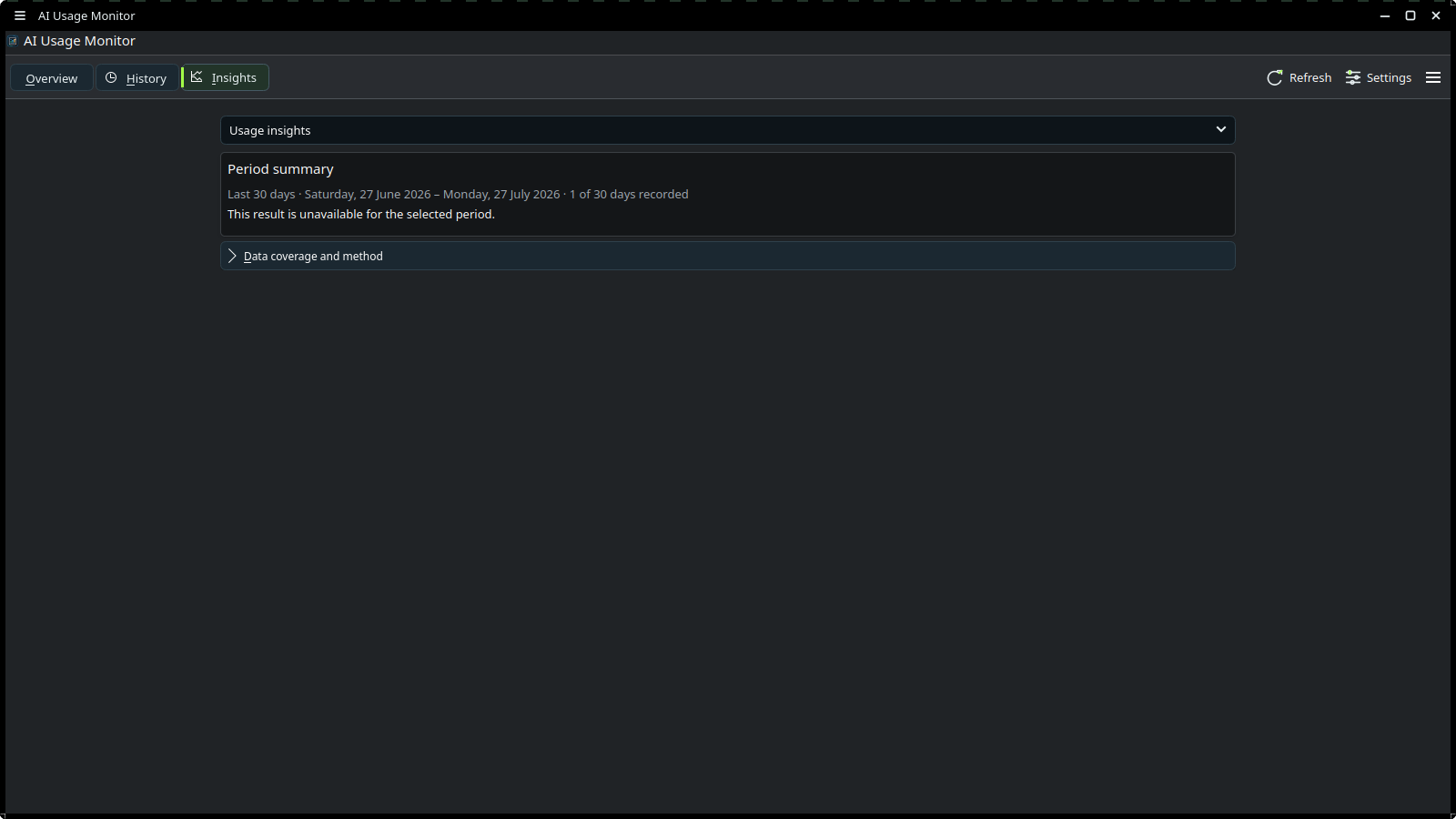 |
| Guided setup | 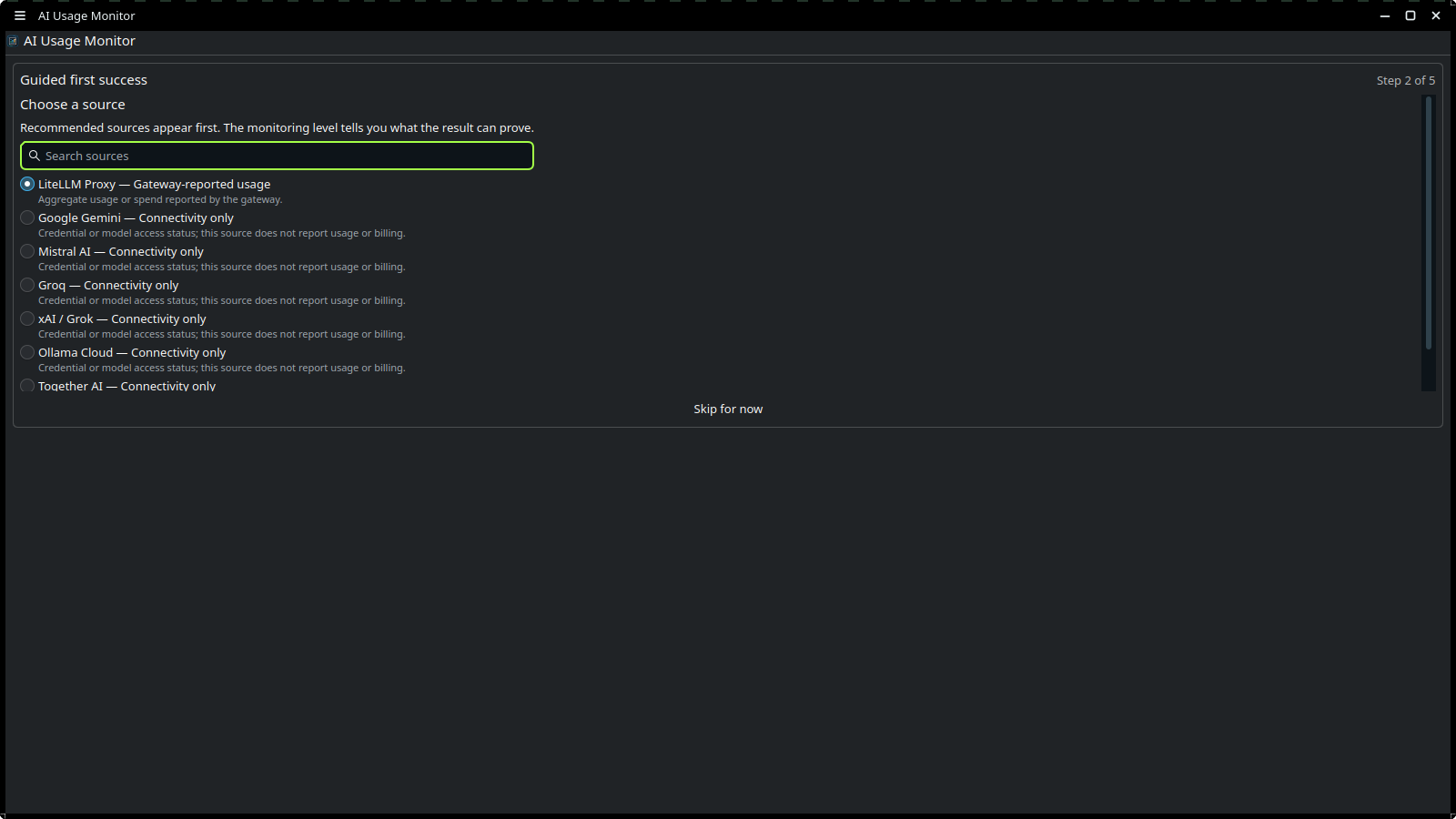 |
| Sources settings | 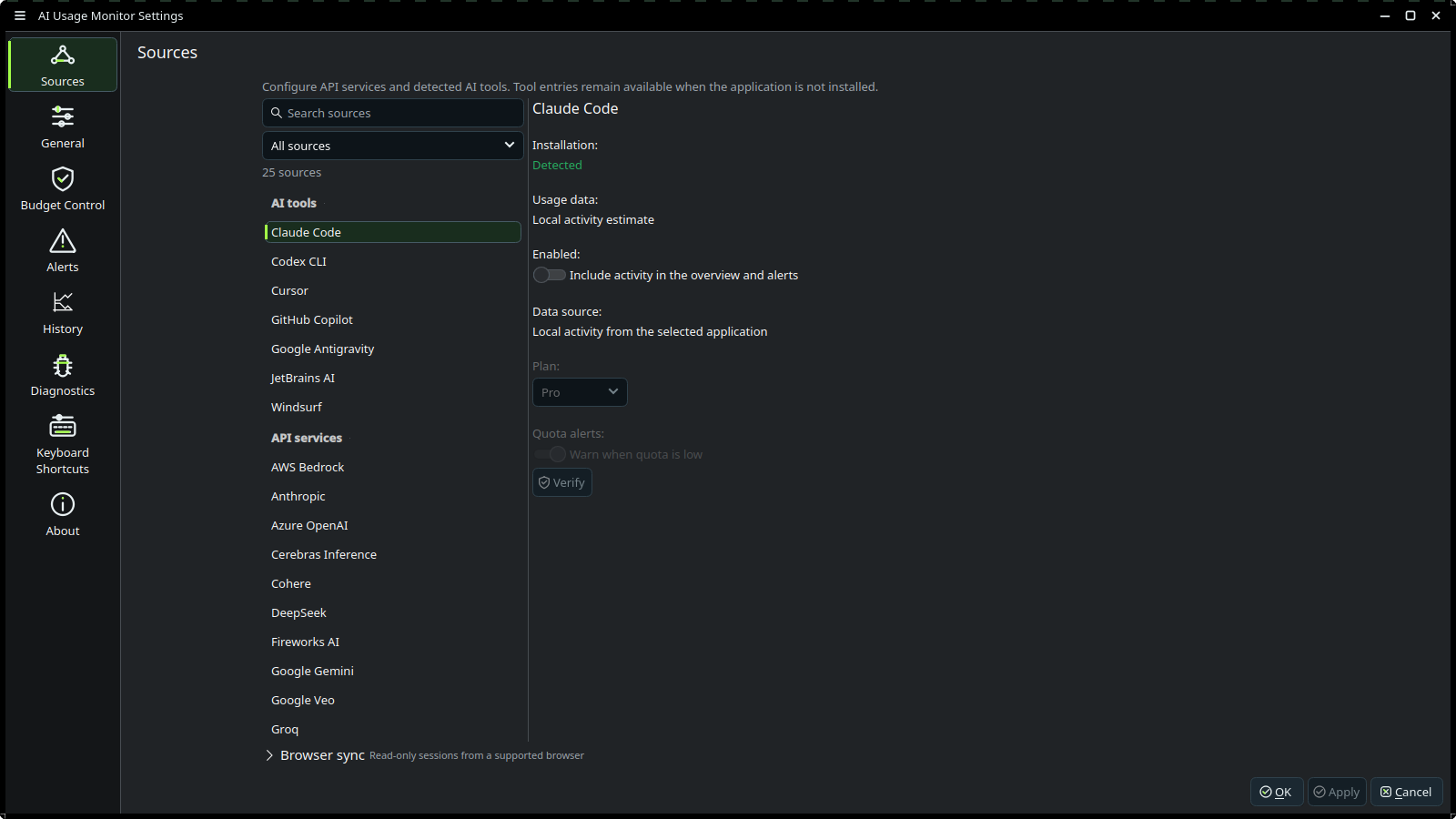 |
| Budget Control | 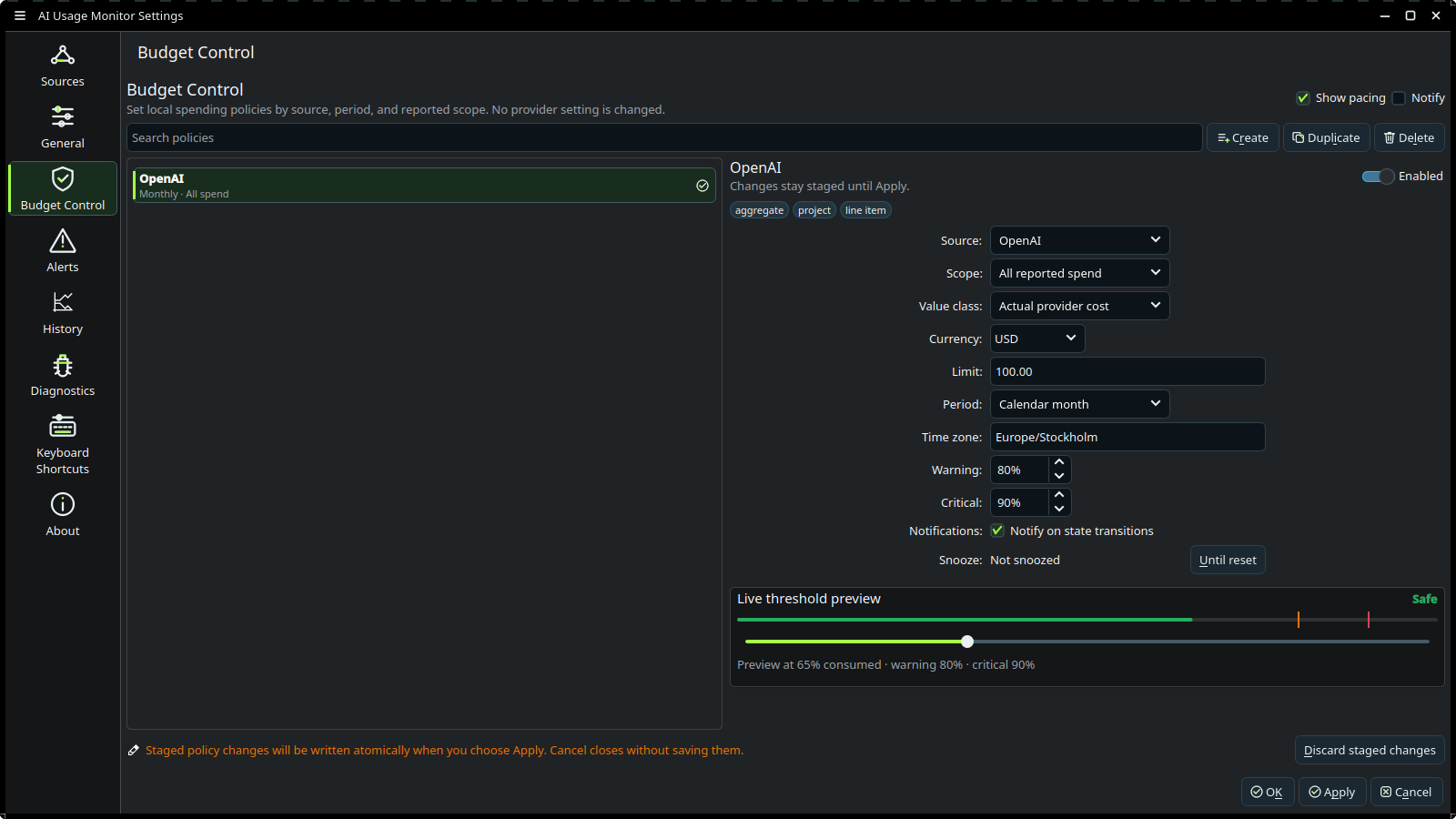 |
| Plugin recovery | 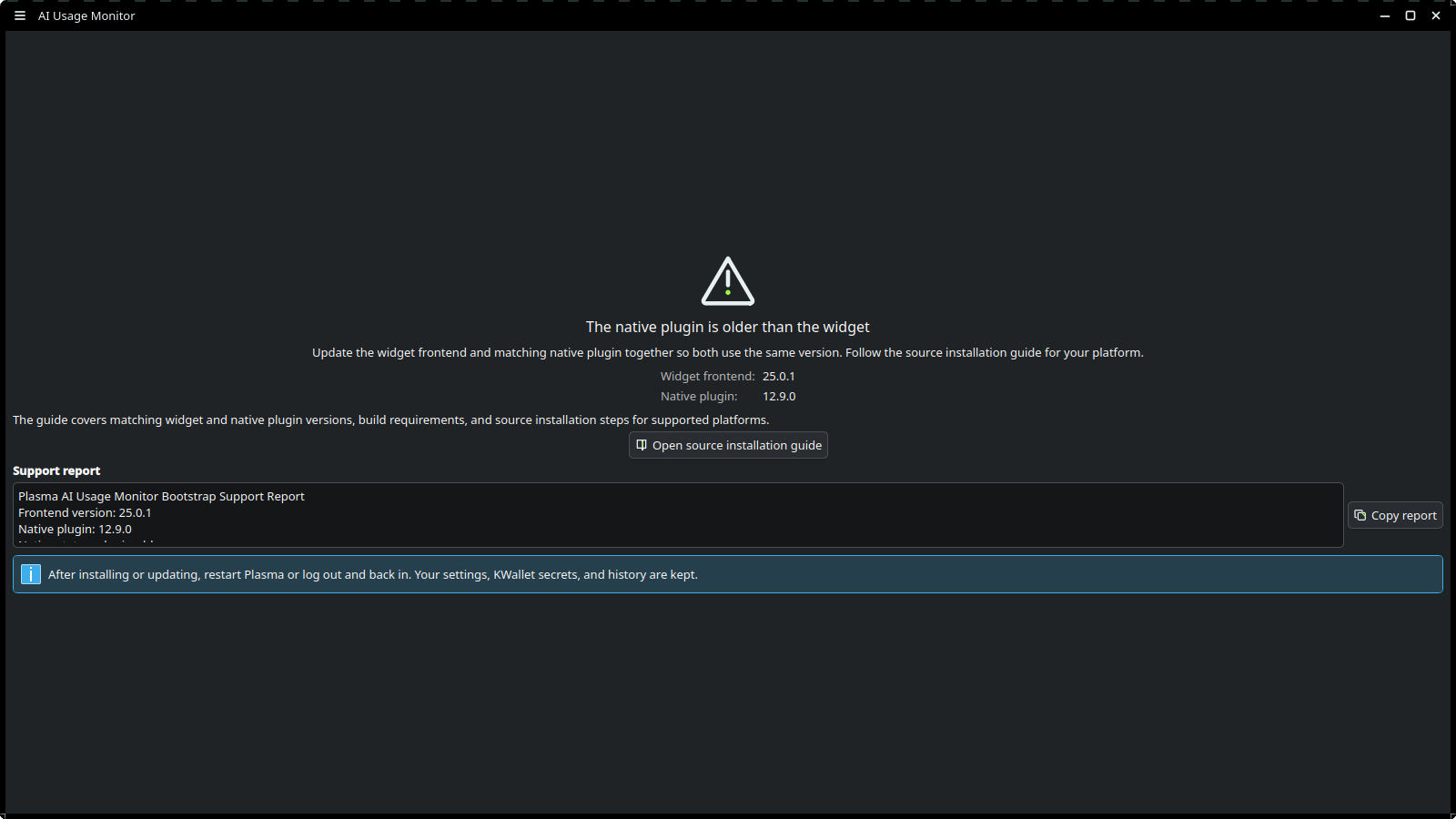 |
| Panel lowest quota | 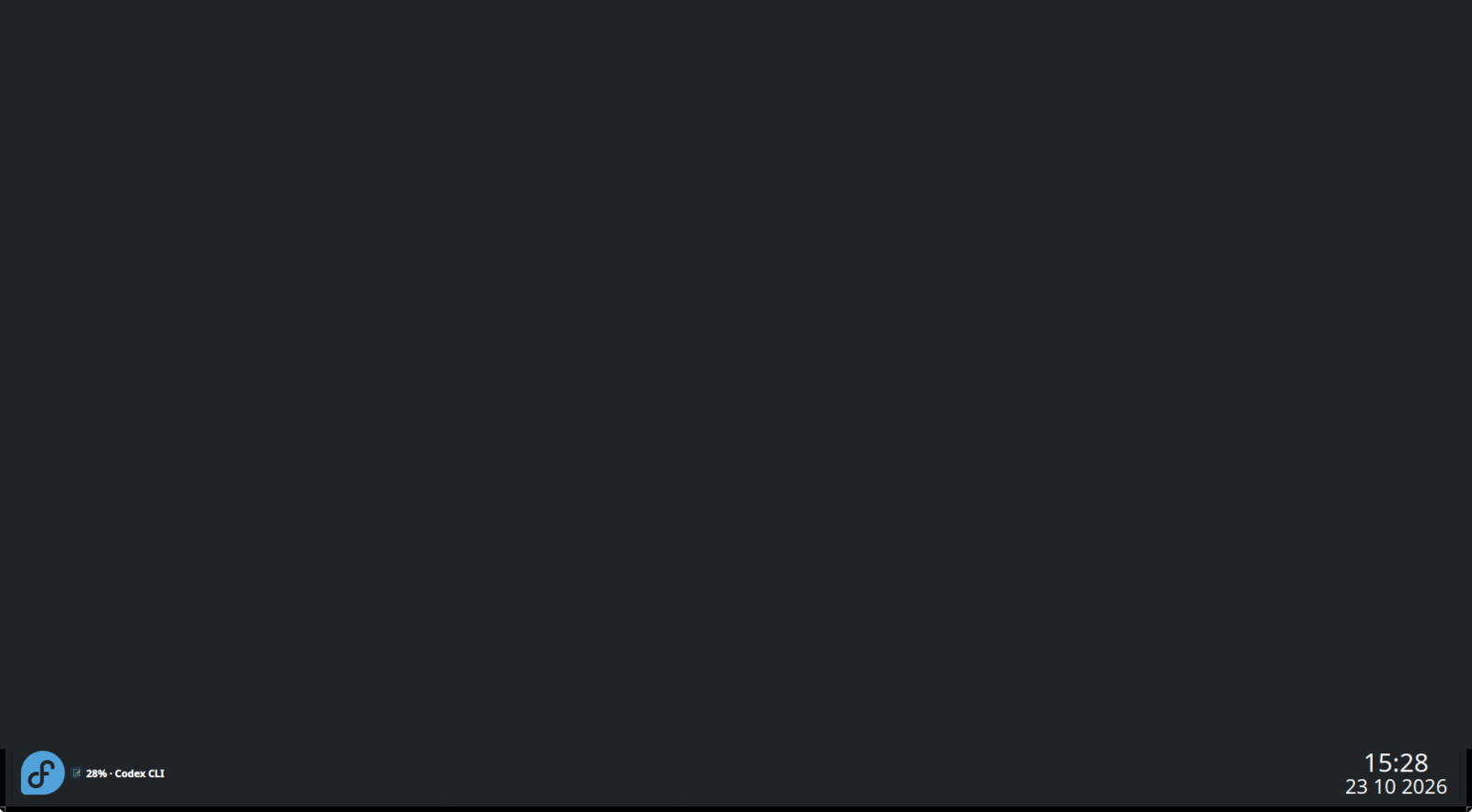 |
Distribution notes
- Fedora COPR: supported and recommended. Includes the widget and compiled plugin.
- Source build: supported. Builds the same two parts.
- KDE Store plasmoid: frontend-only. Install the matching compiled plugin from COPR or a source build before installing the Store package. A missing or mismatched plugin opens an in-widget recovery screen; restart Plasma after repairing the installation.
- Flatpak: not supported because the native QML plugin is not packaged by the old scaffold.
Development
The project uses C++20, Qt 6, KDE Frameworks 6, QML, CMake, and a repo-owned Justfile.
git clone https://github.com/loofiboss-bit/plasma-ai-usage-monitor.git
cd plasma-ai-usage-monitor
just doctor
just build-debug
just test
just check
Use just dev for QML-only changes. Use just install, just reload, and just smoke when the compiled plugin changes.
Contributor setup, architecture, code conventions, and release checks live in CONTRIBUTING.md.
Project documents
| Document | Purpose |
|---|---|
| User guide | Task-based help for installation, setup, daily use, and troubleshooting |
| Provider capabilities | Generated provider monitoring contract |
| Architecture | Runtime, schema, policy, secret, and distribution boundaries |
| Configuration reference | Config schema, policy fields, import/export and rollback compatibility |
| Changelog | Release history |
| Roadmap | Current product direction and next work |
| Security policy | Vulnerability reporting and supported releases |
| Contributing | Developer workflow and contribution rules |
Support
For a bug, open a GitHub issue and include:
- Plasma version from plasmashell --version
- Linux distribution and version
- installed widget version from rpm -q plasma-ai-usage-monitor on Fedora
- steps to reproduce
- the redacted support report from Settings → Diagnostics
Report security problems privately through GitHub Security Advisories.
License
GPL-3.0-or-later. See LICENSE.
Reviews (0)
Sign in to leave a review.
Leave a reviewNo results found