DiskRookie
agent
Pass
Health Pass
- License — License: NOASSERTION
- Description — Repository has a description
- Active repo — Last push 0 days ago
- Community trust — 77 GitHub stars
Code Pass
- Code scan — Scanned 12 files during light audit, no dangerous patterns found
Permissions Pass
- Permissions — No dangerous permissions requested
Purpose
DiskRookie is an AI-powered desktop application that analyzes disk usage, identifies unnecessary or large files, and helps users clean up or migrate data to cloud storage services.
Security Assessment
The tool inherently accesses sensitive data by scanning local file systems and analyzing file paths and sizes using AI. It also makes network requests to cloud storage providers (Google Drive, OneDrive, etc.) for file migration and communicates with external AI APIs to analyze your files. The automated code scan passed with no dangerous patterns or hardcoded secrets found, and no elevated system permissions are required. Overall risk: Medium. The medium rating is due to the nature of the tool—granting an AI access to analyze your local file structure and sending data to external servers always requires careful consideration of exactly what file metadata is being transmitted.
Quality Assessment
The project is very healthy and actively maintained, with repository activity as recent as today. It boasts a solid community trust level with 77 GitHub stars. However, there is a minor discrepancy: the README claims an Apache 2.0 license, but the official repository metadata lists the license as "NOASSERTION." Developers should verify the licensing terms before adopting it in commercial projects.
Verdict
Use with caution—while the codebase appears clean and actively maintained, giving any application access to scan your drive and interact with external AI APIs requires you to trust the developer with your file metadata.
DiskRookie is an AI-powered desktop application that analyzes disk usage, identifies unnecessary or large files, and helps users clean up or migrate data to cloud storage services.
Security Assessment
The tool inherently accesses sensitive data by scanning local file systems and analyzing file paths and sizes using AI. It also makes network requests to cloud storage providers (Google Drive, OneDrive, etc.) for file migration and communicates with external AI APIs to analyze your files. The automated code scan passed with no dangerous patterns or hardcoded secrets found, and no elevated system permissions are required. Overall risk: Medium. The medium rating is due to the nature of the tool—granting an AI access to analyze your local file structure and sending data to external servers always requires careful consideration of exactly what file metadata is being transmitted.
Quality Assessment
The project is very healthy and actively maintained, with repository activity as recent as today. It boasts a solid community trust level with 77 GitHub stars. However, there is a minor discrepancy: the README claims an Apache 2.0 license, but the official repository metadata lists the license as "NOASSERTION." Developers should verify the licensing terms before adopting it in commercial projects.
Verdict
Use with caution—while the codebase appears clean and actively maintained, giving any application access to scan your drive and interact with external AI APIs requires you to trust the developer with your file metadata.
AI Disk Cleaner Advisor
README.md




功能预览
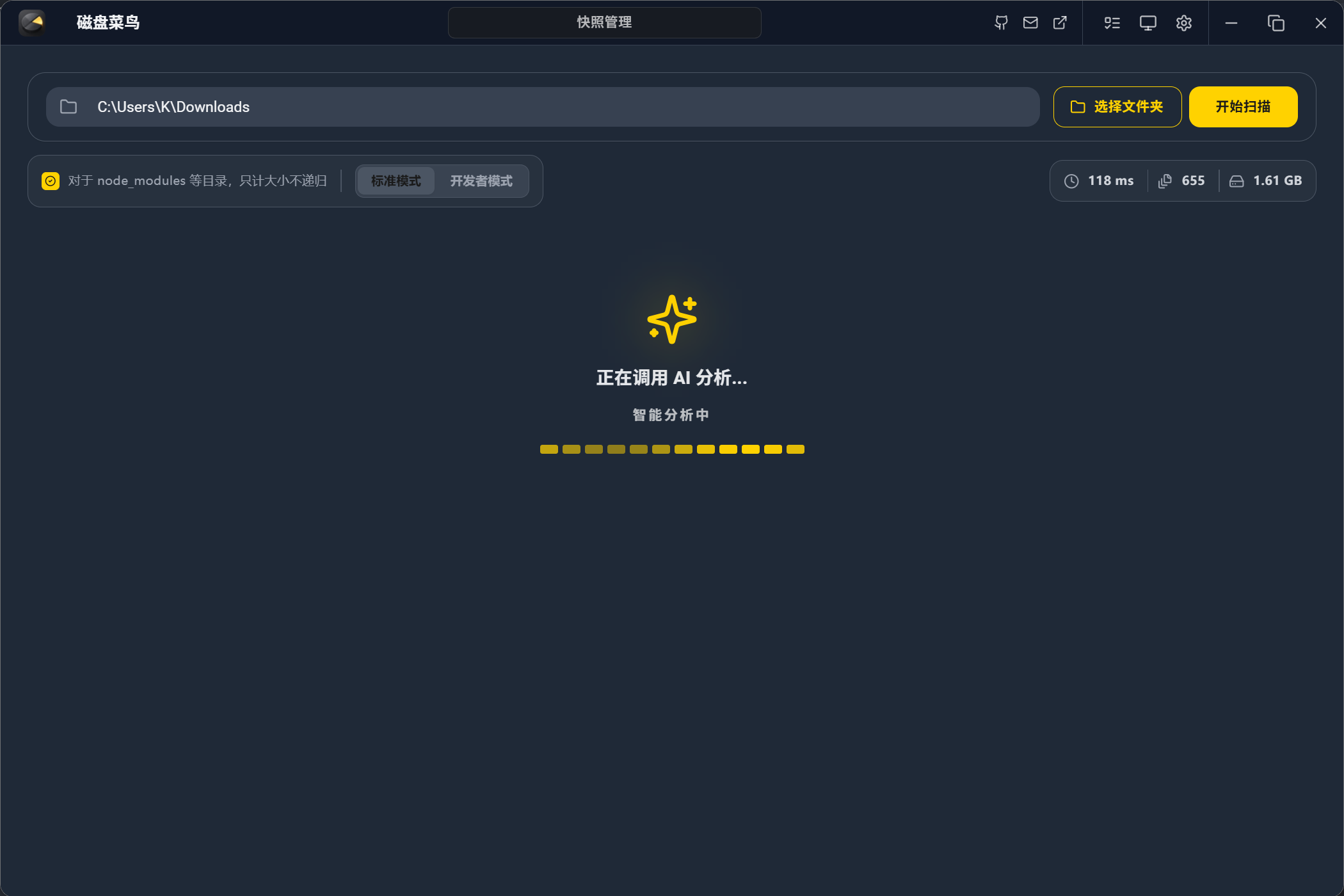
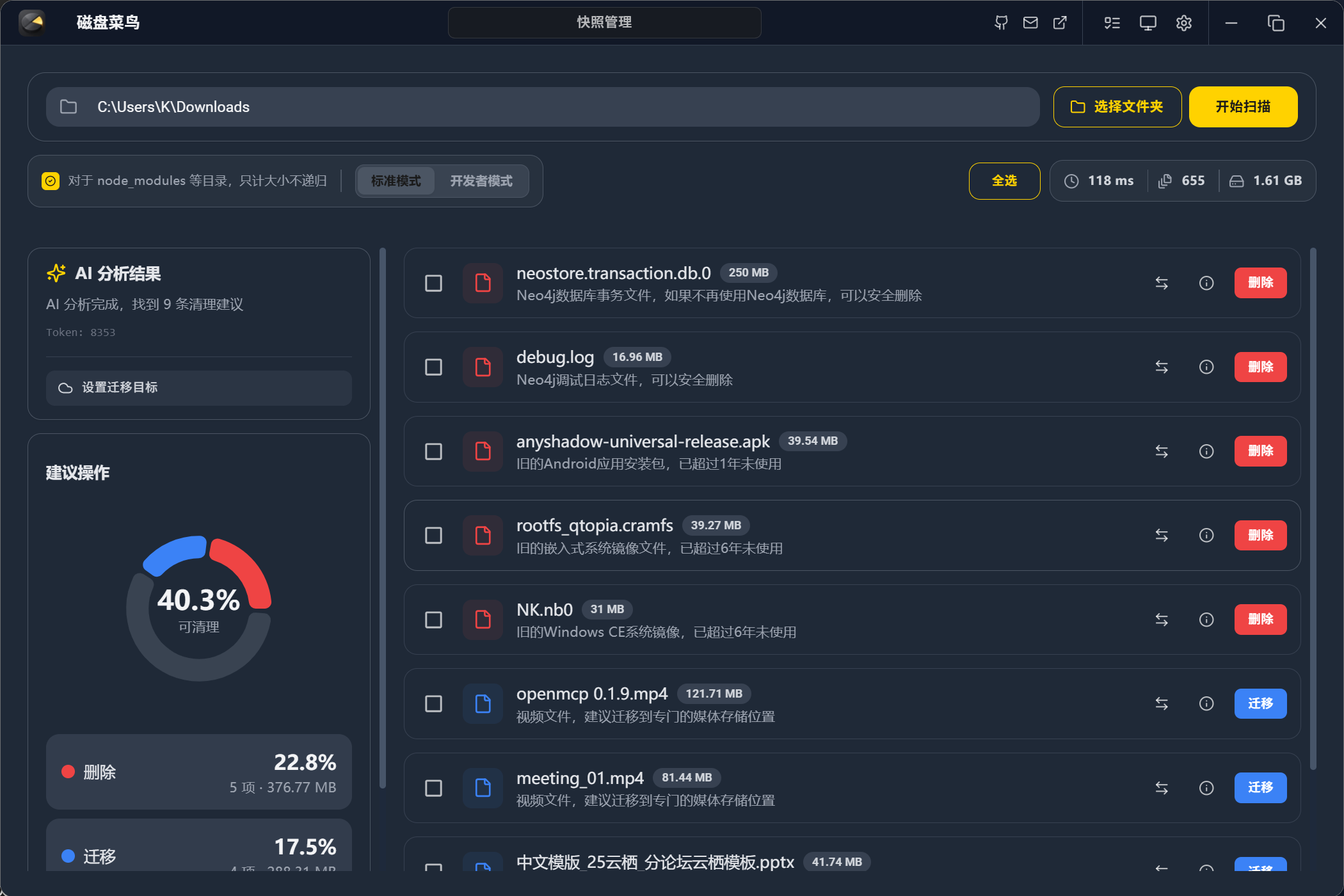
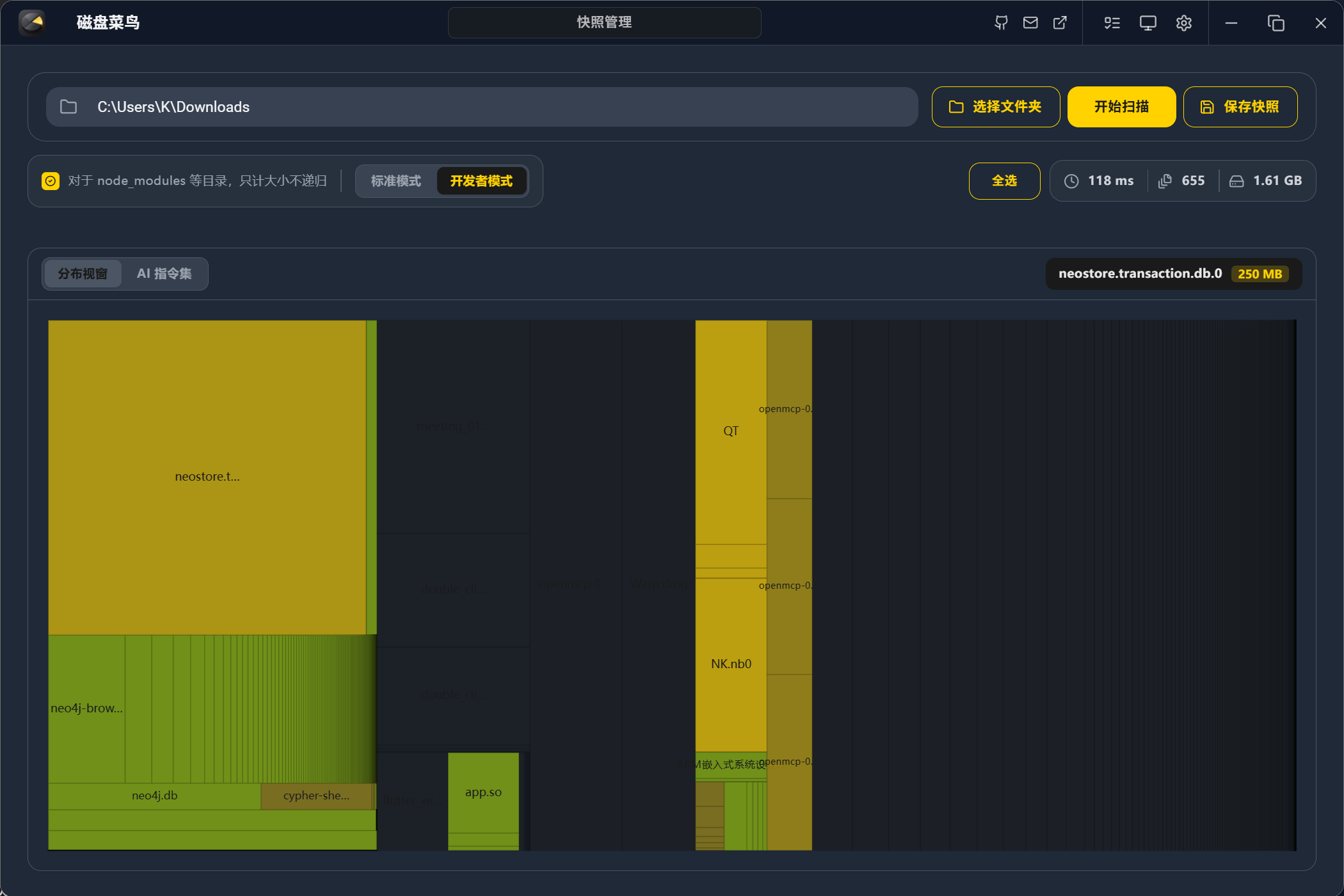
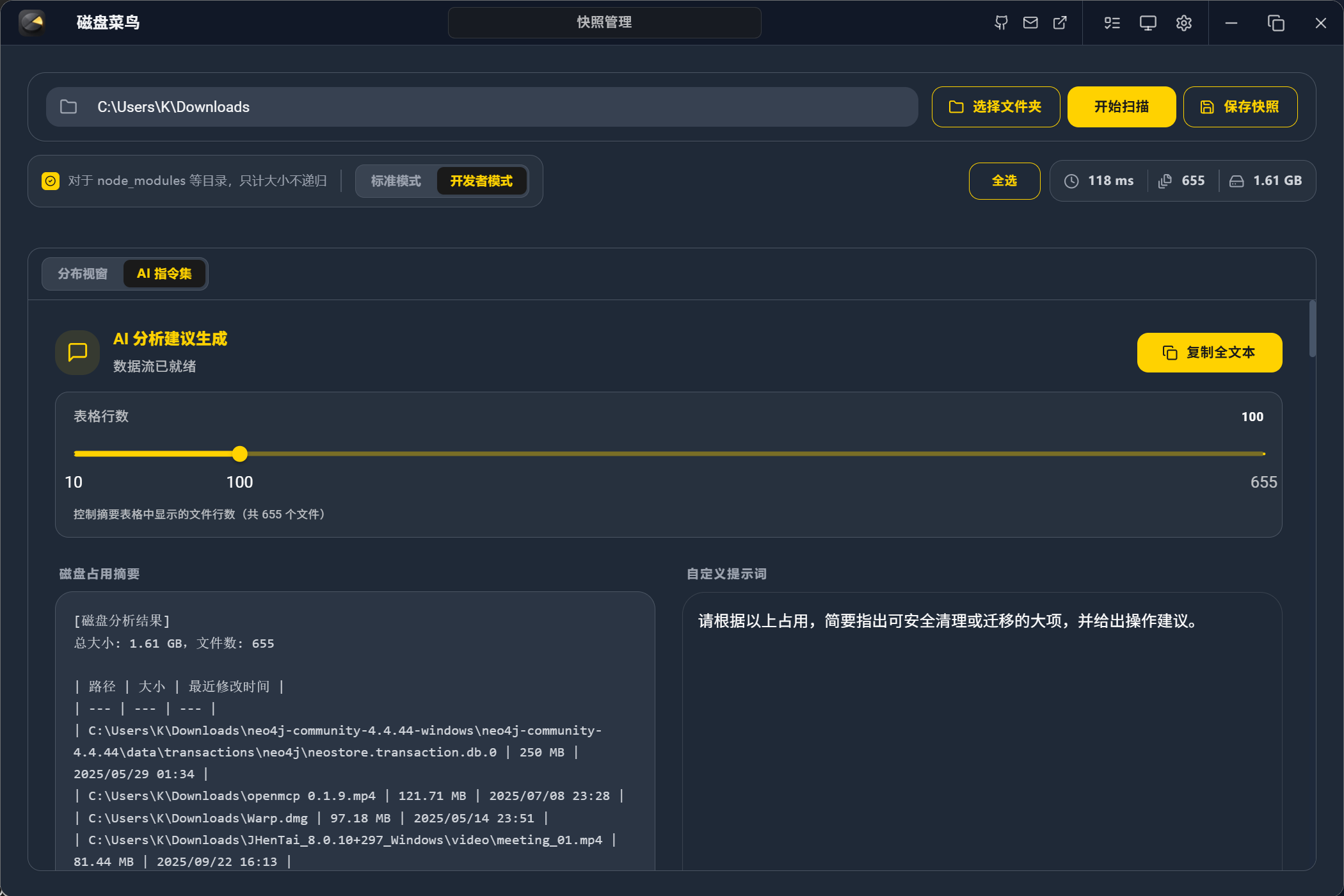
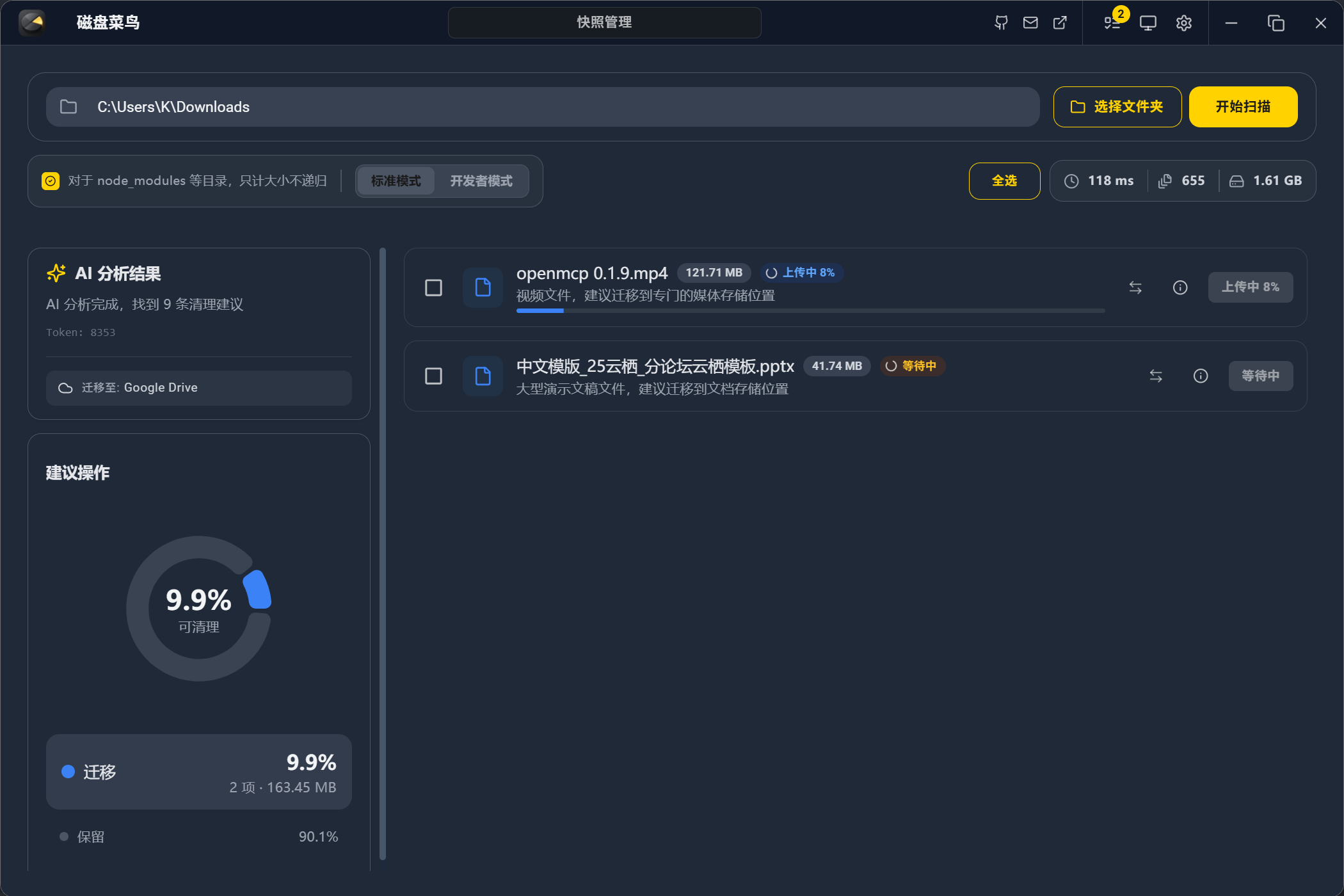
通过 AI 智能分析磁盘占用,快速识别可清理或迁移的文件,让磁盘管理变得简单高效。
| AI 智能分析 | 分析结果展示 |
|---|---|
 |
 |
| 云存储迁移 | 可视化展示 |
|---|---|
 |
 |
| 自定义 AI 设置 | 批量操作 |
|---|---|
 |
 |
核心特性
- 🚀 Rust 高性能扫描:基于 Rust 核心构建,最高速度可达 1 秒扫描 5000 个文件,低内存占用,即使百万级文件也能流畅运行。
- 🤖 AI 智能分析:扫描完成后由 AI 系统自动分析文件用途,智能决定哪些需要删除、哪些需要迁移,所有建议需用户确认确保安全。
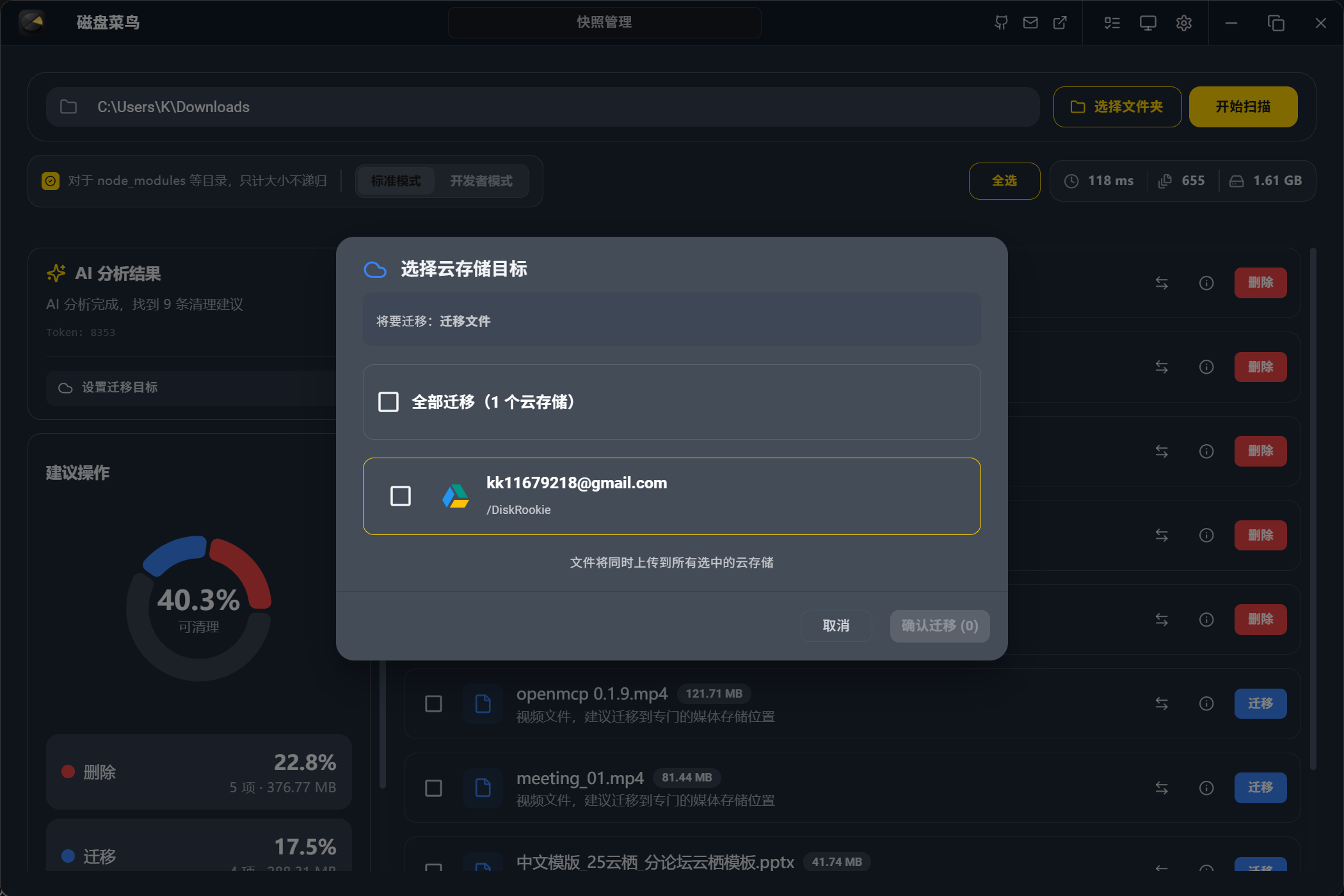
- 🌐 网盘无缝对接:AI 建议迁移的文件只需点击一下即可上传到 Google Drive、OneDrive、阿里云盘、百度网盘或通过 WebDAV 连接的 NAS。
社区交流
欢迎加入我们的 QQ 群,一起讨论 DiskRookie 的使用和开发!

快速开始
🛠️ 环境准备
确保你的开发环境已安装以下工具:
- Rust:
rustc 1.86+ - Node.js:
v20+ - 包管理器:
npm或pnpm
🖥️ 开发调试
# 1. 克隆项目
git clone [https://github.com/your-username/DiskRookie.git](https://github.com/your-username/DiskRookie.git)
cd DiskRookie/apps/desktop

# 2. 安装前端依赖
cd frontend && npm install && cd ..

# 3. 启动开发模式 (自动开启 Rust 后端与 React 前端)
npm run dev
构建发布
cd apps/desktop
npx tauri build --target x86_64-pc-windows-msvc
开发计划
我们正在积极开发以下功能,让 DiskRookie 变得更加强大和易用:
1. 🌐 扩展云存储支持
- 目标:兼容更多云存储厂商,提供更灵活的迁移选择
- 计划支持:
- 夸克网盘
- Dropbox
- 更多主流云存储服务
2. 🤖 增强 AI 模型兼容性
- 目标:支持更多大模型,包括本地部署方案
- 计划功能:
- 兼容本地部署的 Ollama
- 测试和优化不同模型的性能表现
- 提供模型选择与切换功能
3. 🎨 优化用户体验
- 目标:让完全没有电脑知识的小白也能轻松使用
- 计划改进:
- 简化操作流程,实现一键无脑管理磁盘
- 优化 UI 交互,提供更直观的操作指引
- 增强错误提示和帮助文档
4. 🔧 完善 CI/CD 流程
- 目标:构建完善的 GitHub workflow,提升开发效率
- 计划功能:
- 软件层面的基础测试自动化
- 一键式构建和发布流程
- 多平台构建支持(Windows、macOS、Linux)
5. 🌍 构建门户网站
- 目标:为软件创建一个简单的门户网站
- 计划内容:
- 介绍软件的理念和概念
- 承载用户条款和隐私政策
- 提供下载和文档入口
许可证
本项目采用 Apache License 2.0 许可证。
Copyright © 2026 AI Disk Analyzer Contributors.
Reviews (0)
Sign in to leave a review.
Leave a reviewNo results found