flecha-browser
Health Pass
- License — License: MIT
- Description — Repository has a description
- Active repo — Last push 0 days ago
- Community trust — 81 GitHub stars
Code Fail
- rm -rf — Recursive force deletion command in chromium/branding/dmg/render.sh
- os.homedir — User home directory access in chromium/native-host/arcImport.ts
- exec() — Shell command execution in chromium/native-host/browserImport.ts
- os.homedir — User home directory access in chromium/native-host/browserImport.ts
- os.homedir — User home directory access in chromium/native-host/host.ts
- rm -rf — Recursive force deletion command in chromium/scripts/build-release.sh
Permissions Pass
- Permissions — No dangerous permissions requested
No AI report is available for this listing yet.
Open-source Arc alternative for macOS: a Chromium browser for developers with Spaces, a dev command bar and a built-in MCP server for coding agents.
Flecha
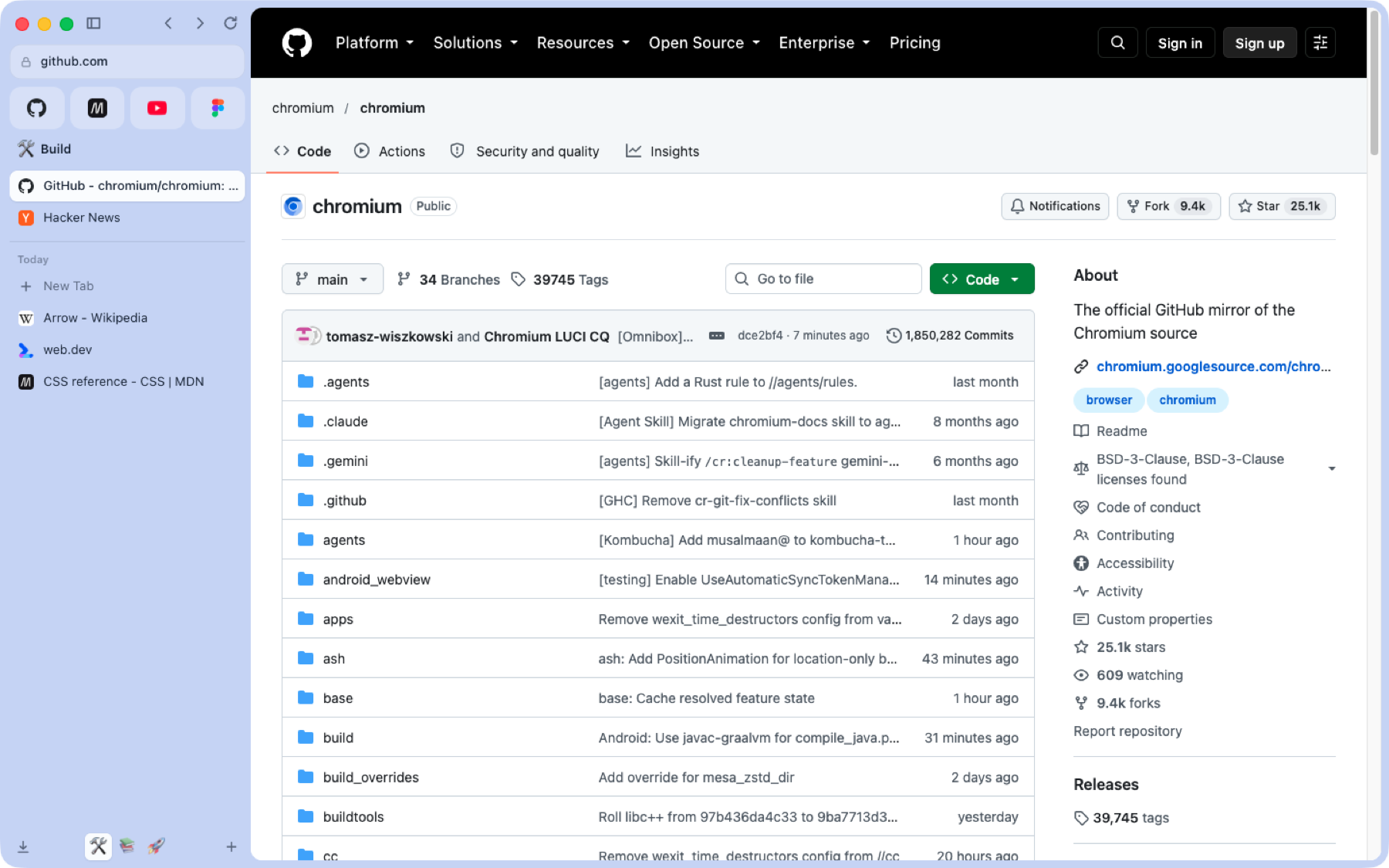
An Arc-style browser for developers, built on a Chromium fork. Arc's interface ideas are rebuilt from scratch; no Arc code is used.
Why
Arc's vertical sidebar, Spaces and Peek are hard to give up, and Arc is no longer where the work is happening. Flecha is a replacement that keeps those ideas and adds tools for the people who build websites.
It is a Chromium 158 fork rather than an Electron app because Google blocks sign-in in Electron. Flecha is real Chromium, so Google sign-in, Chrome Web Store extensions and the rest of the web platform work as they do in Chrome. Flecha started as an Electron app; that version is gone from the repo (it's in the git history before the move to chromium/).
Features
Sidebar and tabs
- A vertical sidebar with favourites, pinned tabs (with folders) and Today tabs, per Space
- Drag tabs between favourites, pinned, folders and Today
- Today tabs archive themselves after 12 hours by default (1 day, 7 days, 30 days or never in Settings); the archive is searchable
- Closing a pinned tab or favourite only unloads it and sends it back to its pinned URL
- Per-site favicons, tab muting, duplicate, copy link or Markdown link, copy screenshot
- On launch, the window comes back where it was
Spaces
- Spaces with their own colour and emoji; in dark mode the colour becomes a deep tint of the same hue
- Right-click a Space, then Separate Cookies and Logins, to be signed in as different users side by side (a persistent storage partition per Space)
- Switch with ⌃1 to ⌃9, or next and previous Space with ⌥⌘← and ⌥⌘→
Command bar
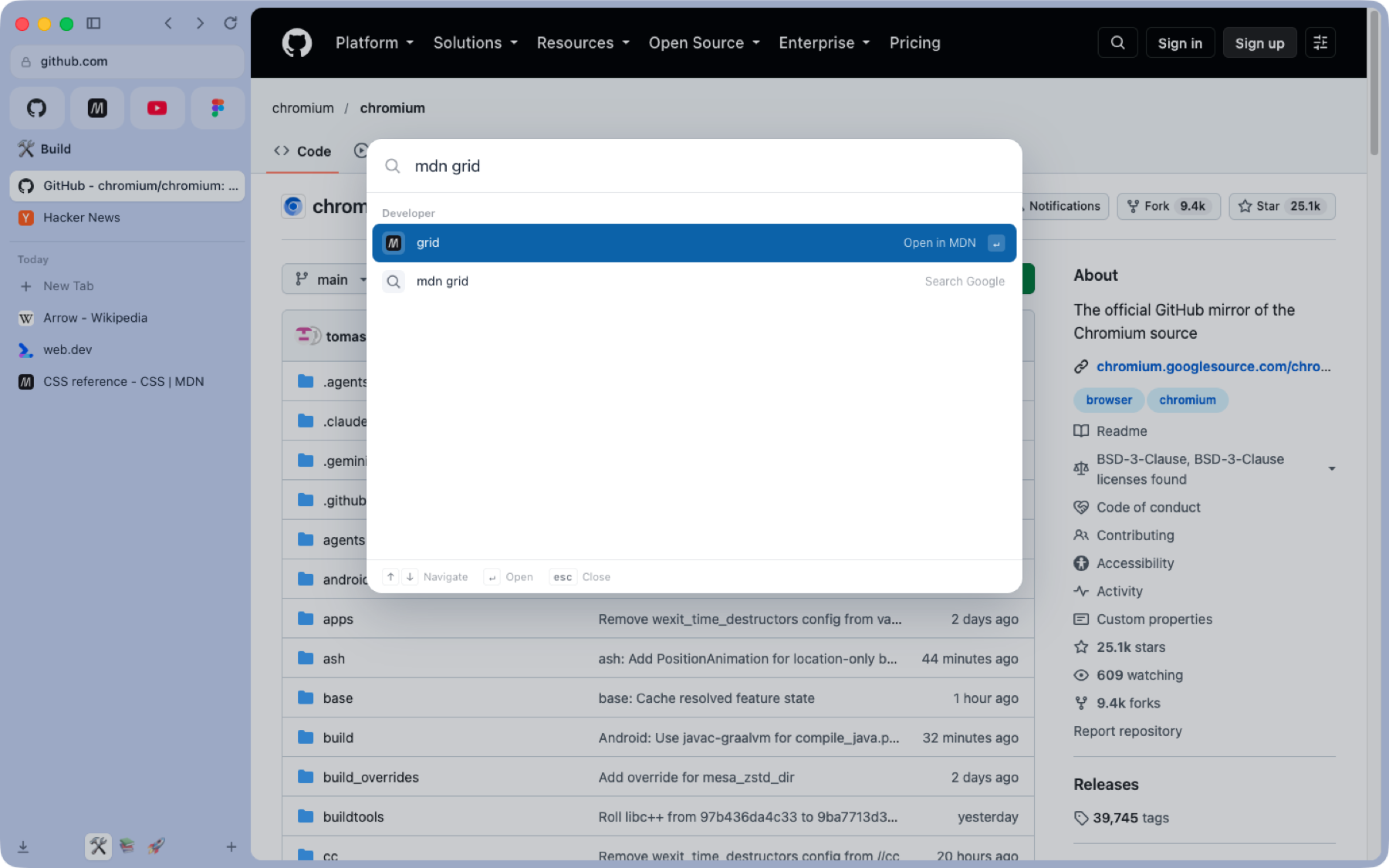
- ⌘T for a new tab, ⌘L for the current one; it searches open tabs, the archive and history
- Developer shortcuts:
gh owner/repo,gh 123(in the current tab's repo),npm react,mdn grid,caniuse :has,so ..., andenv - Paste a JWT or a Unix timestamp to decode it in place
- Type
boostto open the Boosts page
Peek, split view and Flechinha
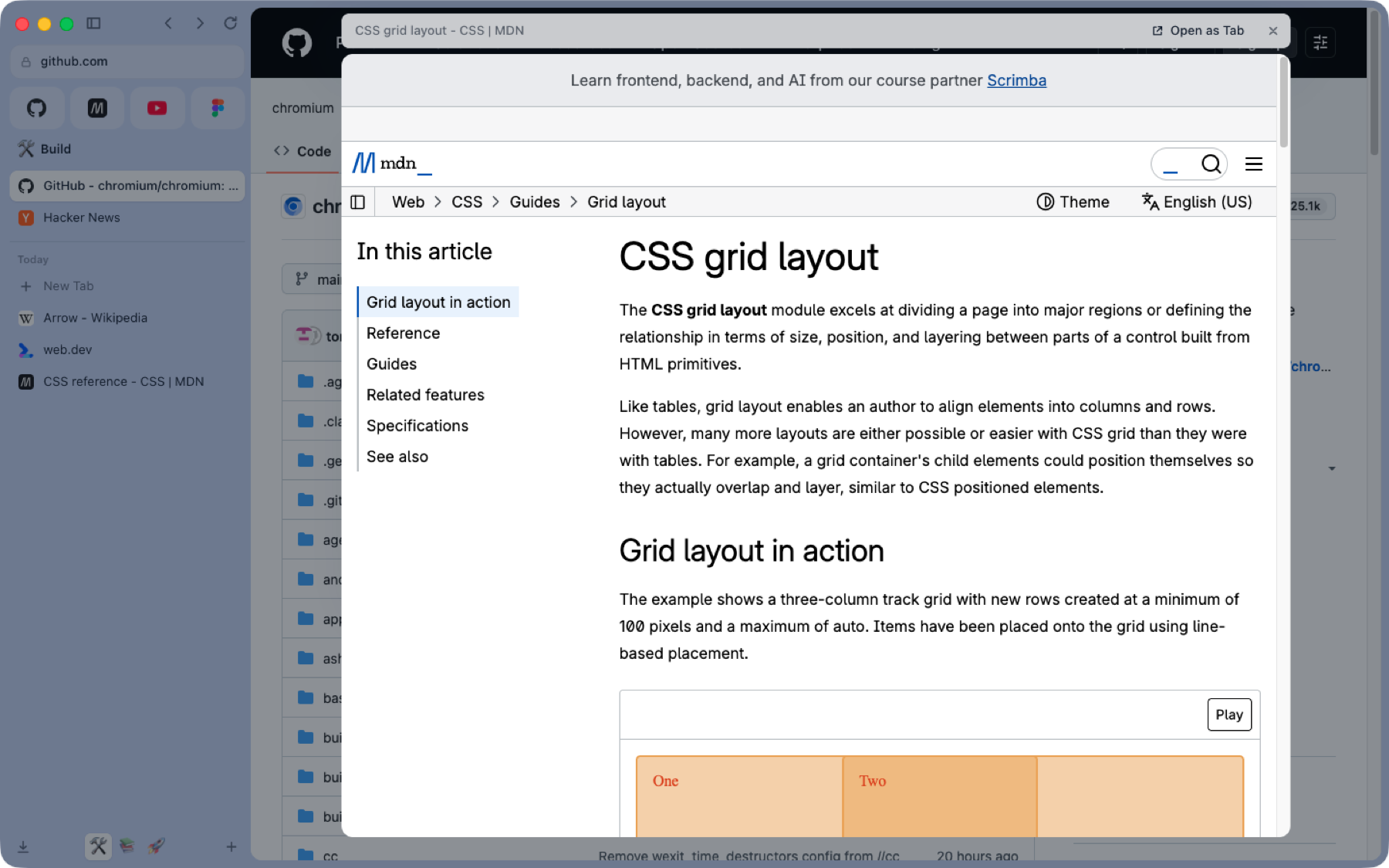
- Peek: links that open a new tab from a pinned tab or favourite show in a floating preview; any link's right-click menu offers it too. Esc or a click outside closes it, Open turns it into a tab
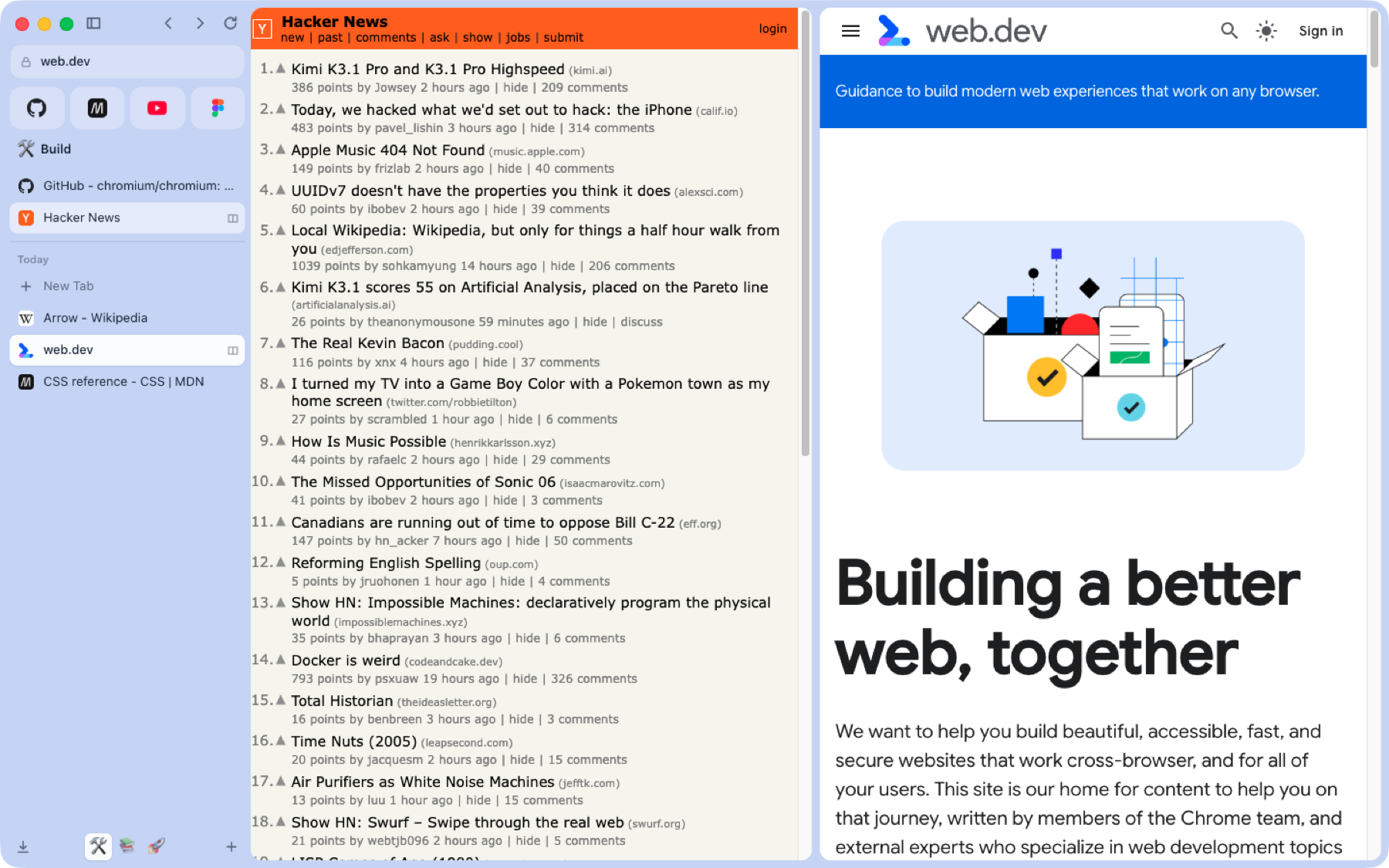
- Split view: right-click a tab, Open in Split View, or ⌃⇧= to split with a new tab (⌃⇧- exits)
- Flechinha: a small standalone window for a quick page (⌥⌘N), which can be sent back into the main window
Boosts
- Per-site TypeScript and CSS (
github.com.ts,github.com.css,all.css), kept in Flecha and edited on the Boosts page. CSS applies live; scripts reload the page. ⌥⌘B edits the current site's boost
For developers
- Console error badge: local tabs show how many console errors they have; clicking it opens the Console
- Responsive view (⌥⌘M): the page as a phone (393px, touch, mobile user agent) next to desktop
- Running locally: dev servers listening on this Mac show up in the sidebar, named after their project folder
- Environments: group a project's origins (local, staging, production) in Settings; ⌥⌘E moves the page to the next one with the same path, and the address bar shows a LOCAL, STAGING or PROD badge
- Chromium's DevTools (⌥⌘I), View source (⌥⌘U), zoom and Find in page
- Coding agents (MCP): Settings, Coding agents turns on a local MCP server (127.0.0.1, token required) so Claude Code, Cursor and others can list tabs, read pages and console logs, take screenshots, click, type and run JavaScript. It needs the native host (see Install)
Privacy and the rest of the browser
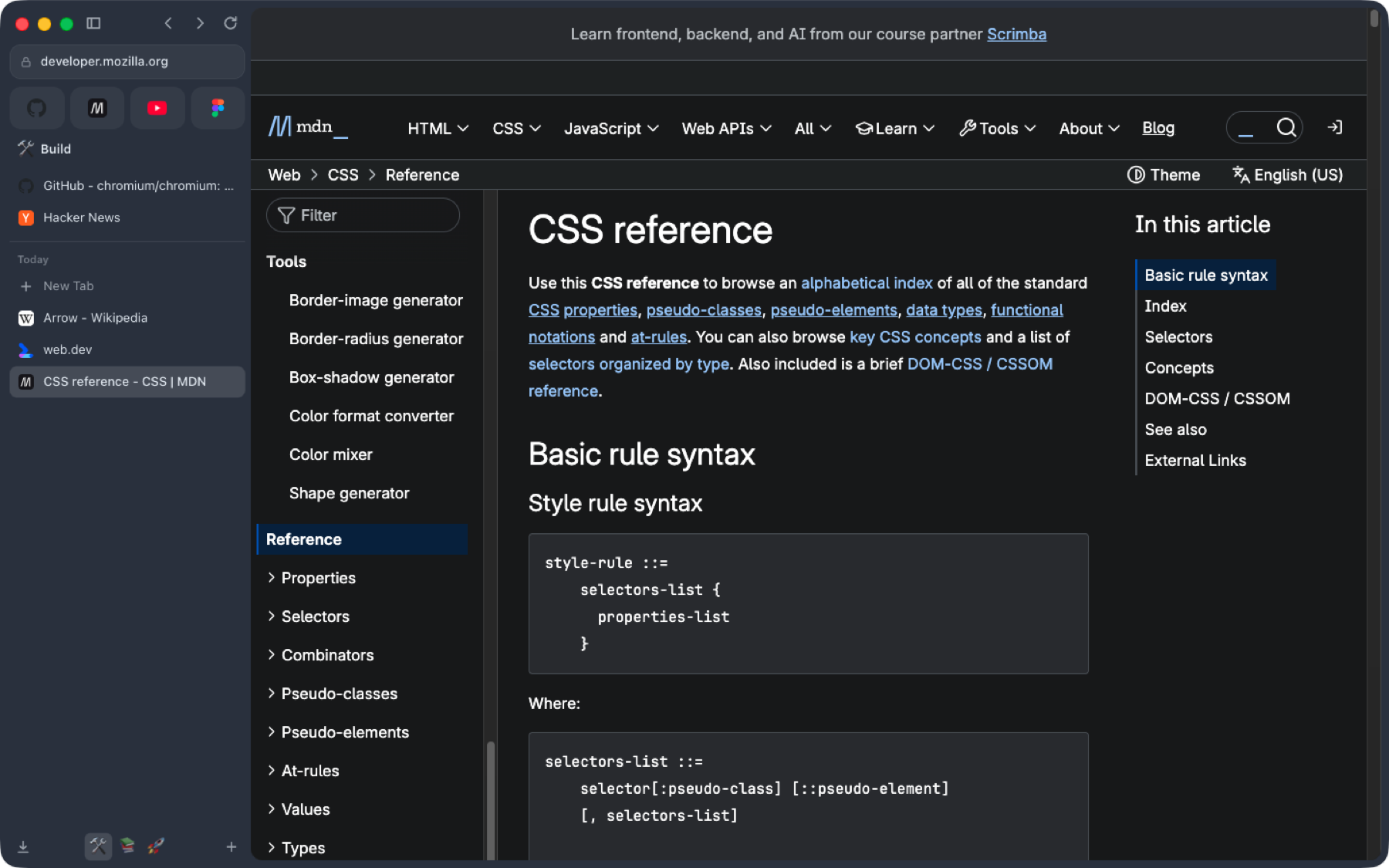
- Built-in ad and tracker blocking (EasyList and EasyPrivacy as declarativeNetRequest rules, plus element hiding), toggled in Settings
- Incognito windows get the same Flecha frame, with one in-memory Space that is forgotten when the last incognito window closes
- Import bookmarks and history from other browsers and from Arc's sidebar (needs the native host)
- Chrome extensions: install from the Chrome Web Store; their buttons appear under the address bar
- Light, dark or system theme; Flecha's shortcuts can be re-recorded in Settings (except a few Chromium keeps, like ⌘T and ⌘W) (⌘/ lists them)
- Settings (⌘,): search engine (Google, DuckDuckGo, Bing, Brave, Kagi, Ecosia), ad blocking, default browser, Peek behaviour, shortcuts, environments
Not there yet in the Chromium build: choosing the downloads folder from Settings, and the welcome tour.
Install
- Download the latest
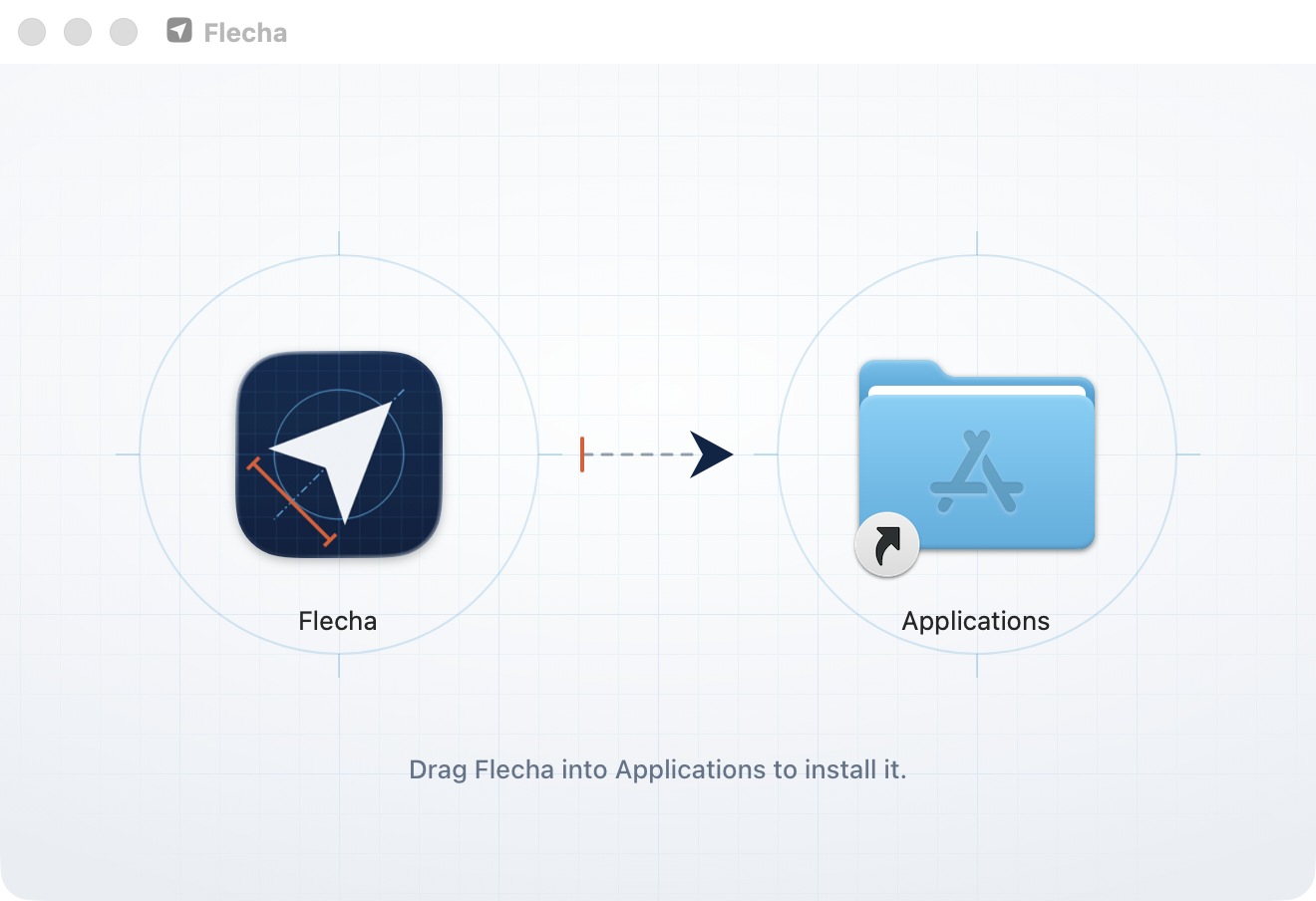
Flecha-<version>.dmgfrom Releases. Releases are signed with a Developer ID and notarized by Apple. They are Apple Silicon (arm64) only for now; Intel is planned. - Open the dmg and drag Flecha onto Applications.
- Optional, but needed for importing from other browsers and Arc, and for the coding-agent MCP server:
git clone https://github.com/lucianodiisouza/flecha-browser.git && cd flecha-browser
chromium/scripts/install-native-host.sh --app /Applications/Flecha.app
Browsers can't read other browsers' files or open a local port, so Flecha ships a small native messaging host (a bundled Node, in the app). The script registers it with Chromium for Flecha's profile folder. It allows only Flecha's own shell extension to talk to it. Run it again if you move the app.
Build from source
You need:
- macOS on Apple Silicon, with Xcode (and its command line tools)
- depot_tools on your
PATH - a Chromium checkout at the version Flecha targets (158), with plenty of disk (100 GB or more) and several hours for a first build
- Node 22.5 or newer (the native host uses
node:sqlite) andnpm ciat the repo root
Fetching the Chromium checkout isn't scripted here; follow Chromium's macOS build instructions. Build on an APFS volume: env.sh expects the checkout on APFS because siso treats every output as stale on HFS+ (one-second file times) and rebuilds everything.
chromium/scripts/env.sh says where things live, and every script reads it. Override with CHROMIUM_SRC (the checkout's src), DEPOT_TOOLS, FLECHA_DISK, FLECHA_VOLUME and FLECHA_PROFILE (the dev profile). Its defaults assume a disk image that it mounts for you, so set these for your own layout.
The dev loop
npm ci
chromium/scripts/build.sh              # apply.sh (branding and patches), then autoninja -C out/Dev chrome
chromium/scripts/run.sh                # launch out/Dev/Flecha.app with its own profile
node chromium/shell/build.mjs          # shell-only change: rebuild, then relaunch run.sh
npm run typecheck
apply.sh is safe to run again: it first resets every file it touches. The dev build is a component build, so a change relinks one small library. run.sh loads the shell from chromium/shell/dist through --flecha-shell-dir, so UI work needs no Chromium build at all (npm run shell:watch rebuilds on save).
Release
export FLECHA_SIGN_IDENTITY="Developer ID Application: Your Name (TEAMID)"
export FLECHA_NOTARY_PROFILE=flecha-notary   # made once with: xcrun notarytool store-credentials
chromium/scripts/build-release.sh --dmg
build-release.sh builds the shell, applies the patches, stages the shell into the checkout, writes out/Release/args.gn from chromium/build/release.gn, builds (3 to 6 hours, resumable) and calls package-release.sh. That copies the app, adds the native host with its Node, signs everything innermost first (hardened runtime, timestamp and Chromium's entitlements when FLECHA_SIGN_IDENTITY is set; ad hoc otherwise), makes the dmg with an installer window, and with FLECHA_NOTARY_PROFILE notarizes it and staples the ticket. Releases use target_cpu = "arm64" and no proprietary codecs (H.264 and AAC), which need patent licences.
Repo layout
chromium/
  patches/       the native changes to Chromium, as numbered unified diffs
  branding/      app icon, logo, BRANDING, the dmg background
  build/         dev.gn and release.gn (the GN args)
  scripts/       apply, build, run, env, build-release, package-release,
                 install-native-host, dmg-layout.py
  shell/         the MV3 component extension that draws the window
    background.ts   service worker: the Store, tabs, windows
    features/       ad blocking, boosts, console errors, local servers, responsive view
    ui/             sidebar, command bar, settings and Flechinha pages
    lib/            URLs, shortcuts, environments, settings rules, tab manager
  shared/        types and the sidebar model, used by the shell and the host
  native-host/   the native messaging host (Node)
Architecture in brief
Flecha is Chromium plus two layers: a small set of patches, and an extension that draws the browser.
flowchart LR
  subgraph Chromium["Chromium 158 + Flecha patches"]
    Frame["Window frame view<br/>(hides tab strip and toolbar)"]
    API["chrome.flechaPrivate"]
  end
  subgraph Shell["Shell (MV3 component extension)"]
    BG["background.ts<br/>Store, tabs, features"]
    FP["Frame page<br/>sidebar, command bar"]
  end
  Host["Native host (Node)<br/>import, MCP server"]
  Frame -- "hosts" --> FP
  FP <--> BG
  BG <--> API
  BG <-- "native messaging" --> Host
- Patches (
chromium/patches/) change what only Chromium can: hide the tab strip and toolbar, draw Flecha's own window frame and traffic lights, round the page area, add Peek, Flechinha windows, split ratio, a storage partition per Space, and so on. - The shell is a Manifest V3 extension loaded as a component extension, so it can't be removed or turned off. Its service worker (
background.ts) owns the Store and the tabs; everything the user sees is shell HTML and TypeScript. - The frame page is a shell page that Chromium's frame view hosts around the web contents. It draws the sidebar and command bar, and its drag regions move the window.
chrome.flechaPrivate(shell/flechaPrivate.d.ts) is the private extension API the patches add, for what the standard APIs lack: frame state, shortcuts, theme, split ratio, Peek, Flechinha, partitions, DevTools, the find bar and default-browser. It is available to the shell only.- The native host does what an extension can't: read other browsers' bookmarks and history, and serve MCP to coding agents on 127.0.0.1.
Status and roadmap
Flecha is early software, used daily by its author. Next:
- Intel (x86_64) builds
- Auto-update with Sparkle (in progress)
- Resizable split divider and 3 to 4 pane splits
- Choosing the downloads folder and the welcome tour in the Chromium build
Contributing
Bug reports and patches are welcome; see CONTRIBUTING.md for setup, how patches work, and the commit style.
License
Flecha's own code is released under the MIT license. Flecha is built on Chromium; Chromium and its third-party components keep their own BSD-style and other licenses, and those notices apply to the browser builds. Flecha is not affiliated with or endorsed by Google, Arc or The Browser Company.
Reviews (0)
Sign in to leave a review.
Leave a reviewNo results found