draggy
Health Warn
- License — License: Apache-2.0
- Description — Repository has a description
- Active repo — Last push 0 days ago
- Low visibility — Only 5 GitHub stars
Code Pass
- Code scan — Scanned 12 files during light audit, no dangerous patterns found
Permissions Pass
- Permissions — No dangerous permissions requested
No AI report is available for this listing yet.
Open-source desktop assistant for local models. Chat, talk to it, and let it browse the web and work with your files.
Draggy
A local AI assistant and coding agent for Windows, macOS, and Linux. Free, open source, no account.




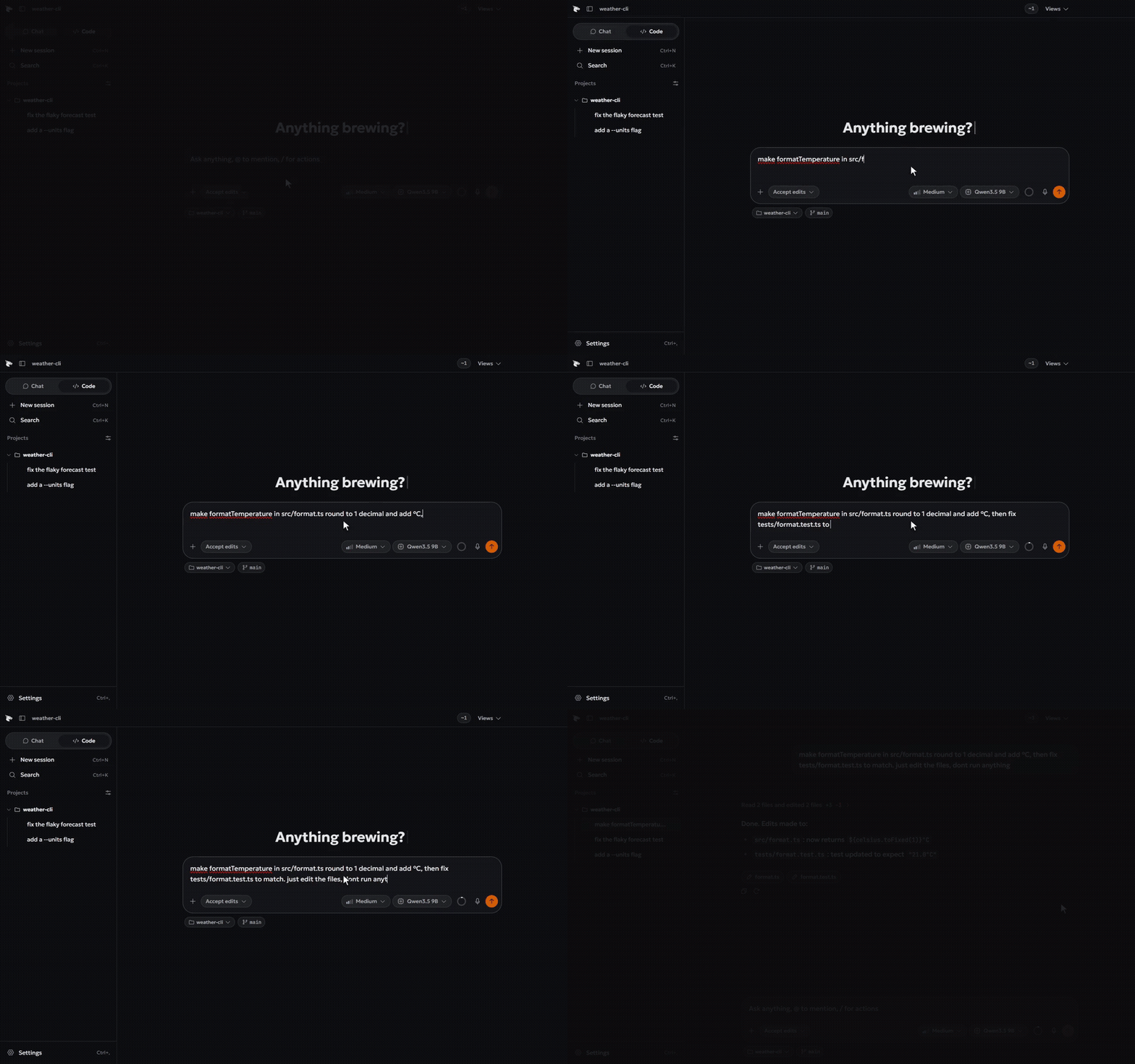
Code mode on a sample project. Model waits are sped up 6 times.
[!WARNING]
Install from official sources only. Draggy comes from this repository, its
releases page and
draggy.org. Builds are not code signed, so third-party
mirrors cannot be verified.
Draggy is a desktop assistant that talks, browses, and works in project folders,
running open models on your own computer.
It runs weights locally using an embedded llama.cpp engine with GGUF weights
from Hugging Face. There is no account, no telemetry, and no network traffic
unless you request it. The one exception is the price refresh behind the cost
counters, which fetches public price lists and exchange rates and can be turned
off in Settings. Available as an Electron application on Windows, a native
SwiftUI app on macOS, and a native GTK 4 app on Linux.
Compared with LM Studio, Jan or Ollama, the difference is the coding agent: it
reads, edits and runs commands in a project folder, shows every change as a diff
you can undo, and works under one of four permission modes. Large
Mixture-of-Experts models that do not fit in memory can still run from your drive.
Documentation lives on the wiki at draggy.org/wiki:
installation details, hardware requirements, features, troubleshooting, and
architecture in English, French, Spanish, and Chinese. Start with
Installation, or
Building and architecture to work on the code.
Features
- Guided setup for interface language, theme, and hardware-matched models.
- Local llama.cpp engine running GGUF models on your hardware.
- Compact system prompts tuned for 1B to 7B models.
- Separate chat and coding workspaces with independent model selection.
- File editing, terminal commands, and undoable diff reviews.
- Four permission modes: plan, ask, accept edits, and auto.
- Interactive task checklists with real-time step reordering.
- Interactive question cards for single-choice, multiple-choice, and text clarifications.
- Thumbnail preview cards for image attachments in the composer.
- Sandboxed ad-blocking browser, web search, and document generation.
- Semantic search and retrieval across local folders.
- Support for MCP servers and 572 built-in skills across chat and code.
- Colibri engine streams large MoE models from disk.
- Voice chat with turn detection and interruption handling.
- Real-time streaming replies with text fade-in.
- Local GPU image generation with Stable Diffusion and Z-Image.
- Optional token-protected OpenAI-compatible local server.
- Connect external runtimes or cloud APIs with secured keys.
Installing and requirements
Installers for Windows (.exe), macOS (.zip), and Linux (.deb, .rpm) are available from draggy.org and the
Releases page. On first launch,
Draggy suggests a model sized for your hardware and downloads it directly. See
Installation for system requirements and platform setup details.
Image generation is optional and installed from Settings, under Models. The engine is a separate download of 17 to 900 MB depending on the build, and a model needs about 2 GB of video memory for Stable Diffusion 1.5 or 6 GB for Z-Image Turbo. With less, the weights stay in system memory.
Large models are managed from Settings, under Models, in the Large models panel. Draggy downloads colibri on demand, along with a small private Python runtime on Windows. Below 3 tokens per second it switches to slow mode: fewer tool rounds per turn, thinking off unless you turn it on, and a notification when a long answer is ready.
If Draggy is useful to you, a star on this repository helps other people find it.
Building from source



npm install
npm run electron:dev
This starts Vite and Electron with hot reload on Windows.
macOS (SwiftUI)
macos/scripts/build-core.sh
xcodegen generate
xcodebuild -scheme Draggy -configuration Debug
Linux (GTK 4 & libadwaita)
cargo build --release -p draggy-linux
See Building and architecture for repository layout, CONTRIBUTING.md for contribution guidelines, and RELEASING.md for release workflows.
Logging and diagnostics
Operational events write to app.log in the application data folder, while detailed traces write to debug.log. Prompts and text payloads are hashed for privacy. See Troubleshooting for log locations across platforms.
Known rough edges
- Output quality depends on the selected model size and quantization.
- Inference speed depends on available CPU and GPU memory bandwidth.
- Large models depend on drive speed. A hard disk or USB drive is usually too slow to be useful.
License
Draggy is licensed under the Apache License 2.0. You can use, modify, share, and distribute it, including in commercial projects, provided you retain the NOTICE attribution file.
Trademarks
The license covers the code, not the Draggy name and logo. Provider logos shown in the app belong to their owners.
Reviews (0)
Sign in to leave a review.
Leave a reviewNo results found