postsider
Health Warn
- License — License: AGPL-3.0
- Description — Repository has a description
- Active repo — Last push 0 days ago
- Low visibility — Only 5 GitHub stars
Code Pass
- Code scan — Scanned 12 files during light audit, no dangerous patterns found
Permissions Pass
- Permissions — No dangerous permissions requested
No AI report is available for this listing yet.
Open-source social media scheduling for 30+ platforms, with a public API, SDK and MCP server.

PostSider
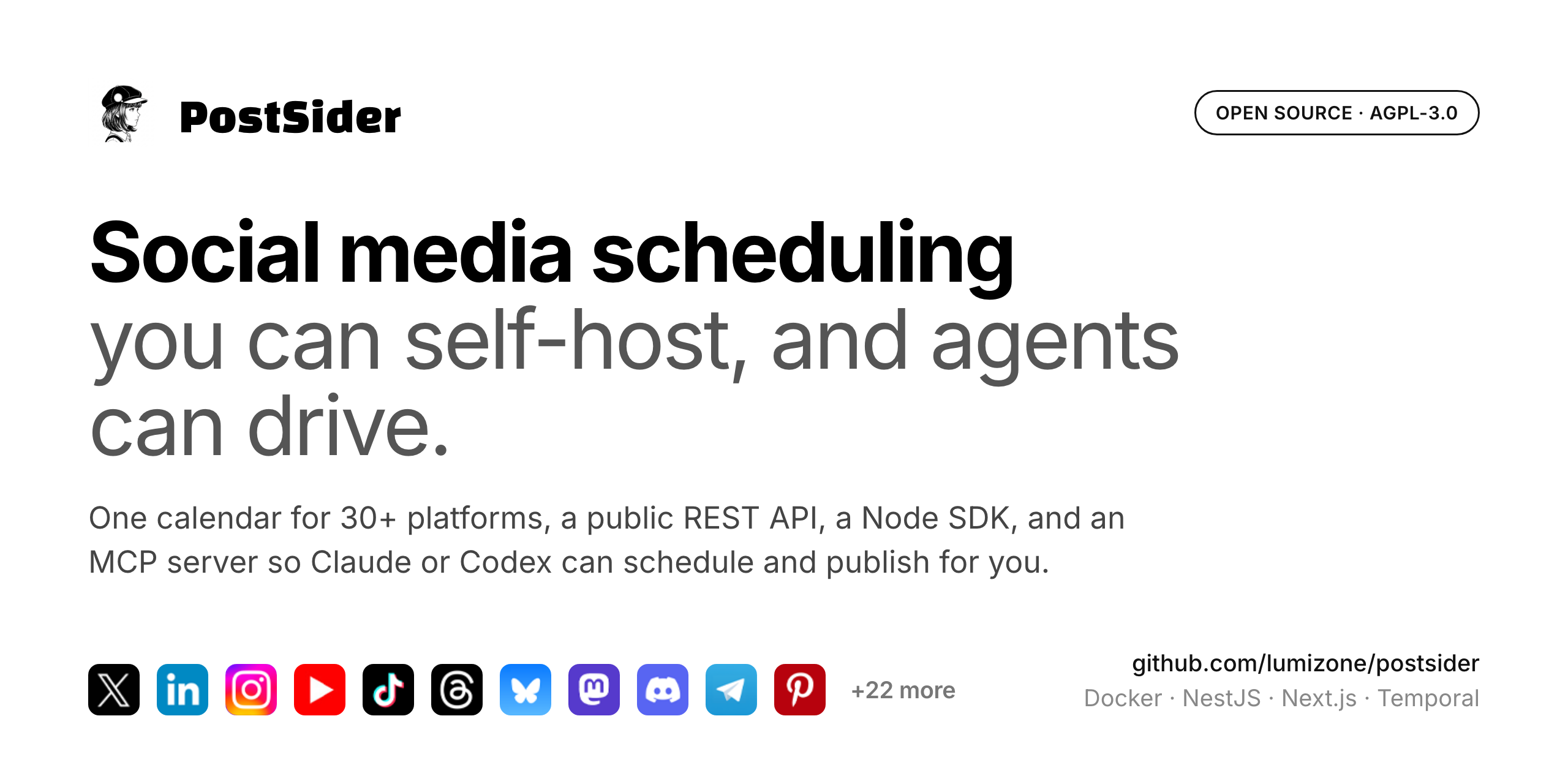
Open-source social media scheduling for 30+ platforms.
Plan, compose, and publish from one calendar, with a public API and SDK for automation
and an optional AI assist for checking and rewriting captions.







Quick Start · Features · Platforms · Architecture · Self-Hosting · Contributing · License
Features
Scheduling and publishing
- Visual calendar with drag and drop scheduling and time slot management
- Posting queue with day-aware find-free-slot, plus Smart Slots suggestions
- Evergreen recycling for content you want to repost on a cadence
- Per-platform preview and per-platform validation before you publish
- First comment posted automatically for platforms that support it
- 33 built-in connectors across social, chat and blogging platforms, all in one calendar (full list)
Composer
- Hashtag groups, caption templates, UTM builder, and reusable snippets
- Bulk CSV import to schedule many posts at once
- Approval workflow so posts can be reviewed before they go out
Security and account protection
- Optional TOTP two-factor authentication with an authenticator app, a dedicated enrollment flow, and one-time recovery codes; superadmins can require it for the whole workspace
- Encrypted channel credentials — OAuth tokens for connected social accounts are encrypted at rest
- Security activity trail for sensitive account and organization actions
- Hardened sessions and API — httpOnly secure cookies, CORS and CSP controls, rate limiting, and server-side plan enforcement
Optional AI (off unless you provide a key)
- Post Checker flags issues before publishing
- Caption rewrite improves a draft on request
- Uses the platform
OPENAI_API_KEY, or a per-org key you bring yourself (BYO)
Collaboration and automation
- Team collaboration with role-based access (Admin / User)
- Multi-organization workspaces, one per brand or client
- Media library to upload, manage, and attach images and videos
- Analytics with per-post performance tracking where the provider supports it
- Public REST API + SDK (
/public/v1and the@postsider/nodepackage) for programmatic use - MCP server so AI agents (Claude, Codex) can drive the platform natively, via
@postsider/mcp - Webhooks to notify external systems when posts are published
- Self-hostable on your own infrastructure with Docker
Supported platforms
33 connectors ship in the box. Each one is a self-contained provider class inlibraries/nestjs-libraries/src/integrations/social/,
so the list below is exactly what the code registers, nothing aspirational.
| Category | Platforms |
|---|---|
| Social | X, LinkedIn (profiles), LinkedIn (pages), Facebook, Instagram (via Facebook), Instagram (standalone login), Threads, YouTube, TikTok, Pinterest, Bluesky, Mastodon, Nostr, Farcaster, Lemmy, Twitch, Dribbble, Google Business Profile, Whop, Moltbook |
| Chat | Discord, Slack, Telegram |
| Blogs and newsletters | Dev.to, Hashnode, Medium, WordPress, Ghost, Blogger, Mataroa, Write.as, Notion, Listmonk |
You only configure OAuth credentials for the platforms you actually use, see.env.example. Mastodon supports custom instances through the
standard Mastodon connector.
Adding a platform means adding one provider class that extends SocialAbstract
and implements SocialProvider, then registering it in integration.manager.ts.
New connectors are the most welcome kind of pull request.
Quick Start
Prerequisites
- Node.js >= 20.17 (recommended: use Volta, it auto-picks the right version)
- pnpm >= 10.6
- PostgreSQL >= 15
- Redis >= 7
- Docker (optional, for the all-in-one setup)
Option A: Docker Compose (recommended)
git clone https://github.com/lumizone/postsider.git
cd postsider
docker compose up -d
This pulls the published image ghcr.io/lumizone/postsider-app:latest, brings up
Postgres, Redis and Temporal alongside it, and applies database migrations on
startup. The app is served on http://localhost:4007.
Create the first admin account, then sign in (see First login):
docker exec -it postsider pnpm bootstrap
To build the image from source instead of pulling it, replace the image: line
for the postsider service in docker-compose.yaml with build: ..
Option B: Local development
# 1. Clone and install
git clone https://github.com/lumizone/postsider.git
cd postsider
pnpm install

# 2. Set up environment
cp .env.example .env
# Edit .env, at minimum set DATABASE_URL, REDIS_URL, JWT_SECRET

# 3. Apply the database schema
pnpm prisma-migrate-deploy

# 4. Create your first admin user
pnpm bootstrap

# 5. Start development servers (backend + orchestrator)
pnpm dev

# 6. In another terminal, start the frontend
pnpm dev:frontend
The backend runs on http://localhost:3000, the frontend on http://localhost:4200.
First login
After running pnpm bootstrap, you receive a one-time password in the terminal. Sign in with [email protected] and that password, then you are prompted to set your real email and password.
Architecture
PostSider is a pnpm monorepo with the following structure:
postsider/
├── apps/
│   ├── backend/          # NestJS REST API (auth, posts, integrations, billing)
│   ├── orchestrator/     # Temporal worker (scheduled publishing, token refresh)
│   ├── frontend/         # Next.js 15 dashboard (React 19, App Router)
│   ├── commands/         # CLI utilities (bootstrap, config)
│   └── sdk/              # Published npm package for the public API
├── libraries/
│   ├── nestjs-libraries/ # Shared backend logic (Prisma, integrations, uploads)
│   └── helpers/          # Lightweight utilities (auth, crypto, validation)
├── docker-compose.yaml   # Production-ready stack
└── .env.example          # Configuration reference
Tech stack
| Layer | Technology |
|---|---|
| Backend API | NestJS 11, TypeScript 5.5 |
| Frontend | Next.js 15, React 19, CSS Modules |
| Database | PostgreSQL + Prisma 6.5 |
| Cache / Queue | Redis 7 |
| Workflow Engine | Temporal (durable post scheduling, token refresh) |
| AI (optional) | OpenAI (Post Checker and caption rewrite) |
| Billing (optional) | Polar.sh (Merchant of Record) |
| Storage | Local filesystem or Cloudflare R2 |
| Auth | JWT + bcrypt, OAuth (GitHub, Google, Generic OIDC) |
| Monitoring | Sentry |
Key design decisions
- Temporal for scheduling: posts are scheduled as durable workflows, surviving restarts and crashes. Token refresh runs on a cron workflow.
- Per-provider integration classes: each social platform is a self-contained class implementing
SocialProvider. Adding a new platform means adding one file. - CASL-based permissions: subscription tier determines what actions are allowed. Guards check abilities on every request.
- Env-gated single build: the same codebase runs as managed hosting or fully self-hosted. Billing is enabled only when
POLAR_ACCESS_TOKENis set; AI features are enabled only when an OpenAI key is present (platform or BYO). With neither, every org is unlimited and AI is simply hidden. - Public API with SDK: the
@postsider/sdkpackage wraps the public v1 endpoints for external consumers.
Configuration
All configuration lives in environment variables. See .env.example
for the full reference, and
docs.postsider.com/configuration/environment
for the annotated version.
Required variables
| Variable | Description |
|---|---|
DATABASE_URL |
PostgreSQL connection string |
REDIS_URL |
Redis connection string |
JWT_SECRET |
Random string for signing tokens (make it long and unique) |
FRONTEND_URL |
Public URL where the dashboard is accessible |
NEXT_PUBLIC_BACKEND_URL |
Public URL of the backend API |
Storage
By default, files are stored locally in ./uploads/. For cloud storage, set:
STORAGE_PROVIDER=cloudflare
CLOUDFLARE_ACCOUNT_ID=...
CLOUDFLARE_ACCESS_KEY=...
CLOUDFLARE_SECRET_ACCESS_KEY=...
CLOUDFLARE_BUCKETNAME=...
CLOUDFLARE_BUCKET_URL=...
Social platform API keys
Each platform requires its own OAuth credentials, registered in that provider's
developer portal. .env.example lists every variable, and
docs.postsider.com/channels/overview
walks through the per-platform setup. You only need to configure the platforms
you plan to use.
Self-Hosting
Operational guide with domain, TLS and backup notes:
docs.postsider.com/self-hosting.
Docker Compose (production)
docker-compose.production.yaml runs the full stack in a single command:
- PostSider app (backend + frontend in one container, port 5000)
- PostgreSQL (app database)
- Redis (caching + rate limiting)
- MinIO (S3-compatible object storage, port 9000)
- Temporal (workflow engine + its own Postgres + Elasticsearch)
- Temporal UI (workflow monitoring, port 8080)
- DbGate (database admin UI, port 8082, optional)
Migrations run automatically at startup via prisma migrate deploy before the app starts.
Steps:
# 1. Copy the env template
cp .env.example .env.production

# 2. Fill in required values: DATABASE_URL, REDIS_URL, JWT_SECRET,
#    FRONTEND_URL, NEXT_PUBLIC_BACKEND_URL, BACKEND_INTERNAL_URL,
#    MINIO_ACCESS_KEY, MINIO_SECRET_KEY, POSTGRES_PASSWORD.
#    Leave POLAR_ACCESS_TOKEN and OPENAI_API_KEY blank for self-host
#    (billing becomes unlimited; AI features use user-supplied BYO keys).
#    For each social platform you want, register an OAuth app on the
#    provider's developer portal and fill in the matching CLIENT_ID /
#    CLIENT_SECRET vars (see the "Social platform OAuth credentials"
#    section in .env.example).
#    Set NEXT_PUBLIC_BACKEND_URL=https://app.yourdomain.com and build
#    the image (NEXT_PUBLIC_BACKEND_URL is baked into the JS bundle).
nano .env.production

# 3. Build the image (NEXT_PUBLIC_* vars are build-time ARGs)
source .env.production && docker compose -f docker-compose.production.yaml build \
  --build-arg NEXT_PUBLIC_BACKEND_URL="$NEXT_PUBLIC_BACKEND_URL"

# 4. Start everything
docker compose -f docker-compose.production.yaml up -d

# 5. Create the first admin account
docker exec -it postsider-app pnpm bootstrap

# 6. Check logs
docker compose -f docker-compose.production.yaml logs -f postsider
The app is then available on port 5000 (put nginx or a reverse proxy in front for HTTPS).
Updating
docker compose -f docker-compose.production.yaml pull
docker compose -f docker-compose.production.yaml up -d
Migrations run automatically on each restart.
Backups
The critical data lives in PostgreSQL. Back up the postsider-postgres volume regularly:
docker exec postsider-postgres pg_dump -U postsider postsider_prod > backup.sql
Development
Useful commands
# Run backend only
pnpm dev:backend

# Run frontend only
pnpm dev:frontend

# Run orchestrator only
pnpm dev:orchestrator

# Generate Prisma client after schema changes
pnpm prisma-generate

# Create a migration after schema changes
pnpm prisma-migrate-dev

# Apply pending migrations
pnpm prisma-migrate-deploy

# Build all apps
pnpm build

# Build SDK
pnpm build:sdk
Project conventions
- Path aliases:
@postsider/backend/*,@postsider/helpers/*,@postsider/nestjs-libraries/*, and so on - Global DatabaseModule: all Prisma repositories and services are provided globally via
DatabaseModule - Integration pattern: each social provider extends
SocialAbstractand implementsSocialProvider - Temporal workflows: defined in
apps/orchestrator/src/workflows/ - Migrations, not db push: commit Prisma migration files; the server runs
prisma migrate deployon boot
Public API
PostSider exposes a public REST API for programmatic access. Authenticate with your org's API key via the Authorization header.
SDK
npm install @postsider/node
import Postsider from '@postsider/node';

const client = new Postsider('your-api-key', 'https://your-instance.com');

// Create a post
await client.post({
  type: 'schedule',
  date: '2025-01-15T10:00:00',
  posts: [{ integration: { id: 'channel-id' }, value: [{ content: 'Hello!' }] }],
});

// List posts
const posts = await client.postList({ page: 0, limit: 20 });

// List connected channels
const channels = await client.integrations();
AI agents (MCP)
PostSider ships an MCP server so AI agents (Claude Code, Claude Desktop, Codex,
and any MCP-compatible client) can use the platform through the public API: list
channels, review the calendar, create drafts, request approval, upload media, and
read analytics. It is a thin, dependency-light wrapper over the public API.
The server exposes 19 tools. Its workflow is read-first and draft-first: the
agent prepares work in the same calendar a human reviews, and publishing stays a
human decision. The package directory is also a Claude Code plugin, with apostsider-workflow skill that enforces those rules.
pnpm --filter @postsider/mcp build
Then point your agent at apps/mcp/dist/index.js with POSTSIDER_API_KEY (andPOSTSIDER_API_URL for a self-hosted instance). Seeapps/mcp/README.md for client config snippets and the
full tool list, or
docs.postsider.com/cloud/mcp
for the hosted walkthrough.
Claude Code can also install the server as a plugin from this repository, which
registers the postsider-workflow skill and prompts for the API key as a secret
setting:
claude plugin marketplace add lumizone/postsider
claude plugin install postsider@postsider
To confirm the connection without changing anything, ask the agent:List my connected PostSider channels. Do not create or modify anything.
Contributing
Contributions are welcome. Here is how to get started:
- Fork the repository
- Create a feature branch:
git checkout -b feature/my-feature - Make your changes
- Ensure TypeScript compiles:
pnpm run build:backend - Commit with a clear message
- Open a Pull Request
What we're looking for
- Bug fixes with clear reproduction steps
- New social platform integrations
- Documentation improvements
- Performance optimizations
- Test coverage
Code style
- TypeScript strict mode (excluding
strictNullChecksfor now; PRs to fix null-safety are welcome) - Prettier for formatting (
.prettierrcin root) - ESLint for linting
Roadmap
- GitHub Actions CI (build, tests and dependency audit on every push and PR)
- Runtime image published to GHCR on every tagged release
- Broaden test coverage for core flows (auth, posts, integrations)
- Enable
strictNullChecksacross the codebase - Mobile app (React Native)
- Plugin system for custom integrations
- Advanced analytics dashboard
License
PostSider is licensed under the GNU Affero General Public License v3.0.
This means you can use, modify, and distribute PostSider freely, but if you run a modified version as a network service, you must make your source code available to users of that service.
Reviews (0)
Sign in to leave a review.
Leave a reviewNo results found