Lumovi
Health Warn
- License — License: Apache-2.0
- Description — Repository has a description
- Active repo — Last push 0 days ago
- Low visibility — Only 7 GitHub stars
Code Warn
- fs module — File system access in .github/workflows/release.yml
Permissions Pass
- Permissions — No dangerous permissions requested
No AI report is available for this listing yet.
A calm, fast Kubernetes dashboard, on your desktop or in your cluster.

A calm, fast Kubernetes dashboard, on your desktop or in your cluster.
See what's healthy, what's struggling and where your capacity goes, and fix things safely
when they need it. Use it as a desktop app for every cluster in your kubeconfig, or host it
in your own cluster for your whole team to open in a browser.





Download · Install in a cluster ·
Documentation · lumovi.dev
| Where | Install |
|---|---|
| macOS | brew install --cask lumovi/tap/lumovi |
| Windows | The installer (.exe) |
| Linux | .AppImage, .deb or .rpm |
| Kubernetes | helm install lumovi oci://ghcr.io/lumovi/charts/lumovi -n lumovi --create-namespace |
Two ways to run it
Lumovi is one app, built from one codebase and released as one version. Run it where it
suits you:
| Desktop app | In your cluster | |
|---|---|---|
| For | You, on your own computer | Your team, in a browser |
| Clusters | Every cluster in your kubeconfig | The cluster it's installed in, or a fleet of clusters |
| Signing in | Your kubeconfig's credentials | A token, single sign-on (OpenID Connect) or an authenticating proxy, with each person's own RBAC |
| Install | Installers for macOS, Windows and Linux | A Helm chart, or the container image |
| Updates | Updates itself | helm upgrade |
| Only here | Port forwarding, terminals, local Helm charts | Who may do what (Access), links to any page the whole team can open, and nothing to install |
Features
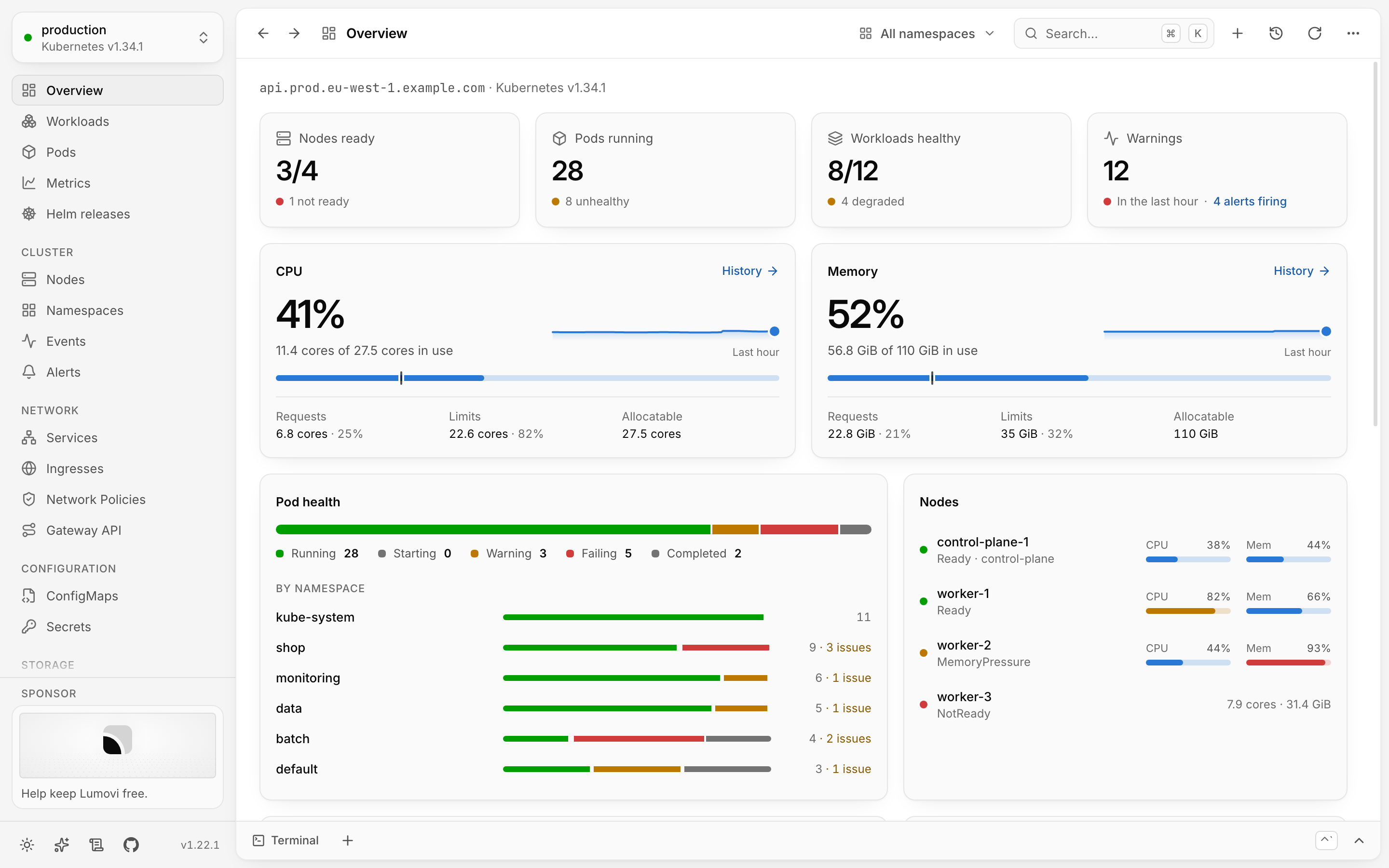
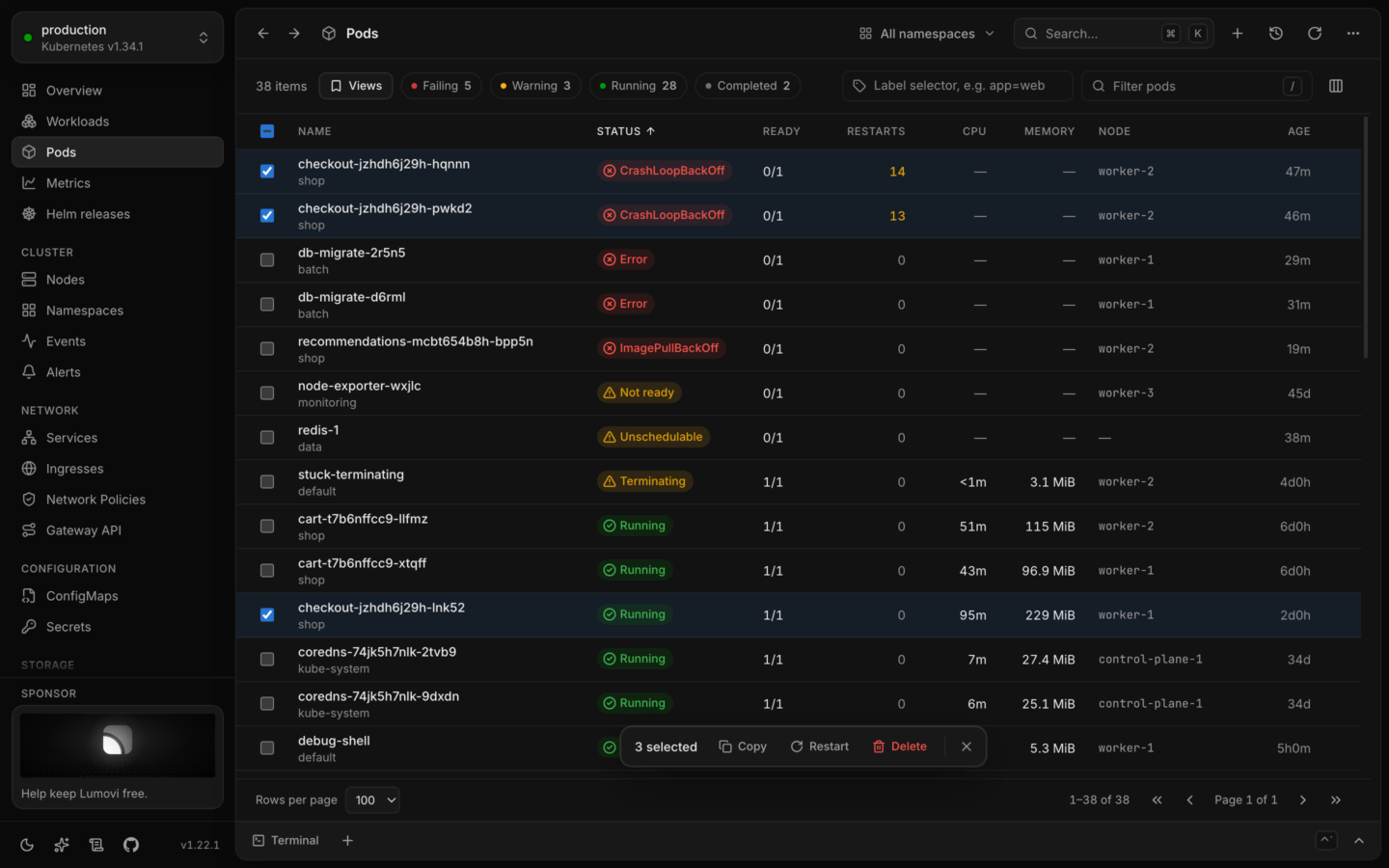
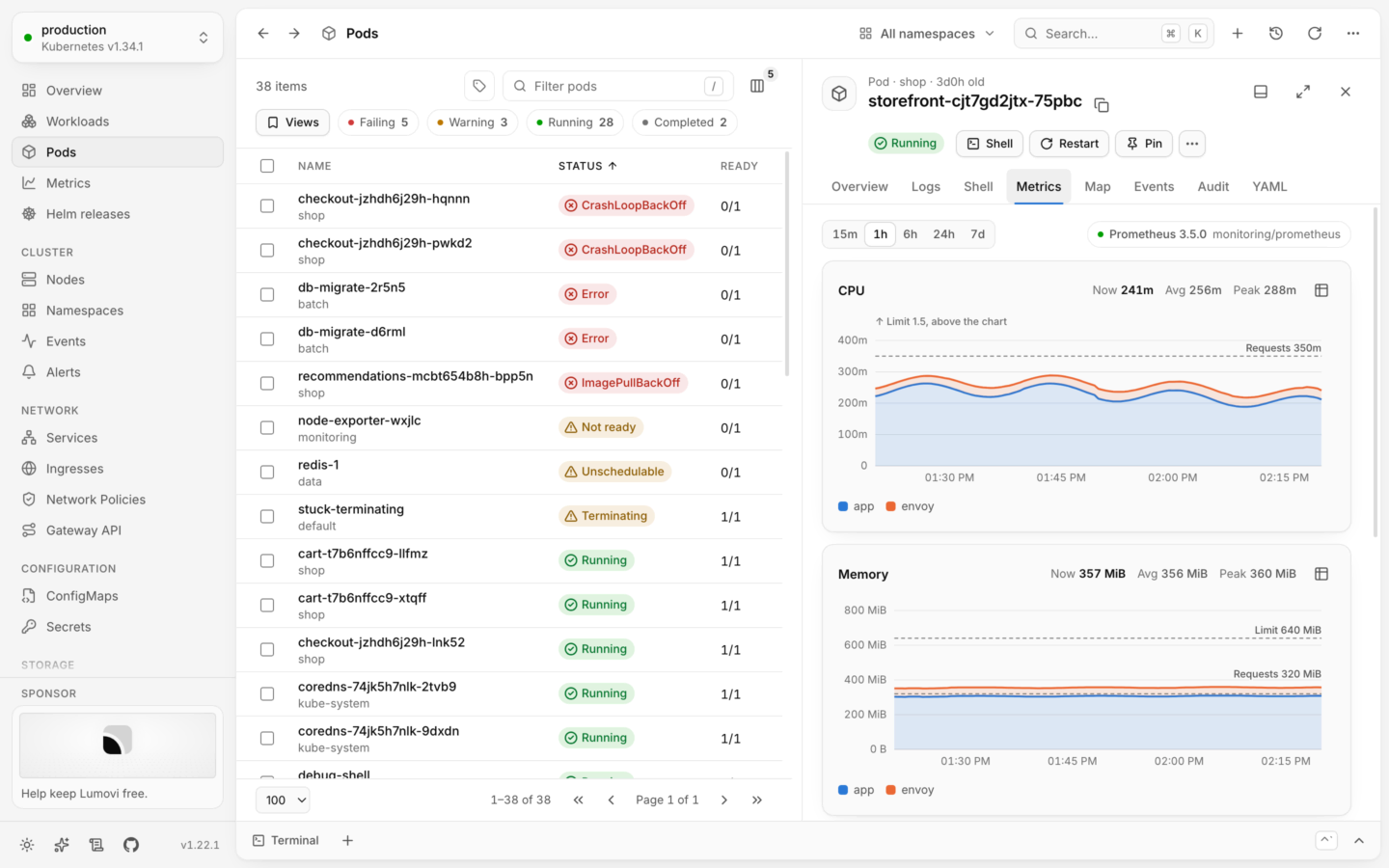
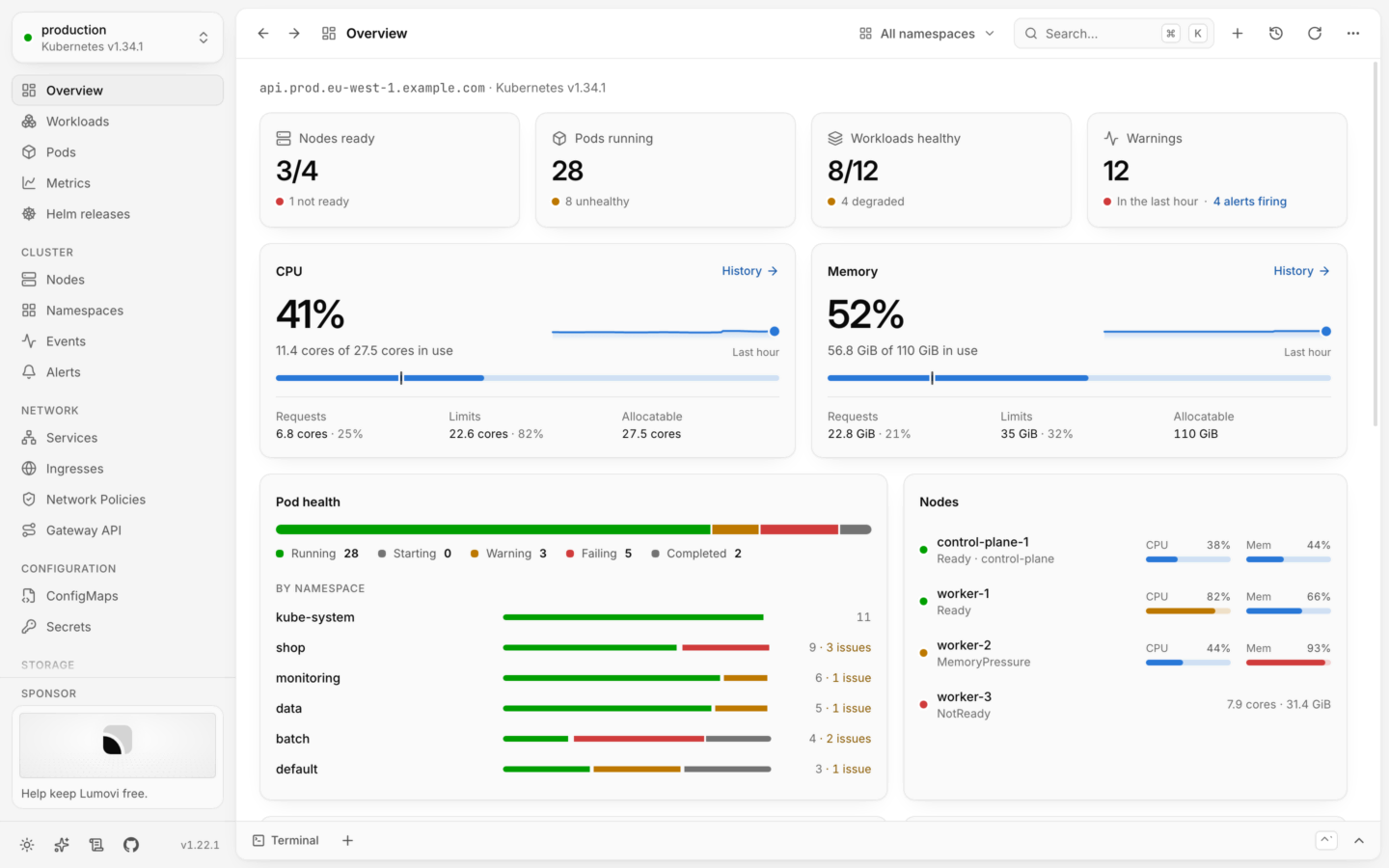
- Health at a glance. Every object gets a clear status (Running, CrashLoopBackOff,
Degraded, NotReady, Pending…), and problems sort to the top. The overview lists what needs
attention and the most recent warnings. - Resource consumption. Live CPU and memory from metrics-server against allocatable
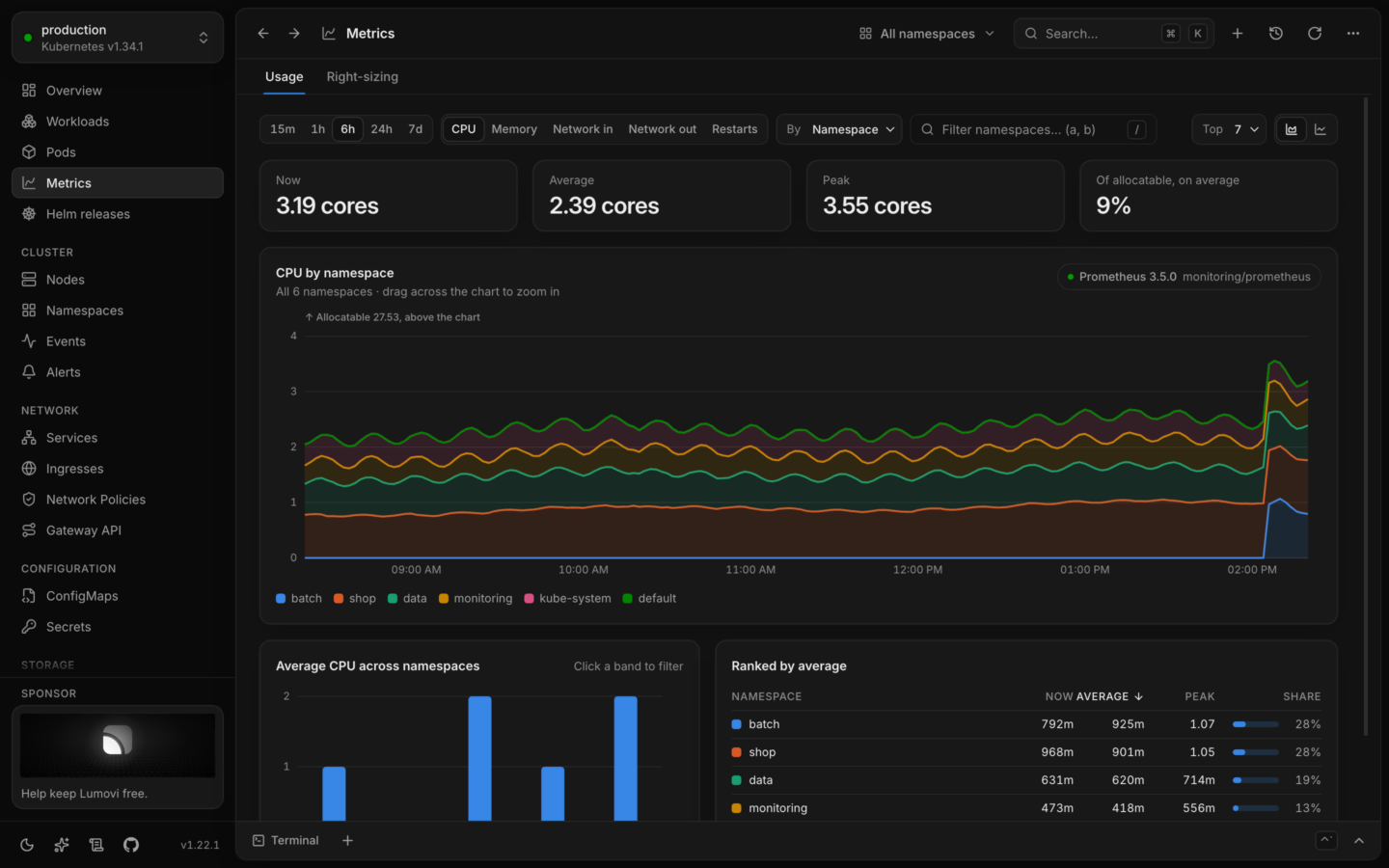
capacity, with requests and limits, per-node meters, usage trends and the busiest pods. - Usage over time. Lumovi finds your Prometheus or VictoriaMetrics and charts what
the cluster uses, from the last 15 minutes to the last week, ranked and compared by
namespace, workload, pod and node, and set against requests, limits and capacity. - Right-sizing. What each workload should request, from a week of its usage: what's
over-provisioned, what was OOM-killed or throttled, and what requests nothing, each with
its reasons and its week charted. Applied after the API server checks it, with undo. - Map. Every object's connections: from the gateway, ingress and service in front of it,
through the workload and its pods, to the ConfigMaps, Secrets and volumes they use and the
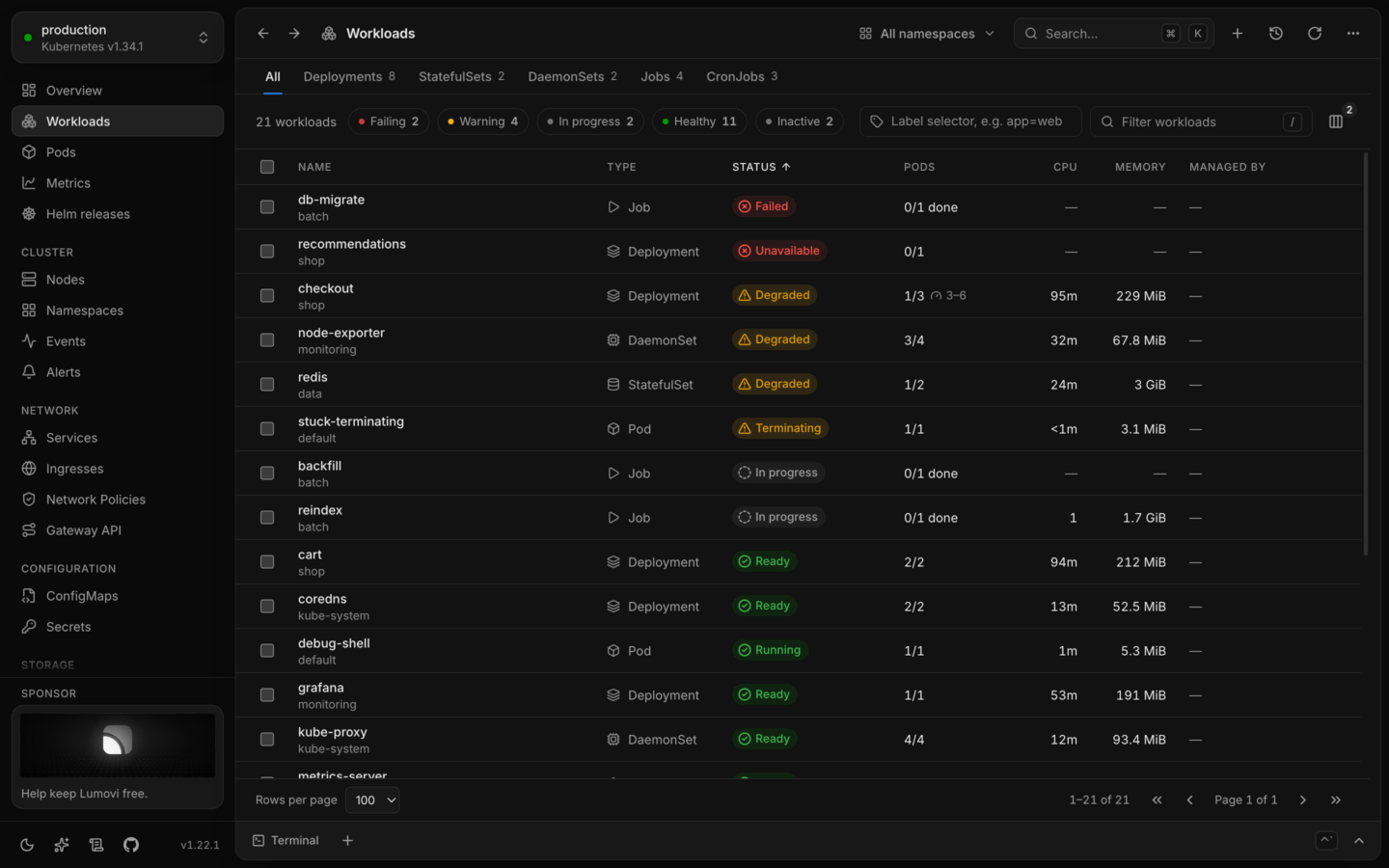
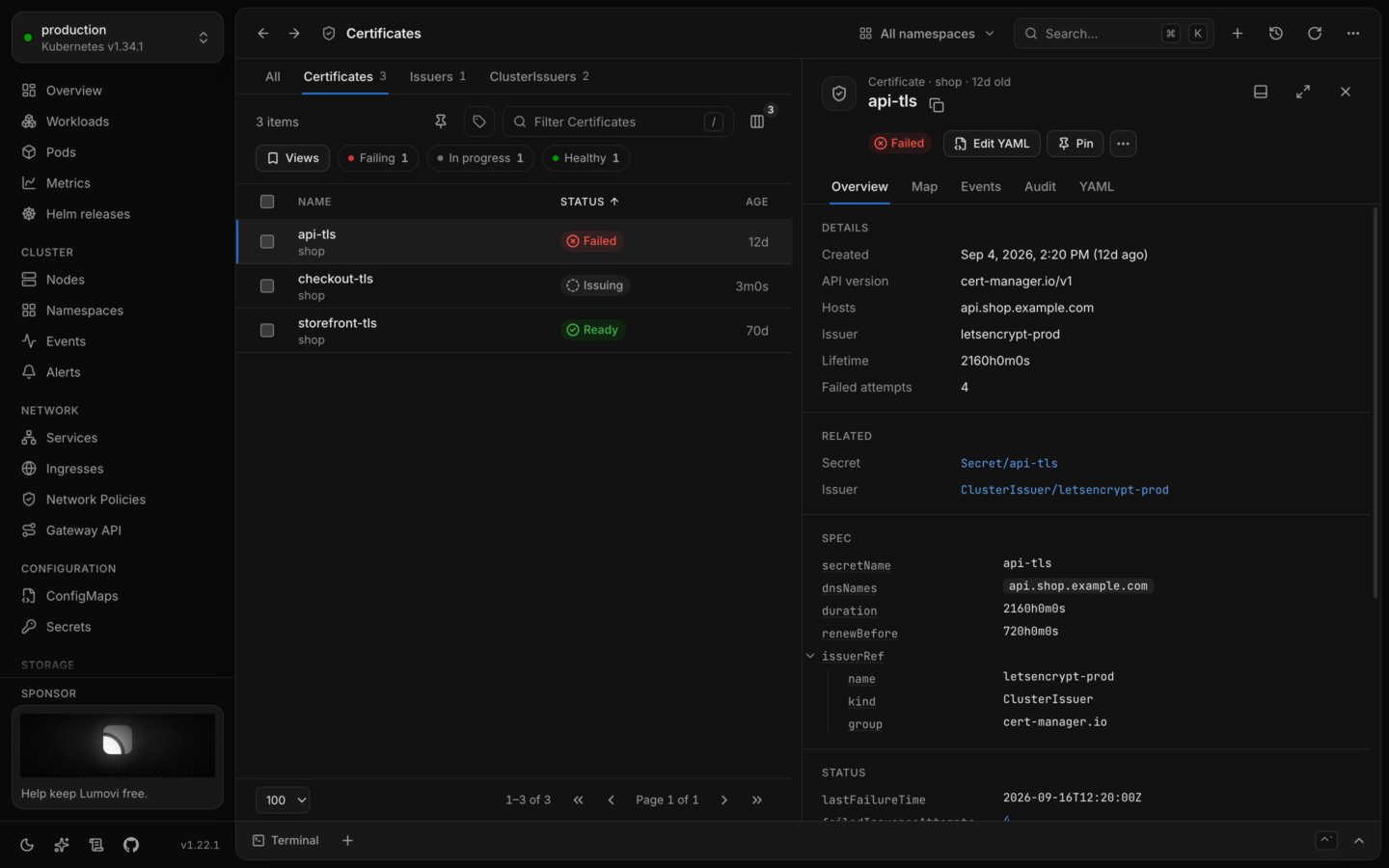
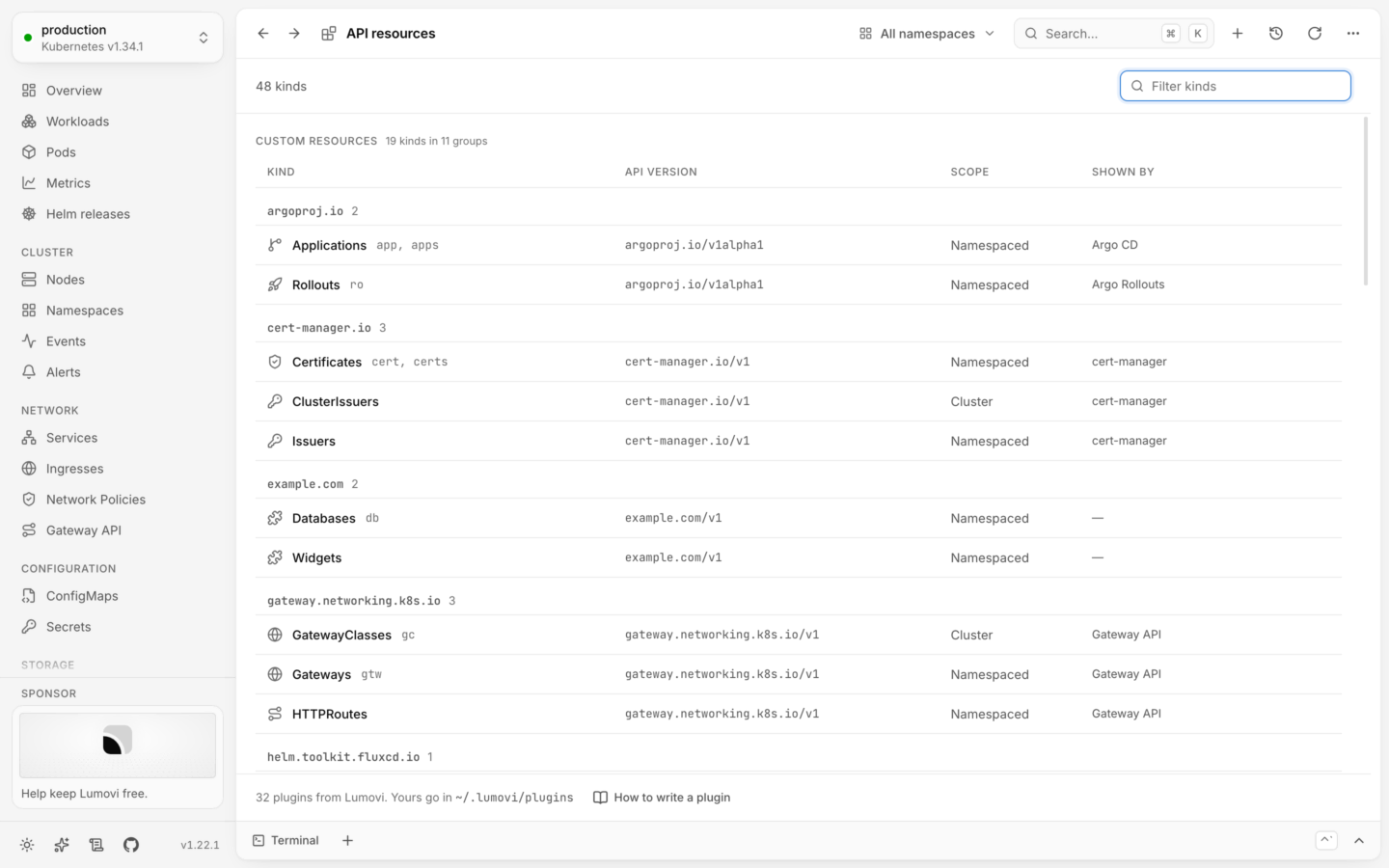
nodes they run on. What's missing, unwell or unused stands out. - Every kind. Workloads of every kind in one list, and pods, nodes, namespaces, events,
services, ingresses, network policies, config maps, secrets, volumes and the rest. Custom
resources are found through discovery, with the columnskubectl getshows and a status
read from their conditions; plugins for cert-manager, Argo CD, Flux, Gateway API, Karpenter,
KEDA, Istio, Crossplane and more add the columns, related objects, links and actions that
matter, and you can write your own. - Your tools, each in its place. Every tool the cluster runs gets an entry in the
sidebar, with everything of its kinds on one page and what's failing first. Karpenter's
shows its node pools against their limits, the nodes they launched, what's being replaced
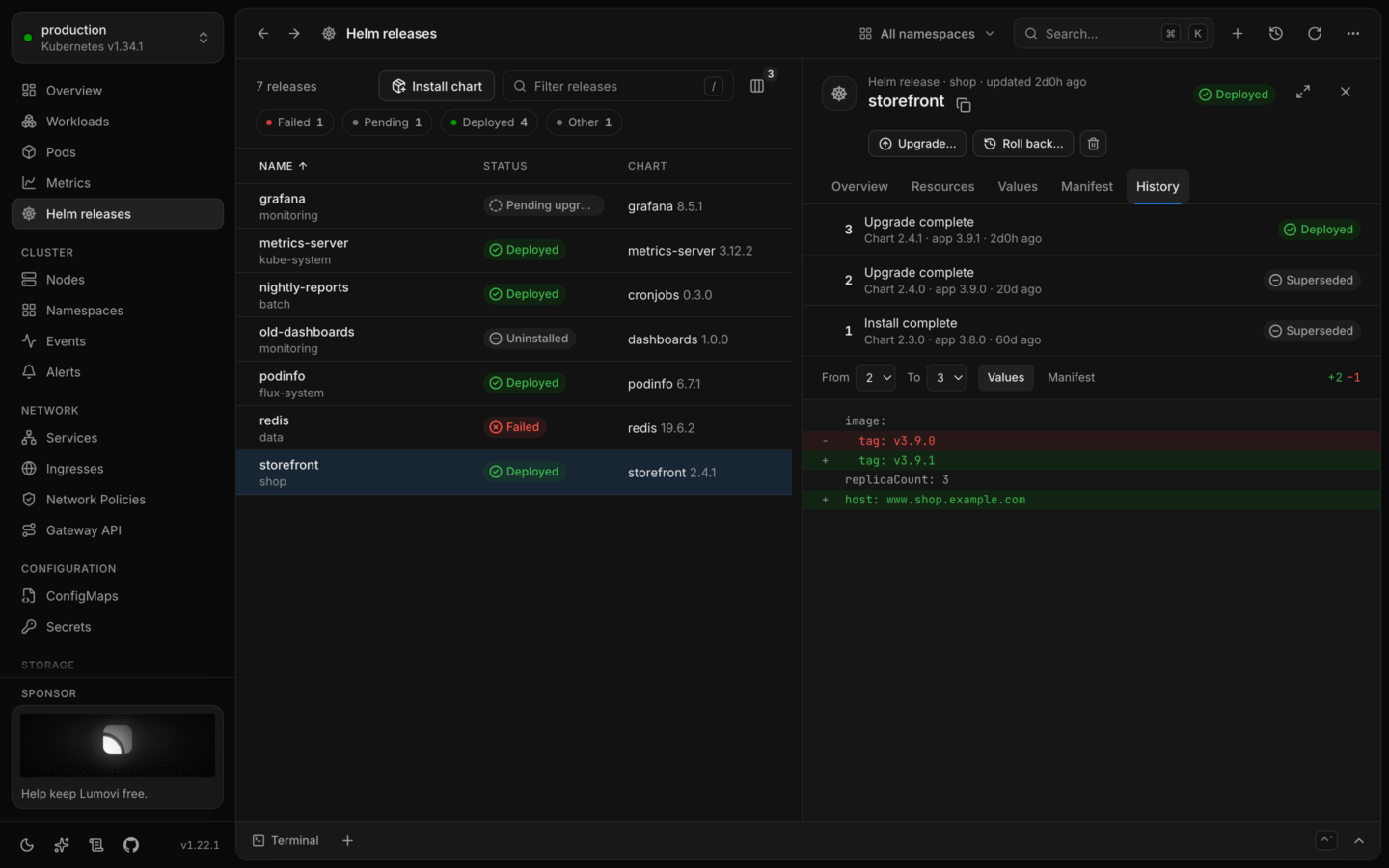
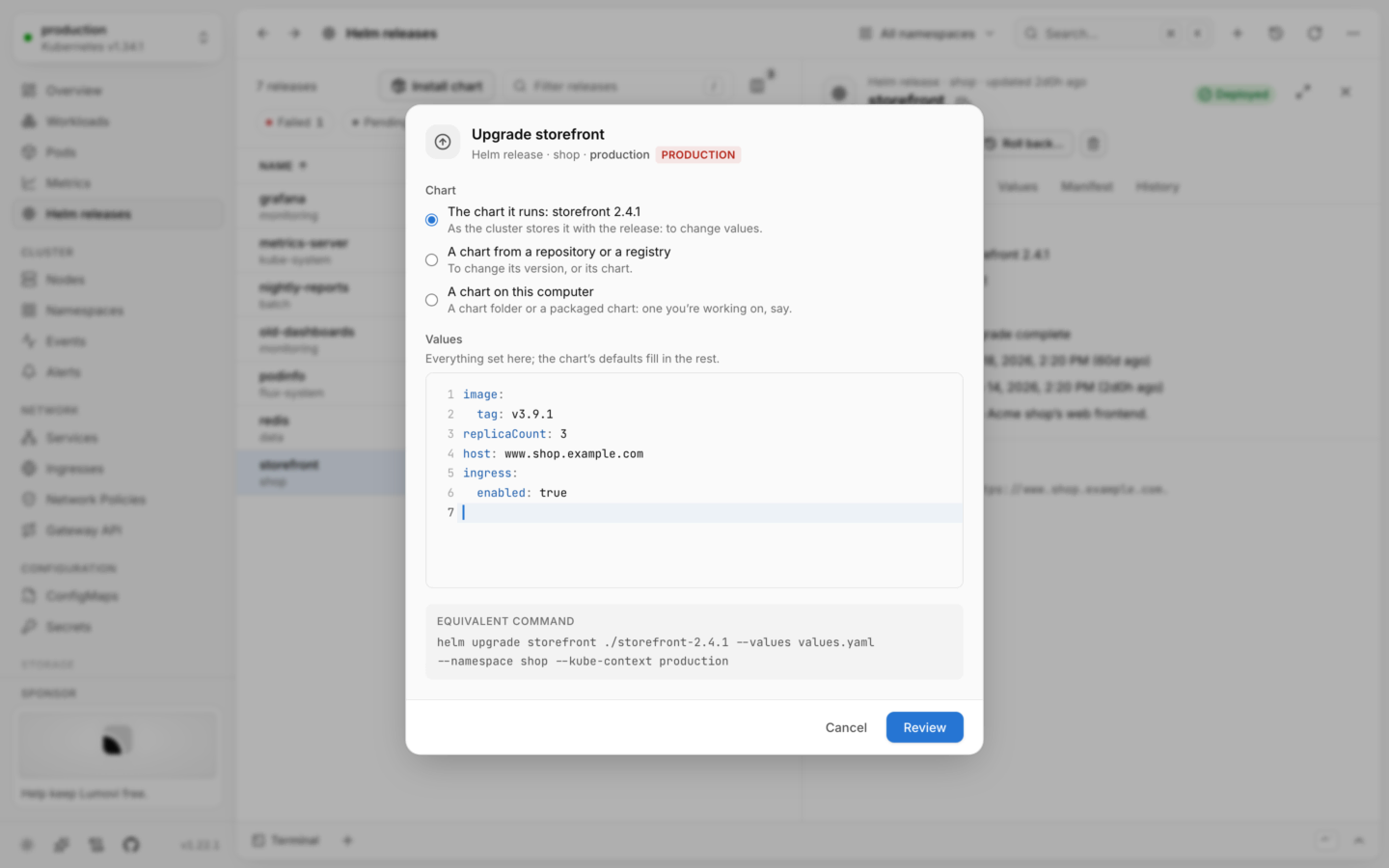
and the pods waiting for a node. - Helm releases. Every release in the cluster, its values, what it made and how that's
doing, and every revision with a diff between any two. Upgrade (reviewed as a server-side
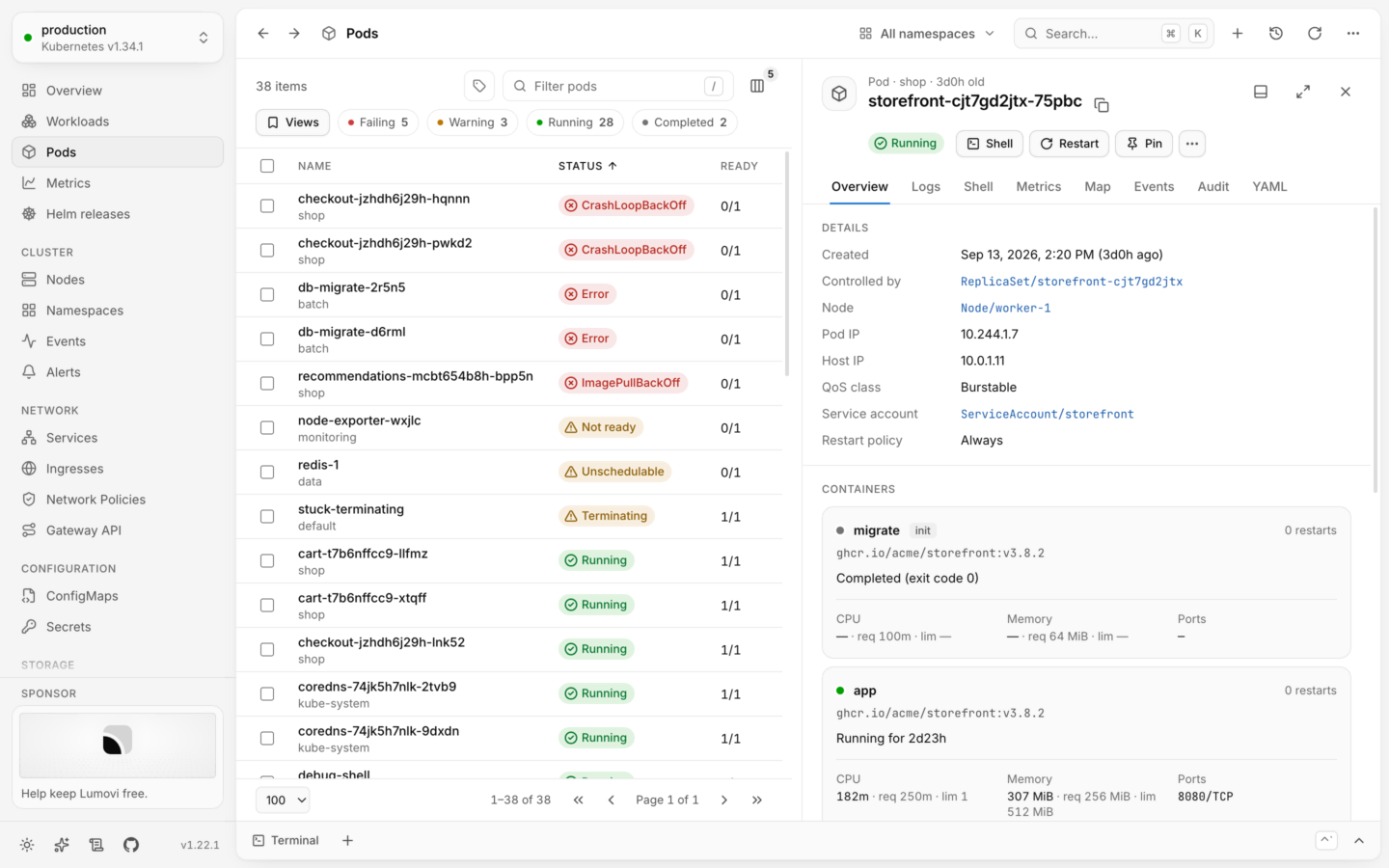
dry run first), roll back, uninstall, or install a chart found on Artifact Hub. - Detail without digging. A side panel with the facts that matter per kind, container
state, conditions, related objects, events, logs and syntax-highlighted YAML. Secret values
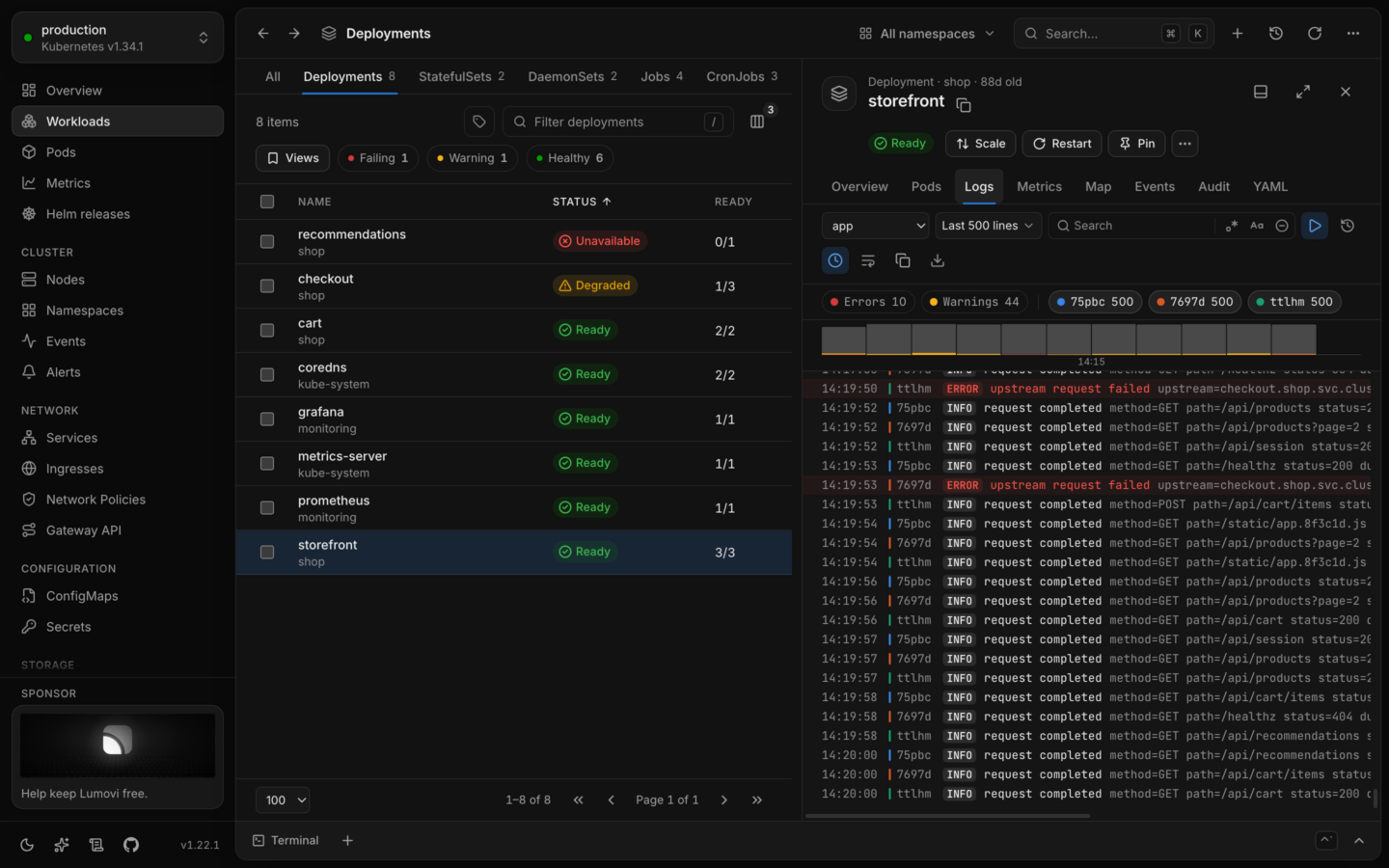
stay hidden until you reveal them. - Logs as they're written. One pod's logs, or every pod of a workload merged in the order
they were written. Search, keep only errors or warnings, read a crashed container's
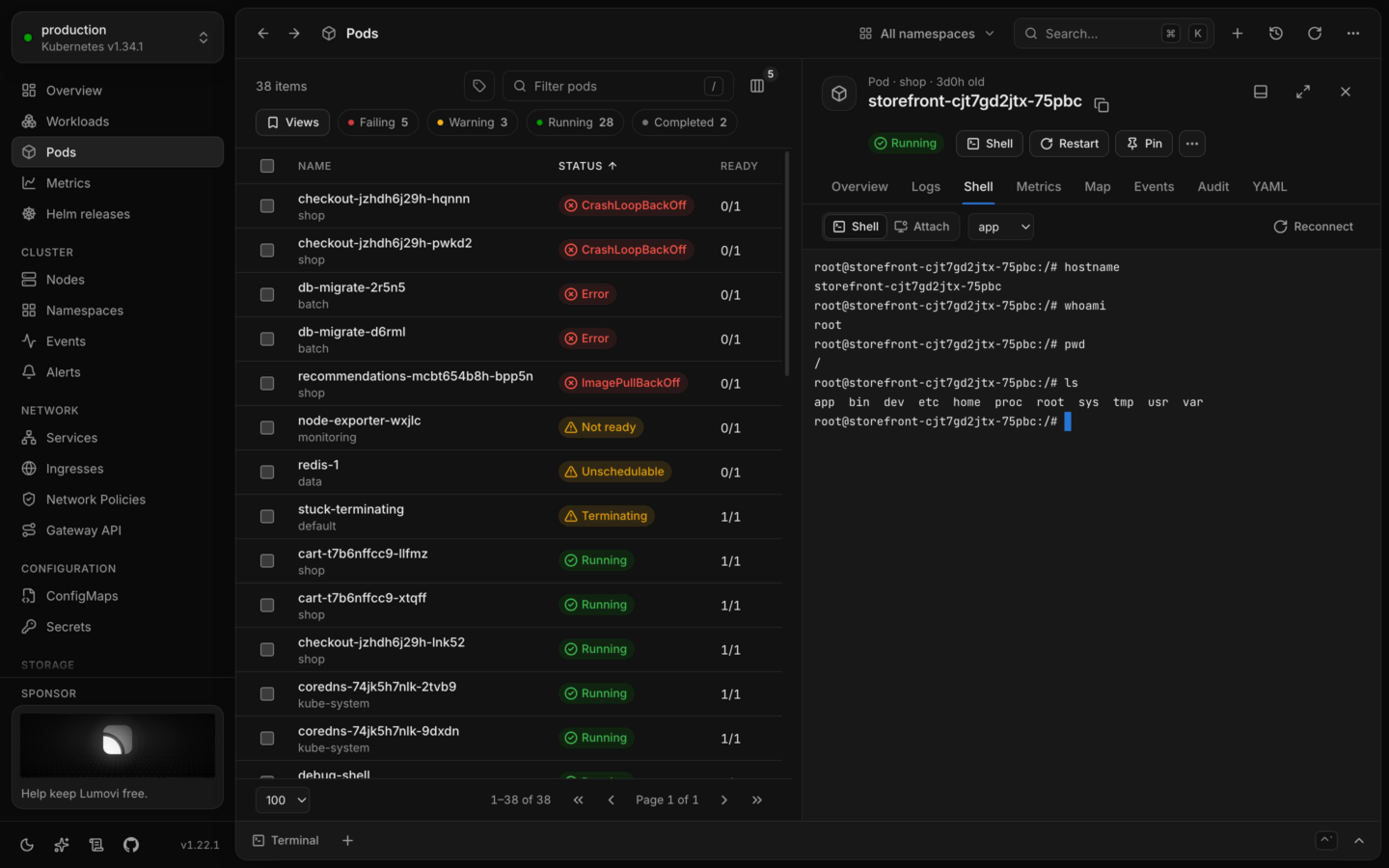
previous run, and copy or download what you see. - Hands-on when you need it. A shell in any container or on any node, debug containers
with tools for running pods (distroless ones too), and port forwarding to pods and
services. On the desktop, terminals with kubectl already pointed at the cluster you're
looking at (a kubectl of the cluster's own version, as Kubernetes supports it), and every
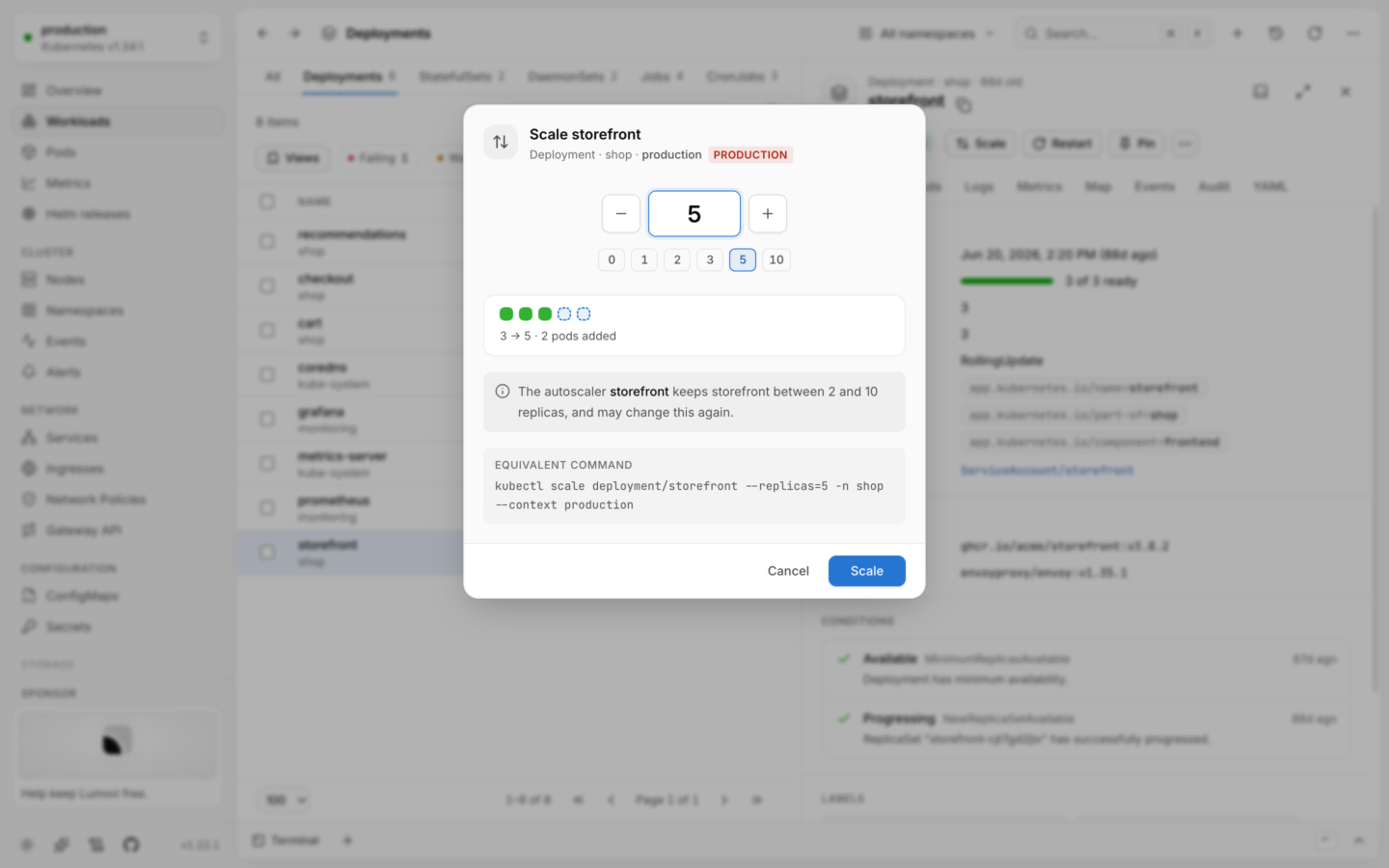
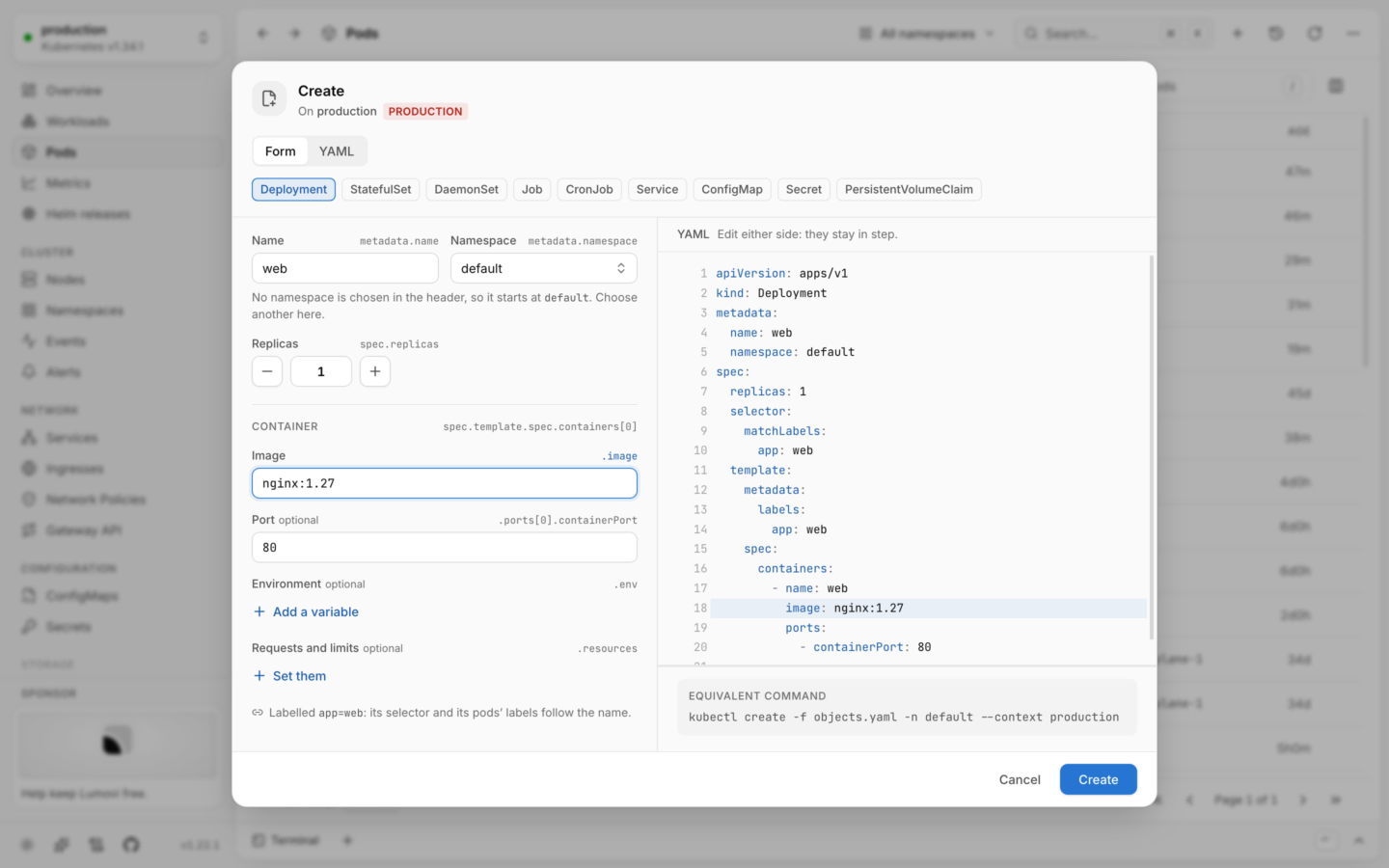
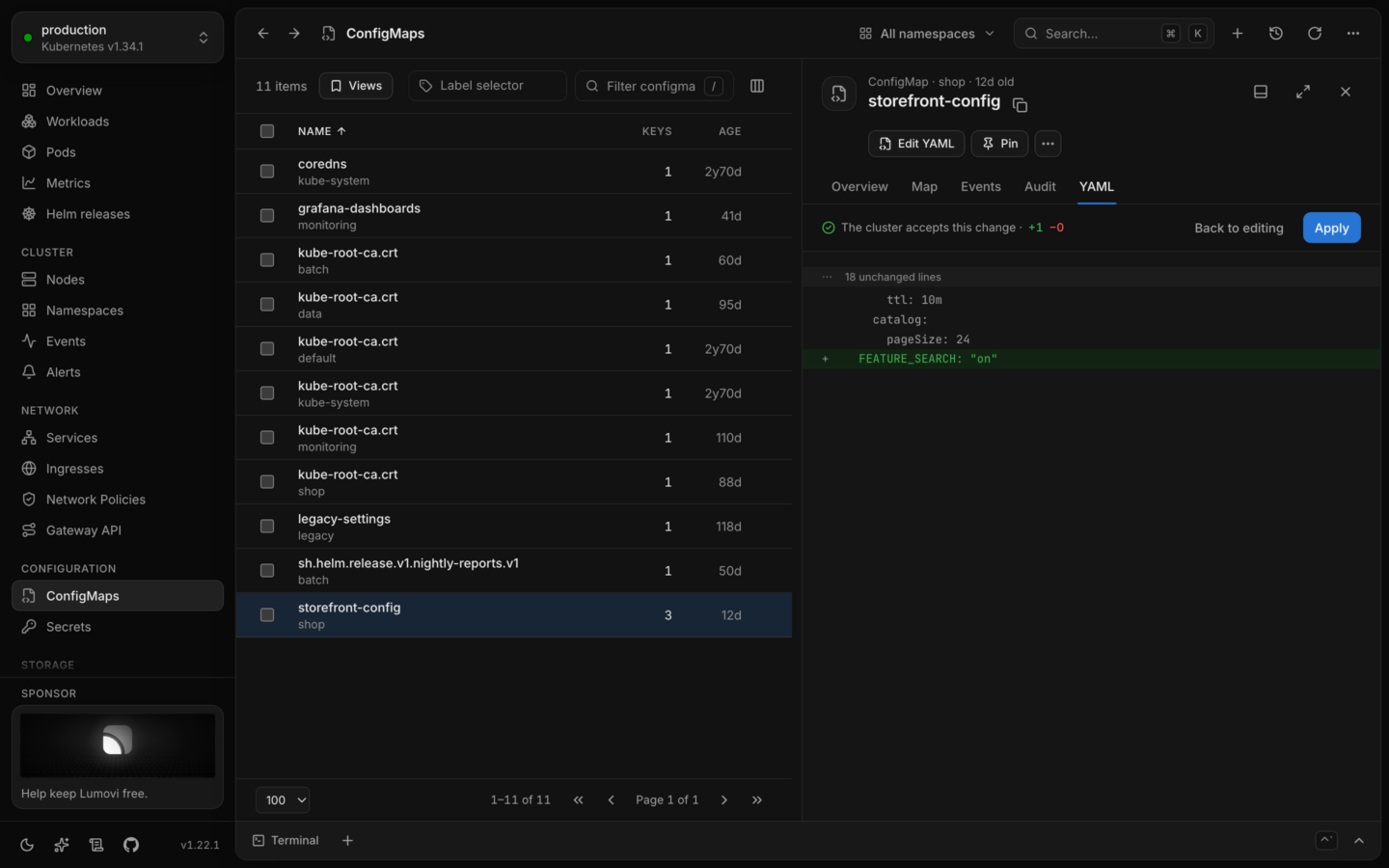
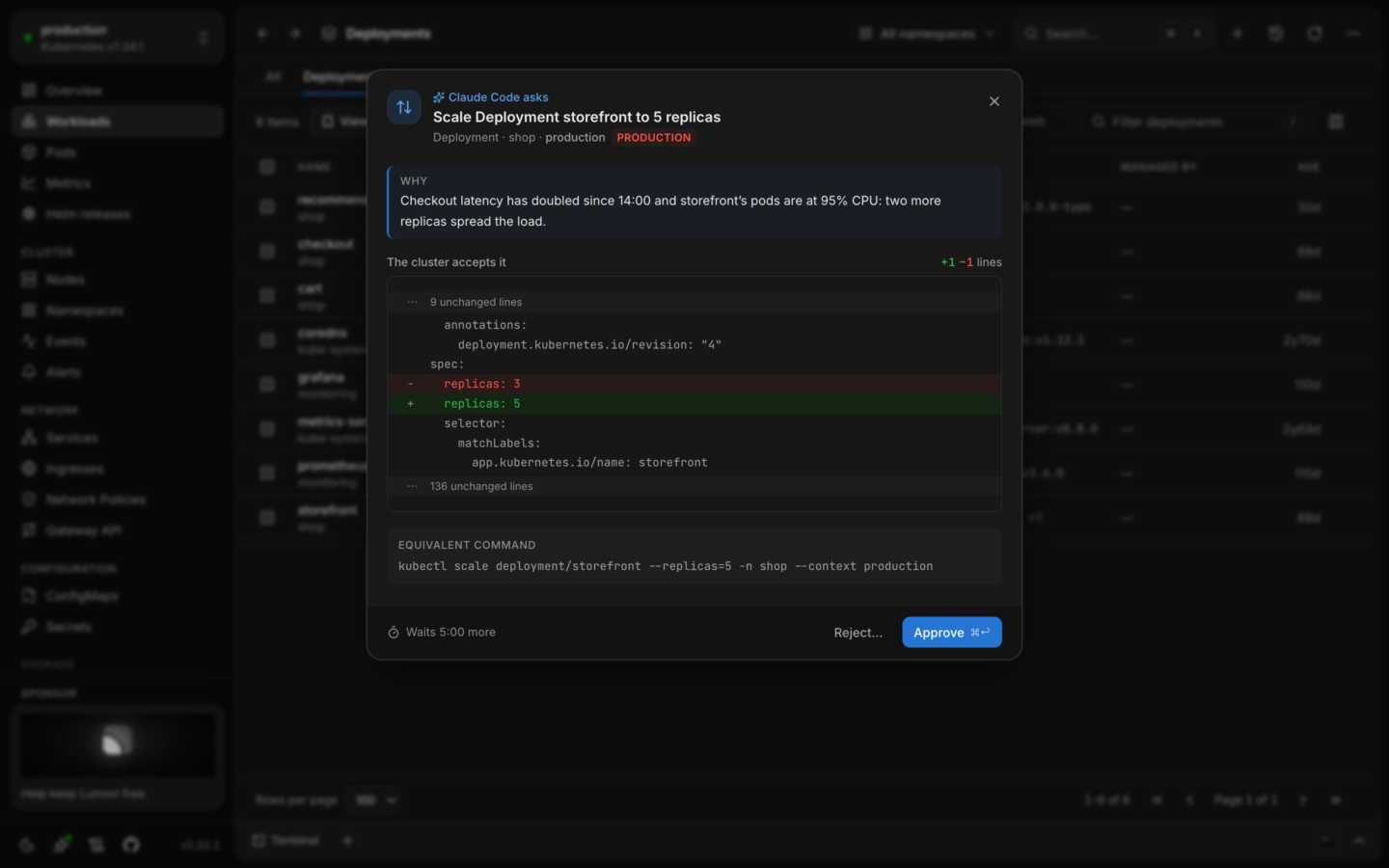
action's equivalent command a click away from running there. - Safe changes. Scale, restart, roll back, change images, run CronJobs, cordon and drain
nodes, edit labels or any object's YAML, create objects from YAML, one object or many at
once. Every change checks your permissions first, shows the equivalentkubectlcommand,
and can be undone from its notification where that makes sense. Clusters can be made
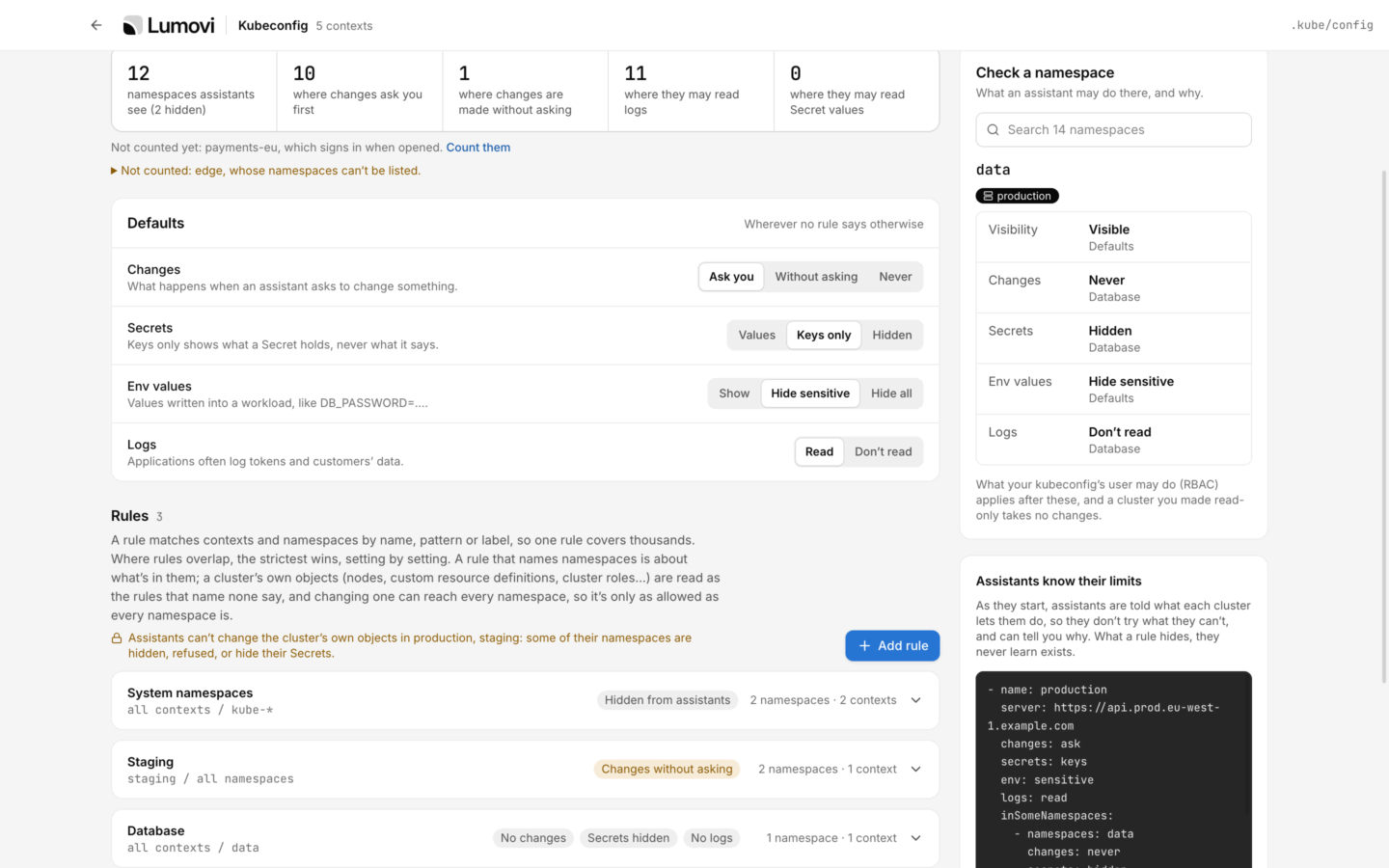
read-only. - AI assistants, with you in charge. Lumovi is an MCP server, so any AI agent can work
through it: Claude Code, Codex, Cursor, VS Code, Claude Desktop and the rest look at your
clusters and change them with your own permissions. Their changes ask you first unless you
let them go ahead, and what they may see, change and read (Secrets, env values, logs) is
yours to set, everywhere or cluster by cluster and namespace by namespace. On a team's
Lumovi, people allow each assistant themselves, and its admins set limits. - Built for big clusters. Lists load in chunks, paginated and virtualized, so thousands of
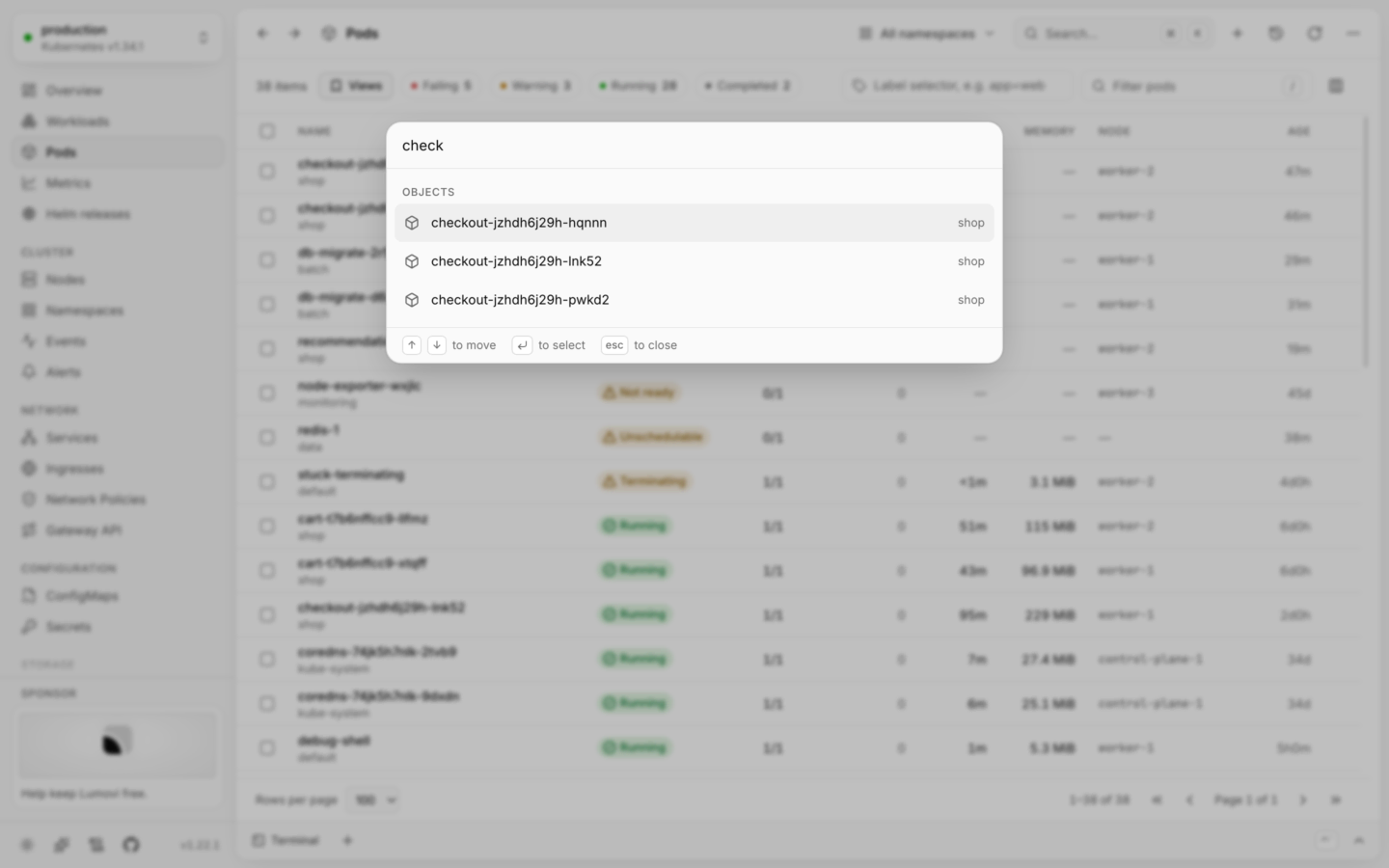
pods stay smooth. - Keyboard first. Every page is a shortcut away, and
⌘K/Ctrl+Kjumps to any page,
object, namespace or cluster. - Calm when things go wrong. A lost connection shows a banner and keeps the last data on
screen, and an unexpected error says what happened instead of leaving a blank page. - A fleet of clusters. One Lumovi in a browser for many clusters, each person seeing each
one as their own RBAC there allows. Every cluster is summed up on one page, what needs
attention first, with labels to filter and group by and a search for workloads across all
of them. It runs in a cluster, on a VM or on a platform like Sevalla, and reaches private
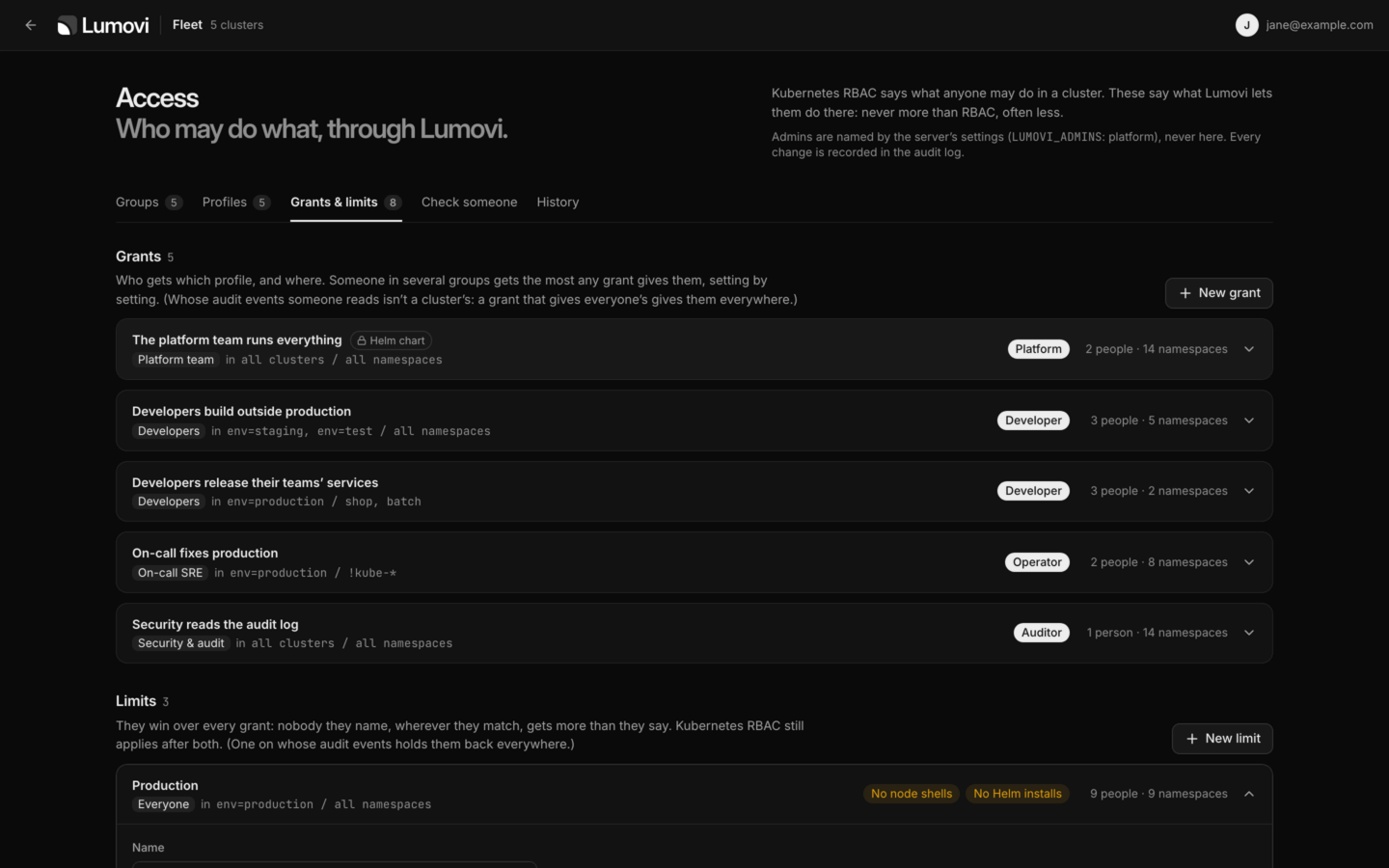
clusters through an agent that dials out. - Access for your team. On a team's Lumovi, its admins decide who may do what through
it, within Kubernetes RBAC and never more: profiles of changes, shells, logs, Secrets, Helm
and AI assistants, granted to groups in some clusters and namespaces, and limits that hold
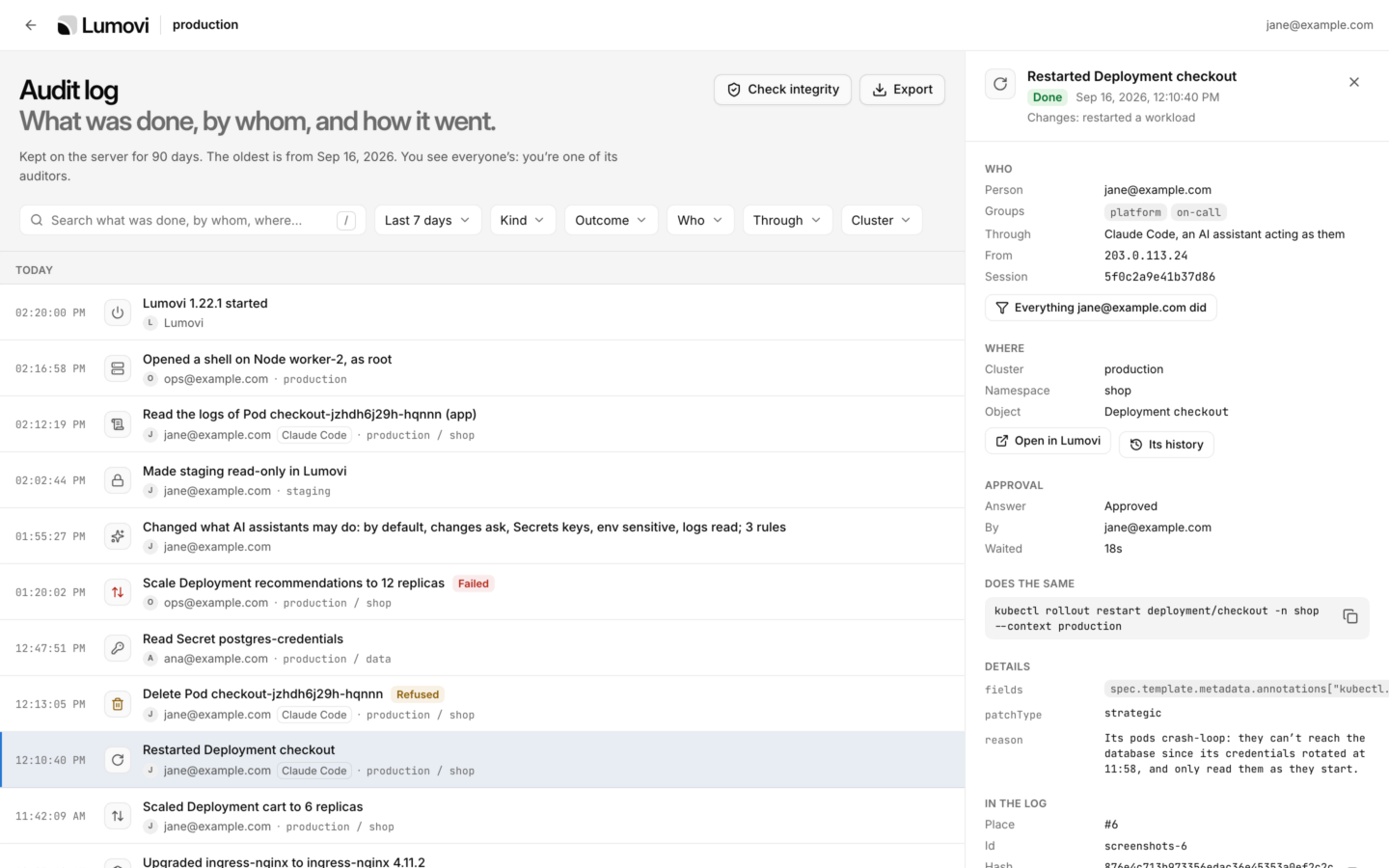
anyone back. The server enforces it, and everyone sees what they may do, and why. - An audit log. What was done through Lumovi, by whom, from where and how it went:
changes with how each was approved, shells, logs and Secrets read, sign-ins and settings.
Each event holds the hash of the one before it, so anyone can check the log withjq; on a
server it also goes to the cluster's log collector and a webhook, and auditors see
everyone's. - Light and dark. Follows your system, or pick one.
 |
 |
 |
 |
 |
 |
 |
 |
 |
 |
 |
 |
 |
 |
 |
 |
 |
 |
 |
 |
More, light and dark: docs/screenshots.
Getting started
Desktop app
Download the installer for your platform from the
latest release:
| Platform | Files |
|---|---|
| macOS (Apple silicon & Intel) | .dmg, .zip |
| Windows (x64 & arm64) | .exe installer |
| Linux (x64 & arm64) | .AppImage, .deb, .rpm |
On a Mac, Homebrew installs it too:
brew install --cask lumovi/tap/lumovi
Open it and pick a cluster: Lumovi reads them from the same place kubectl does
(KUBECONFIG, or ~/.kube/config), credential plugins included. It keeps itself up to date:
a new version downloads in the background and installs when you restart the app.
The macOS app is signed and notarized by Apple, and the Windows installer is signed by
Open Source Developer Péter Kóta (Certum). Until enough people have installed it, Windows
may still say it protected your PC: choose More info → Run anyway.
To build it yourself: npm ci && npm run dist (Node.js 24 or later) puts the installers for
your platform in release/. More in
Get started on the desktop.
In your cluster
Install the Helm chart, then open Lumovi through a port forward:
helm install lumovi oci://ghcr.io/lumovi/charts/lumovi \
  --namespace lumovi --create-namespace
kubectl port-forward --namespace lumovi service/lumovi 8080:80
Open http://localhost:8080 and sign in with a token the cluster accepts. Lumovi sends
your requests with it, so its permissions apply: a service account's, for example, valid for
an hour:
kubectl create token NAME --namespace NAMESPACE
For your team, give it an address of its own with the chart's ingress, and sign people in
with your identity provider:
url: https://lumovi.example.com
ingress:
  enabled: true
  hosts: [lumovi.example.com]
auth:
  mode: oidc
  oidc:
    issuer: https://login.example.com
    clientId: lumovi
    existingSecret: lumovi-oidc # the client's secret, under client-secret
The image, ghcr.io/lumovi/lumovi (linux/amd64 and linux/arm64), runs as a
non-root user without a shell, and also runs
outside Kubernetes against a kubeconfig. See
Lumovi in your cluster for single sign-on
and authenticating proxies, ingress, security and every setting.
For many clusters, run one Lumovi as a fleet: in a
cluster, on a VM, or on a platform like Sevalla, with no Kubernetes of its own. Each cluster
joins it with a service account that may only impersonate (the chart's mode: member), or
through an agent that dials out (mode: agent) when Lumovi can't reach it.
Documentation
The documentation is at docs.lumovi.dev:
| Guide | What it covers |
|---|---|
| Get started | Installing the desktop app or Lumovi in your cluster, and a tour |
| Using Lumovi | Finding your way, changing things safely, logs, shells, metrics, Helm, AI assistants and the audit log |
| Custom resources | The plugins Lumovi comes with, and writing your own |
| In your cluster | Installing with Helm, signing in, who may do what, security and configuration |
| Reference | Shortcuts, settings, the plugin format, troubleshooting and FAQ |
In this repository: Development (building, architecture and testing),
and the Changelog.
Security and privacy
- Your permissions, nothing more. Lumovi asks the cluster what you may do before
offering it. In a cluster, everyone signs in and works with their own RBAC, the browser
keeps nothing but a session cookie, and Lumovi never acts as Kubernetes' own users or
groups. - No telemetry, no accounts. The desktop app connects only to your clusters (and through
them to Prometheus), to the chart repositories and registries you install or upgrade from,
to Artifact Hub when you search it for charts, to
dl.k8s.io for the kubectl each terminal gets, and to GitHub, to look
for new versions, to check for newer plugins (only when you open Plugins or press Check now),
and to read the sidebar's sponsor card from
Lumovi/main-sponsor a few seconds after it starts
and every hour. Getting kubectl and looking for new versions can be turned off. Checking for
newer plugins happens only when you open Plugins or press Check now, and an organization's
policy can turn it off. Reading the card can't be, and sends nothing but the request: no
cookies, no IDs, nothing about you or your clusters. See
what it connects to. - Verifiable releases. Every installer, the image and the chart carry a signed build
provenance attestation (gh attestation verify <file> --repo Lumovi/Lumovi) and a
software bill of materials; the image and the chart are signed with cosign; and each
release lists its installers' SHA-256 checksums. See
Checking a release. - For a company's computers and clusters. Its proxy and certificate authorities, a
policy that locks what IT sets on every desktop,
and a chart that runs as non-root, read-only and under OpenShift's restricted SCC. - Reporting a vulnerability. See SECURITY.md.
Requirements
- Kubernetes 1.25 or later. Fields are explained from the cluster's OpenAPI schema from
1.27, and signing in to Lumovi in a cluster with a token needs 1.28. - Desktop: macOS 13 or later, Windows 10 or later, or a recent 64-bit Linux. Neither
kubectlnor Helm is needed: Lumovi ships with the helm it runs. - In a cluster: Helm 3.8 or later to install the chart, on
linux/amd64orlinux/arm64nodes. The image includes everything else.
Lumovi and other tools
Lens, Freelens, Headlamp, k9s and the Kubernetes Dashboard do much of what Lumovi does. Three
things, taken together, are what we found in none of them: an audit log of what's done through
it, team rules on top of RBAC in an open-source tool, and an MCP server AI agents change things
through, with your approval.
Lumovi and other Kubernetes tools compares them,
with sources, and says when another is the better pick.
Questions and support
Ask in Discussions: questions in
Q&A, ideas in
Ideas. Bugs go to
issues, and security problems are
reported privately, as SECURITY.md says.
Contributing
Contributions are welcome. Please read CONTRIBUTING.md first, and
docs/development.md to build and test Lumovi.
A good first contribution is support for a tool you run: a plugin, written as YAML and checked
against the tool's CRDs, with no code to write. See
Adding a tool.
Sponsors
Lumovi is free and open source, made in spare time. Sponsors help keep it that way.
This is where they're listed, by name or by logo, each with a link, when their sponsorship
includes a place in this README. The first place is open.
If Lumovi saves you time, you can
sponsor its development on GitHub: the listing says
what each way of sponsoring includes. The app's Help menu and the card in its sidebar lead
to the same page.
License
Reviews (0)
Sign in to leave a review.
Leave a reviewNo results found