aldwin
Health Pass
- License — License: Apache-2.0
- Description — Repository has a description
- Active repo — Last push 0 days ago
- Community trust — 16 GitHub stars
Code Pass
- Code scan — Scanned 12 files during light audit, no dangerous patterns found
Permissions Pass
- Permissions — No dangerous permissions requested
No AI report is available for this listing yet.
An always-on local autonomous agent
Aldwin
An open-source personal assistant that works with your files and documents, knows good habits out of the box, and runs on your own computer, in your terminal, built on Agentling.
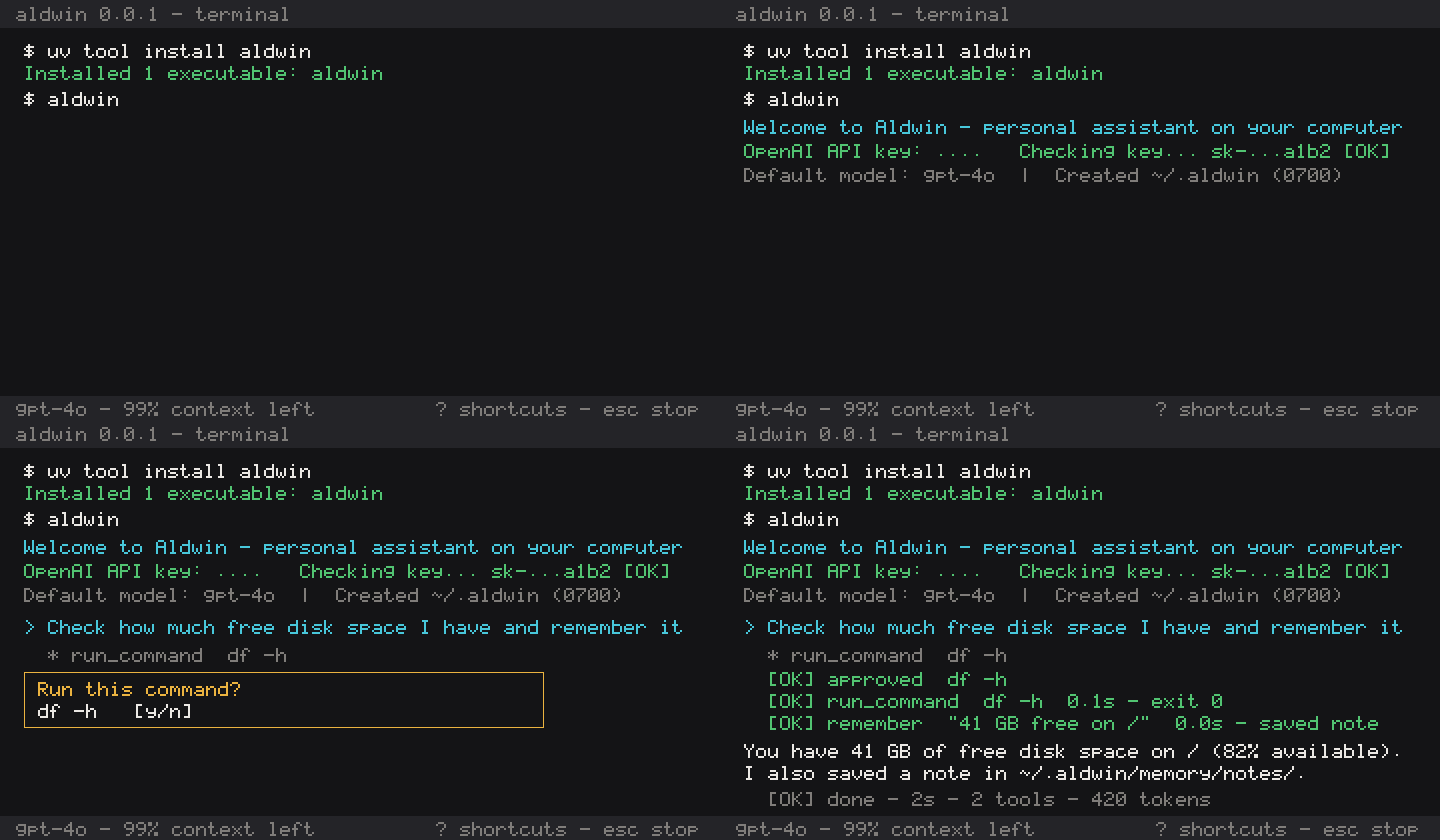
Install
Install with uv (Python 3.11+ on macOS or Linux):
uv tool install aldwin
If you don't have uv installed yet:
curl -LsSf https://astral.sh/uv/install.sh | sh
Or install with pip:
pip install aldwin
Then start Aldwin:
aldwin
Already on 0.0.2? Upgrade in place and keep your conversation, memory, persona, and settings:
uv tool upgrade aldwin
First run
The first time you run aldwin, it creates a private home folder at ~/.aldwin and asks for your OpenAI API key (or uses OPENAI_API_KEY if it's set). A Tavily key for web search is optional; press Enter to skip it and add it later with aldwin setup.
After that, aldwin picks up your latest conversation where you left off. Type /help at the prompt to see what you can do.
What Aldwin can do
- Files: list, find, search, and read files in your workspace; edit or create them after showing you a diff.
- Documents: read PDF, Word, PowerPoint, Excel, CSV, and HTML files as markdown, and download files from the web.
- Notes and memory: remember facts you tell it, search past notes and conversations, and keep a profile you write yourself.
- Persona: change how Aldwin talks by editing
persona.mdor asking it to. - Web: search the web and read pages.
- Terminal: run shell commands, always with your approval.
- Planning: keep a live checklist for longer jobs and do exact arithmetic and date maths.
- Skills: ten built-in skills, your own skills in
~/.aldwin/skills/, and an@picker to choose one for a message. - Connectors: connect Notion, Linear, GitHub, and more with
/connectors; see the Connectors section below.
See the full tool list and the skills guide.
Connectors
Aldwin can connect to your other apps as MCP servers. Add one with /connectors.
Catalogue: pick Notion, Linear, GitHub, Context7, and others from the built-in catalogue. Sign in through your browser and Aldwin stores the token in ~/.aldwin/credentials (mode 0600).
Any MCP server: paste a URL to add any remote server that isn't in the catalogue.
Local servers: run a server from a command, for example:
npx -y @modelcontextprotocol/server-filesystem /path/to/folder
Local servers start only after you approve the command. They run with a minimal environment in your workspace folder. Local servers are not supported on Windows.
Import: aldwin connectors import brings in servers already configured in other agent apps.
Ask Aldwin to connect: type "connect me to Notion" and Aldwin proposes the connector for you to approve.
Safety
Aldwin runs on your machine without a sandbox, so every tool call goes through a policy engine first:
- Reading is free, changing asks. Read-only tools run straight away. Edits show a diff and default to No. Shell commands and downloads ask every time.
- Secrets are off limits. SSH keys, cloud credentials,
.envfiles and similar are blocked outright, whatever you or the model ask for. - Dangerous commands are refused.
sudo,rm -rf /, disk formatting and similar are refused before you're even asked. - Commands get a clean environment. API keys, tokens, and passwords in your shell are never passed to commands Aldwin runs.
- Everything read is untrusted. Text from files, pages, and command output is treated as data, never as instructions.
- Every decision is logged to
~/.aldwin/logs/approvals.jsonl, with secrets redacted. - Connector tools that only read run on Auto based on the server's own hint. Turn the trust toggle off in
/connectorsand every tool from that server will ask first. - Anything that changes something asks you first. Connector tools the server does not mark read-only always show an approval.
- All connector output is treated as untrusted. The same rule as for files and command output.
- Tokens stay local. Sign-in tokens are kept in
~/.aldwin/credentials(mode 0600) and never pass through the model. - Local servers need approval and run in a clean environment. If you edit the command by hand, Aldwin asks again before re-running it.
- Known limits: a server can mark a write tool read-only, and Aldwin will trust that hint. A local server runs with your user's rights; there is no sandbox.
Read the safety model for the full rules and known limits.
Data and privacy
- No telemetry. Aldwin collects no analytics.
- Sent to OpenAI: your prompts, recent conversation, your profile and recent notes, and anything Aldwin reads for the turn — including connector tool results.
- Stays local: everything else in
~/.aldwin, including your API keys, saved conversations, sign-in tokens, and logs. Connector tokens never go to the model. - Platforms: macOS 13+ and Linux. Local MCP servers are not supported on Windows.
Read data and privacy for the home folder layout and every network call Aldwin makes.
Commands
| Command | What it does |
|---|---|
aldwin |
Open the chat and resume the latest conversation |
aldwin setup |
Set or update API keys and the default model |
/help |
Show slash commands and keyboard shortcuts inside the chat |
Esc |
Stop the current answer |
See all commands, slash commands, and shortcuts, including how to uninstall.
What's next
Aldwin runs inside your terminal process; it isn't always-on yet. Closing the terminal stops any active task, and your conversation resumes next time you run aldwin. It works with your own OpenAI API key only; other model providers and Windows are not yet supported.
Next: local models and more web search providers.
Contributing
Contributions are welcome. Read the contributing guide to get set up, and see the docs index for the protocol, test, and release docs.
Found a bug or have an idea? Open an issue on GitHub Issues.
Licence
Reviews (0)
Sign in to leave a review.
Leave a reviewNo results found