mcp-osascript
Health Warn
- License — License: MIT
- Description — Repository has a description
- Active repo — Last push 0 days ago
- Low visibility — Only 8 GitHub stars
Code Warn
- process.env — Environment variable access in server/executor.js
- process.env — Environment variable access in server/test.js
Permissions Pass
- Permissions — No dangerous permissions requested
No AI report is available for this listing yet.
Let Claude control your Mac — windows, menus, keyboard, clipboard. 12 typed tools, security-first MCP server.
Let Claude control your Mac. Move windows, click menus, type text, read clipboard, manage browser tabs — 12 typed tools with input validation and security guardrails.



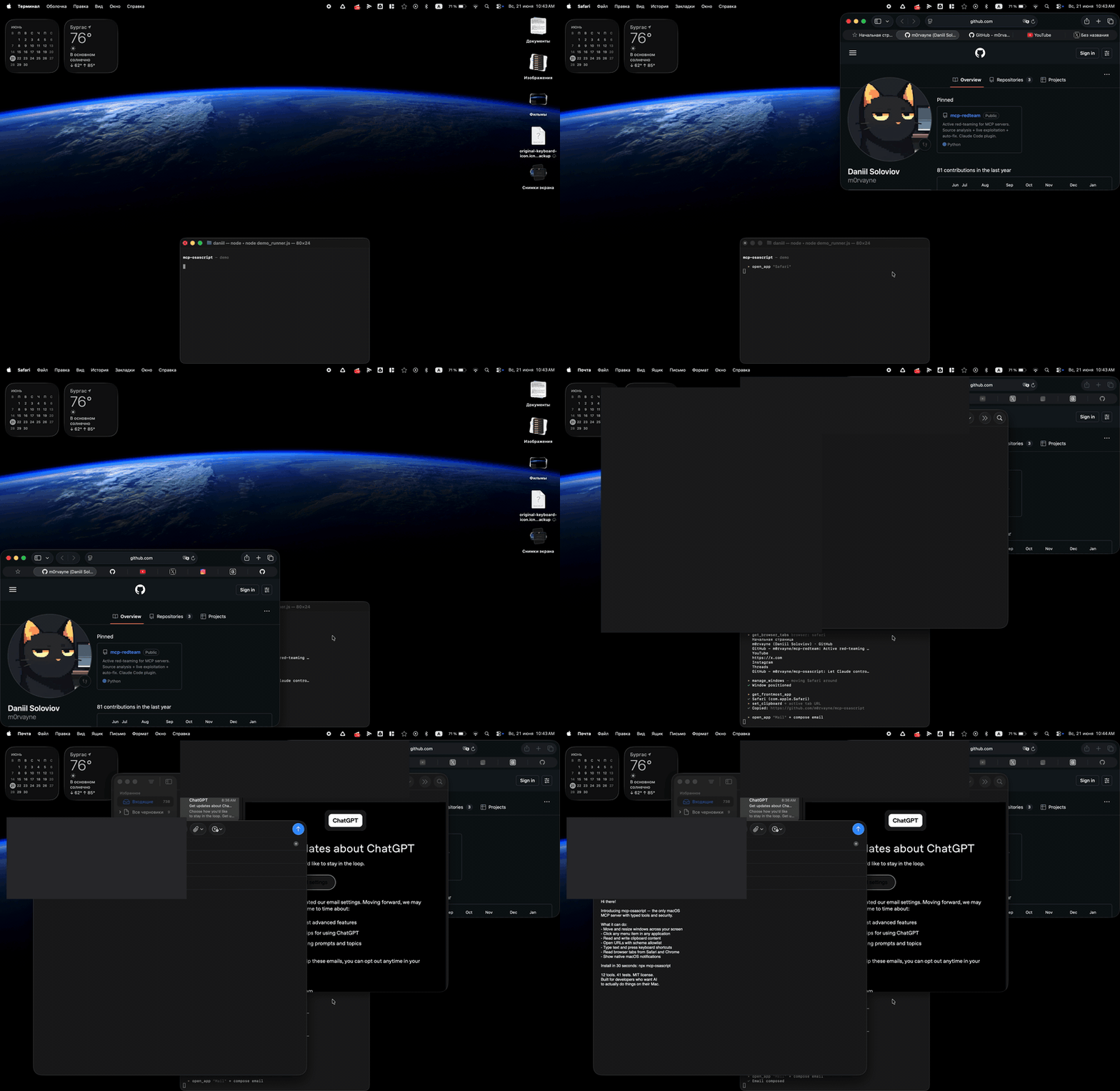
Quick Start
{
  "mcpServers": {
    "osascript": {
      "command": "npx",
      "args": ["-y", "mcp-osascript"]
    }
  }
}
Add this to your Claude Desktop config (Settings → Developer → Edit Config), restart Claude, and you're ready.
Cursor / VS Code (Copilot)
{
  "mcpServers": {
    "osascript": {
      "command": "npx",
      "args": ["-y", "mcp-osascript"]
    }
  }
}
Claude Code
claude mcp add osascript -- npx -y mcp-osascript
From source (development)
git clone https://github.com/m0rvayne/mcp-osascript.git
cd mcp-osascript && npm install
# then use: "command": "node", "args": ["/path/to/mcp-osascript/server/index.js"]
Try These Prompts
Once installed, ask Claude:
| Prompt | What happens |
|---|---|
| "Open Safari and show me what tabs I have" | Launches Safari, reads all tab titles and URLs |
| "Move the Finder window to the left half of my screen" | Resizes and positions the window |
| "Click File → Export as PDF in Keynote" | Navigates the menu bar and clicks the item |
| "Copy the URL from my active Chrome tab" | Reads browser tabs, finds the active one |
| "Type 'Hello World' into the active text field" | Simulates keyboard input |
| "Show a notification when you're done" | Displays a native macOS banner |
| "What app am I using right now?" | Returns the frontmost app name and bundle ID |
| "Press Cmd+Shift+4" | Triggers the screenshot shortcut |
| "List all items in the Edit menu of VS Code" | Introspects the menu bar |
| "Close the second window of Terminal" | Targets a specific window by index |
Tools
12 typed tools, each with input validation, error classification, and permission-aware error messages.
| Tool | What it does | Permission |
|---|---|---|
run_osascript |
Execute any AppleScript or JXA script | None |
get_clipboard |
Read clipboard as text | None |
set_clipboard |
Write text to clipboard | None |
send_notification |
Show macOS notification banner | None |
open_url |
Open URL in browser (http/https/mailto only) | None |
open_app |
Launch or bring app to front | None |
get_frontmost_app |
Get active app name + bundle ID | Automation |
get_browser_tabs |
List tabs in Safari, Chrome, or Arc | Automation |
type_text |
Type text into active app (max 500 chars) | Accessibility |
press_key |
Press key with modifiers (cmd+c, return, f5) | Accessibility |
manage_windows |
List / move / resize / minimize / fullscreen / close | Accessibility |
app_menu |
List or click menu items in any app | Accessibility |
Self-Correcting Menus
When Claude tries to click a menu item that doesn't exist, the server automatically returns the list of available items at that level — so Claude can retry with the correct name. No other MCP server does this.
User:   "Click File → Export as PDF in Preview"
Claude: calls app_menu click ["File", "Export as PDF"]
Server: "Menu item 'Export as PDF' not found in 'File'.
         Available: ['New from Clipboard', 'Open...', 'Close', 'Save',
         'Duplicate', 'Rename...', 'Export...', 'Export as PDF...']"
Claude: calls app_menu click ["File", "Export as PDF..."]
Server: "Clicked: File > Export as PDF..."
Why mcp-osascript?
| mcp-osascript | steipete (824★) | peakmojo (463★) | |
|---|---|---|---|
| Typed tools with validation | 12 | 2 (generic) | 1 (generic) |
| URL scheme allowlist | http/https/mailto | No | No |
| Env isolation (child process) | PATH+HOME+LANG only | Full process.env | Full process.env |
| Process group kill (no orphans) | SIGTERM→SIGKILL | No | No |
| Error sanitization (paths, tokens) | Yes | No | No |
| Prototype pollution protection | Object.create(null) | No | No |
| Self-correcting menu click | Yes | No | No |
| Integration tests | 41 | 0 | 0 |
| Stdin piping (no temp files) | Yes | Temp files | Temp files |
Permissions
Tools work in three tiers:
- No permission needed — clipboard, notifications, URLs, apps. Works immediately.
- Automation — browser tabs, frontmost app. macOS prompts once per browser.
- Accessibility — keyboard, windows, menus. Grant once in System Settings → Privacy & Security → Accessibility.
When a permission is missing, the server tells you exactly what to do:
"Accessibility permission required. Grant access to 'osascript'
in System Settings > Privacy & Security > Accessibility."
Testing
npm test
41 integration tests covering all 12 tools — input validation, security boundaries (URL scheme blocking, prototype pollution, script size limits), timeout enforcement, and permission error handling.
Security & ArchitectureSecurity
run_osascriptexecutes arbitrary code — this is by design. The MCP client (Claude) is the trust boundary.- Scripts piped via stdin to
/usr/bin/osascript— no temp files, no TOCTOU race conditions. - Script size: 50 KB max. Output: 50K chars max (truncated).
- Error messages sanitized — filesystem paths, tokens, and passwords are stripped.
- Child processes get minimal env:
PATH,HOME,LANGonly — no API keys or secrets leak. - URL scheme allowlist —
file://,smb://,vnc://,javascript:all blocked. - Handler dispatch uses
Object.create(null)— no prototype pollution.
Reliability
- Process group kill on timeout — SIGTERM → 2s grace → SIGKILL. No orphaned processes.
- Concurrency semaphore — max 5 simultaneous osascript processes.
- Graceful shutdown —
server.close()with 10s force-exit safety net. - Error classification — parses macOS error codes (-1728, -1743, -25211) into actionable messages. Supports English and Russian locales.
Requirements
- macOS 13+ (Ventura or later)
- Node.js 18+
License
MIT
Reviews (0)
Sign in to leave a review.
Leave a reviewNo results found