AgentDeck
Health Warn
- No license — Repository has no license file
- Description — Repository has a description
- Active repo — Last push 0 days ago
- Low visibility — Only 5 GitHub stars
Code Warn
- process.env — Environment variable access in .github/workflows/release-android.yml
Permissions Pass
- Permissions — No dangerous permissions requested
No AI report is available for this listing yet.
Remote mobile client to interact with your desktop coding agents anywhere via durable relay
AgentDeck
AgentDeck turns your coding agents (Claude Code, Codex, Cursor, pi) into remote services you can reach from your phone or browser extension(screenshot). It is a mobile and web ACP (Agent Client Protocol) client built with Tauri 2, Gem, Tap UI, Tailwind CSS, and Rsbuild.
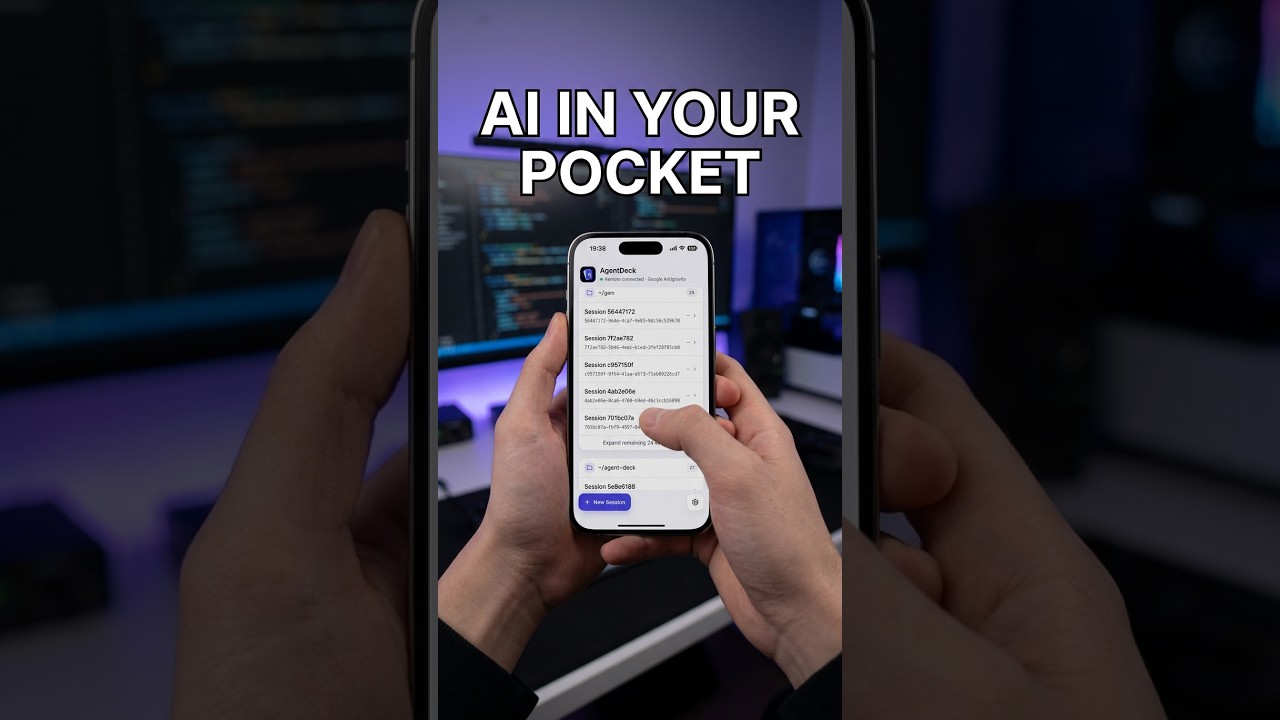
Features
- Any ACP agent: Claude Code, Codex, Cursor, Google Antigravity, GitHub Copilot, OpenCode, Qwen Code, Kimi CLI and more. Switch agents and session modes from the client.
- Phone and browser: Android app, plus a Chrome / Edge / Firefox extension (side panel and DevTools panel).
- End-to-end encrypted: the relay only forwards ciphertext; your code and agents stay on your own computer.
- Self-hosted relay: run your own relay and pair by scanning the QR code from
agentdeckd status. - Review work on the go: approve permission requests, browse remote files, and view Git changes, diffs and history.
- Rich input and output: image and text attachments, voice input, charts and HTML previews rendered in the client.
- Keeps running: completion push notifications on Android, drafts preserved across restarts, and optional keep-awake on the host.
Quick start
AgentDeck (phone / extension) ⇄ Relay ⇄ agentdeckd (computer) ⇄ ACP agents
Install the daemon on the computer where your agents run:
# npm (Node.js 22+, macOS arm64/x64, Linux glibc x64, Windows x64)
npm install -g agentdeckd

# macOS / Linux
brew install mantou132/tap/agentdeckd

# Windows
scoop bucket add mantou https://github.com/mantou132/scoop-bucket
scoop install agentdeckd

# From this repository
cargo install --path crates/daemon
Run agentdeckd start, then paste its Pairing ID into AgentDeck's Settings and select an agent.
For npm upgrades, run agentdeckd stop, npm install -g agentdeckd@latest, then agentdeckd start. Stop the daemon before uninstalling as well. If you change Node installations or npm's global directory, run agentdeckd restart from the new installation to update the autostart path. npm installation does not start services automatically.
Keep the Pairing ID secret. Anyone with it can access your agent. Do not include it in screenshots or issue reports. New installations use adk1_ IDs with end-to-end encryption; the relay only forwards ciphertext. Legacy UUID IDs use plaintext transport. Android completion notifications are sent by the daemon through a forwarder (agent-deck.xianqiao.wang/push) to Firebase Cloud Messaging; the payload contains only the agent and session IDs, with no prompts or replies.
Daemon commands
| Command | Description |
|---|---|
agentdeckd start |
Register autostart and start in the background |
agentdeckd stop |
Stop the daemon and remove autostart |
agentdeckd restart |
Restart the background service |
agentdeckd status |
Show service status, PID, Relay URL and secret Pairing ID |
agentdeckd reset |
Rotate Pairing ID, clear local state and show status; restart if previously running |
agentdeckd / agentdeckd run |
Run in the foreground |
reset generates a new Pairing ID by default, invalidating the old ID. Use --pairing-id to set a specific ID and --relay-url to change the relay; otherwise the default relay URL is used. Pair your devices again with the new ID shown in its status output. It clears local connection state, logs and temporary downloads while preserving installed agents and agent history. Running services restart; stopped services remain stopped.
Global options can appear before or after the command:
agentdeckd start --relay-url wss://your-relay.example/ws
agentdeckd restart --pairing-id <YOUR_PAIRING_ID>
agentdeckd reset --pairing-id <NEW_PAIRING_ID> --relay-url wss://your-relay.example/ws
Both settings are saved for future starts. Use restart to change settings while the daemon is running, or reset to also clear local state. The default relay is wss://agent-deck.xianqiao.wang/ws; clients must use the same relay and Pairing ID. With a custom relay, scan the QR code shown by agentdeckd status in the app; it carries both the Pairing ID and the relay URL. Typing the Pairing ID manually uses the default relay.
Troubleshooting
- Cannot connect: check
agentdeckd status, confirm the client uses the same Pairing ID and relay, then tryagentdeckd restart. Ensure your network permits WebSocket connections to the relay. - Still stuck: run
agentdeckd resetand use Reset App in the client's Settings to clear local connection state. - Connection preempted: close duplicate clients sharing the same device identity.
- Connected, but an agent fails: check that its CLI works locally and inspect
agentdeckd.logunder the data directory below. Save any useful logs before runningreset.
| OS | Daemon data directory |
|---|---|
| macOS | ~/Library/Application Support/agentdeck/ |
| Linux | ${XDG_DATA_HOME:-~/.local/share}/agentdeck/ |
| Windows | %LOCALAPPDATA%\agentdeck\ |
Logs are in logs/agentdeckd.log.
Enterprise
We are exploring a team / enterprise edition: self-hosted relay, SSO, an approved-agent allowlist, audit logs and device management. If your team is interested, email [email protected] and tell us which agents you use and what your security review requires.
Privacy Policy
Please see PRIVACY_POLICY.md for details.
Reviews (0)
Sign in to leave a review.
Leave a reviewNo results found