starship-claude
Health Pass
- License — License: MIT
- Description — Repository has a description
- Active repo — Last push 0 days ago
- Community trust — 66 GitHub stars
Code Pass
- Code scan — Scanned 12 files during light audit, no dangerous patterns found
Permissions Pass
- Permissions — No dangerous permissions requested
No AI report is available for this listing yet.
✳ claude statusline via starship
starship-claude

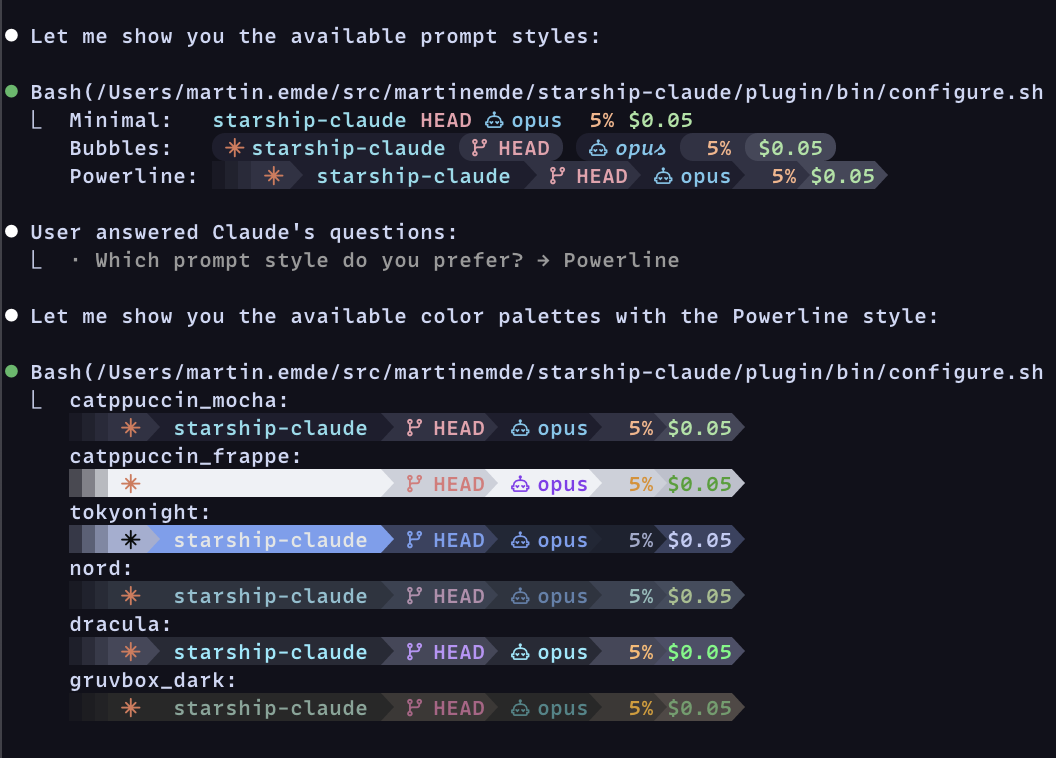
Use Starship for your claude code status line.
Quick Start
[!TIP]
Run each of the following commands inclaudeone at a time.
/plugin marketplace add martinemde/starship-claude
/plugin install starship-claude@starship-claude
Then run the setup wizard:
/starship
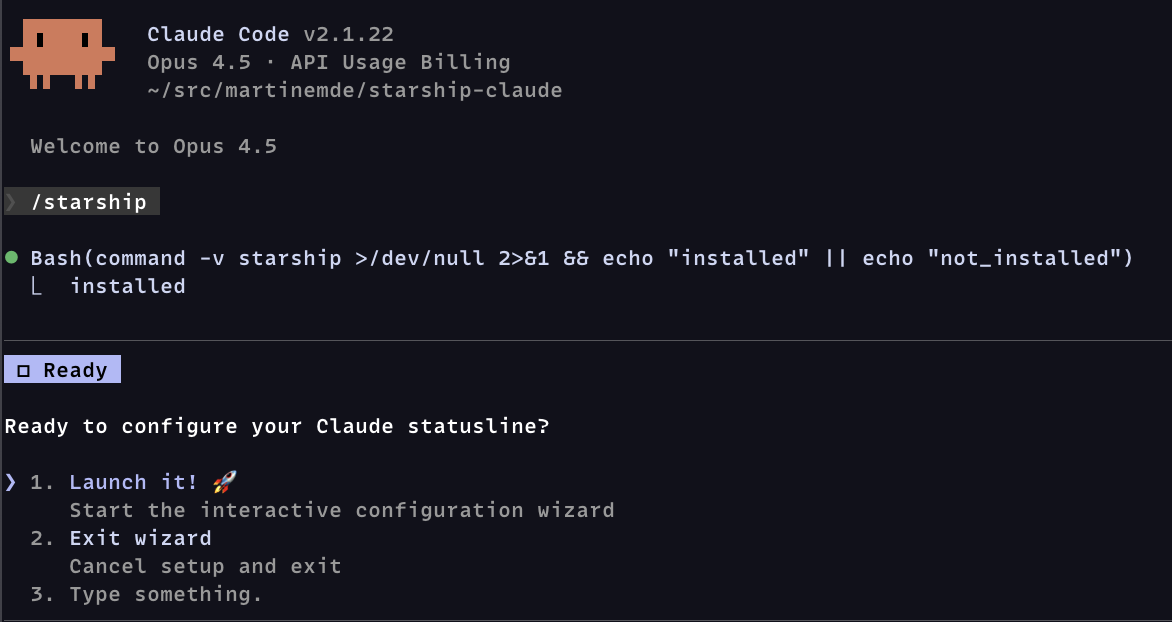
The wizard is just instructions to claude that will help with setup:
- Check if starship is installed (offers to install if missing)
- Detect existing configuration and ask what to do
- Ask about Nerd Font support
- Let you choose a color palette
- Let you choose a prompt style
- Install the script and generate your config
- Update your Claude Code settings
- Verify everything works
Manual Install
You'll need starship to render the statusline:
# If you don't already have starship...
curl -sS https://starship.rs/install.sh | sh
You'll probably want a Nerd Font (optional) for the robot icons.
When you're ready to install, run these in your terminal (not in claude):
# Download the script from this repository
mkdir -p ~/.local/bin
curl -fsSL https://raw.githubusercontent.com/martinemde/starship-claude/main/plugin/bin/starship-claude \
  -o ~/.local/bin/starship-claude && chmod +x ~/.local/bin/starship-claude

# Get the config file that you can customize
mkdir -p ~/.claude
curl -fsSL https://raw.githubusercontent.com/martinemde/starship-claude/main/plugin/templates/minimal-nerd.toml \
  -o ~/.claude/starship.toml
Add the statusline in your Claude Code settings (~/.claude/settings.json):
{
  // ... other stuff
  "statusLine": {
    "type": "command",
    "command": "~/.local/bin/starship-claude",
  },
}
Run it directly to test it out but you'll need to grab a test fixture JSON file.
./plugin/bin/starship-claude < test/fixtures/low_cost_session.json
My Favorite Feature: Context Window Progress Bar
Show progress bars for context usage percentages in terminals like Ghostty. (I love it!)
We use Dex Horthy's "dumb zone" (video) to start warning at 40%.
- Progress bar scales for 80% compaction.
- 0-40%: Normal - You're good.
- 40-60%: Warning - Reset if it's not going well.
- 60%+: Error - Compacting soon...
Warning does not mean stop, but be aware of your context usage.
[!NOTE]
This doesn't work in tmux even if you are using Ghostty.
Let me know if you find a workaround.
Customize
Add these options to the ~/.claude/settings.json if you want do things differently.
# custom config file
starship-claude --config ~/.config/starship/claude.toml

# disable terminal context progress bar (maybe it's printing weird characters?)
starship-claude --no-progress
Running Tests
Install BATS and run tests:
# Install BATS via mise
mise use bats@latest
mise install

# Run all tests
mise exec -- bats test/

# Run specific test file
mise exec -- bats test/model_extraction.bats
License
MIT License © 2026 Martin Emde
Reviews (0)
Sign in to leave a review.
Leave a reviewNo results found