claude-code-search
Health Warn
- License — License: MIT
- Description — Repository has a description
- Active repo — Last push 0 days ago
- Low visibility — Only 5 GitHub stars
Code Warn
- process.env — Environment variable access in src/cli.ts
Permissions Pass
- Permissions — No dangerous permissions requested
No AI report is available for this listing yet.
Search through your Claude Code history
Claude Code Search
Fuzzy-search prompts from Claude Code, Codex, and Cursor, then copy one back to your clipboard
Like fzf or atuin, but for the prompts buried across your past sessions.


Install
npm install -g claude-code-search
Requires Node.js 24.11 or newer.
Quickstart
ccs
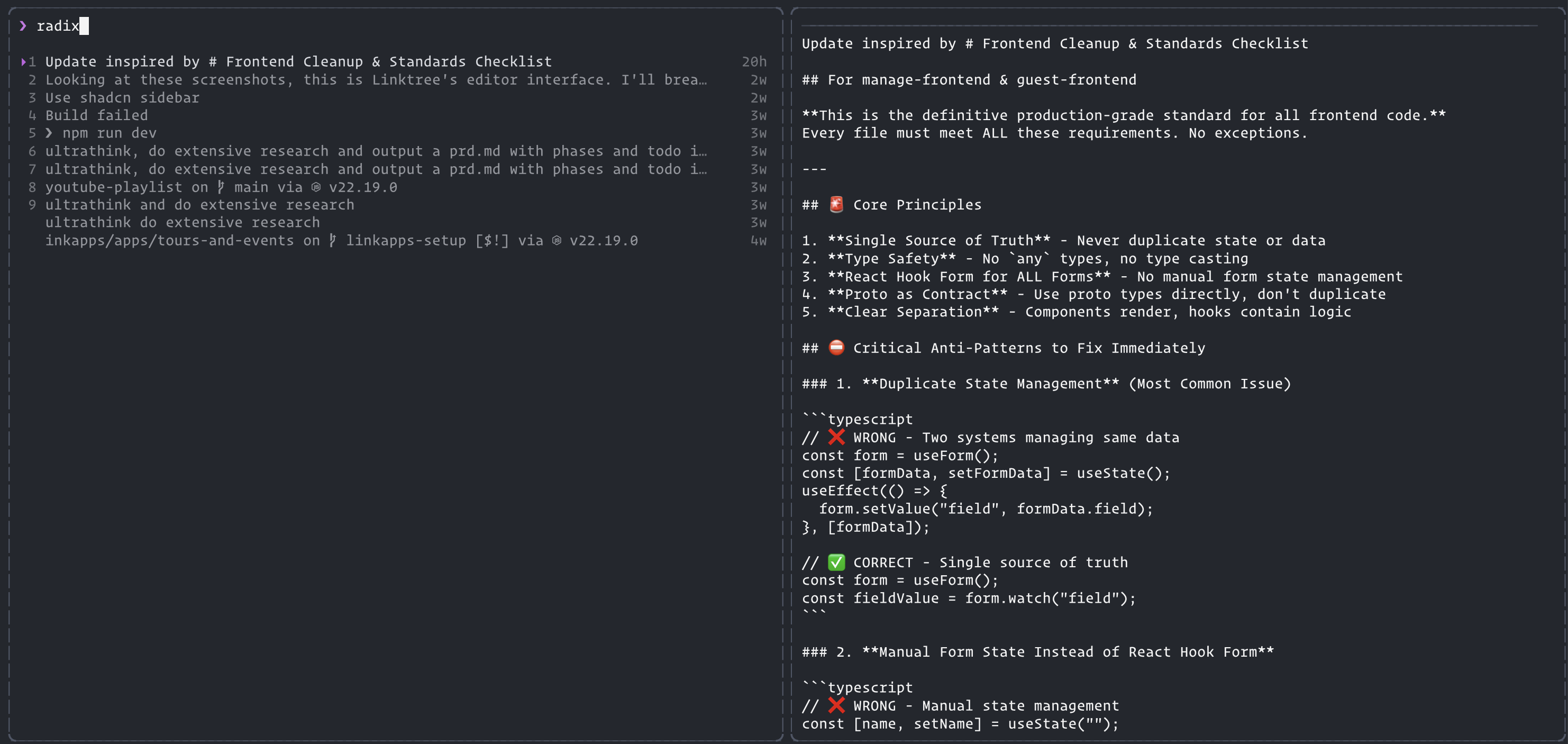
ccs opens on the current directory so the first paint is not a full-history scan. Ctrl+R (or Shift+Tab) switches to every project. Type to filter. Results rank by match quality rather than date, the preview pane shows the full prompt, and Enter copies the selected prompt to your clipboard and prints it to stdout.
The same search runs non-interactively (stdout is data, stderr is logs):
ccs -s "refactor"
ccs -l -n 50
ccs -s "refactor" -j
ccs --source claude --source codex -s "test" --output json
ccs schema
Options
| Flag | Default | Description |
|---|---|---|
-l, --list |
List prompts and exit, no TUI | |
-s, --search <query> |
Search for a query and exit, no TUI | |
-j, --json |
Alias for --output json |
|
--output <text|json> |
text |
Machine-readable JSON or text lines |
--no-input |
Never prompt (agents / pipes) | |
-n, --limit <n> |
100 |
Maximum number of results |
-p, --project <path> |
Only prompts from one project path | |
--source <source> |
all |
claude, codex, cursor, or all (repeatable) |
--projects-dir <dir> |
~/.claude/projects |
Claude projects directory |
Keyboard shortcuts
| Key | Action |
|---|---|
↑ / ↓ |
Move through results |
1 to 9 |
Jump straight to a result and copy it |
Enter |
Copy the selected prompt and exit |
Ctrl+R / Shift+Tab |
Toggle global or current-directory only |
Esc / Ctrl+C |
Quit |
Sources
History is read only. Formats change between product versions; unknown records are skipped.
- Claude Code:
~/.claude/projects/(and~/.config/claude/projectsif present). Root<uuid>.jsonltranscripts; nestedsubagents/files are ignored so the same prompt is not indexed twice. - Codex CLI:
~/.codex/sessions/**/rollout-*.jsonlandarchived_sessions. Compressed.jsonl.zstfiles are skipped. Directory-scoped loads usergwhen it is onPATHto find matching session files instead of opening every rollout. - Cursor: local
state.vscdb(Composer headers + user bubbles). Cursor 3.x uses a globalcomposerHeaderstable. Mixed-source and TUI runs scope Cursor to the current workspace so the multi-gigabyte global DB is not fully loaded.--source cursorwith no project filter reads all workspaces (slow).
Agent skill
# from this repo
# copy skills/ccs/SKILL.md into your agent's skills directory
See skills/ccs/SKILL.md.
Library
import { loadMessages, search, run } from "claude-code-search";
Exit codes
| Code | Meaning |
|---|---|
0 |
Success |
1 |
General error |
2 |
Invalid arguments |
3 |
No results found |
Notes
- Colour follows
NO_COLORandFORCE_COLOR, and drops out when stdout is not a terminal. CCS_PROJECT_DIRoverrides the Claude projects directory (--projects-dirwins).
License
MIT
Crafted by  Matthew Blode
Reviews (0)
Sign in to leave a review.
Leave a reviewNo results found