creator-skills
Health Warn
- License — License: MIT
- Description — Repository has a description
- Active repo — Last push 0 days ago
- Low visibility — Only 5 GitHub stars
Code Pass
- Code scan — Scanned 12 files during light audit, no dangerous patterns found
Permissions Pass
- Permissions — No dangerous permissions requested
No AI report is available for this listing yet.
Creator agent skills (image, video, voice incl. Arabic dialects, thumbnails, ads, explainers) that work with whatever you have — Higgsfield, Gemini, OpenAI, ElevenLabs, Azure, Antigravity, Codex, or the browser — with automatic fallback.



Agent skills for creators that work with the tools you already have —
and keep working when one of them doesn't.
Most AI media skills are built around one vendor. If you don't have that account, or its
credits run out, or it's down, you're stuck.
creator-skills detects what you have — a CLI, an API key, a ChatGPT or Google
subscription, or just a browser — picks the best route for each job, and falls back
automatically when a route fails. Your agent (Claude Code, OpenCode, Codex, Antigravity,
Cursor…) does the thinking; the providers do the rendering; local ffmpeg does the finishing.
npx skills add mehbylabs/creator-skills
Then just ask your agent:
"Make a YouTube thumbnail for my video about learning to navigate without GPS."
"Turn this article into a 60-second vertical explainer with voiceover and captions."
"اعمل تعليق صوتي بالمصري للإعلان ده" — Egyptian Arabic voiceover for this ad
"Product photos of this bottle for my Amazon listing."
Contents
- Skills
- Providers
- How routing works
- Arabic and dialect voiceovers
- Connect your tools
- Examples
- Configuration
- Use from the command line
- FAQ
- Contributing
Skills
| Skill | What you get | Try asking |
|---|---|---|
creator-setup |
Detects your tools, connects keys and logins, sets priorities | "set up creator skills" |
creator-image |
Images, edits with references, transparent PNGs | "a flat vector hero image of a lighthouse, 16:9" |
creator-video |
Text/image-to-video, first+last frame, reframe, captions | "animate this photo with a slow push-in" |
creator-audio |
Voiceovers (incl. Arabic dialects), music beds, sound effects | "a calm lo-fi bed, 60 seconds, instrumental" |
creator-thumbnail |
YouTube thumbnails & vertical covers, 2–3 variants, crisp headlines | "thumbnail for my GPS video, use my face" |
creator-product-photo |
Studio, lifestyle, Pinterest, hero, try-on, marketplace sets | "Amazon main + 5 secondary images" |
creator-ad |
15–30 s UGC-style ads, hook variants, 9:16 / 1:1 / 16:9 | "3 TikTok ad variants for my app" |
creator-explainer |
Topic → script → voice → visuals → captioned MP4 | "explain compound interest in 60 s" |
creator-character |
Same face or mascot across images and video | "make a mascot and keep it consistent" |
creator-brandkit |
Palette, type, SVG logos, mockups, reusable brand.json |
"brand kit for my coffee channel" |
Install a single skill: npx skills add mehbylabs/creator-skills --skill creator-thumbnail
Providers
| Provider | Image | Video | Voice | Music | SFX | You need |
|---|---|---|---|---|---|---|
| Higgsfield CLI | ✅ | ✅ Seedance · Kling · Veo | ✅ | ✅ | Higgsfield account | |
| Google Gemini API | ✅ Nano Banana | ✅ Gemini Omni | ✅ incl. Arabic | ✅ Lyria | GEMINI_API_KEY |
|
| OpenAI API | ✅ gpt-image · transparent | ✅ ¹ | OPENAI_API_KEY |
|||
| ElevenLabs | ✅ | ✅ | ✅ | ELEVENLABS_API_KEY |
||
| Google Cloud TTS | ✅ ar-EG + accent prompt |
gcloud login |
||||
| Azure Speech | ✅ 16 Arabic country voices | key + region | ||||
Antigravity CLI (agy) |
✅ | Google sign-in | ||||
| Codex CLI | ✅ | ChatGPT sign-in | ||||
| Gemini web app | ✅ | ✅ | browser + computer use | |||
| Google Flow | ✅ | ✅ Veo | browser + computer use | |||
| Google AI Studio | ✅ voice design | browser + computer use | ||||
| ffmpeg (local) | text, cutouts, reframe | Ken Burns, captions, assembly | mixing | ducking | always |
¹ OpenAI's speech models retire January 2027; they're last in the voice order.
You don't need all of these. One is enough to start — agy alone (just a Google
sign-in) covers images, and with ffmpeg that also gives you animated-still video.
How routing works
flowchart LR
    A[Your request] --> B{Detect tools<br/>keys · CLIs · browser}
    B --> C[Order by your config<br/>or quality / cost profile]
    C --> D{Can it do this?<br/>refs · transparency · size · dialect}
    D -->|try| E[Provider 1]
    E -->|timeout: retry once| E
    E -->|auth / quota / unsupported| F[Provider 2 … n]
    E -->|content refused| X[Stop and revise<br/>never provider-shop]
    F -->|only browser routes left| G[Agent drives<br/>Gemini · Flow · AI Studio]
    E --> H[Verify file on disk]
    F --> H
    G --> H
    H --> I[Finish locally<br/>text · captions · reframe · mix]
Default orders (you can override any of them):
| Task | quality (default) |
cost (subscriptions first) |
|---|---|---|
| Image | Higgsfield → Gemini API → OpenAI → agy → Codex → Gemini web → Flow | agy → Codex → Higgsfield → Gemini API → OpenAI → Gemini web → Flow |
| Video | Higgsfield → Gemini API → Flow → Gemini web | Flow → Gemini web → Higgsfield → Gemini API |
| Voice | ElevenLabs → Gemini API → Cloud TTS → Azure → OpenAI → AI Studio | Gemini API → AI Studio → Cloud TTS → Azure → ElevenLabs → OpenAI |
| Voice, Arabic | Gemini API → Cloud TTS → Azure → ElevenLabs → OpenAI → AI Studio | same |
When nothing can generate, the skills degrade instead of failing: no video provider →
animated stills; no good text rendering → art + local typography; no transparency →
white background + local cutout.
Full rules: providers.md
Arabic and dialect voiceovers
Pass --lang (or just tell the agent the dialect) and voiceovers route to the providers
that handle it best, with accent direction and per-country voices:
--lang |
Dialect | Best route |
|---|---|---|
ar |
Fusha / MSA | Gemini TTS |
ar-EG |
Egyptian | Gemini TTS (officially supported), Cloud TTS ar-EG |
ar-SA ar-AE ar-KW ar-QA |
Saudi / Gulf | Gemini TTS (prompted), Azure country voices |
ar-LB ar-SY ar-JO ar-PS |
Levantine | Gemini TTS (prompted), Azure |
ar-IQ |
Iraqi | Gemini TTS (prompted), Azure |
ar-MA ar-DZ ar-TN |
Maghrebi / Darija | Azure, Gemini TTS (test first) |
The skill writes (or converts) your script in the dialect's own spelling — the biggest
factor in sounding native — and has you approve the first line before generating the rest.
Guide: arabic-voice.md
Connect your tools
Keys are typed into a hidden prompt in your own terminal, verified with a free API call,
and stored in ~/.config/creator-skills/.env (mode 600, loaded automatically). Logins run
each tool's own OAuth.
S=~/.claude/skills/creator-setup/scripts   # wherever your agent installed the skills

python3 $S/connect.py verify               # what's connected (keys masked)
python3 $S/connect.py google-api           # paste key → verified → saved
python3 $S/connect.py higgsfield           # install + browser login
python3 $S/connect.py aistudio-browser     # enable a browser app
op read "op://Private/ElevenLabs/key" | python3 $S/connect.py elevenlabs --stdin
Or ask your agent to "set up creator skills" — it checks everything and tells you the exact
command to run. Agents are instructed never to ask for keys in chat or read .env files.
Guide: connect.md
Examples
Made with this repo on a machine that only had agy + ffmpeg — no API keys.
 |
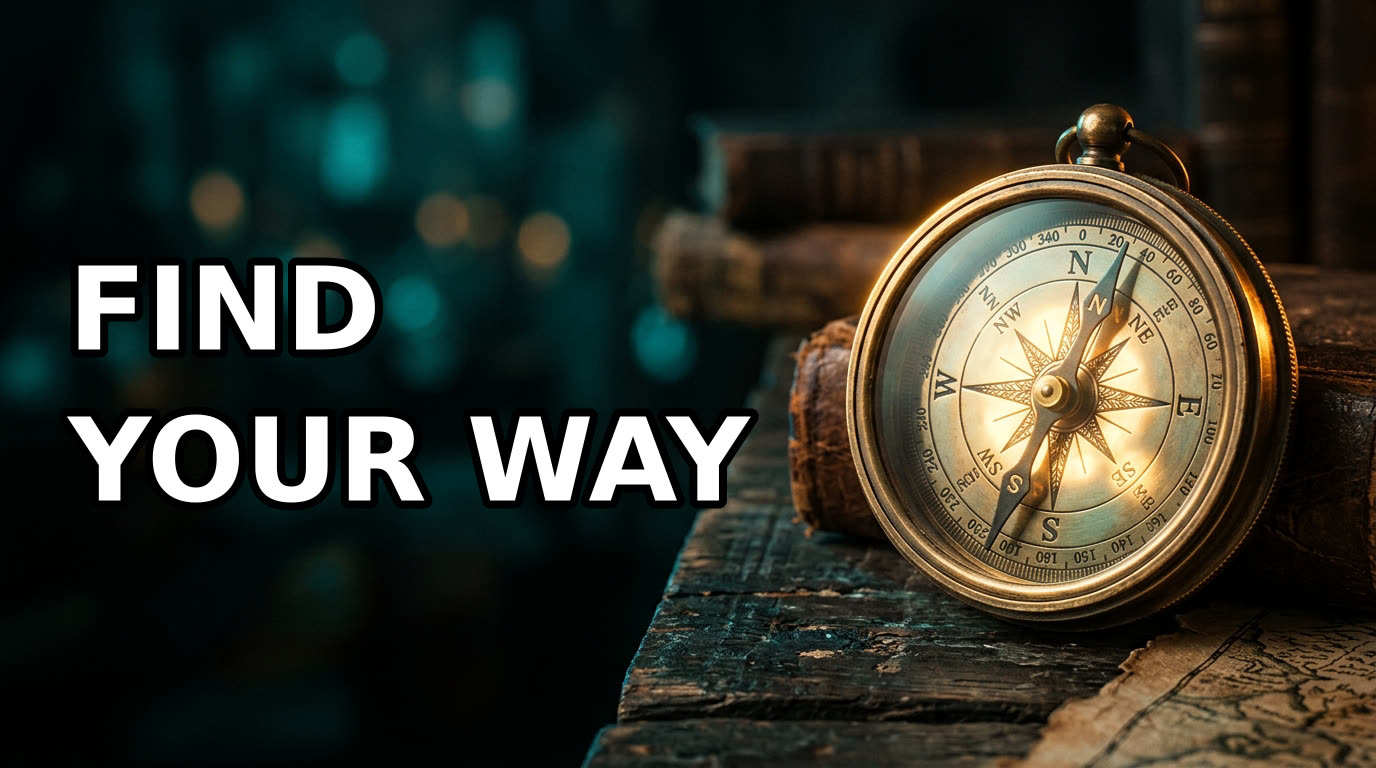 |
creator-thumbnail, step 1 — art generated with empty space for the headline (agy, 60 s) |
step 2 — headline added locally, so it's always crisp and spelled right |
 |
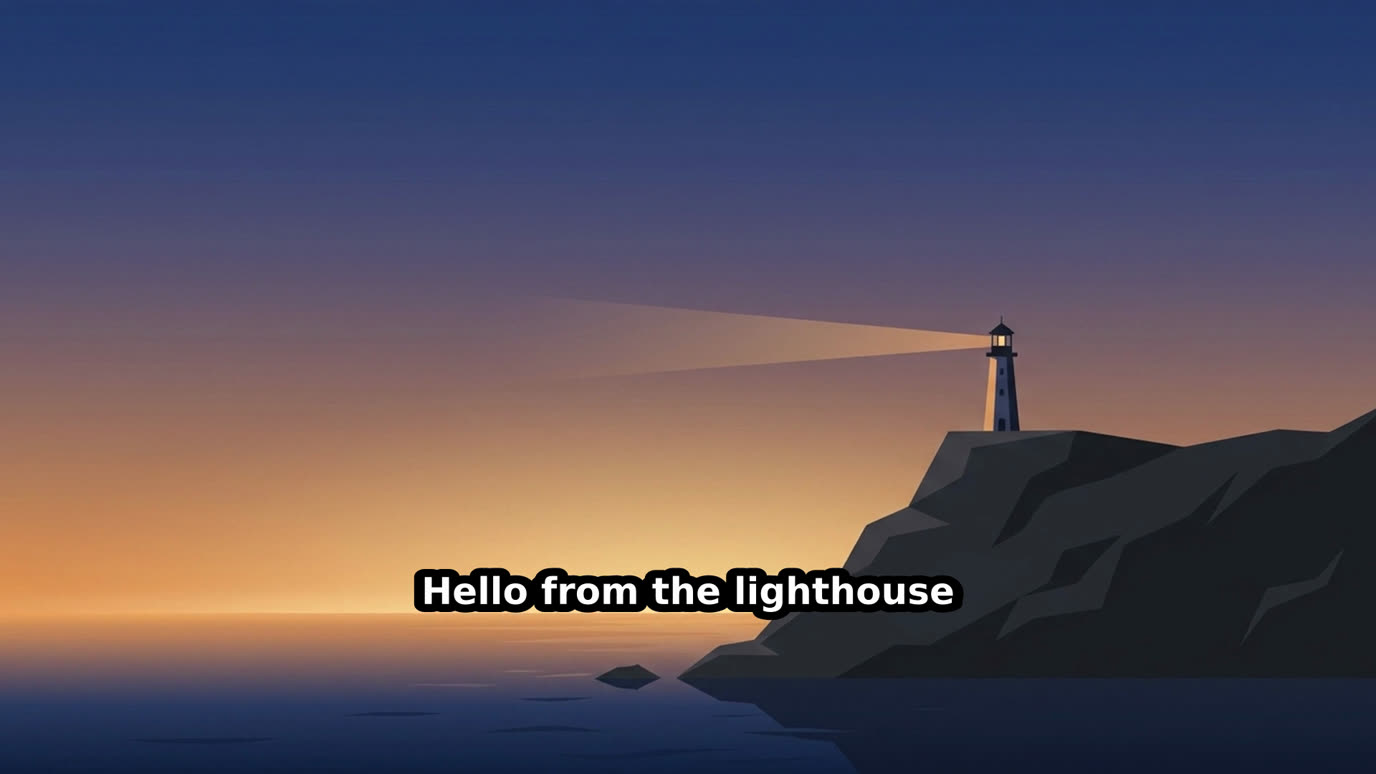 |
| creator-image — "flat vector lighthouse at dusk, indigo and amber", 16:9 | creator-video fallback — still → Ken Burns clip → burned captions |

media.py reframe --ratio 9:16 --mode blur — a 16:9 clip ready for Shorts/Reels
Configuration
Optional. Without a config everything auto-detects and uses the quality profile.~/.config/creator-skills/config.json:
{
  "profile": "cost",
  "order": { "speech:ar-MA": ["azure-tts", "google-api"] },
  "disabled": ["openai-api"],
  "voices": { "google-api:ar-EG": "Charon", "azure-tts:ar-SA": "ar-SA-HamedNeural" },
  "browser": { "enabled": true, "apps": ["gemini", "flow", "aistudio"] },
  "brand": { "colors": ["#0B1F3A", "#FF6B35"], "fonts": { "heading": "/path/Heading.ttf" } }
}
Reference: config.md
Use from the command line
The skills are thin instructions around two stdlib-only Python scripts you can run directly:
S=skills/creator-image/scripts

python3 $S/creator.py detect                                   # what's available
python3 $S/creator.py plan --task speech --lang ar-EG          # route that would be used
python3 $S/creator.py image  --prompt "…" --ratio 16:9 --out out/hero.png
python3 $S/creator.py video  --prompt "slow push-in" --start out/hero.png --out out/clip.mp4
python3 $S/creator.py speech --text-file vo.txt --lang ar-EG --out out/vo.mp3
python3 $S/creator.py music  --prompt "lo-fi, 80 bpm" --instrumental --duration 60 --out out/bed.mp3

python3 $S/media.py text     --image out/hero.png --text "BIG\nIDEA" --align left --out out/thumb.png
python3 $S/media.py still    --image out/hero.png --duration 6 --out out/still.mp4
python3 $S/media.py assemble --scenes scenes.json --music out/bed.mp3 --out out/final.mp4
Every command prints JSON: ok, needs_browser (with the request to reproduce in the
browser), blocked (content refused — no provider-shopping), or failed (with the exactconnect command that would fix it).
FAQ
Do I need all these accounts? No. One provider is enough to start; add more for better
quality or resilience.
Which agents does it work with? Anything that loads Agent Skills: Claude Code, OpenCode,
Codex, Cursor, Antigravity, Gemini CLI, GitHub Copilot, Windsurf, and more via npx skills.
How does browser fallback work? If your agent has a browser / computer-use tool and you
enable it, the skills include step-by-step playbooks for the Gemini app, Google Flow, and
AI Studio. You sign in once yourself; the agent never types passwords.
Is it safe with my keys? Keys never pass through chat or command lines, are stored with
user-only permissions, and are masked in every output. See connect.md.
Will it generate anything I ask? No. If a provider refuses content, the chain stops — it
won't retry the same request elsewhere. Character and voice skills require consent for real
people.
What's tested? CI validates every skill against the Agent Skills spec and smoke-tests the
scripts. The agy and ffmpeg paths are tested end to end; API adapters are built on current
docs — please open an issue if one misbehaves.
Contributing
shared/          ← edit here: creator.py, media.py, connect.py, references
skills/<name>/   ← SKILL.md + synced copies of shared/
scripts/         ← sync-shared.sh, validate.py
Edit shared/, run scripts/sync-shared.sh, then python3 scripts/validate.py.
Adding a provider or skill: see AGENTS.md.
Credits
Structure and conventions inspired by higgsfield-ai/skills (MIT).
License
MIT © Mohamed Elhedi Ben Yedder
Reviews (0)
Sign in to leave a review.
Leave a reviewNo results found