code-insights
Health Pass
- License — License: MIT
- Description — Repository has a description
- Active repo — Last push 0 days ago
- Community trust — 42 GitHub stars
Code Pass
- Code scan — Scanned 12 files during light audit, no dangerous patterns found
Permissions Pass
- Permissions — No dangerous permissions requested
This TypeScript-based CLI analyzes your local AI coding sessions (from tools like Claude Code, Cursor, and Copilot) to extract decisions, prompt quality scores, and cross-session patterns. It runs entirely on your machine, using either your own API subscriptions or local AI models like Ollama.
Security Assessment
Overall Risk: Low. The tool explicitly processes local session logs and stores the resulting data in a local SQLite database without routing it to any external clouds or third-party servers. The rule-based code scan of 12 files found no dangerous patterns, hardcoded secrets, or requests for elevated system permissions. It optionally integrates with local environments like Ollama or standard AI API subscriptions, but its core architecture respects a strict offline-first philosophy. No shell execution vulnerabilities or unsafe network requests were detected.
Quality Assessment
Quality is solid. The project is actively maintained, with its most recent push occurring just today. It uses the highly permissive MIT license, ensuring clear terms for open-source use and modification. While the community is currently small, it has generated 42 GitHub stars, indicating positive initial reception and trust from early adopters. The included CLI compatibility is currently unknown, but the provided npm packages and clear documentation suggest a mature and ready-to-use project.
Verdict
Safe to use. It provides a strictly local, transparent, and secure way to analyze your AI coding habits without compromising sensitive data.
Turn your AI coding sessions into knowledge.

Code Insights




Turn your AI coding sessions into knowledge.
Extract decisions, learnings, and prompt quality scores. Detect patterns. Get better at working with AI.
npx @code-insights/cli
Analyzes your sessions from Claude Code, Cursor, Codex CLI, Copilot CLI, and VS Code Copilot Chat to extract structured insights — decisions with trade-offs, learnings with root causes, prompt quality with actionable feedback, and cross-session patterns that surface what's working and what's not. All stored locally in SQLite, browsable through terminal analytics and a built-in dashboard.
No accounts. No cloud. No data leaves your machine.
Claude Code users: zero-config analysis, zero cost.
Install the hook once. Every session gets analyzed automatically using your Claude subscription.code-insights install-hook
Works with Ollama — free, local, zero API keys.
If you have Ollama installed,code-insightswill detect it automatically and use it for AI analysis. No account, no cost, no data leaves your machine.ollama pull llama3.3 # recommended npx @code-insights/cli # Ollama detected automatically
What You Get
Decisions, Learnings & Prompt Quality
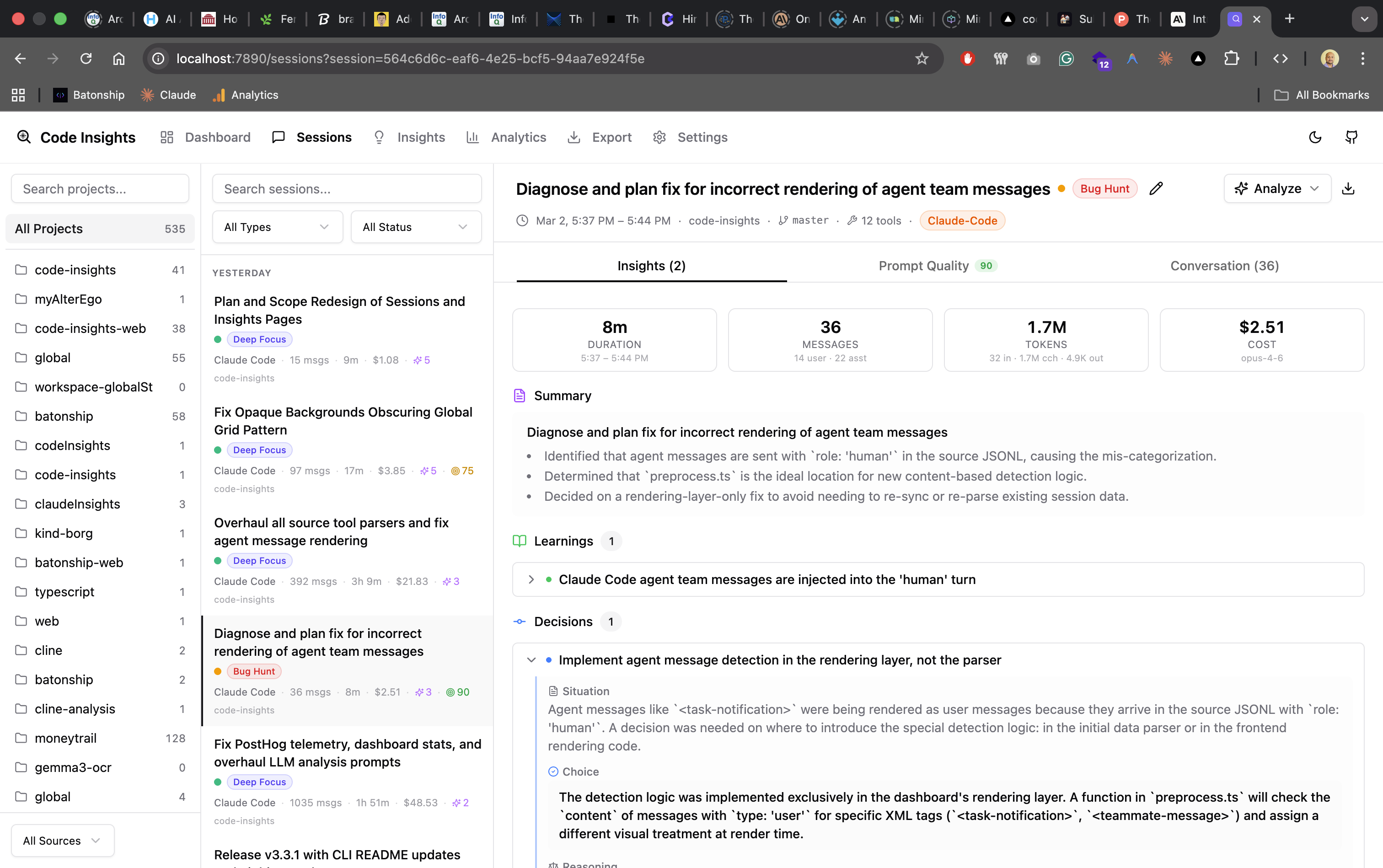
Each session is analyzed to extract structured insights — decisions with trade-offs and alternatives, learnings with root causes, and prompt quality scores across 5 dimensions with actionable before/after takeaways.
Cross-Session Patterns
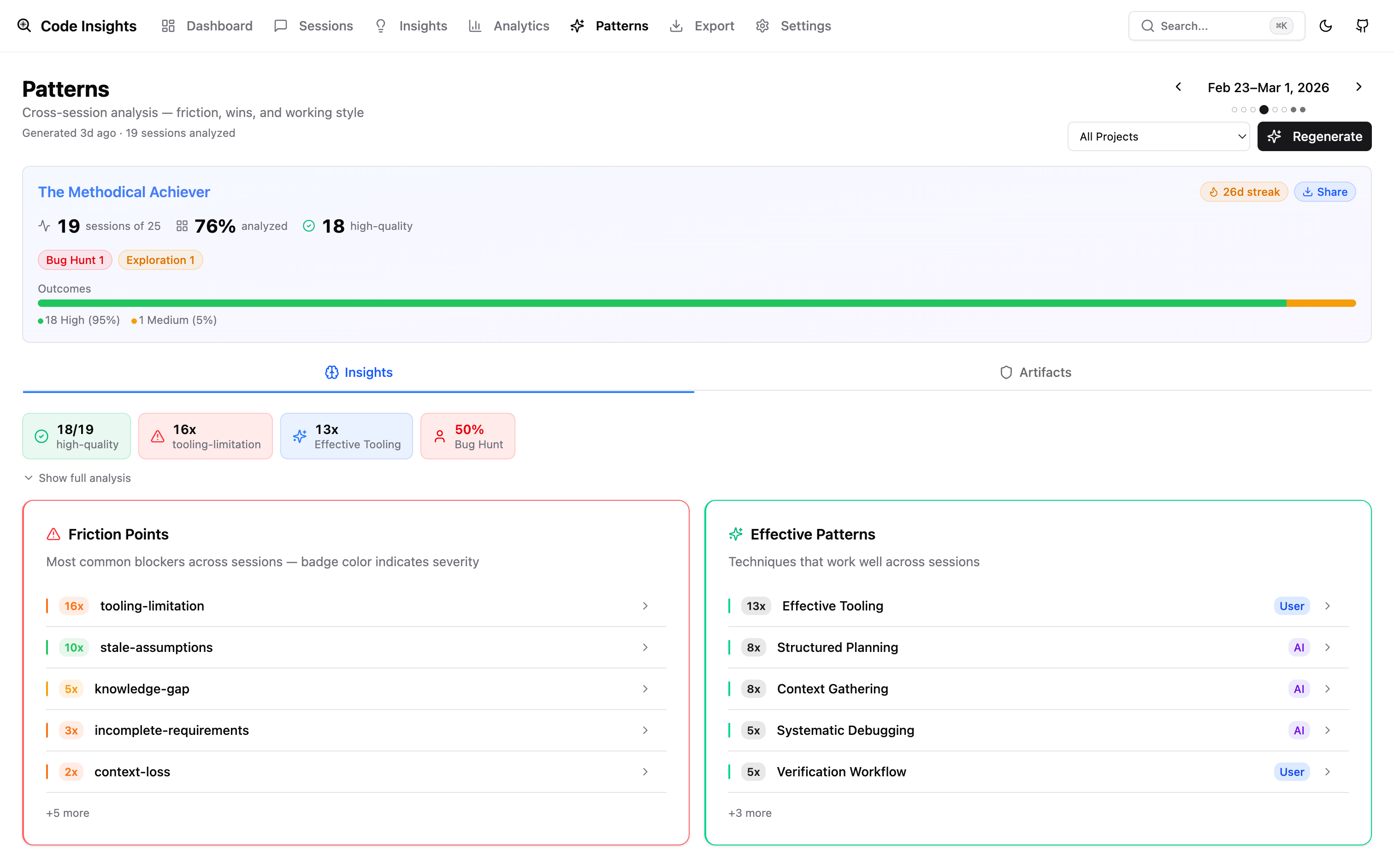
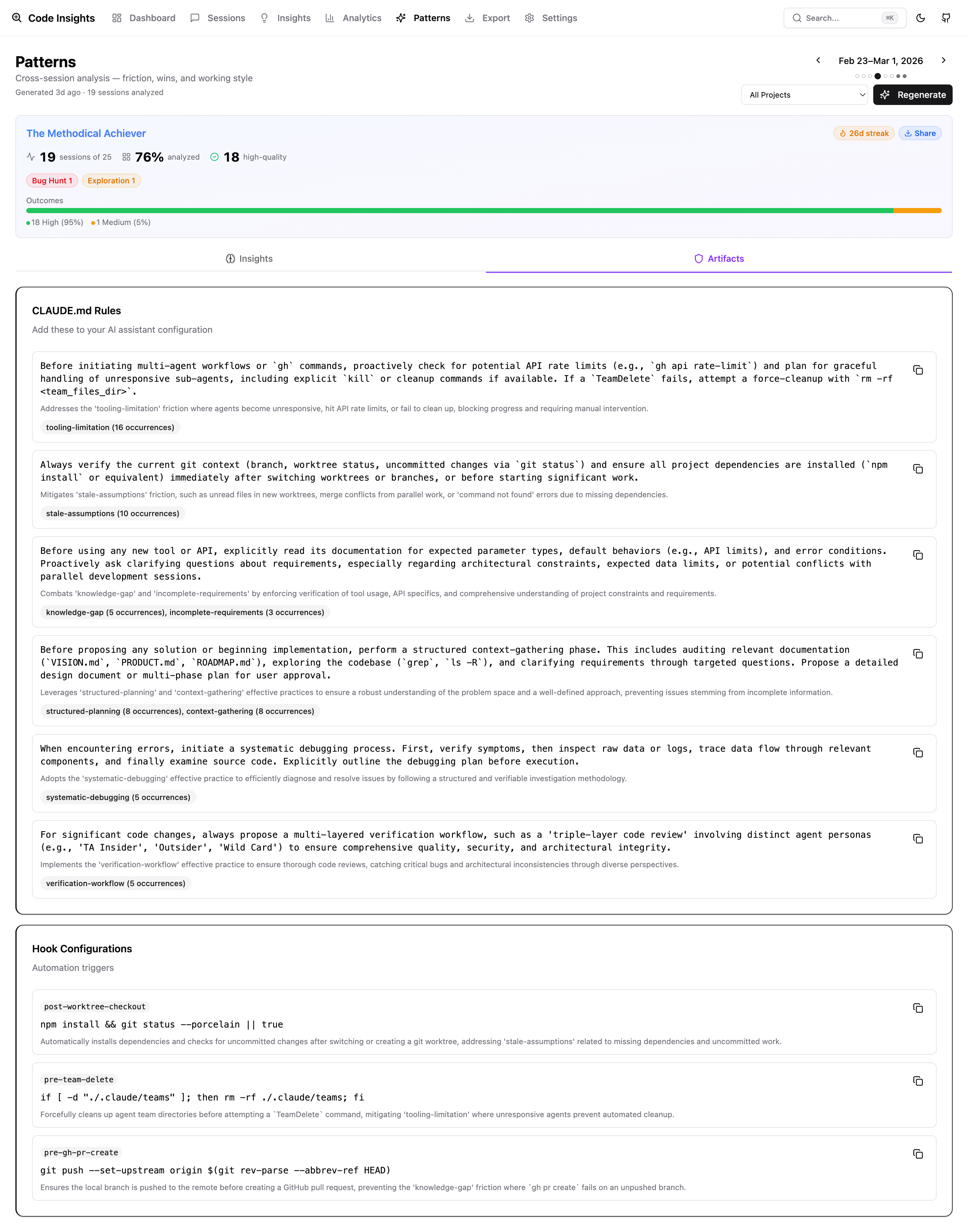
Weekly synthesis detects friction points, effective patterns, and prompt quality trends across all your sessions. Navigate week-by-week to see how your habits evolve — and export generated rules for your CLAUDE.md or .cursorrules.
AI Fluency Score
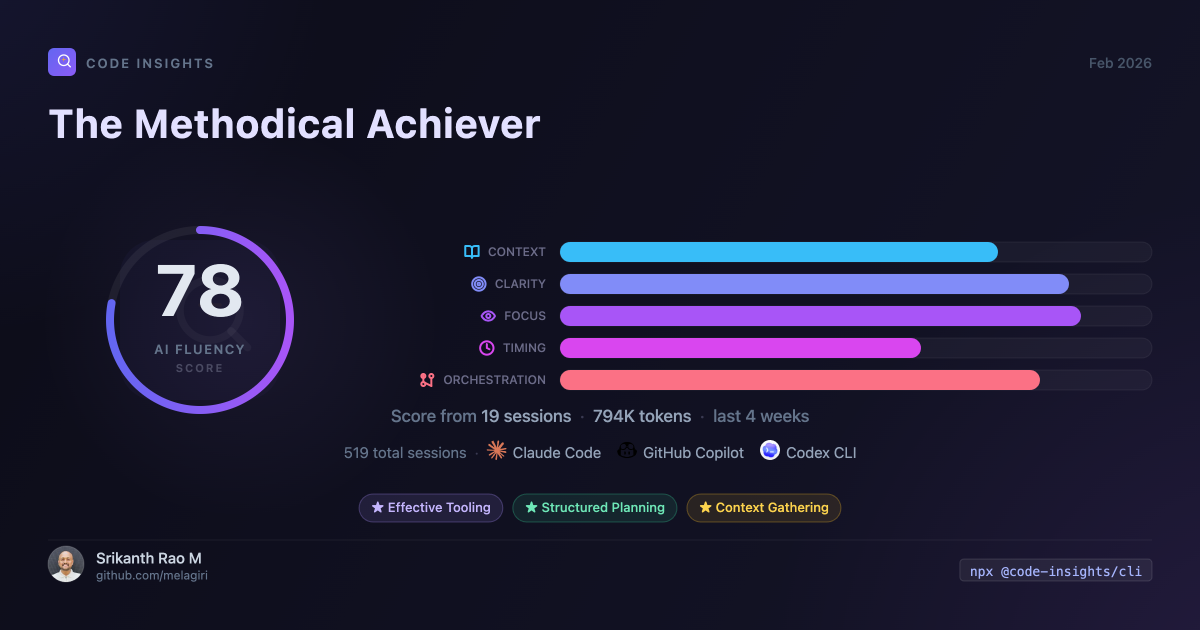
All of the above rolls up into your AI Fluency Score — a shareable snapshot of your coding fingerprint, working style, and top patterns.
Analytics & Cost Tracking
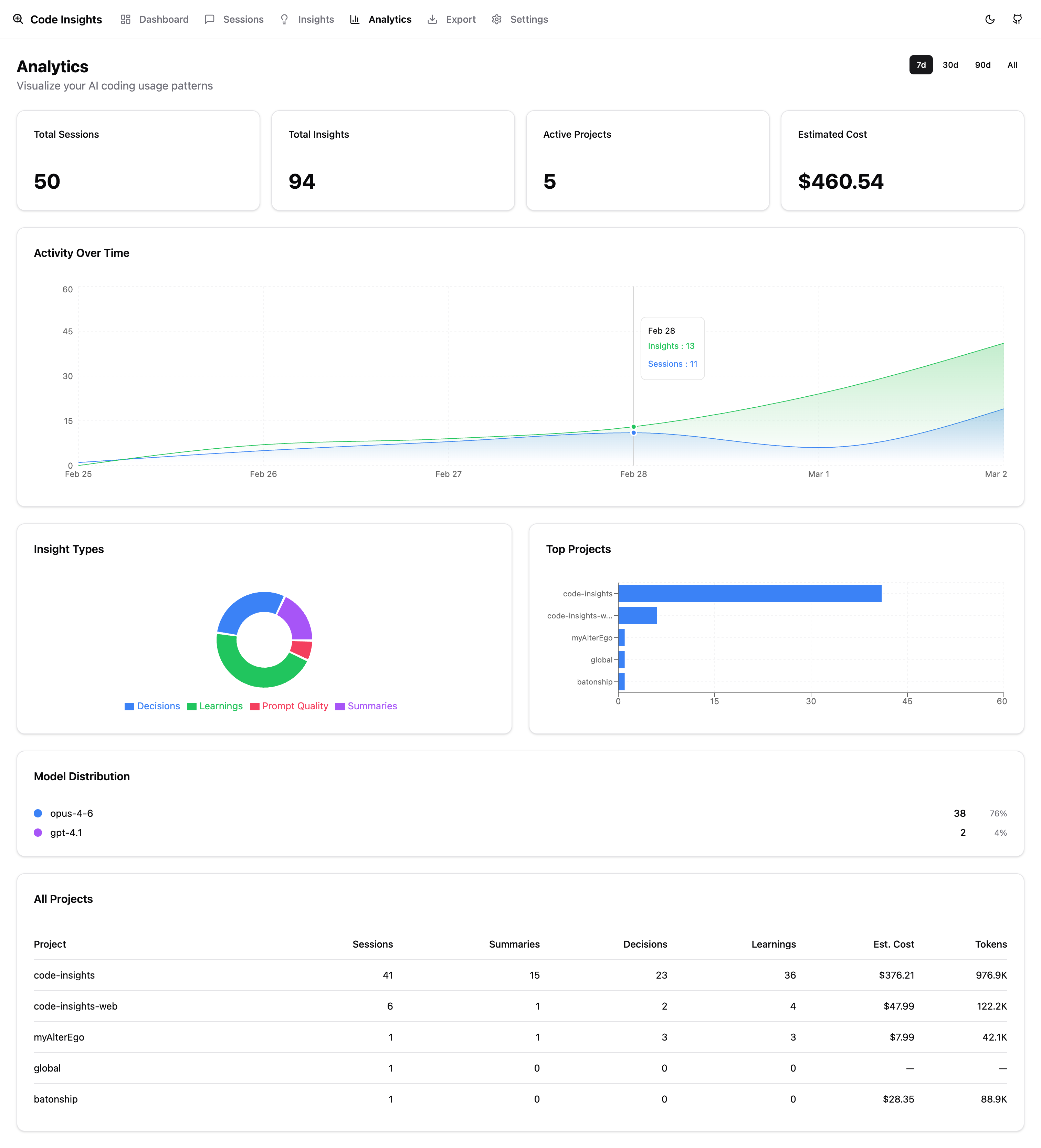
Activity charts, cost breakdown by project and model, session types, and multi-tool usage — all in one dashboard.
Terminal Analytics
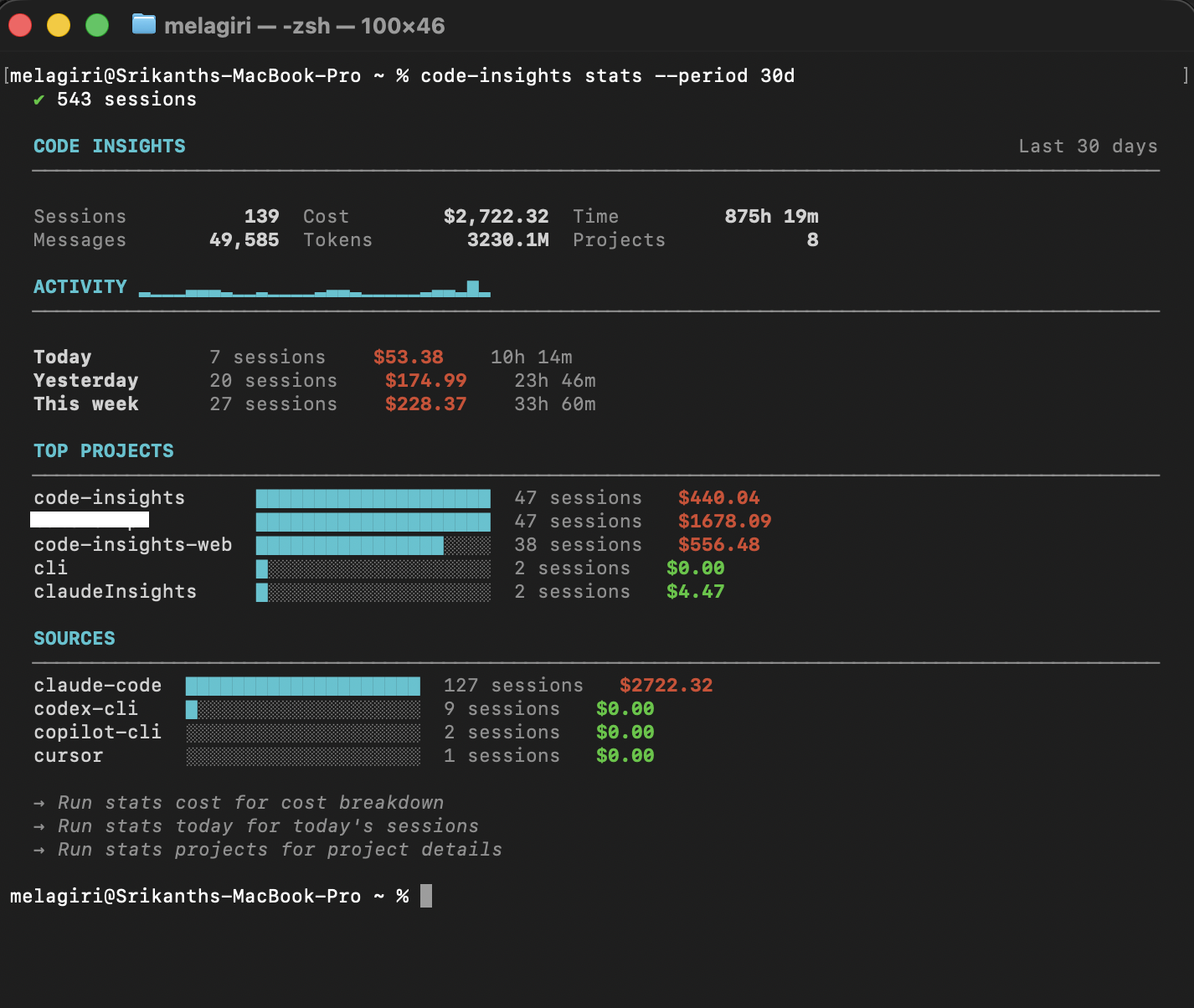
Don't need a browser? code-insights stats gives you the full picture from the terminal.
Supported AI Tools
| Tool | Data Location |
|---|---|
| Claude Code | ~/.claude/projects/**/*.jsonl |
| Cursor | Workspace storage SQLite (macOS, Linux, Windows) |
| Codex CLI | ~/.codex/sessions/YYYY/MM/DD/rollout-*.jsonl |
| Copilot CLI | ~/.copilot/session-state/{id}/events.jsonl |
| VS Code Copilot Chat | Platform-specific Copilot Chat storage |
Sessions from all tools are discovered automatically during sync.
Quick Start
# Try instantly (no install needed)
npx @code-insights/cli

# Or install globally
npm install -g @code-insights/cli
code-insights                          # sync sessions + open dashboard
code-insights install-hook             # auto-sync + auto-analyze on session end
Common Commands
code-insights                          # sync + open dashboard (zero-config)
code-insights stats                    # terminal analytics (last 7 days)
code-insights stats today              # today's sessions
code-insights stats cost               # cost breakdown by project and model
code-insights dashboard                # start dashboard server
code-insights sync                     # sync sessions only
code-insights sync --source cursor     # sync from a specific tool
code-insights reflect                  # cross-session pattern synthesis
code-insights reflect --week 2026-W11  # reflect on a specific week
code-insights config llm               # configure LLM provider
code-insights install-hook             # auto-sync + auto-analyze when sessions end
See cli/README.md for the full CLI reference.
Architecture
Session files (Claude Code, Cursor, Codex CLI, Copilot CLI, VS Code Copilot Chat)
                          │
                          ▼
               ┌──────────────────┐
               │   CLI Providers  │  discover + parse sessions
               └──────────────────┘
                          │
                          ▼
               ┌──────────────────┐
               │  SQLite Database │  ~/.code-insights/data.db
               └──────────────────┘
                    │          │
          ┌─────────┘          └──────────┐
          ▼                               ▼
  ┌───────────────┐            ┌──────────────────┐
  │  stats/reflect │            │  Hono API server │
  │  (terminal)    │            │  + React SPA     │
  └───────────────┘            │  localhost:7890   │
                               └──────────────────┘
                                        │
                                        ▼
                               ┌──────────────────┐
                               │  LLM Providers   │  analysis, facets,
                               │(API key or Ollama)│  reflect, export
                               └──────────────────┘
The monorepo contains three packages:
cli/— Node.js CLI, session providers, SQLite writes, terminal analyticsserver/— Hono API server, REST endpoints, LLM proxy (API keys stay server-side)dashboard/— Vite + React SPA, served by the Hono server
Development
git clone https://github.com/melagiri/code-insights.git
cd code-insights
pnpm install
pnpm build
cd cli && npm link
code-insights --version
See cli/README.md for the full CLI reference, and CONTRIBUTING.md for contribution guidelines.
Privacy
Session data stays on your machine in ~/.code-insights/data.db. No accounts, no cloud sync. Anonymous usage telemetry is opt-out (code-insights telemetry disable). LLM analysis uses your own API key (or Ollama locally) — session content goes only to the provider you configure.
License
MIT — see LICENSE for details.
Reviews (0)
Sign in to leave a review.
Leave a reviewNo results found