ros2-mcp
Health Warn
- License — License: MIT
- Description — Repository has a description
- Active repo — Last push 0 days ago
- Low visibility — Only 5 GitHub stars
Code Fail
- execSync — Synchronous shell command execution in scripts/create-bounties.mjs
Permissions Pass
- Permissions — No dangerous permissions requested
No AI report is available for this listing yet.
ros2-mcp — MCP server for AI agents to inspect and control ROS2
ros2-mcp




ros2-mcp is an MCP (Model Context Protocol) server so AI agents (Grok, Cursor, Claude, …) can inspect and control ROS2 graphs — topics, nodes, services, TF, actions — without hand-writing every ros2 CLI call.
Product: mergeos-bounties/ros2-mcp
Install (one command)
Grok — recommended
pip install "git+https://github.com/mergeos-bounties/ros2-mcp.git" && grok plugin install mergeos-bounties/ros2-mcp --trust
This installs the Python CLI (ros2-mcp) and the Grok plugin (skill + MCP server from .mcp.json).
Check:
ros2-mcp version
ros2-mcp doctor
ros2-mcp demo
grok plugin list
grok mcp list
Local clone:
git clone https://github.com/mergeos-bounties/ros2-mcp.git
cd ros2-mcp
pip install -e ".[dev]"
grok plugin install . --trust
Other agents (stdio MCP)
After pip install "git+https://github.com/mergeos-bounties/ros2-mcp.git", point any MCP host at:
| Field | Value |
|---|---|
| command | ros2-mcp |
| args | ["serve"] |
| env | ROS2_MCP_MODE=mock |
Claude Desktop — merge examples/claude_desktop_config.json into Claude MCP config.
Cursor — merge examples/cursor_mcp.json.
Grok config.toml (manual, without plugin):
[mcp_servers.ros2_mcp]
command = "ros2-mcp"
args = ["serve"]
env = { ROS2_MCP_MODE = "mock" }
enabled = true
One-liner via Grok CLI:
pip install "git+https://github.com/mergeos-bounties/ros2-mcp.git"
grok mcp add ros2-mcp -- ros2-mcp serve
Supported AI agents / hosts
| Host | Support | Install |
|---|---|---|
| Grok (CLI / TUI / Build) | Yes | grok plugin install mergeos-bounties/ros2-mcp --trust then pip install "git+https://github.com/mergeos-bounties/ros2-mcp.git" |
| Claude Desktop | Yes | Copy examples/claude_desktop_config.json into Claude MCP settings |
| Cursor | Yes | Merge examples/cursor_mcp.json into Cursor MCP config |
| Claude Code | Yes | stdio MCP: same command/args as Claude Desktop / Grok |
| VS Code (MCP / Continue / Cline) | Yes | Generic stdio server config pointing at ros2-mcp serve |
| Windsurf / Cascade | Yes | stdio MCP entry with ros2-mcp + serve |
| Codex CLI | Yes (stdio) | Register MCP server command ros2-mcp serve in Codex MCP settings |
| ChatGPT Desktop | Partial | Only if host supports custom MCP stdio servers |
| Gemini CLI | Partial | Only if MCP stdio plugins are enabled |
All packages speak MCP over stdio (ros2-mcp serve). Default mode is mock (offline, no simulator/terminal/GIMP required).
Table of contents
- Modes
- Highlights
- Screenshots
- Quick start
- Tiếng Việt quickstart
- Docker image
- CLI reference
- MCP resources
- Logging
- MCP host config
- Diagrams
- Repository layout
- Development
- MergeOS bounties
- License
Modes
| Mode | When | Behavior |
|---|---|---|
| mock (default) | Windows / CI / no ROS2 install | Seeded turtlesim-like graph: topics, pub, echo, services, TF, actions |
| live | Host has ROS2 + CLI | Real graph via ros2 subprocess bridge (secrets redacted in logs) |
Live parameter listing is redacted by default: ros2_list_params returns
parameter names and value: "<redacted-live-value>" so MCP host transcripts
and CI logs do not accidentally capture runtime configuration. Useros2_get_param only when an explicit single live value read is intended.
Highlights
| Capability | Description |
|---|---|
| Offline demo | ros2-mcp demo exercises doctor, topics, pub/echo, spawn, TF, actions |
| MCP stdio serve | Plug into agent hosts as an MCP server |
| One-shot call | ros2-mcp call without a full MCP host |
| Tool list | Discover registered MCP tools |
| Lappa-friendly | Complements Lappa package IDE workflows |
Screenshots
| Mock graph | Pub + echo |
|---|---|
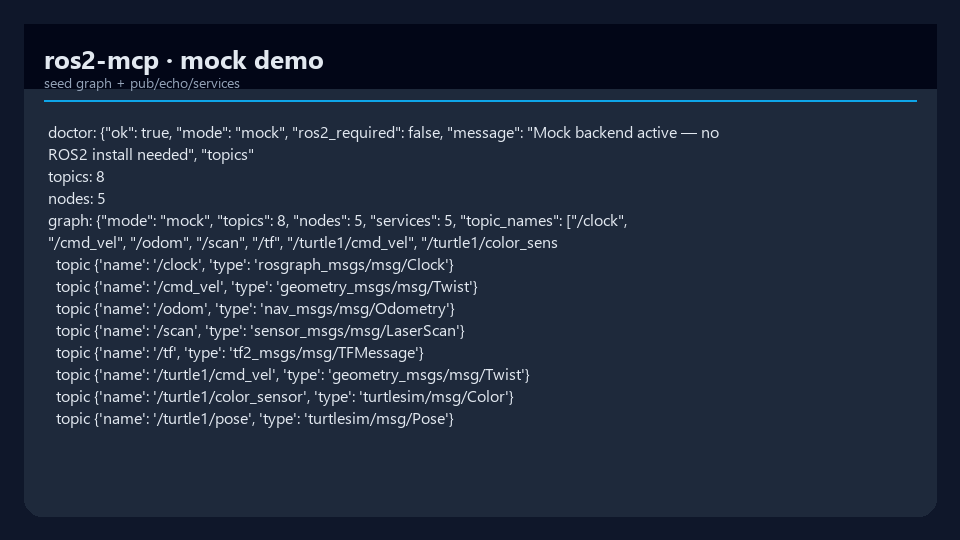 |
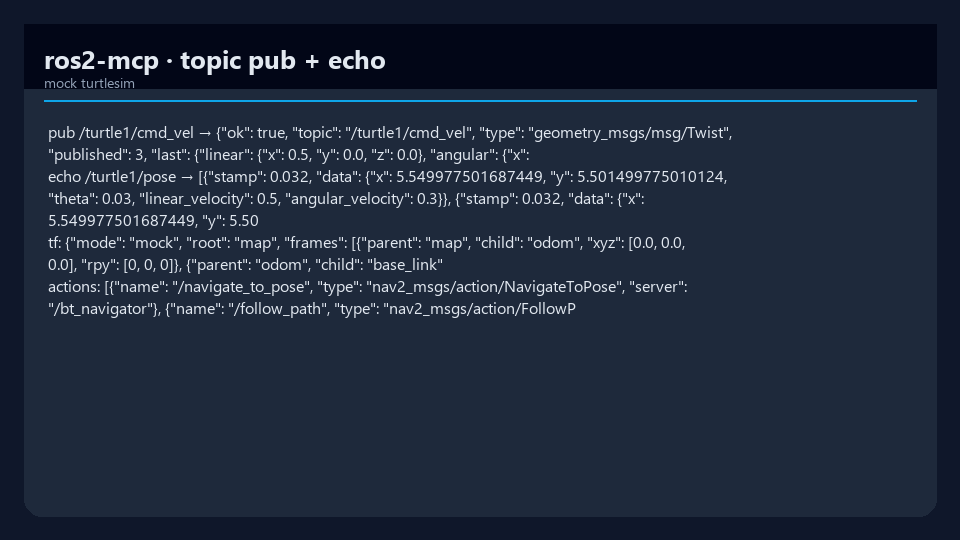 |
| Seeded graph / doctor | cmd_vel pub + pose echo |
Quick start
cd ros2-mcp
python -m venv .venv
.\.venv\Scripts\activate
pip install -e ".[dev]"

ros2-mcp version
ros2-mcp demo
ros2-mcp tools list
Mock mode needs no ROS2 install.
Tiếng Việt quickstart
ros2-mcp mặc định chạy ở mock mode, vì vậy bạn có thể thử ngay cả khi
máy chưa cài ROS2.
cd ros2-mcp
python -m venv .venv
source .venv/bin/activate
pip install -e ".[dev]"

ros2-mcp version
ros2-mcp demo
ros2-mcp tools list
Khi muốn kết nối tới hệ ROS2 thật, hãy cài và source ROS2 trên máy host rồi đặt
mode sang live:
export ROS2_MCP_MODE=live
ros2-mcp doctor
ros2-mcp serve
Nếu chỉ cần kiểm tra nhanh, hãy giữ ROS2_MCP_MODE=mock để dùng đồ thị demo
turtlesim-like có sẵn.
Docker image
Build a ROS2 Humble image with ros2-mcp installed into an isolated Python
3.11 virtual environment:
docker build -t ros2-mcp:humble .
Run the offline mock demo:
docker run --rm ros2-mcp:humble demo
Serve MCP over stdio from the container:
docker run --rm -i ros2-mcp:humble serve
For live ROS2 graphs, run on the host network and switch to live mode:
docker run --rm -i --network host \
  -e ROS2_MCP_MODE=live \
  -e ROS_DOMAIN_ID="${ROS_DOMAIN_ID:-0}" \
  ros2-mcp:humble serve
The entrypoint sources /opt/ros/humble/setup.bash before invokingros2-mcp, so ROS2 CLI tools are available to live-mode backend calls.
CLI reference
| Command | Purpose |
|---|---|
ros2-mcp version |
Version + mode |
ros2-mcp demo |
Offline smoke of core backend APIs |
ros2-mcp serve |
MCP server over stdio (for hosts) |
ros2-mcp serve --verbose |
Same, plus structured JSON tool-call logs on stderr |
ros2-mcp call … |
One-shot tool call (mock/live) |
ros2-mcp tools list |
List MCP tools |
# MCP for Cursor / Claude / Grok-compatible hosts
ros2-mcp serve

# With structured tool-call logging (JSON to stderr)
ros2-mcp serve --verbose
MCP resources
In addition to tools, the server exposes an MCP resource template so hosts can
read a topic snapshot as addressable content instead of calling a tool.
| URI | Returns |
|---|---|
topic://<topic_name> |
JSON snapshot: type, publishers, subscribers, backend mode, and the last buffered messages (up to 5) for the topic |
The snapshot is served by the active backend (mock or live), so it reflects the
same graph the ros2_* tools operate on. The leading slash is optional and
normalized internally (topic://clock and topic:///clock resolve to /clock).
// read: topic://clock
{
  "ok": true,
  "uri": "topic://clock",
  "topic": "/clock",
  "type": "rosgraph_msgs/msg/Clock",
  "publishers": ["/mock_clock"],
  "subscribers": [],
  "mode": "mock",
  "messages": [{ "stamp": 0.025, "data": { "sec": 0, "nanosec": 0 } }]
}
Note: the MCP SDK's URI-template matcher binds a single path segment, so a
namespaced topic containing/(e.g./turtle1/pose) is fully supported when
the resource is invoked directly but cannot be addressed through a literaltopic://URI read. Useros2_topic_echofor namespaced topics via the host.
Logging
ros2-mcp serve emits structured JSON logs to stderr only. This is deliberate: the MCP stdio transport uses stdout for the JSON-RPC protocol stream, so any log written to stdout would corrupt the protocol and break the host connection. All logging goes to stderr, leaving stdout clean for MCP.
| Flag | Level | What you get |
|---|---|---|
ros2-mcp serve |
INFO | Lifecycle only: one serve_start record (transport, mode, tool count, version) |
ros2-mcp serve --verbose (-v) |
DEBUG | Per-tool-call records: tool_call_start, tool_call (with duration_ms, status), and tool_call_error (with traceback) on failure |
Each record is a single JSON line, easy to pipe into a log collector:
{"ts": 1712345678.9, "level": "DEBUG", "logger": "ros2_mcp", "msg": "tool_call", "tool": "ros2_list_topics", "duration_ms": 1.42, "status": "ok"}
Capture logs without touching the protocol stream by redirecting stderr:
ros2-mcp serve --verbose 2> ros2-mcp.log
MCP host config
Example stdio server entry (adjust path to your venv):
{
  "mcpServers": {
    "ros2-mcp": {
      "command": "ros2-mcp",
      "args": ["serve"],
      "env": {
        "ROS2_MCP_MODE": "mock"
      }
    }
  }
}
Set ROS2_MCP_MODE=live only on machines with a working ROS2 environment.
Diagrams
System architecture and workflow — full width. Open the HTML files for dark/light theme and export (PNG/SVG).
Architecture

Workflow

Generated with archify.
Repository layout
AI agent (MCP host)
        │ stdio
        ▼
   ros2-mcp server
        │
   ┌────┴────┐
   │ mock    │  seeded graph (CI / Windows)
   │ live    │  ros2 CLI subprocess bridge
   └─────────┘

src/ros2_mcp/
  cli.py
  backend/     # mock + live backends
  server.py    # FastMCP tools
docs/screenshots/
docs/diagrams/
Development
pytest -q
ruff check src tests
ros2-mcp demo
Live mode tests should mock subprocesses — CI must not require a ROS2 distro.
MergeOS bounties
Tools for actions/TF, live parsers, Lappa HTTP bridge, publish allowlists.
Star → claim → PR master → MRG 25–200. Evidence: CLI logs / MCP host config snippets (redact secrets).
License
MIT · MergeOS / ThanhTrucSolutions
Configuration
See MCP_HOST_CONFIG.md for Claude/Cursor setup.
Reviews (0)
Sign in to leave a review.
Leave a reviewNo results found