pointandyap
Health Warn
- License — License: MIT
- Description — Repository has a description
- Active repo — Last push 0 days ago
- Low visibility — Only 5 GitHub stars
Code Fail
- rm -rf — Recursive force deletion command in scripts/build.sh
- rm -rf — Recursive force deletion command in scripts/release.sh
Permissions Pass
- Permissions — No dangerous permissions requested
No AI report is available for this listing yet.
A small Mac tool: point at something on your screen and start yapping. Your coding agent gets it all via MCP, including what you pointed at and what you said. Free, open source, local.


Free · macOS 26 on Apple silicon · or curl -fsSL https://pointandyap.com/install.sh | sh






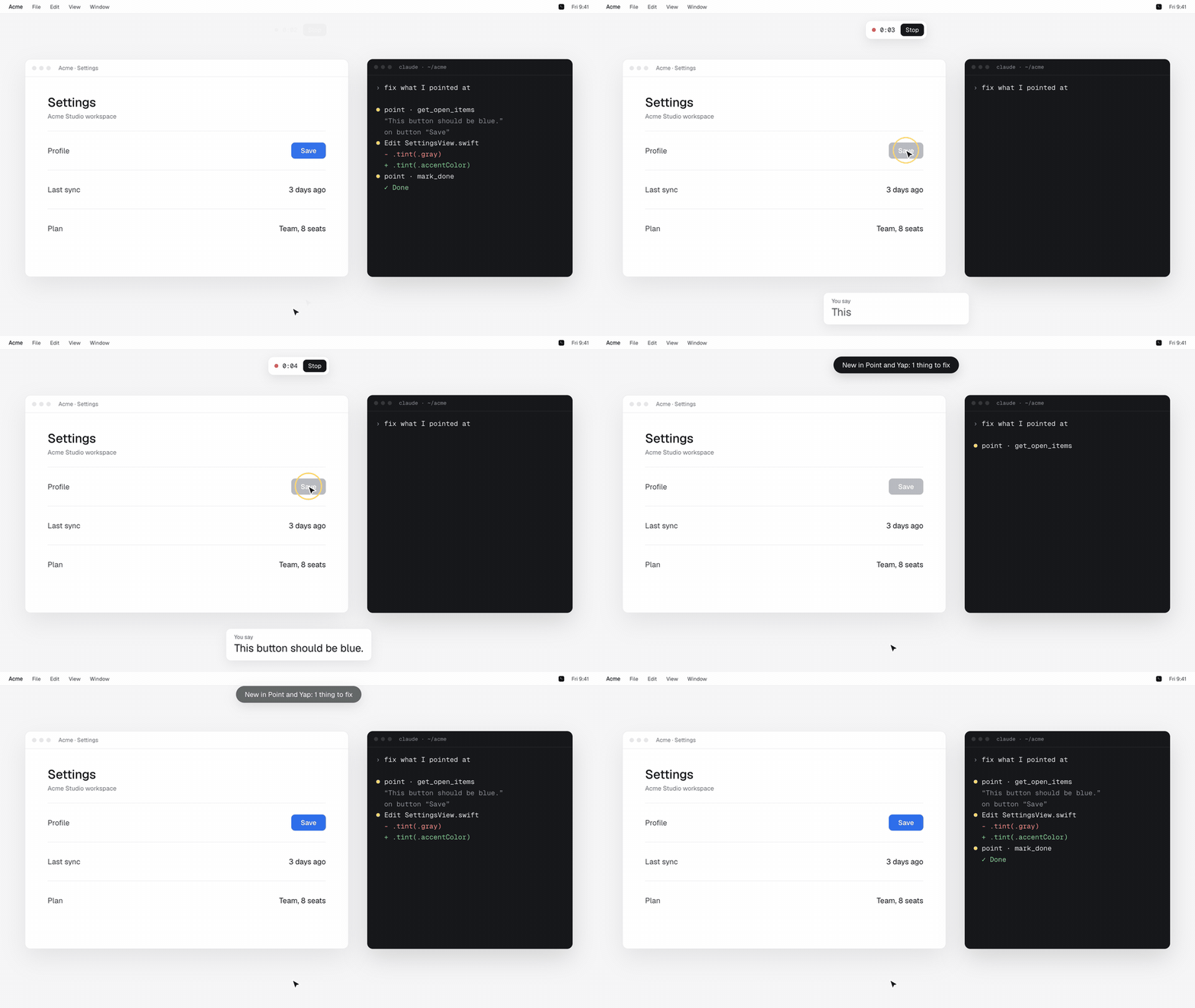
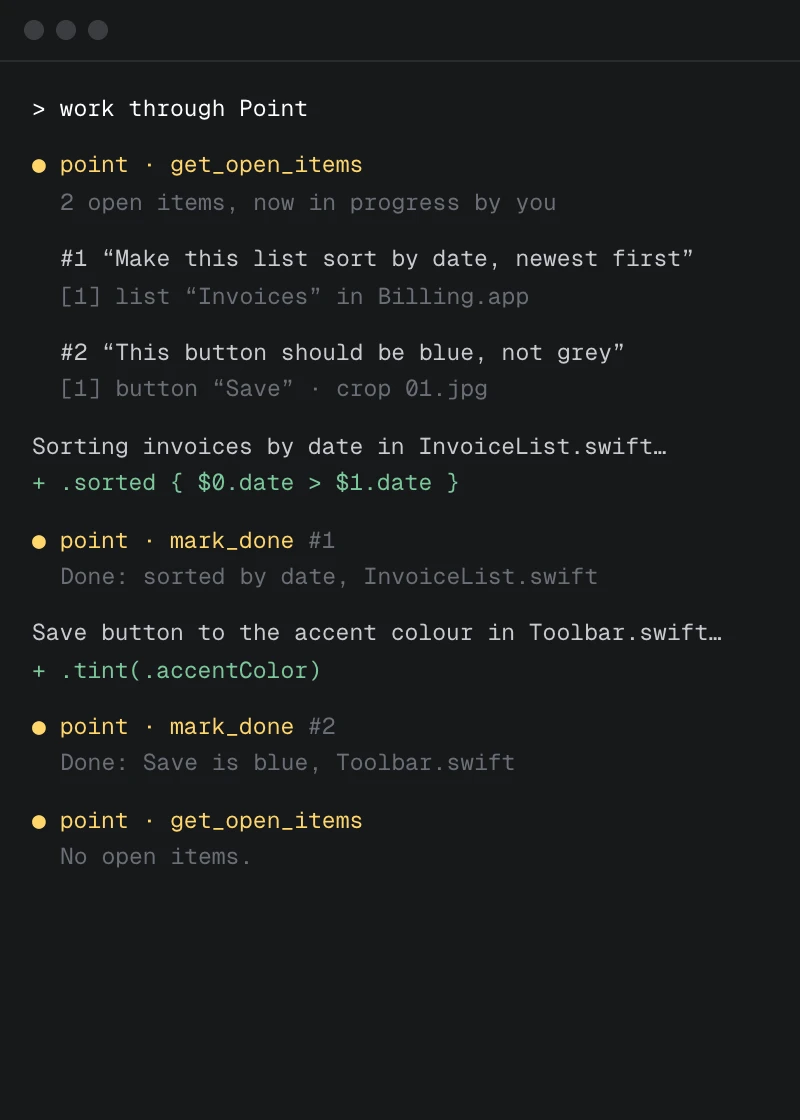
Point and Yap is a small Mac app for showing your coding agent what to change. Press Control twice, talk while you
point at things on screen, press Control twice again. Each recording becomes an item in a local queue, with what you said,
the element under the cursor and a cropped screenshot. Claude Code, Codex or Cursor pick it up over MCP, fix it and mark it
done.
Install · How it works · MCP tools · FAQ · License
 |
 |
 |
 |
Install
Requires macOS 26 or later and a Mac with Apple silicon.
curl -fsSL https://pointandyap.com/install.sh | sh
or with Homebrew (trust the tap once, then install):
brew trust mfmaur/tap
brew install --cask mfmaur/tap/point-and-yap
or by hand: download PointAndYap.dmg from pointandyap.com or the
latest release and drag Point and Yap into Applications. Every
build is signed and notarized by Apple; the install script checks the DMG with spctl before it copies anything.
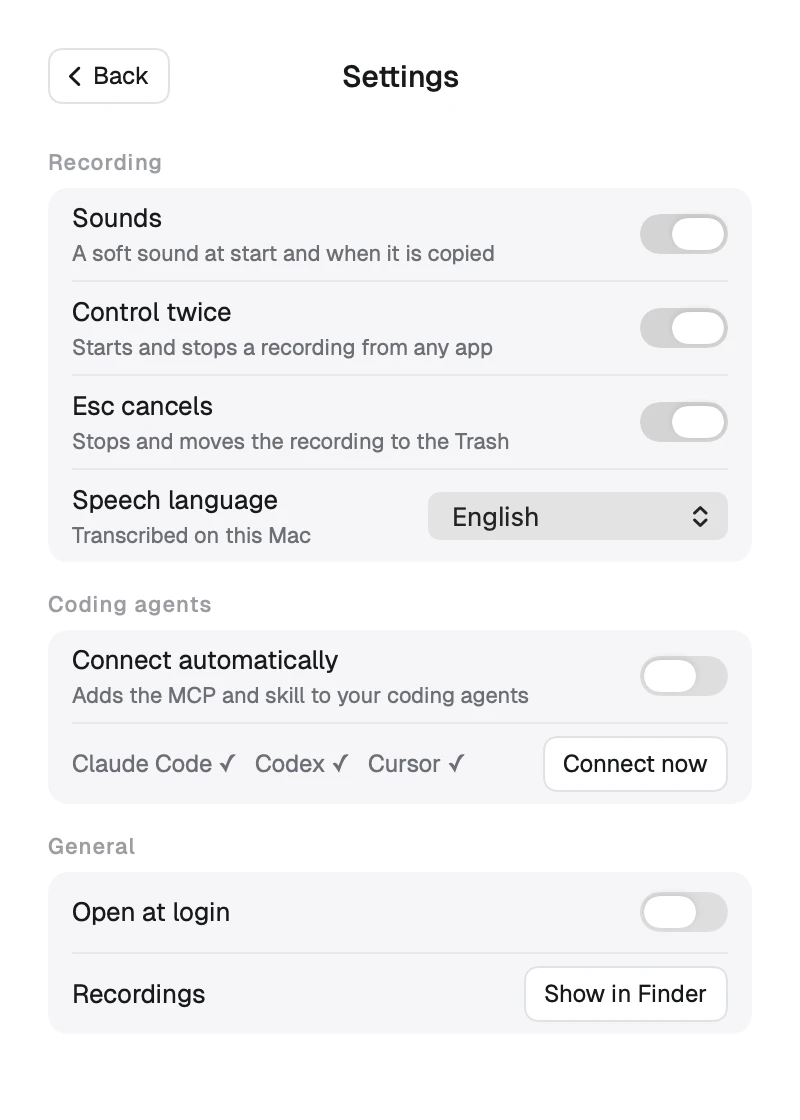
Then open it, allow the three permissions it asks for, and answer one question: it lists the coding agents it found and
asks before connecting them. Connect, or Skip and do it later in Settings.
Permissions, and why
- Microphone: records what you say while you point.
- Screen Recording: takes the screenshots at each point and click. The recording pill is never in them.
- Accessibility: reads the element under the cursor (role, label, window, app), so an agent can find it in code.
How it works
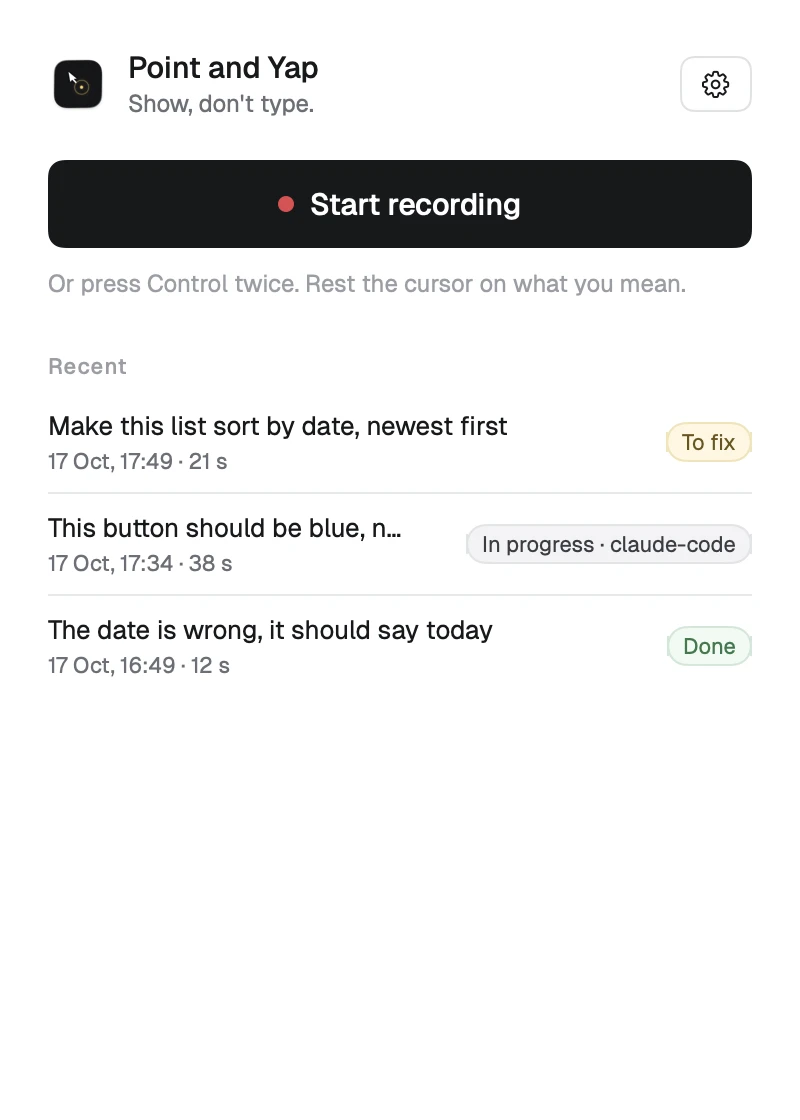
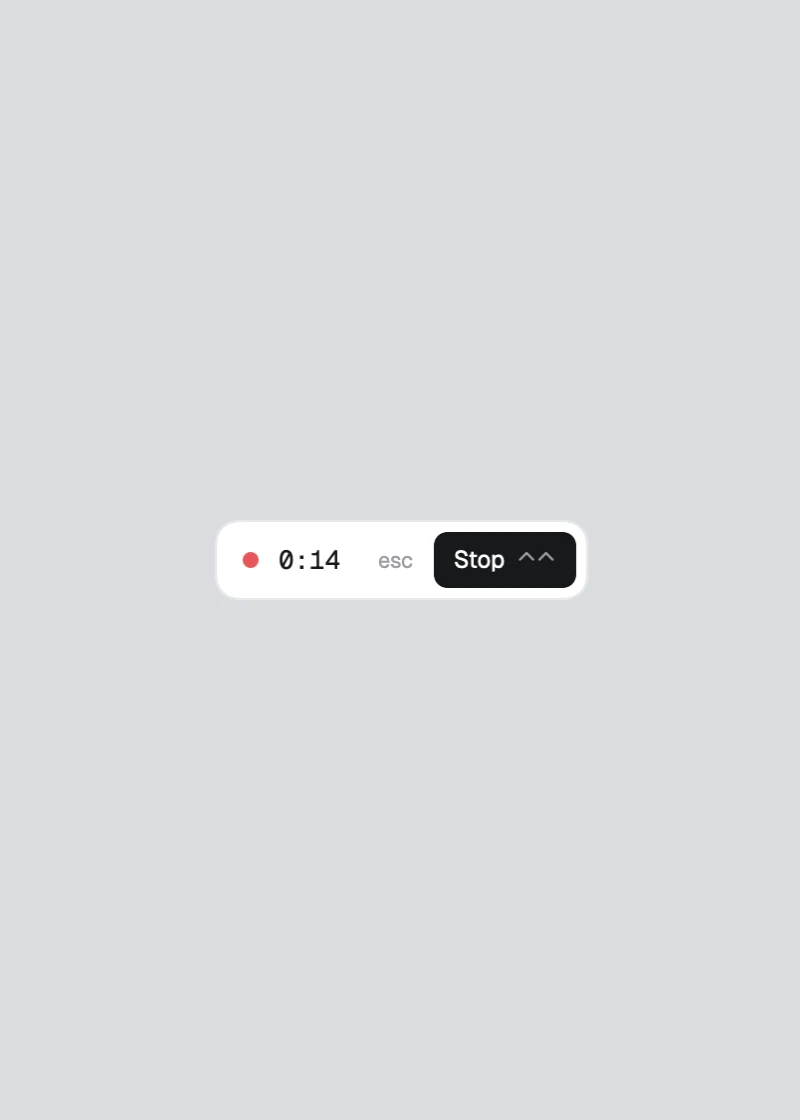
- Press Control twice (or Start recording). A small pill with the time and Stop stays on top.
- Talk and point: rest the cursor on the thing you mean while you say "this", "here", "that one". Clicks count too.
- Press Control twice again. A soft sound plays and two lines go on the clipboard for any agent: what is new and how to get it.
- The agent calls
get_open_items, makes the change and callsmark_done. The window shows To fix, In progress (by
which agent) or Done for each recording.
Esc while recording cancels it and moves it to the Trash.
Runs on your Mac
Speech is transcribed by Apple's on-device model. Recordings, screenshots, the queue and the MCP server all live on your
Mac, in ~/PointAndYap/sessions. No account, no server, no analytics. The app itself only goes online to check
pointandyap.com for updates (and macOS fetches Apple's speech model once).
Your coding agent is a different matter: when it reads an item, what you said and the crops go to whatever model it uses,
like anything else you show it.
MCP tools
"/Applications/Point and Yap.app/Contents/MacOS/PointAndYap" --mcp is a local MCP server over stdio, named pointandyap. After you say
Connect, it is added to Claude Code (user scope), Codex (~/.codex/config.toml) and Cursor (~/.cursor/mcp.json), and a
skill is linked into ~/.claude/skills and ~/.agents/skills. Each config is backed up first to~/Library/Application Support/PointAndYap/backups/. An existing entry named pointandyap that is not ours is left alone.
| Tool | What it does |
|---|---|
get_open_items |
The open items, oldest first, with what was said, the elements and the crops. Marks them in progress by the calling agent. |
start_items |
Marks specific open items in progress by you. |
list_items |
Every item with its state: open, in progress (by whom, since when) or done (with the note). |
mark_done |
Marks items done with a one-line note. Done items are never handed out again. |
release_items |
Gives items back to the queue, with a note why. |
list_sessions, get_session, get_frame |
The recordings themselves: the aligned timeline, crops and full screenshots. |
An item in progress that no one finishes goes back to the queue after two hours. One file lock keeps two agents from taking
the same item.
Shell fallback
For an agent without MCP:
"/Applications/Point and Yap.app/Contents/MacOS/PointAndYap" --items
POINTANDYAP_AGENT=my-agent "/Applications/Point and Yap.app/Contents/MacOS/PointAndYap" --done <id> --note "what changed"
FAQ
Does anything leave my Mac? Point and Yap sends nothing anywhere; it only checks for updates. Your coding agent sends
what it reads (your words and the crops) to its model, as with anything you give it. See Runs on your Mac.
Does pointandyap.com track me? It counts page views, downloads, installer runs and the app's update checks (with
the app version and country), to know how many people come and use it. No cookies, no tracking script, no IP address
kept; a visitor is a hash that changes every day.
Which agents work? Claude Code, Codex and Cursor are connected for you. Any MCP client that runs a local stdio server
works with the command above, and any agent with a shell can use --items and --done.
I skipped connecting. How do I connect later? Settings, Coding agents, Connect now.
How do I remove it? Quit it and delete it from Applications. To remove the agent entries: claude mcp remove pointandyap --scope user, the [mcp_servers.pointandyap] table in ~/.codex/config.toml, pointandyap in ~/.cursor/mcp.json, and the point-and-yap
links in ~/.claude/skills and ~/.agents/skills. Recordings are in ~/PointAndYap.
How do updates work? From 0.1.2 on, the app checks pointandyap.com every few hours, downloads a new version in the
background (signed, checked before it is installed) and installs it when you quit; the window shows it with a Restart
button. Settings has Check for updates.
Does it work on older Macs or Intel? Not yet. Only speech-to-text needs macOS 26 (SpeechAnalyzer, Apple's on-device
model with word timings, which lines up each word with where the cursor was). Wider support is planned.
Can I build it myself? Yes: docs/DEVELOPMENT.md. swift test runs the tests over a synthetic
recording.
Contributing
Issues and pull requests are welcome: CONTRIBUTING.md. Report security issues privately as described in
SECURITY.md. This project follows a code of conduct.
License
MIT. Provided as is, without warranty of any kind.
I made Point and Yap because it helps me build. Maybe it helps you too.
Reviews (0)
Sign in to leave a review.
Leave a reviewNo results found