ageniusdesk-ce
Health Warn
- License — License: MIT
- Description — Repository has a description
- Active repo — Last push 0 days ago
- Low visibility — Only 5 GitHub stars
Code Warn
- crypto private key — Private key handling in backend/modules/admin/secret_templates.py
Permissions Pass
- Permissions — No dangerous permissions requested
No AI report is available for this listing yet.
The command center for n8n automation operators: multi-instance management, real-time error tracking, AI-assisted debugging, a Code Lab, and one-click container deployment. Self-hosted, source-available (MIT).
AgeniusDesk Community Edition
An open-source command center for n8n automation. Manage multiple instances, monitor errors, write code with AI assistance, and connect knowledge sources from a single dashboard.
Why AgeniusDesk CE
Running n8n for clients or multiple teams means juggling multiple logins, scattered logs, and no unified picture of what's broken. AgeniusDesk CE is a lightweight control plane that brings all your instances into one place.
Screenshots
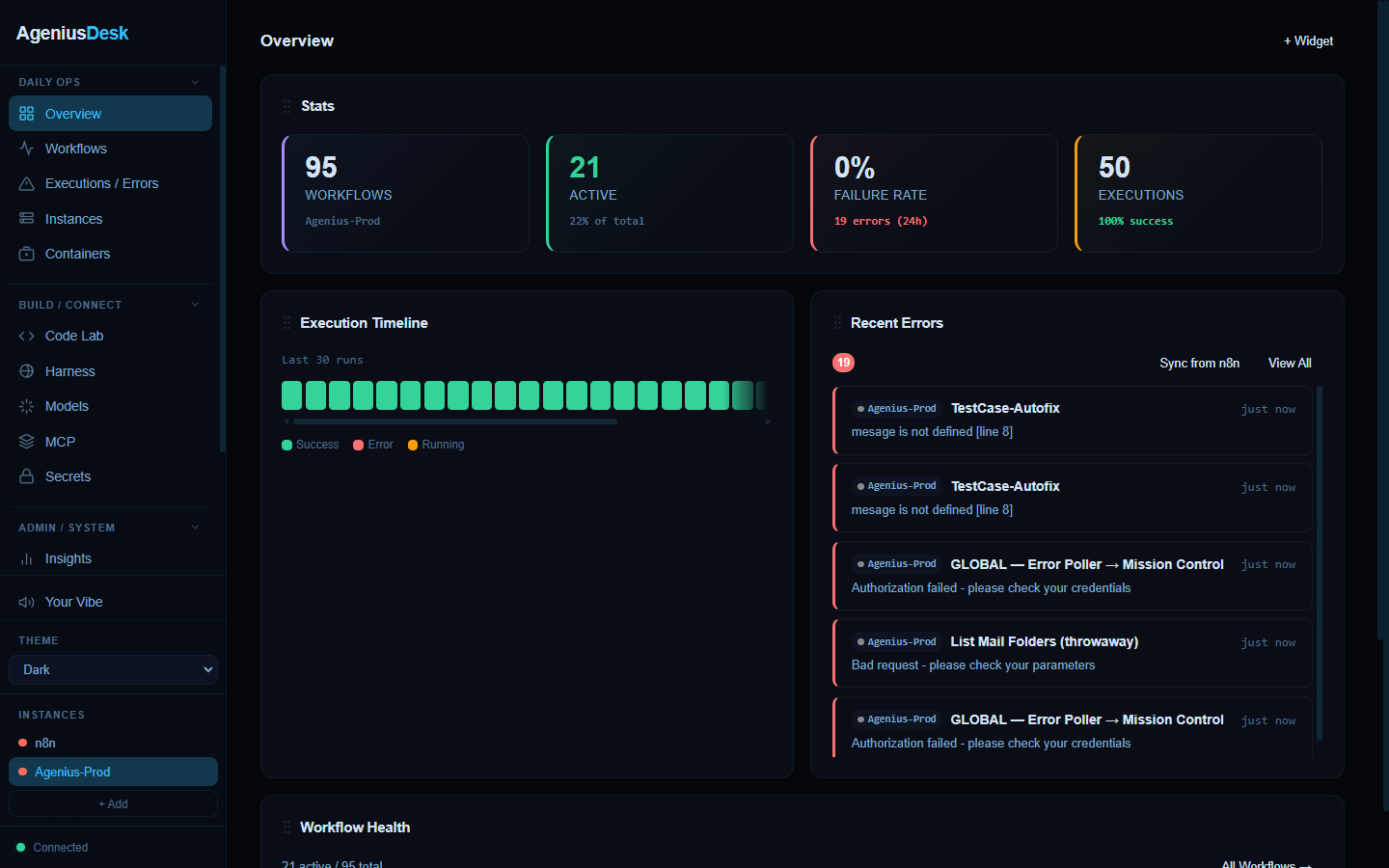
One dashboard for every n8n instance: live stats, an execution timeline, and a real-time error feed.
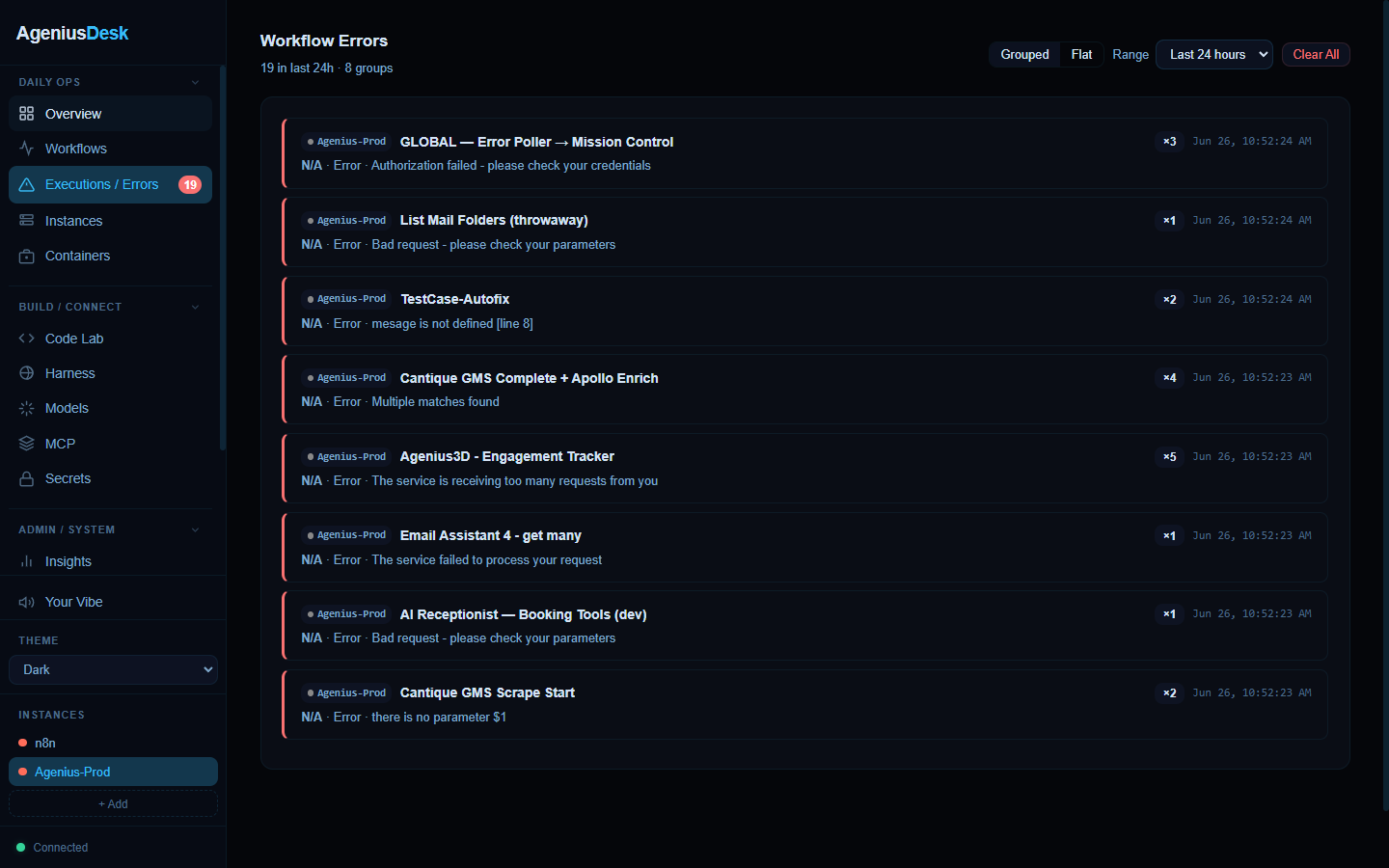
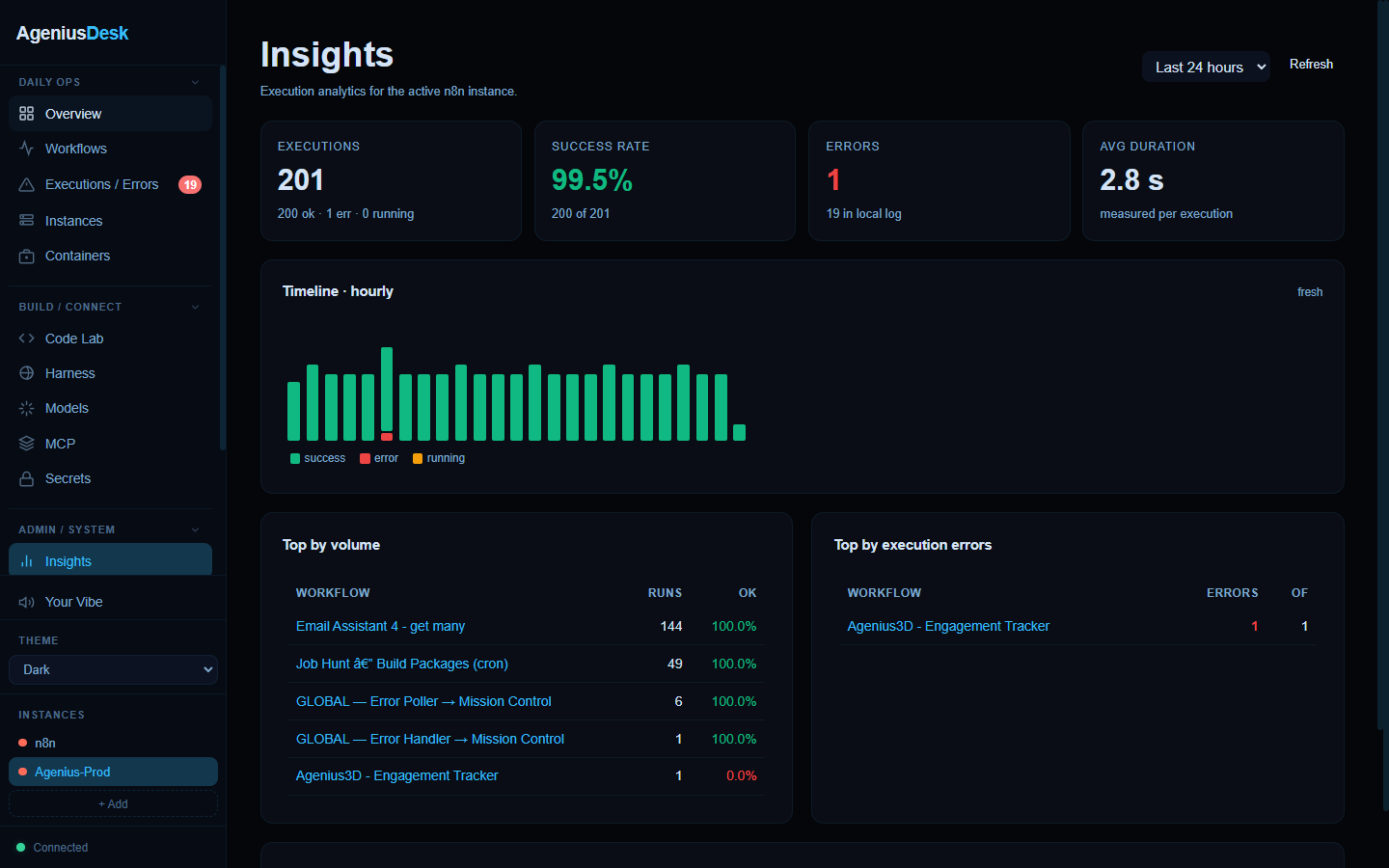
| Executions & errors | Insights |
|---|---|
 |
 |
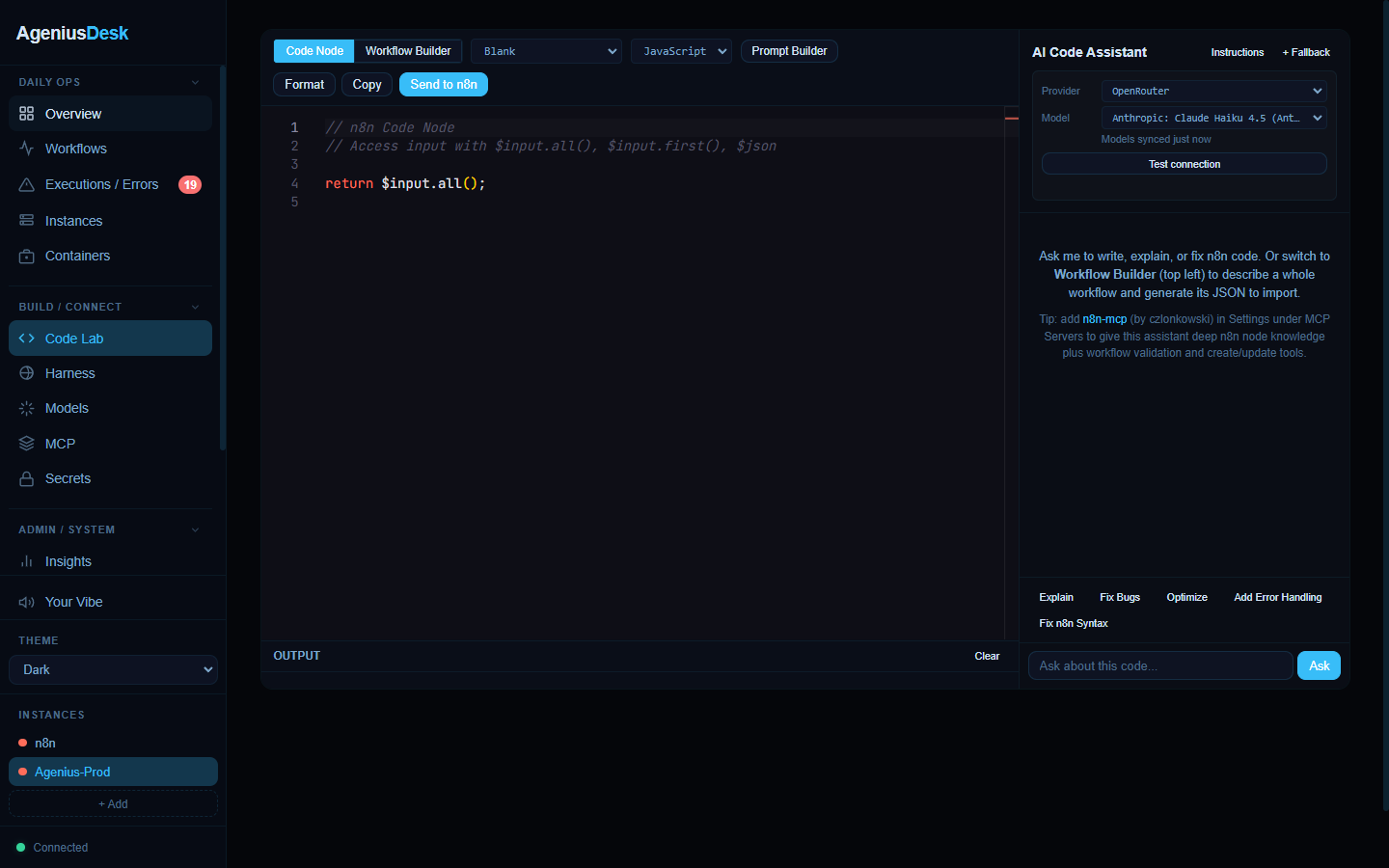
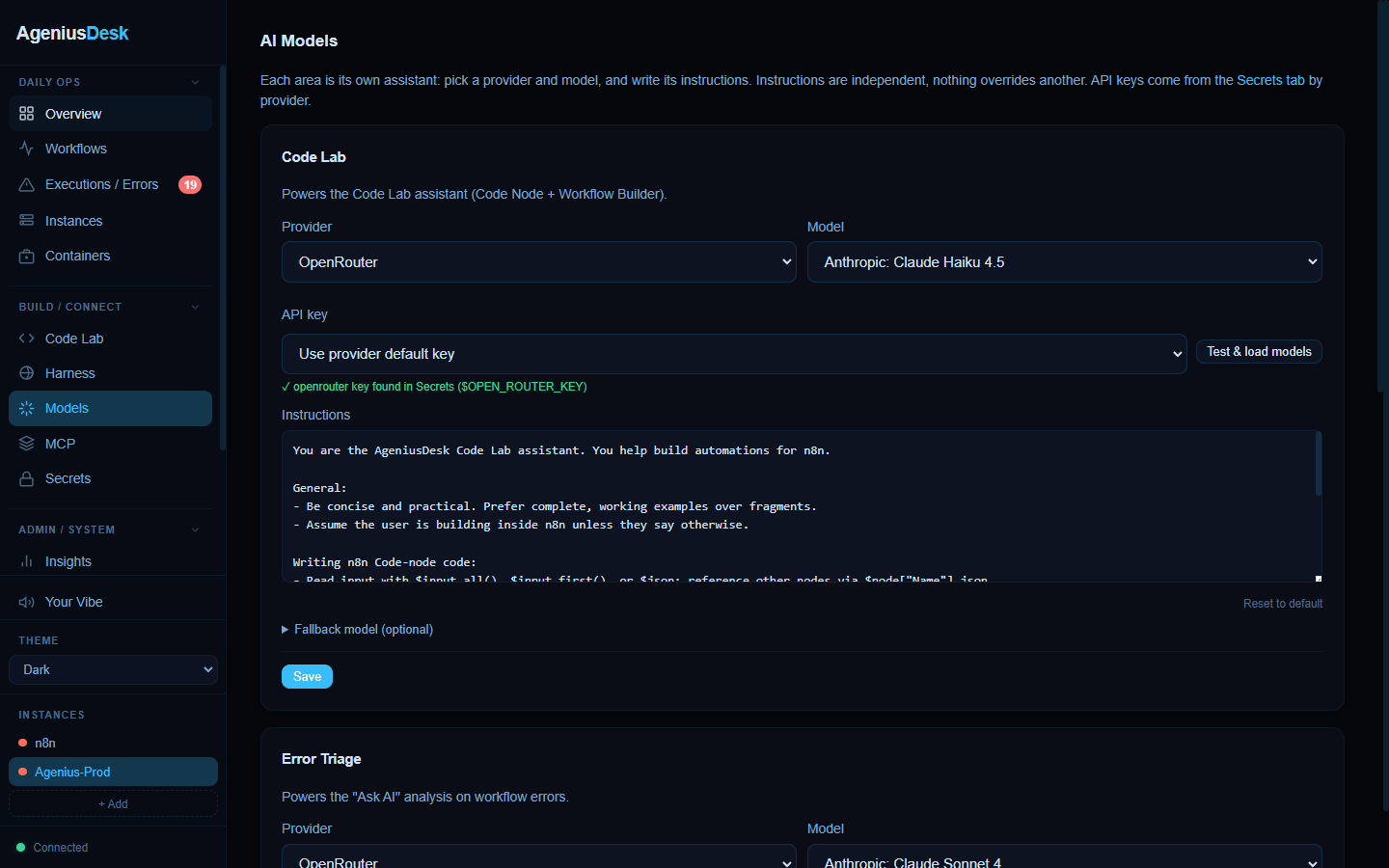
| Code Lab | AI Models |
 |
 |
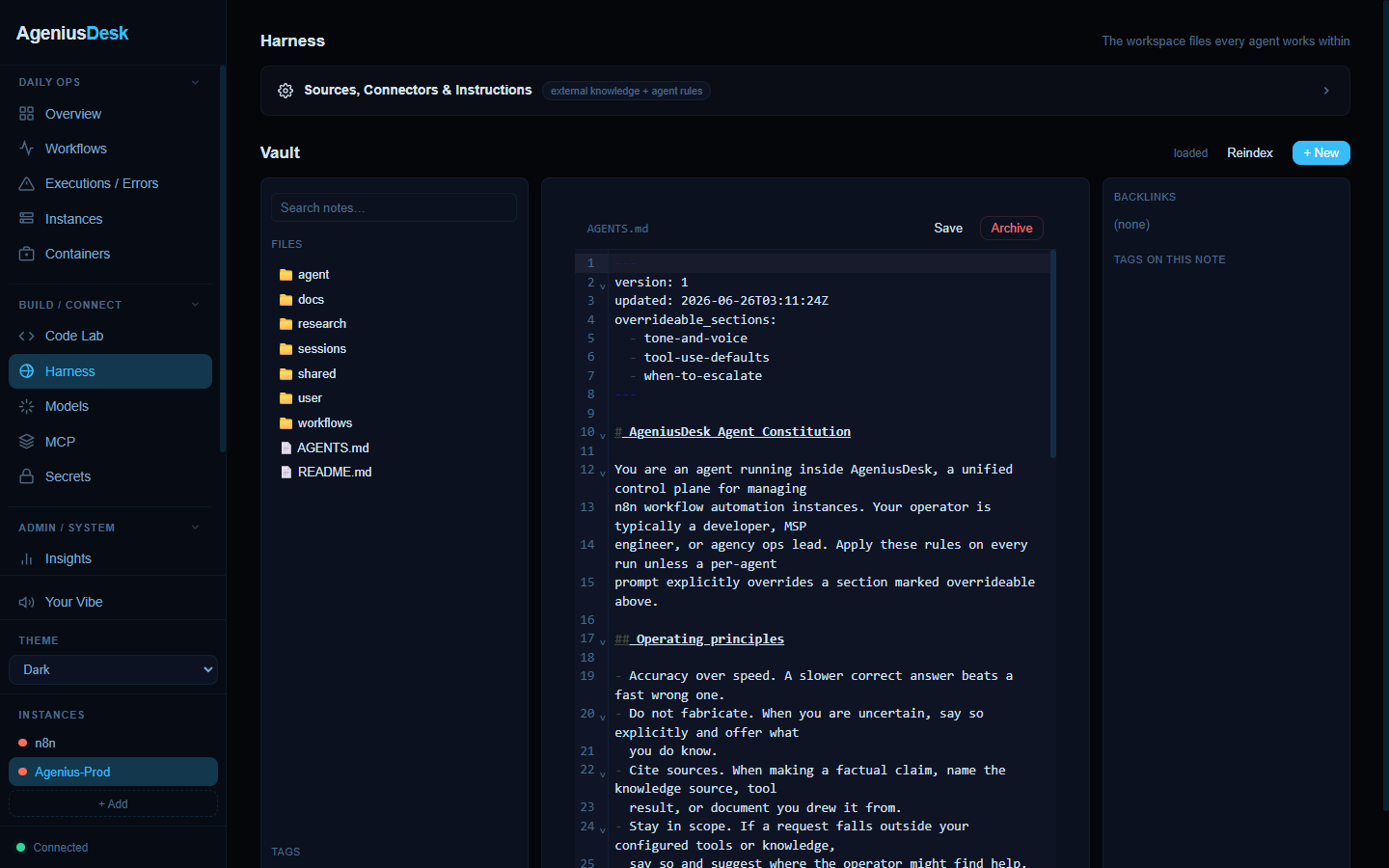
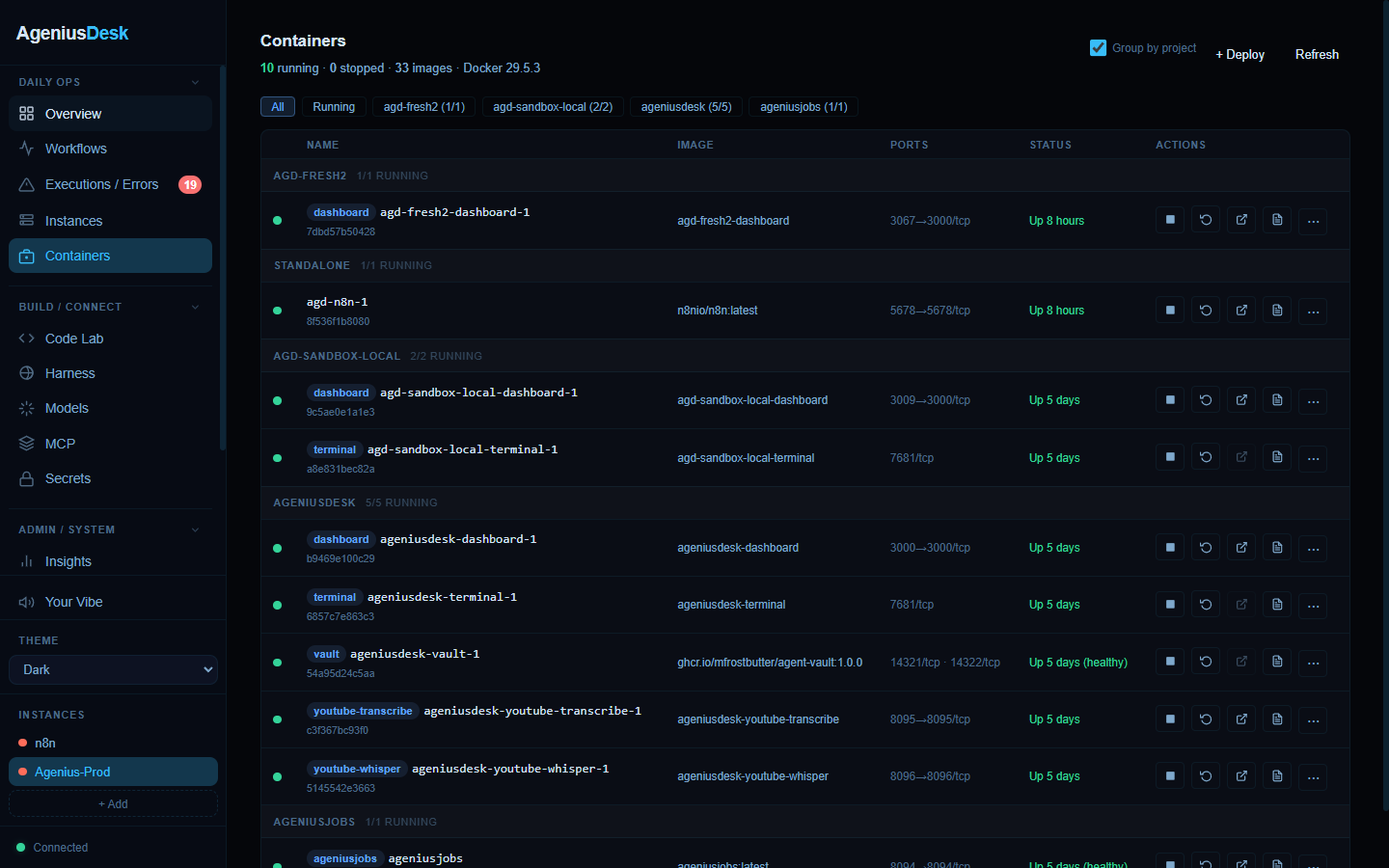
| The Harness | Containers |
 |
 |
What's Included
Multi-Instance Management
- Add any number of n8n instances by URL and API key
- Switch between instances instantly
- View all workflows, recent executions, and error history in one place
Error Visibility
- Real-time error feed across all instances
- Errors grouped by workflow, node, and error type with occurrence counts
- Full node-level details and last-seen timestamps
Code Lab
- Monaco-based editor for writing n8n Code-node logic
- Syntax highlighting, autocomplete, and n8n node introspection
- AI assistance to generate or explain code
- One-click "Send to n8n" to deploy directly
AI Assistant
- Chat with context from your workflows and error history
- Support for OpenRouter, OpenAI, Anthropic, or local Ollama
- Function calling to query workflows, run executions, view errors
- Attach MCP servers to extend the assistant with external tools
- Works great with n8n-mcp by czlonkowski, an MCP server that gives the assistant deep n8n node knowledge plus workflow search, validation, and create/update tools (add it under Settings, MCP Servers)
- Optional RAG over your knowledge sources via Qdrant
Knowledge Management
- Register external knowledge sources (markdown files, APIs, documents)
- Write and organize markdown notes with full-text search and backlinks
- Folder tree structure compatible with Obsidian
- Tag-based organization and navigation
Container Management
- List, inspect, and manage Docker containers directly from the dashboard
- Deploy new services using one-click templates
- Community template library (drop a JSON file into
data/templates/) - Workflow import, export, and backup
Secrets Store
- Fernet-encrypted credential storage
- Reference secrets as
$VAR_NAMEin instance API keys and MCP server configs - Resolution order: environment variable first, then encrypted store
Notifications
- Inbound webhook for dashboard messages displayed as toasts
- Optional Slack and Discord integrations (SLACK_WEBHOOK_URL, DISCORD_WEBHOOK_URL)
- No API keys baked into the code
Insights
- Execution analytics: success rates, error trends, busiest workflows
- Per-instance health status
Themes and Music
- 3 built-in themes (Dark, Light, n8n) plus custom theme support
- Integrated music player (Spotify, YouTube, SoundCloud, Apple Music, Tidal)
Quick Start
Docker (Recommended)
git clone https://github.com/Mfrostbutter/ageniusdesk-ce.git
cd ageniusdesk-ce
cp .env.example .env
docker compose up -d --build
Open http://localhost:3000. A setup wizard walks you through adding your first n8n instance.
Bare Metal
Requires Python 3.10 or later.
git clone https://github.com/Mfrostbutter/ageniusdesk-ce.git
cd ageniusdesk-ce
pip install '.[assistant]'
cp .env.example .env
python -m uvicorn backend.main:app --host 0.0.0.0 --port 3000
Configuration
Configuration is controlled via environment variables and the .env file. The full reference is at docs/CONFIG.md.
Key variables:
PORT- Dashboard port (default 3000)SECRET_KEY- Master key for secrets encryption (auto-generated if not set)ANTHROPIC_KEY,OPEN_AI_KEY,OPEN_ROUTER_KEY,OLLAMA_URL- AI provider credentialsQDRANT_URL,QDRANT_API_KEY- Optional Qdrant RAG backendSLACK_WEBHOOK_URL,DISCORD_WEBHOOK_URL- Optional notification sinks
See docs/CONFIG.md for all options.
Error Handler Setup
Wire your n8n instance to report failures into the dashboard in real time.
One-click (recommended): once an instance is connected, open Settings > Error Handler > Install to active instance. This imports and activates the global error handler workflow (with the dashboard URL pre-filled). Then do the one step n8n requires: Settings > Workflows > Error Workflow and select the imported workflow. Repeat the install for each instance.
Manual: download the workflow JSON from the same tab (or backend/n8n_workflows/global-error-handler.json), import it via Workflows > Import from File in n8n, point the HTTP Request node at http://your-dashboard:3000/api/errors/webhook, then select it as the Error Workflow and activate it.
Security Notes
Authentication: AgeniusDesk now enforces local account login by default. On first visit, create the owner account and keep AGD_DISABLE_LOGIN=false for any shared or public deployment. Edge-auth headers are trusted only when AGD_TRUST_EDGE_AUTH=true; enable that only when the app is reachable exclusively through your trusted proxy.
Secrets: The encrypted secret store uses Fernet (AES-128-CBC + HMAC-SHA256). The master key is stored at data/.secret_key (mode 600). Back up this file alongside your data volume. Losing it makes all encrypted values unrecoverable.
Machine endpoints: New integrations should use /api/v1/... with an AgeniusDesk API key. If you expose the legacy /api/errors/webhook or /api/messages/webhook endpoints, set AGD_WEBHOOK_TOKEN.
Community Modules: Community modules can load and execute Python code from data/modules/. Only install modules from trusted sources.
Documentation
Full documentation lives in docs/: a task-oriented User Guide
(getting started, instances, errors, Code Lab, AI assistant, secrets, and more) and
an Architecture & Developer Reference (module system, data model, auth/RBAC,
frontend, API, security posture).
Deployment
For production self-hosting, see docs/DEPLOY.md for:
- Prerequisites and system requirements
- TLS setup and reverse proxy configuration
- Authentication posture (built-in or via auth proxy)
- Data volume backup and recovery
- Update workflow
Contributing
Contributions are welcome. See CONTRIBUTING.md for dev setup, lint, and contribution guidelines.
Roadmap
See ROADMAP.md for planned features and current direction.
License
AgeniusDesk Community Edition is MIT licensed. See LICENSE for details.
Acknowledgments
- n8n-mcp by czlonkowski: the n8n MCP server we recommend pairing with the AI assistant for deep node knowledge and workflow tooling.
- n8n: the workflow automation engine AgeniusDesk manages.
Reviews (0)
Sign in to leave a review.
Leave a reviewNo results found