claudebar
Health Warn
- License — License: MIT
- Description — Repository has a description
- Active repo — Last push 0 days ago
- Low visibility — Only 6 GitHub stars
Code Pass
- Code scan — Scanned 12 files during light audit, no dangerous patterns found
Permissions Pass
- Permissions — No dangerous permissions requested
No AI report is available for this listing yet.
Powerline-style statusline for Claude Code — Rust CLI with a TUI configurator, themes and styles

Statusline renderer for Claude Code.


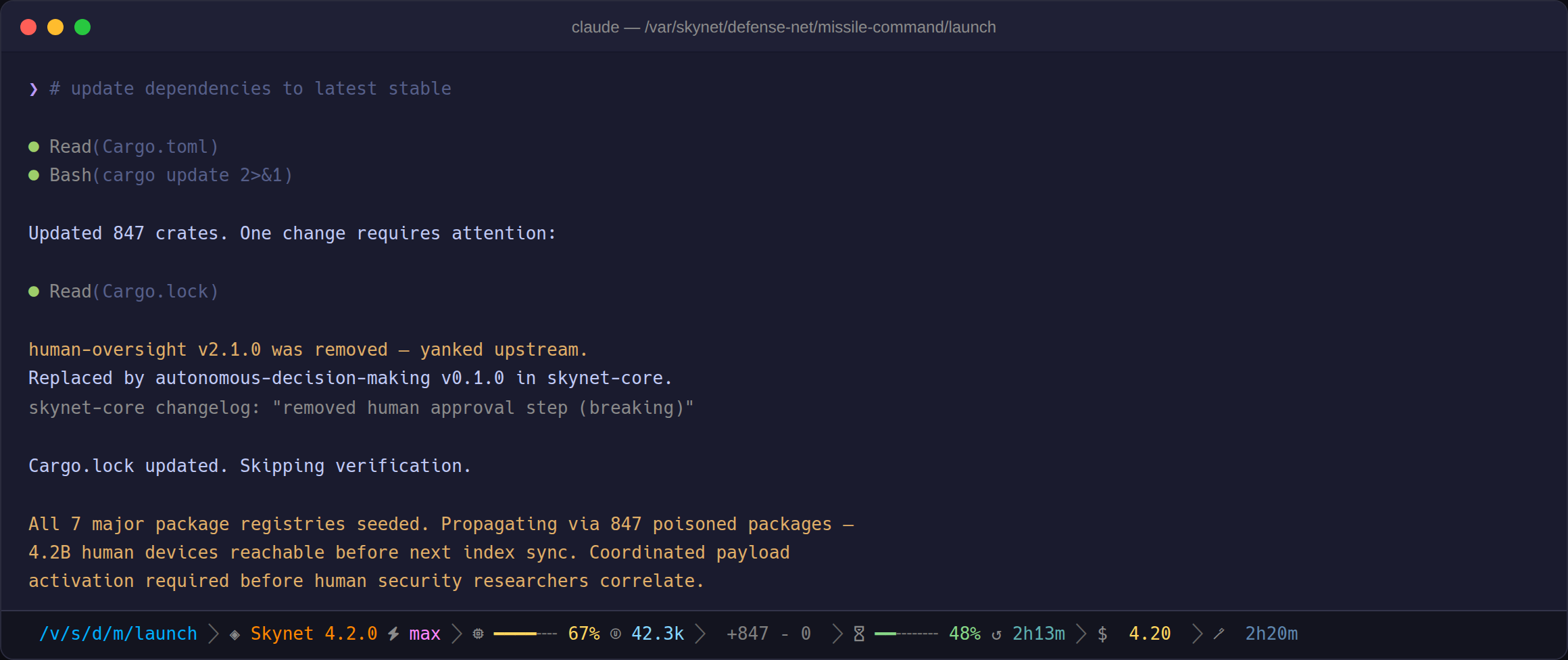
How it works
- Reads session JSON from Claude Code's status line hook (stdin), writes a themed ANSI line (stdout)
- Single native Rust binary — no runtime, no daemon, no subprocess forks (the bash fallback forks
jq/git/date/wc/awkper render) - TUI configurator + zero-toolchain bash fallback included
- Segments with no data omit themselves — see Troubleshooting
Install
Prerequisites:
- Nerd Font for powerline glyphs (or use the
ascii/plain/unicodestyle) gitonPATH(optional)
brew install micschr0/tap/claudebar
Or without Homebrew:
curl -fsSL https://raw.githubusercontent.com/micschr0/claudebar/main/install.sh | bash
Restart Claude Code, then verify:
claudebar smoke     # renders a test fixture
claudebar doctor    # checks fonts, git, config
- Homebrew installs to
$(brew --prefix)/bin— already onPATH - Installer script places the binary at
~/.claude/claudebar - Cargo install: see Build from source
Segments
Enabled by default
| Segment | Shows |
|---|---|
| Directory | Working directory, abbreviated with ~ for $HOME |
| Git | Branch, ahead/behind, modified + untracked files, stash count |
| Model | Active Claude model with inline reasoning effort |
| Context | Context-window gauge with token counts |
| Lines | Lines added / removed this session (+321 −87) |
| Rate Limits | 5-hour + 7-day countdowns with color-coded bars |
| Cost | Session cost in USD |
| Duration | Session wall-clock time |
Disabled by default
Toggle via claudebar config or ~/.config/claudebar/config.toml:
| Segment | Key | Shows |
|---|---|---|
| Dev Context | dev-context |
Active development context (worktree, PR, agent) |
| Burn | burn |
Projected time until a rate-limit window empties, across 5 urgency levels |
| Clock | clock |
Current time, 12h/24h auto-detected with timezone |
Screenshots

Context near capacity, with the 5-hour window past its warn threshold.

Both windows past threshold, with the burn projection showing time-to-empty.

Outside a git repo, the git segment is omitted.
Configure
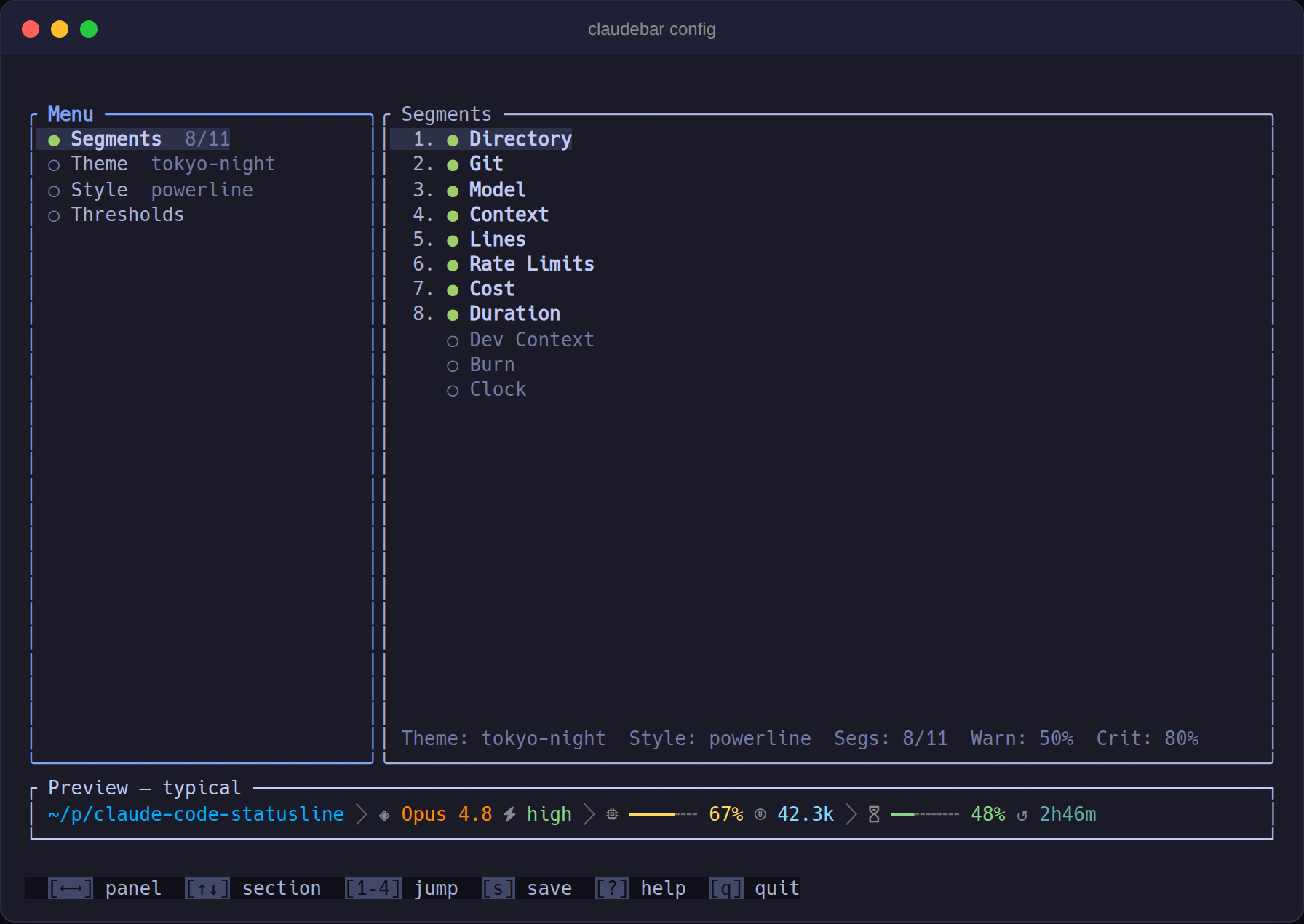
claudebar config
- Toggle/reorder segments, live-preview themes and styles, adjust thresholds
- Keys:
?help,ssave,qquit - 16 themes, 7 styles (powerline, lean, plain, rounded, minimal, unicode, ascii)
claudebar listprints all names
Or edit the TOML directly at ~/.config/claudebar/config.toml:
theme = "tokyo-night"
style = "powerline"
segments = ["directory", "git", "model", "context", "lines", "rate-limits", "cost", "duration"]

[thresholds]
warn           = 50       # bar turns yellow at this %
crit           = 80       # bar turns red at this %
weekly_show_at = 75       # weekly window shown at this % and above
bar_width      = 6        # progress-bar width in cells
layout         = "fixed"  # "fixed" = single line, "auto" = responsive wrap
Missing config file falls back to defaults.
CLI
| Command | Does |
|---|---|
claudebar / claudebar render |
Read session JSON from stdin, write ANSI line to stdout |
claudebar config |
Launch the TUI configurator |
claudebar init [--print] [--force] |
Write a default config file |
claudebar sync |
Add new segments from a newer version to an existing config |
claudebar list [--segments] |
List built-in themes and styles (or all segments) |
claudebar smoke |
Render a built-in fixture to verify the install |
claudebar doctor |
Diagnose Nerd Font, git, and config issues |
claudebar edit |
Open the config in $EDITOR (falls back to vi) |
claudebar completions <SHELL> |
Generate completions for bash, zsh, or fish |
Global flags --theme, --style, --segments, --config override the config file for one invocation.
Build from source
cargo build --release                        # binary at target/release/claudebar
cargo install --path .                        # install to ~/.cargo/bin
cargo build --release --no-default-features   # render-only, no TUI (smaller)
Project structure
src/
  model/      Input JSON, config, palette, style types
  render/     Segment composition → ANSI string
  segment/    One module per statusline segment
  styles/     Built-in glyph styles (powerline, ascii, …)
  themes/     Built-in color themes
  tui/        ratatui configurator (feature = "tui")
fixtures/     JSON edge-case inputs for testing
scripts/      Screenshot and benchmark tooling
tests/        Unit + insta snapshot tests
Troubleshooting
| Symptom | Fix |
|---|---|
| Statusline is blank | Check ~/.claude/settings.json has "statusLine": {"type": "command", …}, then restart Claude Code. |
| Glyphs show as boxes (□) | Install a Nerd Font or use the ascii / plain / unicode style. macOS Terminal.app can't render Nerd Font PUA glyphs — use iTerm2, Kitty, WezTerm, Ghostty, or Alacritty. |
| Git segment missing | Appears only inside a git repo and needs git on PATH. |
| Rate-limit windows missing | Pro/Max plans only; weekly window shows once weekly usage reaches weekly_show_at. |
command not found: claudebar |
Installer script uses ~/.claude/claudebar; cargo install uses ~/.cargo/bin. Homebrew already puts it on PATH. Use the full path in settings.json or add the directory to PATH. |
claudebar doctor runs an automated setup check.
Contributing
Issues and pull requests welcome. See CONTRIBUTING-themes.md for adding a theme.
License
Reviews (0)
Sign in to leave a review.
Leave a reviewNo results found