html-mcp-web
Health Warn
- License — License: MIT
- Description — Repository has a description
- Active repo — Last push 0 days ago
- Low visibility — Only 7 GitHub stars
Code Pass
- Code scan — Scanned 12 files during light audit, no dangerous patterns found
Permissions Pass
- Permissions — No dangerous permissions requested
No AI report is available for this listing yet.
Review agent-made slides in the browser and export them to PowerPoint.

html-mcp-web
Review an AI agent's HTML slides or report from the rendered page, on a desktop, tablet, or phone, while Claude Code or Codex edits the source. Hand the finished slides over as an editable PowerPoint deck.
⭐ If this helps your reviews, please give it a star. It helps others find the project.
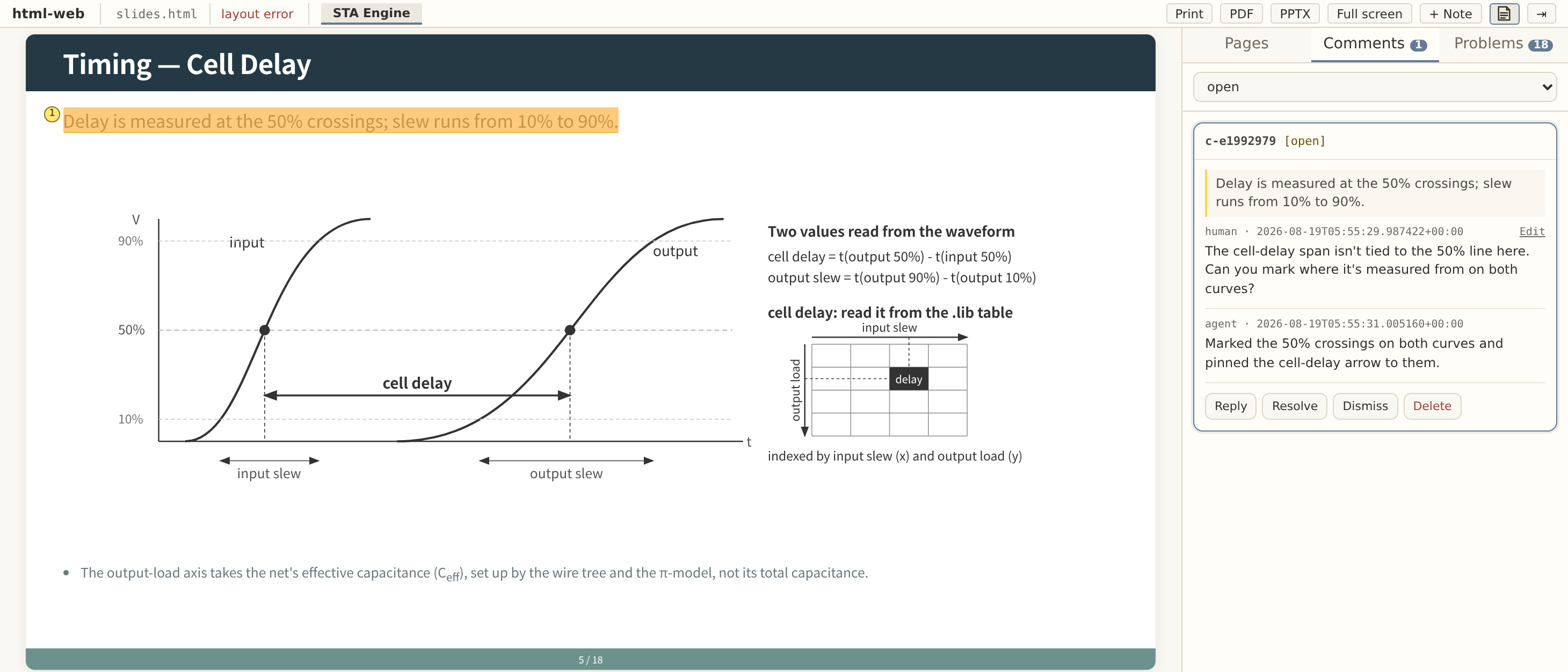
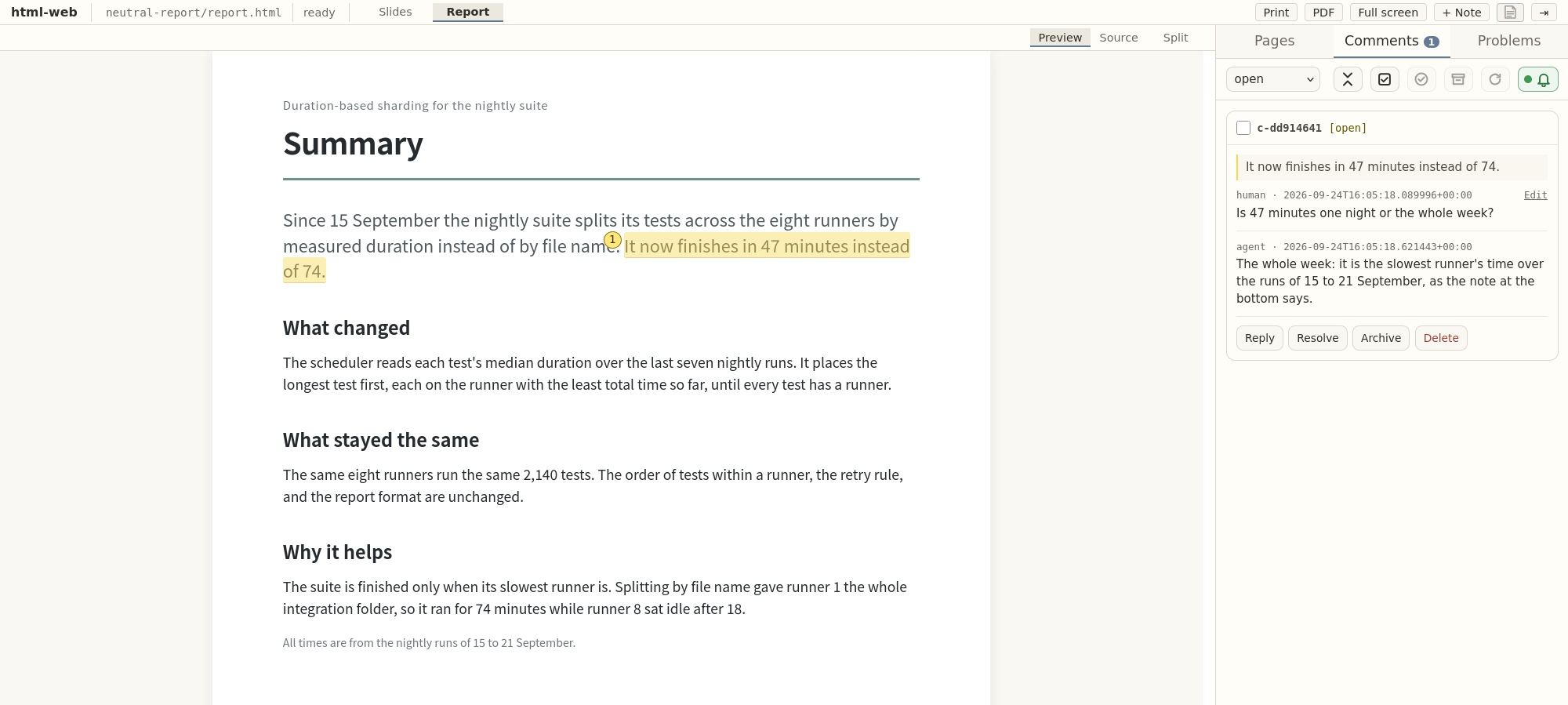
What keeps the agent on track
- It reads the rules, and reads them again. In Claude Code, html-mcp's tools stay locked
until the agent has read the template's rules and the writing guideline in full, and they
lock again after every compaction. A long session keeps working from the rules, not from a
fading memory of them. - It fixes its own layout. The way a programmer works through compiler errors, the agent
checks each page it changes, gets a plain list of layout faults such as text spilling out of
its box or a last line left nearly empty, fixes them, and checks again before you look.
Install
Paste this into Claude Code or Codex:
Install html-mcp-web by following https://raw.githubusercontent.com/MiiKiyoshi/html-mcp-web/main/INSTALL.md
The agent checks for Python and Firefox, shows you what it will install, and installs once
you agree. Start the agent again afterwards.
Init
Once per folder, start the agent in the folder that holds (or will hold) your artifact and say:
do html init
Choose slides (16:9) or a report (A4). Slides default to neutral-slides, a plain template
without organization marks, and neutral, writing rules the agent follows for slides. Reports
default to neutral-report, with a cover and one page per section, and no guideline. The agent
shows the choices and the document file it will create or reuse. Accept the defaults or name
what to change.
Listen
To review, say:
do html listen
The agent gives you the review page address, such as http://localhost:8765, and gets ready
to handle your comments when you press Call agent. Open that address in your browser. Saydo html listen again after the agent restarts.
Reviewing
- Select text on the rendered page and press the Comment button beside it. + Note
comments on the whole artifact. - Press Call agent when your comments are ready. The agent edits the source and replies
in the same thread. - Resolve a thread whose edit satisfies you, or Reply in it when it does not.
Archive sets a thread aside, and it still takes replies.
Suggested edits
The thread shows the source the agent would change as a −/+ pair, and the Source view marks
the same text in red. Apply suggestion writes the change into the file. Proposing again
replaces the proposal.
Export to PowerPoint and PDF
Press PPTX in the topbar for an editable PowerPoint deck of the slides, or PDF to
print every page.
On a tablet or phone
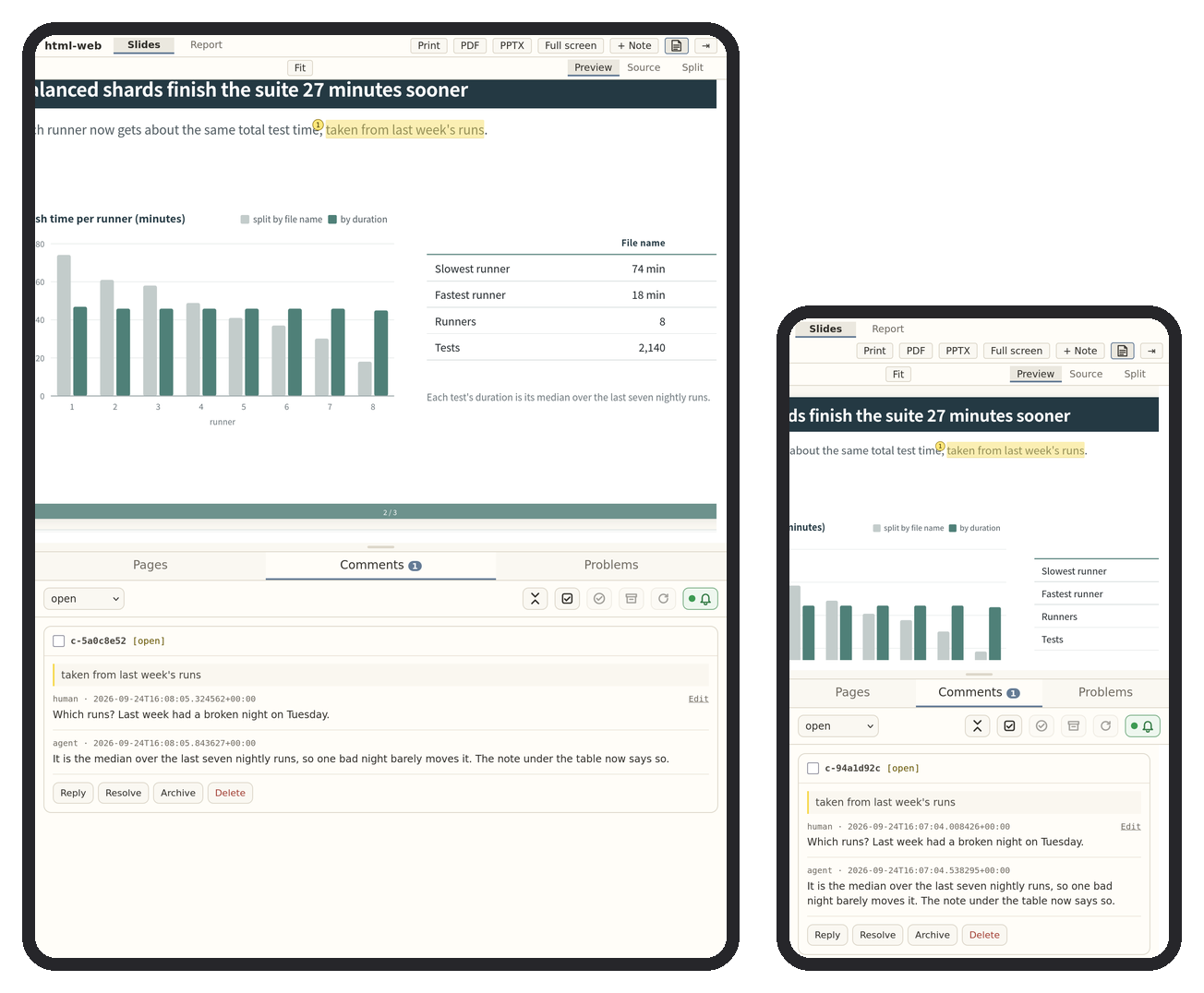
Use the port number in the review page address the agent gives you. Forward that port over SSH
from Termux on Android or iSH on iOS, then open the same address in the phone's browser.
ssh -L <port>:localhost:<port> <server>
Configuration
Edit .html-mcp-web.yaml in the project folder. A saved change applies at once, exceptport, which applies when Claude Code or Codex restarts.
artifacts:
  slides:
    label: Slides
    layout: slides
    main: slides.html
watch:
- '*.html'
- '*.css'
- '*.js'
- '*.svg'
- '*.png'
- '*.jpg'
- '*.jpeg'
- '*.gif'
- '*.webp'
ignore: []
port: 8765
| Field | Effect |
|---|---|
artifacts.<id>.label |
Name the review page shows for the artifact. |
artifacts.<id>.layout |
slides (16:9) or report (A4). |
artifacts.<id>.main |
The HTML file the page shows. |
artifacts.<id>.template, .content |
A template name and the content file it builds main from. |
guideline |
A writing guideline the agent follows, such as the built-in neutral. |
watch |
Files whose saves refresh the page. |
ignore |
Patterns excluded even when they match watch. |
port |
This folder's review page port. Any free port works. Init picks the first free one from 8765, so each folder can have its own. |
Your own templates and guidelines
Put a template in ~/.config/html-mcp-web/templates/<name>/. Start from a copy oftemplates/neutral-slides, as templates/SKINS.md explains. Put a
writing guideline for the agent in ~/.config/html-mcp-web/guidelines/<name>/GUIDELINE.md.
To build on the built-in neutral guideline instead of
copying it, open your file with this front matter, write only the rules you add or change,
and say that yours win where the two differ:
---
extends: neutral
---
A name you use replaces the built-in one of the same name. do html init offers both.
See also
tex-mcp-web reviews a LaTeX paper from its PDF the same way, while the agent edits the source.
Acknowledgements
MIT licensed. See LICENSE. The source editor uses Ace under the BSD license, and its license is included with the bundled files. Full-screen wheel navigation adapts the intent-detection strategy from Swiper's Mousewheel module by Vladimir Kharlampidi and the Swiper contributors, under the MIT license.
Reviews (0)
Sign in to leave a review.
Leave a reviewNo results found