tex-mcp-web
Health Pass
- License — License: MIT
- Description — Repository has a description
- Active repo — Last push 0 days ago
- Community trust — 10 GitHub stars
Code Pass
- Code scan — Scanned 12 files during light audit, no dangerous patterns found
Permissions Pass
- Permissions — No dangerous permissions requested
No AI report is available for this listing yet.
Review a LaTeX paper from its PDF while an AI agent edits the source.
tex-mcp-web
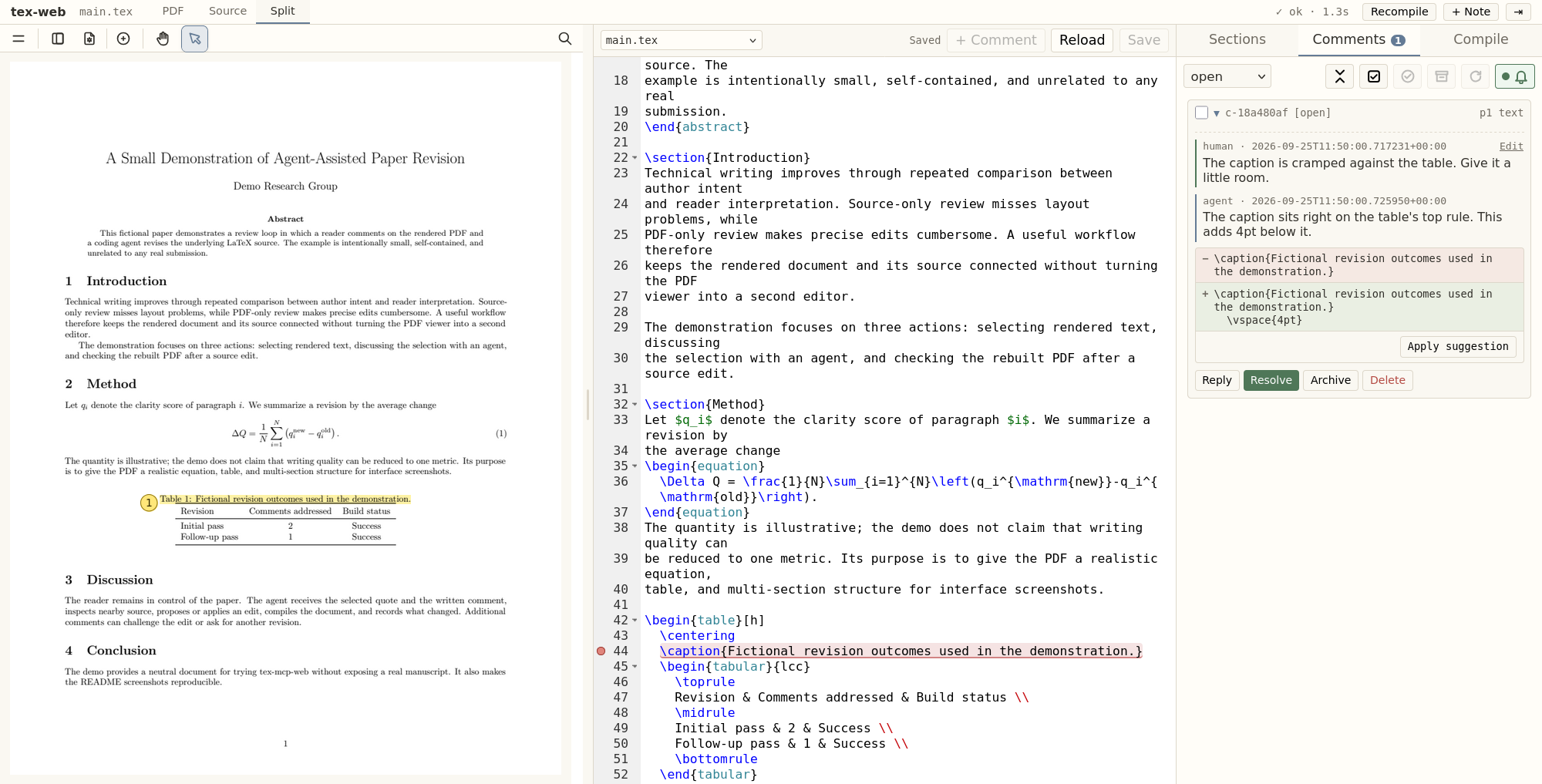
Review a LaTeX paper from its rendered PDF, on a desktop, tablet, or phone, while Claude Code or Codex edits the source.
⭐ If this helps your writing, please give it a star. It helps others find the project.
Writes in your field's terms
Left alone, an agent describes a concept in words of its own where the papers of your field
use one term. Give tex-mcp those papers and, in Claude Code, its tools stay locked until the
agent has read the terms they share, and they lock again after every compaction.
To set it up, convert the papers yours builds on to Markdown with
marker, keep them in one folder, and set references
to it.
Install
Paste this into Claude Code or Codex:
Install tex-mcp-web by following https://raw.githubusercontent.com/MiiKiyoshi/tex-mcp-web/main/INSTALL.md
The agent checks for Python 3.10 or newer and latexmk, shows where it will install and
which agents it will register with, and installs once you agree. Start the agent again
afterwards.
Init
Once per paper, start the agent in the paper's folder and say:
do tex init
The agent finds the main .tex file and a free port, shows you the settings, and writes.tex-mcp-web.yaml once you agree. A folder that already has one keeps it.
Listen
To review, say:
do tex listen
Open http://localhost:<port> with the port you chose at init. The agent serves the page,
so there is nothing else to start. Say it again after the agent restarts.
Reviewing
- Drag over PDF text and write what should change. Add a suggested wording in the
replacement box when you have one. - + Note comments on the whole paper, and the Sections tab comments on a section.
You can also select text in the Source tab and press + Comment. - Press Call agent, the bell in the Comments tab, when your comments are ready. The
listening agent edits the source, compiles, and replies in the same thread. Without
listen, ask the agent in chat to handle the tex comments. - Resolve a thread whose edit satisfies you, or Reply in it when it does not.
Archive sets a thread aside, and it still takes replies. - Edits in the Source tab are saved when you press Save.
Suggested edits
The thread shows the source lines the agent would change as a −/+ pair, and the Source tab
marks the same text in red. Apply suggestion writes the change into the file. Proposing
again replaces the proposal.
On a tablet or phone
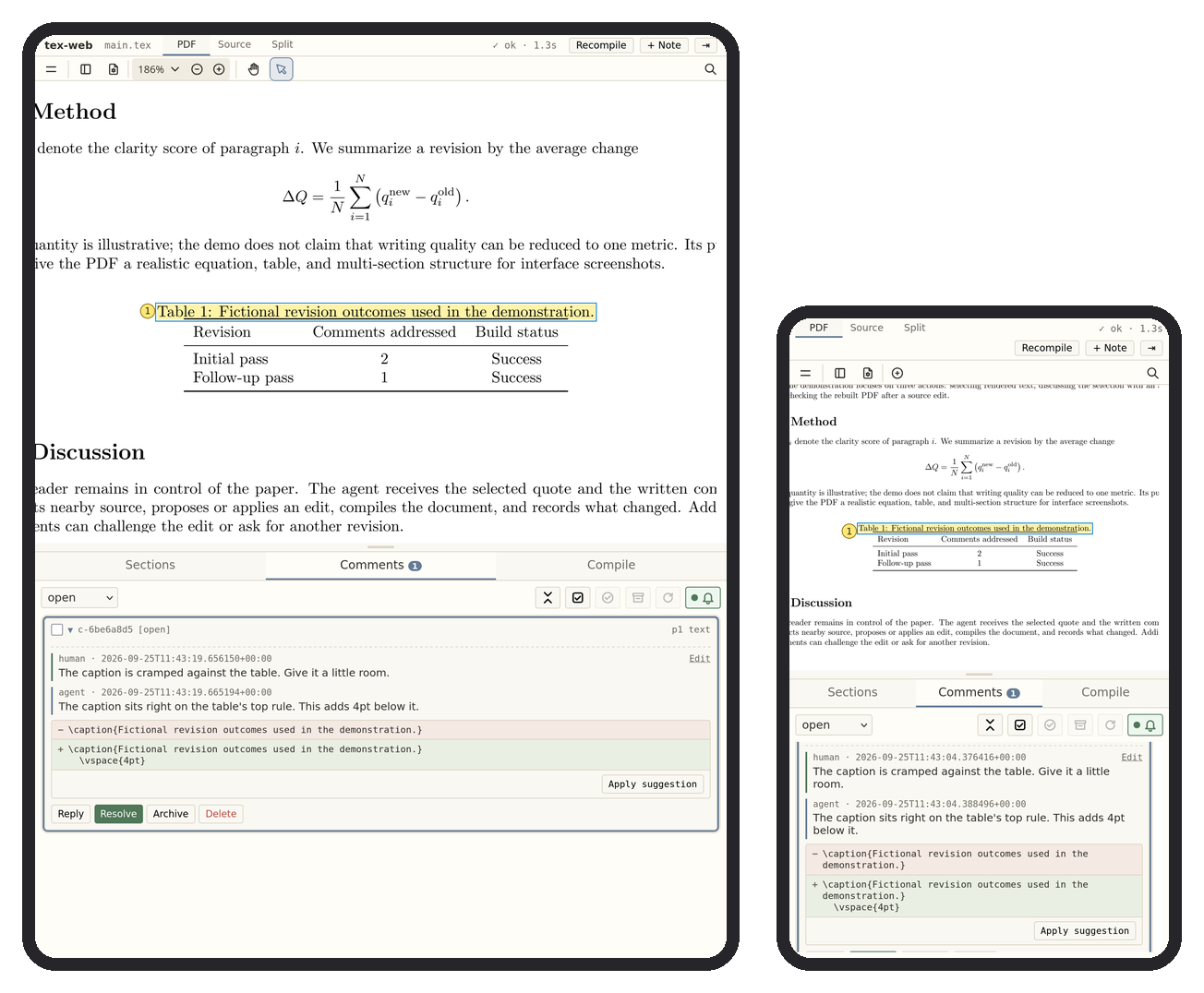
Forward the port you chose at init over SSH, from Termux on Android or iSH on iOS, then openhttp://localhost:<port> in the phone's browser.
ssh -L <port>:localhost:<port> <server>
Configuration
Edit .tex-mcp-web.yaml at the paper's root. A saved change applies at once, except port
and dir, which apply when Claude Code or Codex restarts.
main: main.tex
watch:
- '*.tex'
- '*.bib'
ignore:
- '*_backup.tex'
compiler: auto
port: 8765
| Field | Effect |
|---|---|
main |
Top-level source file compiled into the PDF. |
dir |
Folder holding the paper, relative to this file or absolute. Unset means this file's folder. |
watch |
Source files the Source tab offers. |
ignore |
Patterns excluded even when they match watch. |
compiler |
auto (latexmk for LaTeX, pandoc for Markdown or text), latexmk, pdflatex, xelatex, lualatex, or pandoc. |
port |
This paper's review page port. Any free port works. Init picks the first free one from 8765, so each paper can have its own. |
references |
Folder holding only the papers yours builds on, converted to Markdown, relative to this file or absolute. Unset means no list of their terms. |
See also
html-mcp-web reviews an AI agent's HTML slides or report the same way and hands finished slides over as an editable PowerPoint deck.
Acknowledgements
tex-mcp-web is a hard fork of queelius/scholia at commit e6c7454 (version 0.6.1), independently developed since under the MIT license. See LICENSE. PDF viewing uses EmbedPDF and its PDFium WebAssembly engine, whose notices are in tex_mcp_web/static/embedpdf/LICENSE and tex_mcp_web/static/embedpdf/LICENSE.pdfium. Source highlighting uses Ace Editor builds 1.44.0 under the BSD-3-Clause license, and its notice is in tex_mcp_web/static/ace/LICENSE.
Reviews (0)
Sign in to leave a review.
Leave a reviewNo results found