mcp-linker
Health Pass
- License — License: AGPL-3.0
- Description — Repository has a description
- Active repo — Last push 0 days ago
- Community trust — 305 GitHub stars
Code Warn
- network request — Outbound network request in package.json
Permissions Pass
- Permissions — No dangerous permissions requested
This tool is a marketplace and configuration manager for MCP (Model Context Protocol) servers. It allows users to easily discover, install, and synchronize MCP server settings across multiple AI clients like Claude, Cursor, and VS Code.
Security Assessment
Overall Risk: Medium. The application is designed to modify local configuration files for your AI clients, which inherently requires a degree of local system access. The automated scan flagged an outbound network request capability, which aligns with its core features: fetching a marketplace of MCP servers and offering optional cross-device cloud sync. No dangerous base permissions or hardcoded secrets were detected. However, because it acts as an installation vector for external tools (the 600+ marketplace servers) and features a paid cloud-sync tier, users should be aware of where their data is being sent.
Quality Assessment
The project demonstrates strong health and community trust. It is very actively maintained, with repository updates pushed as recently as today. It has garnered over 300 GitHub stars, indicating solid community adoption. The code is distributed under the standard AGPL-3.0 license, ensuring open-source transparency and compliance.
Verdict
Use with caution — the manager itself is a safe and well-maintained utility, but you should still manually verify the security of any third-party MCP servers you choose to install through its marketplace.
mcp store manager, add & syncs MCP server configurations across clients like Claude code, Cursor💡mcphub
MCP Linker




🌐 Languages: 中文 | 🌍 Other Languages
One-click add and sync MCP servers across AI clients — No LLM calls needed, Built-in marketplace
[!TIP]
⭐ Star the repo and follow milisp on Twitter and GitHub for more!
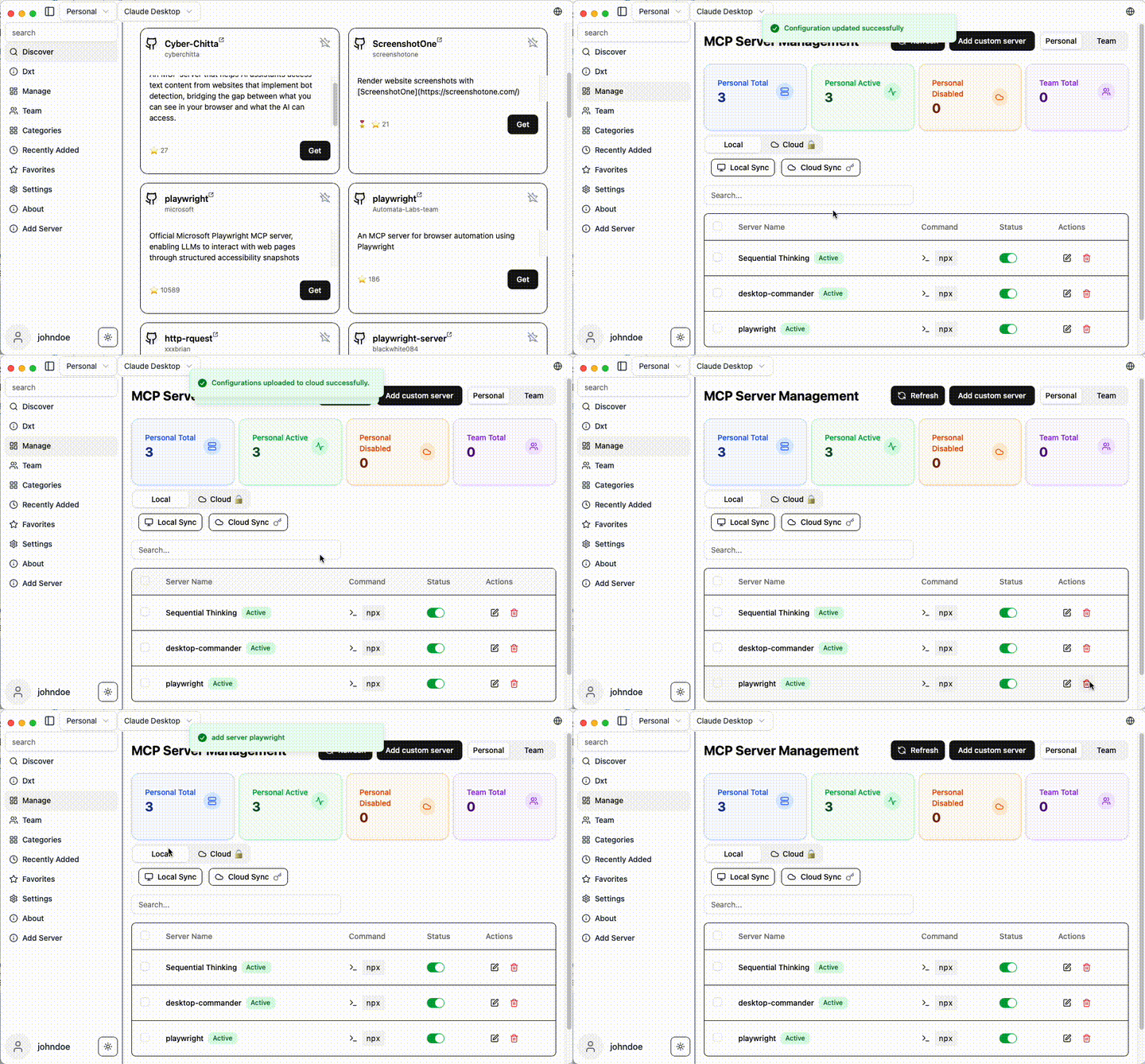
🚀 Why MCP Linker?
- ⚡ Instant — Add MCP servers in seconds
- 🧠 Multi-Client Support(paid plan) — Works with all major AI clients
✨ Features
- Local Sync — Sync MCP server configs across multiple clients
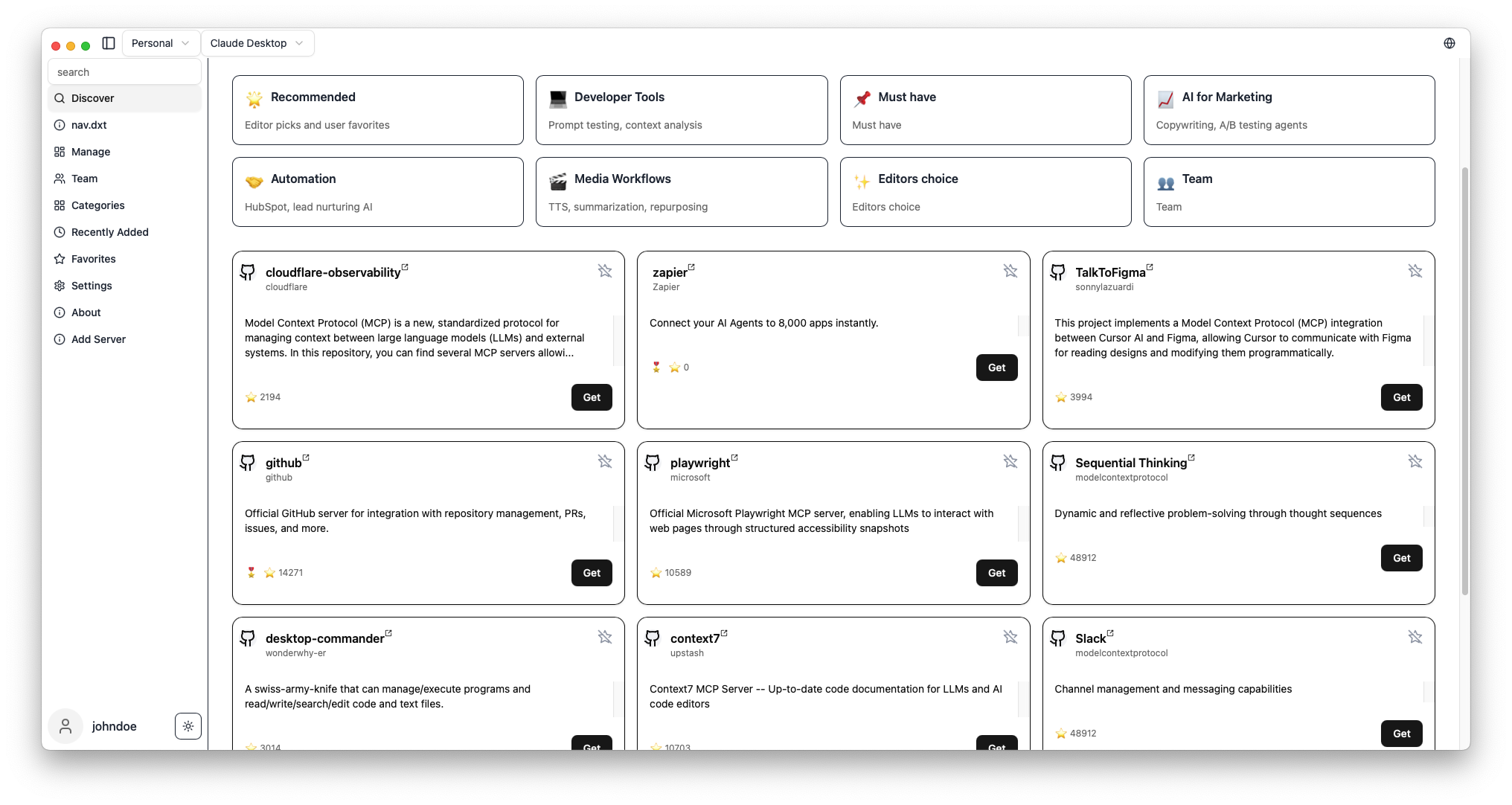
- 600+ Curated MCP Servers — Built-in marketplace with sequential-thinking, desktop-commander, and more
- Multi-Client Support — Claude Desktop/Code, Cursor, VS Code, Cline, Windsurf, Codex, Roo Code. see Detail
- Cross-Platform — macOS, Windows, Linux
- Smart Detection — Auto-detect Python, Node.js, uv environments
- Cloud Sync — Optional encrypted sync across devices (Pro)
- GUI for OpenAI Codex CLI — based on Codexia
🚀 Quick Start
Installation
Arch Linux (AUR)
yay -S mcp-linker-bin
macOS (Homebrew)
brew tap milisp/mcp-linker
brew install --cask mcp-linker
Windows / Linux / macOS (Direct Download)
Download the: 📥latest Releases
[!Note]
If you have subscribed, please relaunch the app after logging in for the first time.
Getting Started
- Browse MCP servers in the built-in marketplace
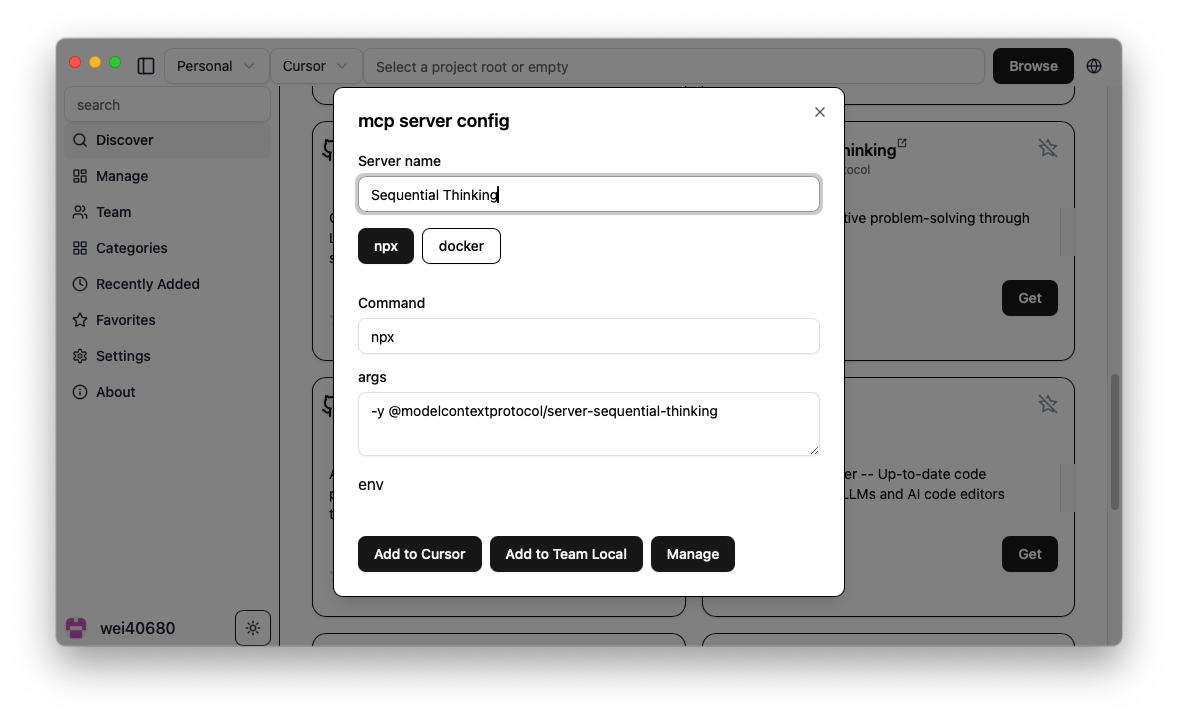
- Click "Get" to show configuration
- Click "Add" to install to your selected client
- Done! Start using new AI capabilities immediately
Screenshots
| Server Discovery | Add Configuration |
|---|---|
 |
 |
What's MCP?
Model Context Protocol is like USB-C for AI — a standard way to connect AI models to different data sources and tools.
🧭 Related Projects
- milisp/codexia - The missing GUI for the OpenAI Codex CLI, (FileTree + notepad + git diff + plan mode) all in a lightweight Tauri desktop app.
- awesome-claude-dxt — a curated list of Claude Desktop Extensions (dxt), tools, and resources
- claw-army/claude-node — Python subprocess bridge for Claude Code CLI, giving Python code direct access to Claude Code native capabilities via stream-json.
💬 Community & Support
- 💬 Join Discussions
- 🐛 Report Issues
- ☁️ Pro Plans — Cloud sync starting at coffee price/month
🛠️ Development
For development commands, and contribution guidance, see CONTRIBUTING
🔍 Troubleshooting
see the Wiki
💖 Contributors
Thanks to all our wonderful contributors!
License
MCP Linker is dual-licensed under AGPL-3.0 and a Commercial License.
- AGPL-3.0 — for open-source use.
- Commercial License — required for closed-source, proprietary, hosted, or SaaS use.
Found this helpful? Please ⭐ the project!
📈 Star History
Reviews (0)
Sign in to leave a review.
Leave a reviewNo results found