pbi-cli
Health Pass
- License — License: MIT
- Description — Repository has a description
- Active repo — Last push 0 days ago
- Community trust — 18 GitHub stars
Code Pass
- Code scan — Scanned 12 files during light audit, no dangerous patterns found
Permissions Pass
- Permissions — No dangerous permissions requested
This command-line agent bridges Claude with Power BI Desktop, enabling AI-assisted semantic modeling. It uses direct .NET TOM interop to allow Claude to efficiently interact with your local Power BI files.
Security Assessment
The overall risk is rated as Low. The automated code scan of 12 files found no dangerous patterns, no hardcoded secrets, and the package does not request any inherently dangerous permissions. The primary surface area is local system interaction. By design, it executes local commands to interface with the Power BI application and requires a running Windows environment. Because it acts as a bridge to your local data models, it inherently accesses local files, but there is no evidence of unauthorized external network requests or data exfiltration.
Quality Assessment
Project quality and maintenance are solid. The repository is active, with the most recent push occurring today. It is properly licensed under the permissive MIT license, which is excellent for open-source adoption and enterprise use. Community trust is currently small but present, with 18 GitHub stars. The project features a highly detailed README with clear installation instructions, dependency management via PyPI, and visible CI/CD integration, indicating professional development standards.
Verdict
Safe to use — a well-documented, actively maintained, and permissively licensed utility for developers working within the Power BI ecosystem.
Power BI CLI - Direct .NET TOM interop for token-efficient AI agent usage, built for Claude Code
Give Claude Code the Power BI skills it needs.
Install once, then just ask Claude to work with your semantic models.




Why pbi-cli • Get Started • Just Ask Claude • Skills • All Commands • Contributing
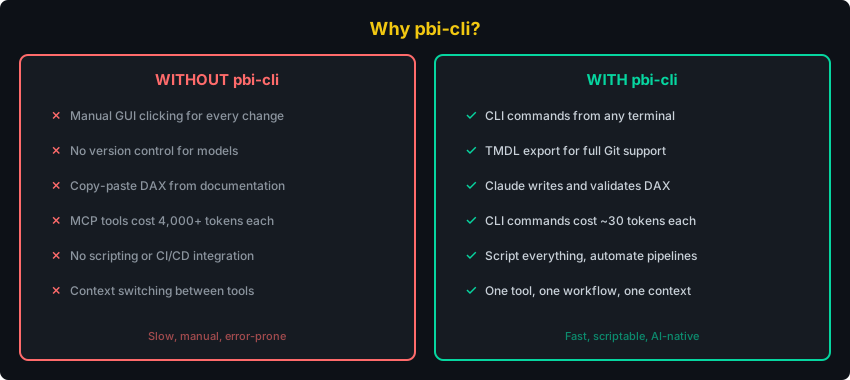
Why pbi-cli?
Get Started
pipx install pbi-cli-tool    # 1. Install (handles PATH automatically)
pbi connect                  # 2. Auto-detects Power BI Desktop and installs skills
Open Power BI Desktop with a .pbix file, run pbi connect, and start asking Claude.
Alternative: give Claude the repo URLRequires: Windows with Python 3.10+ and Power BI Desktop running.
Install and set up pbi-cli from https://github.com/MinaSaad1/pbi-cli.git
Claude will clone, install, connect, and set up skills automatically.
Using pip instead of pipx?pip install pbi-cli-tool
On Windows, pip install often places the pbi command in a directory that isn't on your PATH.
Fix: Add the Scripts directory to PATH
python -c "import site; print(site.getusersitepackages().replace('site-packages','Scripts'))"
Add the printed path to your system PATH, then restart your terminal. We recommend pipx to avoid this entirely.
Just Ask Claude
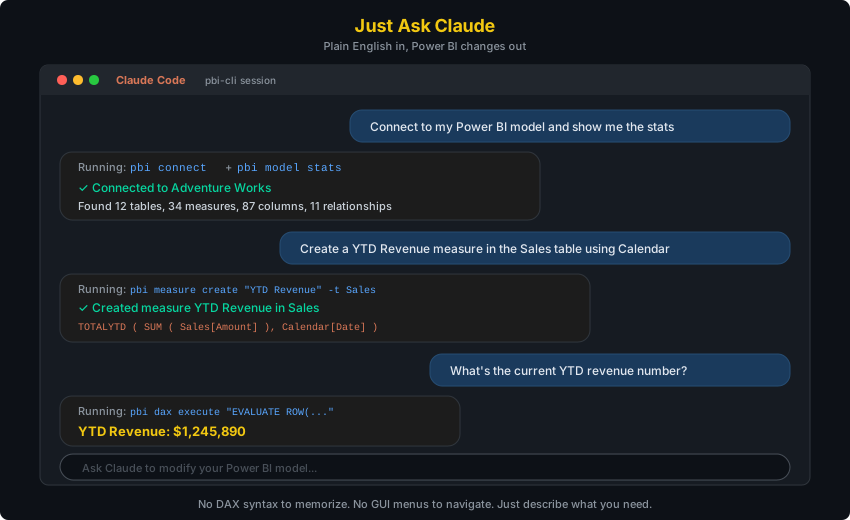
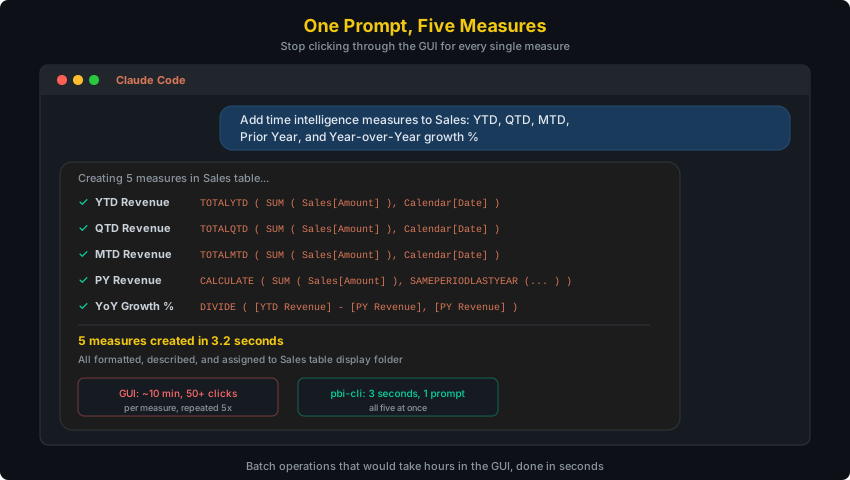
Create measures in bulk
Debug broken DAX
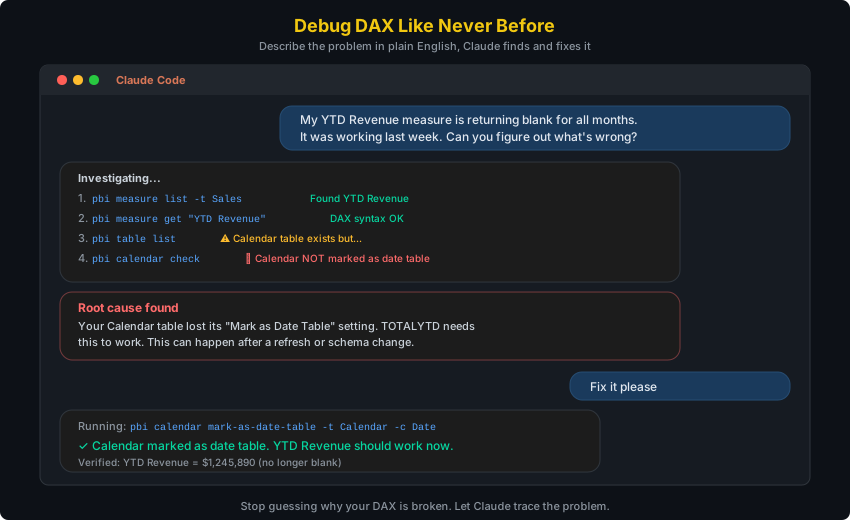
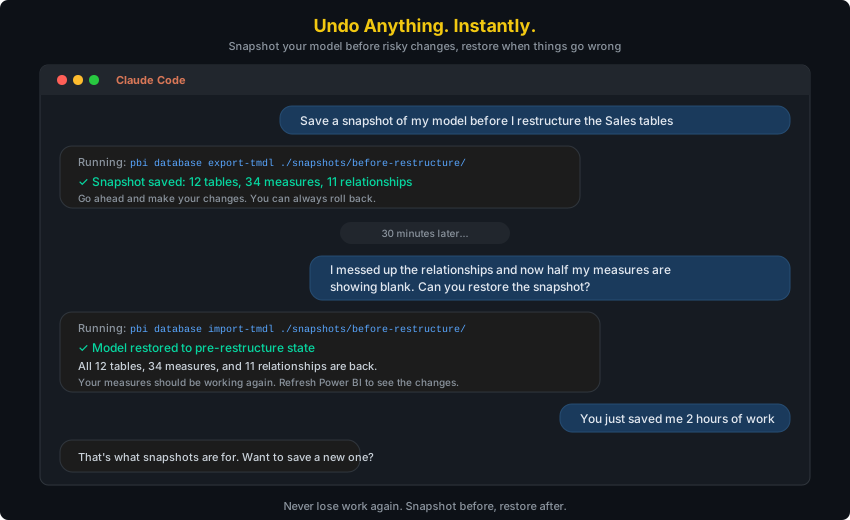
Snapshot and restore your model
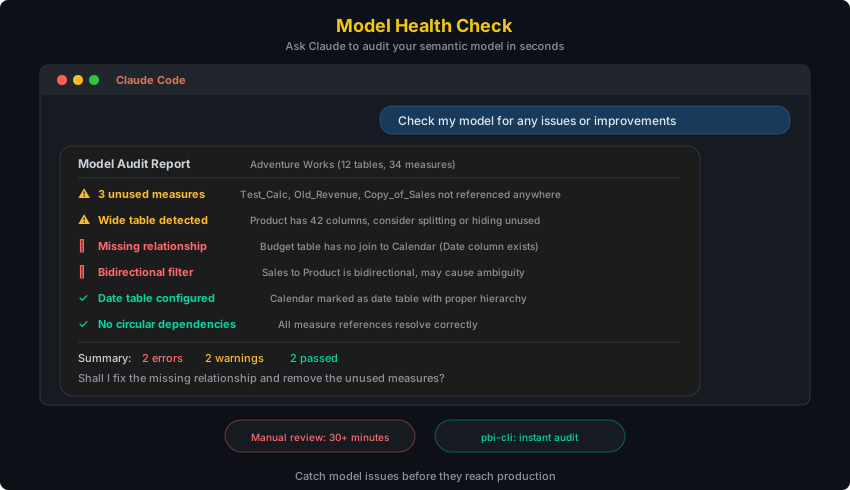
Audit your model for issues
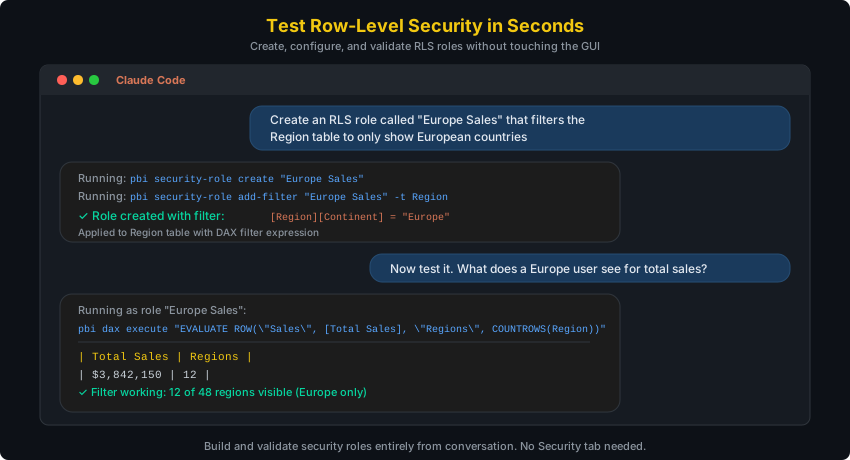
Test row-level security
Skills
After running pbi connect, Claude Code discovers 7 Power BI skills automatically. Each skill teaches Claude a different area. You don't need to memorize commands.
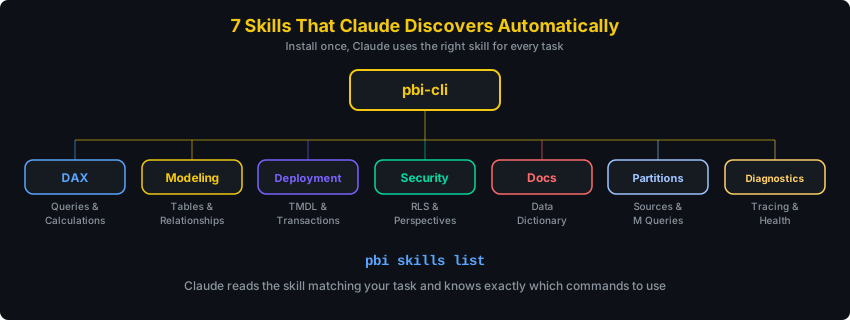
| Skill | What you say | What Claude does |
|---|---|---|
| DAX | "What are the top 10 products by revenue?" | Writes and executes DAX queries, validates syntax |
| Modeling | "Create a star schema with Sales and Calendar" | Creates tables, relationships, measures, hierarchies |
| Deployment | "Save a snapshot before I make changes" | Exports/imports TMDL, manages transactions |
| Security | "Set up RLS for regional managers" | Creates roles, filters, perspectives |
| Docs | "Document everything in this model" | Generates data dictionaries, measure inventories |
| Partitions | "Show me the M query for the Sales table" | Manages partitions, expressions, calendar config |
| Diagnostics | "Why is this query so slow?" | Traces queries, checks model health, benchmarks |
Architecture

Direct in-process .NET interop from Python to Power BI Desktop. No MCP server, no external binaries, sub-second execution.
Configuration detailsAll config lives in ~/.pbi-cli/:
~/.pbi-cli/
  config.json          # Default connection preference
  connections.json     # Named connections
  repl_history         # REPL command history
Bundled DLLs ship inside the Python package (pbi_cli/dlls/).
All Commands
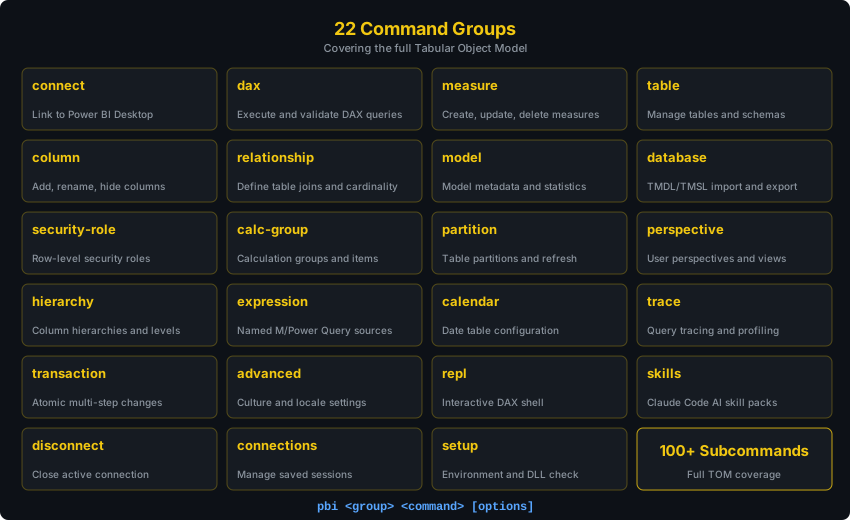
Use --json for machine-readable output (for scripts and AI agents):
pbi --json measure list
pbi --json dax execute "EVALUATE Sales"
Run pbi <command> --help for full options.
REPL Mode
For interactive work, the REPL keeps a persistent connection:
$ pbi repl

pbi> connect --data-source localhost:54321
Connected: localhost-54321

pbi(localhost-54321)> measure list
pbi(localhost-54321)> dax execute "EVALUATE TOPN(5, Sales)"
pbi(localhost-54321)> exit
Tab completion, command history, and a dynamic prompt showing your active connection.
Development
git clone https://github.com/MinaSaad1/pbi-cli.git
cd pbi-cli
pip install -e ".[dev]"
ruff check src/ tests/         # Lint
mypy src/                      # Type check
pytest -m "not e2e"            # Run tests
Contributing
Contributions are welcome! Please open an issue first to discuss what you'd like to change.
- Fork the repository
- Create a feature branch
- Make your changes with tests
- Open a pull request


MIT License
Reviews (0)
Sign in to leave a review.
Leave a reviewNo results found