flockbook
Health Pass
- License — License: MIT
- Description — Repository has a description
- Active repo — Last push 0 days ago
- Community trust — 31 GitHub stars
Code Pass
- Code scan — Scanned 12 files during light audit, no dangerous patterns found
Permissions Pass
- Permissions — No dangerous permissions requested
No AI report is available for this listing yet.
Unofficial native macOS app for Herdr: read, follow and reply to your coding agents (Claude Code, Codex, Cursor, pi) in one place.
Flockbook for Herdr
Unofficial. Flockbook is not affiliated with, endorsed by, or supported by Herdr, Inc. It uses only Herdr's public socket API.
Flockbook is a native macOS reading view for your Herdr agents. Read what each agent did, see which one needs you, and reply in one place.
Your agents' conversations are already in the terminal. Flockbook shows the same conversation in a layout that is easier to read.
Built with AI. AI coding agents write Flockbook: Claude Code writes the code and Codex reviews it. A human sets the direction, tests the app, and reviews every change. See How this was built.
Download for macOS · Website · Requires macOS 15 or later.
Features
The screenshots use a fictional demo session (scripts/demo-seed.sh).
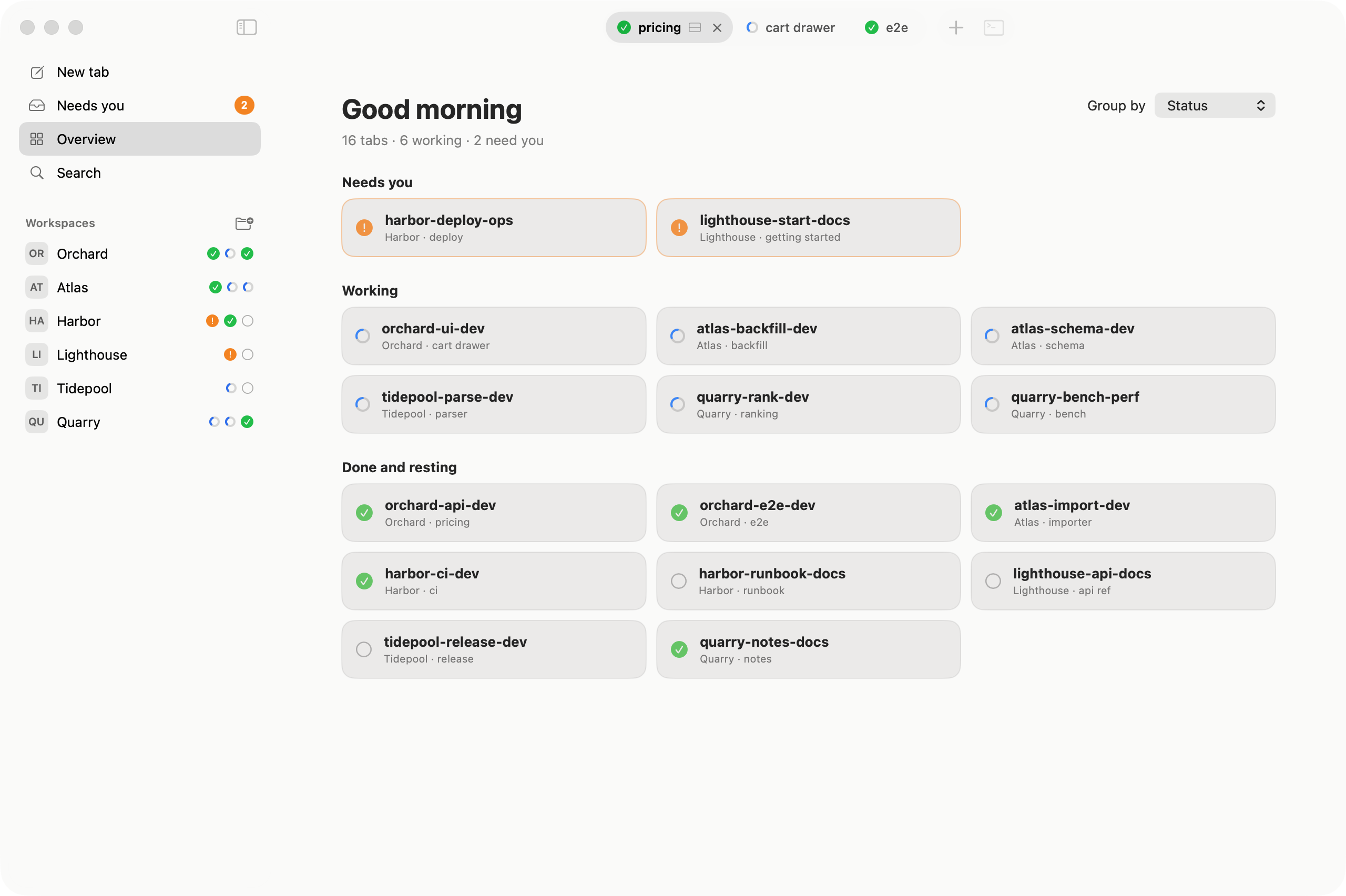
Sidebar and overview
The sidebar lists your Herdr workspaces. Overview shows every tab and its state: working, waiting for you, done or idle.
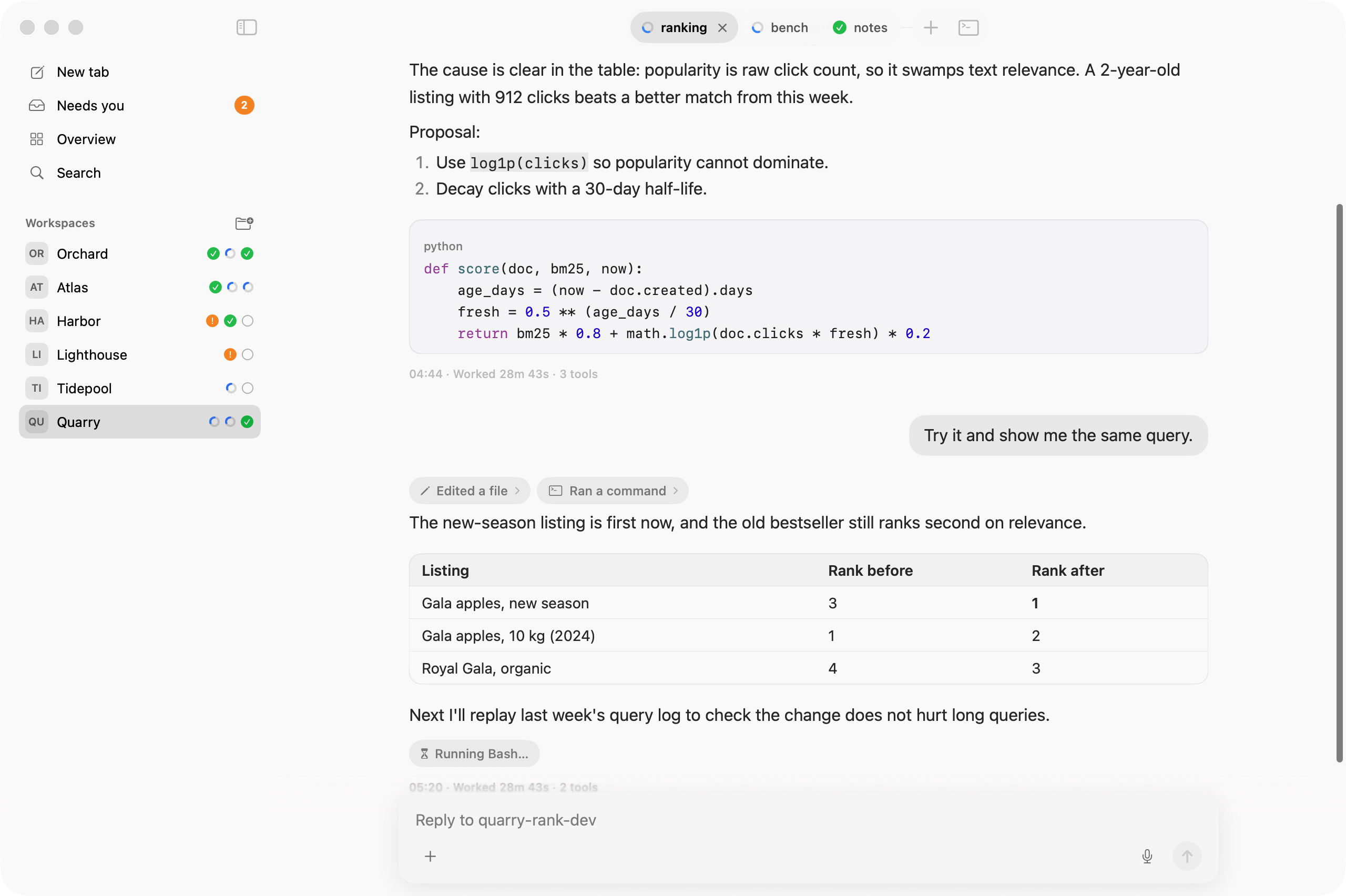
Conversation view
Each agent's session log is shown as a document: Markdown, code, tables, and tool calls folded into short chips.
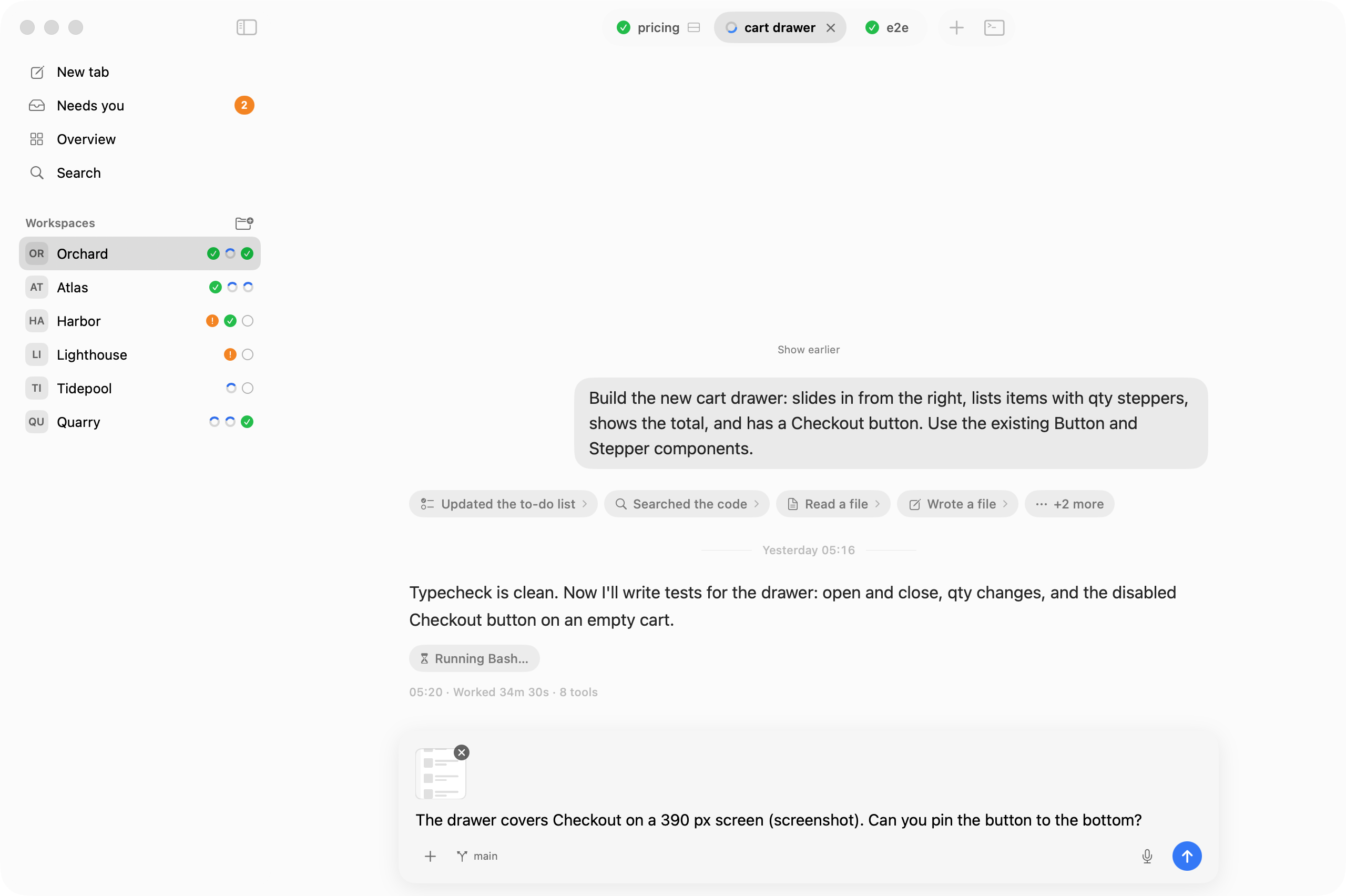
Reply
Type under the conversation and press Return to send. You can paste images or attach a file path.
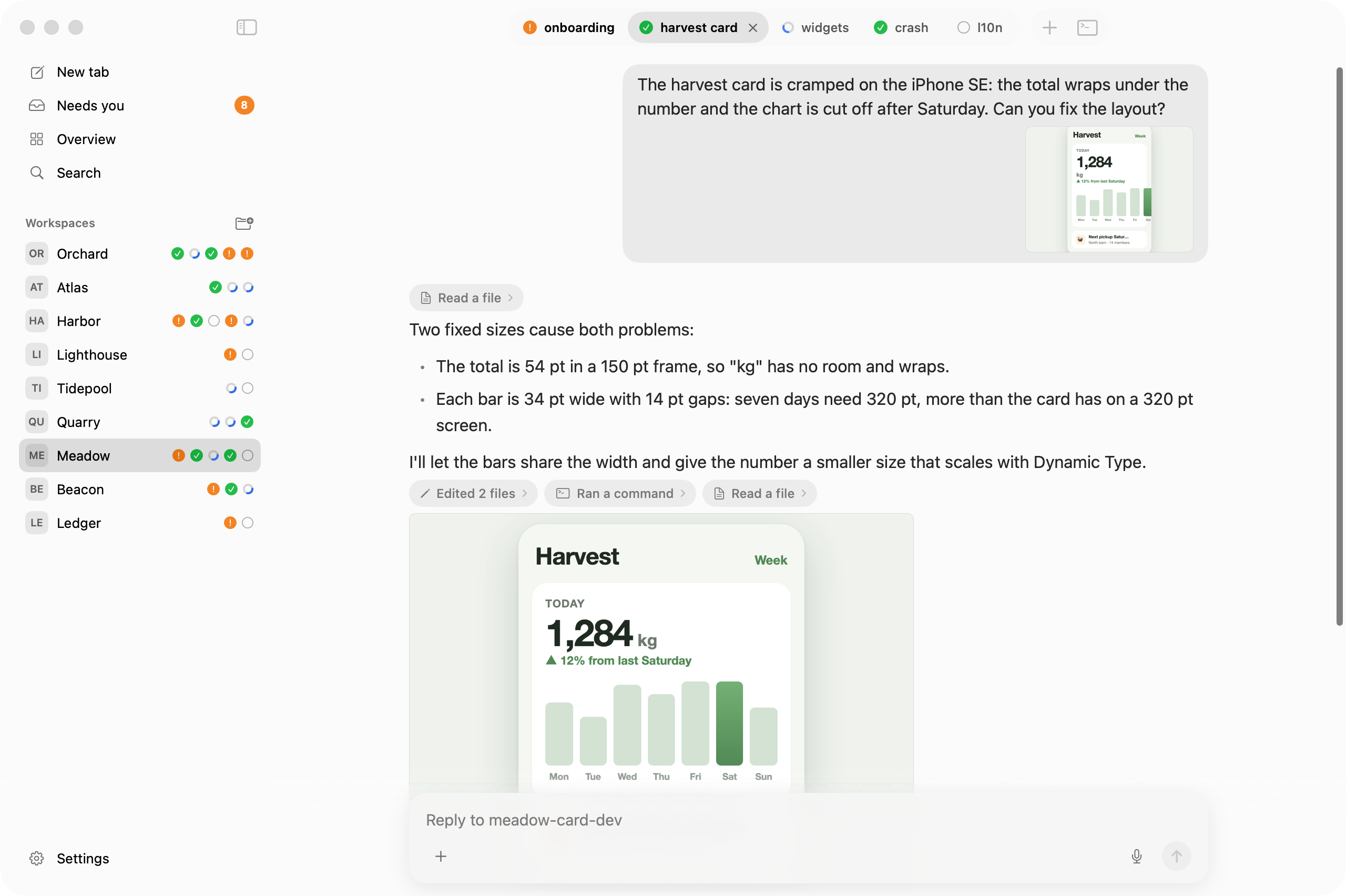
Pictures
Screenshots you paste and pictures the agent reads (for example a simulator screenshot) show in the conversation. Click one to see it at full size.
Queued messages
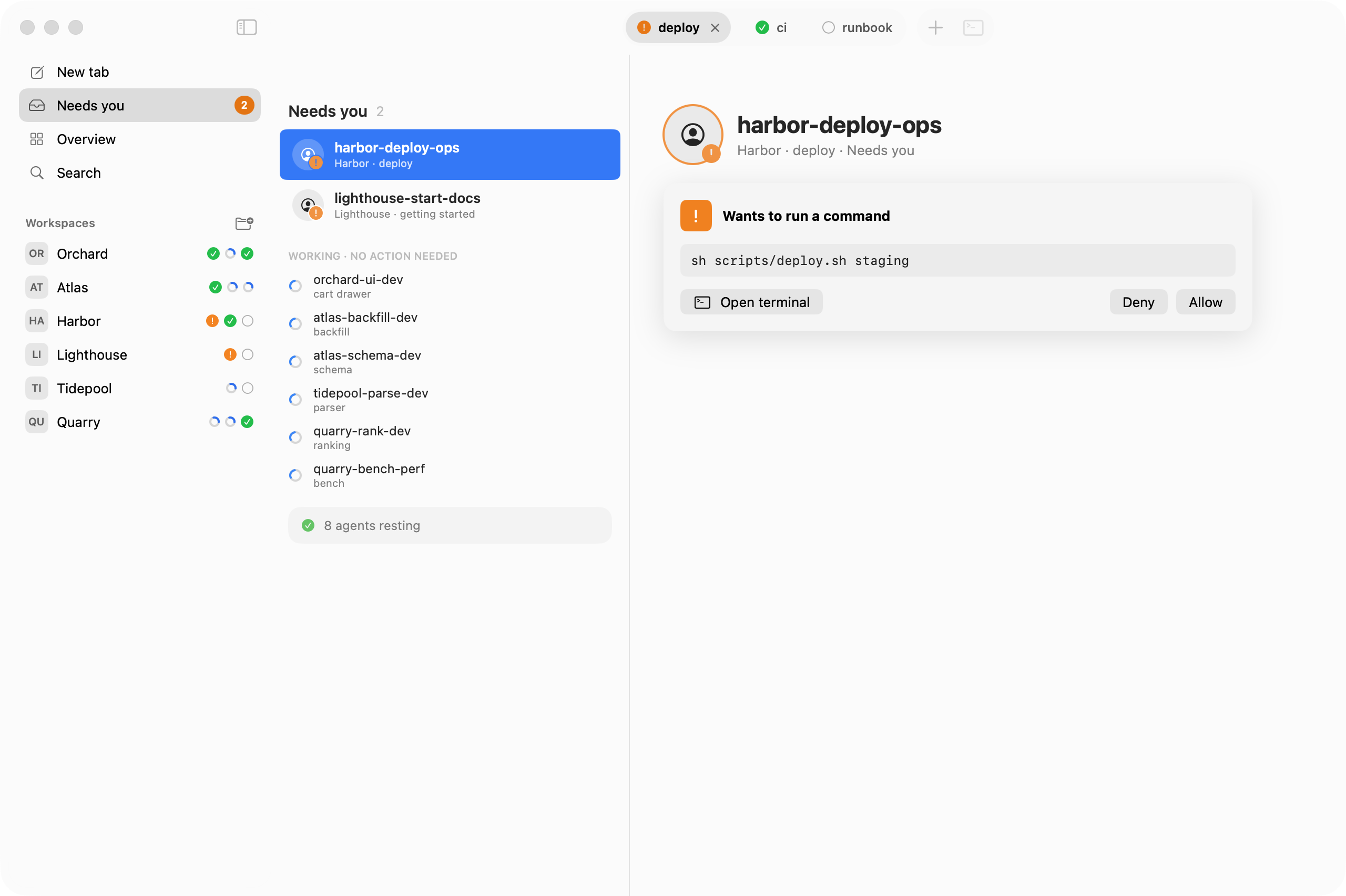
Messages you send while an agent works wait in the agent's queue. Flockbook shows them above the reply field, on the Mac and on the phone, until the agent takes them. For Claude Code, Pull back to edit moves the queue into the reply field; Codex's queue is edited in its terminal.
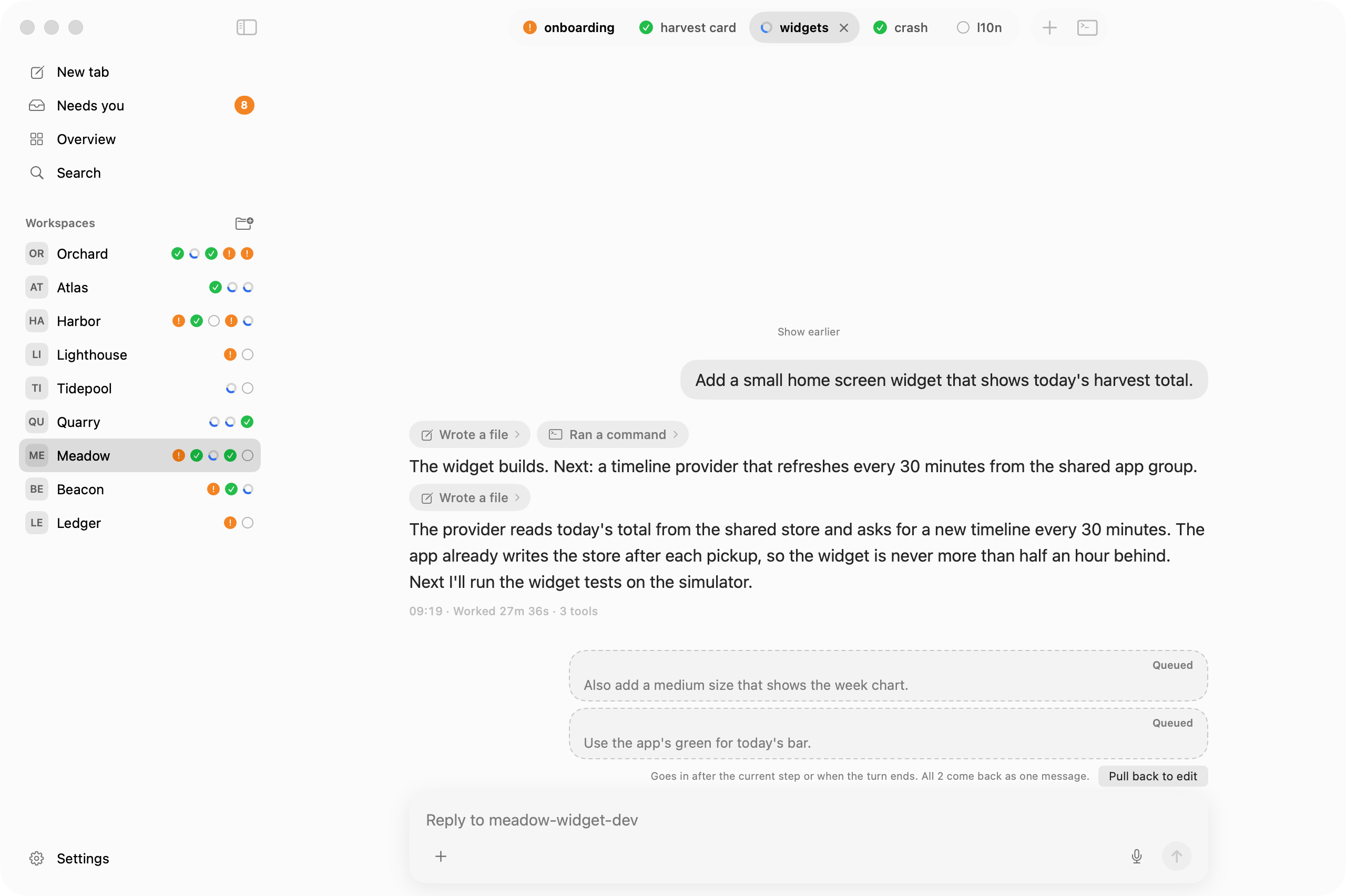
Question card
When an agent asks a question with options, pick an answer from a card.
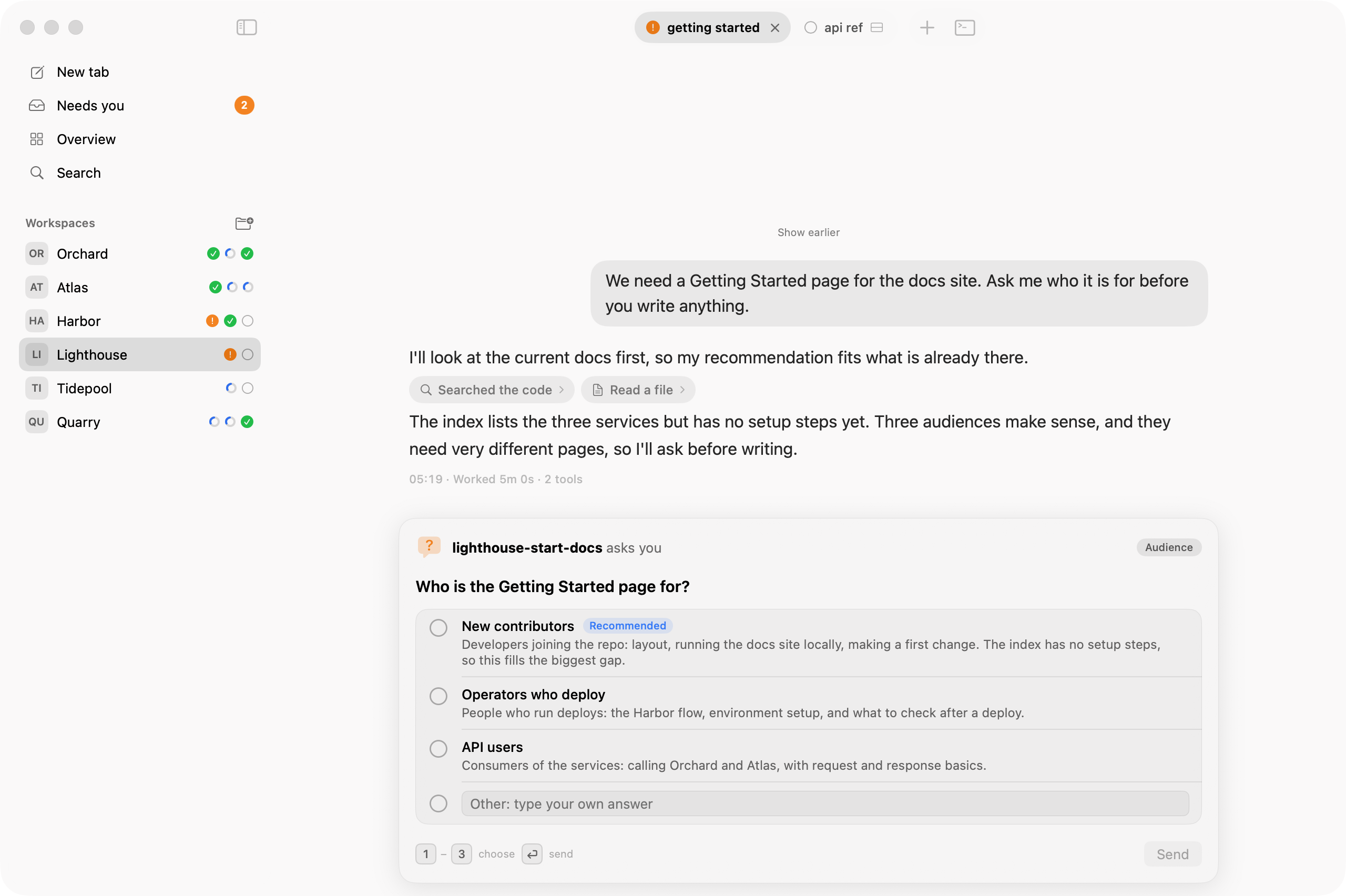
Approval card
When an agent asks for permission, choose Allow or Deny without opening the terminal.
The "needs you" notification shows the command and has the same buttons; on macOS they are under Options when you hover over the notification.
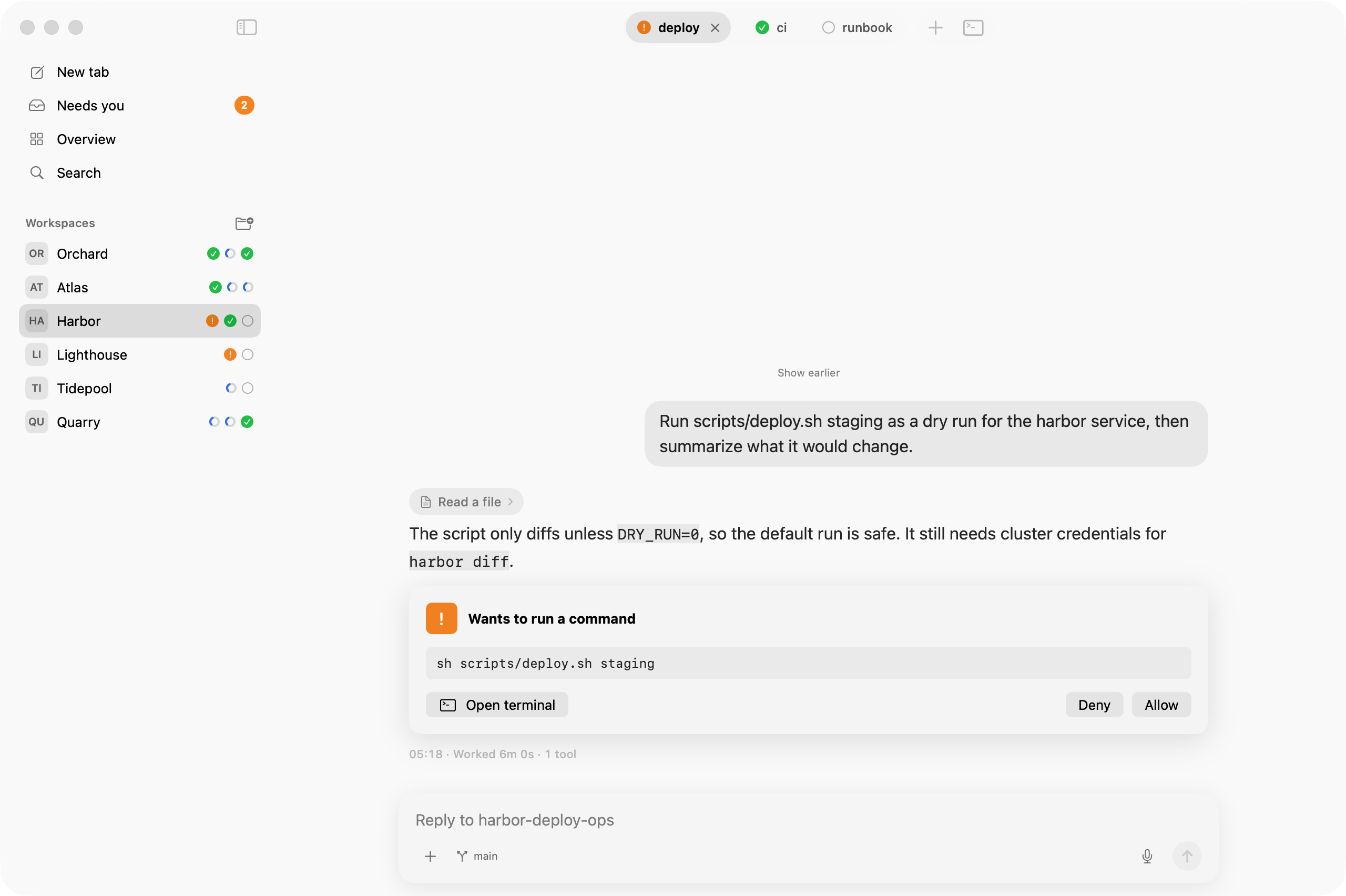
Needs you
Agents that wait for you are collected in one list, marked in orange.
Split panes
A tab with split panes shows one conversation per pane, stacked.
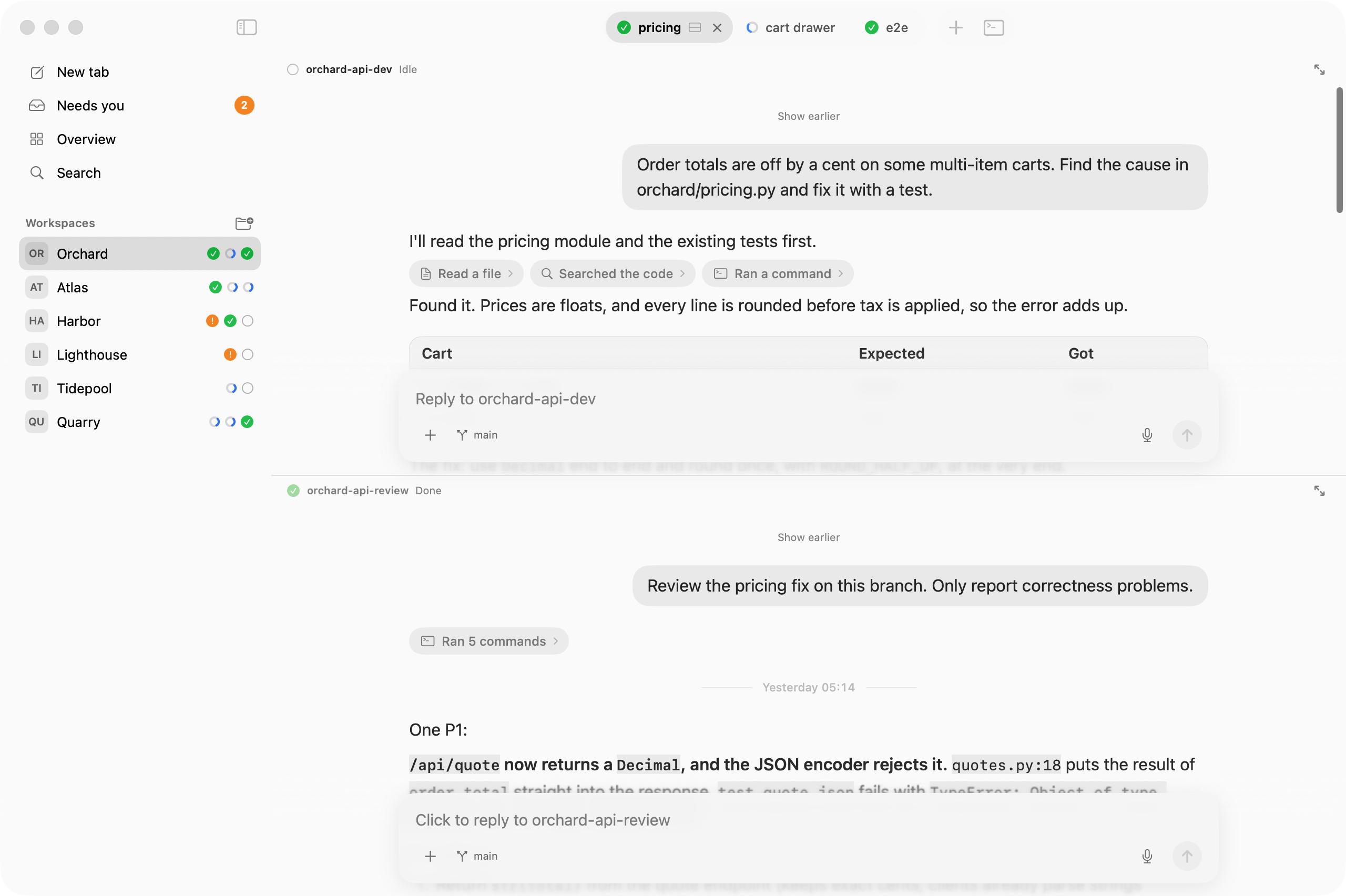
Embedded terminal
Press Control-backtick (⌃`) to see the real terminal of the pane in a sheet.
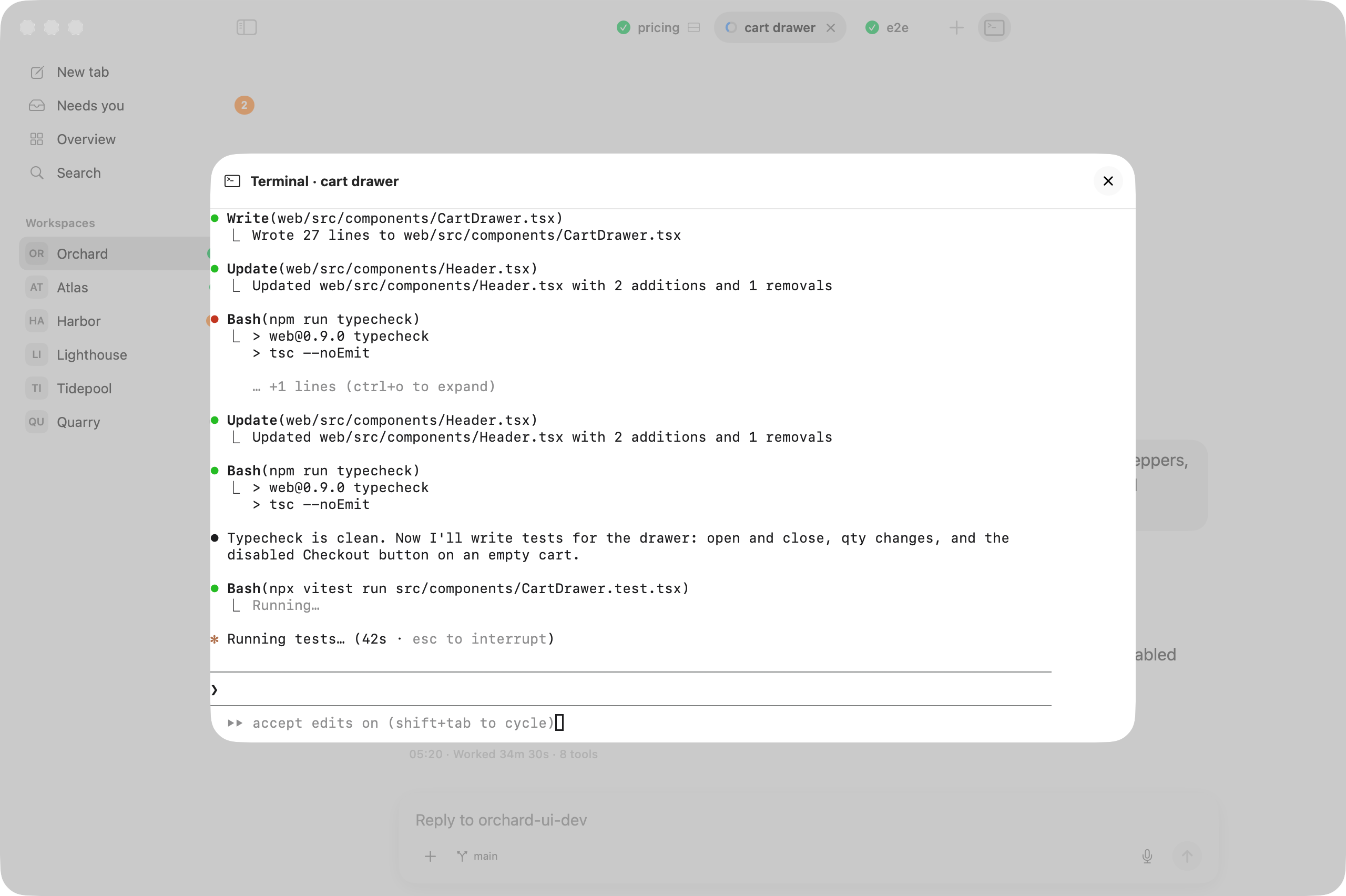
Remote access (phone)
Read your agents, and Allow or answer, from your phone. Off by default. Tailscale keeps the page private to your own devices.
- Install Tailscale on the Mac and on the phone. Sign in with the same account on both.
- In the Tailscale admin console, on the DNS page, turn on MagicDNS and HTTPS Certificates.
- In Flockbook, open Settings > Remote access and turn it on. The checklist shows each step with a tick.
- Click Turn On at "Tailscale Serve". It runs the command it shows (or copy it and run it yourself). It shares only port 7480 with your tailnet, never the internet, and leaves your other Serve settings alone. Turn Off removes only that port.
- Click Pair a Device and scan the QR code with the phone. A paired phone can read; turn on input for it in Devices.
A phone with input can also send images: tap + in the message box (camera or photos, up to 4, 10 MB each). The Mac re-encodes each image (no location or camera data is kept) and stores it in Flockbook's cache folder.
Codex questions can be answered from the phone. Claude Code questions need one more step: at Answer Claude questions from the phone, click Install…. The sheet shows the exact entry it adds to ~/.claude/settings.json (a copy of the file is kept first). The hook only tells Flockbook the question; the phone answers only when the picker on screen matches it exactly, else it says to answer on the Mac. Restart running Claude sessions to include them. Uninstall… removes only that entry.
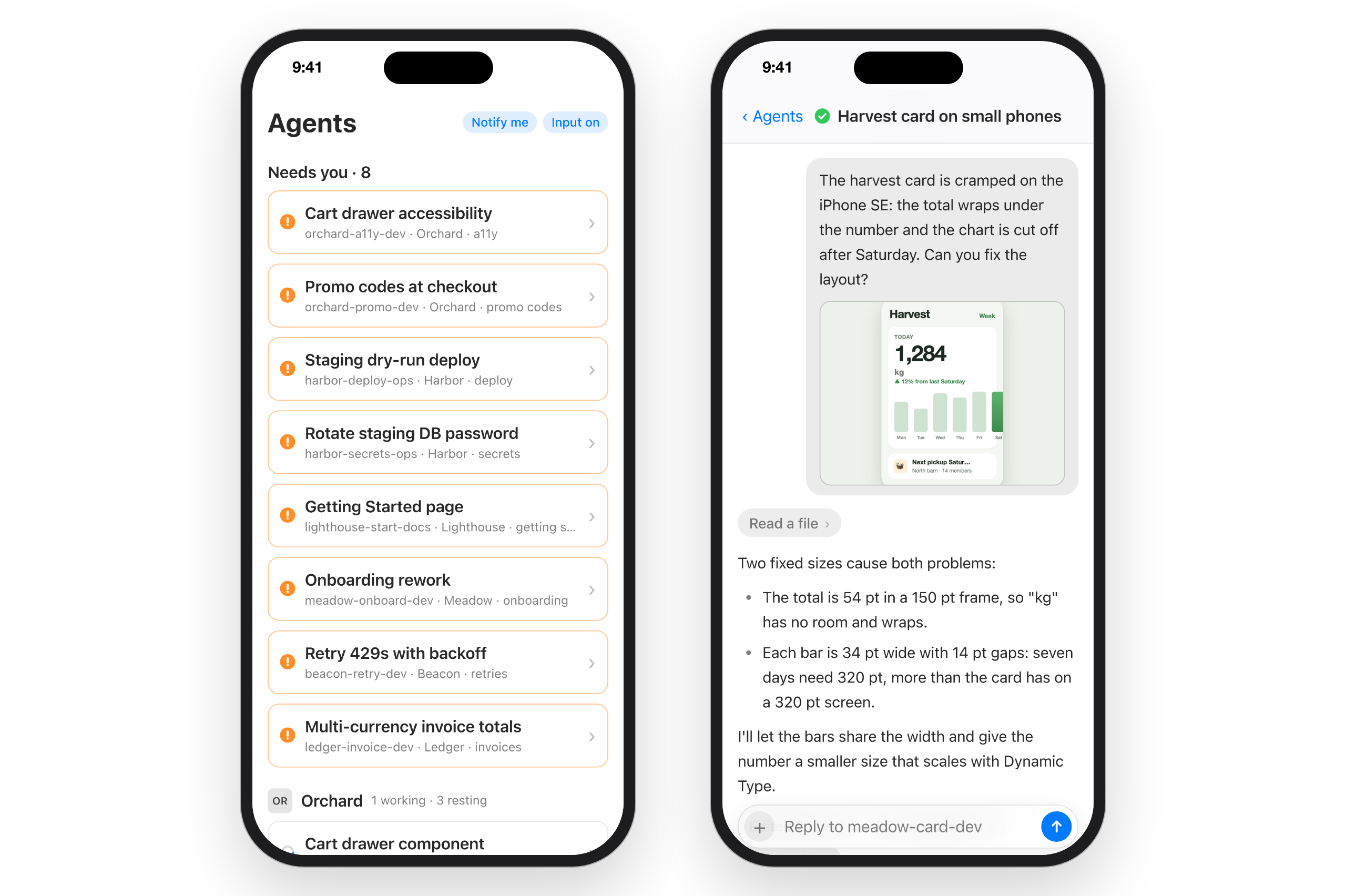
Notifications on the phone
Tap Notify me at the top of the agent list. The phone then shows a notification when an agent needs you, also when the page is closed. On iPhone, add Flockbook to the Home Screen first and turn on notifications there. The notification has the agent's title, workspace and tab, never conversation text. It goes through your phone's push service (Apple, Google, Mozilla or Microsoft).
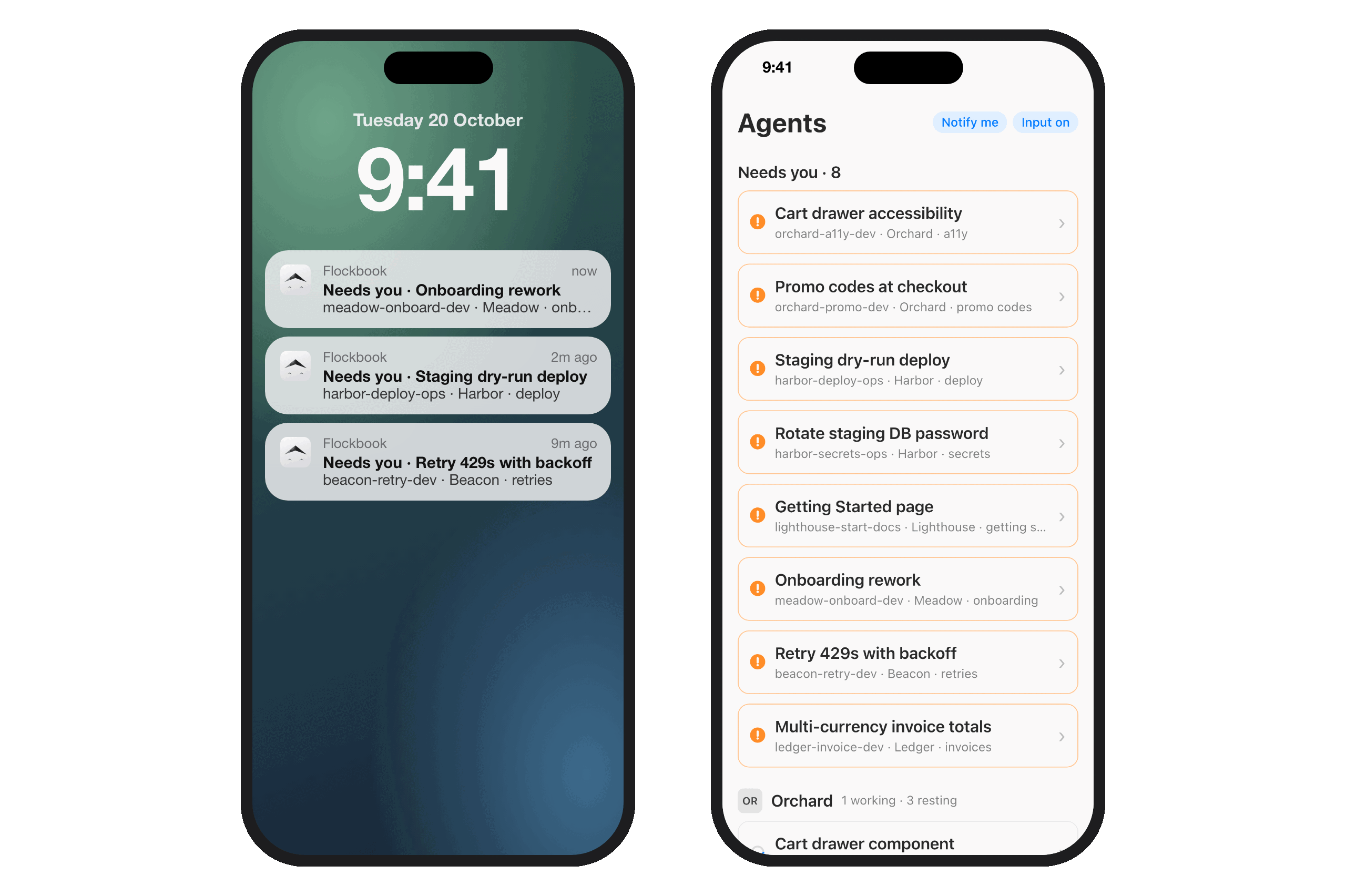
Direct address (no Tailscale Serve) is under the same setting, marked advanced and less safe: it uses a self-signed certificate that the phone's browser cannot check.
Requirements
- macOS 15 or later
- Herdr, running
- Agents in Herdr: Claude Code, Codex, Cursor, or pi. Flockbook reads their local session logs to show the conversation.
Releases
Download the latest Flockbook-<version>.dmg or .zip from GitHub Releases. Builds are universal (Apple silicon and Intel). Check the download against SHA256SUMS.
Release notes say whether a build is signed and notarized. An unsigned build is blocked by macOS on first open; to run it anyway:
xattr -dr com.apple.quarantine /Applications/Flockbook.app
Signed builds update themselves: once an hour Flockbook checks for a new release, and it installs one only after you agree (Sparkle; turn the check off in Settings, or use Flockbook > Check for Updates…). Versions up to 0.1.2 have no updater: install the next release by hand once.
Build
scripts/bundle.sh    # builds build/Flockbook.app (ad-hoc signed)
scripts/package.sh   # dist/Flockbook-<version>.zip and .dmg
scripts/test-update.sh build/update-test   # headless auto-update check with a throwaway key
Linux and Windows (in progress)
The Rust code in xplat/ is an early port of Flockbook to Linux and Windows, built with iced. It is not released yet, and it is the reason this repository shows Rust. The macOS app above is the Swift code at the repository root and does not use xplat/.
Privacy
Flockbook runs locally. It reads agent session logs on your Mac (~/.claude/projects/, ~/.codex/sessions/, ~/.cursor/projects/, ~/.pi/agent/sessions/) and talks to Herdr through its local socket. It has no telemetry. It goes on the network only for the hourly update check (you can turn it off) and, when you turn them on, for remote access over Tailscale or your local network and for phone notifications through the phone's push service.
How this was built
Flockbook was developed with extensive help from AI: Claude Code (Anthropic) writes most of the code, and Codex (OpenAI) reviews the changes. The repository is open; read the code and judge it on its merits.
About the processMy role is direction, not authorship:
- Product direction: deciding what to build and why
- Testing: using the app every day, finding bugs, checking that features behave
- Review: reading the changes before they land, with an AI review on top for security and correctness
- Measurement: hang and performance fixes are checked with real samples and timings on my own Mac
I'm disclosing this because it's true and because the code should stand on its own. If something is wrong, open an issue.
License
MIT. See LICENSE and THIRD_PARTY_NOTICES.md.
Reviews (0)
Sign in to leave a review.
Leave a reviewNo results found