operate
Health Warn
- License — License: MIT
- Description — Repository has a description
- Active repo — Last push 0 days ago
- Low visibility — Only 6 GitHub stars
Code Pass
- Code scan — Scanned 12 files during light audit, no dangerous patterns found
Permissions Pass
- Permissions — No dangerous permissions requested
No AI report is available for this listing yet.
Run Camunda 7 from your terminal – or let your AI agent do it: every REST endpoint as a command, made for agents. Works with Operaton, CIB seven & Camunda 7 ⚙️
operate


A command line tool that lets an AI agent (or a human at a shell) operate a Camunda 7 process
engine: Operaton, CIB seven and Camunda 7. Deploy
processes and decisions, start and follow instances, work on tasks, fix incidents, migrate running
instances, look into the history and administer users and permissions. The agent says what should
happen, and the CLI talks to the REST API.
Documentation: miragon.github.io/operate
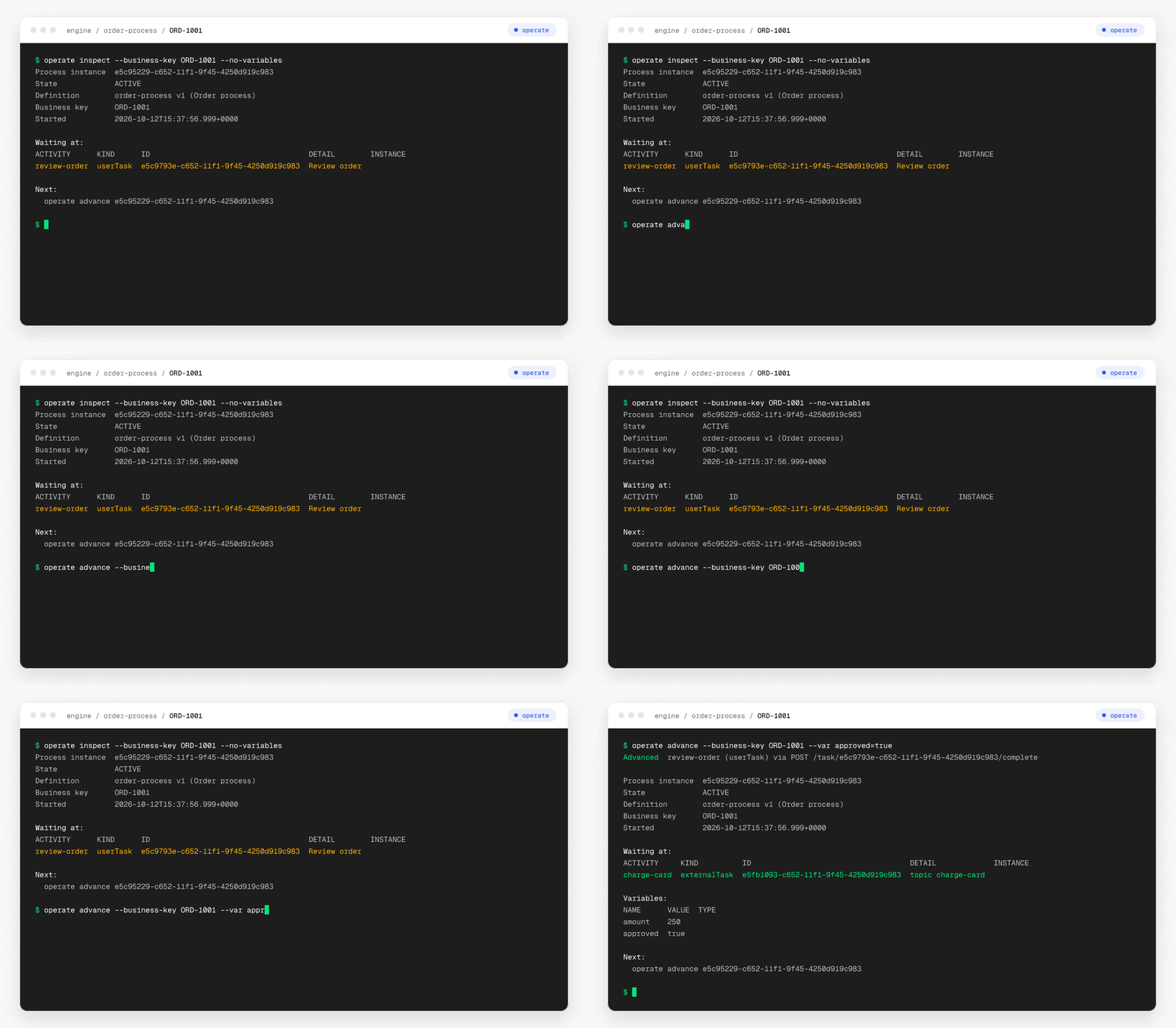
Why
A language model writes its answer token by token, so the time and the cost of a task grow with
the text it has to produce. Working with a process engine through its REST API is a lot of text.
Completing a single task takes one request to find the instance, one to see where it waits, one to
act and one to check the result, and each answer has to be read to build the next request. A
deployment, a migration or a search through the history is no different. An agent that works this
way is slow, and every id it copies is a chance to hit the wrong instance.
operate turns this around: the agent names what it means and what should happen, in one short
command, and the CLI sends the requests. What you get:
- One short command replaces a chain of requests, so the agent writes little and works fast.
- Answers contain what the next step needs, not everything the engine knows.
- The CLI lists its own commands and explains each one, so an agent looks things up instead of
inventing them. - Every change can be previewed, deleting needs an explicit yes, and an engine can be marked as
look-only, so it is safe on real engines. - Everything the REST API offers is a command: deployments, instances, tasks, incidents,
migrations, history, decisions, users and permissions. - It never asks questions, and both its answers and its errors are easy for a program to read, so
scripts can use it too.
Install
Requires Node.js 22.12+, or use Homebrew, the standalone executable or the container image (see
below).
npm install -g @miragon/operate      # or, without Node.js: brew install miragon/tap/operate
operate guide
Quick start
Start an engine, then deploy a process, start an instance and complete its first task.order.bpmn is any process with a user task; the walk-through has one.
docker run -d --name engine -p 8080:8080 operaton/operaton:2.1.5
operate ping
operate deploy order.bpmn --start --business-key ORD-1001 --var amount=250
operate advance --business-key ORD-1001 --var approved=true
Advanced  review (userTask) via POST /task/74ef8d30-c652-11f1-ac07-4a8ec87eee1e/complete

Process instance  74ef661b-c652-11f1-ac07-4a8ec87eee1e
State             COMPLETED
Definition        order v1 (Order)
Business key      ORD-1001
Started           2026-10-12T15:34:47.666+0000
Ended             2026-10-12T15:34:47.916+0000

Variables:
NAME      VALUE  TYPE
amount    250
approved  true
On a terminal the answer is a table, as above; an agent or a script gets JSON.
Commands
| Task | Commands |
|---|---|
| Deploy processes and decisions | deploy, deployment, process-definition, decision-definition |
| Start and follow instances | inspect, wait, process-instance, message, signal |
| Work on tasks | advance, task, external-task |
| Find and fix what failed | status, retry, incident, job |
| Change running instances | migration, modification, batch |
| Look into the history | historic-process-instance, historic-task-instance, 13 more groups |
| Administer the engine | user, group, tenant, authorization, metrics, history-cleanup |
| Call any other REST operation | <group> <command>, e.g. filter list; api for raw requests |
| Ask the CLI itself | guide, commands, describe, --help |
| Set up engines and logins | config, auth, completion, ping |
The six top-level commands (inspect, wait, advance, retry, deploy, status) combine
several requests; every other command is one operation of the REST API.
Details: workflow commands,
command structure, recipes.
AI agents and the Claude Code plugin
Everything an agent needs is in the CLI: operate guide prints the usage guide, and one line inAGENTS.md or CLAUDE.md ("Run operate guide before using operate") is enough. This
repository is also a Claude Code plugin marketplace whose skill makes Claude use the CLI whenever
a task touches an engine.
/plugin marketplace add Miragon/operate
/plugin install operate@miragon
Details: using operate from AI agents.
Engines
operate works with Operaton, CIB seven and Camunda 7, and is tested against all three on every
change. Camunda 8 is not supported: it has a different API.
Details: compatibility.
Without Node.js
Every release also has a standalone executable for Linux, macOS and Windows, and a container
image, ghcr.io/miragon/operate.
Details: installation.
Documentation
The documentation is a website, miragon.github.io/operate,
built from the pages in docs/:
- Getting started: a first triage, then your own engine, Claude Code or CI
- Installation: npm, Homebrew, standalone executable, container image, shell completion
- Quick start: one process from an empty engine to a finished instance
- Workflow commands: inspect, wait, advance, retry, deploy, status
- Command structure: names, arguments, variables, request bodies, files, dates
- Output and errors: formats, previews, error fields, exit codes
- Configuration: options, environment variables, config and project files, profiles
- Authentication: Basic auth, OAuth logins, bearer tokens, token commands, other headers
- Safety: previews, confirmation, read-only mode
- Recipes: command lines for everyday tasks
- Using operate from AI agents: the guide, the Claude Code plugin and skill
- Development and releasing
Contributing
See CONTRIBUTING.md. Bugs and ideas go to the
issues.
License
MIT © Miragon GmbH
Reviews (0)
Sign in to leave a review.
Leave a reviewNo results found