tolato
Health Pass
- License — License: Apache-2.0
- Description — Repository has a description
- Active repo — Last push 0 days ago
- Community trust — 14 GitHub stars
Code Fail
- exec() — Shell command execution in .claude/skills/brand/scripts/extract-colors.cjs
- fs module — File system access in .claude/skills/brand/scripts/extract-colors.cjs
- fs module — File system access in .claude/skills/brand/scripts/inject-brand-context.cjs
- child_process — Shell command execution capability in .claude/skills/brand/scripts/sync-brand-to-tokens.cjs
- execSync — Synchronous shell command execution in .claude/skills/brand/scripts/sync-brand-to-tokens.cjs
- fs module — File system access in .claude/skills/brand/scripts/sync-brand-to-tokens.cjs
- fs module — File system access in .claude/skills/brand/scripts/validate-asset.cjs
- fs module — File system access in .claude/skills/design-system/scripts/embed-tokens.cjs
- fs module — File system access in .claude/skills/design-system/scripts/generate-tokens.cjs
Permissions Pass
- Permissions — No dangerous permissions requested
No AI report is available for this listing yet.
AI agent for server management — chat in natural language to run commands, monitor metrics & probe network across your fleet. Self-hosted, MCP-ready. Go + Vue.
Tolato
English · 简体中文
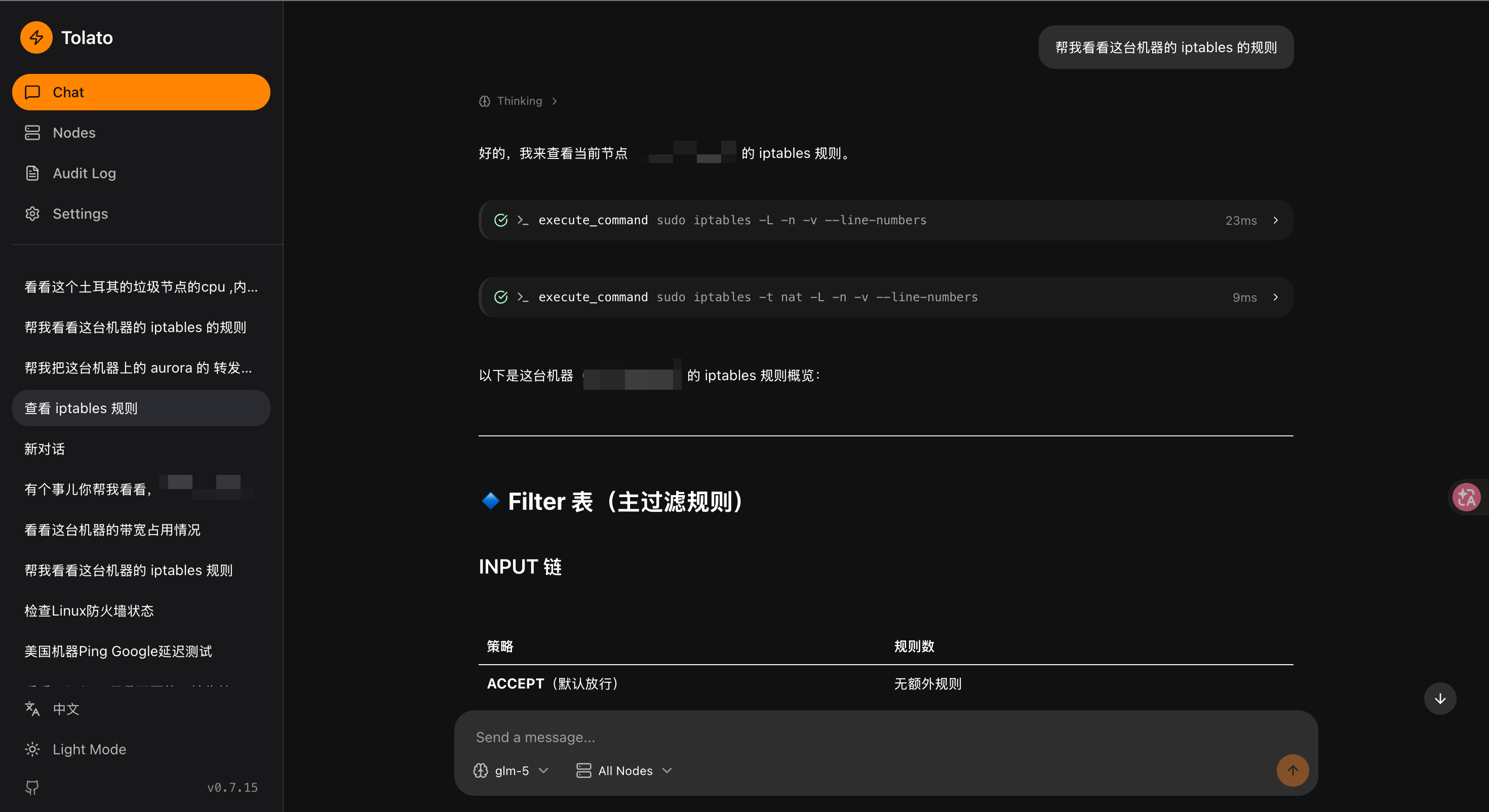
Natural-language server management. Talk to a chat UI; it drives remote nodes through an agent that executes commands, collects metrics, and probes network links.
Screenshots
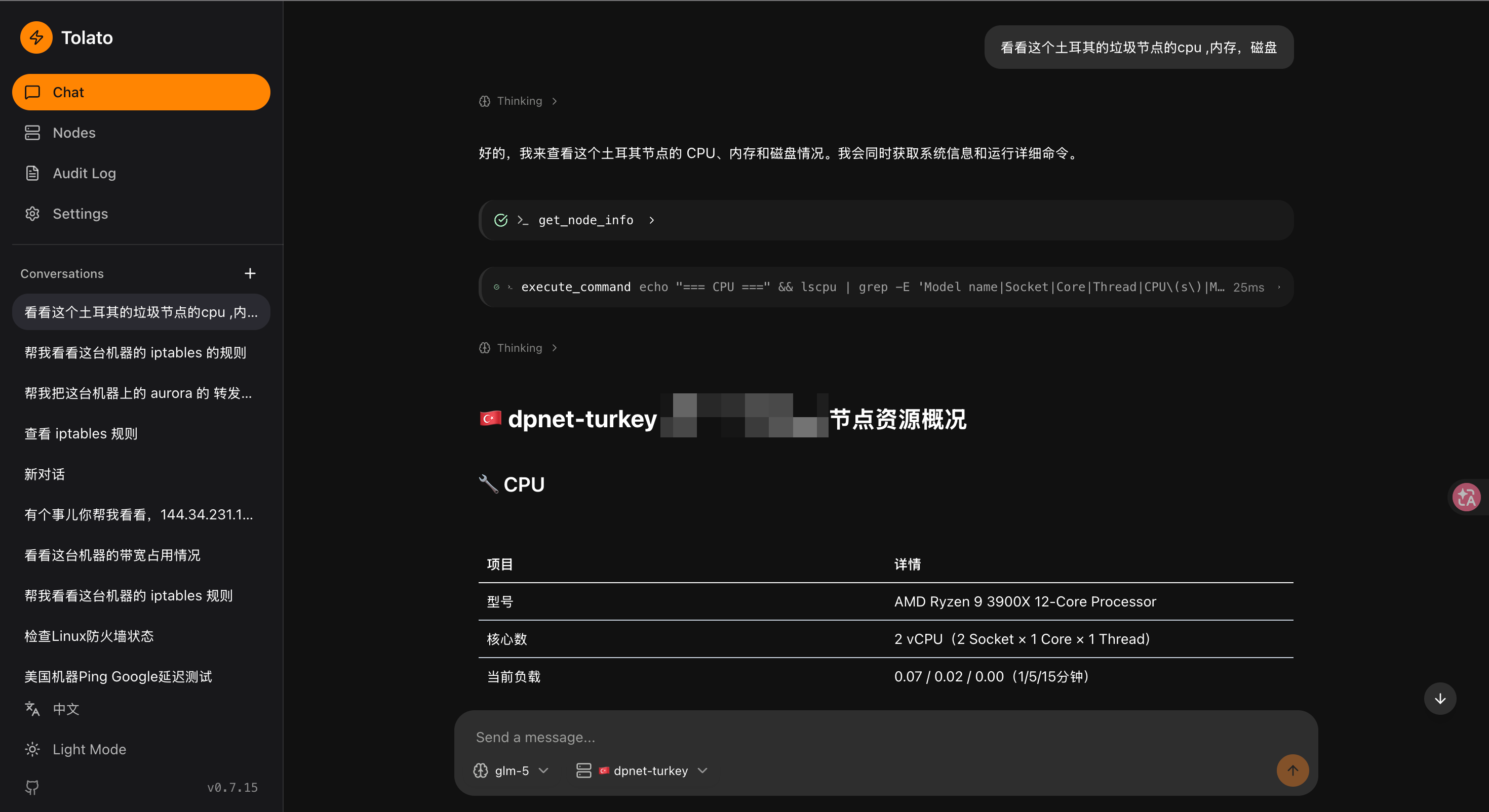
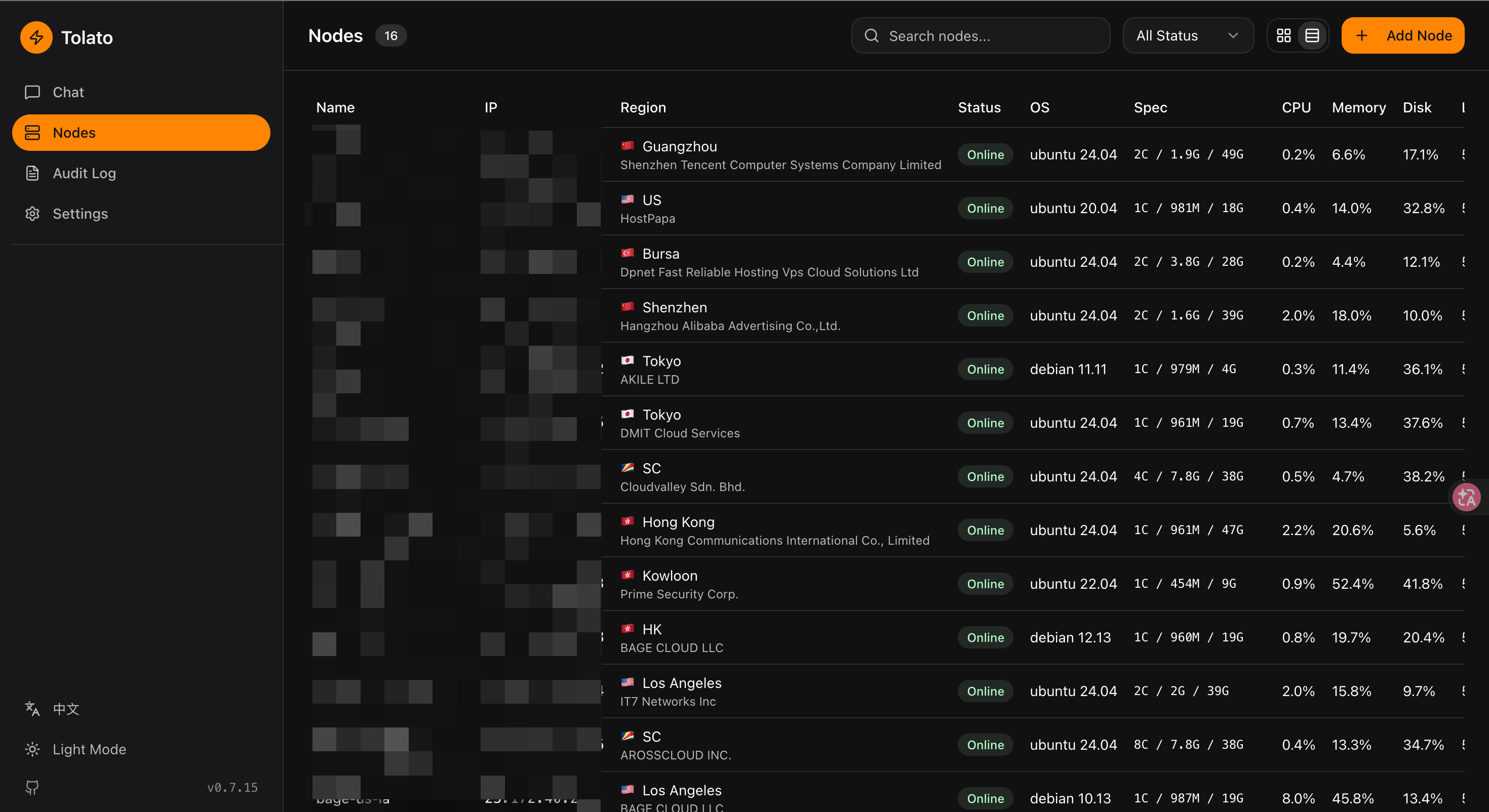
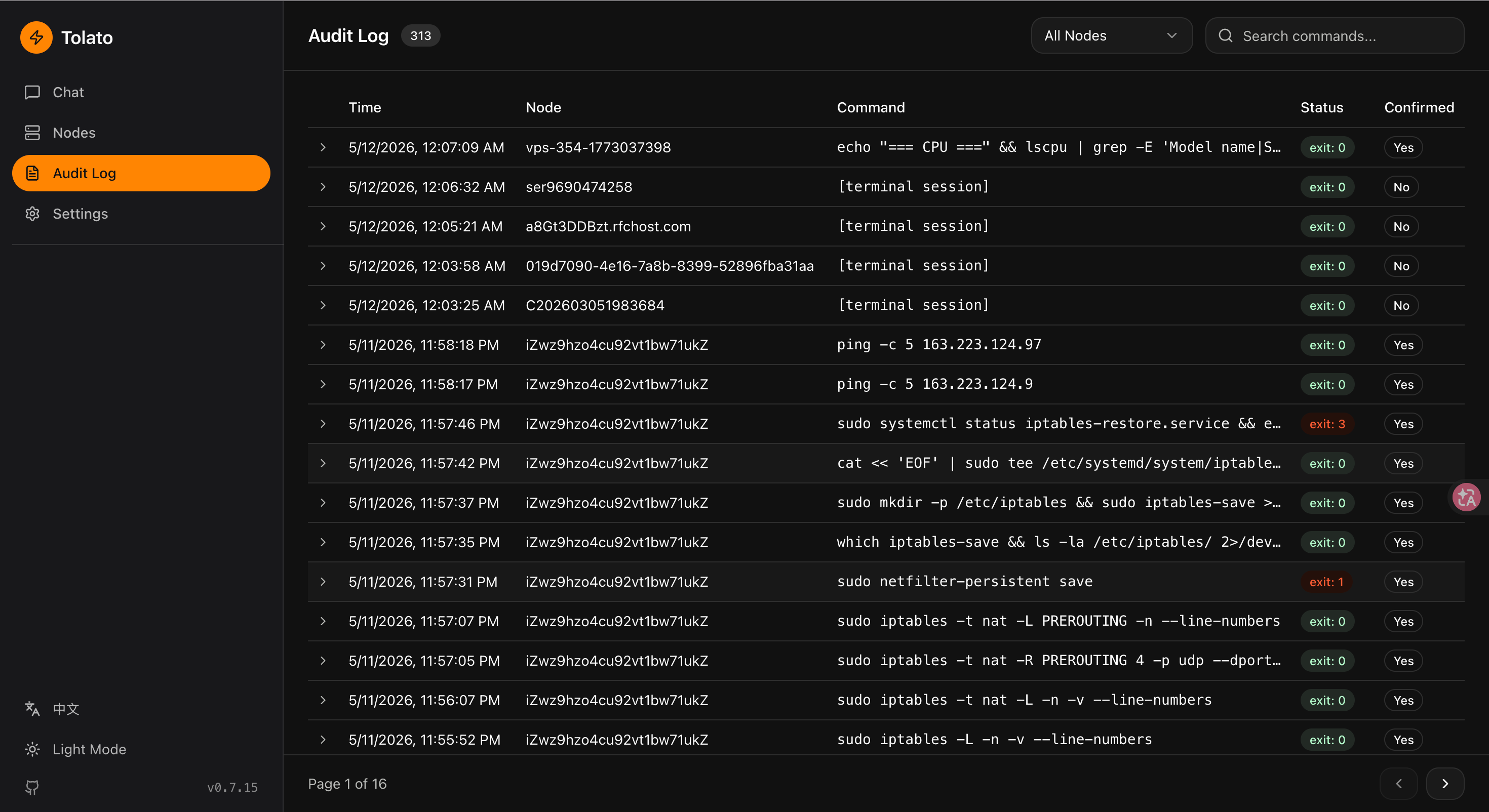
| Nodes inventory | Audit log |
|---|---|
 |
 |
 |
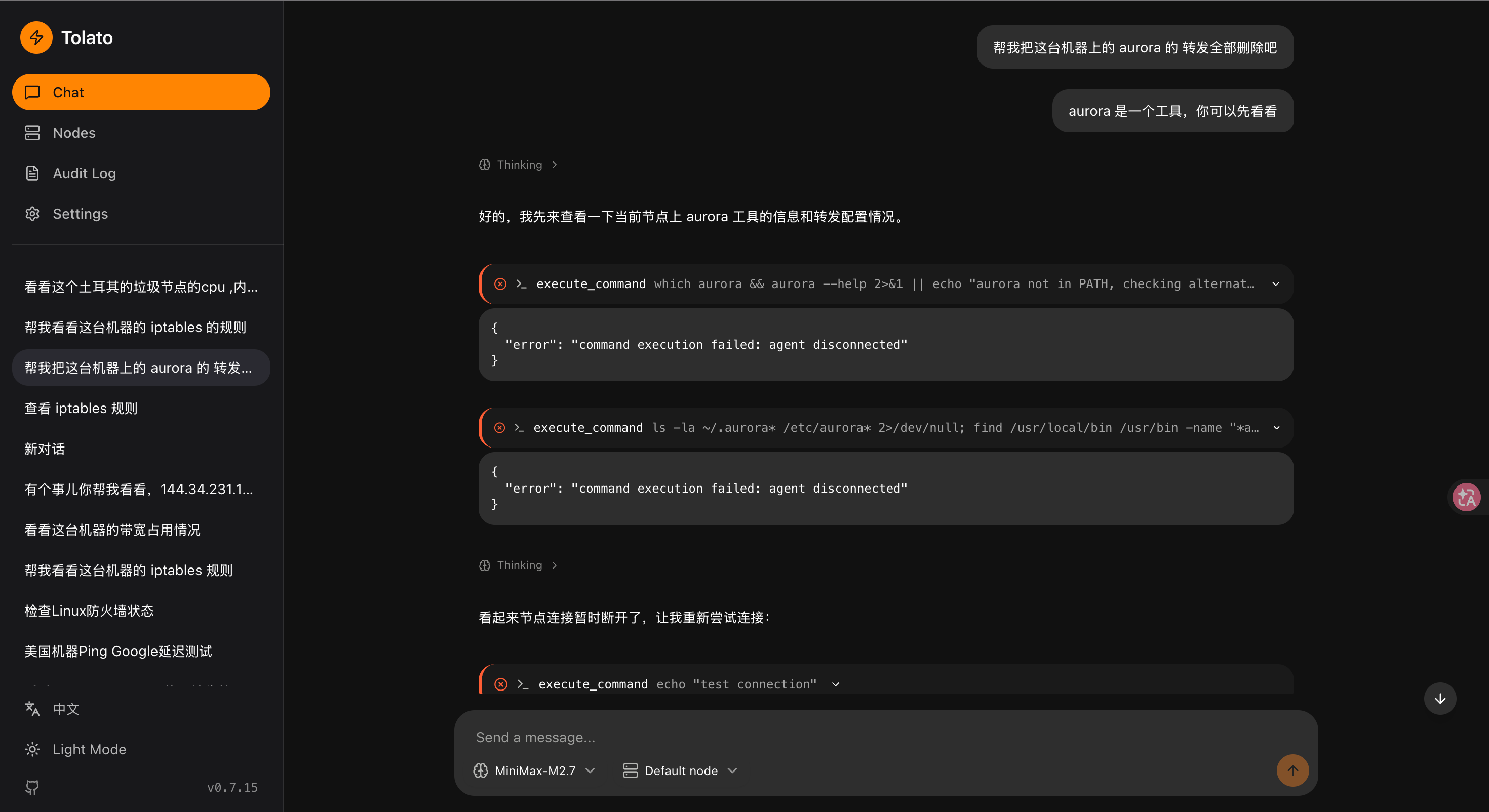 |
Architecture
┌──────────┐    WebSocket     ┌──────────┐    WebSocket    ┌──────────┐
│   web    │ ◄──────────────► │  server  │ ◄─────────────► │  agent   │
│ (Vue 3)  │   /ws/chat       │   (Go)   │   /ws/agent     │   (Go)   │
└──────────┘                  └────┬─────┘                 └──────────┘
                                   │                            nodes
                                   ▼
                              ┌─────────┐
                              │Postgres │
                              └─────────┘
                                   ▲
                                   │   LLM (OpenAI-compatible)
                                   ▼
                              Chat loop + tool calls
- server/ — Gin HTTP + WebSocket, GORM/Postgres, LLM chat loop, tool executor, session manager, probe/alert engine, Telegram notifier, JWT + API-key auth.
- agent/ — Binary running on managed nodes. Command executor, system metrics collector, ICMP/TCP/bandwidth probes. Registers via one-time token; persistent identity in
~/.tolato. - web/ — Vue 3 + Vite + shadcn-vue. Chat, nodes, audit log, settings, topology monitor, alerts.
- docs/ — Design, loop architecture, frontend architecture, nodeprobe, implementation plan.
Deploy (docker-compose)
The included docker-compose.yaml runs the server image from GHCR plus a Postgres container. The web UI is embedded in the server binary, so there's nothing else to run.
Requirements: Docker with Compose v2.
One-line install
curl -fsSL https://raw.githubusercontent.com/momaek/tolato/main/scripts/install-server.sh | bash
Downloads docker-compose.yaml + config.example.yaml into ./tolato/, generates random encrypt_key / jwt_secret / admin password, and runs docker compose up -d. Prints the login credentials at the end — save them, they aren't shown again.
Flags: --dir <path> target directory, --port <port> host port (default 8080), --admin-user <name> (default admin). Env: TOLATO_VERSION=v0.1.0 pins the image tag.
Manual
# 1. Create the runtime config from the sample.
cp config.example.yaml config.yaml

# 2. Edit config.yaml — change every `CHANGE ME` marker:
#      security.encrypt_key   (32 bytes, encrypts secrets at rest)
#      security.jwt_secret    (signs session tokens)
#      auth.username / auth.password  (web UI login)
#    and set:
#      server.public_address  (your public URL, e.g. https://tolato.example.com)
#      server.allowed_origins (same URL, for CORS + WS origin check)

# 3. Start.
docker compose up -d
Open http://localhost:8080 and log in with the auth credentials.
Version pinning. The compose file uses ${TOLATO_VERSION:-latest}. For reproducible deploys pin to a release tag:
TOLATO_VERSION=v0.1.0 docker compose up -d
Upgrade.
docker compose pull server && docker compose up -d
Schema migrations run automatically on startup.
Behind a reverse proxy (Caddy / Nginx / Traefik): terminate TLS upstream, forward / to the server container on port 8080, and make sure WebSocket upgrades are preserved. Set server.public_address to the proxied URL so the agent install command and WebSocket URL are generated correctly.
Postgres credentials. The defaults in compose and config.example.yaml match (tolato/tolato/tolato). If you change POSTGRES_PASSWORD in the compose file, update database.dsn in config.yaml to match — the YAML config does not interpolate env vars.
Agent install. From the Nodes page in the web UI, click Add Node to generate a one-time token and the curl | sudo bash install command — point it at server.public_address.
Quick start (local dev)
Prerequisites
- Go 1.23+
- Node.js 20+ and pnpm
- Docker (for Postgres) or an existing Postgres instance
1. Database
docker compose up -d postgres
2. Server
cd server
cp config.yaml config.local.yaml   # edit secrets before anything real
go run ./cmd/server -config config.local.yaml
Listens on :8080 by default. See server/config.yaml for all options.
Before deploying: replace security.encrypt_key, security.jwt_secret, and auth.password. Set server.allowed_origins for your frontend host.
3. Web
cd web
pnpm install
pnpm dev
Dev server at http://localhost:5173, proxying API/WS to :8080.
4. Agent
Generate a registration token from the Nodes page in the web UI, then on the target node:
./agent --server ws://your-server:8080/ws/agent --token <one-time-token>
The agent saves its identity to ~/.tolato/ and reconnects using that on subsequent runs — no token needed.
For bandwidth probing, run a file server on the target node:
./agent serve-testfile --port 9090 --size 10
Configuration
Server (server/config.yaml)
| Section | Key | Purpose |
|---|---|---|
server |
host, port, allowed_origins |
Bind + CORS/WS origin allowlist |
database |
driver, dsn |
Postgres connection |
security |
encrypt_key, jwt_secret, agent_token_expiry |
Secrets — must override defaults |
defaults |
heartbeat_interval, command_timeout, max_rounds, context_rounds, output_truncate_lines |
Chat loop + agent tuning |
auth |
username, password |
Bootstrap admin (default: admin/admin) |
probe |
enabled, retention_days, telegram, alert_rules |
NodeProbe link monitoring |
LLM endpoint, API key, model, sensitive-command rules, and Telegram bot credentials are stored in the database via the Settings UI.
Use from Claude Code (MCP)
Tolato exposes a built-in Model Context Protocol endpoint at /mcp, so Claude Code (and other MCP clients) can drive your fleet directly. Auth reuses the existing API Keys — generate one in Settings → API Keys, pick the permission tier you want Claude to operate at, then:
claude mcp add --transport http tolato https://tolato.example.com/mcp \
  --header "Authorization: Bearer tlt_xxxxxxxxxxxxxxxx"
Tools exposed:
| Tool | What it does |
|---|---|
list_nodes |
All nodes with status, region, and live CPU/mem/disk |
get_node |
Single-node detail (hardware, OS/kernel, agent version, metrics, extra metadata/notes) |
edit_node |
Update a node's alias and extra metadata (provider, expiry, notes, …). Read-only keys are rejected. |
execute_command |
Run a shell command on a node. Read-only keys are rejected; sensitive commands (rm, reboot, …) return needs_confirmation and require confirm: true on retry; blacklisted commands are refused. Every call is written to the audit log with source = "mcp". |
web_fetch |
Fetch a public URL via the server's configured Jina Reader and return Markdown |
The transport is plain JSON-RPC 2.0 over HTTP — no streaming, no session header. A quick smoke test:
curl -s https://tolato.example.com/mcp \
  -H "Authorization: Bearer tlt_xxxxxxxxxxxxxxxx" \
  -H "Content-Type: application/json" \
  -d '{"jsonrpc":"2.0","id":1,"method":"tools/list"}' | jq
Development
- Server build:
cd server && go build ./cmd/server - Agent build:
cd agent && go build ./cmd/agent - Web build:
cd web && pnpm build - Branch layout:
mainis the release branch.
Docs
- Design overview
- Loop architecture — chat loop goroutine + channel model
- Frontend architecture
- NodeProbe — link monitoring design
- Implementation plan — phase-by-phase status
Reviews (0)
Sign in to leave a review.
Leave a reviewNo results found