poo
Health Warn
- License — License: MIT
- Description — Repository has a description
- Active repo — Last push 0 days ago
- Low visibility — Only 5 GitHub stars
Code Fail
- rm -rf — Recursive force deletion command in .github/workflows/release.yml
- rm -rf — Recursive force deletion command in install.sh
Permissions Pass
- Permissions — No dangerous permissions requested
No AI report is available for this listing yet.
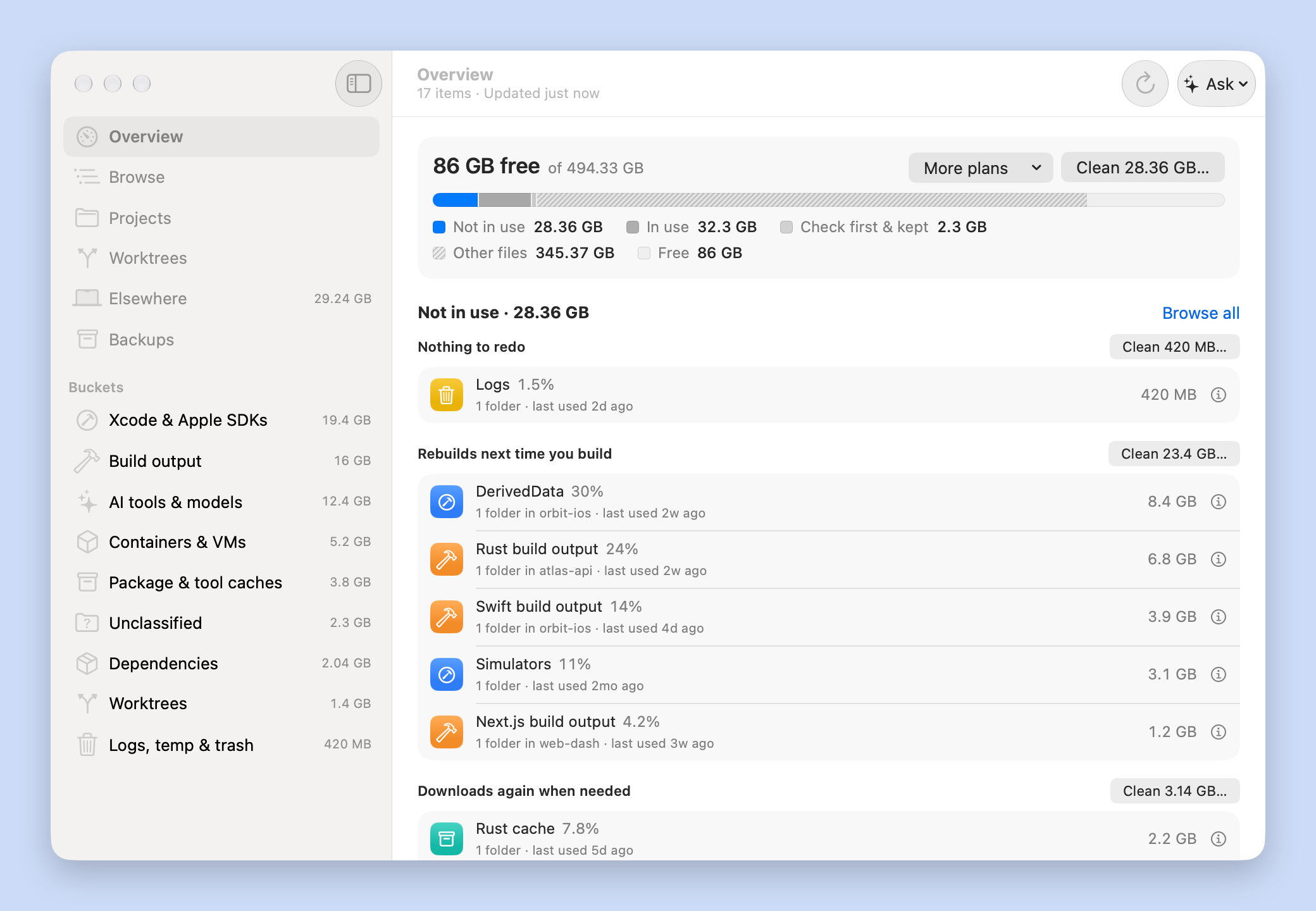
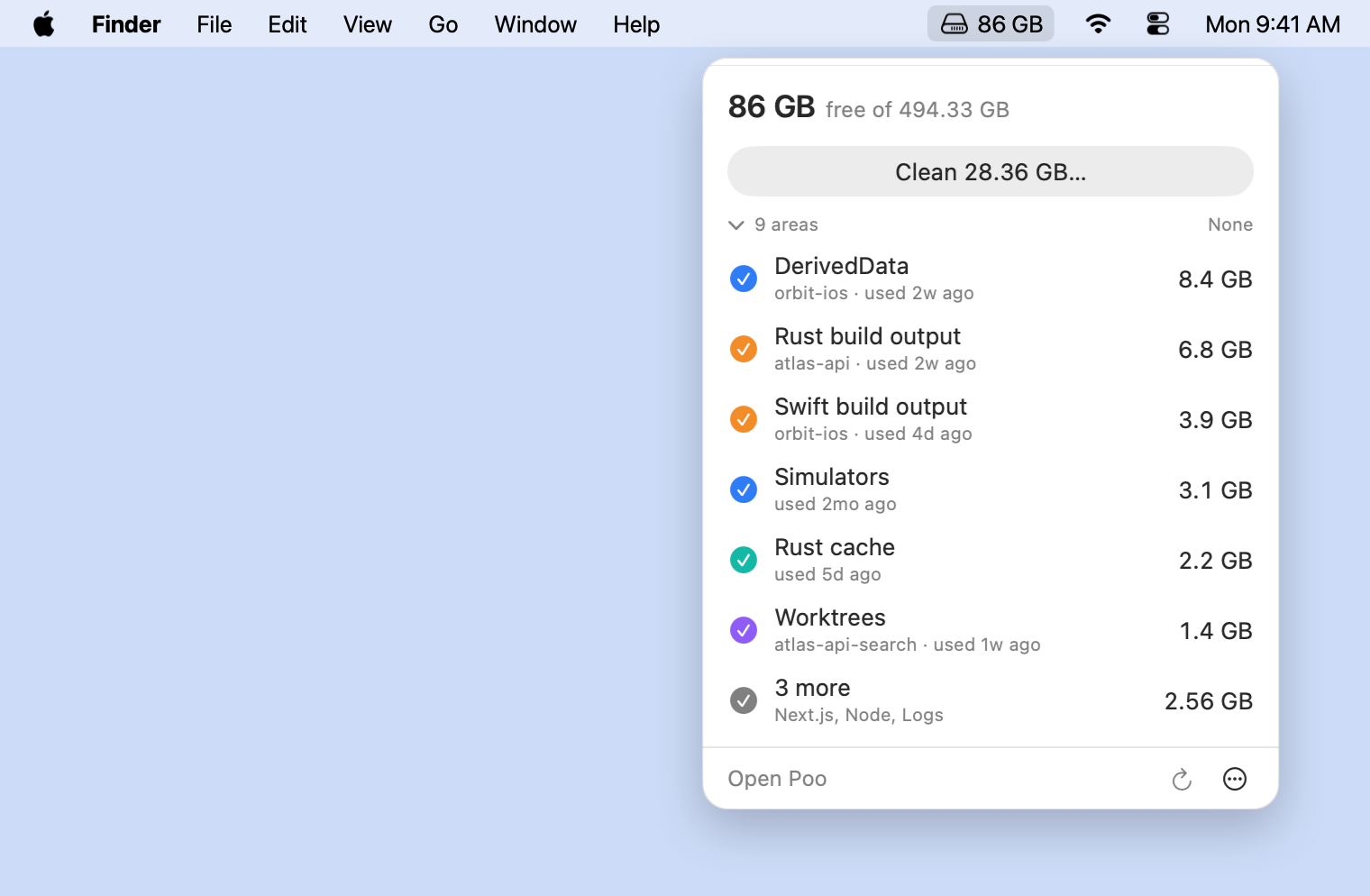
Find and safely free the disk space your dev work eats: builds, caches, simulators and agent worktrees. macOS menu bar app, CLI and MCP server.
poo


Find and safely free the disk space your dev work eats. A menu bar app and CLI for
macOS, plus an MCP server and skill so your coding agent can do it for you. Free and open
source.
Install
App: download Poo.app,
unzip it and move it to Applications. macOS 15 or later, Apple silicon or Intel. Signed
and notarized by Apple.
CLI:
curl -fsSL https://raw.githubusercontent.com/morajabi/poo/main/install.sh | sh
Installs poo into ~/.local/bin (sha256-verified). Add POO_APP=1 before sh to
install Poo.app too. Already have the app? Use Poo › Install Command-Line Tool instead:
it links the app's own CLI, which updates with the app. The CLI also runs on Linux.
These links always point at the latest release.
| Poo.app (universal, CLI included) | Poo.app.zip |
| CLI, macOS Apple silicon | poo-aarch64-apple-darwin.tar.gz |
| CLI, macOS Intel | poo-x86_64-apple-darwin.tar.gz |
| CLI, Linux x86_64 | poo-x86_64-unknown-linux-gnu.tar.gz |
| CLI, Linux arm64 | poo-aarch64-unknown-linux-gnu.tar.gz |
| Checksums | SHA256SUMS |
Updates are automatic. The app checks daily and installs updates through
Sparkle when it's idle (or Poo › Check for Updates). The
script-installed CLI updates itself in the background once a day; poo update updates now,
and poo config set updates.auto false turns that into a one-line hint.
Quick start
App: open Poo. Setup takes about a minute: confirm the folders that hold your
projects, optionally grant Full Disk Access, and choose whether to run nightly cleanups.
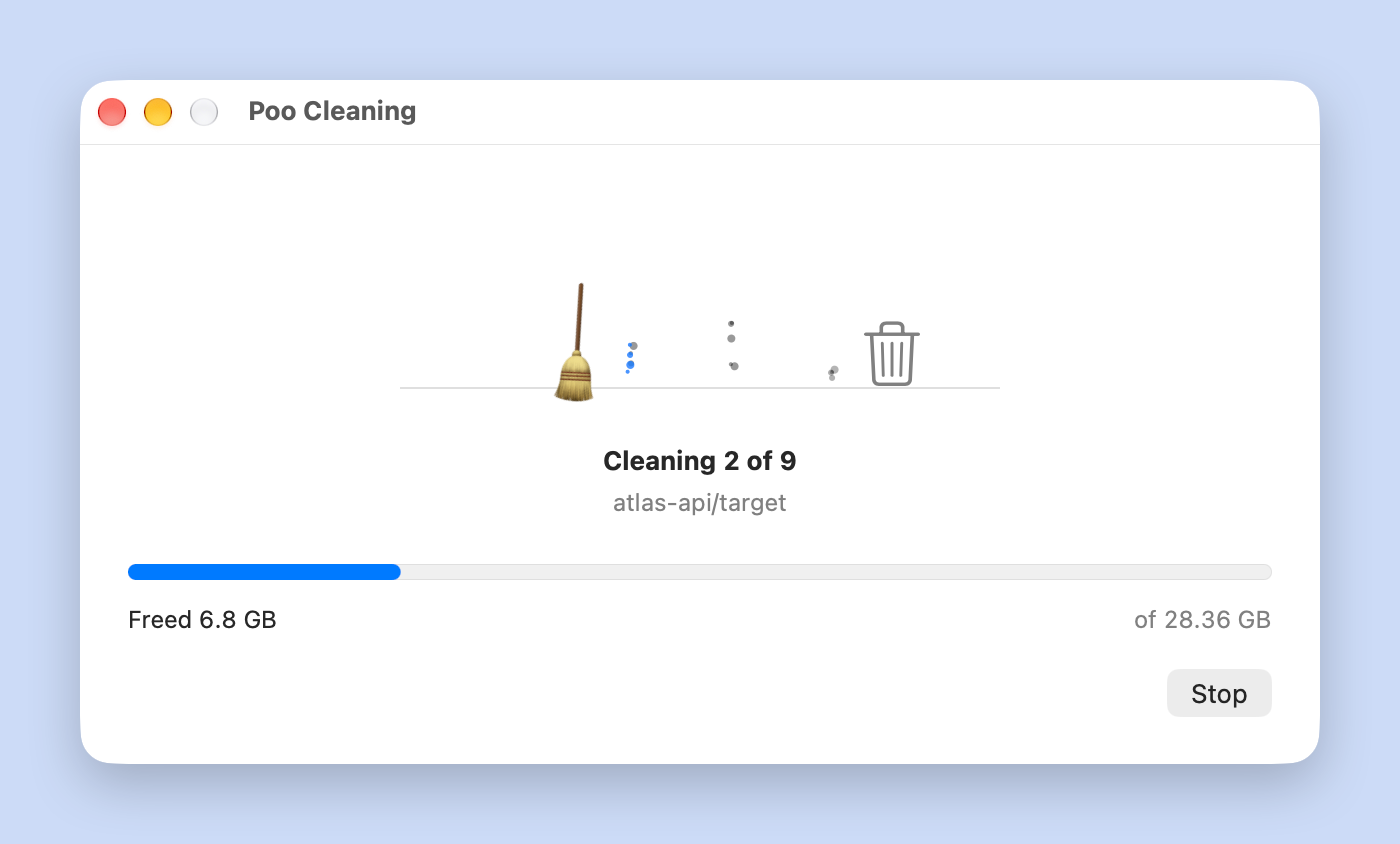
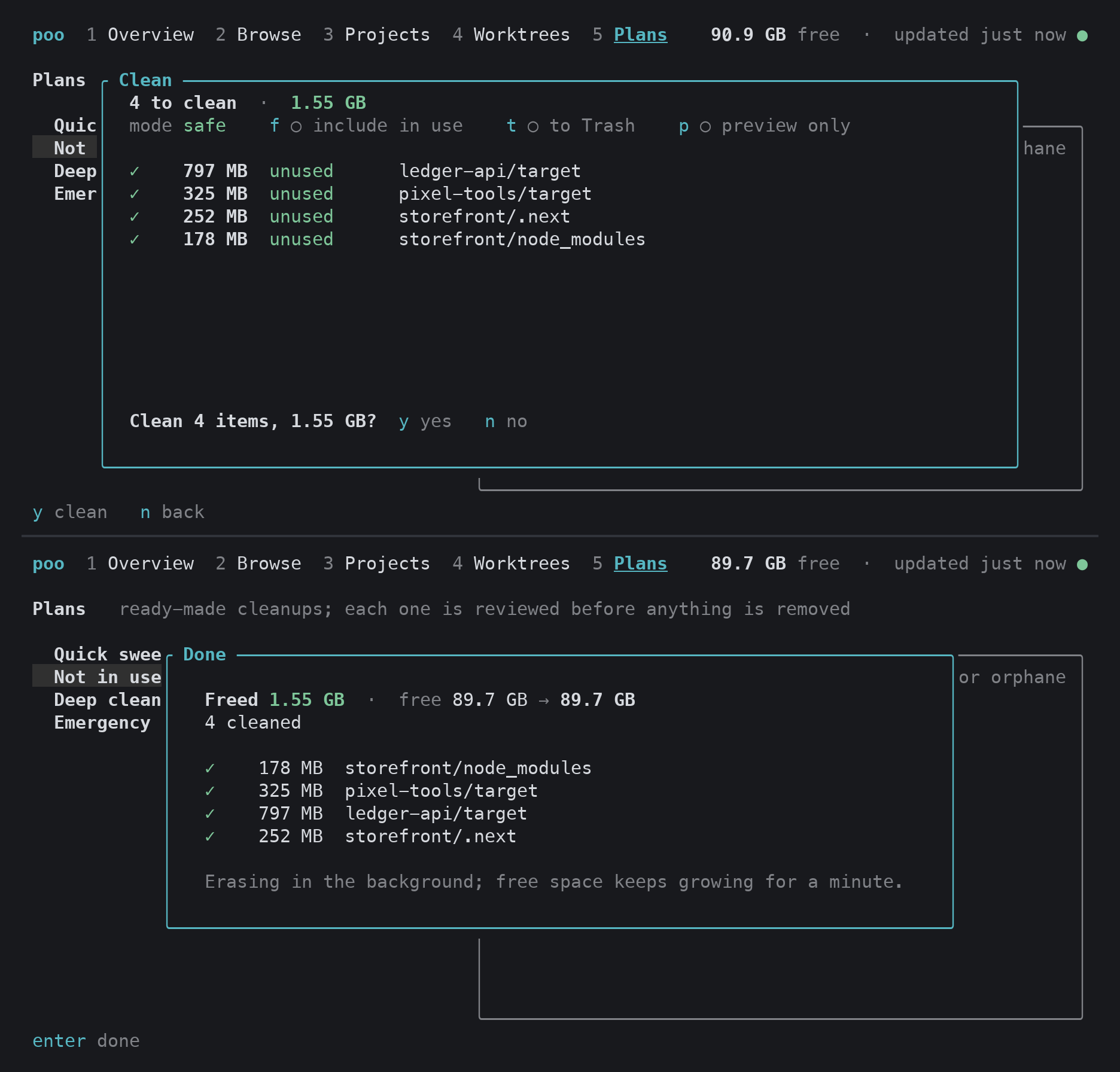
Then press Clean in the menu bar, review the list, and confirm.CLI: run
poo setupto pick your dev folders, thenpoofor the interactive view.
Or step by step:poo plan stale # preview what nothing is using poo clean --plan stale # clean it, after you confirmAgent: run
poo integration install all, then ask your agent to
"set up poo for me withpoo setup --agent".
Safety and privacy
- Nothing is deleted until you review and confirm it, or turn on a schedule or hook
yourself. Plans never include anything running, anything that needs a look, or
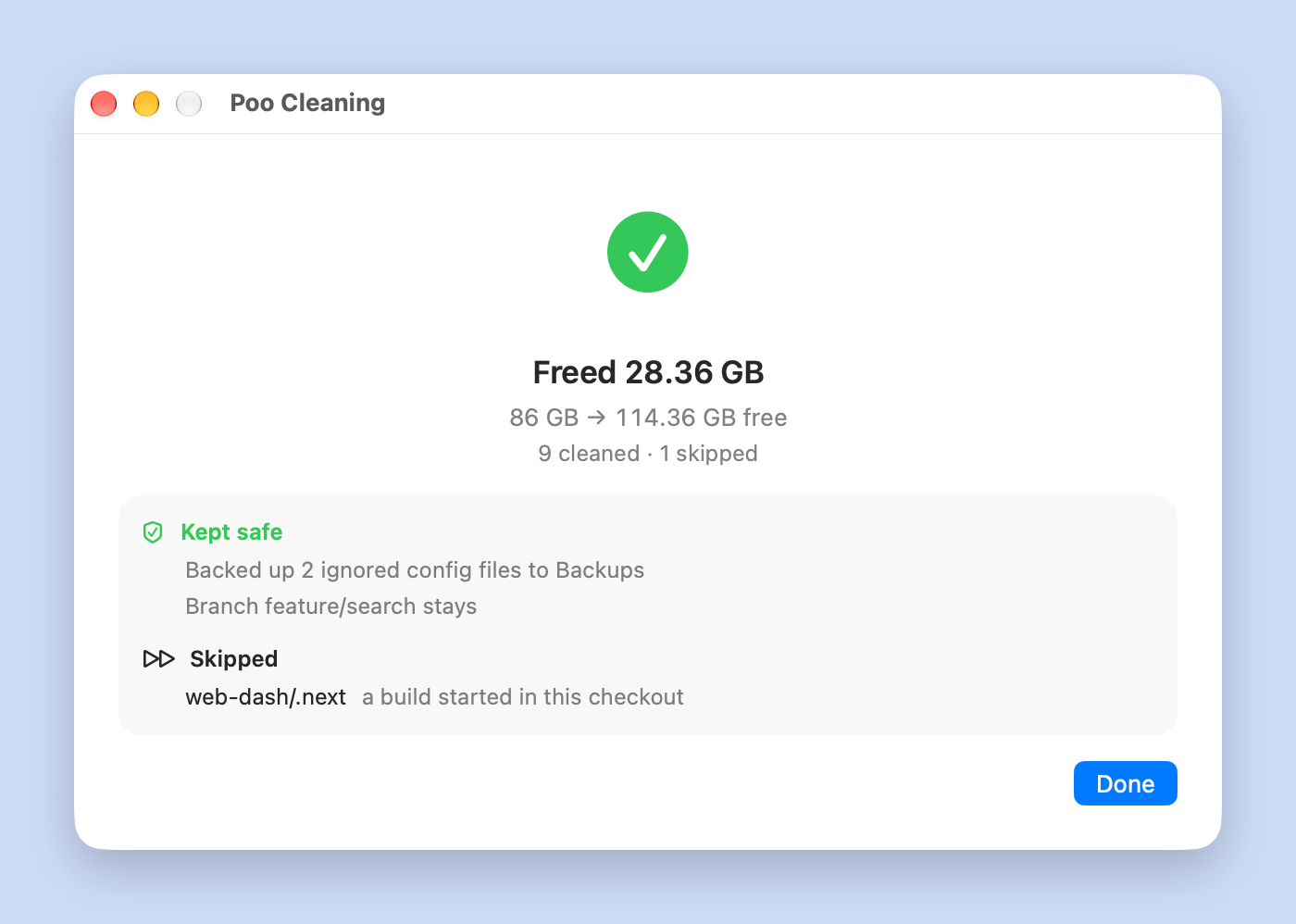
anything protected. - Worktrees are backed up before removal: small ignored files (
.env,Local.xcconfig) are copied aside, uncommitted work is stashed, and detached commits are
saved to a branch.poo backupslists and restores them. - Full Disk Access is optional. It is one switch in System Settings. Without it, poo
skips the folders macOS guards and says so once, instead of prompting folder by folder. - No account, no telemetry. The only network calls are update checks to GitHub, and
sharing a rule when you ask for it.
Under the hood, poo never deletes outside your home and temp folders (or a rule's
declared system path), never deletes through a symlink, never touches .ssh, .gnupg,
Keychains or iCloud Drive, and never deletes a build folder that contains .git. Right
before deleting it re-checks each item against its rule and skips projects where a build or
coding agent is running. Worktrees are removed with git worktree remove and keep their
branch. Every clean is logged (poo history).
What it finds
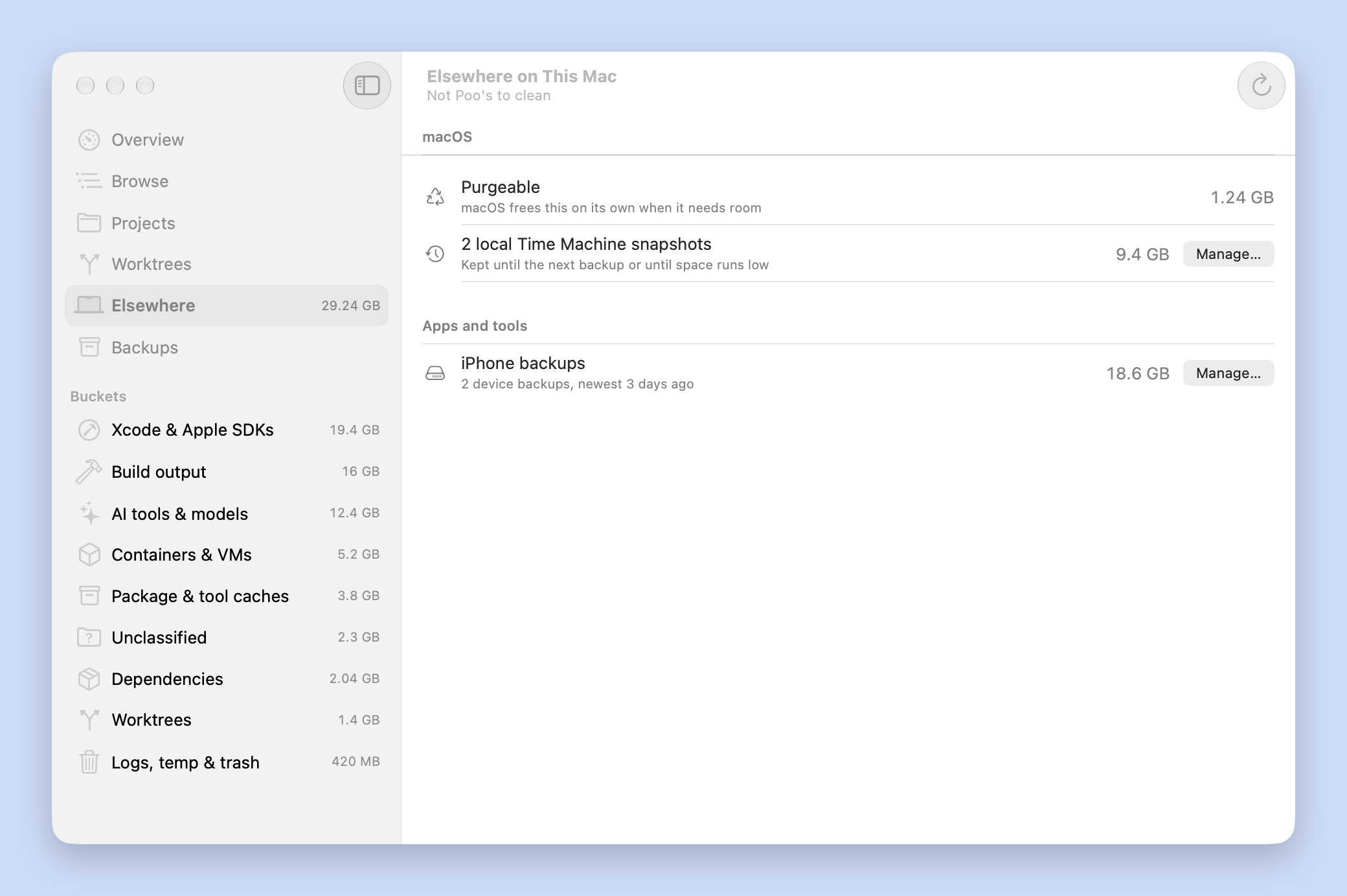
Most cleaners stop at global caches. On a developer Mac the real growth is elsewhere:
- every worktree (yours, Claude Code's, Codex's, Conductor's) gets its own Rust
target,
SwiftPM.build, Xcode DerivedData,node_modulesanddist, duplicated per checkout; - agents pass
-derivedDataPathandCARGO_TARGET_DIRinto folders nobody cleans; - merged worktrees, old simulators and runtimes, superseded toolchains and agent CLI
versions pile up.
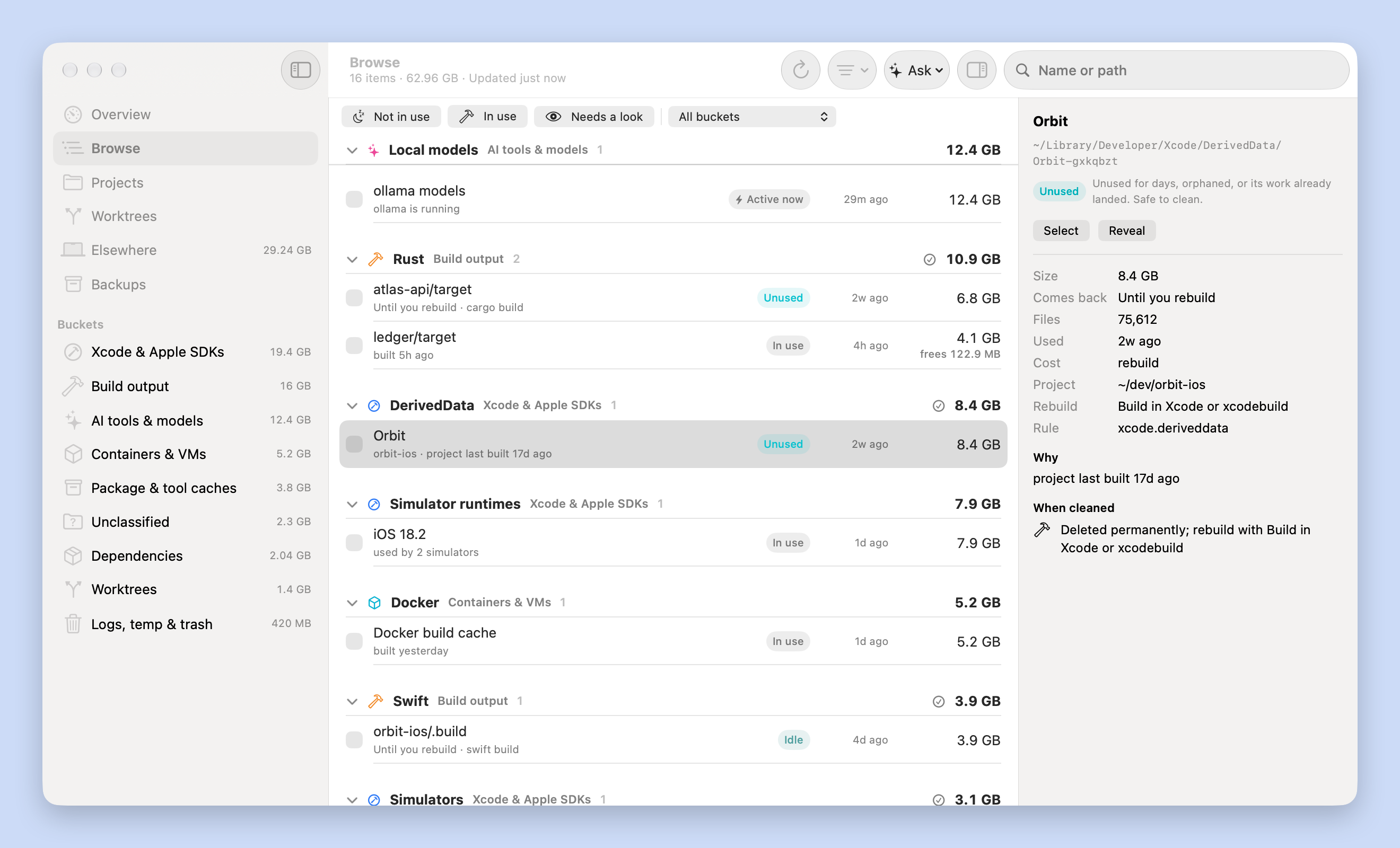
poo walks your dev folders and agent worktree homes, maps DerivedData back to its checkout,
checks each worktree for uncommitted work and whether it landed, and labels every item by
how much regret cleaning it causes. It also covers the usual ground: app, browser and
system caches, logs, temp, installers, Docker and Homebrew.
 |
 |
 |
 |
Features
Tiers and plans
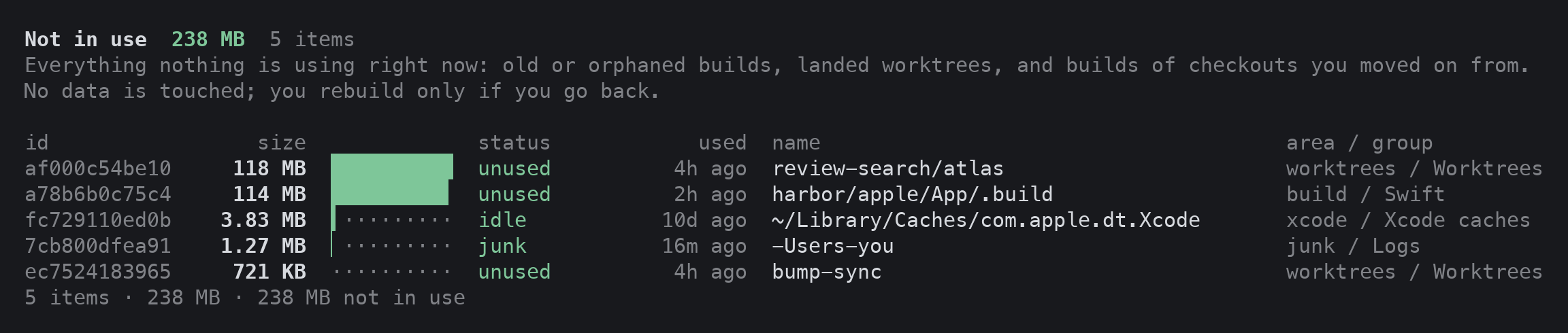
Every item gets a tier. Plans (quick, stale shown as "not in use", deep,emergency) clean up to a tier, so you pick how much rebuilding you accept.
| tier | meaning | cleaned by plans |
|---|---|---|
| junk | nothing to rebuild: logs, temp, crash reports, broken simulators | quick, not in use, deep, emergency |
| cold | unused for days, orphaned (project gone), or its worktree's commits already landed | not in use, deep, emergency |
| idle | builds of checkouts other than your 2 newest per repo, untouched for hours | not in use, deep, emergency |
| warm | in active use: recent, or an agent, editor or shell is open in that checkout | deep, emergency |
| hot | a build or the owning app is running, or touched in the last hour | never |
| review | needs a human look: unknown ignored folders, worktrees with uncommitted work | never |
| protected | data, Docker volumes, projects you protected | never |
Mark projects active, stale or protected with poo projects set. Tunescan.keep_recent_checkouts and scan.idle_hours to how many checkouts you build at once.--include-in-use also cleans things in use (worktrees with uncommitted work are stashed
first); --dangerously-include-protected goes further and asks you to confirm.
Routine cleanups
poo schedule add nightly    # 03:30 every night: clean what nothing is using
poo schedule add guard      # below 20 GB free, clean what is not in use until 50 GB are free
A launchd agent wakes poo every 15 minutes. Due schedules rescan first, notify you, and log
to poo schedule log.
Agent hooks (opt-in)
poo hooks install all makes Claude Code and Codex clean a worktree's build output when an
agent finishes there and its work already landed in main. Nothing is installed by default.
Fast, current numbers
The first scan walks everything (5 to 20 seconds with a warm disk cache). After that poo
keeps an index and reads the macOS file-change journal (FSEvents), so only folders that
changed are measured again. poo scan --full walks everything; poo watch keeps the
report live while the app is open.
CLI
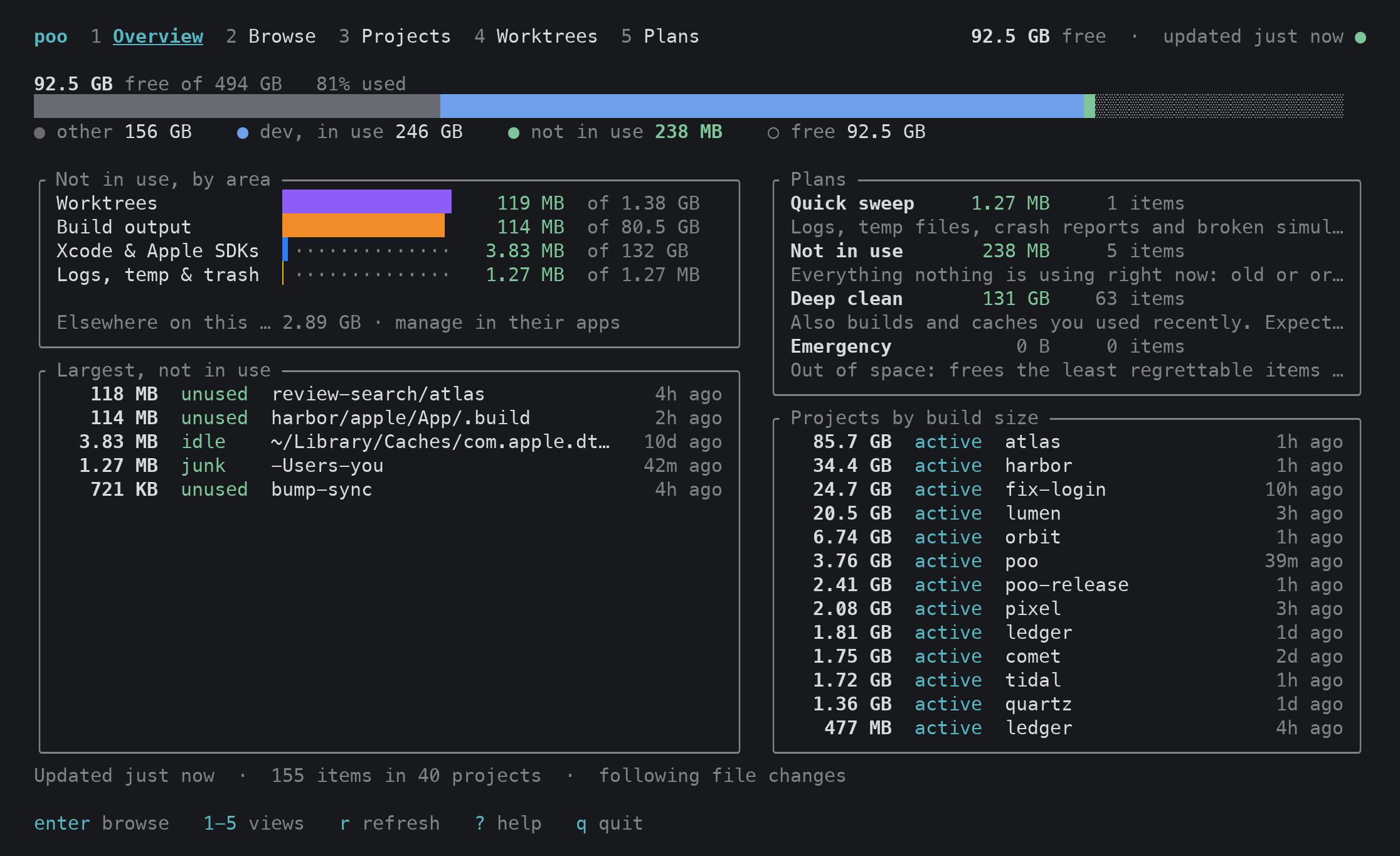
Run bare, poo opens an interactive terminal UI. Piped, every command prints JSON
(--text forces tables).
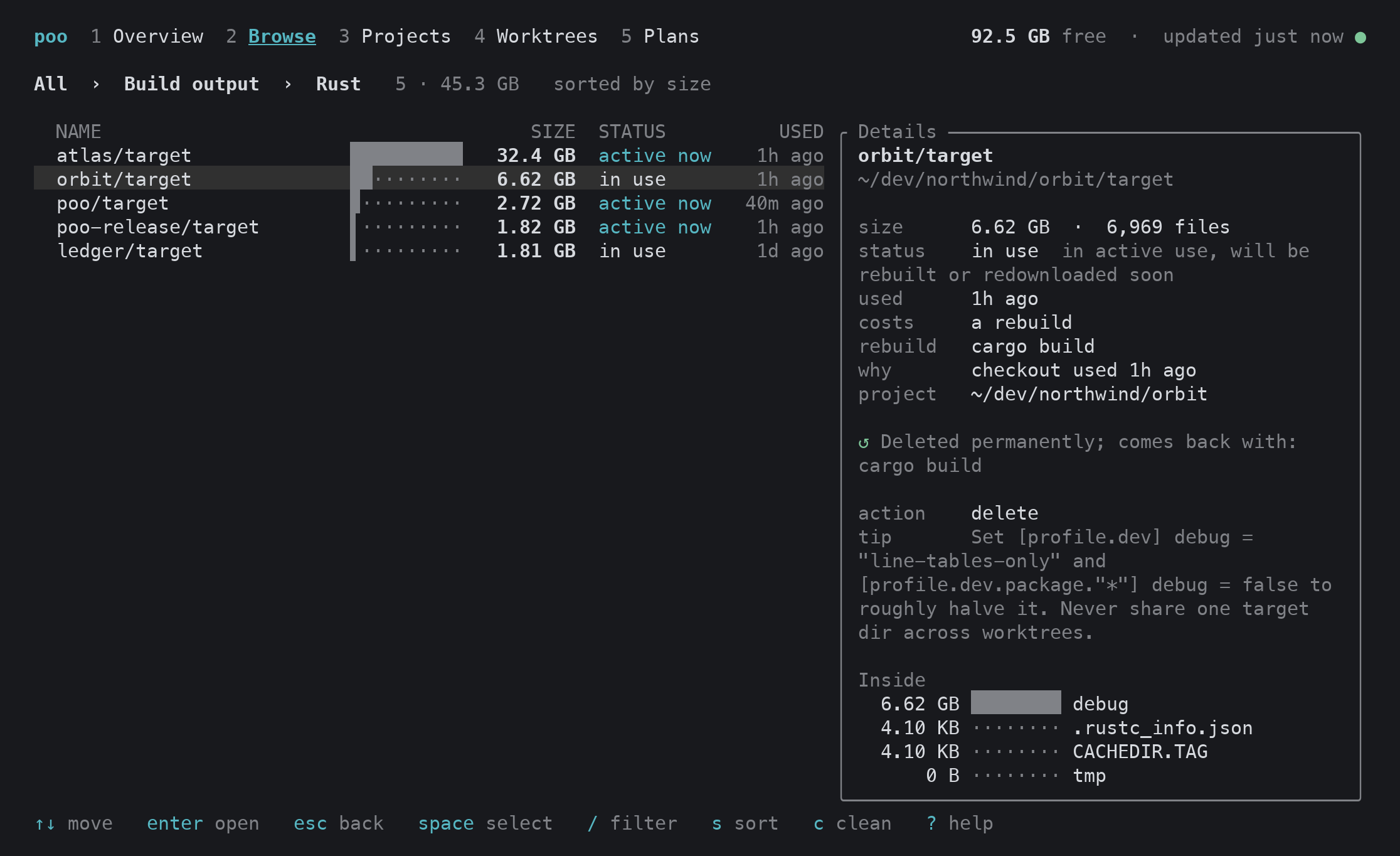
poo                         interactive terminal UI (plain overview when piped or with --text)
poo scan [--full]           update the report (incremental unless --full)
poo ls [bucket] [--tier cold] [--project PATH] [--min 1G] [-q text]
poo show <id|path>          why it is there, what it costs to rebuild, what is inside
poo plan stale              preview a plan (quick, stale, deep, emergency)
poo clean <id>... | --plan stale [--dry-run] [--trash] [--yes]
poo free 30G                least-regret items until 30 GB are free
poo growth [--since 7d]     what grew, and when the disk fills at this rate
poo projects | poo worktrees
poo suggest                 big folders no rule explains yet, with draft rules
poo rules explain <path>    which rule matches and why
poo schedule | poo backups | poo history | poo update | poo doctor
poo --help lists everything. Errors are {"error":{"kind","message","hint"}} with
stable exit codes: 2 usage, 3 not found, 5 needs approval, 6 partial failure, 7 update
failed, 8 invalid config or mods, 9 busy.
For coding agents
poo integration install all                  # skill + MCP for Claude Code, Codex, Cursor, OpenCode, Gemini CLI, Windsurf, Claude desktop
npx skills add morajabi/poo --skill poo -g   # skill only, via the open skills CLI
The MCP server (poo mcp) gives agents tools to see the overview, list and inspect items,
preview plans, clean (dry run by default), explain paths and configure poo. Agents may
clean up to the tier you allow (poo config set agents.auto_clean_max_tier cold, the
default); anything above needs your approval.
poo setup --agent prints a brief with your disk, projects, duplication across worktrees
and the questions worth asking you, so an agent can tailor poo to your workflow.
Configuration and mods
Settings live in ~/.config/poo/config.toml (poo config keys lists them). Everything poo
knows is a built-in mod in the same TOML format you can write: about 650 rules and 96
project stacks, covering
- Apple: DerivedData (including custom
-derivedDataPathfolders), simulators and
runtimes, device support, previews, SwiftPM, CocoaPods, Carthage, Tuist. - JS and Python: npm, pnpm, Yarn, Bun, Deno, Next, Vite, Turbo, Nx, Expo, Playwright;
pip, uv, Poetry, conda, pyenv, Jupyter, Hugging Face and torch models. - Systems and JVM: Rust, Go, Zig, C/C++, Bazel, Nix, Gradle, Maven, Android SDK and
emulators. - More: Ruby, PHP, Elixir, Haskell, .NET, Flutter, embedded toolchains and more.
- Infra: Docker, OrbStack, Colima, Podman, Lima, UTM, Terraform and cloud CLIs.
- AI: worktrees and caches of Claude Code, Codex, Cursor, Conductor and other agent
tools, plus Ollama, LM Studio and other local model stores. - macOS: app, browser and Electron caches, logs, crash reports, installers, app
leftovers and the Trash.
Generic folder names (dist, build, out, vendor) need proof they are build output,
so a committed folder never matches.
Add rules, override any field, disable rules, add buckets, or write providers and guards in
any language: see docs/mods.md or poo mods docs.
Share a rule
Your Mac has folders ours never sees. poo suggest drafts a rule for each big folder no
rule explains; poo mods submit <mod> lints it, strips your paths and names, shows you
exactly what would be sent, and only then opens a pull request. See
CONTRIBUTING.md.
Development
cargo build --release          # CLI
./scripts/build-app.sh         # dist/Poo.app with the CLI bundled
- CONTRIBUTING.md: rules, fixtures, checks and code layout.
- docs/mods.md: the mod and rule format.
- docs/releasing.md: the release pipeline, signing and Sparkle keys.
Homebrew formula and cask are in progress (packaging/homebrew).
License
Reviews (0)
Sign in to leave a review.
Leave a reviewNo results found