TetherDust
Health Warn
- License — License: AGPL-3.0
- Description — Repository has a description
- Active repo — Last push 0 days ago
- Low visibility — Only 6 GitHub stars
Code Pass
- Code scan — Scanned 12 files during light audit, no dangerous patterns found
Permissions Pass
- Permissions — No dangerous permissions requested
No AI report is available for this listing yet.
Self-hosted AI Analytics Engineer





TetherDust bridges the gap between your codebase and databases using containerized Model Context Protocol (MCP) servers. By documenting database schemas alongside repository documentation, TetherDust enables any AI agent to generate verifiable SQL, build dynamic d3.js dashboards, and map schema-to-code dependencies. The platform runs entirely within your infrastructure, enforcing strict read-only query boundaries, role-based access control (RBAC), and immutable audit logging.
Features
TetherDust is designed to be a flexible platform for AI-driven data interaction, with features that include:
Docs
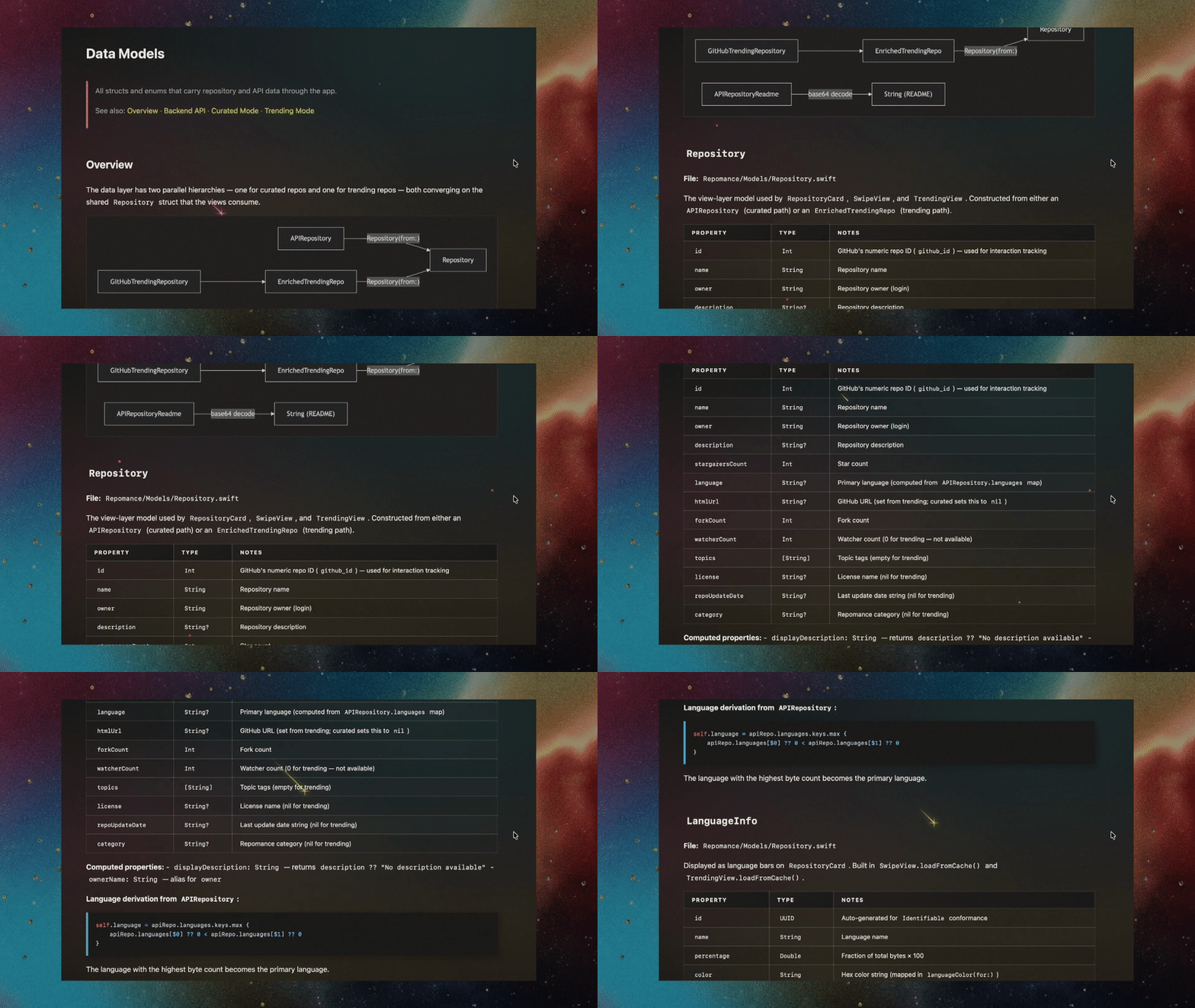
- Generate well-structured, wiki-like codebase and database documentation from natural language prompts, with rich Markdown support.
Tethers
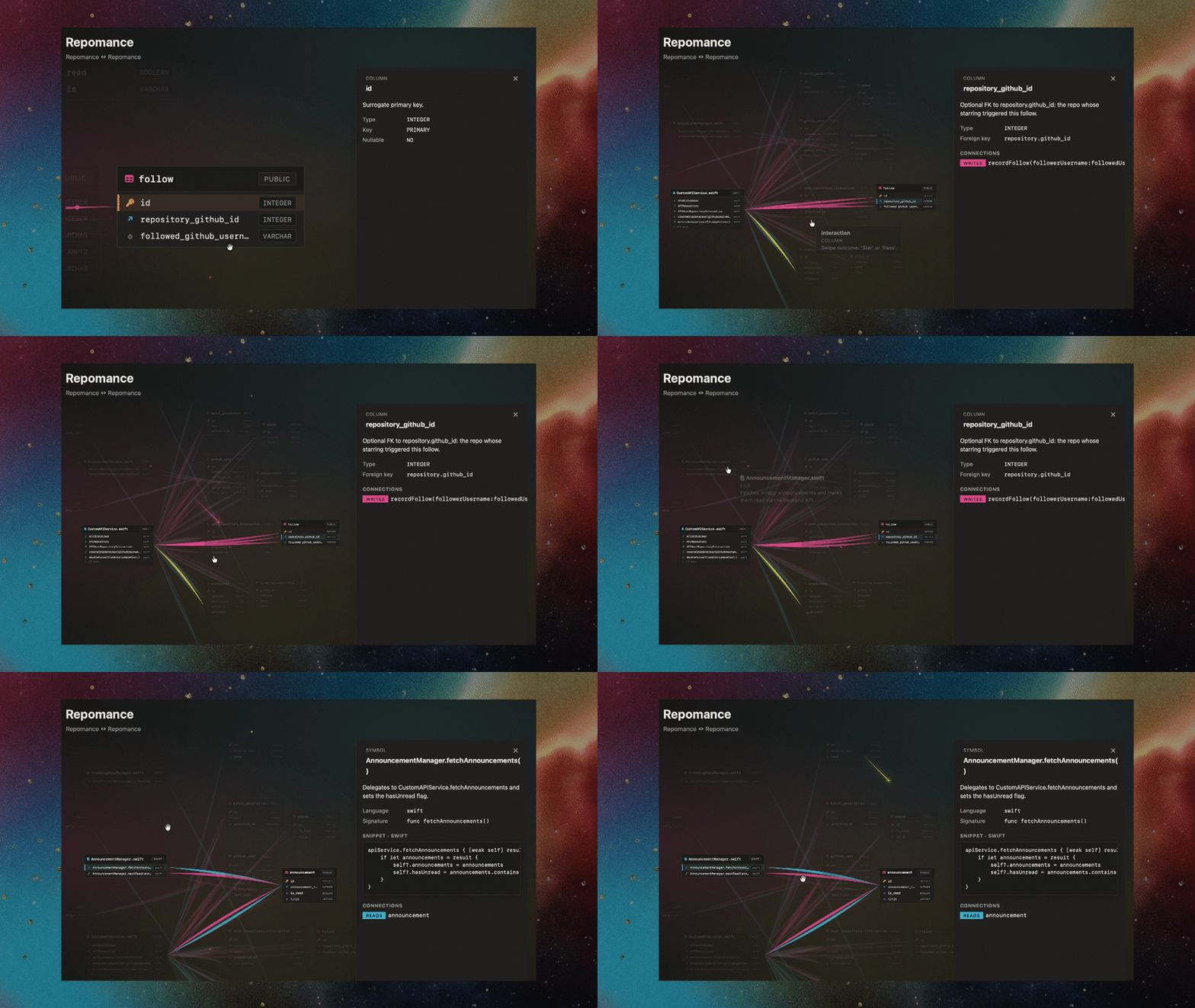
- Point TetherDust at a GitHub codebase (or codebase documentation) together with a database documentation. The agent explores both and produces an interactive visual graph showing which code files read or write which tables and columns, versioned as the schema drifts.
Dashboards
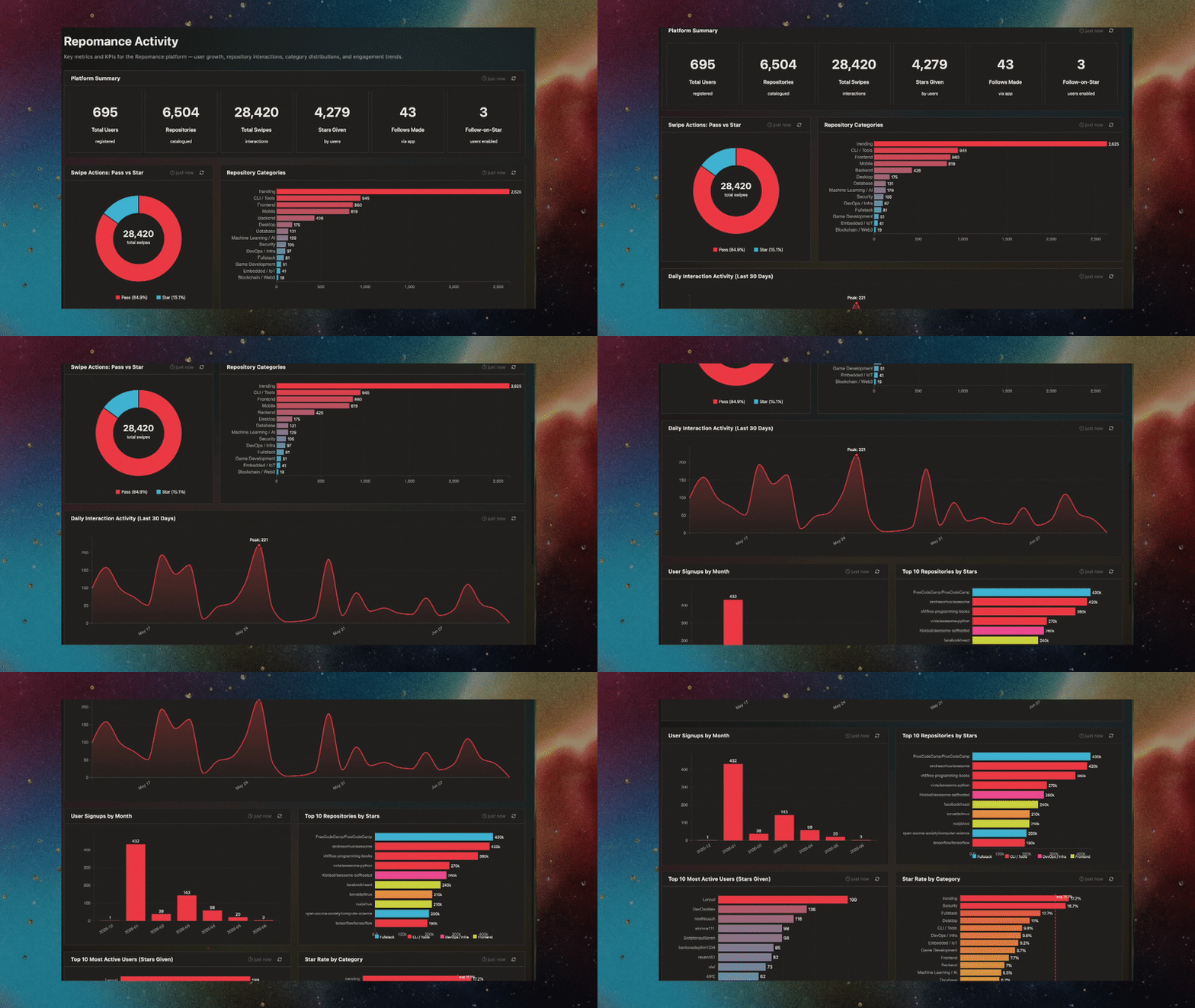
- Describe the dashboard you want; the AI agent writes the SQL and the d3.js code for every chart. Charts auto-refresh on a schedule and are cached for performance.
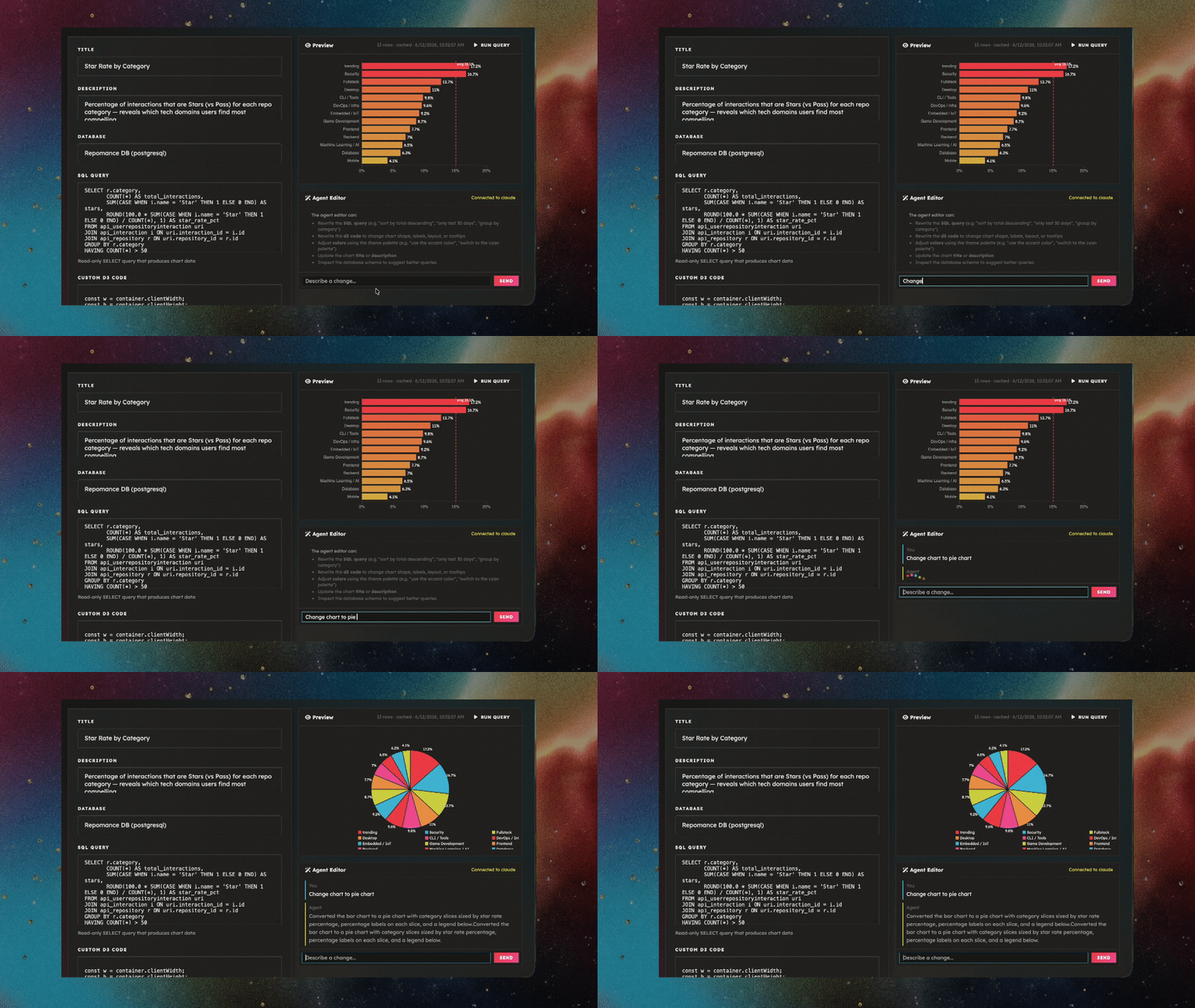
- Edit the generated chart directly for custom behavior, or ask the agent to update it when requirements change.
Reports
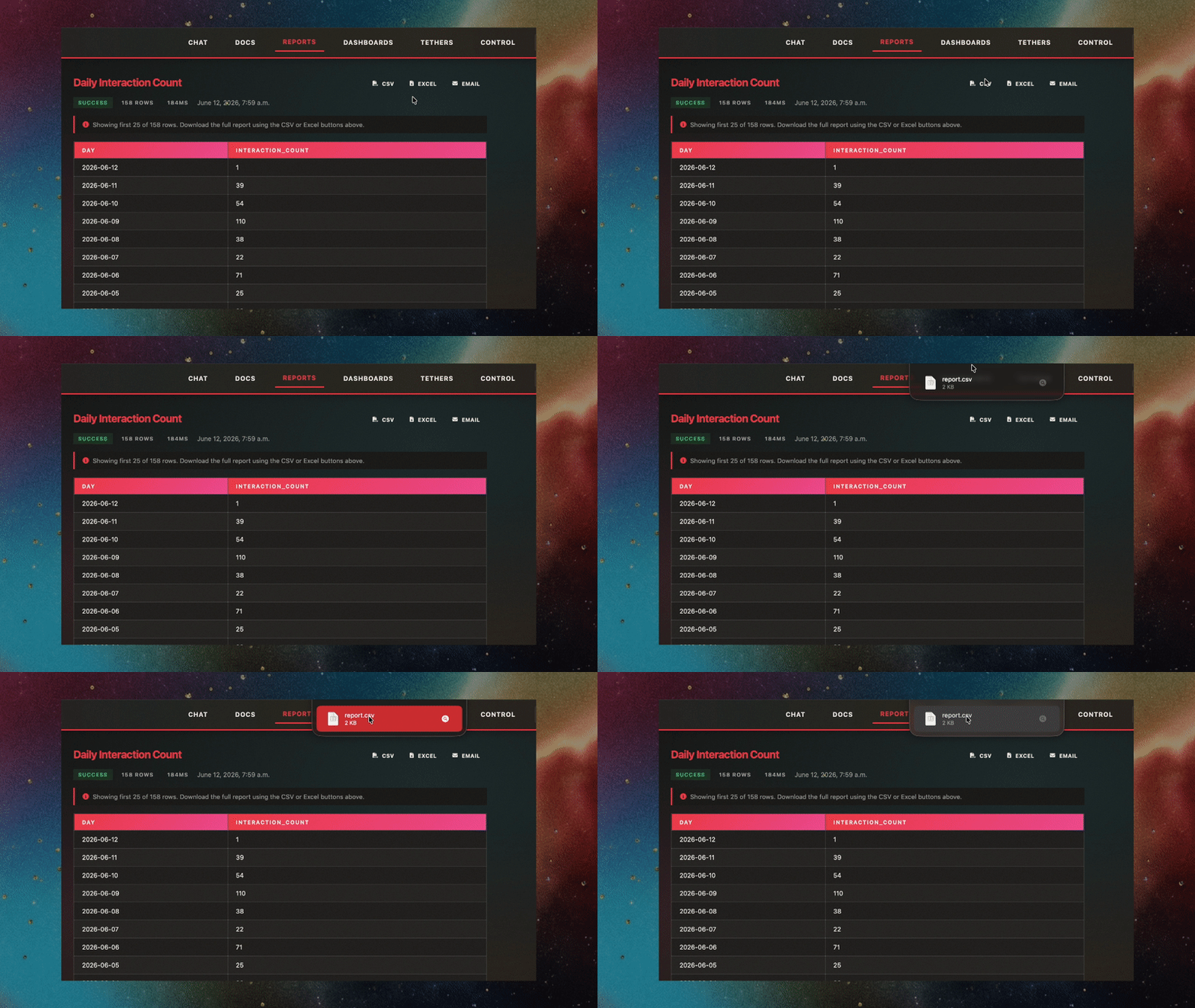
- Define queries and run them on a schedule, delivering results by email or download.
Chat
Use Chat to access all of TetherDust's capabilities in one place.
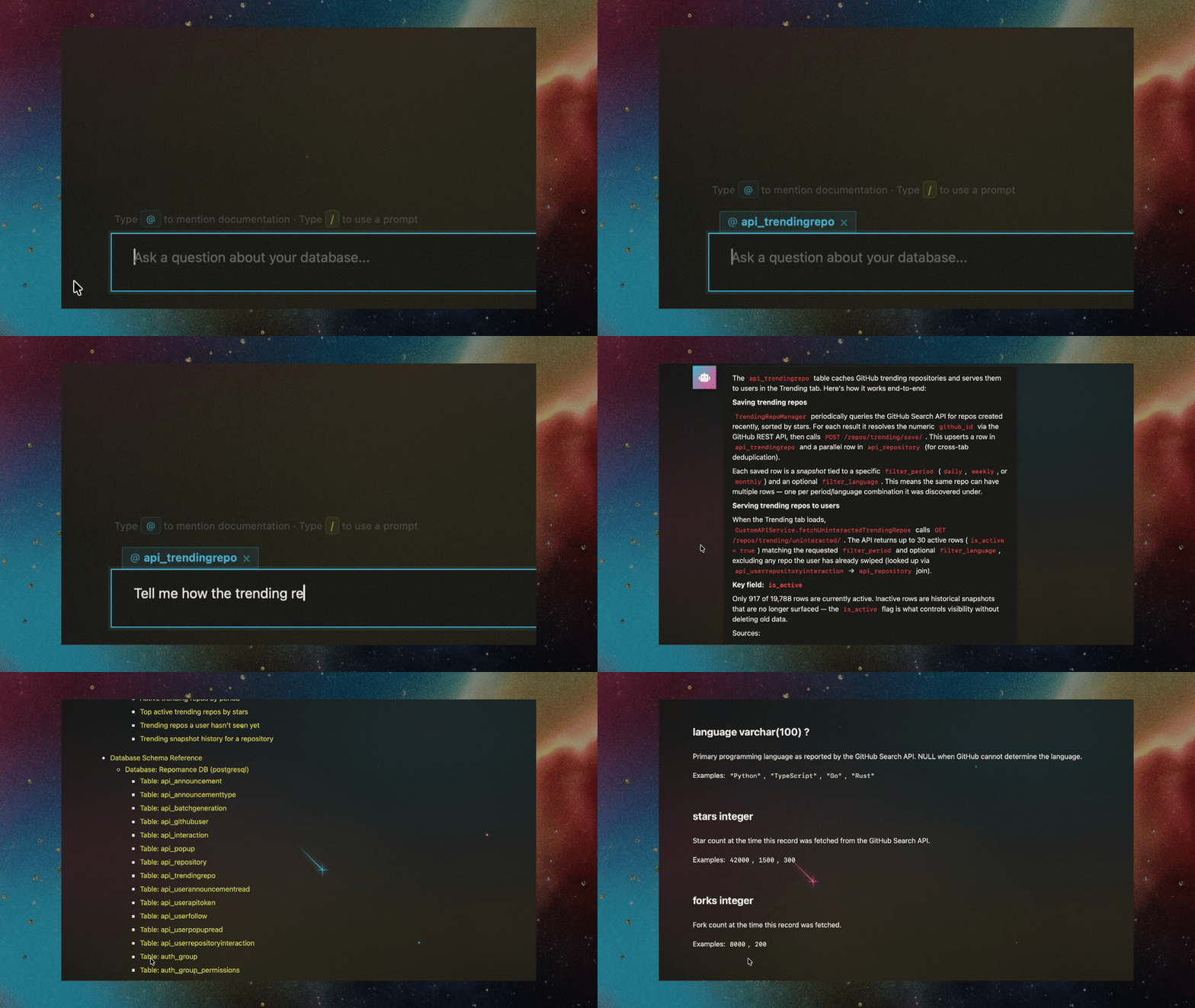
- Ask natural language questions about your data and get streamed answers grounded in your documentation. You can mention documentation sources by name to pull in specific context, or let the agent decide what to use.
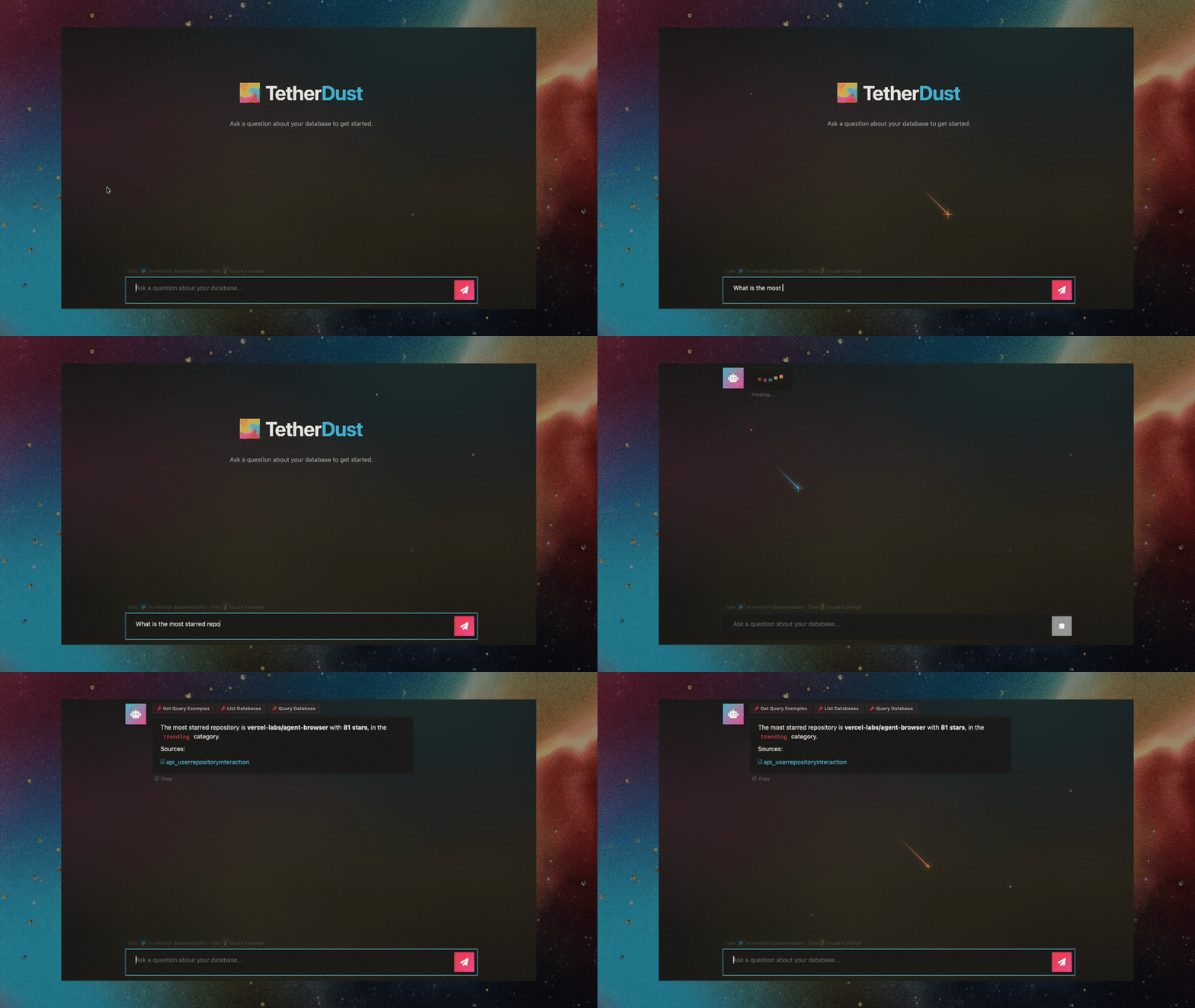
- TetherDust can write and execute SQL queries — either at your request or to confirm details before answering.
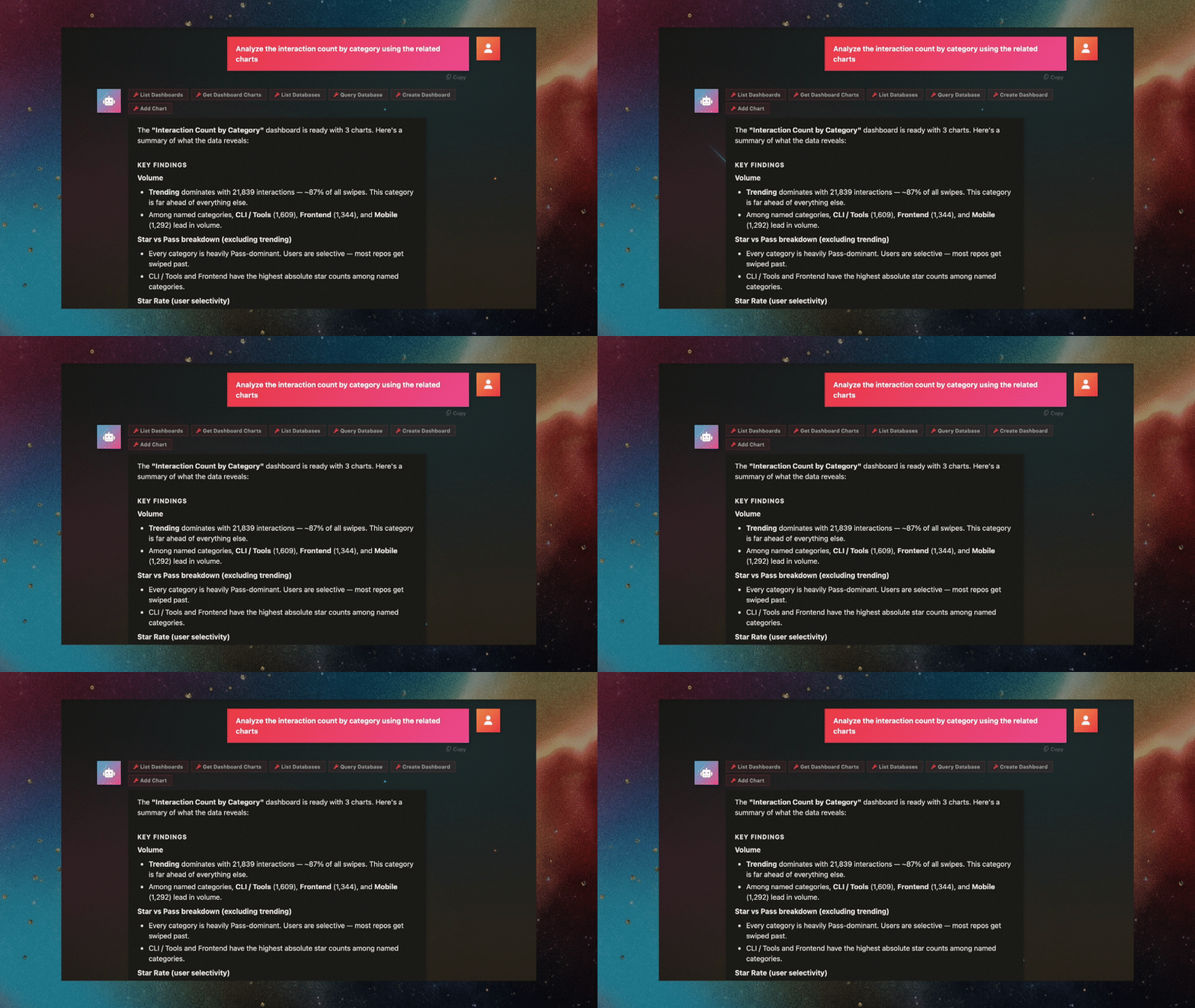
- Reach reports, dashboards, and tethers by name from the chat.
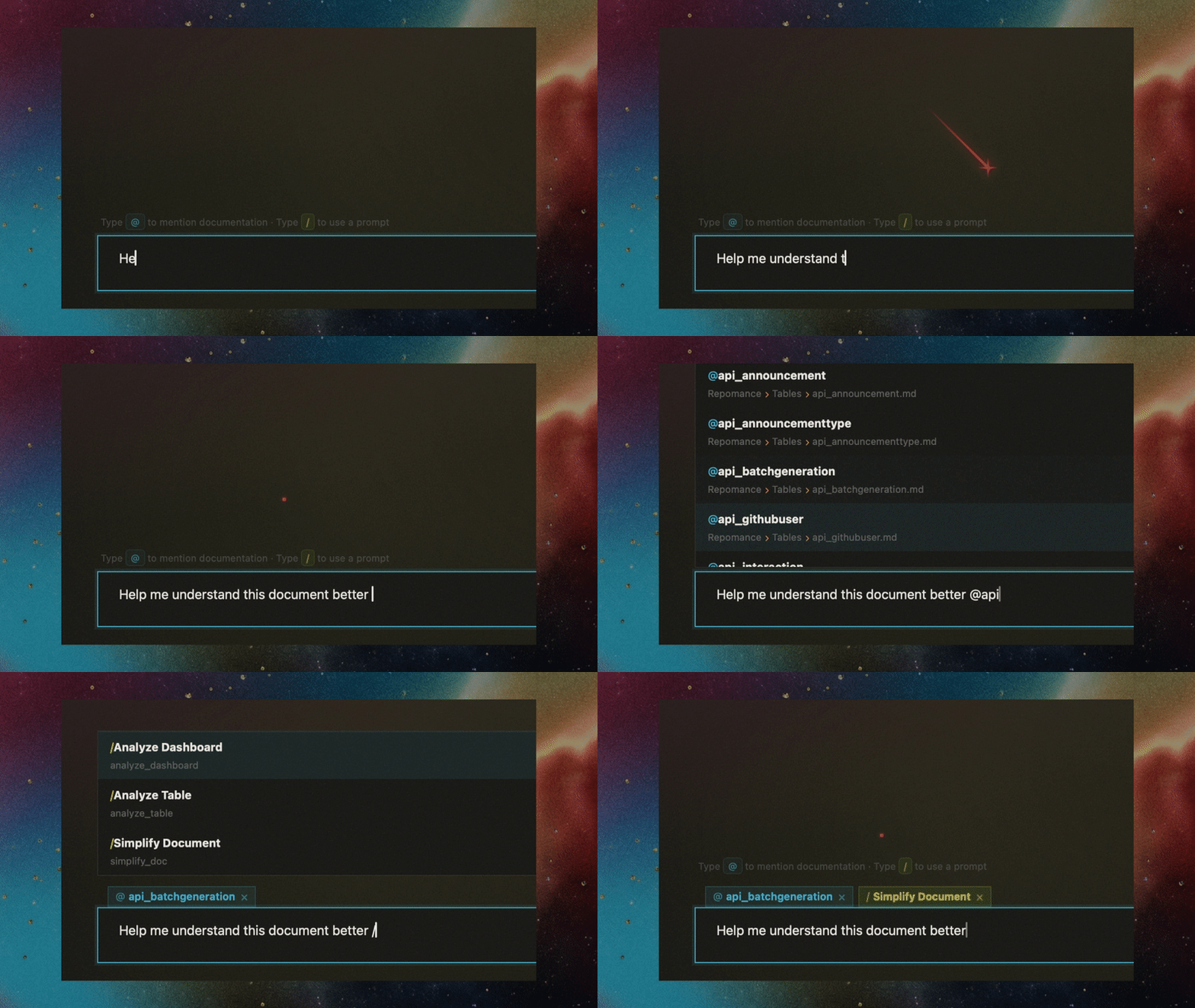
- Use predefined prompts.
Technical Capabilities
Multi-agent support
Use CLI tools, API calls, or Ollama to connect any agent that speaks MCP. Currently supported agent integrations:
| Provider | Method |
|---|---|
| Codex CLI (OpenAI) | ChatGPT subscription auth token |
| Codex CLI (OpenAI) | OpenAI API key |
| Claude Code (Anthropic) | Claude Pro/Max OAuth token |
| Claude Code (Anthropic) | Anthropic API key |
| Direct API | Any agent accessible via HTTP API, configured with custom MCP servers |
| Ollama | Local Ollama models with MCP support |
Multi-database support
Connect any database with a Python SQLAlchemy dialect and a read-only user. Currently supported databases:
PostgreSQL, MySQL/MariaDB, SQL Server, SQLite, ClickHouse, Oracle, Snowflake, BigQuery.
Many more agents and databases to come
The architecture is designed to be agent-agnostic, with a simple interface for adding new ones.
Built-in MCP server
Agent runtimes are containerized, so the only way for an agent to interact with TetherDust's features is through MCP servers, which expose tools and data sources as APIs. TetherDust includes a built-in MCP server that exposes the core features.
Role-based access control
Every user's role decides which databases, MCP tools, documentation sources, dashboards, reports, and tethers they can see.
flowchart LR
    User([👤 User]) --> Role{{Role}}

    Role -- allowed_databases --> DB[(Databases)]
    Role -- allowed_tools --> Tools[MCP Tools]
    Role -- allowed_doc_sources --> Docs[Doc Sources]
    Role -- allowed_prompts --> Prompts[Prompts]
    Role -- allowed_mcp_servers --> MCP[Custom MCP Servers]
    Role -- can_view_dashboards --> Dash[Dashboards]
    Role -- can_view_reports --> Reports[Reports]
    Role -- can_view_tethers --> Tethers[Tethers]

    DB --> Agent([🤖 Agent])
    Tools --> Agent
    Docs --> Agent
    Prompts --> Agent
    MCP --> Agent

    Agent -. only sees the<br/>allowed subset .-> Scope[/Permitted scope/]
Agents only see the databases and tools their user role allows.
Custom MCP servers
Extend the agent with remote HTTP or local subprocess MCP servers (Notion, GitHub, internal APIs, anything that speaks MCP), granted per role.
Safe querying
Every agent query is parsed with SQLGlot and rejected unless it is read-only. Connections are read-only by default, and the real trust boundary is a read-only database user — always connect with one.
Audit log
Actions and queries are logged in an immutable audit log. Every chat session, agent query, and generation run is recorded and reviewable by staff in the admin console.
How it runs
The full stack ships as a Docker Compose project: a Django web app (portal + admin
console), an MCP server that exposes database and generation tools, pluggable AI agent
gateways (Codex CLI, Claude Code CLI, direct API/Ollama), PostgreSQL, Redis, and
Celery workers for background tasks. Switching the active agent is a single toggle in
the console — no restarts, no config changes.
Quickstart
Prerequisites
- Docker and Docker Compose v2
- An AI agent credential (one of):
- Codex — a ChatGPT subscription auth token, or an OpenAI API key
- Claude Code — a Claude Pro/Max OAuth token (
claude setup-token), or an Anthropic API key
You configure the agent credential later, from the admin console — it is not needed to boot the stack.
1. Set your secrets before the first launch
All credentials live in a gitignored .env file that Docker Compose loads automatically.
Start from the template:
cp .env.example .env
.env.example ships with working local defaults for the database and admin login, but the
two cryptographic keys are intentionally blank — the stack will not start until you fill
them in. Edit .env and set the following.
a. Generate a credential-encryption key (Fernet). This key encrypts all stored
database passwords and agent API keys/tokens — generate your own and keep it secret:
python -c "from cryptography.fernet import Fernet; print(Fernet.generate_key().decode())"
Set TETHERDUST_ENCRYPTION_KEY to the generated value. It is shared from .env to every
service that needs it (mcp, local-mcp, web, celery-worker, celery-beat), so you
only set it once.
b. Generate a Django secret key:
python -c "import secrets; print(secrets.token_urlsafe(64))"
Set DJANGO_SECRET_KEY to the generated value.
c. Set the admin login. The superuser is created on first boot from these values —
change them so the default admin/admin is never used:
DJANGO_SUPERUSER_USERNAME=admin
DJANGO_SUPERUSER_PASSWORD=<a-strong-password>
[email protected]
d. Change the database password. Set DB_NAME, DB_USER, and DB_PASSWORD to your
chosen values. A single set of variables feeds the db service, both MCP connection
strings, and the web/celery services — there is nothing to keep in sync by hand.
e. Generate the internal service secrets. Two shared secrets authenticate
TetherDust's internal service-to-service calls — MCP_FILTER_SECRET (web/celery →
MCP filter registration) and AGENT_GATEWAY_SECRET (Django → the Codex/Claude
gateways). Generate a value for each:
python -c "import secrets; print(secrets.token_urlsafe(32))"
If left blank the stack still starts, but those internal calls are unauthenticated —
set both before exposing TetherDust to a network.
f. (Local development only) Enable debug mode. .env.example ships withDJANGO_DEBUG=false, which enables production hardening (secure cookies, HTTPS
redirect, HSTS) and assumes TLS in front of the app — so logging in over plainhttp://localhost won't work. For local development set DJANGO_DEBUG=true (dev
server with auto-reload, hardening relaxed). Leave it false for any real deployment.
Note:
.envis listed in.gitignore, so your real secrets stay out of version
control. Never commit it. See Production notes.
2. Launch
docker compose up --build
This starts PostgreSQL, the MCP server, the agent gateways, Redis, Celery, and the Django
web app. First boot runs database migrations, creates your superuser, and auto-discovers
documentation sources.
3. Open the app
Visit http://localhost:8000 and log in with the superuser credentials you set in step 1c.
4. Connect an agent and a database
From the admin console:
- Agents — add an agent configuration (Codex or Claude Code), paste your auth
token/API key, and mark it active. Only one agent is active at a time. - Databases — add a connection to the database you want to query. Use a
read-only database user (see below). - Open the chat and ask a question in natural language.
Security notes
TetherDust runs every agent query through three layers of read-only protection:
- SQL validation — each query is parsed (via SQLGlot, per database dialect) and
rejected unless it is a singleSELECT/CTE/set-operation. Multi-statement input,
data-modifying CTEs,SELECT … INTO, stored-procedure calls, and DDL/DML are all
blocked. - Read-only session — connections marked Read-only (default ON) run in a
read-only database session where the engine supports it (PostgreSQL, MySQL/MariaDB,
SQLite, Oracle, ClickHouse). SQL Server, BigQuery, and Snowflake have no session-level
read-only — there, rely on a read-only user/role (below). - Read-only database user — the real trust boundary. Always connect with an
account that only has read access. The two layers above are defense-in-depth; a
read-only credential is what actually guarantees the agent can't write.
Create a read-only database user
-- PostgreSQL
CREATE ROLE tetherdust_ro LOGIN PASSWORD '...';
GRANT CONNECT ON DATABASE mydb TO tetherdust_ro;
GRANT USAGE ON SCHEMA public TO tetherdust_ro;
GRANT SELECT ON ALL TABLES IN SCHEMA public TO tetherdust_ro;
ALTER DEFAULT PRIVILEGES IN SCHEMA public GRANT SELECT ON TABLES TO tetherdust_ro;

-- MySQL / MariaDB
CREATE USER 'tetherdust_ro'@'%' IDENTIFIED BY '...';
GRANT SELECT ON mydb.* TO 'tetherdust_ro'@'%';
For BigQuery grant roles/bigquery.dataViewer + roles/bigquery.jobUser (notdataEditor); for Snowflake grant a role with USAGE/SELECT only; for SQL
Server add the login to the db_datareader role.
Other notes
- Stored credentials are encrypted with the Fernet key from step 1a. If
TETHERDUST_ENCRYPTION_KEYis left blank, credentials are stored in plaintext — always
set it. In production (DJANGO_DEBUG=false) TetherDust refuses to save a credential
without a key. - Set every secret in
.envbefore any non-local deployment, as described in step 1.
Production notes
The default Compose configuration is tuned for local development. Before exposing
TetherDust to a network, work through this checklist:
- Rotate every secret — encryption key, Django secret key,
MCP_FILTER_SECRET,AGENT_GATEWAY_SECRET, admin password, database password (see
step 1). - Set
MCP_FILTER_SECRETandAGENT_GATEWAY_SECRET— without them the internal
MCP filter registration and agent gateways accept unauthenticated calls. -
DJANGO_DEBUG=false— disables debug pages and switches to the Daphne
ASGI server. This also auto-enables the transport/cookie hardening below. -
DJANGO_ALLOWED_HOSTS— set to your real host(s), comma-separated. -
DJANGO_CSRF_TRUSTED_ORIGINS— set to your HTTPS origin(s), e.g.https://tetherdust.example.com(required for form posts behind a proxy). - Terminate TLS in front of the app (reverse proxy / load balancer) and
forwardX-Forwarded-Proto. - Publish only the
webservice (port 8000). The internal services —mcp(8001),local-mcp(8003), the agent gateways (codex/codex-api/claude/claude-api, 8002),db, andredis— have no user-facing auth and
must stay on the private Compose network. The defaultdocker-compose.yml
only maps8000; if you add port mappings or run host networking, do not
expose the others. TreatMCP_FILTER_SECRET/AGENT_GATEWAY_SECRETas
defense-in-depth, not a substitute for network isolation. - Keep secrets out of version control — secrets already live in the gitignored
.env; for production prefer a secrets manager and never commit.env.
When DJANGO_DEBUG=false, settings.py automatically turns onSECURE_SSL_REDIRECT, SESSION_COOKIE_SECURE, CSRF_COOKIE_SECURE,SECURE_CONTENT_TYPE_NOSNIFF, HSTS (1 year), and SECURE_PROXY_SSL_HEADER. These
assume TLS is terminated in front of the app. Optional overrides:
| Variable | Default (when DEBUG off) | Purpose |
|---|---|---|
DJANGO_SECURE_SSL_REDIRECT |
True |
Set False if your proxy already redirects HTTP→HTTPS. |
DJANGO_SECURE_HSTS_SECONDS |
31536000 |
Set 0 to disable HSTS while validating a TLS rollout. |
DJANGO_CSRF_TRUSTED_ORIGINS |
(empty) | Comma-separated HTTPS origins. |
Verify your configuration with python manage.py check --deploy.
Versioning & updates
TetherDust tracks a single product version in the repo-root VERSION file
(independent of the mcp_server package version in tetherdust/pyproject.toml).
Staff see it under Console → Version, along with per-release notes read from
the changelog/ directory (one changelog/<version>.md file per release) and an
update-available indicator.
The update check (a Celery task, every 6 hours) calls the GitHub API for the
latest published Release of the upstream repo (GITHUB_REPOSITORY incore/version.py) and compares its tag against the running VERSION using
semantic versioning. A newer tag lights up the indicator. There is nothing to
configure — every install checks the same official repo.
Only published GitHub Releases are detected. A bare
git tagwith no
Release attached is invisible to the check.
Cutting a release (maintainers)
- Bump
VERSIONand addchangelog/<version>.mdwith the upgrade notes for
admins (migrations, new env vars, manual steps) plus the changes. Commit. - Tag and push:
git tag v<version> && git push --tags. - Publish a GitHub Release for that tag — this is the step that flips the
update indicator for every running install.
License
TetherDust is licensed under the GNU Affero General Public License v3.0
(AGPLv3) — see LICENSE. You are free to use, modify, and self-host
it; note that AGPL's network-copyleft requires you to make your modified source
available to users you provide the software to over a network.
A separate commercial license is available for the managed/cloud offering and
for use that doesn't fit AGPLv3 — contact the maintainers.
Contributing
Contributions are welcome. By submitting a contribution you agree to the
Contributor License Agreement, signaled by signing off your commits:
git commit -s
This certifies the Developer Certificate of Origin and lets the project include
your contribution in both the AGPLv3 codebase and the commercial offering.
Reviews (0)
Sign in to leave a review.
Leave a reviewNo results found