design-system-ops
Health Pass
- License — License: MIT
- Description — Repository has a description
- Active repo — Last push 0 days ago
- Community trust — 43 GitHub stars
Code Pass
- Code scan — Scanned 2 files during light audit, no dangerous patterns found
Permissions Pass
- Permissions — No dangerous permissions requested
No AI report is available for this listing yet.
Claude Code skills for the work that keeps a design system alive
Design System Ops
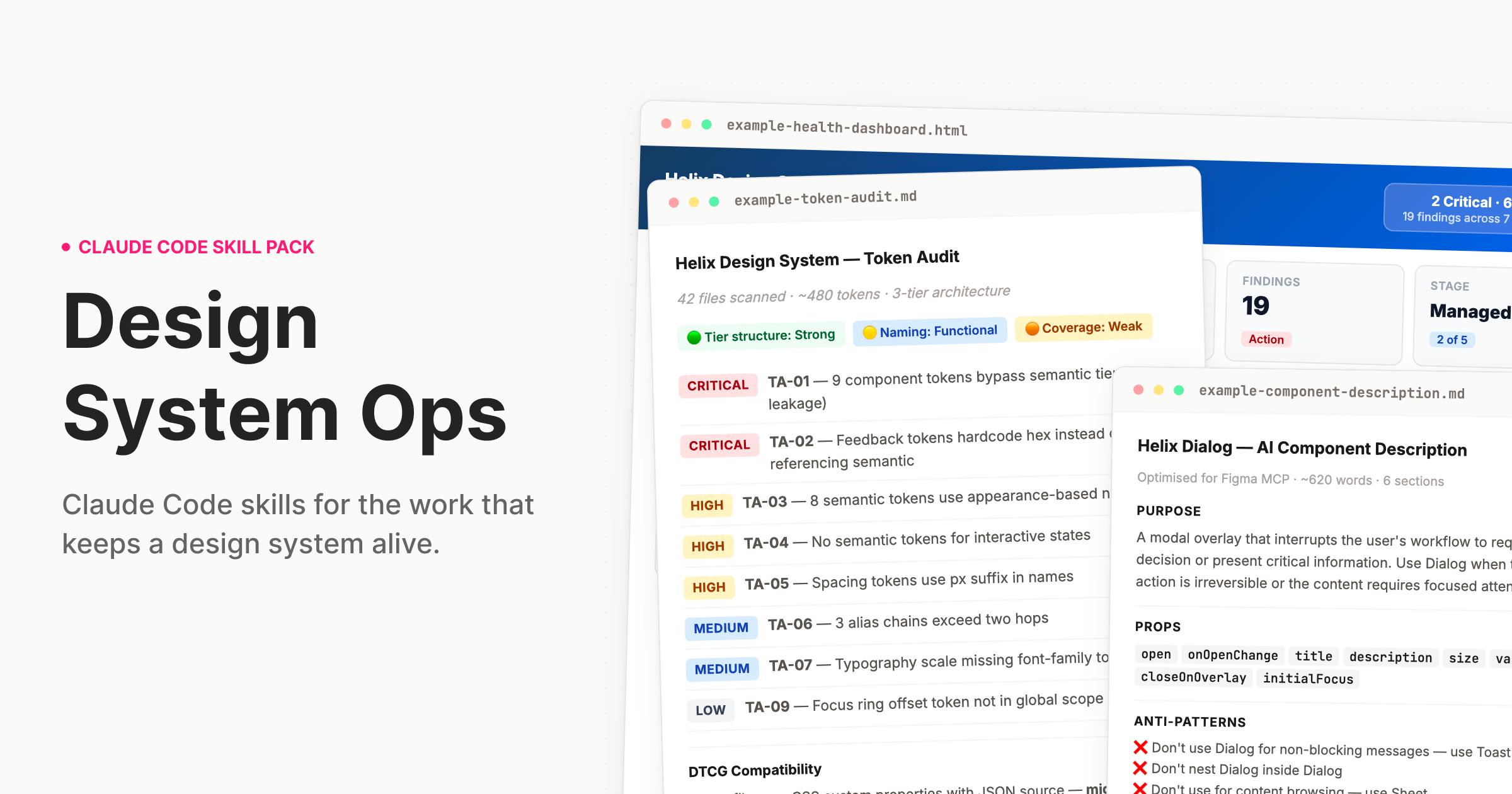
Claude Code skills for the work that keeps a design system alive.
The work nobody built AI for
Design systems drift. Tokens go stale. Components fall out of spec. Governance documentation gets written once and never updated. The deprecation plan lives in someone's head. The stakeholder brief gets thrown together the night before quarterly review.
There are great AI tools for the designer who uses a design system. But the team running it? That work never had proper tooling – until now.
What this is
A skill pack for Claude Code and Cowork that teaches Claude how to do design systems work the way a staff-level practitioner would — with structured processes, expert frameworks, and output calibrated to the actual complexity of what you're dealing with.
When you ask Claude to audit your tokens, it doesn't give you generic advice. It reads your actual token files, identifies tier leakage, flags naming violations, produces a prioritised finding table with remediation guidance, and — if you're migrating to DTCG — gives you a sprint-plannable migration plan with hour estimates.
That is the difference. Not a smarter prompt. A different kind of output entirely.
Who it's for: Design systems leads, senior design engineers, and anyone responsible for a production design system. The people who run the system, not just the people who use it.
Install
Cowork (desktop app — easiest)
- Download
design-system-ops.pluginfrom theinstallable/folder - Open the Claude desktop app and start a Cowork session
- Drop the
.pluginfile into the chat - Follow the install prompt — done
Claude Code (terminal)
Clone this repo into your Claude Code skills directory:
git clone https://github.com/murphytrueman/design-system-ops.git ~/.claude/skills/design-system-ops
For project-level installation (instead of global):
git clone https://github.com/murphytrueman/design-system-ops.git your-project/.claude/skills/design-system-ops
Verify: Open Claude Code and say "How healthy is my design system?" If Claude responds with a structured, multi-step process — not generic advice — you're set up.
See 1-INSTALL.md for the full guide with entry points by use case.
What's included
Skills
| Category | Skills | What they do |
|---|---|---|
| Audit | token-audit, component-audit, system-health, drift-detection, naming-audit, figma-variable-audit, codebase-index, system-benchmark, theme-audit | Understand what you actually have |
| Govern | contribution-workflow, deprecation-process, decision-record, change-communication, backlog-generator, version-bump-advisor, release-retrospective, governance-encoder, session-memory, codemod-generator, triage | Run the system as infrastructure |
| Document | ai-component-description, pattern-documentation, token-documentation, usage-guidelines, component-decision-tree, context-engine-builder, metadata-schema-generator | Make the system legible to humans and machines |
| Validate | design-to-code-check, accessibility-per-component, token-compliance, schema-validator, component-api-validator, cicd-integration | Verify quality before it ships |
| Communicate | adoption-report, stakeholder-brief, system-pitch, designer-onboarding, engineering-onboarding, visual-report | Move people and decisions |
Agents
| Agent | What it chains | When to use it |
|---|---|---|
/full-diagnostic |
5 audit skills with cross-skill synthesis | Quarterly review or inheriting a system |
/release-check |
Design-to-code, accessibility, token compliance, AI description, usage guidelines, change communication | Before shipping any component |
/governance-review |
Adoption report, drift detection, stakeholder brief | Monthly or quarterly governance cadence |
/migration |
Token audit, naming audit, migration plan, codemod generation, communication | Planning a major migration |
AI infrastructure skills
Five skills produce machine-readable files that AI agents and tooling consume directly: context-engine-builder, governance-encoder, codebase-index, component-decision-tree, and metadata-schema-generator. If you're building AI-native design system infrastructure, these are the files your agents need.
Core frameworks
The skills encode specific practitioner frameworks, not generic advice:
- Three-tier token architecture — primitive → semantic → component, with tier-leakage detection and DTCG 2025.10 alignment
- Component Challenge Rating — a difficulty classification system that calibrates audit depth and remediation estimates to actual component complexity
- Design system maturity model — five levels from ad-hoc to optimised, used across health reports, stakeholder briefs, and adoption tracking to frame recommendations appropriately
- AI-readiness scoring — evaluates how well your system's metadata, naming, and structure support AI agent consumption
Quick examples
"I just want to know where we stand"
→ Say: "How healthy is my design system?"
"Our tokens are a mess"
→ Say: "Audit my tokens"
"I need to deprecate a component"
→ Say: "Help me deprecate DatePicker in favour of DatePickerNext"
"I need to convince leadership"
→ Say: "Write a stakeholder brief for leadership about our design system"
"Run the full pre-release pipeline"
→ Say: "Run the release pipeline for Dialog"
You don't need to memorise skill names. Describe what you need and the right skill activates.
Sample outputs
Real outputs from real codebases are in sample-outputs/:
- example-token-audit.md — A complete audit of a ~480 token system: 11 findings across Critical/High/Medium/Low, specific code examples, DTCG alignment assessment, and a prioritised remediation roadmap.
- example-component-description.md — A six-section MCP description for a React Dialog component: ~620 words of structured plain text for Figma.
- example-health-dashboard.html — An interactive HTML dashboard generated from audit findings: health radar, severity distribution, priority matrix, metric cards. Open in any browser.
Configuration
Every skill works out of the box with no configuration. If you want to customise behaviour — severity overrides, Figma integration, GitHub API access, recurring trend tracking — create a .ds-ops-config.yml in your project root. An annotated template is included in the skill pack.
See 3-SETUP-AND-CONFIG.md for the full configuration reference.
Figma integration (optional)
Several skills become more powerful when Claude can read your Figma file directly. Two options:
- Figma Console MCP (recommended) — Read and write access. Skills can write descriptions back into components, rename variables, create tokens.
- Standard Figma MCP — Read-only access. Skills pull component data and variable collections.
Setup details in 1-INSTALL.md.
Requirements
- Claude Code or Cowork (Claude desktop app)
- Access to your design system's source files (tokens, components, config)
- Works with any stack: React, Vue, Twig, Tailwind, SCSS, CSS custom properties, Style Dictionary, Emotion, CSS-in-JS
Documentation
| File | What it covers |
|---|---|
| 1-INSTALL.md | Full installation guide with entry points by use case |
| 2-WHATS-INCLUDED.md | Complete product documentation — every skill, agent, and knowledge note |
| 3-SETUP-AND-CONFIG.md | Deep-dive setup, framework compatibility, monorepo handling, troubleshooting |
Contributing
See CONTRIBUTING.md.
License
MIT — see LICENSE.
Support
If you found this useful, buy me a coffee.
Author
Murphy Trueman — designsystemops.com · [email protected]
Built from 14 years of production design systems work. If it's in these skills, it's because it came up in real work.
Reviews (0)
Sign in to leave a review.
Leave a reviewNo results found