ai-portfolio-builder
Health Warn
- License — License: MIT
- Description — Repository has a description
- Active repo — Last push 0 days ago
- Low visibility — Only 5 GitHub stars
Code Pass
- Code scan — Scanned 12 files during light audit, no dangerous patterns found
Permissions Pass
- Permissions — No dangerous permissions requested
No AI report is available for this listing yet.
An open source portfolio website builder for developers and designers: deploy in one click, draft it from your LinkedIn, CV and GitHub, with an optional AI chat and job-fit check
AI Portfolio Builder
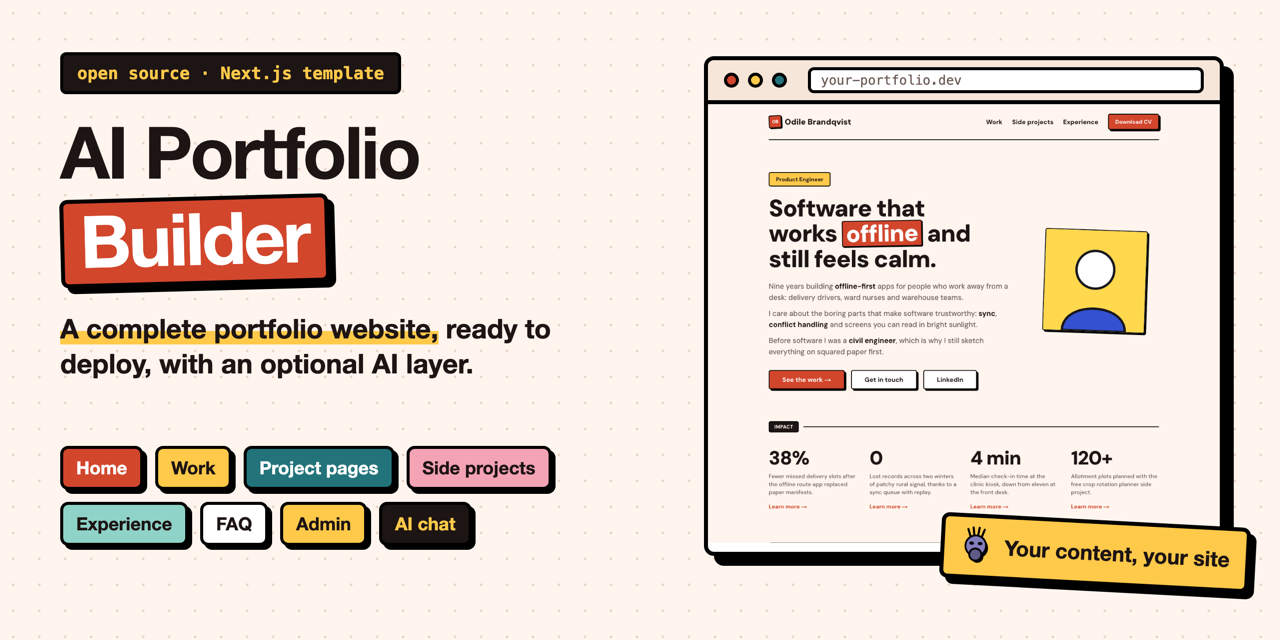
A complete portfolio website for developers and designers, plus an optional AI layer that answers questions about your work from your own content.
See it live opens the portfolio this template was extracted from: same structure, AI chat and job-fit check, with its own content and colours.
Built with AI Portfolio Builder
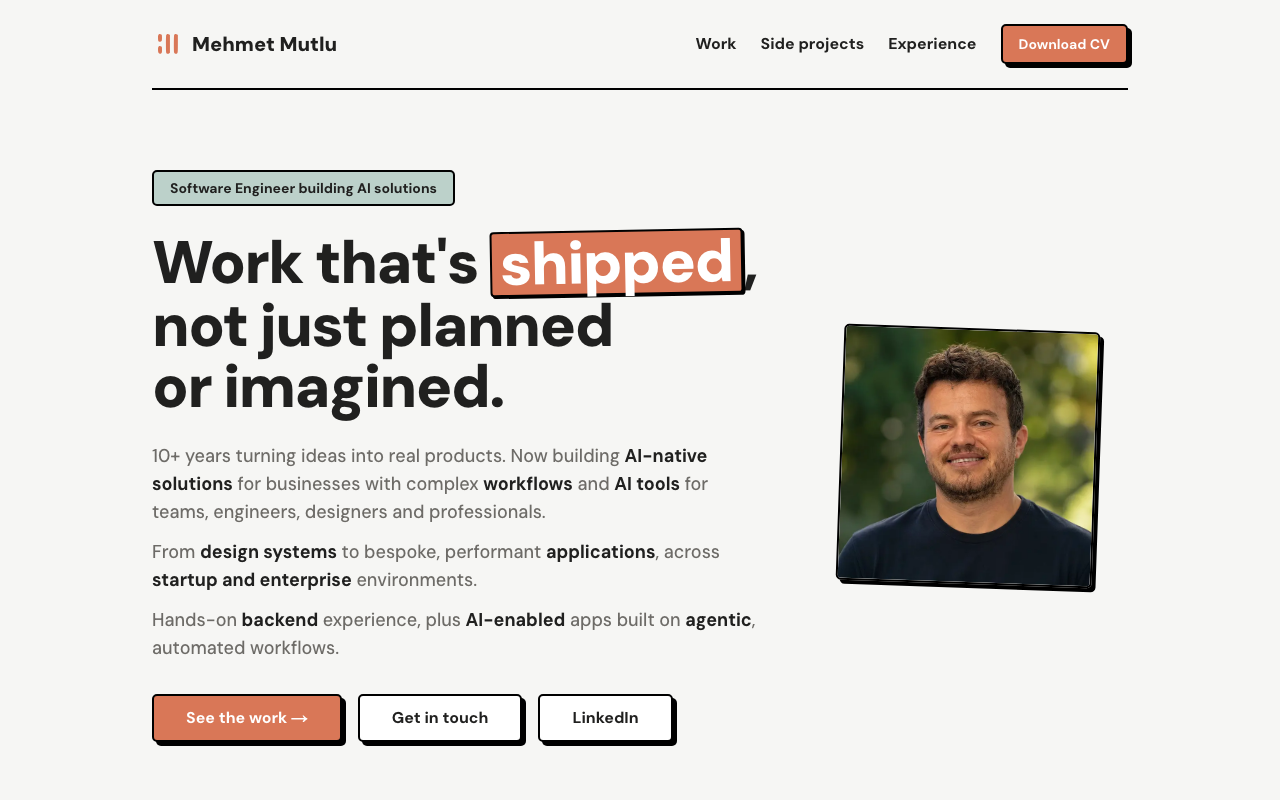 mehmetmutlu.dev: Software engineer. The site this template came from, in the default neo-brutalist look. |
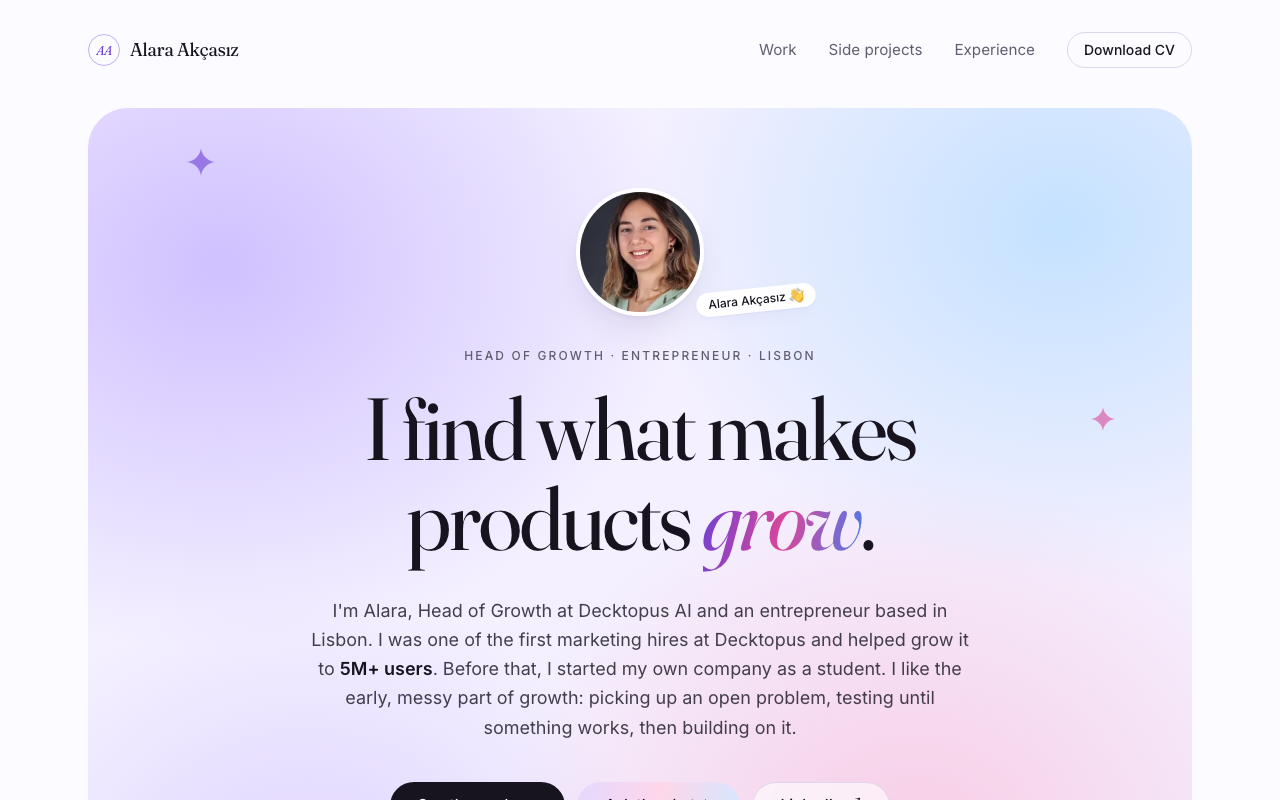 portfolio.alaraakcasiz.com: Head of Growth. Same template, restyled into a completely different look. |
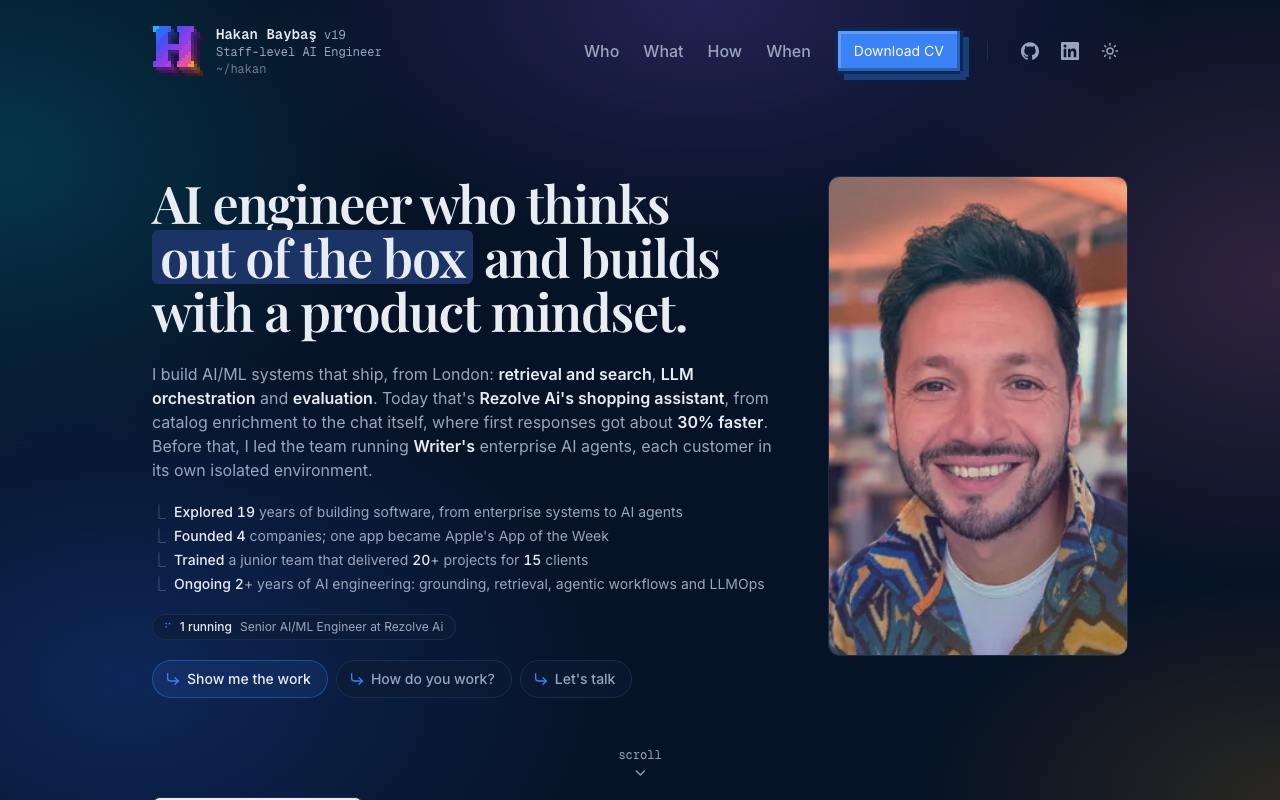 hakanbaybas.dev: Staff-level AI engineer. Forked and extended with a dark theme, motion and a pixel logo; his agent files, Netlify support and analytics came back into this template. |
Built yours? Open a pull request that adds a card here, with a 1280x800 screenshot in docs/images/showcase/.
Three ways to set it up
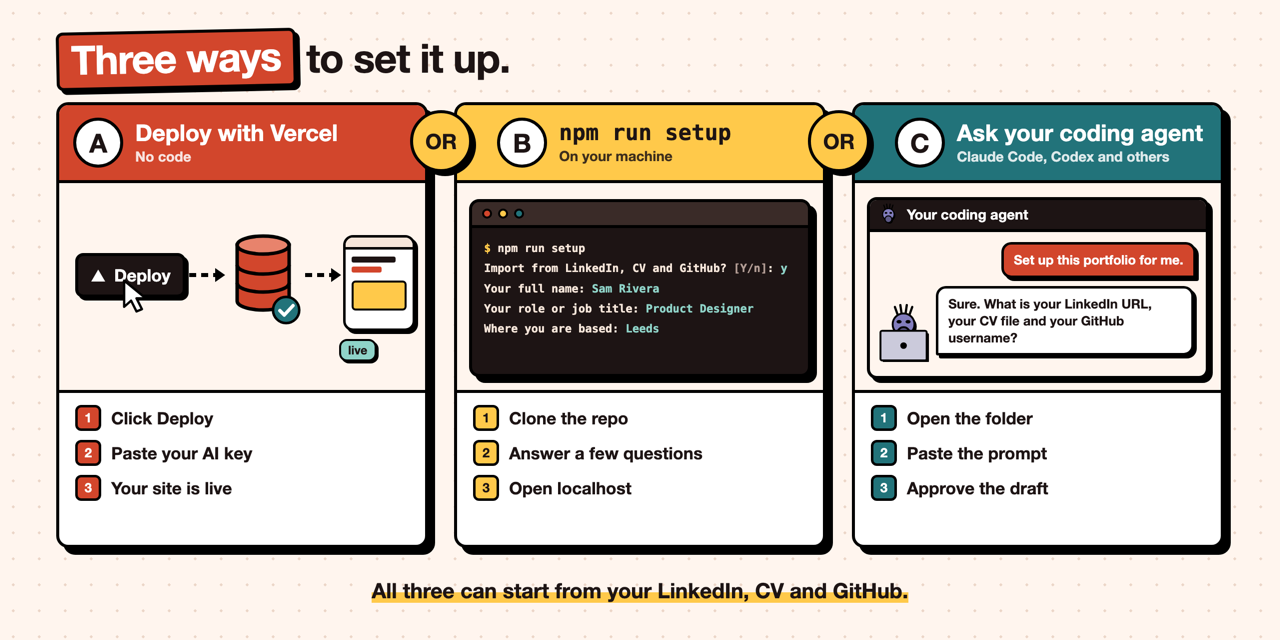
All three can start from your LinkedIn profile, CV and GitHub: the draft is made by your own AI provider and key (OpenAI, Claude, Gemini and others) or your own coding agent, and you review it before anything is written (see Import from LinkedIn, CV and GitHub).
A. Deploy with Vercel, no code
Copies the repo to your GitHub, creates a free Neon database, asks for three values and deploys; the first build sets up the tables, sample content and search index. Then open /admin/import on your new site to draft your content from LinkedIn, a CV and GitHub. Details in Deploy in one click.
or
B. One command on your machine
git clone https://github.com/mutlumehmet/ai-portfolio-builder.git my-portfolio
cd my-portfolio && npm install && npm run setup
Offers to import from your LinkedIn, CV and GitHub first, then asks for your name, links, colour theme, database and AI provider (OpenAI, Anthropic, Gemini, OpenRouter, Ollama or another OpenAI-compatible one), writes your config and .env, sets up the database and starts the site at http://localhost:3000.
or
C. Ask your coding agent
Open the cloned folder in Claude Code, Codex or another coding agent and paste:
Set up this AI Portfolio Builder for me. Read README.md and AGENTS.md first, then follow
"Setting the site up for a new owner" in AGENTS.md. Start by asking me for my LinkedIn URL,
CV file and GitHub username, draft my content from them without inventing anything, and
show me the summary before you write. Then ask me what is missing a few questions at a
time, fill everything in, load it, and start the site so I can check it.
The agent reads your LinkedIn, CV and GitHub, shows you a draft, asks for anything missing, fills in the config, replaces the sample content with yours and loads it with the project scripts.
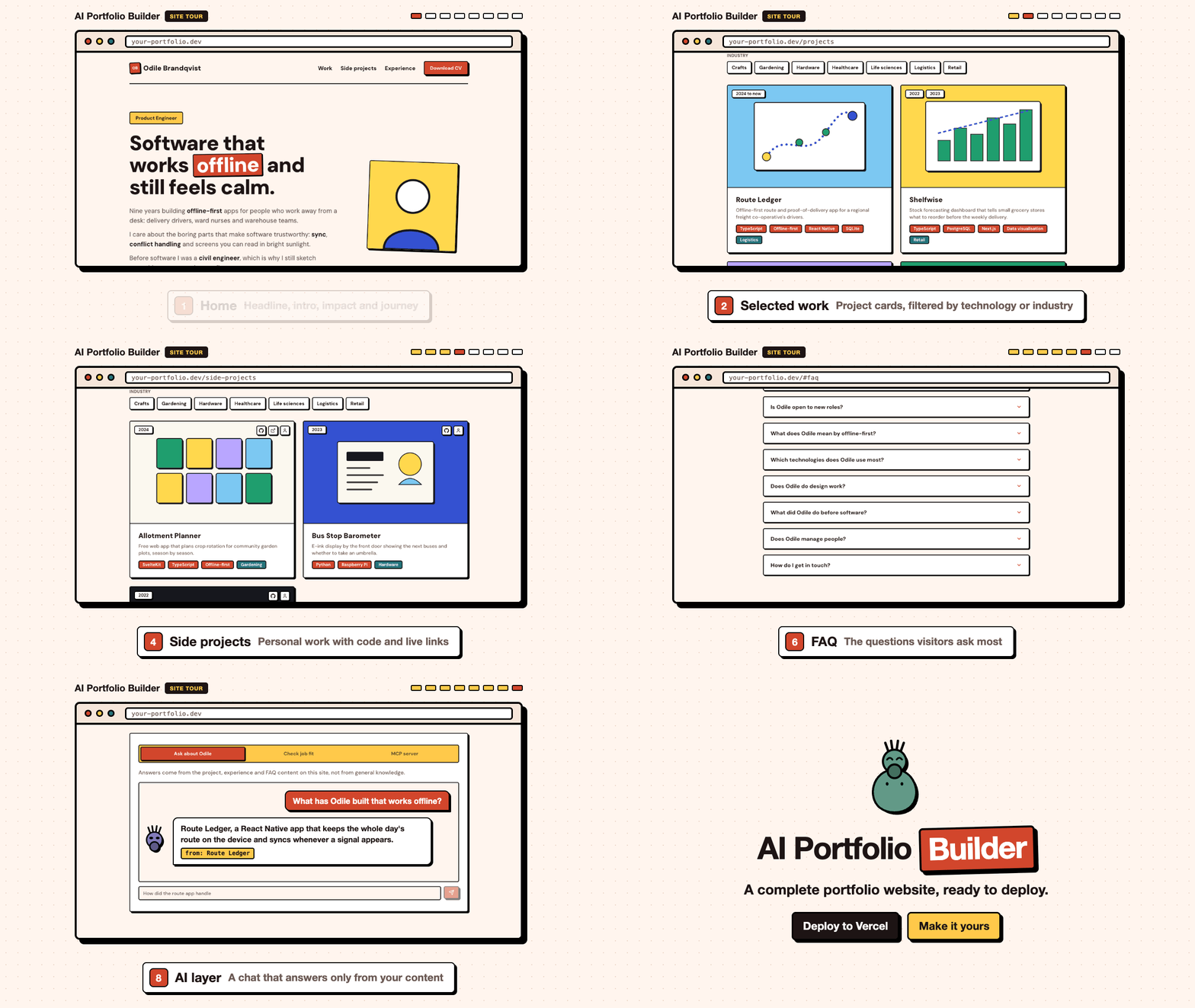
Take the tour
Every page of the site, shown with the sample content: home, selected work, project pages, side projects, experience, FAQ, the admin panel and the AI layer.
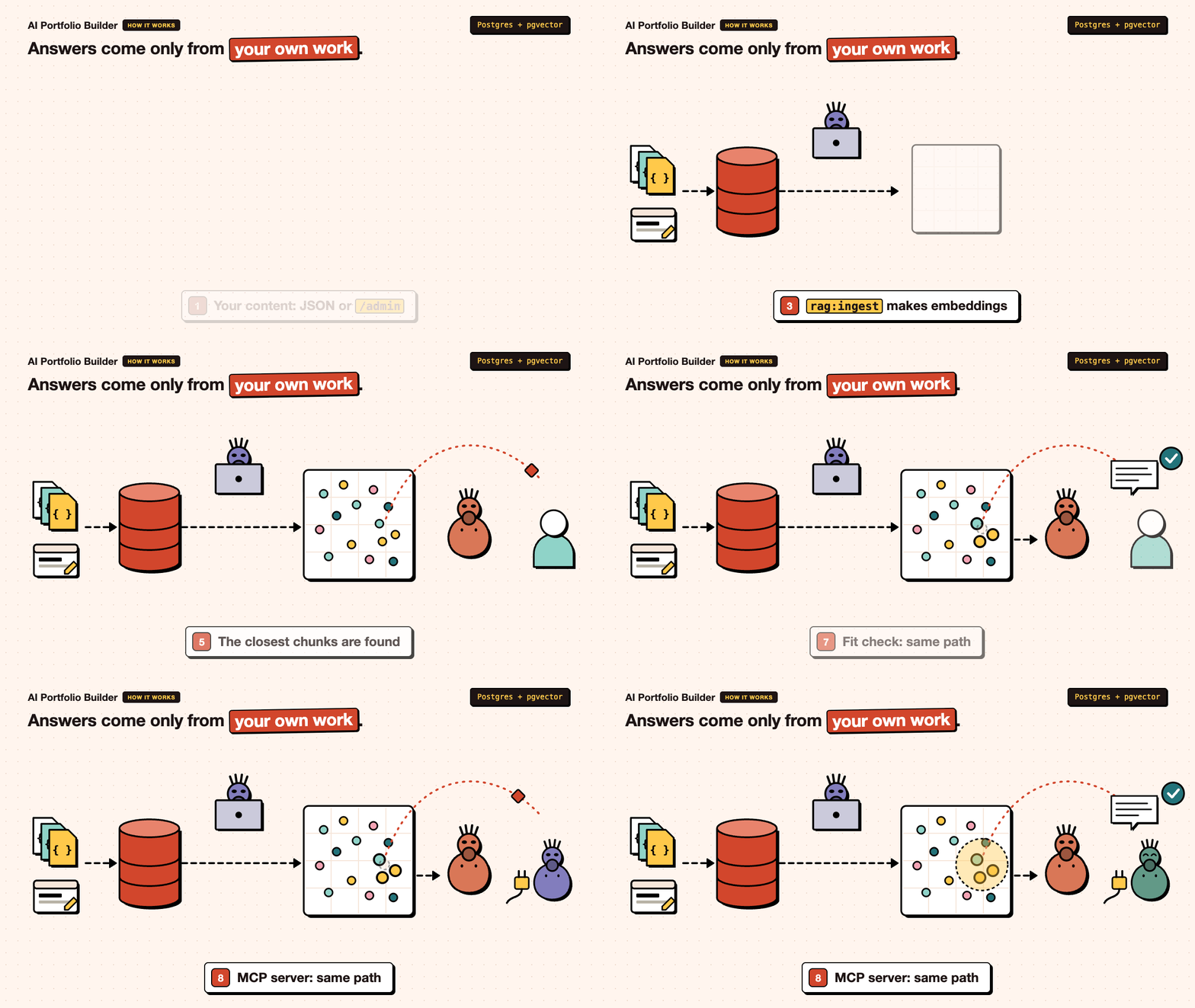
How the AI layer answers
The chat, the fit check and the MCP server answer only from your own content, through the same search. Details in The AI layer.
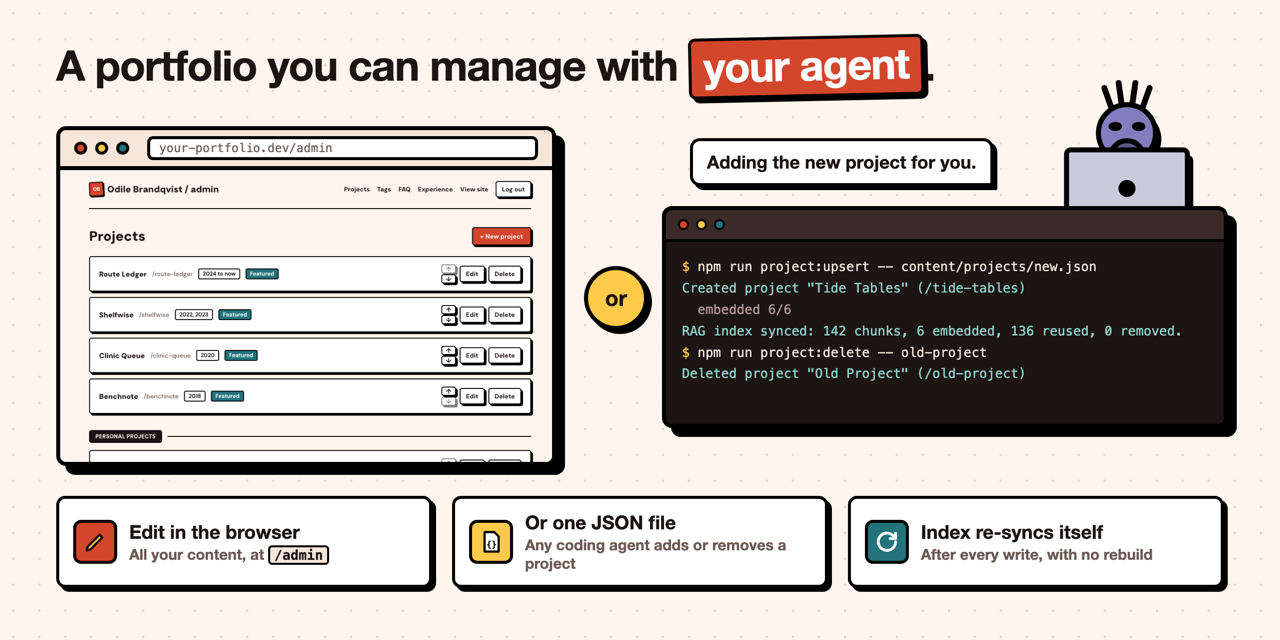
Manage it with your agent
Edit content in /admin, or let any coding agent add and remove projects with a JSON file. The search index re-syncs after every write. See Make it yours.
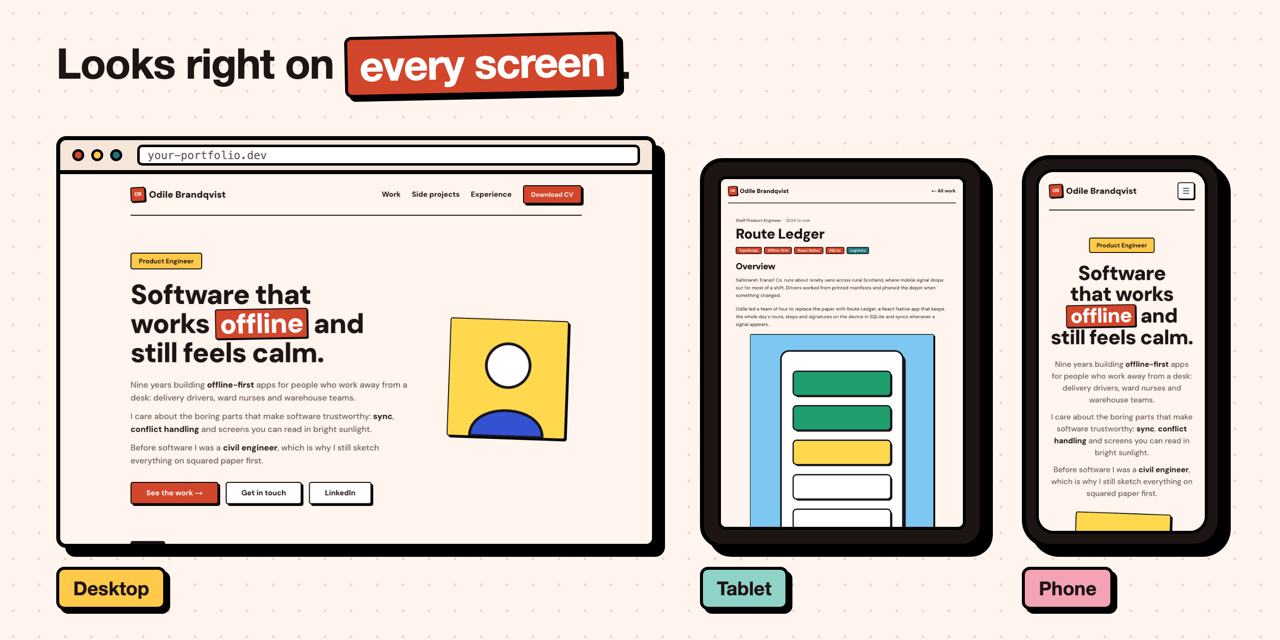
Looks right on every screen
Every page has a phone, tablet and desktop layout, with a menu on phones, and the admin panel works on a phone too.
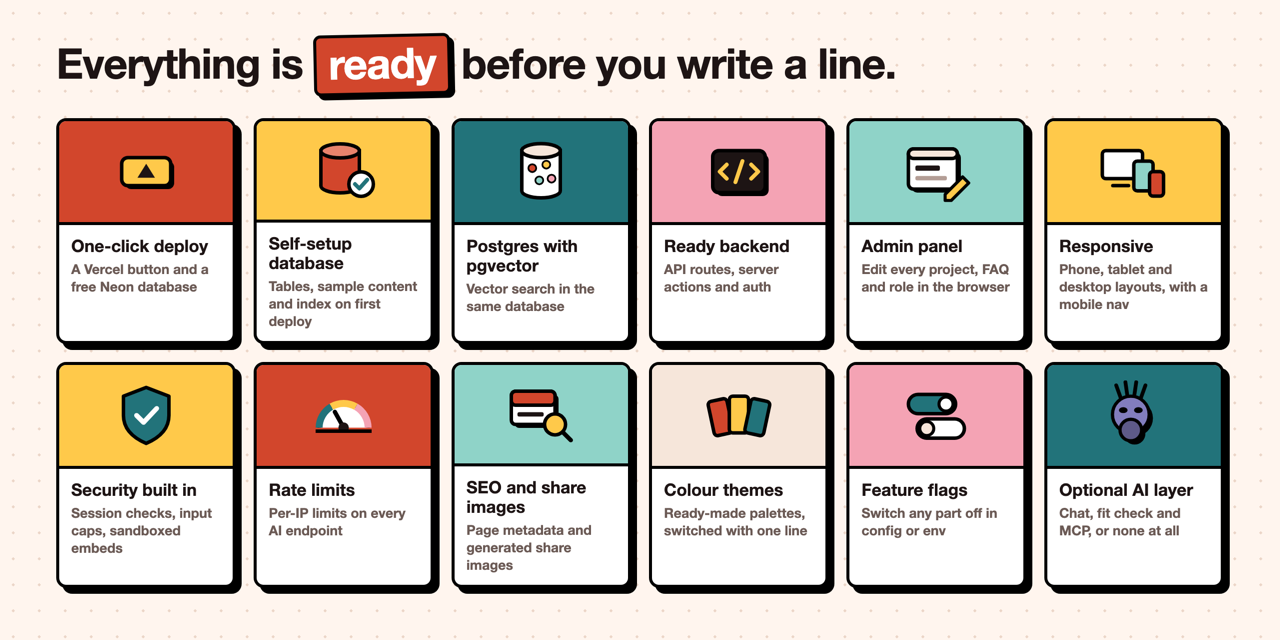
Everything is ready
The parts you would otherwise build yourself are already in place. Details in Ready to deploy.
Ready to deploy
Built with Next.js 16, Prisma 7, Postgres with pgvector and OpenAI (or any OpenAI-compatible AI provider). Deploys to Vercel with a free Neon database. Ships with a fictional sample persona (Odile Brandqvist, a product engineer) so you can see every page working before you add your own content.
Everything below is already done for you.
| Built in | What you get |
|---|---|
| One-click deploy | The Vercel button copies the repo and creates a free Neon database for you. |
| Self-setup database | The first deploy runs the migrations, loads the sample content and builds the search index. |
| Postgres with pgvector | The first migration creates the vector extension, so there is nothing to enable by hand. |
| Admin panel | Edit projects, tags, FAQs and experience in the browser at /admin. |
| Responsive | Phone, tablet and desktop layouts for every page, a mobile menu, and an admin panel that works on a phone. |
| Security | Every admin action checks the session, login attempts are limited, and AI inputs have length caps. |
| Rate limits | Per-IP limits on every AI endpoint. |
| SEO and share images | Page titles and descriptions, Open Graph tags, a generated share image for the site, and each project's cover as its share image. |
| Colour themes | Ready-made colour themes, including pastels and neutrals, switched with one line. |
| Feature flags | Switch any part off in site.config.ts or with an environment variable. |
| Optional AI layer | Switch the chat, the fit check and the MCP server off and you have a plain portfolio. |
What's inside
The portfolio is a full site on its own. These are its pages, shown with the sample content.
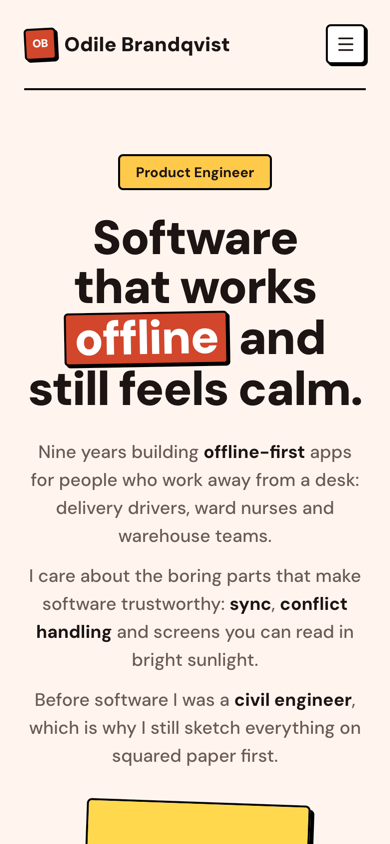
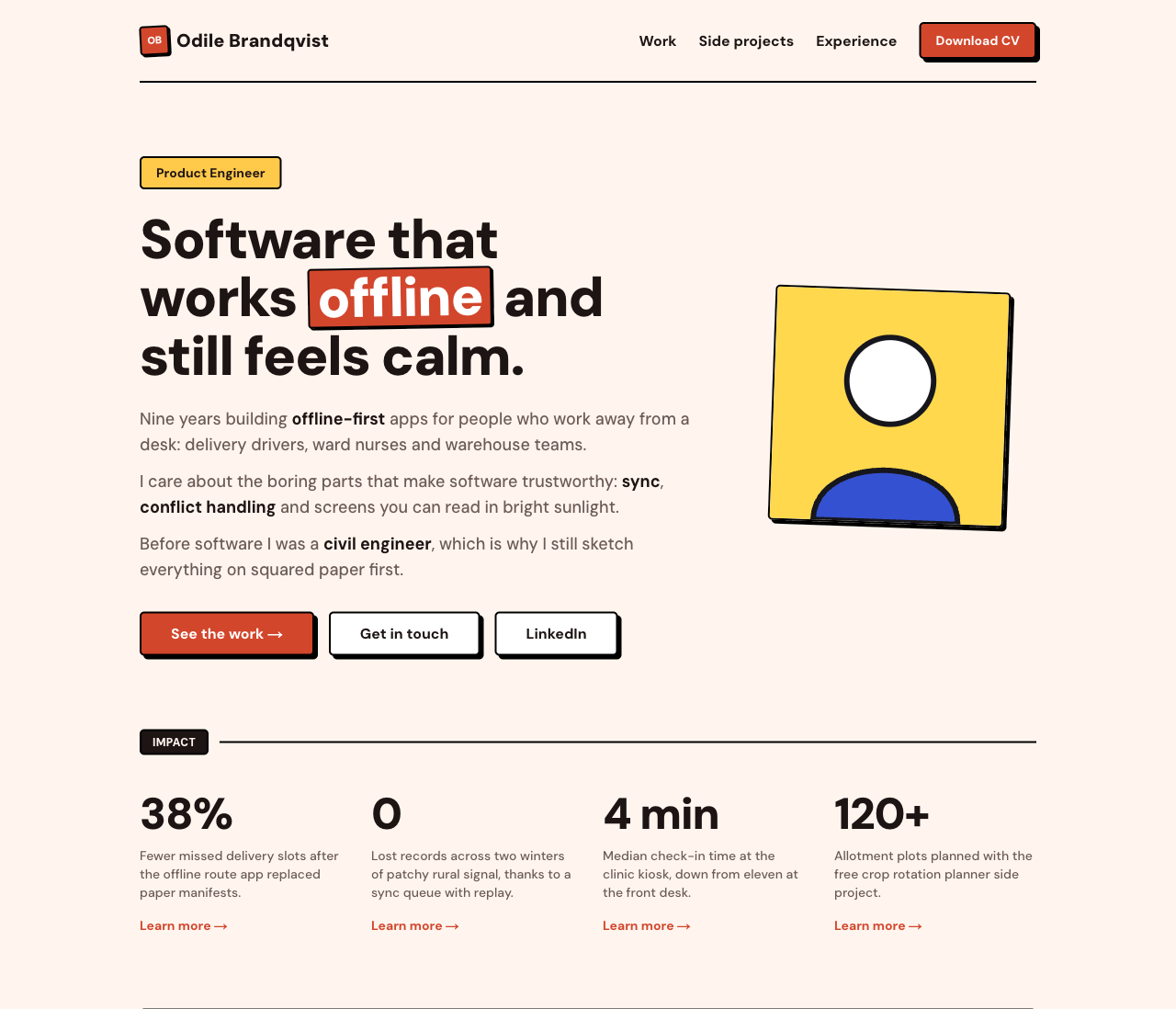 Home: your headline, intro, photo, impact numbers and career journey, then featured work, side projects and the FAQ. The text comes from site.config.ts; the projects and FAQs come from the database.
|
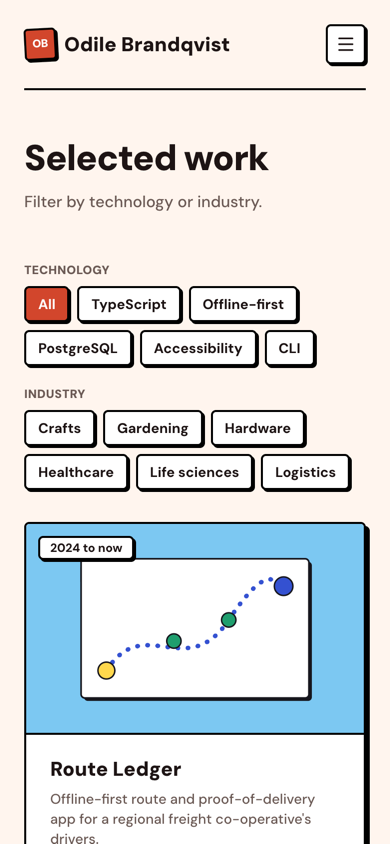
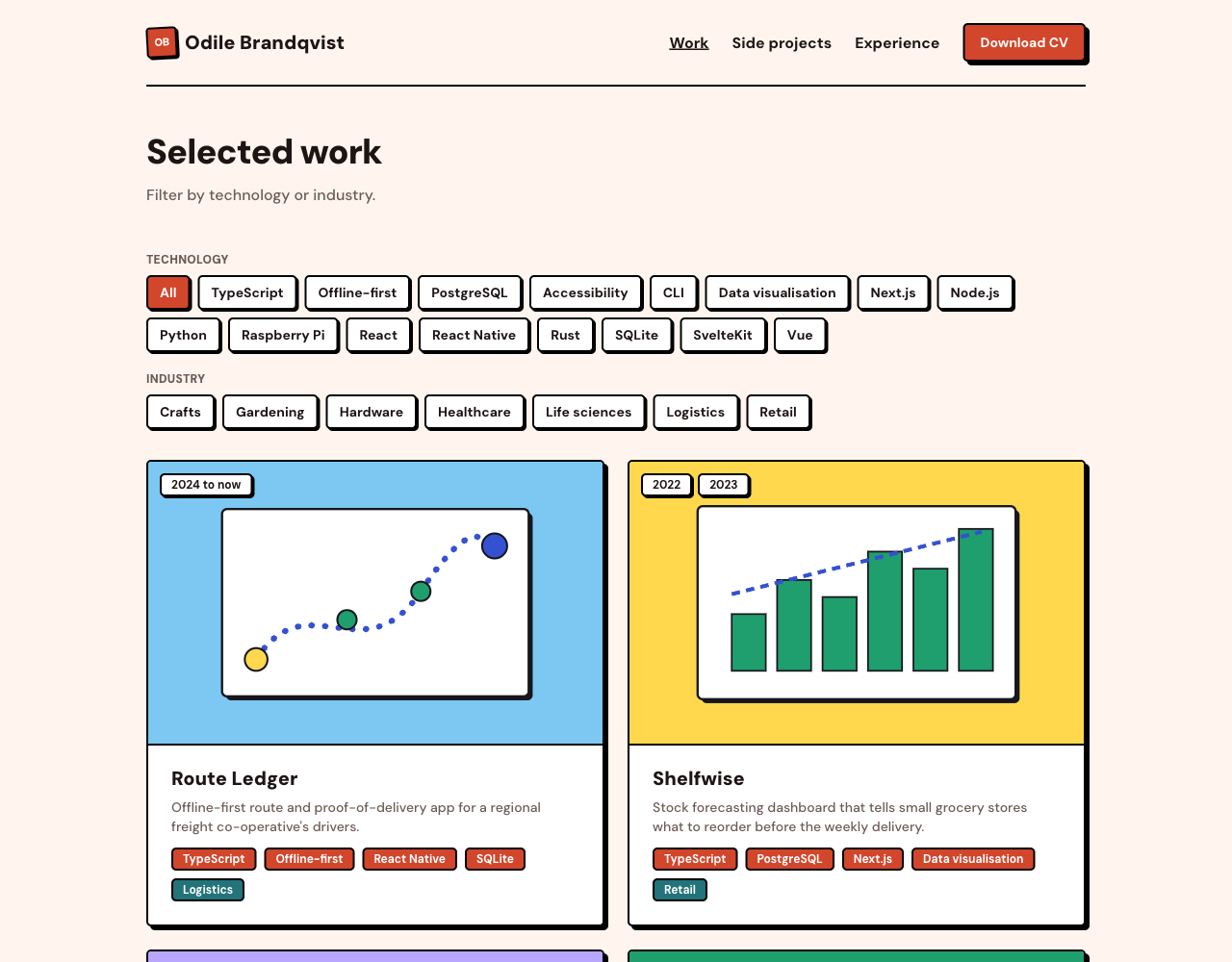 Selected work ( /projects): every project as a card with its cover and tags, paid work first. Visitors filter by technology or industry.
|
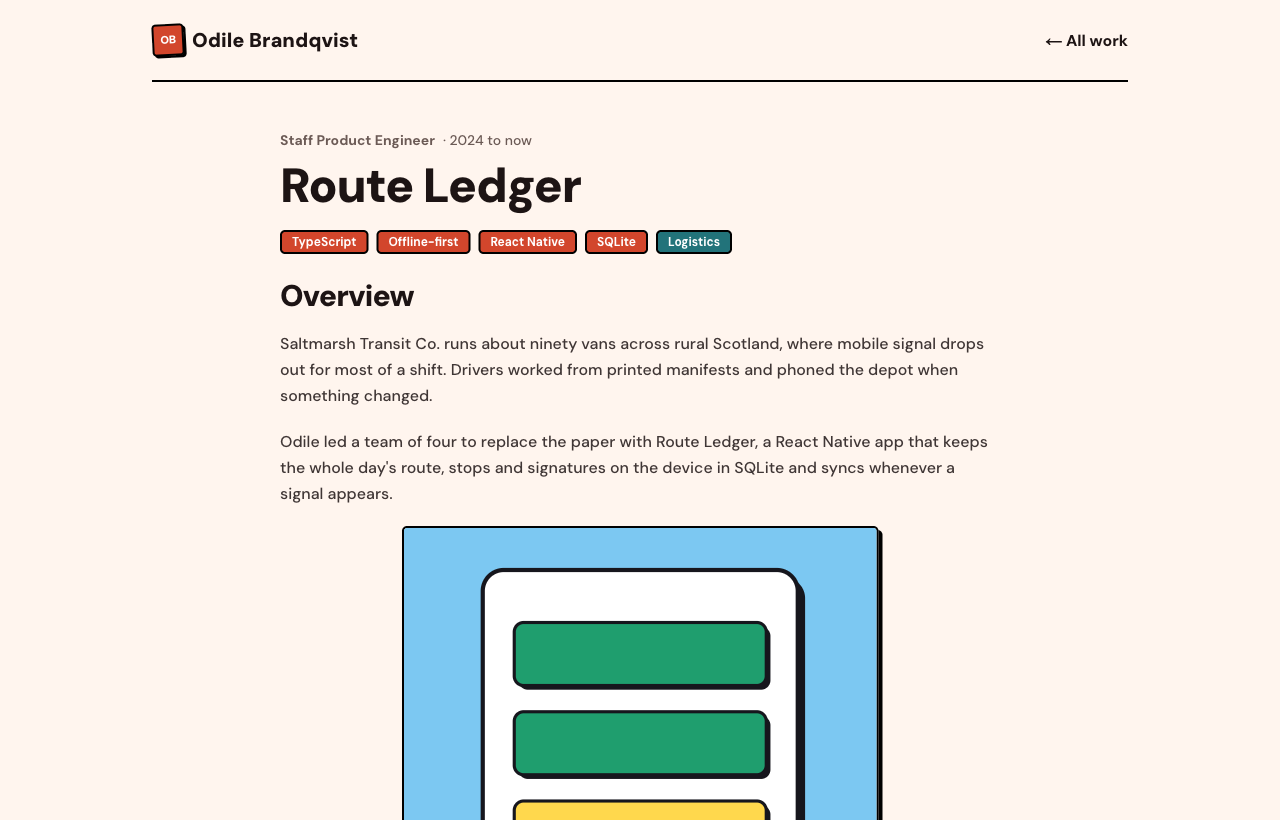 Project page ( /projects/<slug>): a case study built from content blocks (text, images, code, video and embeds). Each project is one JSON file in content/projects/ or one entry in /admin.
|
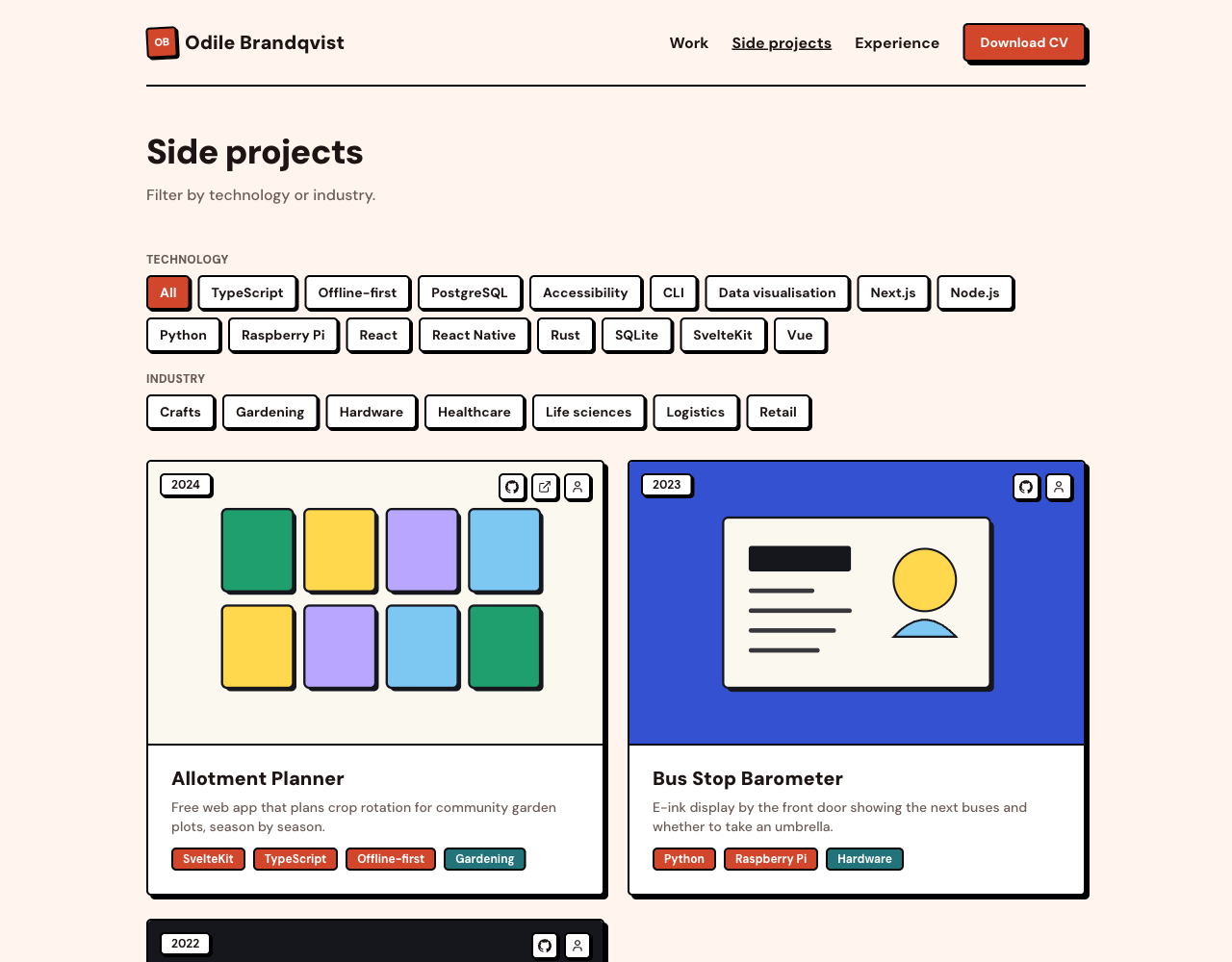 Side projects ( /side-projects): the same list with personal projects first, each with links to its code and live site.
|
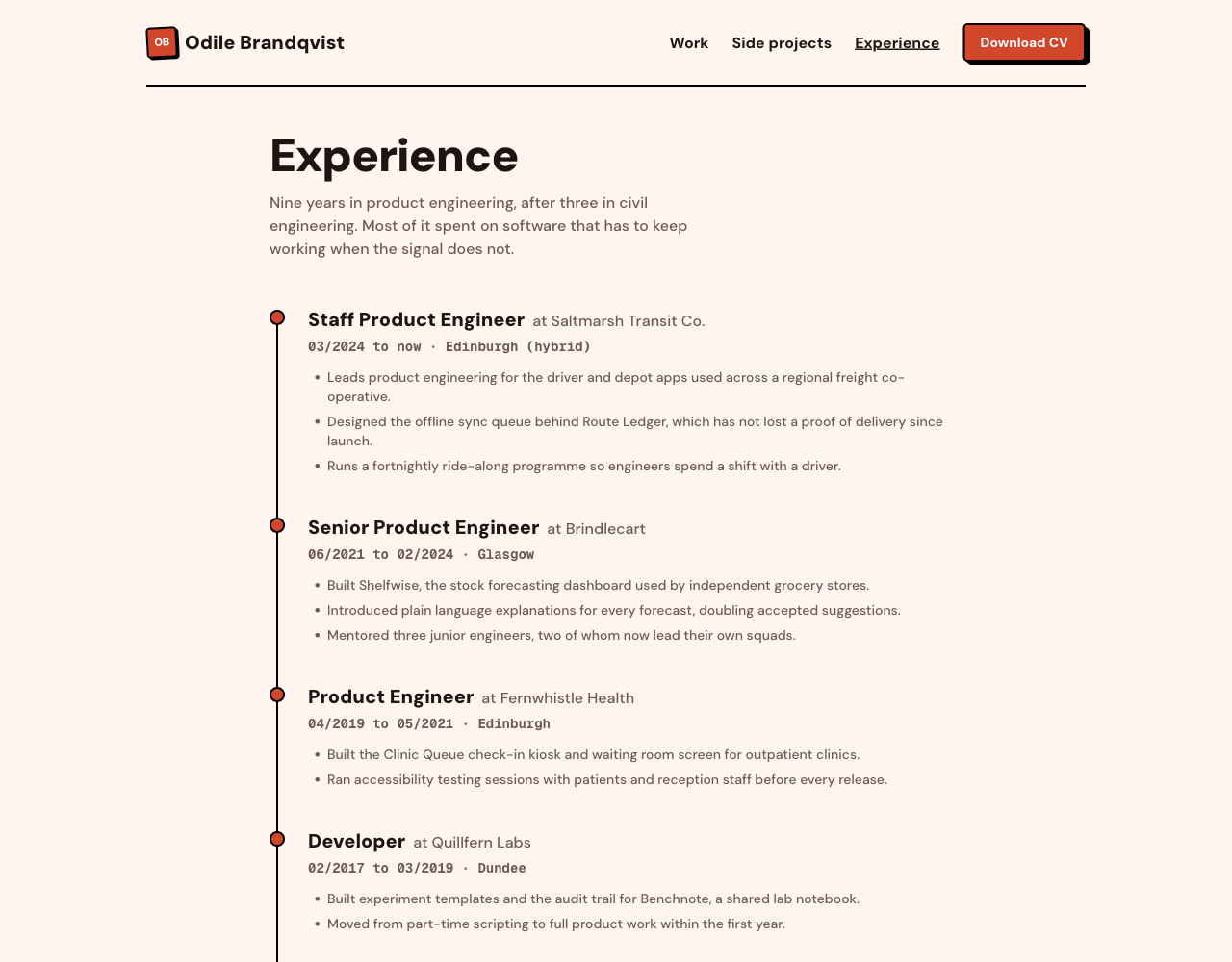 Experience ( /experience): a timeline of your roles with dates, places and highlights, from content/experience.json or /admin.
|
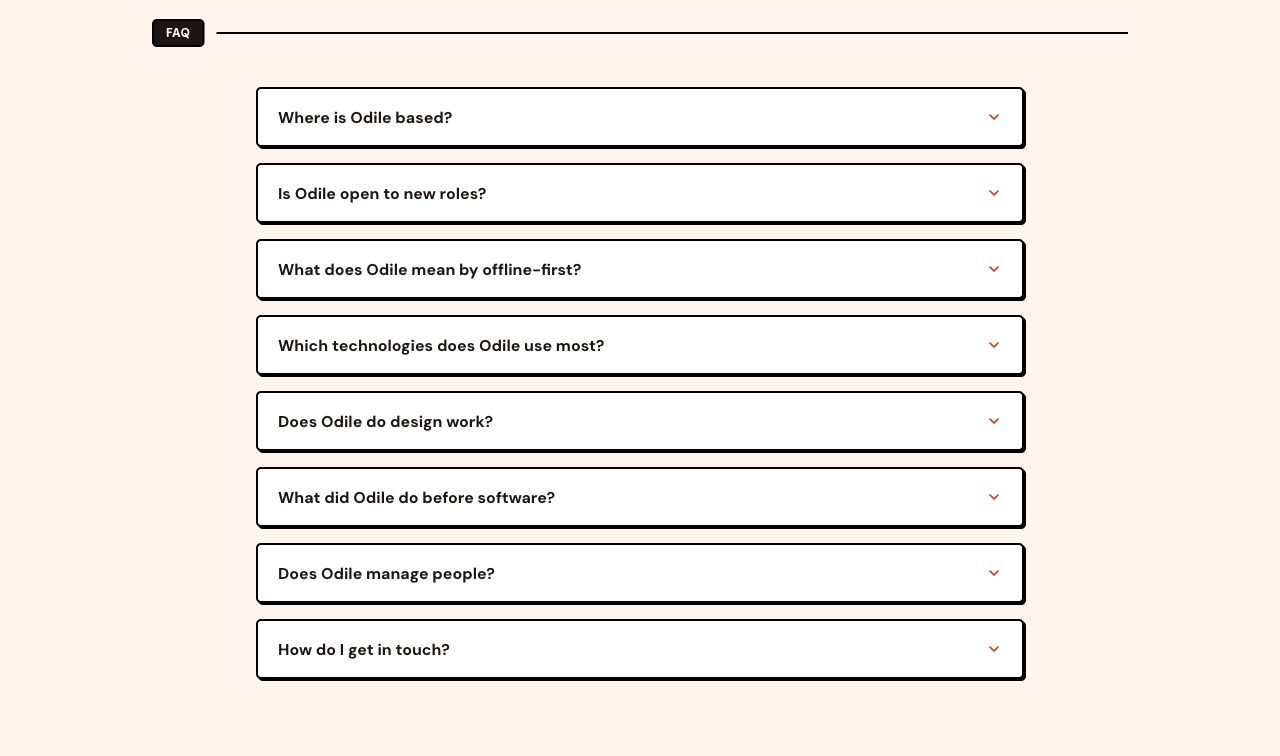 FAQ: questions visitors ask most, as an accordion on the home page. They come from content/faqs.json or /admin.
|
 CV download: buttons in the header and on the home page. /cv serves public/cv.pdf with a dated file name.
|
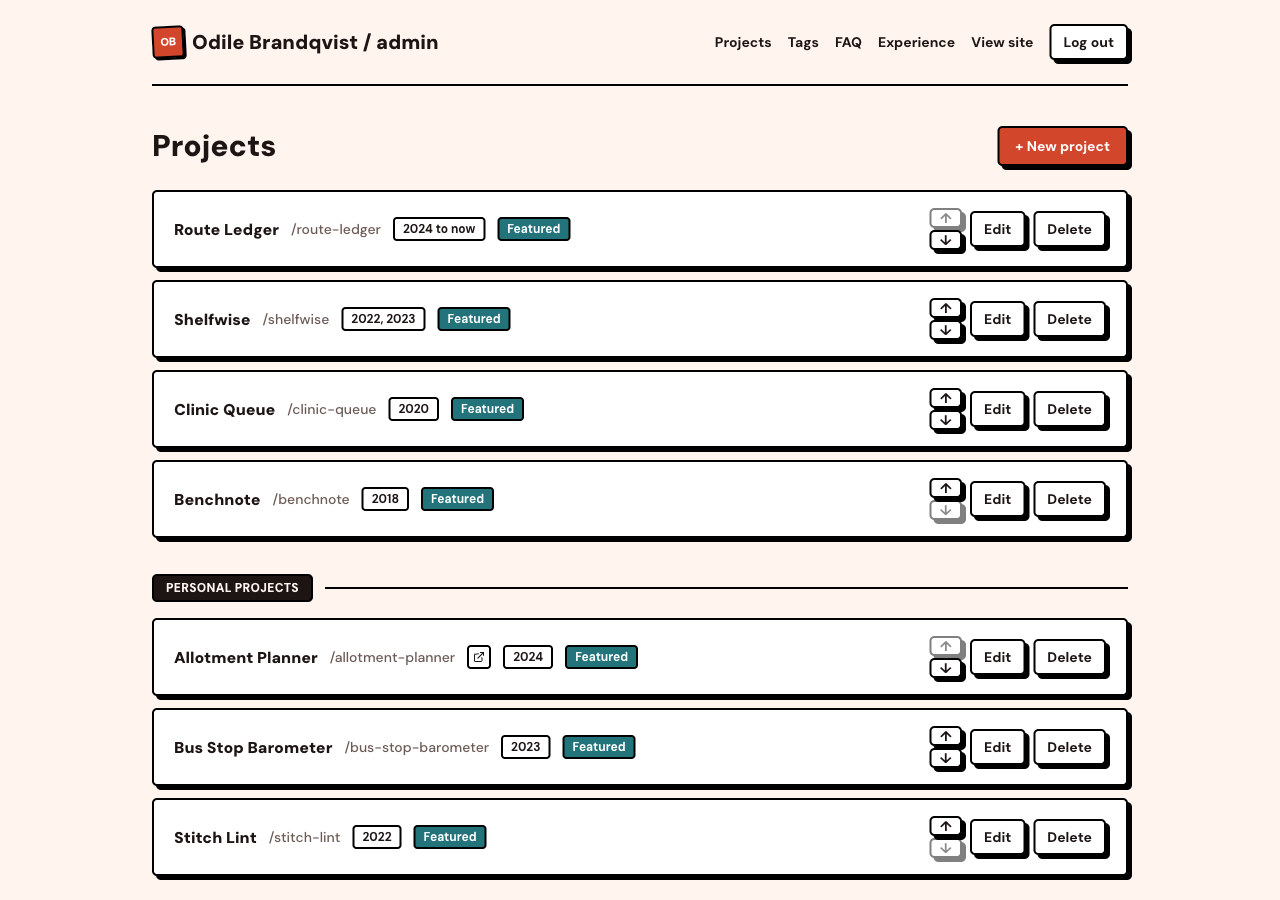 Admin panel ( /admin): a password protected editor for projects, tags, FAQs and experience. Add, edit, reorder and delete without touching code.
|
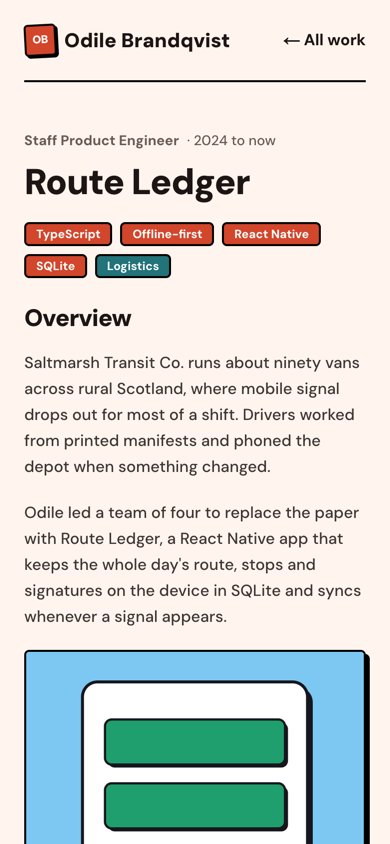
Every page also has a phone layout, with a menu in place of the header links:
How the portfolio works
| Part | Where it lives |
|---|---|
| Projects, experience, FAQs, tags | Postgres. Loaded from the JSON files in content/ with npm run db:seed, or edited in /admin. |
| Name, hero text, stats, journey, colour theme, contact links | site.config.ts, one file for everything person-specific. |
| Images | public/, with project images in public/projects/<slug>/. |
| CV | public/cv.pdf. |
Pages render on request, so an edit in /admin or a content script shows up on the next page load, with no rebuild. Details are in Make it yours.
The AI layer (optional)
The AI layer is optional. Each part has its own feature flag; switch all three off and you have a plain portfolio.
On the home page, visitors and recruiters get one panel with three tabs:
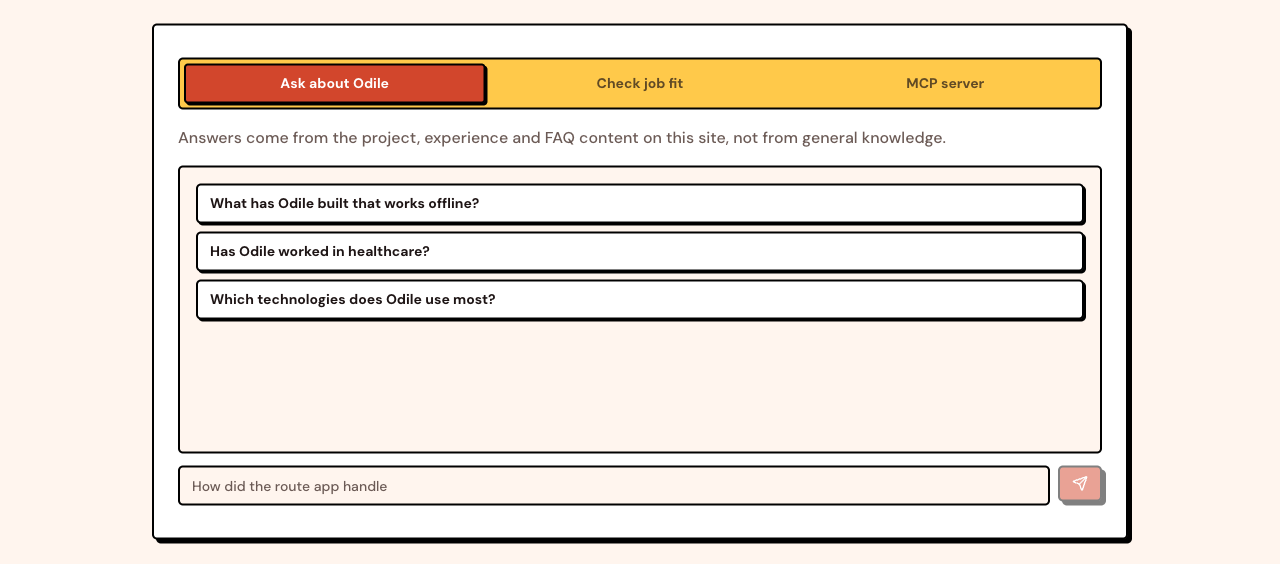 Chat: visitors ask about your work and get answers taken only from your projects, experience and FAQs. Suggested questions come from site.config.ts.
|
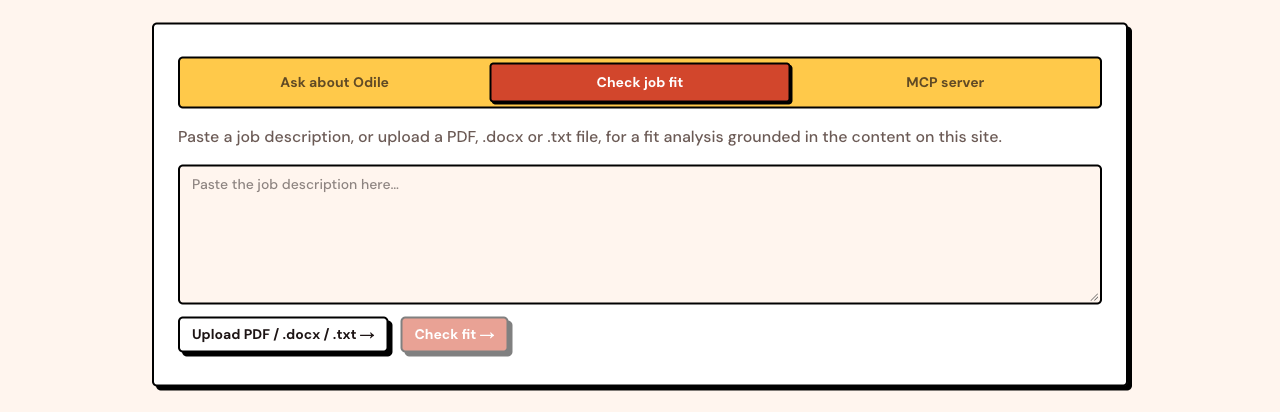 Fit check: a recruiter pastes a job description (or uploads a PDF, .docx or .txt) and gets a verdict, strengths and gaps based on your content. |
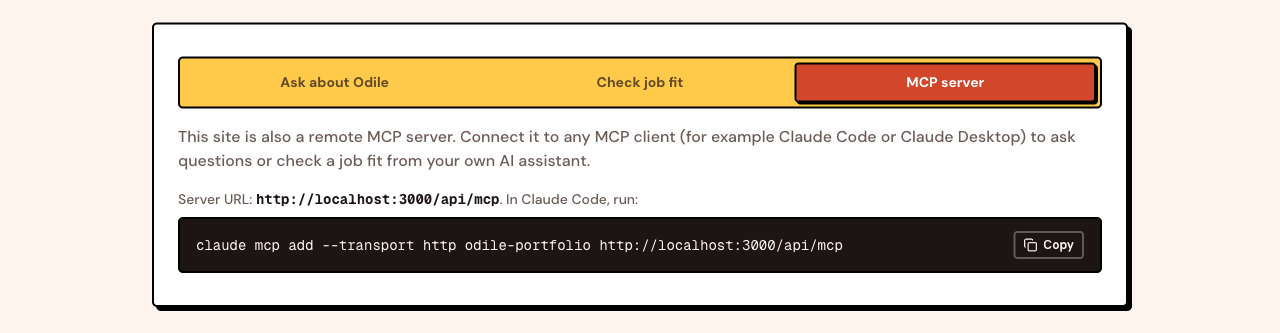 MCP server: the site is also a remote MCP server, so an AI assistant such as Claude Code can ask about you, check a job fit and fetch your CV. See MCP usage. |
How the AI layer works
The animation above shows these steps.
- Your content (projects, experience, FAQs) lives in Postgres. You load it from the JSON files in
content/or edit it in/admin. npm run rag:ingestsplits that content into short chunks, turns each into an embedding (a list of 1536 numbers that captures its meaning) with your embedding provider (OpenAI by default), and stores them in a pgvector column.- When a visitor asks a question, the question is embedded the same way, the closest chunks are found by cosine distance, and only those chunks are given to the chat model as context.
- The fit check does the same with a job description, and the model's JSON answer is validated before it is shown.
- The MCP server wraps the same two functions as tools, so an AI assistant can query your portfolio directly.
Admin edits and the content scripts re-sync the index automatically. Only changed text is embedded again, so edits cost almost nothing.
Deploy in one click
The Deploy with Vercel button at the top copies this repo to your GitHub account, creates a free Neon database for it, and asks for three values: your AI API key (AI_API_KEY, an OpenAI key by default; see Choosing an AI provider for others), a password for /admin, and a long random string for SESSION_SECRET (openssl rand -base64 32). The first deploy then sets the database up by itself: it creates the tables, loads the sample content and builds the chat's search index (see What happens on deploy). You get a working site with the sample persona; then make it yours and follow the cost steps before you share the link.
Quick start
You need Node.js 20 or newer and, for the AI layer, an API key from an AI provider (OpenAI by default, see Choosing an AI provider). Pick Neon (hosted) or Docker (local) for the database.
# Use "Use this template" on GitHub, or clone your fork:
git clone https://github.com/<your-username>/ai-portfolio-builder.git
cd ai-portfolio-builder
npm install
cp .env.example .env
Option A: Neon (recommended, works with Vercel)
- Create a free project at neon.tech.
- Copy its connection string into
DATABASE_URLin.env. You do not need to enable anything by hand: the first migration creates thevectorextension.
Option B: Docker for local development
npm run db:up # Postgres 17 with pgvector on localhost:5432
The default DATABASE_URL in .env.example already points at it. npm run db:down stops it.
Then, for either option
- Set
ADMIN_PASSWORD,SESSION_SECRET(openssl rand -base64 32) andAI_API_KEYin.env(plusAI_BASE_URLandCHAT_MODELfor a provider other than OpenAI). - Create the tables, load the sample content and build the search index:
npm run db:migrate   # prisma migrate deploy
npm run db:seed      # loads content/ into the database
npm run rag:ingest   # embeds the content for the chat
npm run dev
Open http://localhost:3000.
Deploy to Vercel by hand
- Push your copy to GitHub and import it in Vercel.
- Add the environment variables from
.env(at leastDATABASE_URL,ADMIN_PASSWORD,SESSION_SECRETandAI_API_KEY, plus any otherAI_*andEMBEDDING_*values you use).NEXT_PUBLIC_SITE_URLis only needed for a custom domain; otherwise the Vercel production URL is used. - Deploy. The first build prepares the database, as below.
- Before you share the link, follow the cost steps in Cost and security.
Deploy to Netlify
The same build runs on Netlify. netlify.toml already sets the build command (npm run vercel-build, which prepares the database as below) and Node 22; Netlify adds its Next.js runtime by itself.
- Push your copy to GitHub and import it in Netlify.
- Add the same environment variables as for Vercel. The site URL comes from Netlify's own
URLvalue, soNEXT_PUBLIC_SITE_URLis again only needed for a custom domain. - Deploy. Netlify's CDN keeps each public page for 5 minutes and refreshes it in the background, so visitors do not wait on the database;
/adminand the API routes are never cached.
What happens on deploy
Vercel runs npm run vercel-build (scripts/vercel-build.ts), which runs these steps before the normal build:
prisma migrate deploy: creates or updates the tables and thevectorextension. It usesDATABASE_URL_UNPOOLEDwhen set (the Neon integration sets it), because migrations need a direct connection.- Loads the sample content from
content/, only while the database has no projects, so it never overwrites or brings back what you changed in/admin. rag:ingest: embeds only new or changed text, so a redeploy with no content changes costs nothing. If the key is missing or wrong, the build still succeeds and prints a warning; fix the key and redeploy. Without any AI key the chat, fit check and MCP server are switched off.
Without DATABASE_URL the steps are skipped and only the site is built. npm run build never touches the database, so local builds work offline. If you use Vercel preview deployments with the same database as production, previews run the same migrations against it; Neon's integration can give each preview its own database branch instead.
Environment variables
| Variable | Required | Purpose |
|---|---|---|
DATABASE_URL |
Yes | Postgres with pgvector. Neon URLs use Neon's serverless driver, others use node-postgres. DATABASE_DRIVER=neon or pg forces one. |
ADMIN_PASSWORD |
For admin | Password for /admin. Refused in production while it is still the example value. |
SESSION_SECRET |
For admin | Signs the admin cookie. Changing it logs every session out. |
AI_API_KEY |
For AI features | Key for the chat model and, unless set separately, the embeddings. OPENAI_API_KEY still works in its place. Without a key (and without AI_BASE_URL) the chat, fit check and MCP server are off. |
AI_BASE_URL |
No | The provider's OpenAI-compatible endpoint. Empty means OpenAI. See Choosing an AI provider. |
CHAT_MODEL |
No | Defaults to gpt-4.1-mini. Set a model your provider offers. |
EMBEDDING_API_KEY, EMBEDDING_BASE_URL |
No | A separate provider for embeddings. Both fall back to the AI_* values; EMBEDDING_API_KEY on its own means OpenAI. |
EMBEDDING_MODEL |
No | Defaults to text-embedding-3-small (1536 dimensions). none switches embeddings, and with them the chat, fit check and MCP server, off. |
EMBEDDING_DIMENSIONS |
No | Sent as dimensions, for an embedding model that can shorten its output to 1536. |
NEXT_PUBLIC_SITE_URL |
No | Public URL; overrides url in site.config.ts. |
NEXT_PUBLIC_POSTHOG_KEY |
No | PostHog project key (phc_...). Analytics stay off without it. See Analytics. |
NEXT_PUBLIC_POSTHOG_REGION |
No | eu (default) or us, where your PostHog project lives. |
FEATURE_* |
No | Feature flag overrides, see below. |
RATE_LIMIT_PER_MINUTE, RATE_LIMIT_PER_DAY |
No | Per-IP limits for the AI endpoints. |
GITHUB_TOKEN |
No | Used by the profile import for a higher GitHub rate limit. Without it, GitHub allows 60 requests an hour. |
About the embedding dimension: the Chunk.embedding column is vector(1536), the output size of text-embedding-3-small. If you switch to a model with a different size, change vector(1536) in prisma/schema.prisma, create a new migration, and run npm run rag:ingest -- --full.
Choosing an AI provider
The AI layer talks to any OpenAI-compatible API. OpenAI is the default: set AI_API_KEY and nothing else. For another provider, set AI_BASE_URL and CHAT_MODEL too (npm run setup asks and fills them in). Old setups with OPENAI_API_KEY keep working.
| Provider | AI_BASE_URL |
Example CHAT_MODEL |
Embeddings |
|---|---|---|---|
| OpenAI | (empty) | gpt-4.1-mini |
Yes: text-embedding-3-small |
| Anthropic (Claude) | https://api.anthropic.com/v1/ |
claude-haiku-5-5 |
No: use OpenAI with EMBEDDING_API_KEY |
| Google Gemini | https://generativelanguage.googleapis.com/v1beta/openai/ |
gemini-3.8-flash |
Use OpenAI with EMBEDDING_API_KEY, or try gemini-embedding-001 with EMBEDDING_DIMENSIONS=1536 |
| OpenRouter | https://openrouter.ai/api/v1 |
openai/gpt-4.1-mini |
Yes: EMBEDDING_MODEL=openai/text-embedding-3-small |
| Ollama (local only, not on Vercel) | http://localhost:11434/v1/ |
gpt-oss:20b (no key needed) |
Only a model that returns 1536 numbers; otherwise use OpenAI with EMBEDDING_API_KEY |
Base URLs and models were checked against each provider's documentation in October 2026; model names change, so check your provider's model list.
Chat with Claude, embeddings with OpenAI:
AI_API_KEY="your Claude API key"
AI_BASE_URL="https://api.anthropic.com/v1/"
CHAT_MODEL="claude-haiku-5-5"
EMBEDDING_API_KEY="your OpenAI key"   # on its own, this means OpenAI embeddings
Not every provider honours JSON mode, so the fit check and the profile import ask for JSON, then read the first JSON object out of the answer and validate it before use. If no embedding provider is set up, the chat, fit check and MCP server switch themselves off; the rest of the site and the profile import still work.
Make it yours
site.config.tsholds everything person-specific: name, initials, role, contact, socials, hero text, stats, journey, colour theme (see Colour themes), chat persona and suggestions, fit-check criteria, MCP server name, CV file name, admin label, SEO and feature flags. Start here.content/holds the sample content. Replacecontent/projects/*.json(same shape asscripts/example-project.json),content/experience.jsonandcontent/faqs.json, then runnpm run db:seedandnpm run rag:ingest. The seed upserts by slug, so remove the sample projects in/adminor withnpm run project:delete -- <slug>.- Images go in
public/. Project images live inpublic/projects/<slug>/; their sizes are measured at install and build time so covers of the right shape fill their card. Replacepublic/avatar.svgwith your photo (and updateperson.photo). - CV: replace
public/cv.pdfwith your own. /adminlets you edit all content in the browser once deployed. Every save updates the chat's search index in the background.- Projects from the command line or a coding agent:
npm run project:upsert -- path/to/project.jsoncreates or updates one project from a JSON file (same shape asscripts/example-project.json), andnpm run project:delete -- <slug>removes one. Both re-sync the chat's search index straight away, so an AI coding assistant can manage your projects for you.
Import from LinkedIn, CV and GitHub
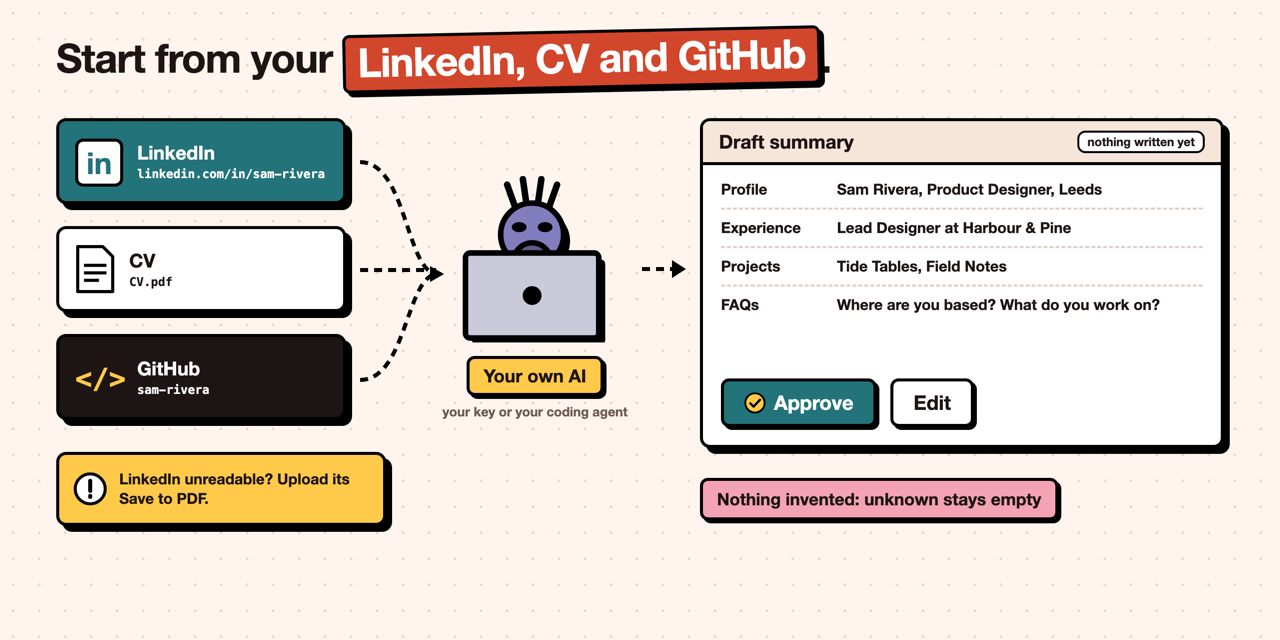
Instead of typing everything, give the import your LinkedIn profile URL, a CV file (PDF, .docx or .txt, up to 5 MB) and your GitHub username. Each one is optional. It drafts your name, role, location, links, home page text (badge, headline, intro, stats, journey), SEO text, experience, FAQs and projects, and shows you a summary before anything is written.
- What is read. LinkedIn: your public profile page. CV: the text of the file. GitHub: your public profile and up to six of your own repositories that are not forks or archived (most stars first, then the most recently updated), with their descriptions, topics, languages and READMEs.
GITHUB_TOKENis used when set, for a higher rate limit. - LinkedIn is best effort. LinkedIn often blocks automated reads. The import tries once, with no login and no retries, and tells you when it could not read the page. Then open your profile on LinkedIn, choose More, then Save to PDF, and give that PDF as your CV file instead.
- Nothing is made up. The model is told to use only facts from your sources and to leave anything unknown empty. Links, your email address and stat numbers that do not appear in your sources are dropped, and the summary lists what was left out. Check the draft anyway.
- Privacy. Your CV and profile text are sent to your AI provider with your own key (or read by your own coding agent). Nothing is stored except what you approve.
- Cost. One model call per draft, a few cents at most with the default OpenAI model.
Where to run it:
npm run setupasks "Import from LinkedIn, CV and GitHub?" first. The draft becomes the default answer to each question, so you can still change any of them, and it writessite.config.tsandcontent/.- On a deployed site, open
/admin/import. It saves projects, experience and FAQs to the database, and gives you asite.config.tssnippet for your name and home page text to paste, commit and redeploy (a deployed site cannot change its own config). It uses the deployment's AI provider (AI_API_KEY). - A coding agent can run
npm run import -- --linkedin <url> --cv <path> --github <user> --out draft.json, show you the summary, and after your yes write it withnpm run import -- --apply draft.json.
Why neo-brutalism
Most developer portfolios look the same: a dark hero, a gradient, a grid of cards, the look of a software services company. After a while nobody remembers any of them. Neo-brutalism (thick outlines, hard shadows, flat bold colours) still stands out wherever it is used, and it is easy to read, so it makes a portfolio that people notice and that still looks good. That is why this template uses it.
If you want a different look, you are not locked in. Open the project with your coding agent, give it screenshots or a design you like, and ask it to restyle the site. The colours live in themes.ts, the structure in src/app/globals.css and the components, so an agent can change either.
Colour themes
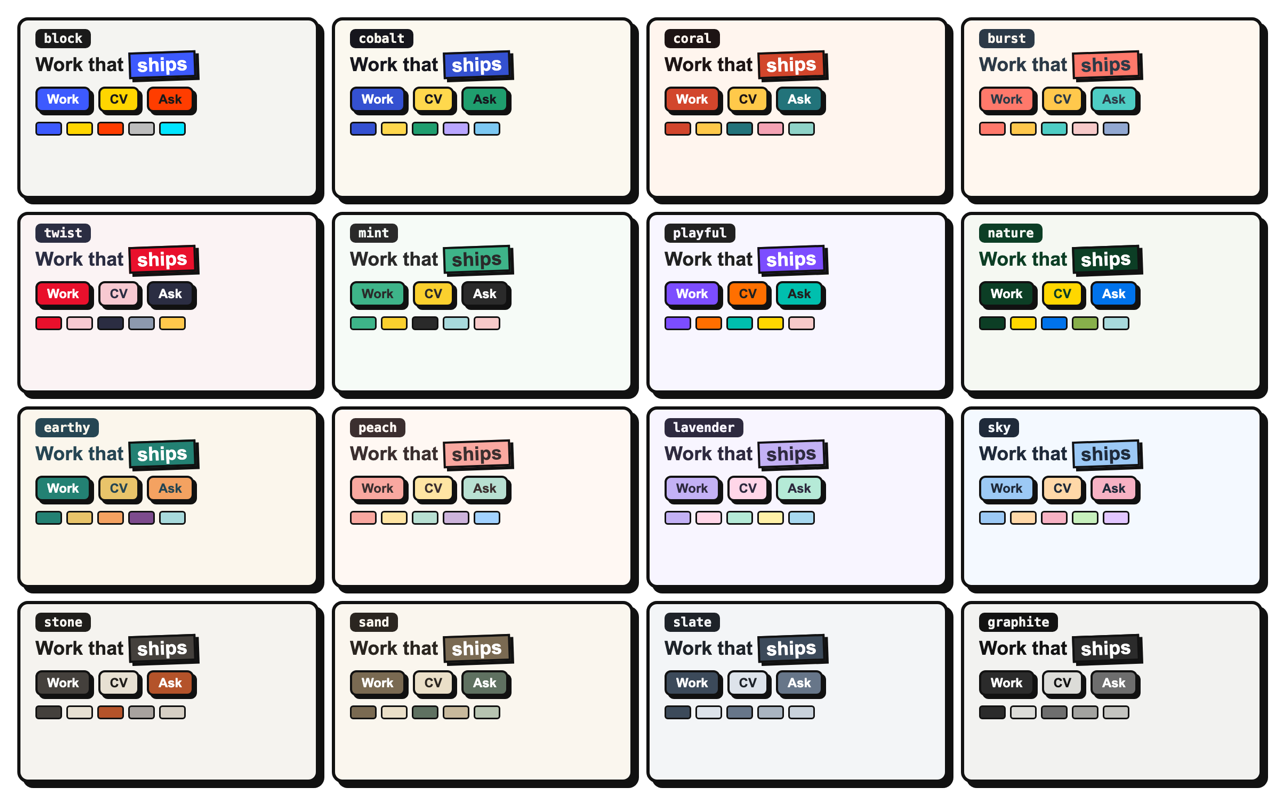
Pick a theme in site.config.ts with one line, for example theme: themes.slate. Coral is the default. The themes live in themes.ts. To change single colours, spread a theme and override what you need: theme: { ...themes.coral, primary: "#b83a22" }. Every button colour in the ready-made themes passes WCAG AA contrast (text stays readable on it). Links and highlighted words use a deeper shade of your primary colour, worked out at build time, so they stay readable even with light or pastel colours and your own custom values.
Feature flags
Set in site.config.ts under features, or per deployment with environment variables (true/false), which win.
| Flag | Env var | Default | When off |
|---|---|---|---|
chat |
FEATURE_CHAT |
on | Chat tab hidden, /api/chat returns 404, MCP chat tool removed |
fitCheck |
FEATURE_FIT_CHECK |
on | Fit-check tab hidden, /api/fit-check returns 404, MCP tool removed |
parseJd |
FEATURE_PARSE_JD |
on | File upload hidden, /api/parse-jd returns 404 (also off when fitCheck is off) |
mcp |
FEATURE_MCP |
on | MCP tab hidden, /api/mcp returns 404 |
admin |
FEATURE_ADMIN |
on | /admin returns 404 and every admin action refuses to run |
cv |
FEATURE_CV |
on | CV buttons hidden, /cv returns 404 |
easterEggs |
FEATURE_EASTER_EGGS |
off | Canned answers in easterEggs are ignored |
rateLimit |
FEATURE_RATE_LIMIT |
on | No per-IP limits (not recommended in production) |
Cost and security
The AI endpoints are public, so anyone can make the site spend your AI provider's credit. Each chat or fit-check call is one embedding plus one chat completion with roughly 1,500 to 3,000 input tokens: with the default OpenAI models a fraction of a cent, so the risk is volume, not single calls. Other providers and larger models cost more per call. Before you share the link:
- Set a monthly budget with your AI provider for the key (for OpenAI: dashboard, project limits). This is the hard stop.
- Add a Vercel Firewall rate limit rule for
/api/*(Vercel dashboard, Firewall). The built-in limiter works per server instance, so it slows a single client down but is not a global cap. - Use a long random
ADMIN_PASSWORDandSESSION_SECRET.
What the code already does: every admin server action checks the session itself (not only the /admin proxy); login attempts are rate limited and only redirect inside /admin; AI inputs have length caps (2,000 characters for questions, 8,000 for job descriptions, 5 MB for uploads); the prompts treat visitor text as data and refuse off-topic requests; the fit-check JSON is validated with zod; embeds run in a sandboxed iframe with an optional host allowlist (embeds.allowedHosts). Sessions last 7 days and cannot be revoked one by one; rotate SESSION_SECRET to log everyone out.
The fit check is a guide, not proof: it only knows what is on your site, and the page says so.
See SECURITY.md to report a vulnerability.
Analytics (optional)
Set NEXT_PUBLIC_POSTHOG_KEY to send page views and clicks to PostHog. Without the key nothing is loaded. The library loads once the browser is idle, so it stays out of the first paint; events go through the site's own /ingest path, so fewer ad blockers drop them; and /admin is never tracked. Vercel Web Analytics works alongside it if you deploy there.
MCP usage
With mcp on, your deployed site is a remote MCP server (Streamable HTTP) at https://your-domain/api/mcp with these tools:
| Tool | Input |
|---|---|
ask_about_<firstName> |
question (up to 2,000 characters) |
check_job_fit |
jobDescription (20 to 8,000 characters) |
get_cv |
none, returns the /cv link |
Connect it from Claude Code:
claude mcp add --transport http your-portfolio https://your-domain/api/mcp
Other MCP clients that support remote HTTP servers take the same URL. MCP calls share the per-IP rate limits of the site.
Readable by AI agents
Recruiters increasingly ask an AI assistant about a candidate, so the site also explains itself to agents, with no setup:
| Path | What it is |
|---|---|
/llms.txt |
A short map of the site in the llms.txt format: who you are, the pages, every project and role. |
/llms-full.txt |
Everything on the site in one Markdown file: about, highlights, career path, experience, every case study, FAQ and contact. |
/agents.md |
How an agent should use the site: where the facts are, how to cite them, and not to guess. Add your own rules in agents.notes in site.config.ts (for example that some work is under NDA). |
/sitemap.xml, /robots.txt |
For search engines. |
The home page also carries schema.org ProfilePage data (your role, employer, education and topics from person in site.config.ts), and every page links to /llms.txt and /llms-full.txt in its head.
Project structure
site.config.ts        everything person-specific, plus feature flags
content/              sample projects, experience and FAQs (JSON)
prisma/               schema, single init migration, seed (loads content/)
scripts/              setup, profile import, ingest, project upsert and delete, cover measuring
src/app/              pages, admin, API routes (chat, fit-check, parse-jd, mcp), /cv, llms.txt, agents.md
src/components/       UI, including shadcn/ui primitives in ui/
src/lib/              config, RAG, index sync, auth, rate limiting, content blocks, profile import
public/               avatar, sample CV, project images, embed video player
docker-compose.yml    local Postgres with pgvector
Tips
- Prisma publishes agent skills for working with Prisma; install them with your agent's skills tooling if you use an AI coding assistant.
npm run rag:ingest -- --fullre-embeds everything (after a model change).- Content written by scripts appears immediately, because content pages render on request.
Credits
- shadcn/ui for the UI primitives in
src/components/ui/(MIT). - neobrutalism.dev (neobrutalism-components, MIT, by Samuel Breznjak) for the neo-brutalist border, shadow and radius structure.
- Several themes are adapted from the neobrutalism palettes collected on colorany.com.
- Simple Icons for the GitHub mark (CC0).
- DM Sans and Geist Mono fonts (SIL Open Font License), via
next/font. - Hakan Baybaş for the AI agent files (
llms.txt,llms-full.txt,agents.md, structured data), Netlify support and optional PostHog analytics, from his fork. - Built on Next.js, React, Prisma, pgvector, Tailwind CSS, OpenAI, mcp-handler, unpdf and mammoth.
Licence
Free and open source.
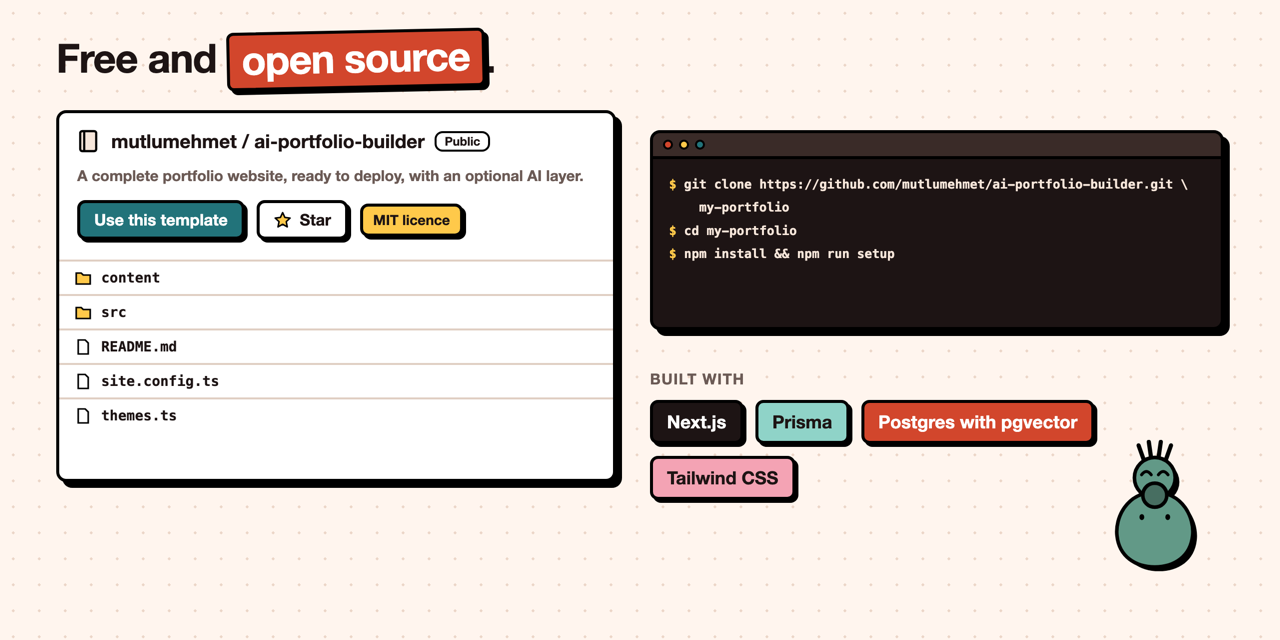
Code: MIT. Sample content (everything in content/, the sample CV, avatar and project images in public/) is released under CC0: use it freely while you test. The sample persona and every company and project in it are fictional; any resemblance to real people or businesses is a coincidence.
About
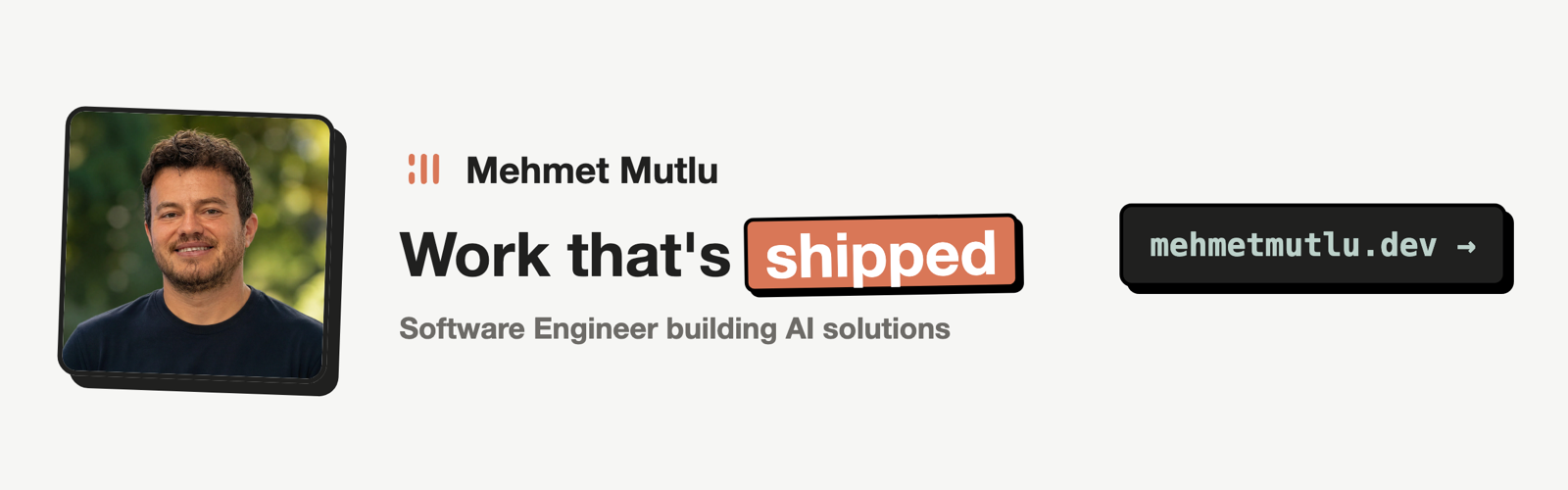
Made by Mehmet Mutlu, mehmetmutlu.dev. If it helps you, you can support it on GitHub Sponsors or Buy Me a Coffee.
Reviews (0)
Sign in to leave a review.
Leave a reviewNo results found