homelab-mcp
Health Warn
- License — License: MIT
- Description — Repository has a description
- Active repo — Last push 0 days ago
- Low visibility — Only 5 GitHub stars
Code Fail
- network request — Outbound network request in package.json
- network request — Outbound network request in pnpm-lock.yaml
- network request — Outbound network request in scripts/media-health.py
- process.env — Environment variable access in scripts/new-module.js
- fs module — File system access in scripts/new-module.js
- network request — Outbound network request in scripts/new-module.js
- child_process — Shell command execution capability in scripts/precommit.js
- execSync — Synchronous shell command execution in scripts/precommit.js
- Hardcoded secret — Potential hardcoded credential in src/__tests__/bazarr.test.ts
Permissions Pass
- Permissions — No dangerous permissions requested
No AI report is available for this listing yet.
MCP server for Proxmox homelab — 65+ tools across 17 domains. Manage VMs, Docker, media stack, monitoring, storage, and networking from AI assistants.
homelab-mcp


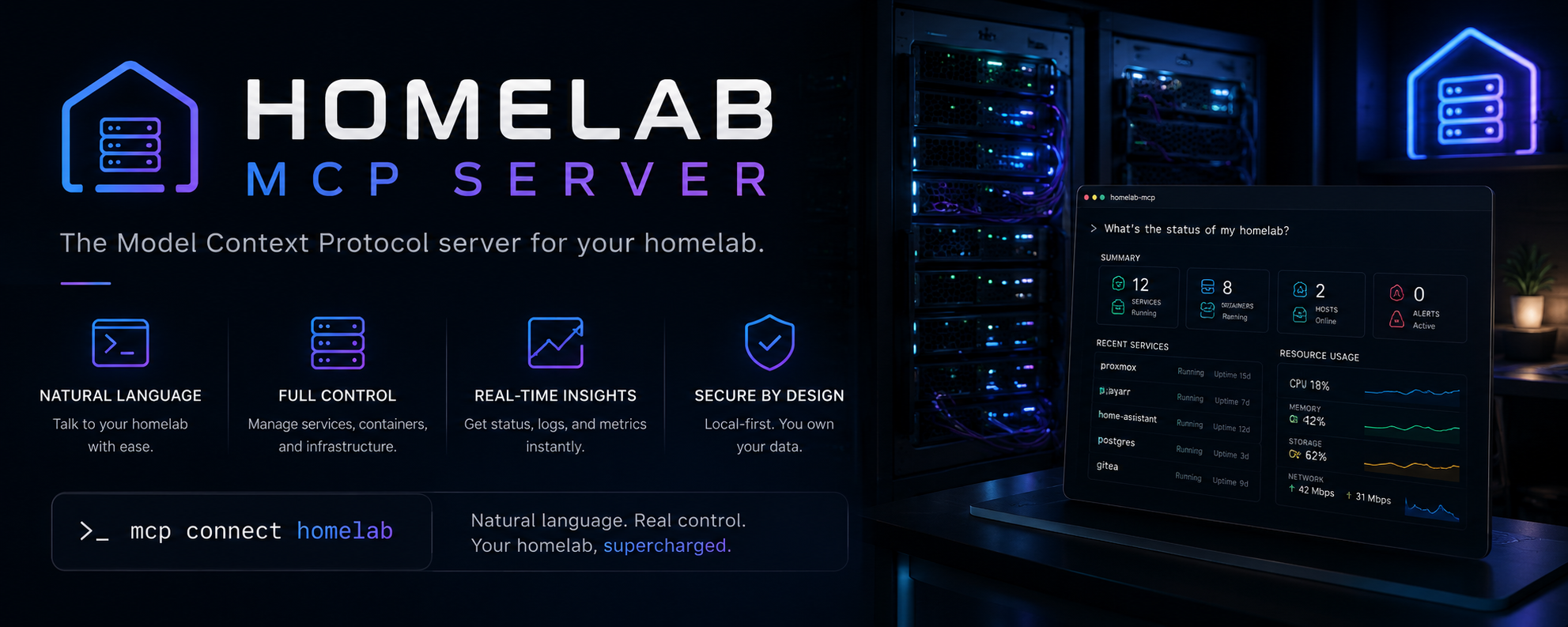
MCP server that gives AI assistants full control of a Proxmox homelab — manage VMs and containers, deploy Docker projects, monitor services, control the media stack, and check storage health, all from conversation.
65+ tools across 17 domains. Modular architecture designed for AI-assisted extensibility.
AI Setup
No manual config needed. The server includes an AI-native setup wizard. Just connect it to your MCP client and say:
"Set up my homelab" or "Configure the MCP server"
The setup wizard scans your configuration, guides you through each setting interactively, saves your answers, and verifies connectivity — all through conversation. Credentials are never exposed to the AI; the wizard masks passwords, API keys, and tokens before returning any results.
Quick start
Prerequisites
- Node.js 20+
- A Proxmox VE host reachable over the network
- A devbox (any SSH-accessible Linux host running Docker)
- (Optional) Media services: Plex, Radarr, Sonarr, SABnzbd, Overseerr, Prowlarr
- (Optional) Monitoring: Prometheus, Grafana, Uptime Kuma
Install
From npm (recommended):
npm install -g homelab-mcp
# Or locally in your project:
npm install homelab-mcp
From source (for contributors):
git clone https://github.com/Nainounen/homelab-mcp.git
cd homelab-mcp
npm install
npm run build
Docker (optional)
A Dockerfile is provided for containerized deployments:
npm run build
cp .env.example .env   # edit with your credentials
docker compose up -d
For most users, running directly with Node.js (no Docker) is simpler — the MCP server communicates over stdio.
Connect to your MCP client
Add to your MCP client's config file. For Claude Code, that's ~/.claude/claude_mcp_config.json:
{
  "mcpServers": {
    "homelab": {
      "command": "npx",
      "args": ["homelab-mcp"],
      "cwd": "/path/to/your/homelab-config"
    }
  }
}
Place your .env file in the cwd directory (copy .env.example from this repo as a starting point). No secrets go in the MCP config — the server loads .env from its working directory.
Then just say "set up my homelab" — the AI-native setup wizard will guide you through the rest.
Configuration
All settings live in .env. See .env.example for the full template. The server starts with the services you configure — any service whose env vars are missing is skipped with a warning.
Required (server won't start without these)
| Variable | Description |
|---|---|
PROXMOX_HOST, PROXMOX_PORT, PROXMOX_USER, PROXMOX_NODE |
Proxmox API access |
PROXMOX_PASSWORD or PROXMOX_KEY_PATH |
Proxmox auth |
DEVBOX_HOST, DEVBOX_USER |
Devbox SSH access |
DEVBOX_PASSWORD or DEVBOX_KEY_PATH |
Devbox SSH auth |
RADARR_URL, RADARR_API_KEY |
Radarr API |
SONARR_URL, SONARR_API_KEY |
Sonarr API |
PROWLARR_URL, PROWLARR_API_KEY |
Prowlarr API |
SABNZBD_URL, SABNZBD_API_KEY |
SABnzbd API |
OVERSEERR_URL, OVERSEERR_API_KEY |
Overseerr API |
Optional (skipped with a warning if missing)
| Variable | Service |
|---|---|
QNAP_HOST, QNAP_USER, QNAP_PASSWORD or QNAP_KEY_PATH |
QNAP NAS |
PLEX_URL, PLEX_TOKEN |
Plex |
TAUTULLI_URL, TAUTULLI_API_KEY |
Tautulli analytics |
BAZARR_URL, BAZARR_API_KEY |
Bazarr subtitles |
ADGUARD_URL, ADGUARD_USER, ADGUARD_PASSWORD |
AdGuard Home |
PBS_URL, PBS_TOKEN_ID, PBS_TOKEN_SECRET |
Proxmox Backup Server |
LIDARR_URL, LIDARR_API_KEY |
Lidarr music |
READARR_URL, READARR_API_KEY |
Readarr books |
UPTIME_KUMA_URL, UPTIME_KUMA_USER, UPTIME_KUMA_PASSWORD |
Uptime Kuma |
PROMETHEUS_URL |
Prometheus API |
GRAFANA_URL, GRAFANA_TOKEN |
Grafana API |
TELEGRAM_BOT_TOKEN, TELEGRAM_CHAT_ID |
Telegram notifications |
Security settings
| Variable | Default | Description |
|---|---|---|
SSH_STRICT_HOST_KEY |
false |
Set to true to enable known_hosts verification |
PROXMOX_TLS_VERIFY |
false |
Set to true to validate Proxmox TLS certificates |
PBS_TLS_VERIFY |
false |
Set to true to validate PBS TLS certificates |
Tuning
| Variable | Default | Description |
|---|---|---|
MAX_OUTPUT_CHARS |
30000 |
Max characters per tool result before truncation (0 disables) |
HTTP_RETRIES |
3 |
Retries for transient HTTP failures (0 disables) |
DEVBOX_CMD_TIMEOUT |
30000 |
Devbox SSH command timeout in ms |
PROXMOX_CMD_TIMEOUT |
60000 |
Proxmox SSH command timeout in ms |
Tools reference
Infrastructure
| Tool | Description |
|---|---|
proxmox_list_nodes |
List Proxmox nodes with CPU, RAM, uptime |
proxmox_list_vms |
List all VMs and LXC containers |
proxmox_start_vm |
Start a VM or container |
proxmox_stop_vm |
Stop a VM or container |
proxmox_restart_vm |
Restart a VM or container |
proxmox_get_metrics |
Detailed metrics for one VM/CT |
proxmox_get_node_metrics |
Node-level CPU, RAM, disk, load |
proxmox_create_ct |
Create a new Debian 12 LXC container |
proxmox_get_logs |
Tail task log for a VM/CT |
proxmox_exec |
Run a shell command on Proxmox host (dangerous commands blocked) |
Devbox & Docker
| Tool | Description |
|---|---|
devbox_exec |
Run a shell command on the devbox (dangerous commands blocked) |
devbox_read_file |
Read a file (max 100 KB) |
devbox_write_file |
Write a file, auto-creates parent dirs (max 1 MB) |
devbox_list_dir |
List directory contents |
devbox_docker_ps |
Show running Docker containers |
devbox_docker_compose |
Run compose up/down/restart/pull/logs |
devbox_git |
Git status, pull, log, or clone a repo |
devbox_project_deploy |
Deploy: git pull → compose pull → compose up → status |
devbox_project_status |
Health check for a deployed project |
devbox_project_list |
Scan a base path for compose projects |
Media — download & library
| Tool | Description |
|---|---|
radarr_search_movie |
Search for a movie by title |
radarr_add_movie |
Add a movie and trigger download search |
radarr_list_movies |
List movies with download status (filter/search/limit) |
radarr_remove_movie |
Remove a movie (optionally delete files) |
radarr_get_queue |
Active movie downloads with progress |
radarr_force_search |
Re-search indexers for a movie |
radarr_get_history |
Recent download history |
radarr_check_releases |
Show available releases and rejections |
radarr_clear_queue |
Remove all items from download queue |
radarr_clear_blocklist |
Clear the release blocklist |
radarr_blocklist_release |
Blocklist a bad release and retry |
radarr_list_path_mappings |
List remote path mappings |
radarr_set_path_mapping |
Add/update a path mapping |
sonarr_search_series |
Search for a TV series by title |
sonarr_add_series |
Add a series and trigger download |
sonarr_list_series |
List series with episode progress (filter/search/limit) |
sonarr_remove_series |
Remove a series (optionally delete files) |
sonarr_get_queue |
Active episode downloads with progress |
sonarr_force_search |
Re-search for missing episodes |
sonarr_season_search |
Search for a specific season |
sonarr_check_releases |
Show releases and rejections for a season |
sonarr_blocklist_release |
Blocklist and retry a failed download |
sonarr_clear_queue |
Clear the download queue |
sonarr_clear_blocklist |
Clear the release blocklist |
sonarr_list_path_mappings |
List remote path mappings |
sonarr_set_path_mapping |
Add/update a path mapping |
sabnzbd_get_status |
Download speed, ETA, disk space, queue size |
sabnzbd_list_queue |
Active NZB downloads with progress |
sabnzbd_get_history |
Recent download history |
sabnzbd_pause_queue |
Pause downloads |
sabnzbd_resume_queue |
Resume downloads |
sabnzbd_delete_item |
Delete a queue item by NZO ID |
prowlarr_list_indexers |
List indexers with status |
prowlarr_sync_apps |
Sync indexers to Radarr/Sonarr |
prowlarr_test_indexers |
Test all (or one) indexer |
lidarr_search_artist |
Search for a music artist |
lidarr_add_artist |
Add an artist to Lidarr |
lidarr_list_artists |
List all artists with album counts |
lidarr_remove_artist |
Remove an artist |
lidarr_get_queue |
Active music downloads |
readarr_search_book |
Search for a book |
readarr_add_book |
Add a book to Readarr |
readarr_list_books |
List all books |
readarr_get_queue |
Active book downloads |
Media — Plex & requests
| Tool | Description |
|---|---|
plex_get_libraries |
List Plex libraries with item counts |
plex_search |
Search across all libraries |
plex_get_sessions |
Who is streaming, what, transcode/direct play |
plex_recently_added |
Recently added movies and episodes |
plex_refresh_library |
Trigger a library scan |
plex_delete_media |
Permanently delete by ratingKey |
plex_get_watch_history |
Recent watch history across users |
seerr_list_requests |
List media requests from family |
seerr_approve_request |
Approve a pending request |
seerr_decline_request |
Decline a request |
seerr_delete_request |
Delete a request |
seerr_stats |
Request statistics |
tautulli_get_activity |
Current Plex streams (Tautulli) |
tautulli_get_history |
Plex watch history (Tautulli) |
tautulli_get_stats |
30-day play stats |
bazarr_status |
Wanted subtitle counts |
bazarr_download_subtitle |
Trigger manual subtitle download |
Media — operational
| Tool | Description |
|---|---|
media_status |
Running container status and uptime |
media_logs |
Tail logs for a media container |
media_restart |
Restart a media container |
media_dashboard |
All-in-one: Proxmox, containers, downloads, library, storage, GPU |
nvidia_status |
GPU temp, util, VRAM, power |
security_status |
SSH config and Proxmox firewall status |
Monitoring & observability
| Tool | Description |
|---|---|
prometheus_snapshot |
Quick CPU, RAM, disk, network, container health |
prometheus_query |
Run an arbitrary PromQL query |
prometheus_range_query |
Historical metric trends |
grafana_list_dashboards |
List all dashboards |
grafana_get_dashboard |
Get panel list for a dashboard |
grafana_query_panel |
Query actual data from a panel |
uptime_status |
Monitor up/down status and latency |
Storage, network & DNS
| Tool | Description |
|---|---|
qnap_status |
QNAP NAS: RAID, drive temps, storage |
qnap_disk_health |
SMART health per drive |
qnap_storage_usage |
Per-share usage and LVM |
qnap_raid_status |
RAID array health check |
pbs_status |
PBS datastore usage |
pbs_list_snapshots |
Recent backup snapshots |
pbs_get_tasks |
Backup/verify/GC task history |
adguard_stats |
DNS query stats and block rate |
adguard_check_host |
Check if a domain is blocked |
adguard_toggle_protection |
Enable/disable DNS filtering |
wol_send |
Wake-on-LAN magic packet |
tailscale_status |
Tailscale peers and status |
Updates, notifications & meta
| Tool | Description |
|---|---|
container_check_updates |
Check for newer Docker images |
container_update |
Pull + restart a container |
notify_telegram |
Send a message to Telegram |
homelab_health |
Ping all configured services, report reachable/down + latency |
homelab_capabilities |
Start here — lists all available tools |
homelab_setup |
AI-guided setup wizard — configure .env through conversation |
Architecture
src/
├── {service}.ts          # Layer 1: HTTP/SSH client factory
├── tools/{service}.ts    # Layer 2: Zod schemas + implementations
├── modules/{service}.ts  # Layer 3: Tool definitions + handler router
├── modules/registry.ts   # Central module registry
└── index.ts              # MCP server entry point
Each integration follows the same three-file pattern. Adding a new service means creating these three files and registering it in the registry. The scaffolding script handles the boilerplate:
npm run new-module -- tautulli
See CONTRIBUTING.md for the full guide.
Security
- Credentials: All secrets live in
.env, which is gitignored. Never commit it. - SSH host keys: Verification is off by default (homelab hosts change keys often). Set
SSH_STRICT_HOST_KEY=trueto enable it. - TLS: Proxmox/PBS self-signed certs — verification off by default. Set
PROXMOX_TLS_VERIFY=true/PBS_TLS_VERIFY=trueif you have trusted certs. - Command safety:
exectools block destructive commands (rm -rf /,mkfs,shutdown, etc.). - Error sanitization: Error messages returned to the MCP client are sanitized — full details go to stderr.
See SECURITY.md for details.
License
MIT — see LICENSE.
Reviews (0)
Sign in to leave a review.
Leave a reviewNo results found