InlineAsk-Release
Health Warn
- No license — Repository has no license file
- Description — Repository has a description
- Active repo — Last push 0 days ago
- Low visibility — Only 5 GitHub stars
Code Pass
- Code scan — Scanned 2 files during light audit, no dangerous patterns found
Permissions Pass
- Permissions — No dangerous permissions requested
This is a macOS menu bar application that provides system-wide inline AI assistance. It allows users to trigger an AI prompt window via a keyboard shortcut to rewrite, translate, or generate text, and directly inject the results into any active application.
Security Assessment
The application carries a High inherent risk due to its advertised agentic features. It explicitly has the capability to execute AppleScript and Bash shell commands, browse the web, and access your local files or emails. If connected to an external API provider (like OpenAI or Anthropic), your text prompts will be sent over the internet to third-party servers. The automated code scan (2 files) did not find dangerous patterns or hardcoded secrets, but a light scan cannot fully mitigate the dangers of a tool designed to execute system commands based on AI output.
Quality Assessment
The project is currently active with a very recent last push, though it has extremely low community visibility (only 5 GitHub stars). This means it has not been widely peer-reviewed by the broader developer community. While the README displays an MIT badge, the automated audit flagged a missing license file in the repository. As a proprietary-seeming tool by a solo creator, it requires you to place a high degree of trust in the developer.
Verdict
Use with caution — while the light code scan is clean, its ability to autonomously execute shell commands and send data to external APIs makes it a powerful tool that should only be used if you fully trust your configured AI provider and understand the security implications.
Free, local, chat/edit text everywhere. Star if you like ⭐️https://namikemen.github.io/InlineAsk-Release/

Inline Ask ⚡️


Inline Ask is a system-wide macOS menu bar application that brings cursor-like inline AI assistance (⌘K style) to any application on your Mac.
Say goodbye to "Apple Intelligence" and Siri. With Inline Ask, you can harness the cutting-edge speed of local open-source models like Gemma 4 or connect directly to premium API providers (OpenAI, Anthropic, Gemini, Mistral, Groq), enabling deeply integrated and autonomous assistance anywhere you type.
Tags: #macOS #AI #ChatGPT #Productivity #LLM #Menu-Bar-App #Gemma #Ollama #LocalAI #AppleIntelligenceAlternative
🎥 Demos
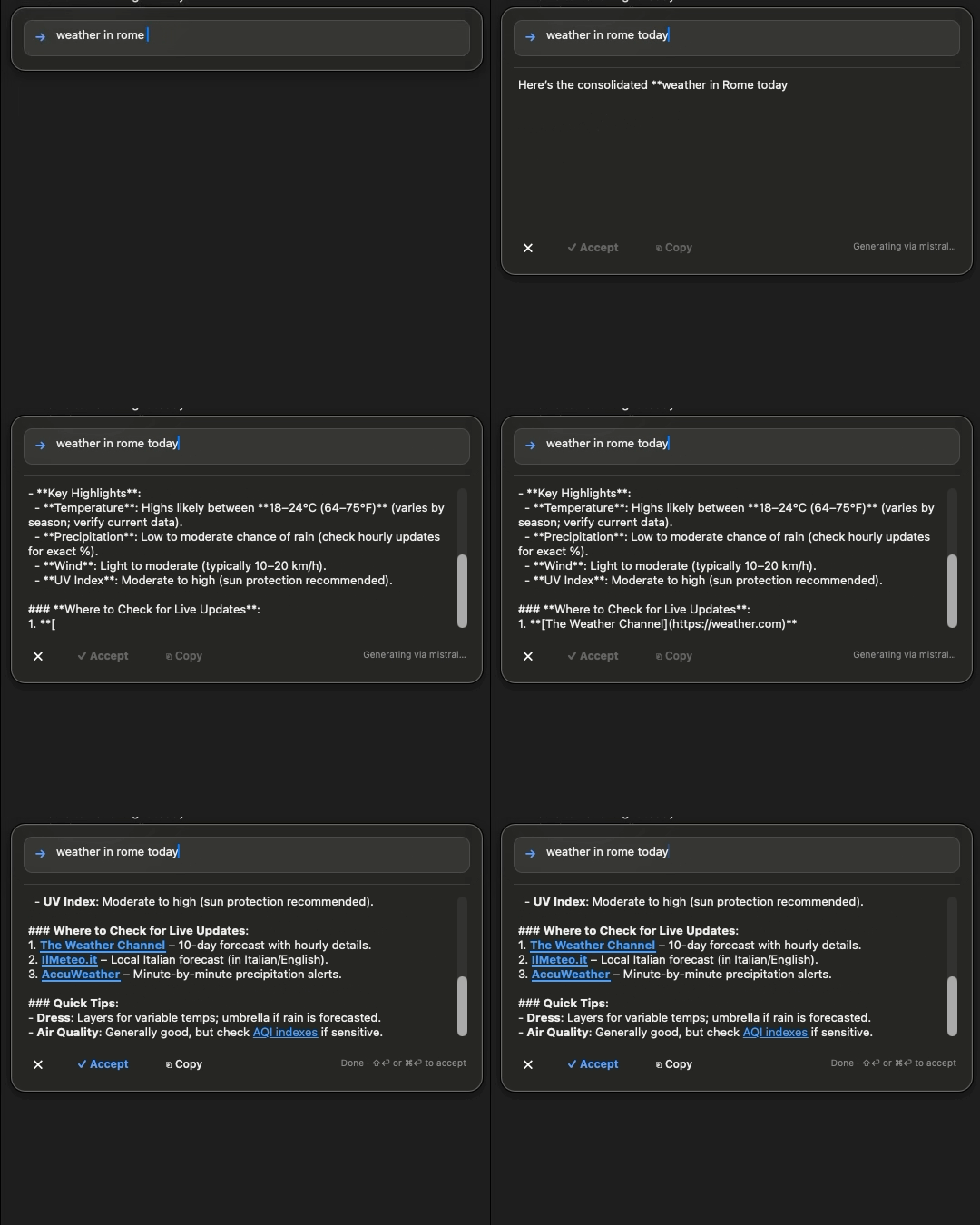
Browse Web |
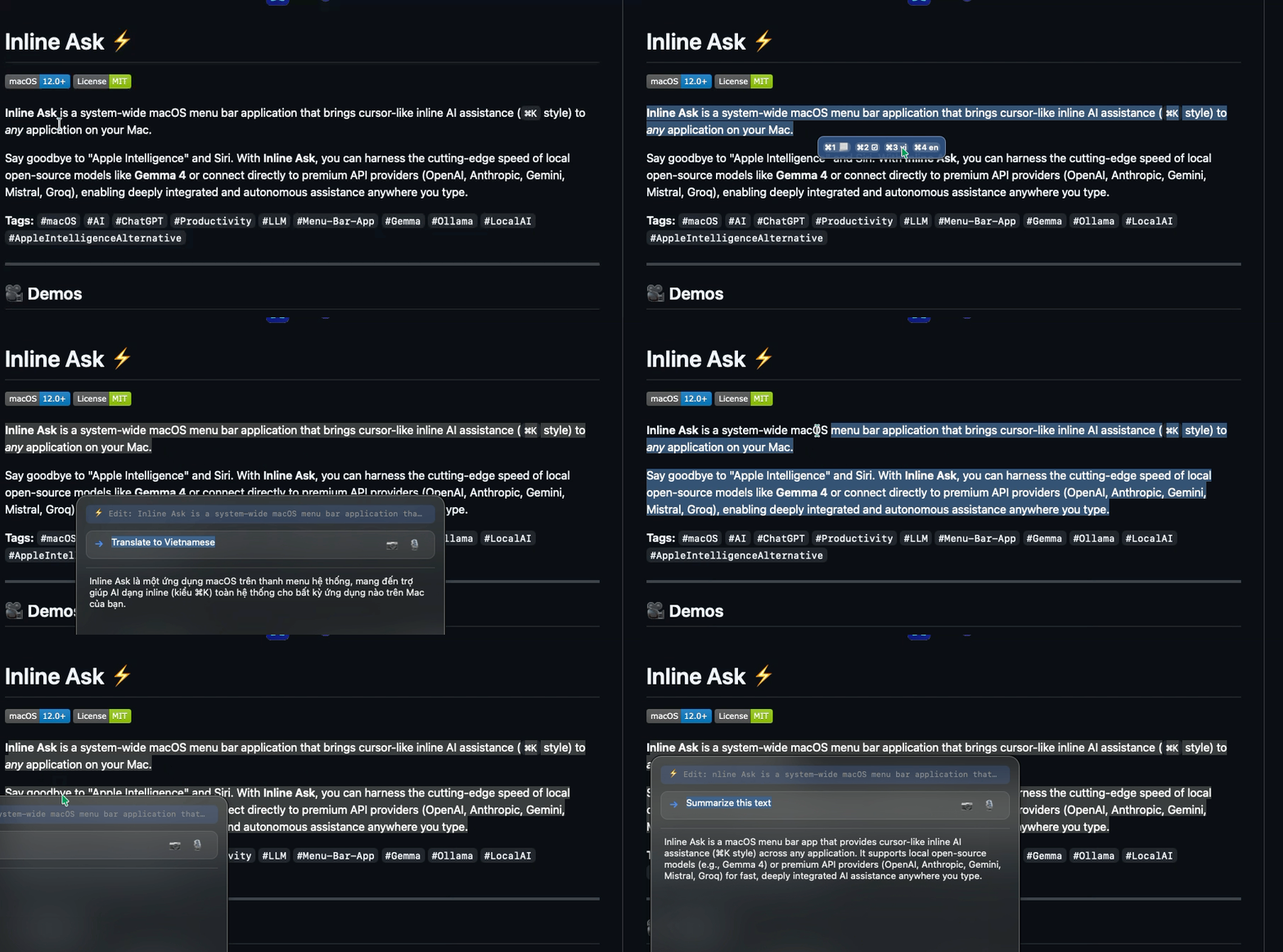
Translate |
 |
 |
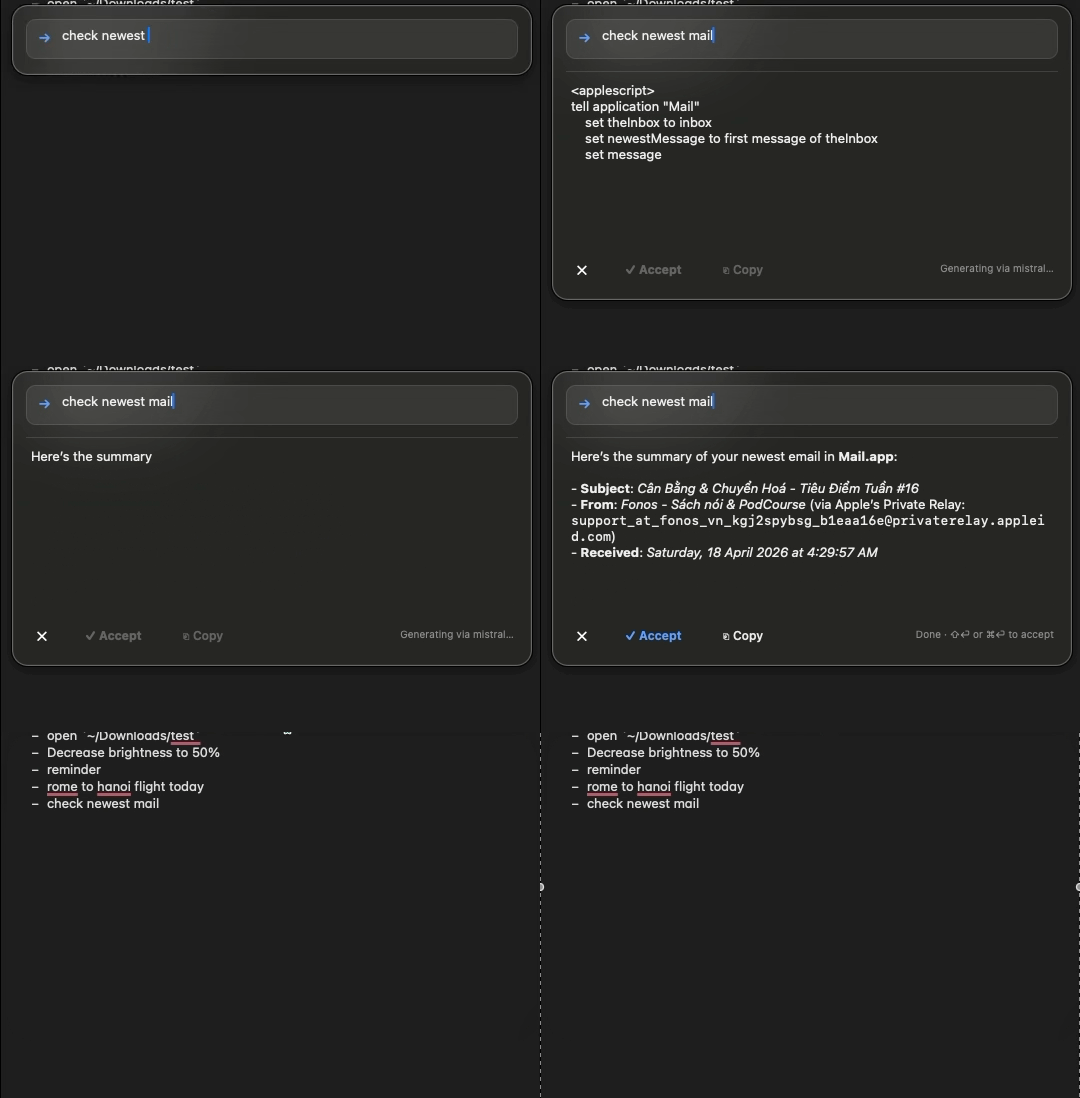
Check Email |
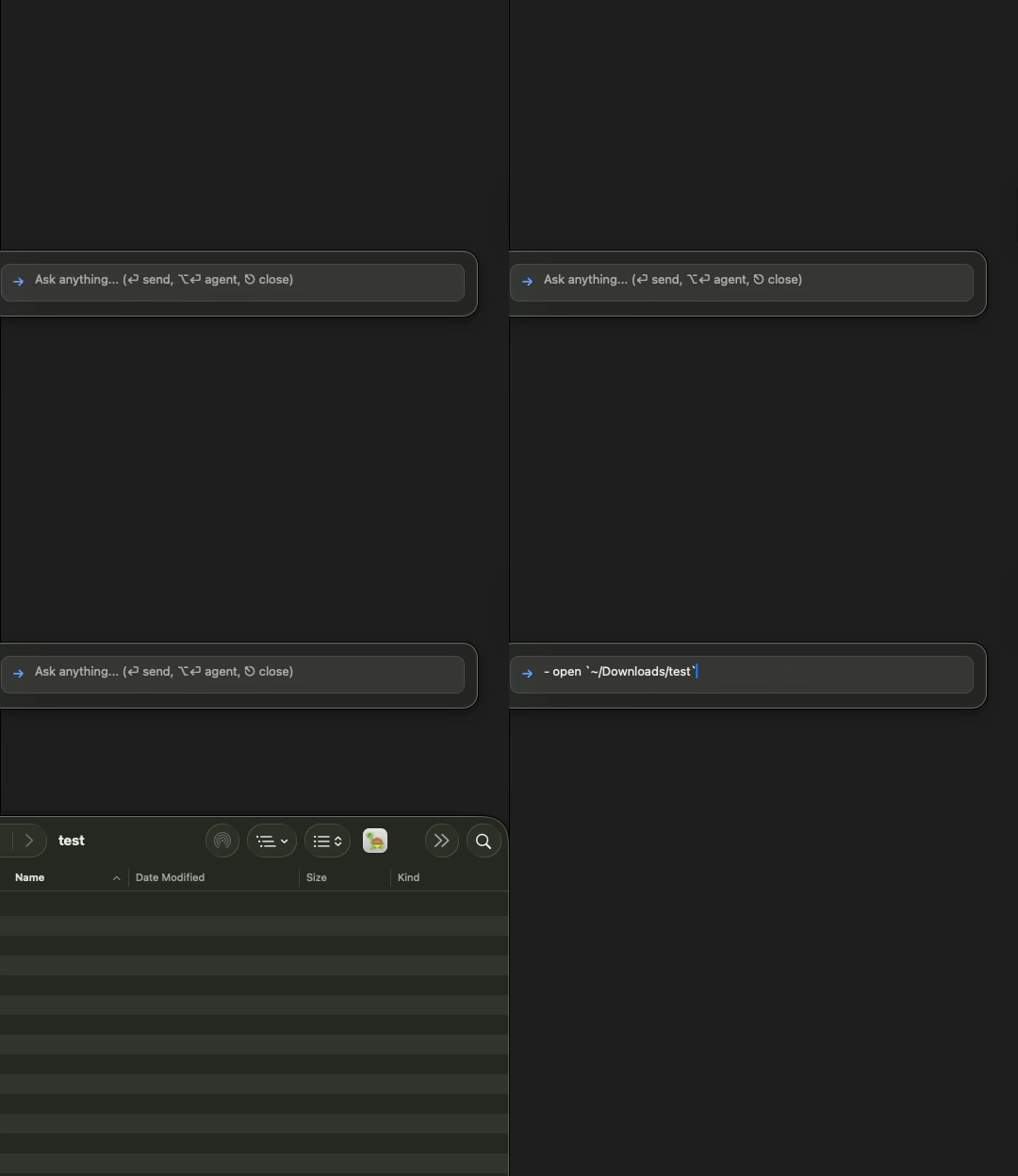
Execute System Commands |
 |
 |
(Note: If the videos above don't render on Github locally, click on them to download or view the raw file).
✨ Key Features
- Universal
⌘KEditing: Trigger the AI directly inside Word, VS Code, Notes, or your Browser. Ask it to fix grammar, rewrite emails, translate, or write code, and instantly inject the result into your active application. - Agentic Capabilities: Inline Ask can autonomously browse the web and execute AppleScript/Bash shell commands on your machine to control your Mac (like setting brightness, managing apps, or finding files).
- Multi-Modal Vision Support: Paste images straight into the prompt via
Cmd+Vfor instantaneous visual analysis across all providers. - Provider Agnostic: Connects instantly to
Ollama,OpenAI,Anthropic,Google Gemini,Mistral, andGroq. (Recommendation: Use the Mistral Free API for an excellent zero-cost cloud experience). - 100% Local Inference Support: Fully takes advantage of lightweight local models via Ollama for zero-latency, offline, and private AI capabilities. (Recommendation: Use Gemma 4 (Quantized) for the best balance of speed and intelligence).
🚀 Installation
Option 1: The Easy Way (Homebrew)
If you have Homebrew installed, simply open your Terminal and run:
brew tap namikemen/inlineask
brew install inline-ask
Note: This automatically bypasses Apple's Gatekeeper quarantine for you!
Option 2: Manual Download
- Go to the Releases Tab.
- Download
InlineAsk-Release.zip. - Unzip it and drag
InlineAsk.appto yourApplicationsfolder. - Important: Because this app isn't signed under a paid $99/year Apple Developer account, macOS Gatekeeper will block it upon first launch. Run this single command in your Terminal to fix it:
xattr -cr /Applications/InlineAsk.app - Double click
InlineAsk.appto launch it. Note: you won't see a Dock icon because this is an invisible background Menu-bar agent!
⚙️ Setup Guide
Local (Recommended): Ollama + Gemma
For private and fast local inference, install Ollama and use a small Gemma model.
- Install Ollama:
- macOS: https://ollama.com/download or:
brew install ollama- Windows: install from https://ollama.com/download, then open PowerShell.
- Start Ollama (if it is not already running).
- Pull a lightweight model (recommended for most laptops):
You can also try a 3B-class model if your machine can handle it.ollama pull gemma3:2b - Open Inline Ask settings (
Cmd + ,on macOS, or Settings from the app menu on Windows) and set provider/model to Ollama + your pulled model.
API Providers: Add Key in Settings
If you prefer cloud models (OpenAI, Anthropic, Gemini, Mistral, Groq):
- Open settings (
Cmd + ,on macOS, or Settings from the app menu on Windows). - Select your provider.
- Paste your API key in the corresponding key field.
- Save and run a quick prompt to confirm it works.
Free API Keys (Recommended Cloud Options)
Mistral (Free Tier)
- Go to https://console.mistral.ai/ and create an account.
- Open the API keys page and create a new key.
- Copy the key and paste it into Inline Ask Settings under
Mistral. - Select a Mistral model and test with a short prompt.
Google Gemini (Free Tier)
- Go to https://aistudio.google.com/ and sign in.
- Click Get API key (or open API key management) and create a key.
- Copy the key and paste it into Inline Ask Settings under
Gemini. - Select a Gemini model and test with a short prompt.
💥 Keyboard Shortcuts
⌥ + Space: Reveal the UI on top of your screen anywhere.Cmd + ,: Open the Settings Window to input your API keys or switch models.Shift + Enter: Commit and paste the generated AI result seamlessly into the active app underneath.
🛠 Development Status & Feedback
Inline Ask is currently in active development. Agentic capabilities (like autonomous web browsing and system command execution) are still being refined.
We highly encourage you to provide feedback and recommend new features! 🚀
If you have suggestions, encounter bugs, or want to see a specific capability added, please feel free to open an issue. Your input is essential to making this tool better.
Reviews (0)
Sign in to leave a review.
Leave a reviewNo results found