coralline
Health Warn
- License — License: MIT
- Description — Repository has a description
- Active repo — Last push 0 days ago
- Low visibility — Only 8 GitHub stars
Code Pass
- Code scan — Scanned 3 files during light audit, no dangerous patterns found
Permissions Pass
- Permissions — No dangerous permissions requested
No AI report is available for this listing yet.
🪸 Powerlevel10k-inspired statusline for Claude Code — paste one prompt and your AI interviews you, then installs it
coralline
A Powerlevel10k-inspired statusline for Claude
Code that installs itself through your AI — paste one prompt, answer a few questions
about colors and layout, done.
Install (the fun way)
Paste this into Claude Code:
Please install coralline for me:
fetch https://raw.githubusercontent.com/Nanako0129/coralline/main/INSTALL.md
and follow the playbook in it.
Claude will ask you to pick a theme (with previews), choose which segments you want, decide
between a one-line or two-line layout, then wire everything up and verify it. No manual
config editing required.
What you get
╭ ~/side-project/coralline ⎇ main+! ◆ Fable 5 ⬡ ▰▰▰▱▱ 62% ↑1.2M ↓45.6k 5h ▰▰▱▱▱ 41% ↺2h44m $1.23 ⊙ 02:45 pm ╮
| Segment | Shows |
|---|---|
dir |
current directory, long paths collapsed to ~/a/…/z |
git |
branch, staged + / modified ! / untracked ?, ahead ⇡ behind ⇣ |
model |
active Claude model |
ctx |
context-window gauge, input/output/cache token counts |
limit5h / limit7d |
rate-limit gauges with reset countdown |
cost |
session cost in USD |
clock |
time, 12h or 24h |
lines |
lines added/removed this session |
style |
active output style |
duration |
session wall-clock duration |
stash |
git stash count |
Gauges change color as they fill: green → yellow at 50% → red at 75% (thresholds configurable).
Why it's fast
The statusline runs every second (refreshInterval: 1), so the script is built to be cheap:
one jq invocation extracts every field at once, and one git status --porcelain=v2 --branch
call provides branch, dirty state, and ahead/behind together. No bc, no per-field subprocess
spam. Works on stock macOS bash 3.2 and any Linux bash.
Manual install
git clone https://github.com/Nanako0129/coralline ~/.claude/coralline-src
mkdir -p ~/.claude/coralline/themes
cp ~/.claude/coralline-src/statusline.sh ~/.claude/coralline/
cp ~/.claude/coralline-src/themes/claude-coral.conf ~/.claude/coralline/themes/
Then add to ~/.claude/settings.json:
{
  "statusLine": {
    "type": "command",
    "command": "bash ~/.claude/coralline/statusline.sh",
    "refreshInterval": 1
  }
}
Note: requires
jqand a Nerd Font terminal.
No Nerd Font? SetVL_ASCII=1in your config for a glyph-free rendering.
Configuration
Everything lives in ~/.claude/coralline.conf (plain bash, sourced by the script):
| Variable | Default | Meaning |
|---|---|---|
VL_STYLE |
pill |
pill: powerline pills · lean: flat colored text, p10k-lean style |
VL_LAYOUT |
fixed |
fixed: one line per VL_SEGMENTS* var · auto: responsive |
VL_MAX_LINES |
2 |
auto only — wrap into at most this many lines (1 = never wrap) |
VL_SEGMENTS |
dir git model ctx limit5h limit7d cost clock |
segments on line 1, in order (the full list in auto mode) |
VL_SEGMENTS2 / VL_SEGMENTS3 |
(empty) | fixed only — optional second/third line |
VL_CLOCK |
12h |
12h / 24h / off |
VL_CLOCK_SECONDS |
1 |
show seconds in the clock |
VL_BAR_WIDTH |
5 |
gauge width in cells |
VL_PATH_DEPTH |
4 |
collapse paths deeper than this |
VL_COST_DECIMALS |
2 |
decimal places for the cost segment |
VL_WARN_PCT / VL_HOT_PCT |
50 / 75 |
gauge color thresholds |
VL_ASCII |
0 |
1 disables Nerd Font glyphs |
VL_BG_* / VL_FG_* |
theme | colors — 256-color index or "R,G,B" |
Responsive layout
With VL_LAYOUT="auto" the bar stays on a single line while it fits, and greedily wraps into
up to VL_MAX_LINES rows when the window gets narrow. Width is read from $COLUMNS, falling
back to stty size on the controlling terminal; if neither is available the bar stays on one
line. Once the line cap is reached, remaining segments overflow on the last line.
wide window:    ~/dev/app  ⎇ main  ◆ Fable 5  ⬡ ▰▰▰▱▱ 62%  5h ▰▰▱▱▱ 41%  $1.23  ⊙ 14:45

narrow window:  ~/dev/app  ⎇ main  ◆ Fable 5
                ⬡ ▰▰▰▱▱ 62%  5h ▰▰▱▱▱ 41%  $1.23  ⊙ 14:45
Prefer a layout that never moves? Keep VL_LAYOUT="fixed" and pin rows withVL_SEGMENTS / VL_SEGMENTS2 / VL_SEGMENTS3.
Lean style
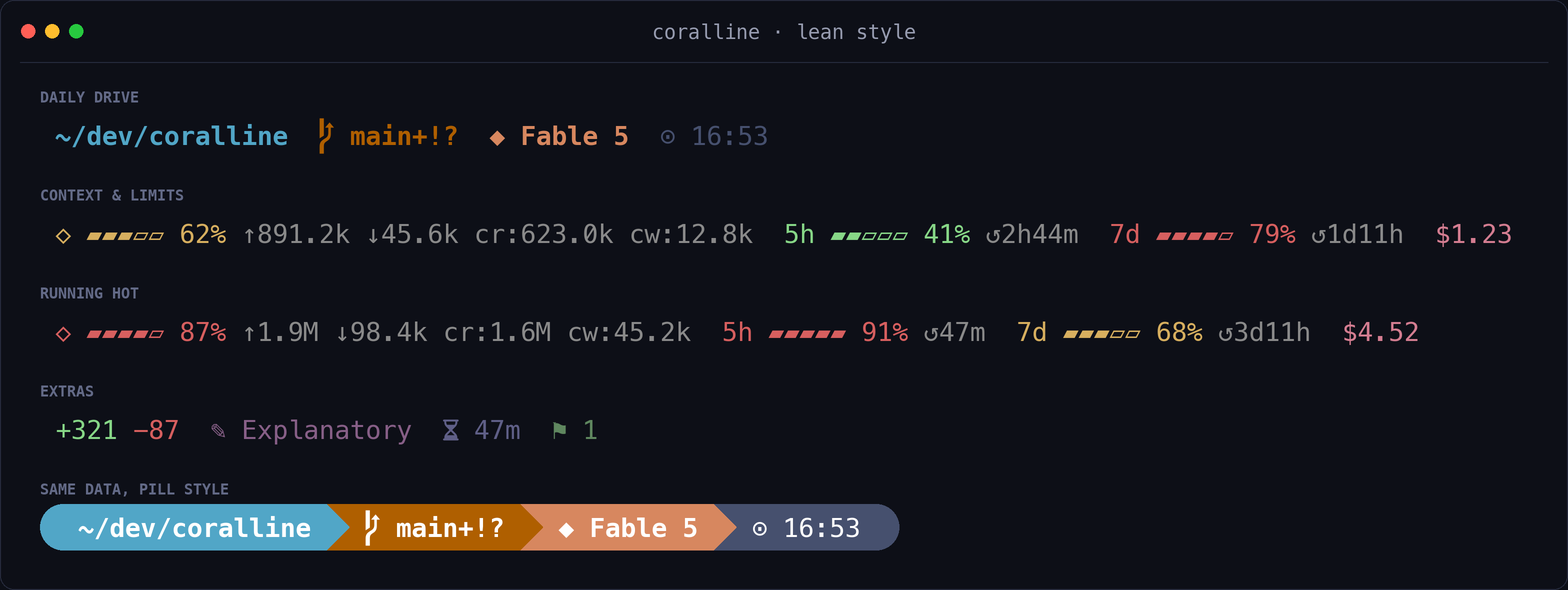
Prefer Powerlevel10k's lean look — no backgrounds, just colored text? SetVL_STYLE="lean" and each segment's VL_BG_* color becomes its text accent instead:
| Variable | Default | Meaning |
|---|---|---|
VL_STYLE |
pill |
set to lean for the flat look |
VL_LEAN_SEP |
(empty) | extra text between segments, e.g. · |
VL_LEAN_FG |
(empty) | force a text color; empty = inherit each segment's accent |
Tip: already a p10k user? Tell the AI installer to import your
~/.p10k.zsh— it will
carry over your style, colors, and time format. See the
Powerlevel10k import step in INSTALL.md.
Themes
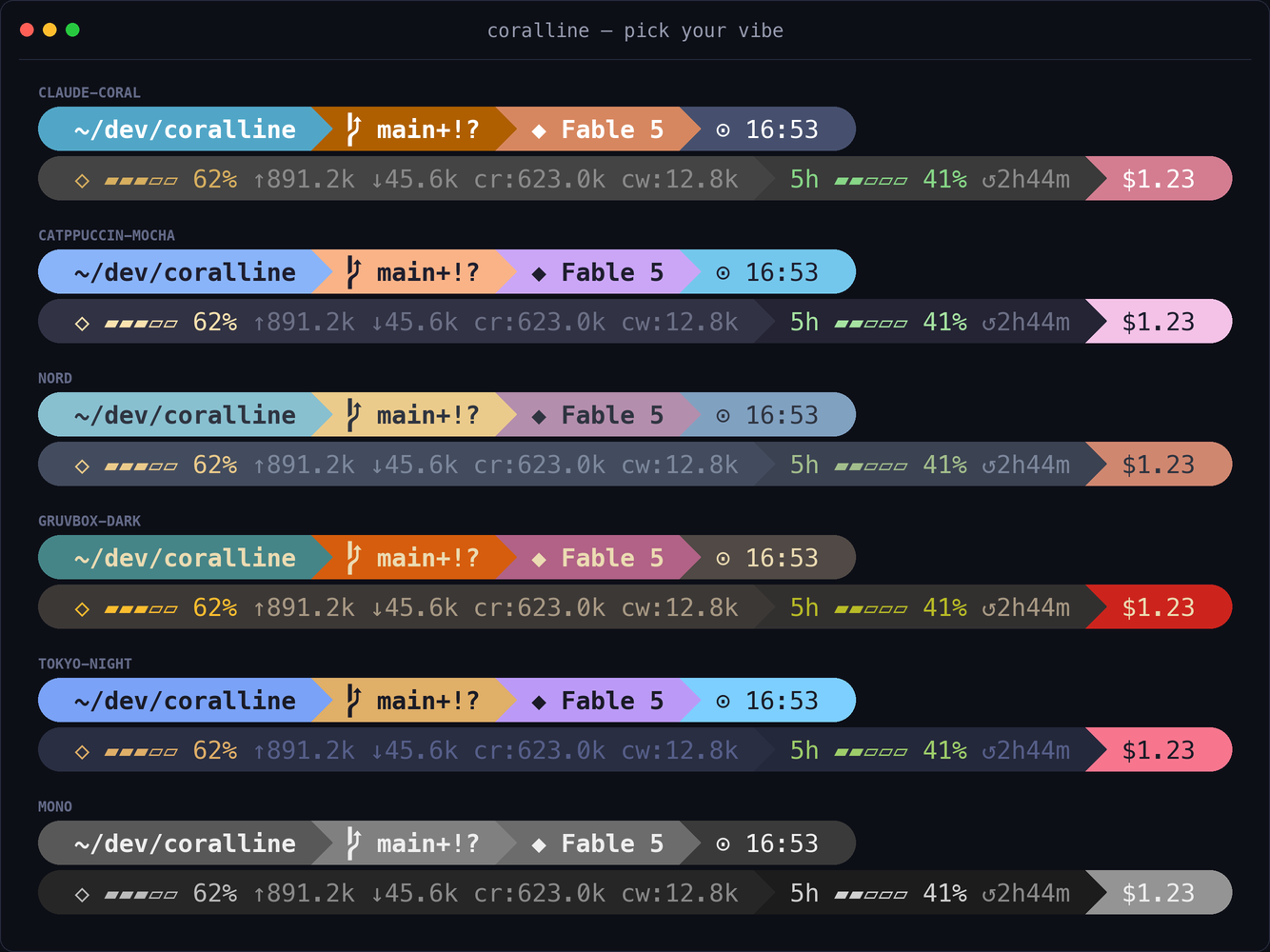
claude-coral — steel blue · mauve · Claude coral (default)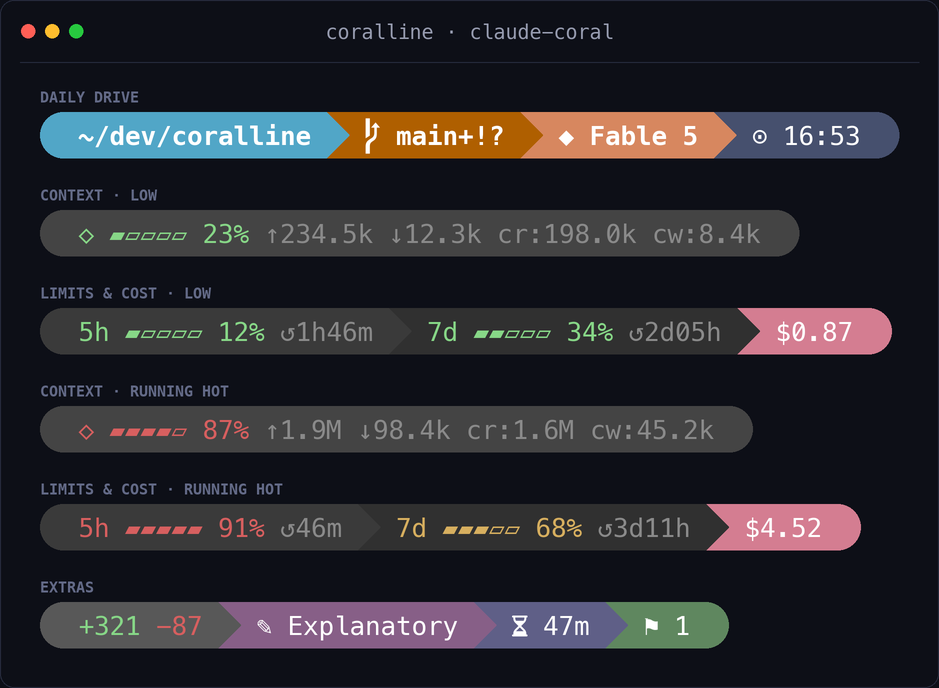 |
catppuccin-mocha — soft pastels on dark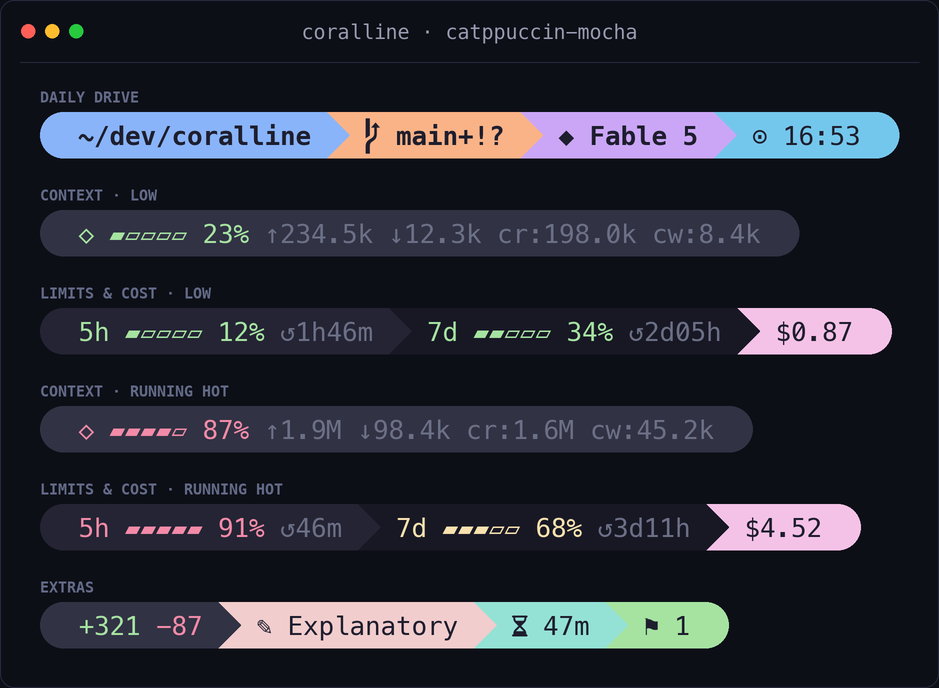 |
nord — arctic frost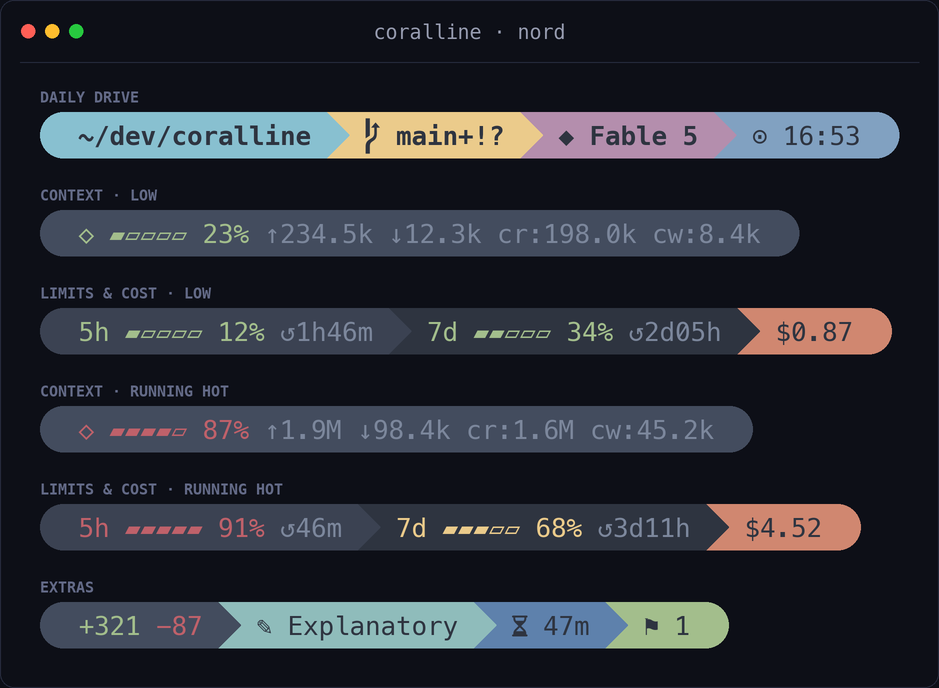 |
gruvbox-dark — warm retro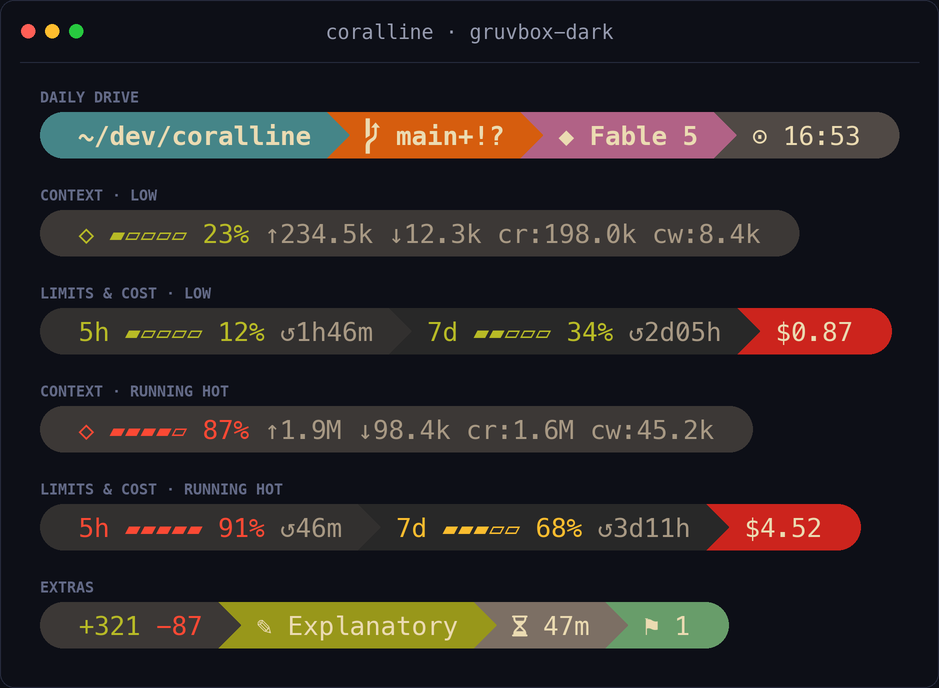 |
tokyo-night — neon on deep navy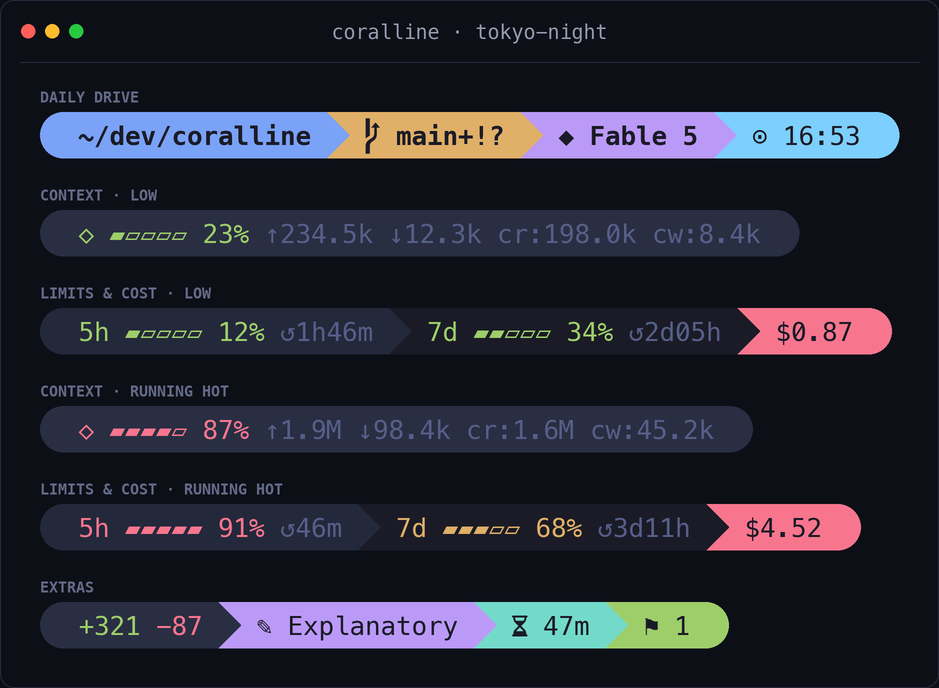 |
mono — grayscale minimalism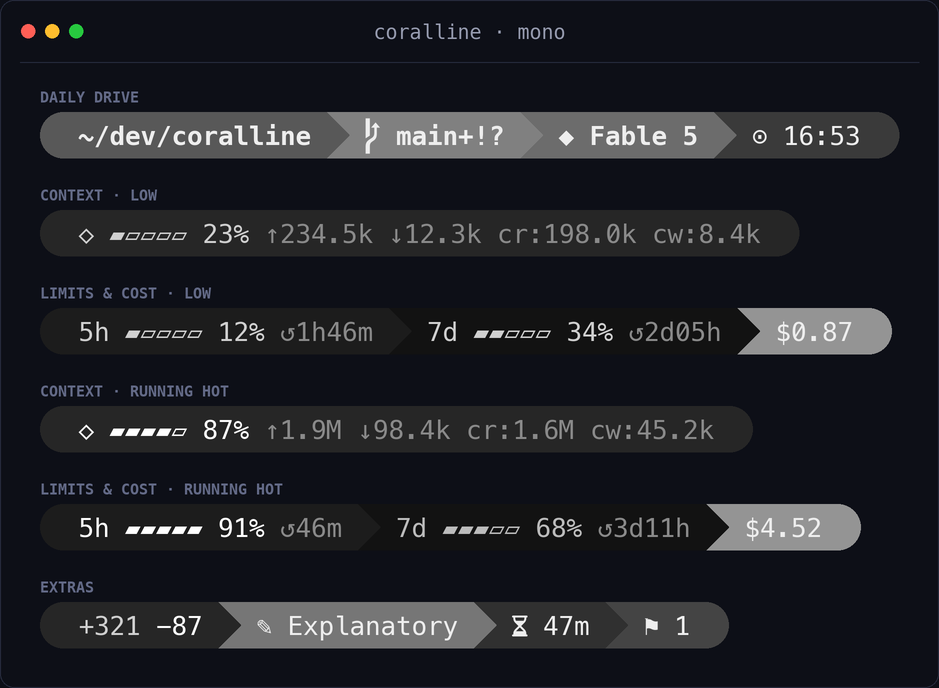 |
A theme is just a .conf file assigning VL_BG_* / VL_FG_* — copy one, change the colors,
and source yours from coralline.conf instead. PRs with new themes are welcome.
Tip: the preview images are generated from the real script by
tools/render-screenshots.py— after adding a theme, add it
to theTHEMESlist there and re-run it to get a matching preview.
Acknowledgements
The visual language of coralline — segmented pills, powerline transitions, the ⇡⇣ git
glyphs, gauges that shift color as they fill — is a loving tribute to
Powerlevel10k by
@romkatv, which set the bar for what a fast, beautiful prompt
can be. Thanks also to the wider powerline lineage
that started it all, and to Nerd Fonts for the glyphs that make
the pill shapes possible.
As for the name: coralline algae build reefs one thin, colorful layer at a time —
and coral·line is exactly what this is: a line, in Claude's coral.
License
Reviews (0)
Sign in to leave a review.
Leave a reviewNo results found