narrative-skills-marketplace
Health Warn
- License — License: MIT
- Description — Repository has a description
- Active repo — Last push 0 days ago
- Low visibility — Only 5 GitHub stars
Code Pass
- Code scan — Scanned 12 files during light audit, no dangerous patterns found
Permissions Pass
- Permissions — No dangerous permissions requested
No AI report is available for this listing yet.
An agent skills marketplace from Narrative I/O — interactive, AI-powered slash-command workflows for the recurring work of a modern data company (NQL, Rosetta Stone mappings, identity graphs, and more). Follows the Agent Skills spec.
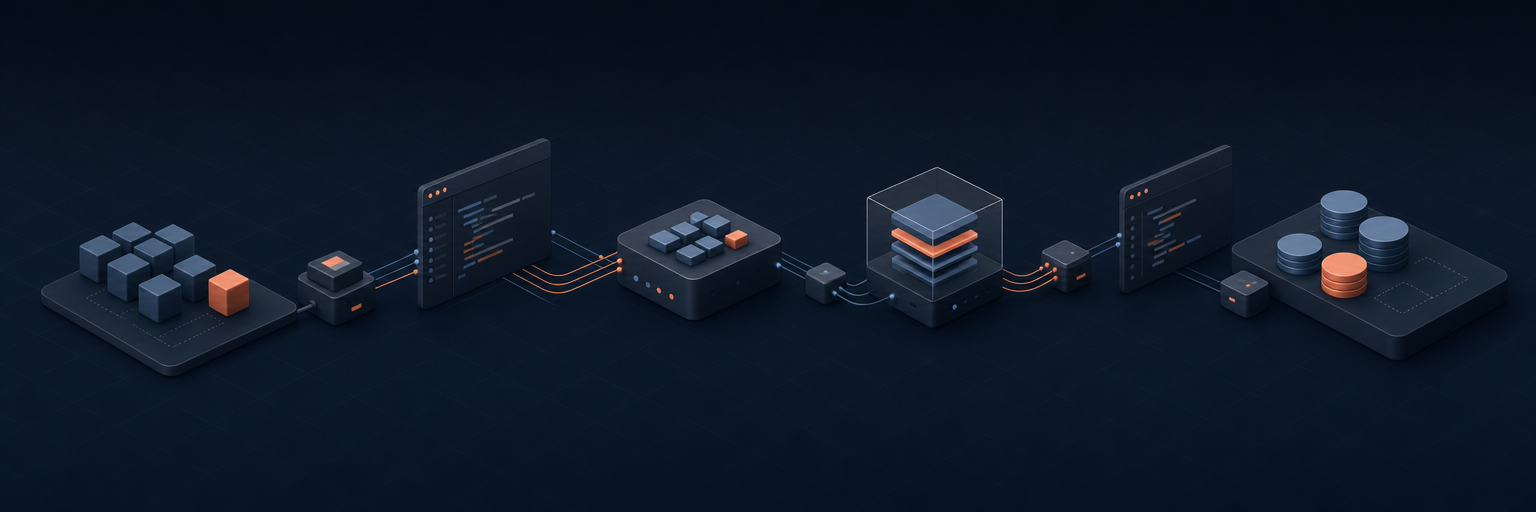
Narrative Skills Marketplace
An agent skills marketplace from Narrative I/O.
Interactive, AI-powered workflows that walk you through the recurring
work of a modern data company — mapping schemas, writing NQL,
qualifying leads, shipping code, building decks — one approval at a time.







Versioning. The marketplace as a whole ships under
CalVer (YYYY.MM.PATCH) — see the
latest release
for what's stable today. Individual plugins and skills carry their
own SemVer in their manifests and may iterate between marketplace
releases. Pin a release tag (e.g.git checkout v2026.05.0) — notmain— if you depend on a
specific shape;mainmoves between tagged releases.
What is this?
A marketplace of agent skills. Each plugin bundles one or more
skills — interactive slash commands like /write-nql or/generate-rosetta-stone-mappings that turn a recurring task into a
guided, AI-augmented workflow.
Install the marketplace, type a slash command in your agent, and the
skill takes it from there: it asks the right questions, does the
research, drafts the artifact, and waits for your approval before
acting on anything outside your repo.
Skills follow the Agent Skills spec and run
in any spec-compliant harness. The bundled bash setup installer has
two modes: a Claude Code path (uses the claude CLI to register the
marketplace) and a --portable path that builds a dist/ tree any
agentskills.io-compliant harness can consume — see
Install on other harnesses.
Every rendered SKILL.md is committed; CI fails if any rendered
file is stale relative to its .tmpl. Other harnesses can clone this
repo (or read from raw.githubusercontent.com) without running Bun.
Want the design philosophy? See
AGENTS.md — "interactive, not
reference," "drafts, not actions," "evidence over assumptions," etc.
Quick install (any agent)
The fastest path — no clone, no Bun. The skills
CLI reads the skills straight from this repo and installs them into your
agent's skills directory:
npx skills add narrative-io/narrative-skills-marketplace
It discovers all the skills (it walks the plugins/<plugin>/skills/
layout for you), auto-detects the agent it's running under, and installs
into the current project by default. Useful flags:
npx skills add narrative-io/narrative-skills-marketplace --list        # preview skills, install nothing
npx skills add narrative-io/narrative-skills-marketplace -g            # install globally (user-level)
npx skills add narrative-io/narrative-skills-marketplace -a claude-code cursor   # target specific agents
npx skills add narrative-io/narrative-skills-marketplace --all         # all skills, all detected agents, no prompts
This installs the rendered SKILL.md files only. Skills that call thenarrative-mcp server still need that MCP server registered separately
(see mcp/ and Install on other harnesses).
For the full Claude Code marketplace experience (plugin grouping +
bundled MCP config), use bash setup below.
Install on Claude Code
git clone https://github.com/narrative-io/narrative-skills-marketplace
cd narrative-skills-marketplace
bash setup
setup registers the marketplace, installs every plugin listed
below, and regenerates the catalog in this README.
Requirements
- Claude Code CLI on
PATH - Bun ≥ 1.1 (used for template rendering + scripts)
Install on other harnesses
The skills are spec-portable. Each plugins/<plugin>/skills/<skill>/
directory is a self-contained Agent Skill (rendered SKILL.md plus anyreferences/ / scripts/ / assets/). The discovery index lives atskills.json; MCP server configs live undermcp/.
To build a flat, plugin-namespace-free distribution at dist/:
bash setup --portable # or: bun run build:portable
This emits dist/skills/<skill>/ (one folder per skill, no plugin
nesting), dist/mcp/*.mcp.json, and dist/skills.json. Then:
| Harness | How to install |
|---|---|
Any skills-aware agent |
npx skills add narrative-io/narrative-skills-marketplace — see Quick install. No clone or Bun required. |
| Claude Code | Use the default bash setup (registers the marketplace). |
| Claude.ai web Skills | Zip each dist/skills/<skill>/ directory and upload it under Settings → Capabilities → Skills. |
| Claude Desktop (Mac) | cp -R dist/skills/* "$HOME/Library/Application Support/Claude/skills/", then merge mcp/all.mcp.json into claude_desktop_config.json. |
| Claude Desktop (Windows) | cp -R dist/skills/* "$APPDATA/Claude/skills/", then merge mcp/all.mcp.json into claude_desktop_config.json. |
| Cursor | Copy dist/skills/*/SKILL.md into .cursor/rules/ in your project. MCP servers go in ~/.cursor/mcp.json (paste from mcp/all.mcp.json). |
| Generic MCP-aware agent | Point the agent at dist/skills/ as its skills root and register the servers in mcp/all.mcp.json via your harness's MCP config. |
One Claude-Code-specific dependency: the skills currently useAskUserQuestion (a Claude Code primitive) for interactive prompts.
It's declared in compatibility.recommends.tools, not requires, so
spec-compliant harnesses without it should fall through to the
documented prose Q&A fallback in each skill's ## Harness fallbacks
section.
Plugins
narrative-common
Common Narrative workflows backed by the narrative-mcp server — starting with Rosetta Stone attribute mapping generation, evaluation, and improvement.
| Skill | Use when |
|---|---|
/apply-rosetta-stone-mappings |
"apply these mappings to dataset N", "create the Rosetta Stone mappings I just generated", "push the mappings I saved earlier to ", "productionize this mapping list", "submit the suggested_mappings array". |
/create-workflow |
"create a workflow that does X", "schedule a daily refresh of dataset Y", "wrap this NQL as a workflow", "build a pipeline that creates view A then refreshes view B", "submit this workflow YAML", "productionize this query as a recurring job". |
/design-analysis |
"why did X drop", "is there a relationship between A and B", "who are our highest-value customers", "what's driving the change in Y", "investigate this trend", "design an analysis for", "scope this analytical question". |
/find-attribute |
"find the X attribute", "what's the graph-edge attribute ID", "look up the email Rosetta Stone attribute", "search the attribute catalog for Y", "which attribute has SOURCE_ID + TARGET_ID + IS_DIRECTED". |
/generate-rosetta-stone-mappings |
"map this dataset to Rosetta Stone", "suggest normalized attributes for dataset N", "evaluate the mappings on dataset N", "why is this mapping low confidence", "fix this expression", "improve this NQL mapping expression". |
/profile-dataset |
"profile dataset N", "what does dataset N look like", "coverage and quality of ", "what id types does N emit", "null rates / cardinality for ", "is this dataset's stats fresh". |
/write-nql |
"write an NQL query for X", "query this dataset", "validate this NQL", "run NQL against dataset ", "how many rows match Y", "show me the top N records from ". |
narrative-identity
Identity-graph workflows backed by the narrative-mcp server — pre-graph data-quality auditing, edge-quality analysis, and graph-build hygiene.
| Skill | Use when |
|---|---|
/generate-identity-graph |
"build an identity graph", "generate an identity graph", "create an identity graph", "stitch these datasets into a graph", "make a graph workflow", "label connected components on these datasets", "I want a person graph / household graph / device graph". |
/generate-match-report |
"how does my data compare to your marketplace", "compare my data to [partner]", "how much overlap do I have with [supplier]", "run a match report", "match my customers against 3P data", "see what enrichment is available for my dataset", or any open-ended question about marketplace overlap. |
/triage-pregraph-data |
"audit this dataset before the graph build", "find bad edges in ", "check identity data quality", "recommend filters for the graph build", "quantify damage from ", "pre-graph DQ". |
narrative-audience
Audience-building workflows backed by the narrative-mcp server — turning marketing briefs into filtered, materialized audience datasets and activating them to downstream advertising connectors.
| Skill | Use when |
|---|---|
/create-lookalike |
"create a lookalike audience", "find more users like this segment", "expand my seed audience to 500k similar users", "score the population against my customers", "build a look-alike of dataset X". |
What's a skill?
A skill is a single SKILL.md file with YAML frontmatter and a
numbered, phased workflow. The frontmatter declares what tools the
skill can call; the body walks the user through the work, one
question at a time, drafting artifacts and waiting for approval at
each gate.
---
name: write-nql
version: 1.0.0
description: |
  Compose, validate, and run NQL against a Narrative dataset.
  Use when: "write an NQL query for X", "validate this NQL".
allowed-tools:
  - Bash
  - Read
  - AskUserQuestion
---

## Phase 1. Pin the dataset

…
Some skills reuse boilerplate via the snippet system — author aSKILL.md.tmpl with {{SNIPPET:pin-company-context}} and bun run gen:skill-docs renders the final SKILL.md. See
AGENTS.md → Template system.
Development
bun install                  # install dev deps (Biome, Knip, TS)
bun run gen:skill-docs       # render SKILL.md from SKILL.md.tmpl files
bun run check                # Biome — format + lint
bun run check:fix            # Biome — autofix everything safe
bun run typecheck            # tsc --noEmit, strict mode
bun run knip                 # find unused deps / files / exports
bun run check:manifests      # validate marketplace.json + plugin.json + SKILL.md
bun run check:skill-docs     # fail if any SKILL.md is stale vs. its .tmpl
bun run ci                   # everything CI runs, in order
Every check above runs in CI on push and
PR — including shellcheck on thesetup script. Biome is configured with the strictest practical
ruleset (all rule groups + nursery + pedantic style/correctness/
suspicious rules); see biome.json.
Contributing
docs/authoring-skills.md is the canonical
guide for writing a new skill — frontmatter contract, description
writing, phased body structure, progressive disclosure, composing
skills, the template / snippet system, and CI checks.
AGENTS.md is the quick reference for the same material
and covers:
- Project structure (
plugins/<plugin>/skills/<skill>/SKILL.md) - Naming conventions (verb-noun:
/triage-lead,/create-deck) - The
SKILL.mdformat + the 1024-char description cap - Skill design principles (interactive, drafts-not-actions, etc.)
- The snippet / template system
Pull requests go through the CI gauntlet above; the Plugins
catalog in this README regenerates itself from each skill's
frontmatter — edit the frontmatter, not the table.
Acknowledgements
The interactive, phased structure of these skills was inspired by
Garry Tan's gstack. Thanks
to that project for the pattern of slash-command-driven workflows
with explicit approval gates.
License
MIT © 2026 Narrative I/O
Reviews (0)
Sign in to leave a review.
Leave a reviewNo results found