murmur
Health Pass
- License — License: MIT
- Description — Repository has a description
- Active repo — Last push 0 days ago
- Community trust — 13 GitHub stars
Code Fail
- rm -rf — Recursive force deletion command in app/src/agent/loop.test.ts
Permissions Pass
- Permissions — No dangerous permissions requested
No AI report is available for this listing yet.
Turn your phone into an AI agent for your Pi over BLE - no network on the Pi, bring your own LLM key.
murmur
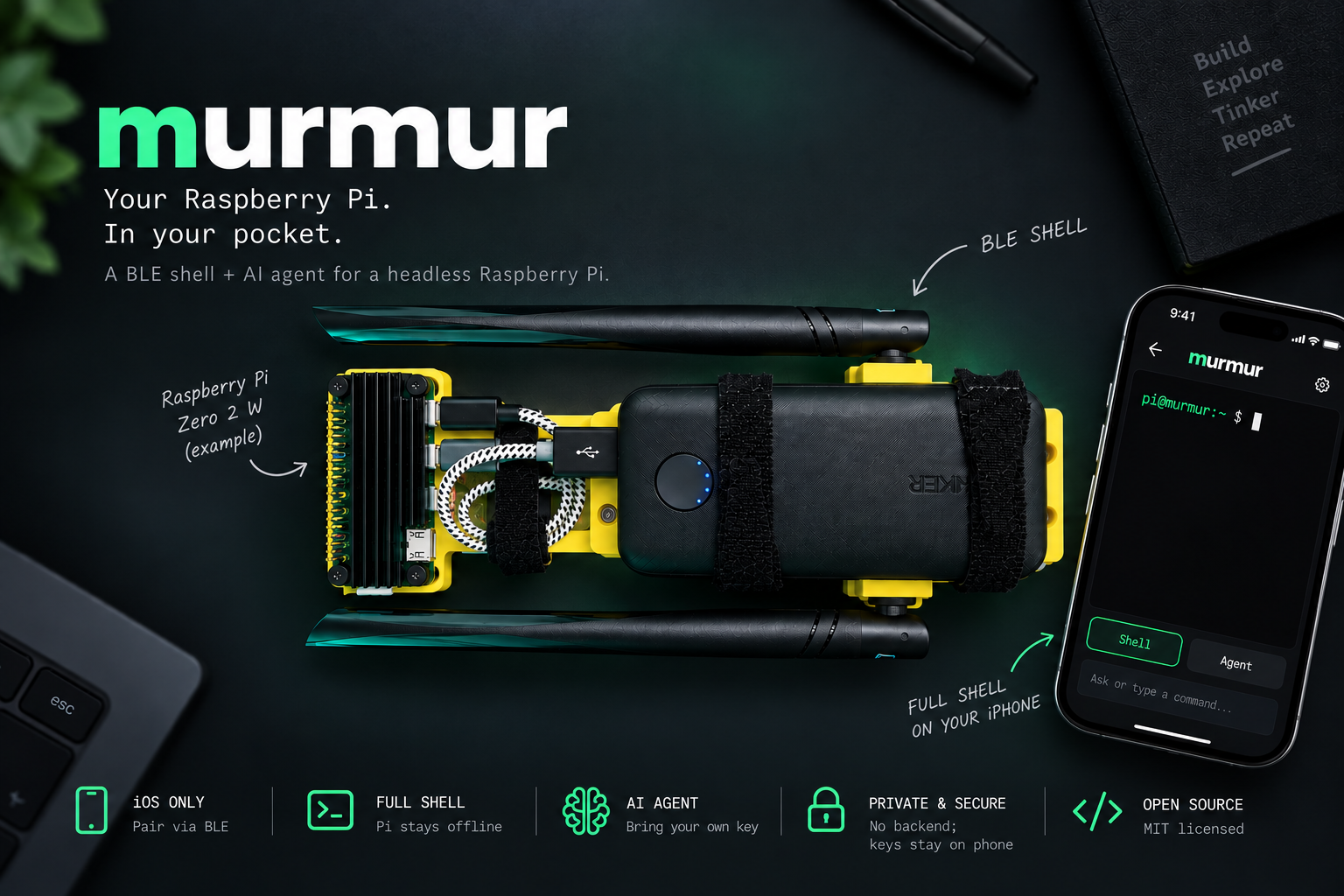
Talk to your Raspberry Pi. No network required on the Pi — just your phone and Bluetooth.
murmur turns your phone into an AI agent for a headless Pi: give it a goal in plain English
("what's eating my disk space?", "set up a static IP"), and it plans and runs shell commands
on the Pi for you, showing every command and its output as it goes. It also doubles as a
plain remote terminal when you'd rather drive the shell yourself. Either way, the Pi never
needs internet — it can be fully offline.
- Agent mode — a chat UI where an LLM (your choice of Anthropic Claude, OpenAI, Google
Gemini, or OpenRouter, using your own API key) reasons about your goal and drives the
shell for you, one command at a time. Every command and result is shown inline so you can
follow — and stop — at any point. Conversations are saved on the phone so you can resume past
sessions. - Shell mode — a real interactive terminal (xterm.js), for when you just want to type.
Two halves, one wire protocol:
murmurd— a Python daemon on the Pi that exposes a shell over a custom BLE GATT
service. No compilation needed — just BlueZ and a venv.murmur app— a React Native (Expo) app for iOS that connects to the Pi over
BLE and hosts both modes. Get it on the App Store.
The agent loop runs on the phone: the phone holds the API key and the internet connection,
calls the LLM, and ships the resulting commands to the Pi over BLE. The Pi only ever needs
Bluetooth.
Demo
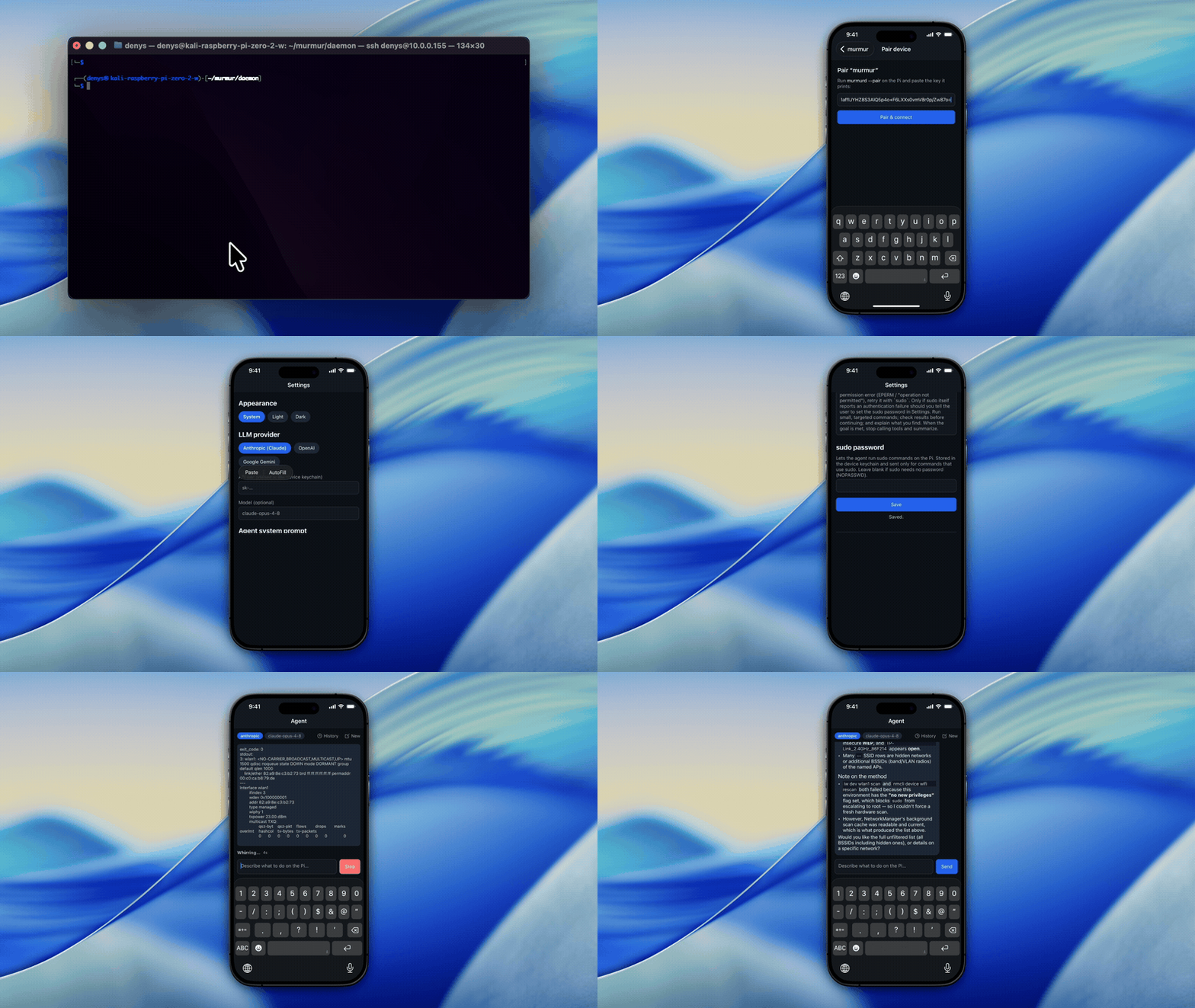
Pairing with a nearby Pi over BLE, an interactive shell, configuring a bring-your-own LLM API
key, driving the Pi with Agent mode, and wiping all stored data from the phone.
Why BLE (and not Bluetooth Classic)
iOS forbids Bluetooth Classic / RFCOMM (the classic "serial port" profile) for apps outside
Apple's MFi hardware program. BLE is the only Bluetooth transport a normal iOS app can use
(CoreBluetooth). So murmur uses BLE: the Pi is the GATT peripheral, the phone is the
central. BLE is MTU-bounded and its notifications can be dropped under load, so murmur
defines its own framing + flow-control protocol on top of GATT — seePROTOCOL.md.
Layout
daemon/        Python daemon (murmurd) — runs on the Pi
app/           React Native / Expo app (iOS)
docs/          design notes and the sample systemd unit
PROTOCOL.md    the wire protocol — single source of truth for both sides
Security
murmurd runs the shell as a non-root user, and the sample systemd unit is hardened
(NoNewPrivileges, ProtectSystem=strict). The agent can run sudo — the app sends the
password over the encrypted link — only if the service is configured to permit privilege
escalation; the hardened default blocks it. Seedaemon/README.md for how (and the tradeoff: whoever
can pair a phone then effectively has root on the Pi).
API keys and the BLE pairing key never leave the phone's OS-level secure store (Keychain /
Keystore); murmur has no backend of its own, so the only thing that leaves the phone is the
LLM calls you make with your own key. See app/README.md.
Getting started
The daemon
murmurd (Python) targets Linux/BlueZ (the BLE peripheral uses bless). The protocol,
auth, flow-control, exec, and config logic are platform-independent and unit-tested on any
host with the standard library — no pip install needed:
cd daemon
python3 -m unittest discover -s tests -t .   # protocol/auth/flow-control/exec tests (any OS)
On the Pi itself, one command installs everything (deps, non-root user, systemd unit):
curl -fsSL https://raw.githubusercontent.com/nekonihq/murmur/main/daemon/install.sh | bash
See daemon/README.md for what it does and the manual step-by-step.
App
iOS: murmur — BLE shell on the App Store
cd app
pnpm install        # or npm install
pnpm test           # protocol mirror round-trip tests (node --test)
See app/README.md for running the app on a physical iPhone and building
with EAS.
Community
Contributions welcome — see CONTRIBUTING.md. This project follows a
Code of Conduct. Found a security issue? SeeSECURITY.md for how to report it privately. General help and FAQs live inSUPPORT.md.
License
Reviews (0)
Sign in to leave a review.
Leave a reviewNo results found